
Presswell Alt Text Generator helps teams reduce accessibility backlog by generating descriptive alt text for new and existing images. Connect a provider, choose a model, and run generation workflows directly inside wp-admin.
Features
- Supports OpenAI, Anthropic Claude, and Google Gemini through WordPress AI Connectors (recommended, WordPress 7.0+) or, deprecated, with API keys stored by the plugin
- On WordPress 7.0+, can send requests through the WordPress AI Client, so the plugin stores no key
- Generates alt text for individual images in the Media Library, the media modal, and the Image block
- Generates alt text for new uploads automatically (optional)
- Processes missing-alt backlogs in batches with a dedicated bulk queue
- Writes alt text in your site’s language
- Restores the previous alt text if a regeneration isn’t an improvement
- Handles provider rate limits and quota errors with automatic pauses
- Provides a customizable prompt seed for output consistency
Media Library Tools
An Alt Text column shows each image’s alt text, and a “Generate Alt Text” or “Regenerate Alt Text” row action updates it in place. The same button appears in the media modal and on the attachment edit screen, along with “Restore previous alt text” after a regeneration.
Block Editor
Select an Image block to find an Alt Text Generator panel in its sidebar. It fills in the block’s alt text and updates the image in the Media Library.
Bulk Generator
The Bulk page counts images missing alt text, allows regeneration preferences, and runs batches while surfacing progress, failures, and rate-limit pauses.
Debug Tab
Settings -> Alt Text Generator -> Debug shows how requests are sent and what can stop them (API key, rate limits, bulk runs, images missing alt text), a Test Connection button, and the private debug log.
Connector Source
WordPress AI Connectors (Settings -> Connectors, WordPress 7.0+) are the recommended setup and the default for new installs. The Plugin connector source, which stores API keys in this plugin’s settings, is deprecated and will be removed in a future release; the settings screen shows a warning while it is selected. On WordPress versions without AI Connectors, the plugin keeps using its own keys.
Documentation
Filters
pwatg_available_services— Modify the available AI providerspwatg_available_models— Modify the available models for a provider (receives the models and the provider slug; the first model is the default)pwatg_provider_registry— Map provider slugs to custom service classespwatg_generate_on_upload— Return false to skip generating alt text for a new upload (receives the attachment ID)pwatg_debug_log_max_bytes— Size at which the debug log rotates (default 5 MB)pwatg_image_max_dimension— Long edge, in pixels, of the image copy sent to the provider (default 1024)pwatg_alt_text_language— Language the alt text is written in (defaults to the site language; return an empty string to leave it to the model)pwatg_include_filename_in_prompt— Return false to leave the image’s filename out of the prompt (receives the attachment ID)pwatg_use_wp_ai_client— Return false to call the provider directly instead of through the WordPress AI Client in Core mode (receives the provider ID)pwatg_core_connector_service_map— Map WordPress AI Connector IDs to this plugin’s provider slugspwatg_service_connector_candidates— Connector IDs checked for each provider’s API keypwatg_debug_log_filename— Filename of the private debug logpwatg_status_rows— Rows of the Debug tab’s status table (each an array with stringlabelandvalue, andstatusofok,warning, or an empty string; rows without a string label and value are dropped)
WP-CLI
If WP-CLI is available, you can run single-image generation, bulk generation, and missing-alt counts from the command line:
wp pwatg generate <attachment-id>wp pwatg bulk-generatewp pwatg count-missingwp pwatg network-bulk-generate
Optional CLI flags:
wp pwatg generate <attachment-id> --forcewp pwatg bulk-generate --force— reports how many images would be overwritten; add--dry-run=falseto generatewp pwatg bulk-generate --dry-runwp pwatg bulk-generate --limit=<int>wp pwatg bulk-generate --missing-onlywp pwatg network-bulk-generate --force— a dry run unless--dry-run=falseis givenwp pwatg network-bulk-generate --limit=<int>wp pwatg network-bulk-generate --missing-onlywp pwatg network-bulk-generate --sites=<id,id,...>
Privacy
This plugin sends images to the AI provider you choose when generating alt text (OpenAI, Anthropic, or Google Gemini). Generation happens when you ask for it, and for new uploads when Generate on Upload is on. In the deprecated Plugin mode, API keys are stored in WordPress options on your site (or your network, when network-activated on Multisite) and used only for requests your server sends to that provider.
External Services
This plugin connects to an external AI service only when alt text is generated (on request, or for new uploads when Generate on Upload is on) or when you use Test Connection. Only the provider selected in the plugin settings is contacted. In Core mode on WordPress 7.0+, the request is sent through the WordPress AI Client using the connection set up in Settings -> Connectors. This plugin sends the following data:
- The API key, in the provider’s authentication header
- The selected model name
- The prompt: your prompt seed, the site language, and a short plain-text version of the image’s filename (leave it out with the
pwatg_include_filename_in_promptfilter) - For alt text generation: a copy of the image, resized to about 1024 pixels and converted to JPEG when the provider doesn’t accept its format, encoded as base64
- For Test Connection: a short text prompt (“Reply with: OK”)
OpenAI API
- Terms: https://openai.com/policies/terms-of-use
- Privacy: https://openai.com/policies/privacy-policy
Anthropic API
- Terms: https://www.anthropic.com/legal/commercial-terms
- Privacy: https://www.anthropic.com/privacy
Google Gemini API
- Terms: https://ai.google.dev/terms
- Privacy: https://policies.google.com/privacy
Screenshots
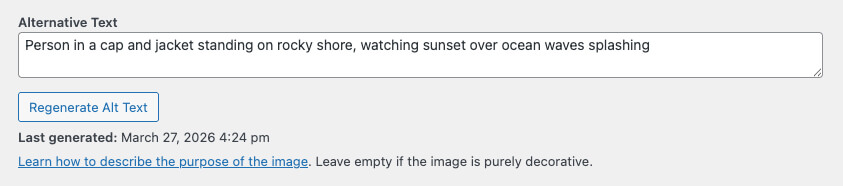
Alt text generation controls on the media edit screen.
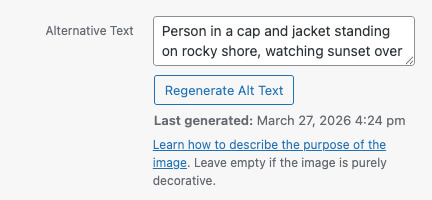
Alt text generation controls in the media modal.
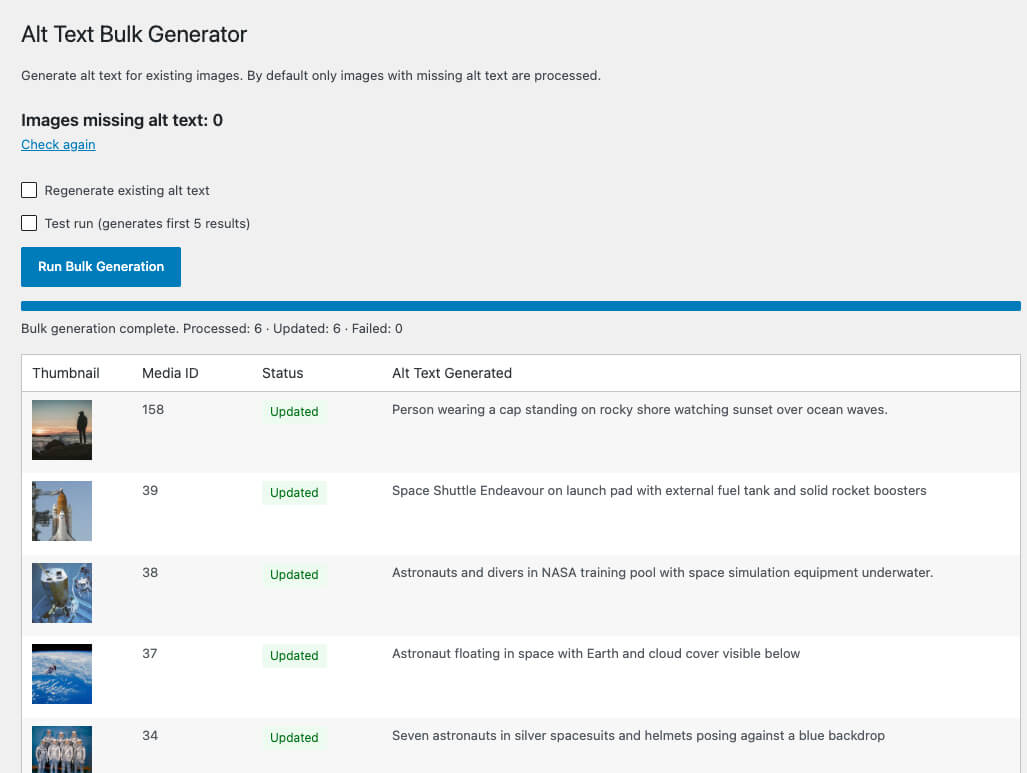
Bulk generator with progress and per-image results.
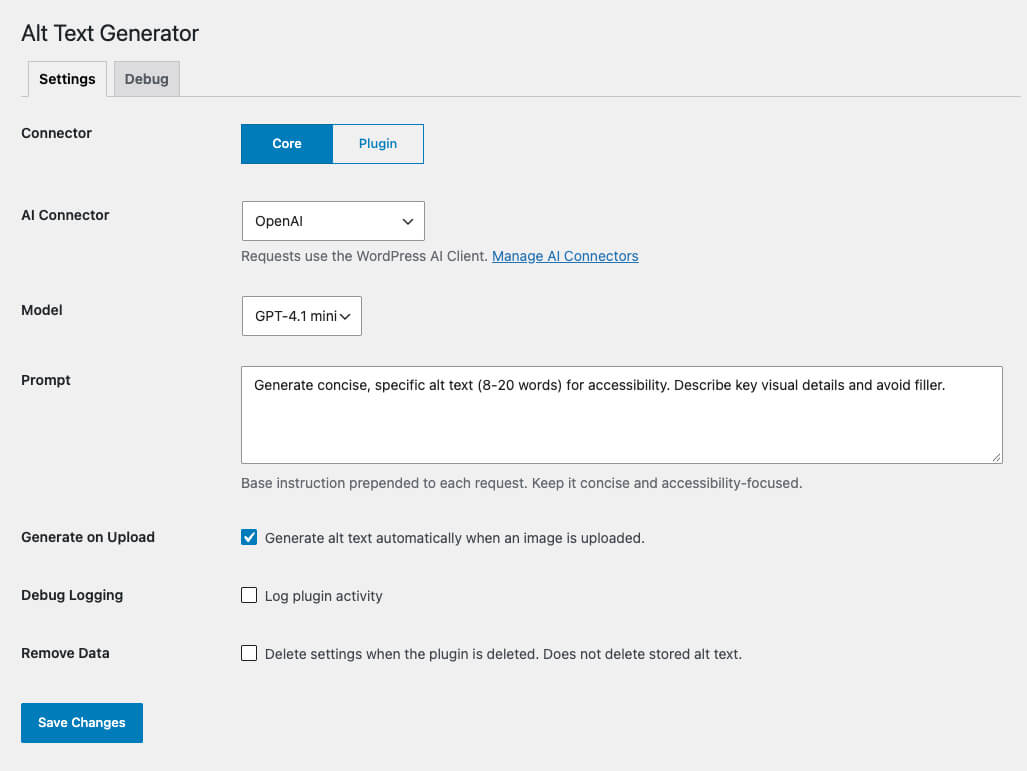
Settings screen with connector, model, prompt, and upload controls.
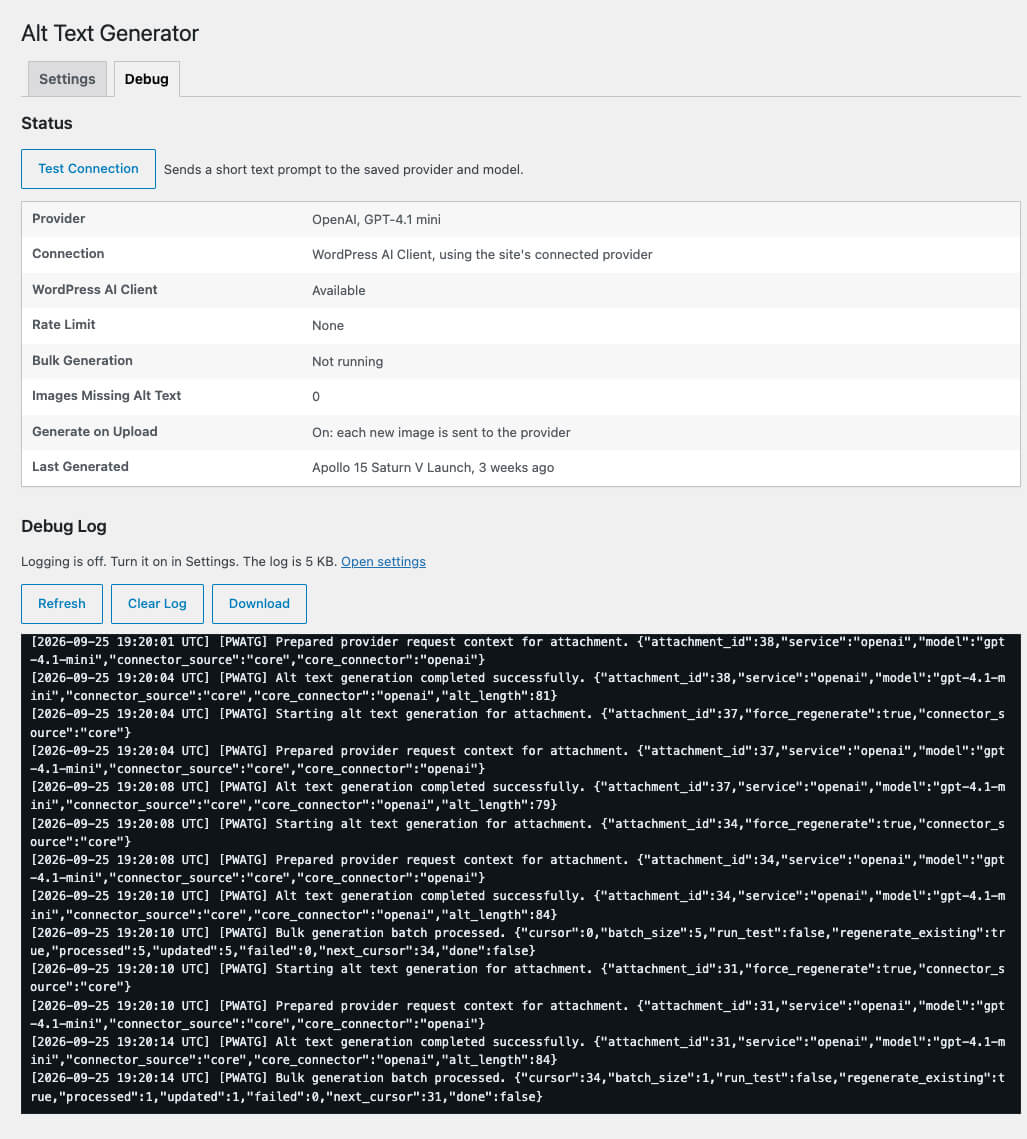
Debug screen with connection status, Test Connection, and the debug log.