PRESSZEUG Forensics is a WordPress activity log with retrospective forensic analysis. It records meaningful changes from the moment it is activated and can also investigate earlier changes using evidence WordPress or supported editors already stored.
Traditional activity logs start recording when they are activated. PRESSZEUG Forensics can additionally examine existing WordPress and Elementor revisions, metadata, update information, and selected local file timestamps. This means an investigation can begin even after a change or incident has already happened.
Retrospective analysis is evidence-based: PRESSZEUG Forensics can only show what WordPress or a supported integration actually stored. It cannot recreate events for which no evidence exists.
The focus is on meaningful changes rather than ordinary admin navigation.
Typical investigation questions
PRESSZEUG Forensics is designed to help answer questions such as:
- What changed on this WordPress site?
- Which WordPress account was associated with a change?
- What exactly changed inside an Elementor page?
- Was a plugin or theme installed, updated, activated, deactivated, or deleted?
- Can existing revisions reveal a change that happened before PRESSZEUG Forensics was installed?
- Which stored evidence is available for a specific time window?
WordPress Core auditing
PRESSZEUG Forensics can record and investigate changes involving:
- Pages, posts, comments, and taxonomies.
- Users, roles, successful logins, logouts, and optional failed-login events.
- Plugin and theme activation, deactivation, deletion, installation, and updates.
- Relevant WordPress settings and revision evidence.
- Compact before/after information for supported content changes.
- A live presence view that separates recent authenticated activity from merely valid WordPress sessions.
- HTML and CSV evidence exports for selected time windows.
- Optional read-only local file timestamp analysis as an additional retrospective indicator.
Elementor deep integration
Elementor is the first optional Deep Integration and is shown only when Elementor is detected.
When available, PRESSZEUG Forensics can add field-level information about Elementor content, structure, and visual settings such as typography, colors, spacing, borders, dimensions, and responsive values. Stored Elementor revisions can also be compared retrospectively.
Elementor is not required. WordPress Core auditing continues to work when no supported editor integration is active.
Live and retrospective forensics
The live audit log records supported events from the moment PRESSZEUG Forensics is active.
Retrospective analysis is different: it examines evidence WordPress or a supported editor already stored, such as revisions, metadata, update information, and selected file timestamps. It cannot recreate actions for which no evidence exists.
File modification and inode-change times are indicators only. Restores, migrations, manual uploads, server work, and updates can create similar timestamp patterns.
Privacy and data handling
- No cloud account is required.
- Core forensic functionality does not send audit data to PRESSZEUG or another remote service.
- The live presence view does not store IP addresses.
- Passwords, submitted form contents, and complete Elementor document JSON are not stored in the audit table.
- Large values can be represented by size and SHA-256 fingerprints instead of full contents.
- CSV exports neutralize common spreadsheet-formula prefixes.
- Audit data is intentionally preserved on uninstall so forensic evidence is not destroyed accidentally.
Access follows WordPress permissions. Administrators and other users granted the corresponding administration capability can open PRESSZEUG Forensics.
Support
The built-in Help tab contains explanations for common forensic questions and a privacy-safe system-information summary for support requests.
For public support, use the PRESSZEUG Forensics support forum on WordPress.org. Product documentation and PRESSZEUG support links are also available from the plugin interface.
Screenshots
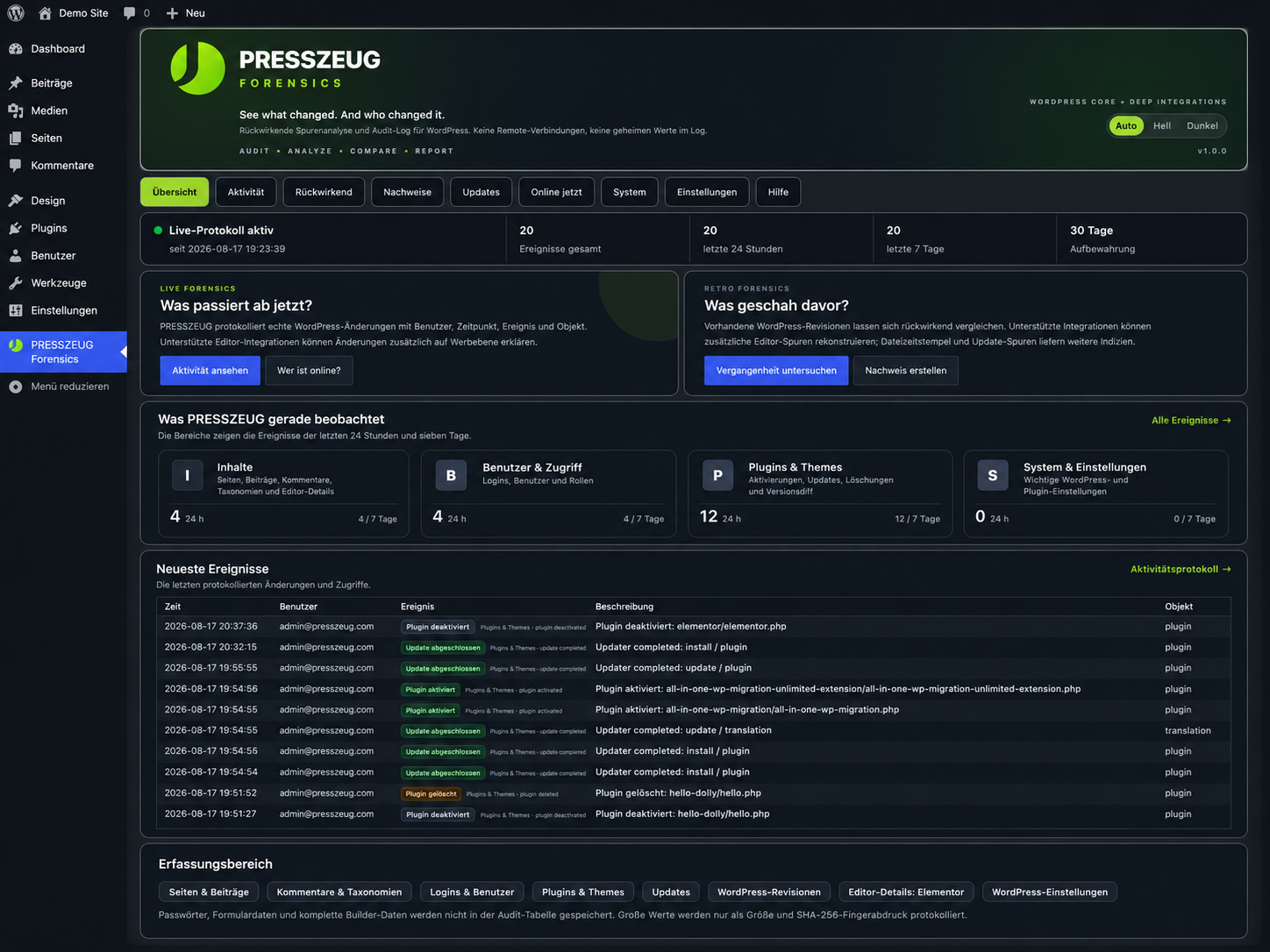
Overview dashboard with live and retrospective forensics, recent events, and monitored areas.
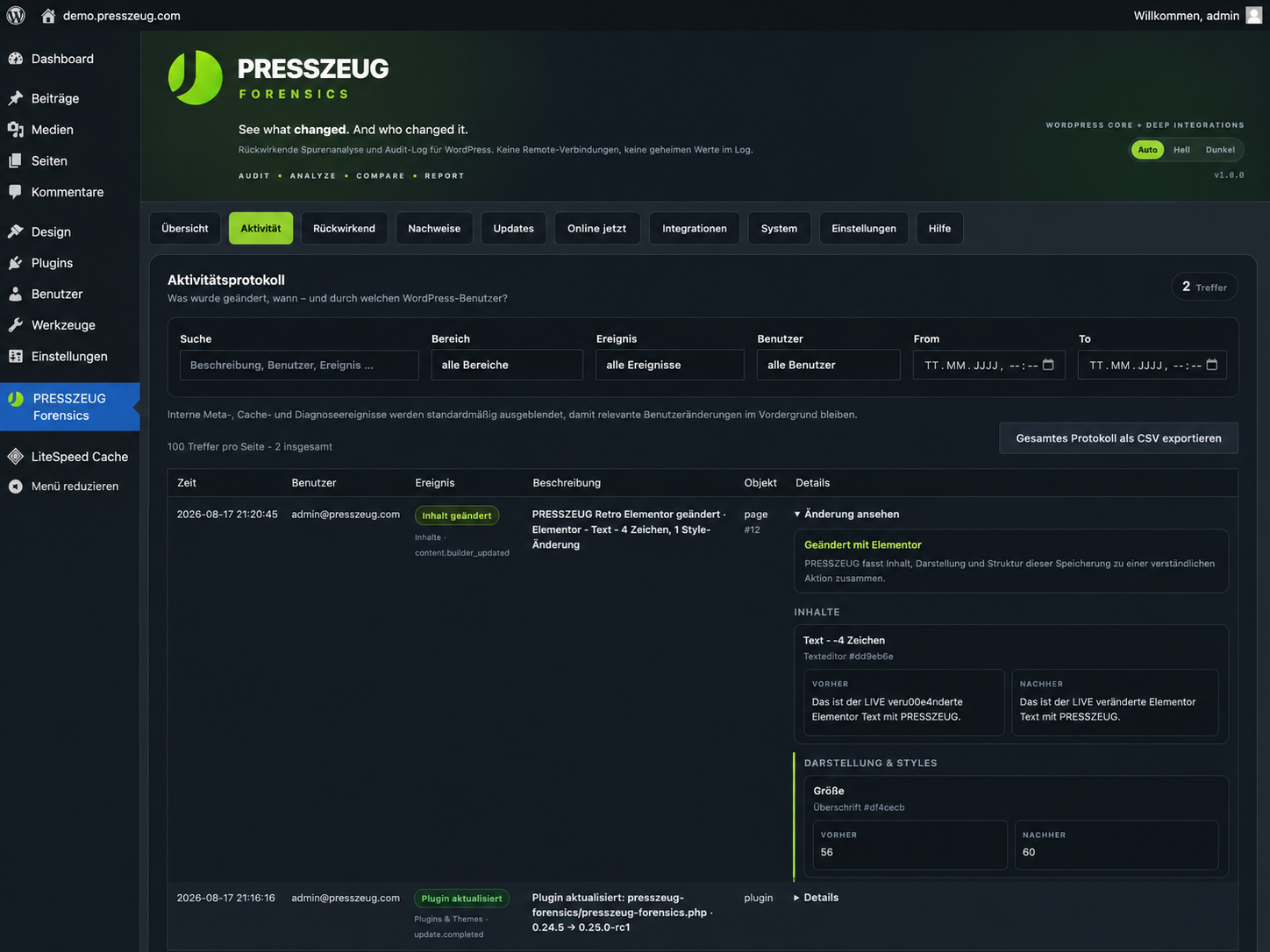
Activity log with human-readable WordPress change events and before/after context.
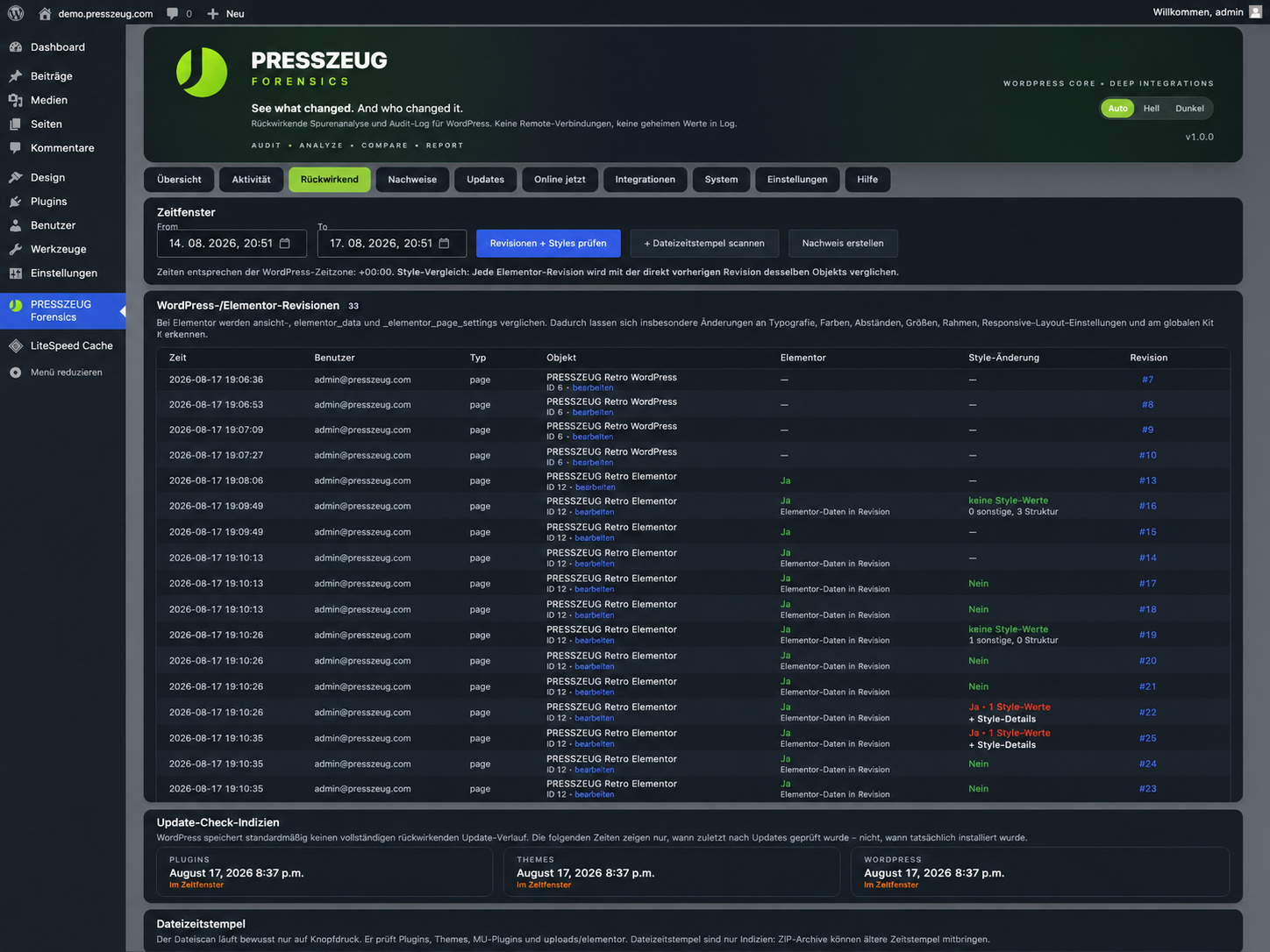
Retrospective revision analysis for changes that existed before PRESSZEUG Forensics was installed.
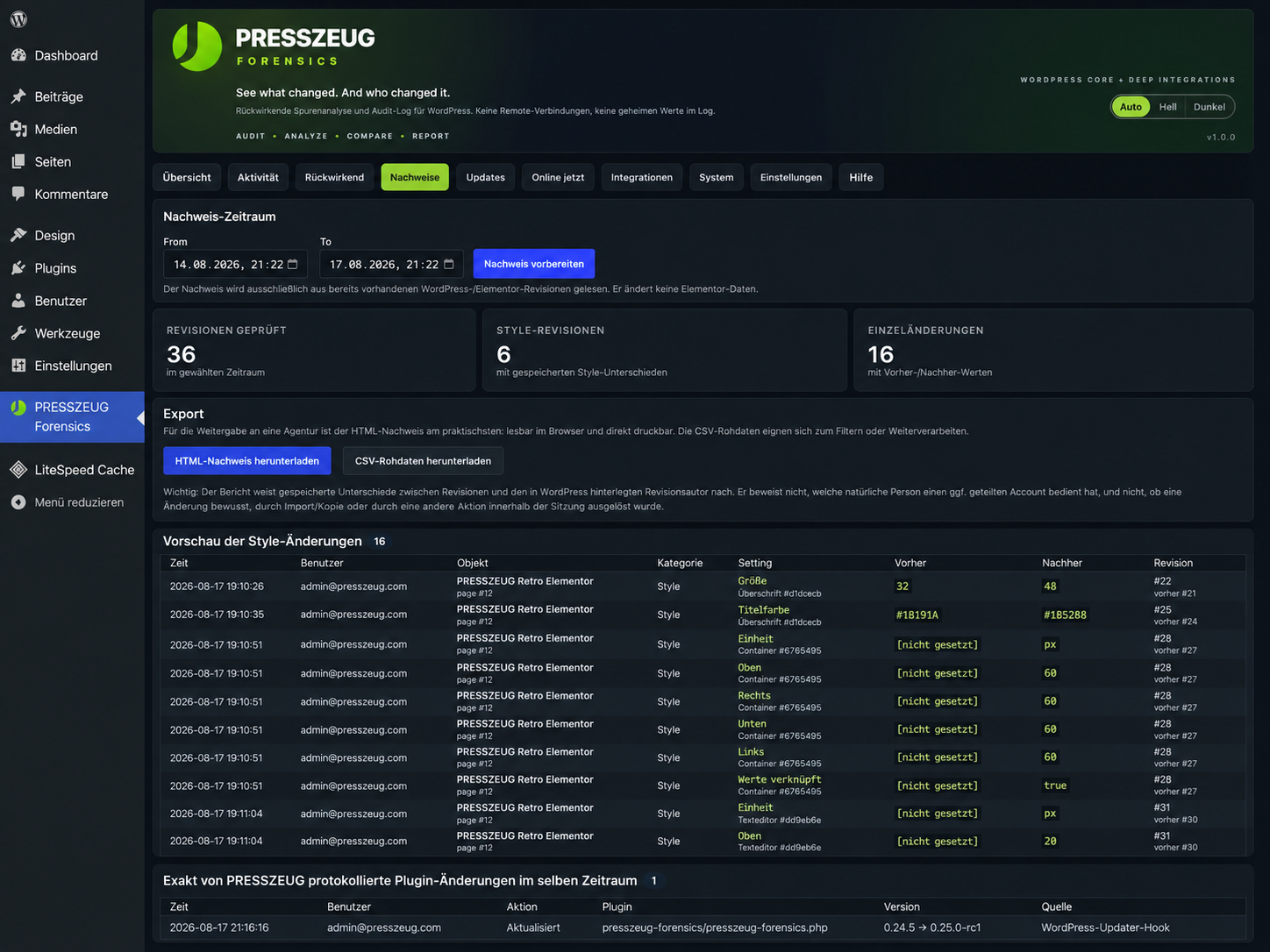
Evidence view for comparing revision details and preparing HTML or CSV exports.
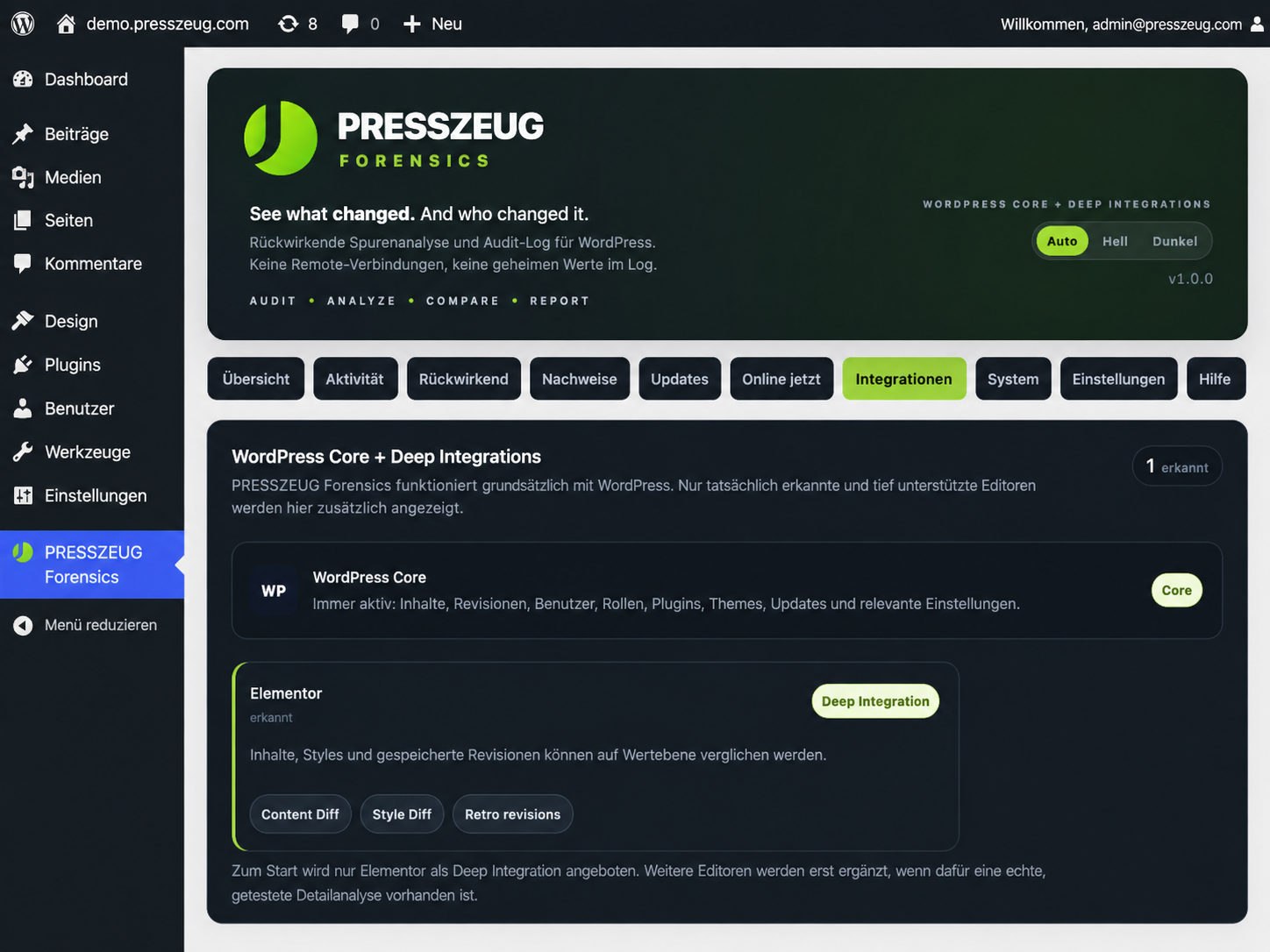
Integrations view showing WordPress Core and detected optional Deep Integrations such as Elementor.
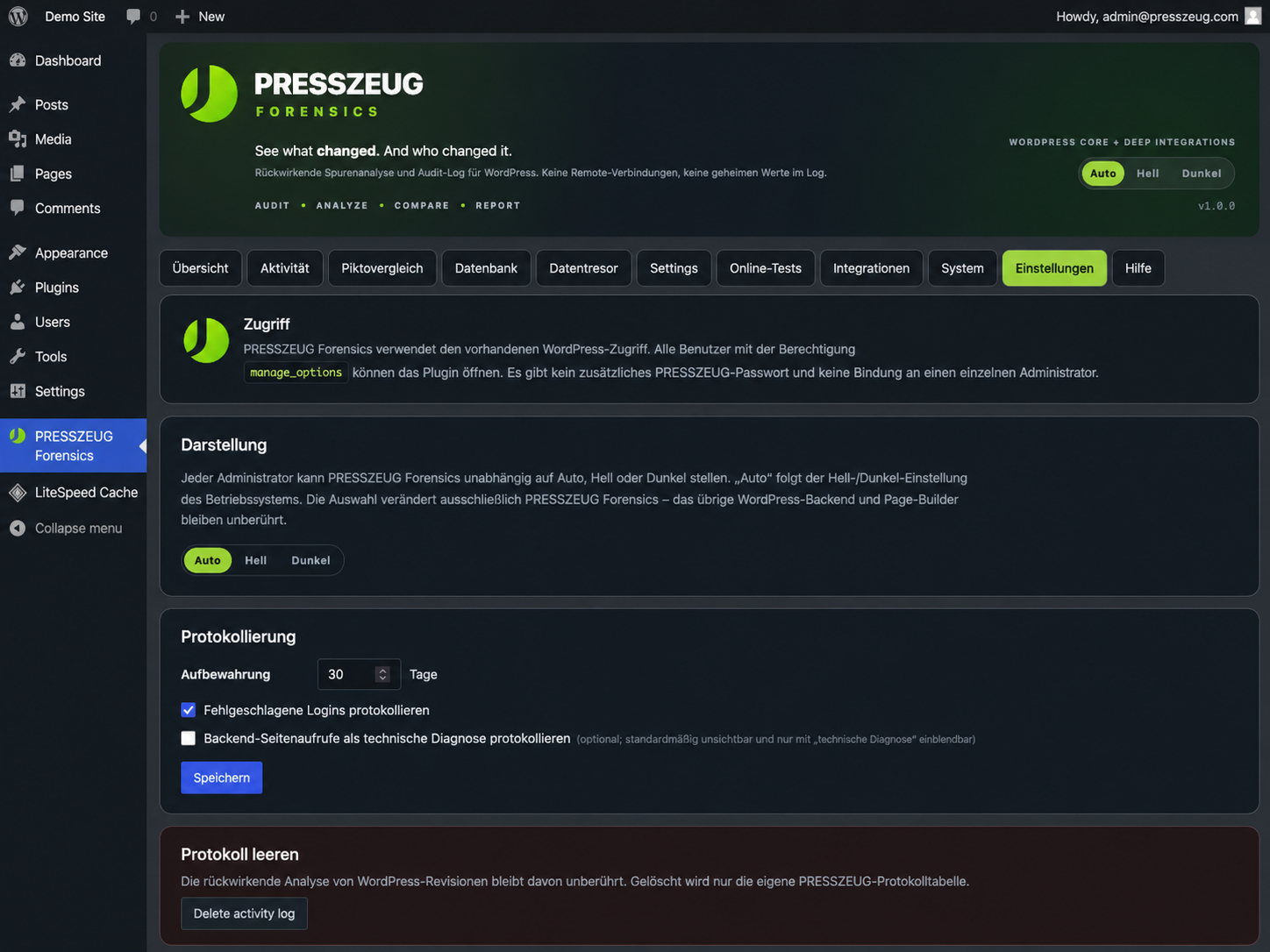
Settings for retention, appearance, diagnostics, and other PRESSZEUG Forensics preferences.