
PrintIntegrator Product Design Connector connects your store to a self-hosted or remote Odoo Design Studio backend.
Features:
- Store setup wizard in the WordPress admin sidebar
- WooCommerce REST API key provisioning for secure sync
- Real-time product sync to Design Studio
- Per-store cart isolation for multi-store setups
- Custom design sessions added to the WooCommerce cart and orders
- Stripe Checkout payment gateway
- Professional cart, checkout, and order-received styling
This plugin is not affiliated with WooCommerce or Odoo.
Third-Party Services
This plugin connects to an external Odoo / Design Studio server that you configure in the plugin settings.
- Service: Your configured Odoo Design Studio backend (self-hosted or SaaS)
- Data sent: store URL, product data, design session metadata, order line items
- When: only after you save settings, test the connection, connect a store, customize a product, or check out. Activation and first admin load do not contact any remote server.
- Terms and privacy depend on your configured backend instance
Stripe Checkout is used when the Stripe payment method is enabled:
- Service: Stripe (https://stripe.com)
- Data sent: order total, currency, line item labels, customer email, success/cancel URLs
- Terms: https://stripe.com/legal
- Privacy: https://stripe.com/privacy
Screenshots
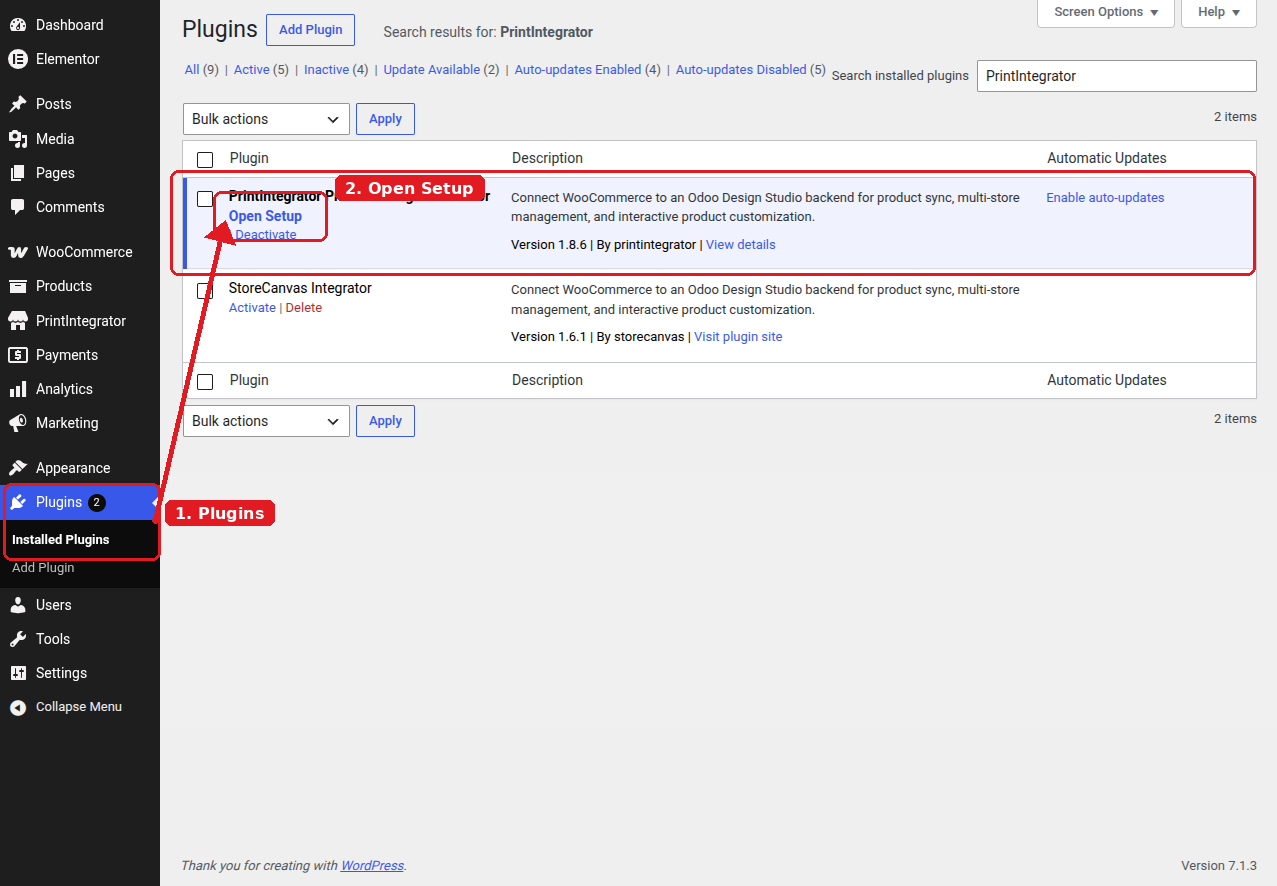
Setup guide — Install the plugin and open Setup from the Plugins screen.
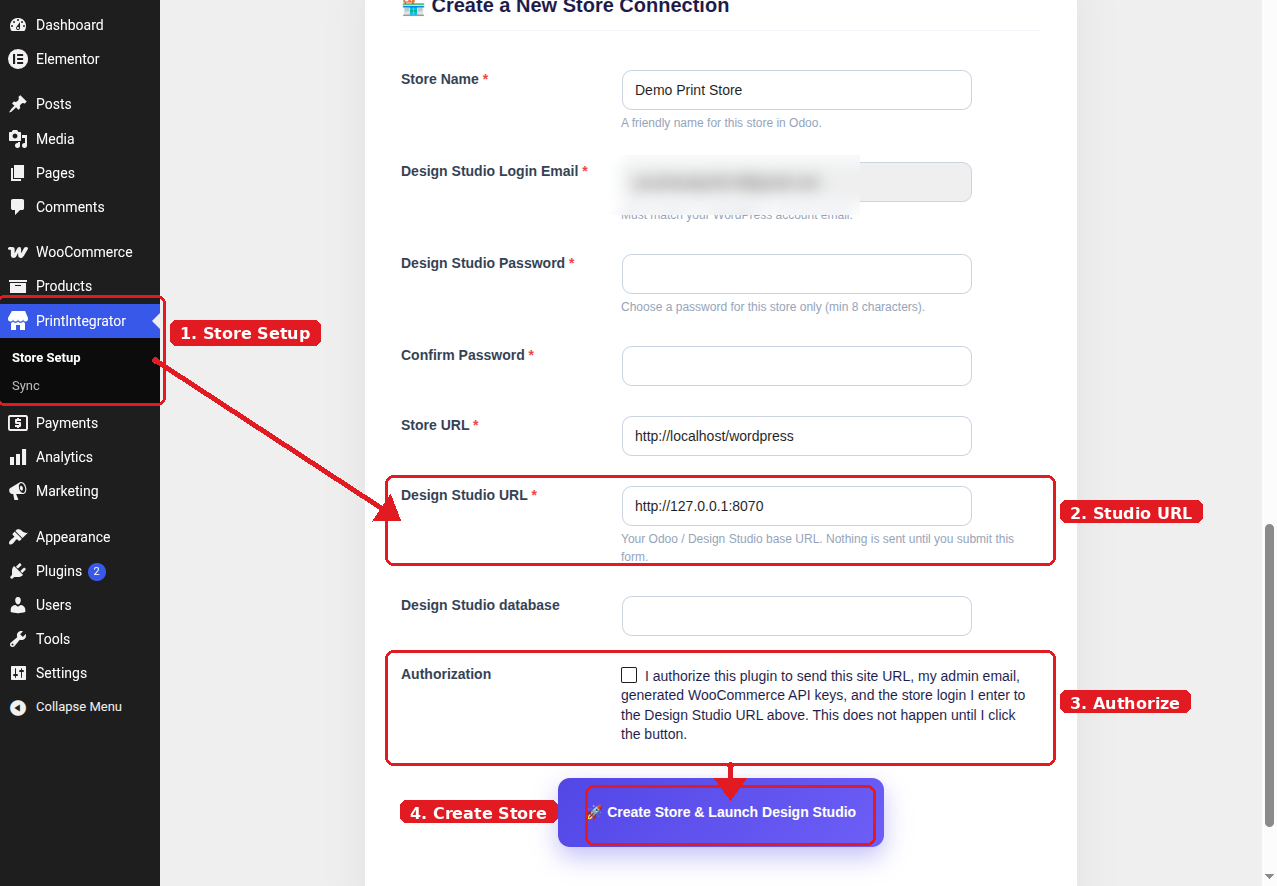
Setup guide — Store Setup: enter Design Studio URL and authorize the connection.
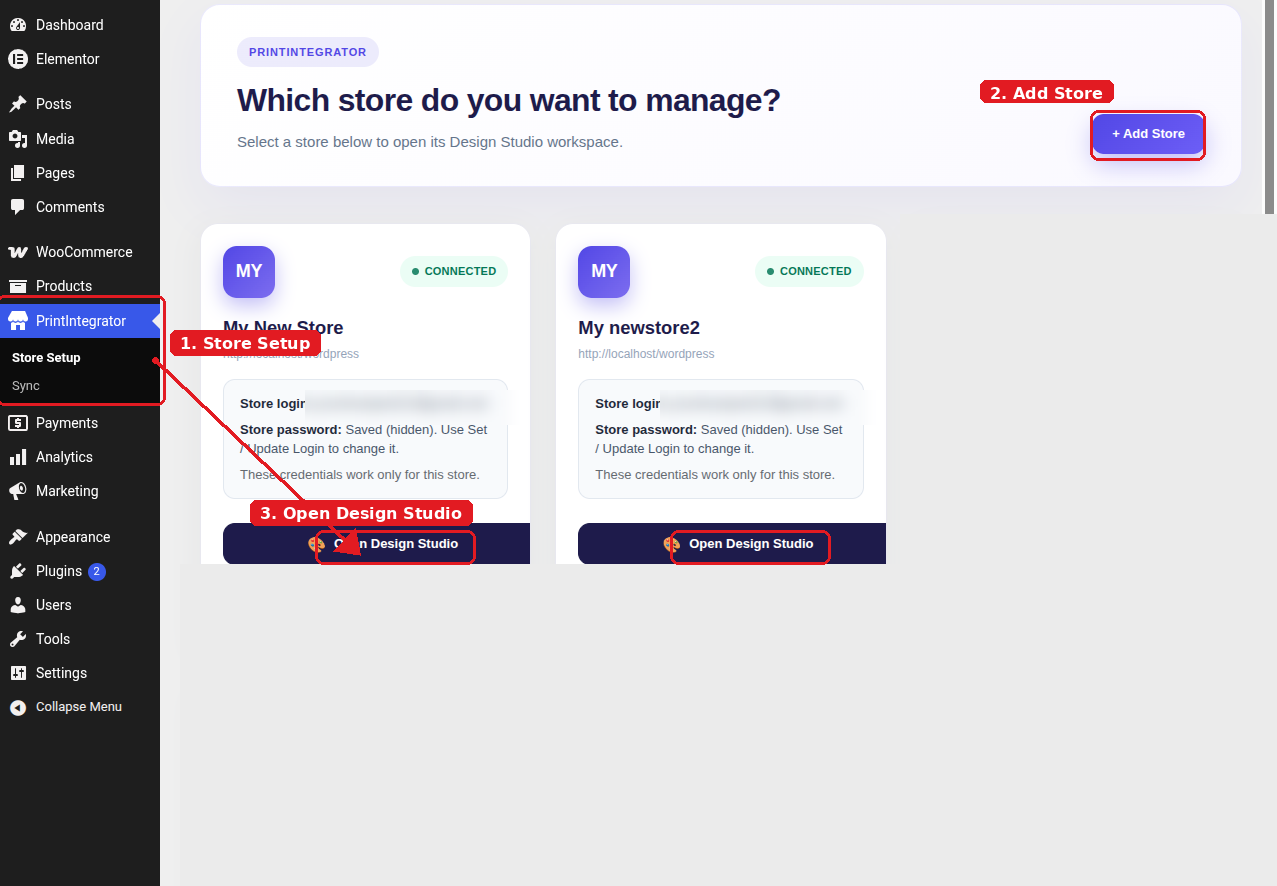
Setup guide — Connected store: open Design Studio from Store Setup.
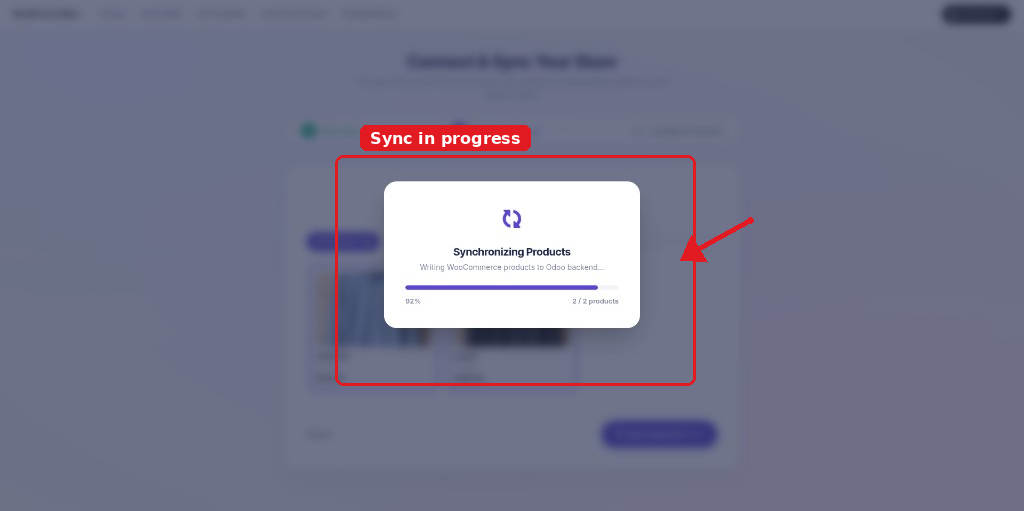
Setup guide — Product sync in progress in Design Studio.
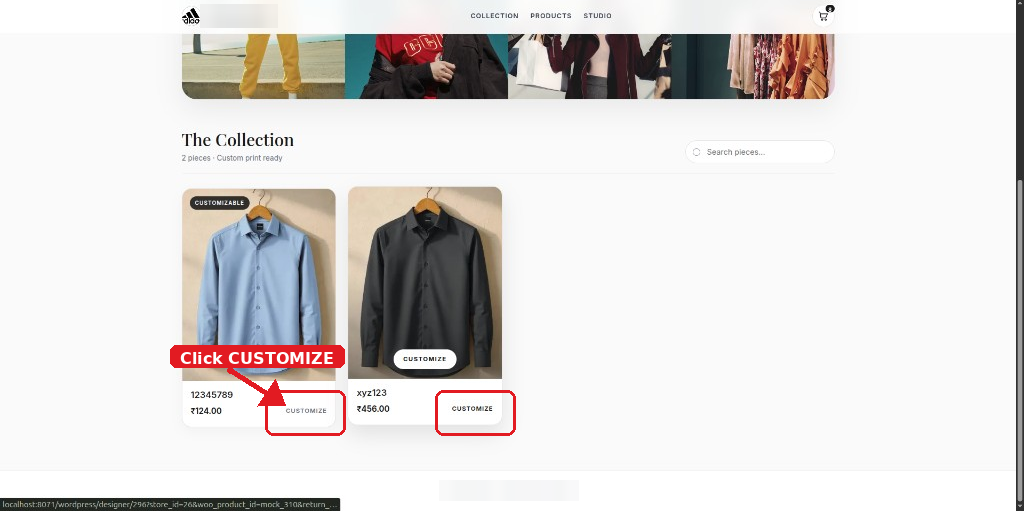
Setup guide — Storefront collection: click Customize on a product.
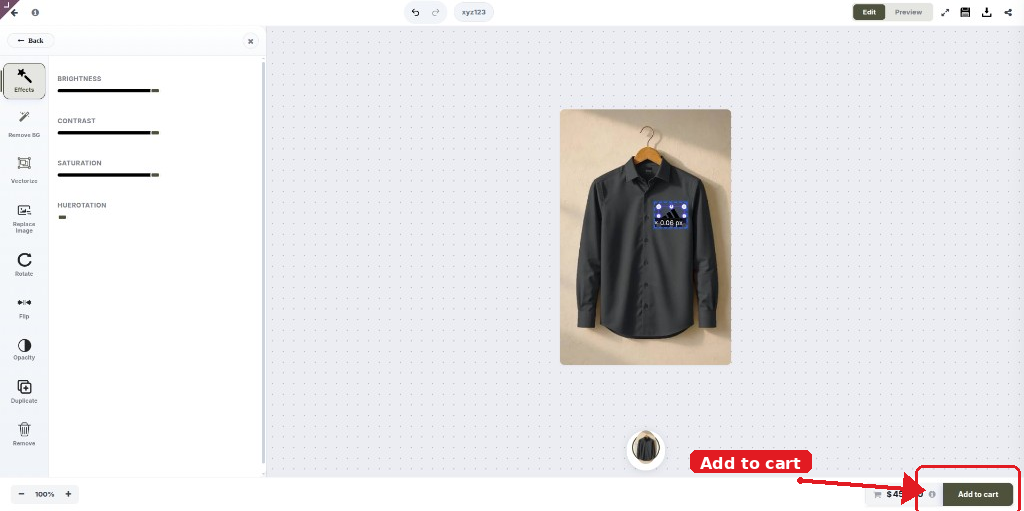
Setup guide — Design Studio designer: add the customized product to cart.
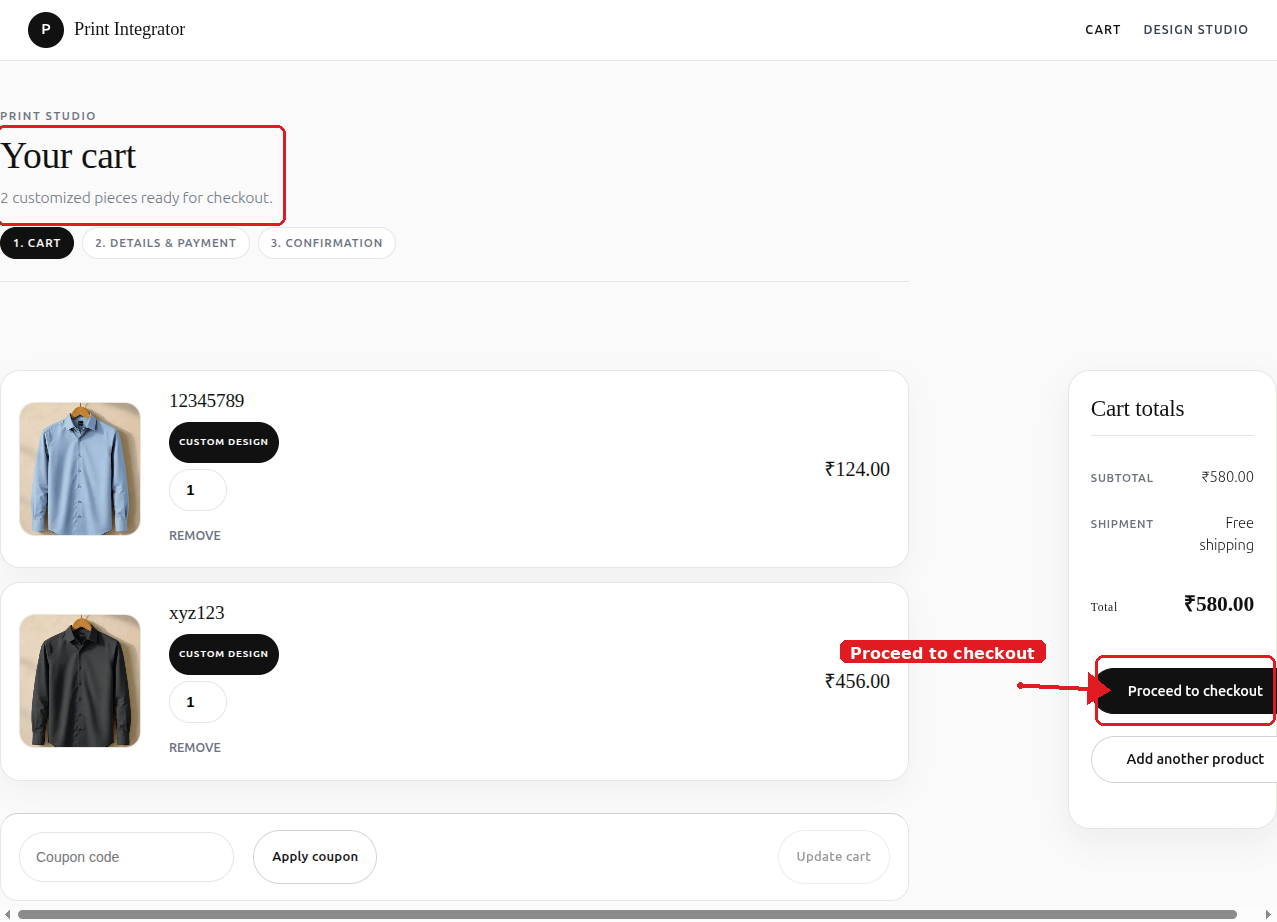
Setup guide — WooCommerce cart with design preview images.
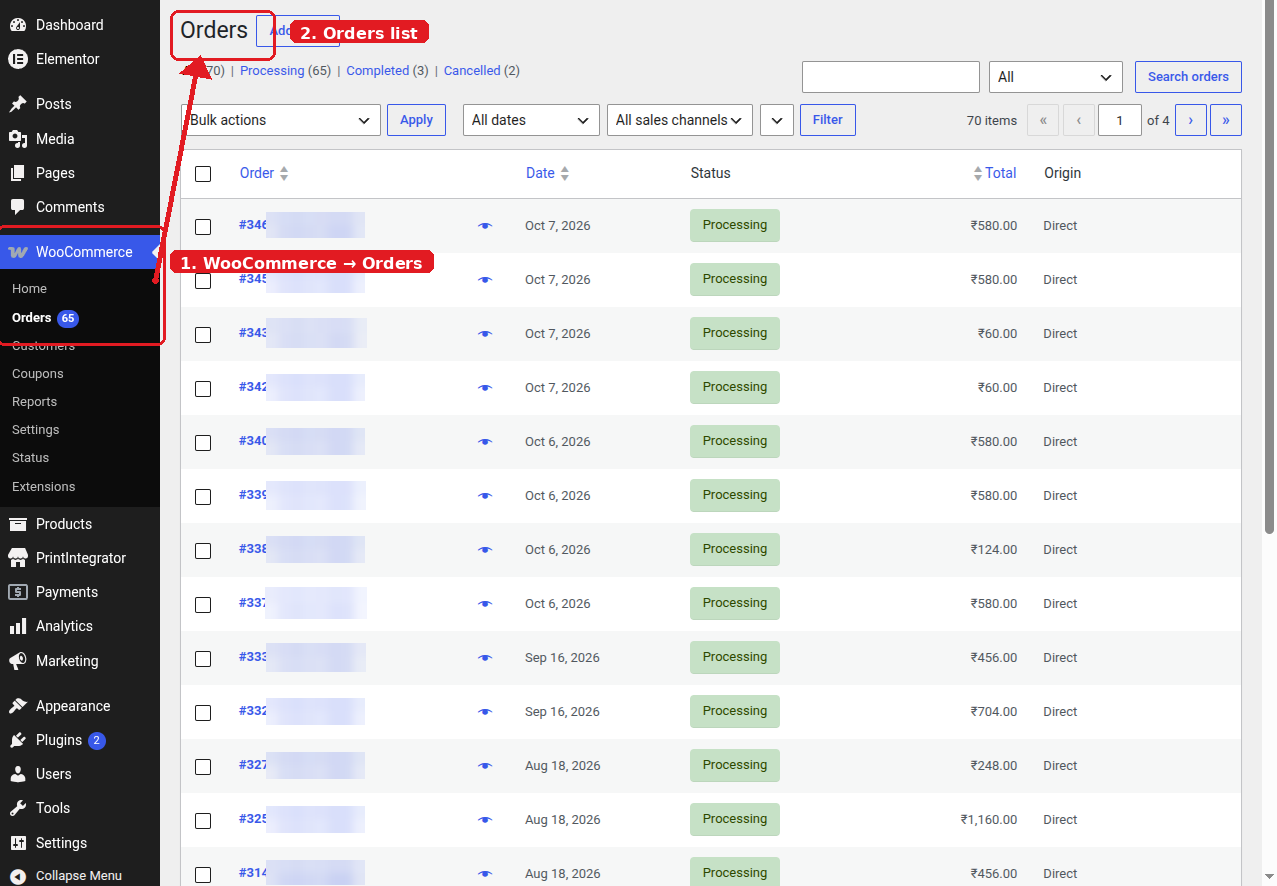
Setup guide — WooCommerce Orders list after checkout.