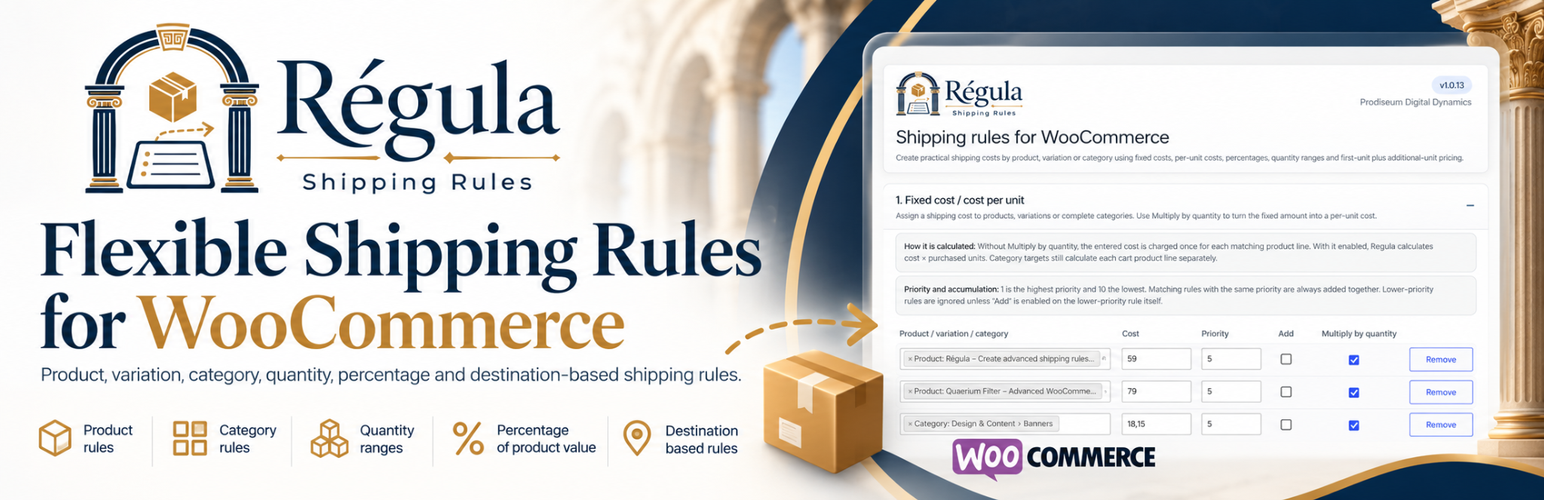
Regula is a flexible shipping rules plugin for WooCommerce that lets you create custom shipping costs by product, variation, category, quantity and product value.
Create fixed shipping fees, per-product and per-unit shipping costs, percentage-based shipping charges and quantity-based shipping rules directly from the WordPress dashboard — without writing code.
The free edition includes:
- Fixed shipping costs by product, variation or product category.
- Per-unit and per-product shipping costs using the Multiply by quantity option.
- Percentage-based shipping costs calculated from product value and purchased quantity.
- Quantity-based shipping costs using configurable quantity ranges.
- First-unit plus additional-unit shipping costs for flexible per-item pricing.
- One searchable target field for products, variations and categories.
- Multiple products, variations and categories in the same rule.
- Optional inclusion of category subcategories.
- Priority levels from 1 to 10.
- Equal-priority rules are accumulated automatically.
- Optional Add behaviour for lower-priority rules that should also contribute.
- Optional tax calculation on the generated shipping fee lines.
- Optional hiding of standard WooCommerce shipping when Regula is used on its own.
Each calculated product shipping cost is shown as a separate line in the cart and checkout totals.
Regula requires WooCommerce. The free plugin does not contain locked premium functionality and does not send store, customer or usage data to Prodiseum Digital Dynamics or third-party services.
Regula Pro
Regula Pro is a separate plugin for stores that need more advanced WooCommerce shipping rules. It adds weight-based shipping ranges, volume/dimension ranges, cart-subtotal shipping rules, destination-based rules by country/state/postcode, a free-shipping threshold, and minimum/maximum shipping-cost limits.
More information: https://prodiseum.com/regula
Support and contact: info@prodiseum.com
Screenshots
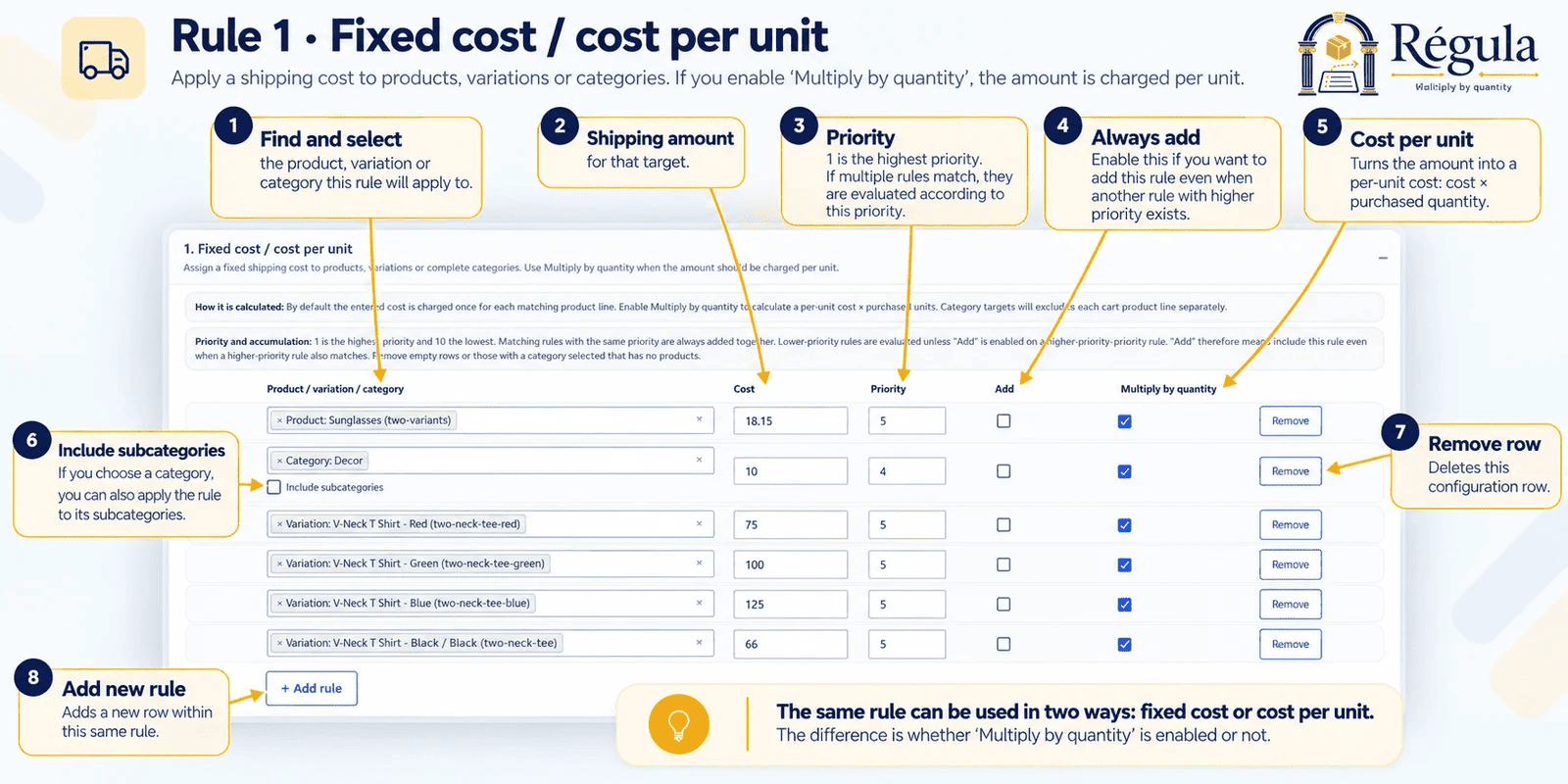
Rule 1 – Fixed cost / cost per unit: assign fixed or per-unit shipping costs to products, variations or categories.
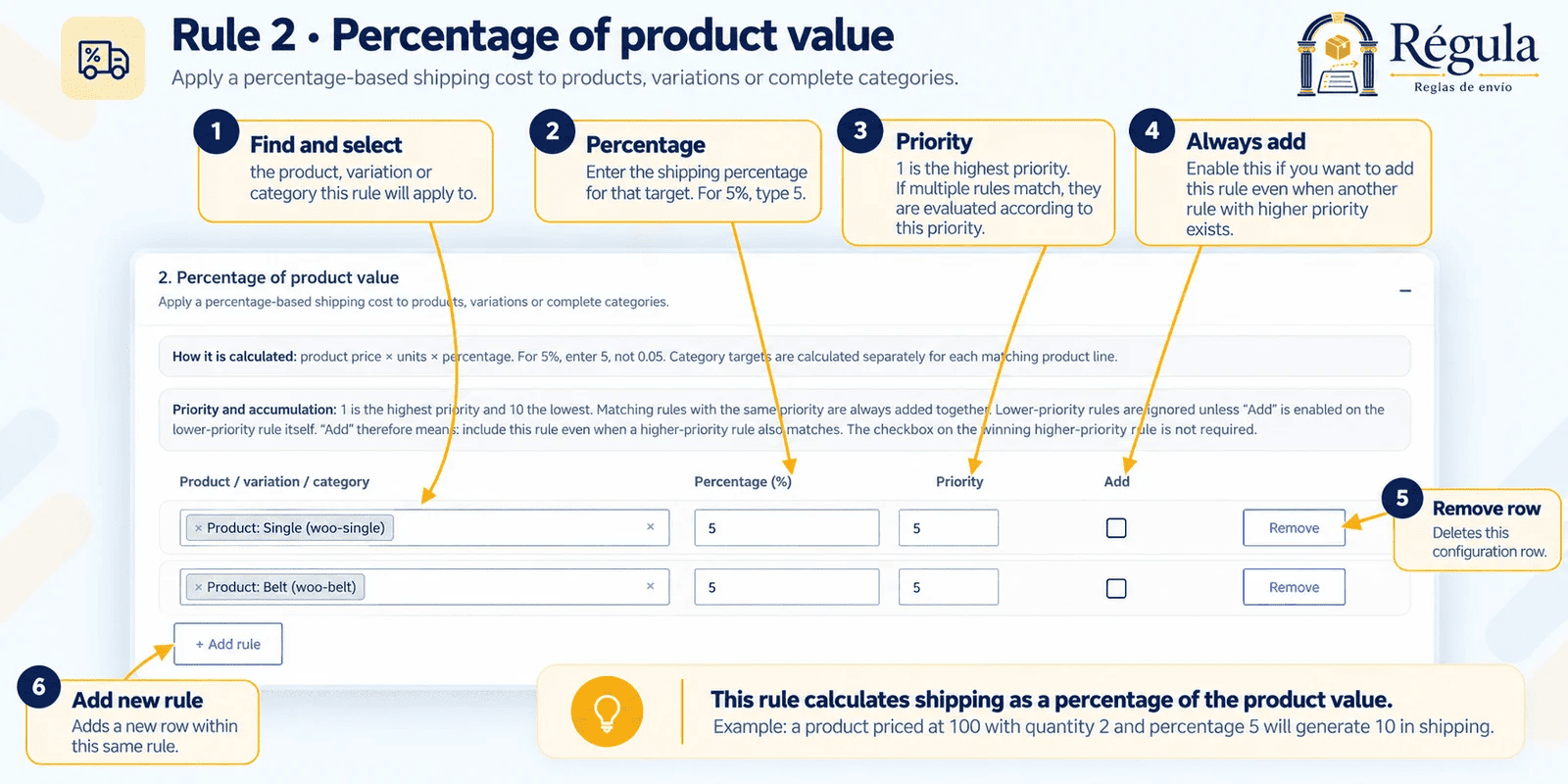
Rule 2 – Percentage of product value: calculate shipping as a percentage of the matching product value.
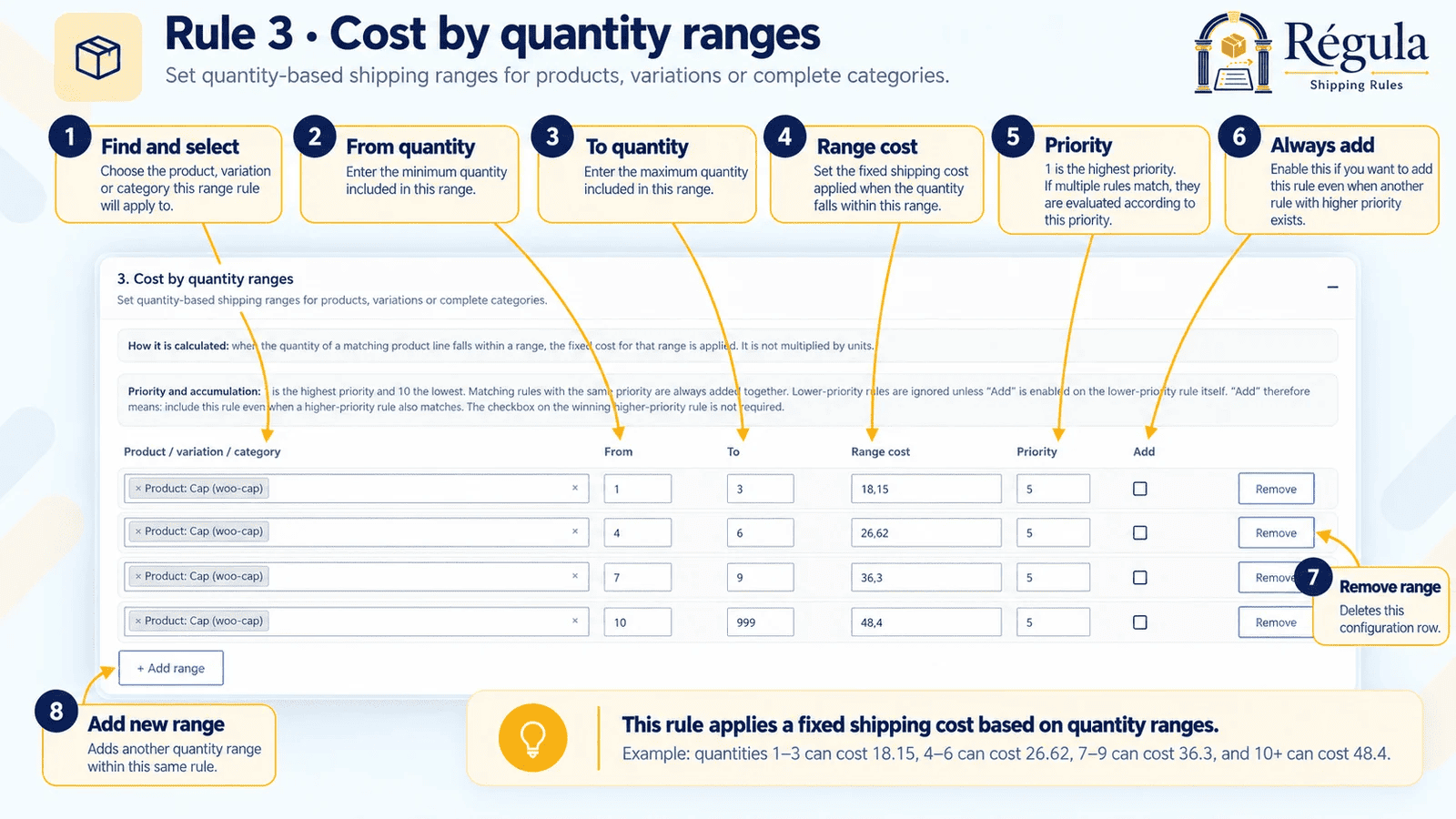
Rule 3 – Cost by quantity ranges: apply different shipping costs according to purchased quantity.

Regula Pro preview – Cost by weight ranges: calculate shipping costs using WooCommerce product weights.

Regula Pro preview – Cost by volume ranges: calculate volume from product dimensions and apply matching shipping ranges.
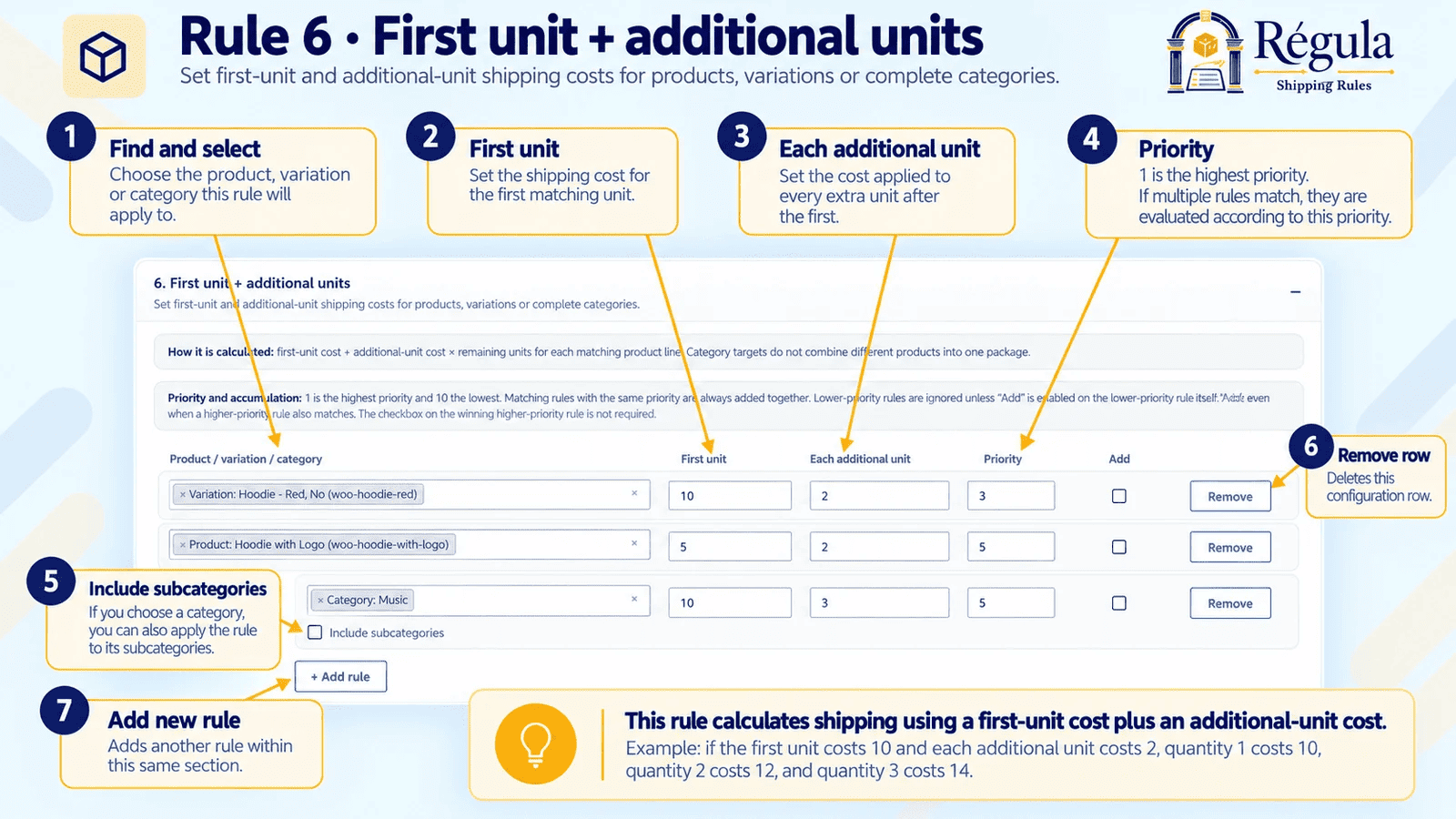
Rule 6 – First unit + additional units: set one cost for the first unit and another for each additional unit.

Regula Pro preview – Cost by cart subtotal: apply a global shipping fee according to the cart subtotal range.
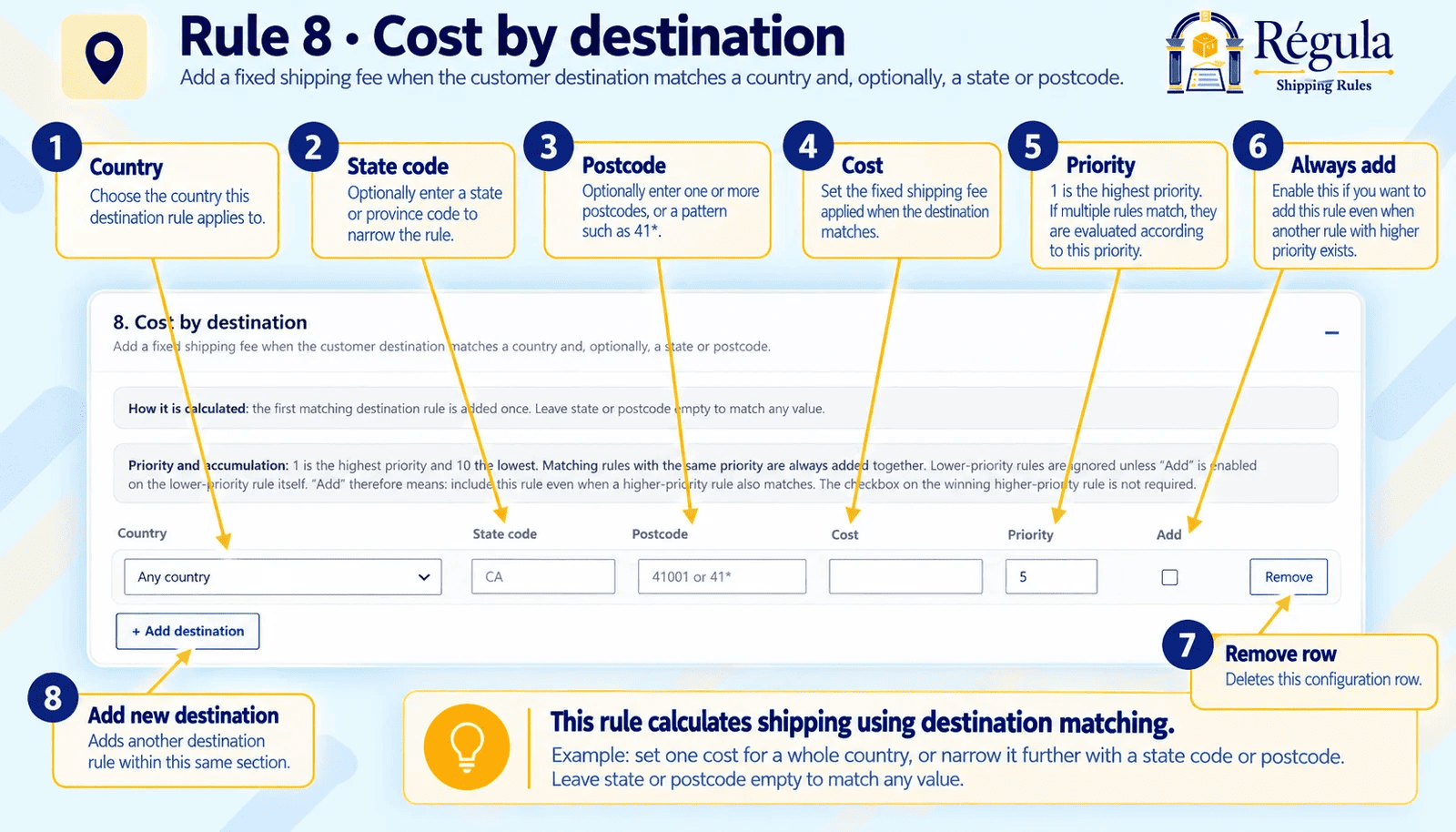
Regula Pro preview – Cost by destination: apply shipping costs by country and optionally state/province or postcode.