
Product Dropdown Selector for Contact Form 7 is the easiest way to turn any Contact Form 7 form into a WooCommerce product inquiry form, order form, or quote request form without writing a single line of code. It connects directly to your WooCommerce store and lets visitors pick one or more real products from a live, filterable dropdown, right inside your Contact Form 7 form. With the Pro version, the same product dropdown is available as a native field for WPForms and Gravity Forms too.
Whether you need a simple product selector field for Contact Form 7, a product inquiry form for WooCommerce, a product dropdown for Gravity Forms, a custom order form plugin, or a full product enquiry form with quantity and price calculation, this plugin gives you a no-code way to build it in minutes using the built-in Contact Form 7 tag generator.
📚 Learn More
✨ Documentation
✨ Live Demo
👉 See Pro Features & Upgrade
👉 WPForms Demo
👉 Gravity Forms Demo
🔥 Why store owners choose this plugin
- No shortcodes to memorize a visual tag generator popup builds the field for you.
- Works with any WooCommerce catalog size, from 10 products to 10,000+ (thanks to AJAX live search).
- Supports simple and variable products (size/color variations).
- Fully responsive and compatible with both the classic Dropdown layout and the searchable Select2 dropdown layout.
- Combine unlimited filters together category, tag, price, stock, and any custom product attribute in a single field.
- Build a complete product inquiry form or quote request form without touching a line of code.
✨ Complete Feature List
Product Selection
- Multi-select products: let a customer choose more than one product in the same order/enquiry form field.
- Variable product (size/color) support: each product variation is automatically listed as its own selectable option (e.g. “T-Shirt – Red, Medium”).
- AJAX-powered live product search: instead of preloading your entire catalog, products load as the visitor types. Essential for large WooCommerce stores where a normal dropdown would be too slow.
- Include or Exclude specific Product IDs: force particular products to always appear, or hide specific ones, regardless of other filters.
- Grouped products are automatically excluded from the dropdown, since they’re not directly orderable on their own.
Powerful, Combinable Filters
- Filter by Product Category
- Filter by Product Tag
- Filter by Price Range (min/max)
- Filter by Stock Status (In Stock / Out of Stock)
- Filter by Featured Products
- Filter by Best-Selling Products
- Filter by ANY WooCommerce product attribute you’ve created Color, Size, Brand, Material, or fully custom attributes detected automatically, no configuration required.
- Combine as many filters as you like in one dropdown for example: Category “Shoes” + Price ₹500–₹2000 + In Stock, all at once.
Sorting & Organization
- Sort products by Name (A-Z / Z-A), Price (Low to High / High to Low), Popularity (Best Selling), or Newest First.
- Group products into optgroups by category so long product lists are easy to scan.
Display & Pricing
- Show product price directly in the dropdown.
- Show an automatic “On Sale” badge on discounted products.
- Show live remaining stock quantity next to each product.
- Clearly labeled “Out of Stock” products in every view dropdown options, the quantity/total table, and the product details card — so customers never accidentally request something unavailable.
- Show product image, title, and price in a rich Select2-style dropdown, or as a details card below a classic dropdown.
- Custom, fully editable placeholder text instead of the default “Select a Product”.
Quantity & Order Total
- Built-in Quantity field for each selected product.
- Automatic, real-time Grand Total price calculation as the customer changes quantities or selections perfect for turning Contact Form 7 into a lightweight WooCommerce order form or product quote request form.
Developer & SEO Friendly
- Clean, translation-ready code (Text Domain included) for full multilingual compatibility.
- Lightweight assets are only enqueued on pages where they’re needed.
- Works alongside other Contact Form 7 add-ons and WooCommerce extensions.
💡 Common Use Cases
- WooCommerce product inquiry form or product enquiry form
- Product order form without a full checkout flow
- “Request a Quote” / quote request form
- Wholesale or B2B product request form
- Event, catering, or rental product booking form
- Custom product configurator with variations, quantity, and live pricing
🚀 Want More? (Pro Features)
Need to go further than a filtered product dropdown? The Pro version adds:
- Add to Cart — send the visitor’s selected product(s) straight into the WooCommerce cart (or checkout) on submit, turning your form into a real, working order form. Available for Contact Form 7 and Gravity Forms.
- WPForms Integration — Adds a native WPForms product dropdown with live product filtering, Select2 search, and multi-select support. Includes a product details card, a quantity table with live total price calculation, and options to add products to the cart or redirect users to checkout.
- Gravity Forms Integration — the same product dropdown as a native Gravity Forms field, complete with the product details display card, the quantity + live total price table, and Add to Cart / Redirect to Checkout support.
-
Conditional Field Display — show or hide other form fields automatically based on which product or category was selected. In the CF7 Form tab, wrap any field(s) in a marked
<div>:[text your-custom-question]
data-field must match the product dropdown’s Field ID. Use
data-show-when-product="Exact Product Title"instead (or alongside) for a product-based condition rather than a category. Separate multiple values with|, e.g.data-show-when-category="Music|Instruments". -
Filter Presets — save a fully configured set of filters once, and reuse it across any form in one click.
Usage
- Go to Contact > Contact Forms in the WordPress dashboard.
- Edit or create a form, click Product Dropdown in the tag generator toolbar.
- Configure your field combine as many filters as you like, pick a layout (Dropdown or Select2), and enable any of the new display/behaviour options.
- Click Insert Tag and save the form.
Example generated shortcode with several options combined (multiple ticked values within one filter are joined with |, and spaces in term names are automatically converted to underscores):
[product_dropdown product-dropdown-62 id:product-dropdown category:Music|Clothing min_price:10 max_price:200 stock_status:instock|outofstock layout_style:select2 ajax_search multiple show_price show_sale_badge show_stock_qty show_quantity placeholder_text:Choose_your_products]<h3>Privacy</h3>
This plugin does not collect or store any personal data. It operates solely by pulling product data from your WooCommerce store and displaying it in the Contact Form 7 dropdown field.
Screenshots
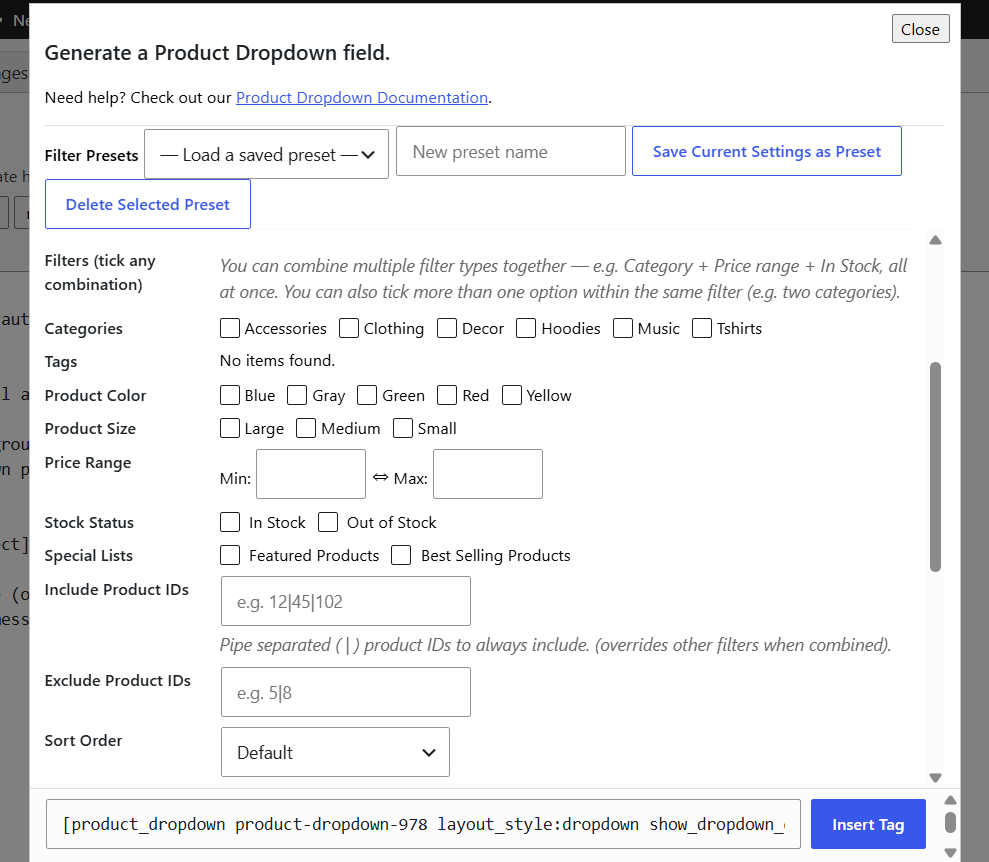
The Product Dropdown tag generator popup inside the Contact Form 7 form editor.
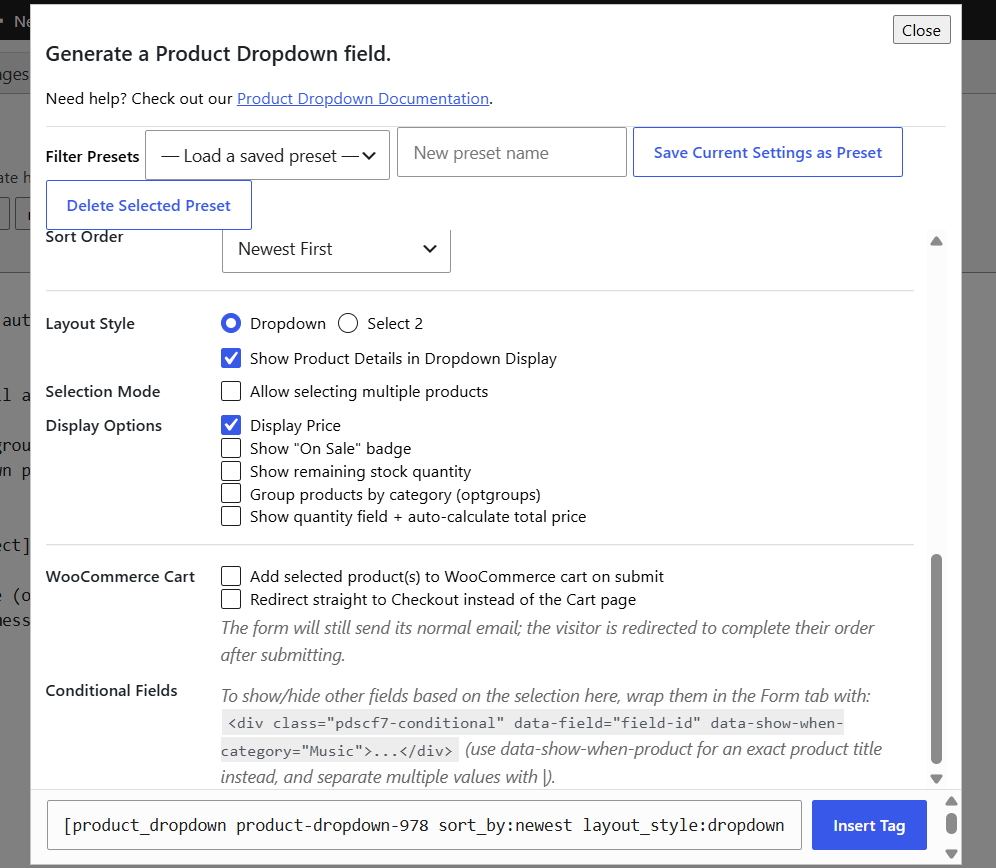
Layout & display options panel.

Frontend classic Dropdown layout with a product selected and the details card.

Frontend Select2 layout showing the searchable dropdown open, with product images, titles, prices, and "Sale" badges in the results list.

AJAX live search in action: typing a keyword and matching products appearing instantly without a full page/catalog reload.

Products grouped by category (optgroups) inside the dropdown.

The quantity + auto-calculated grand total panel after selecting multiple products.
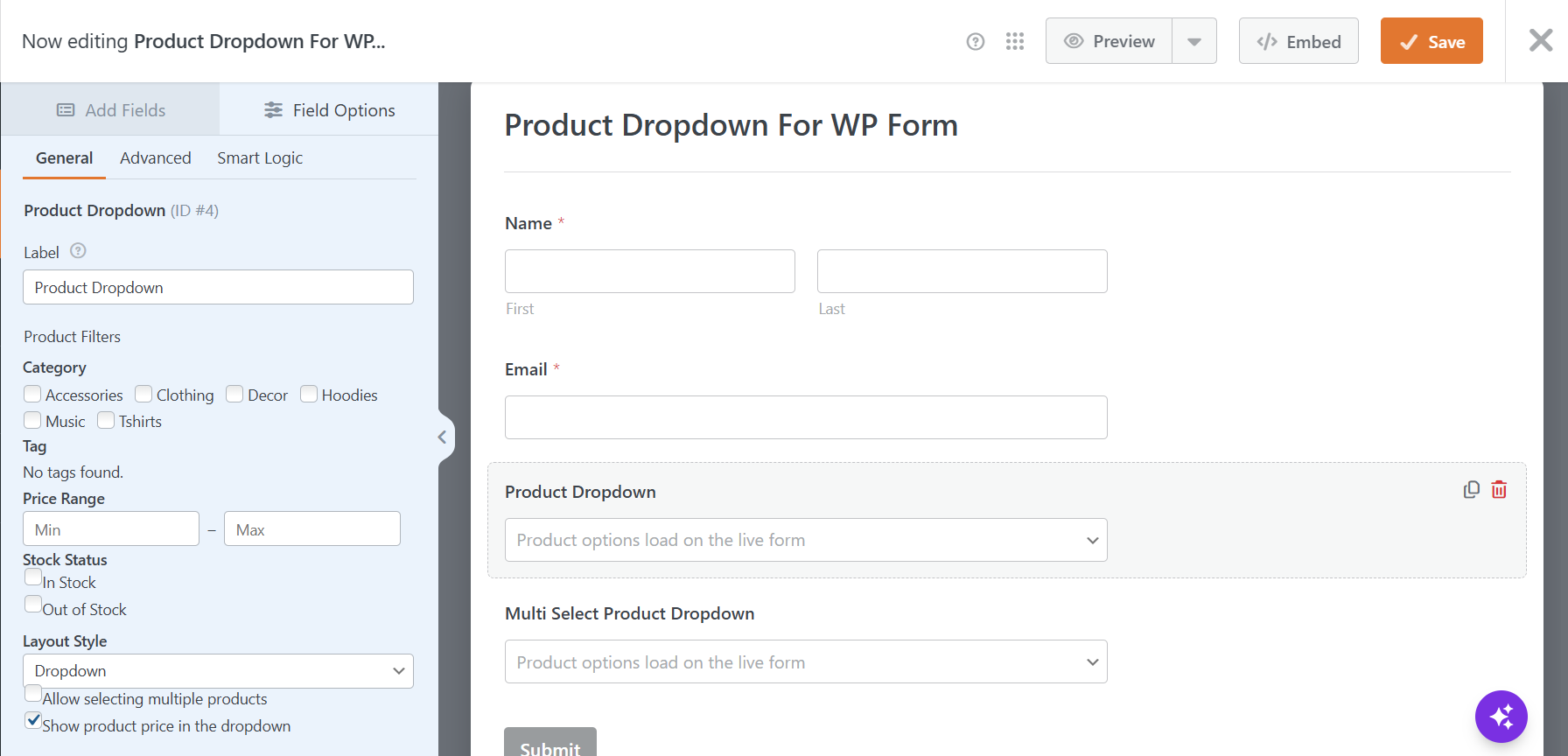
The WPForms builder's Field Options panel for the Product Dropdown field, showing the category/tag/price/stock filters and the Layout Style / Multi-select settings.
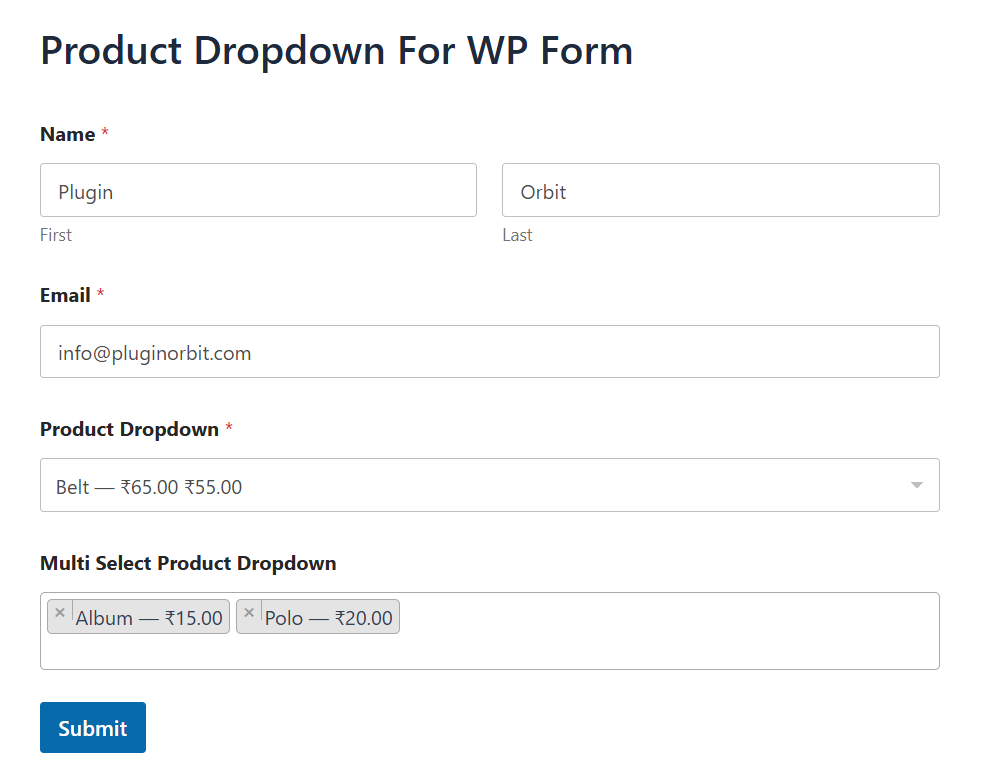
The Product Dropdown field live on a WPForms frontend form, with Select2 search open.
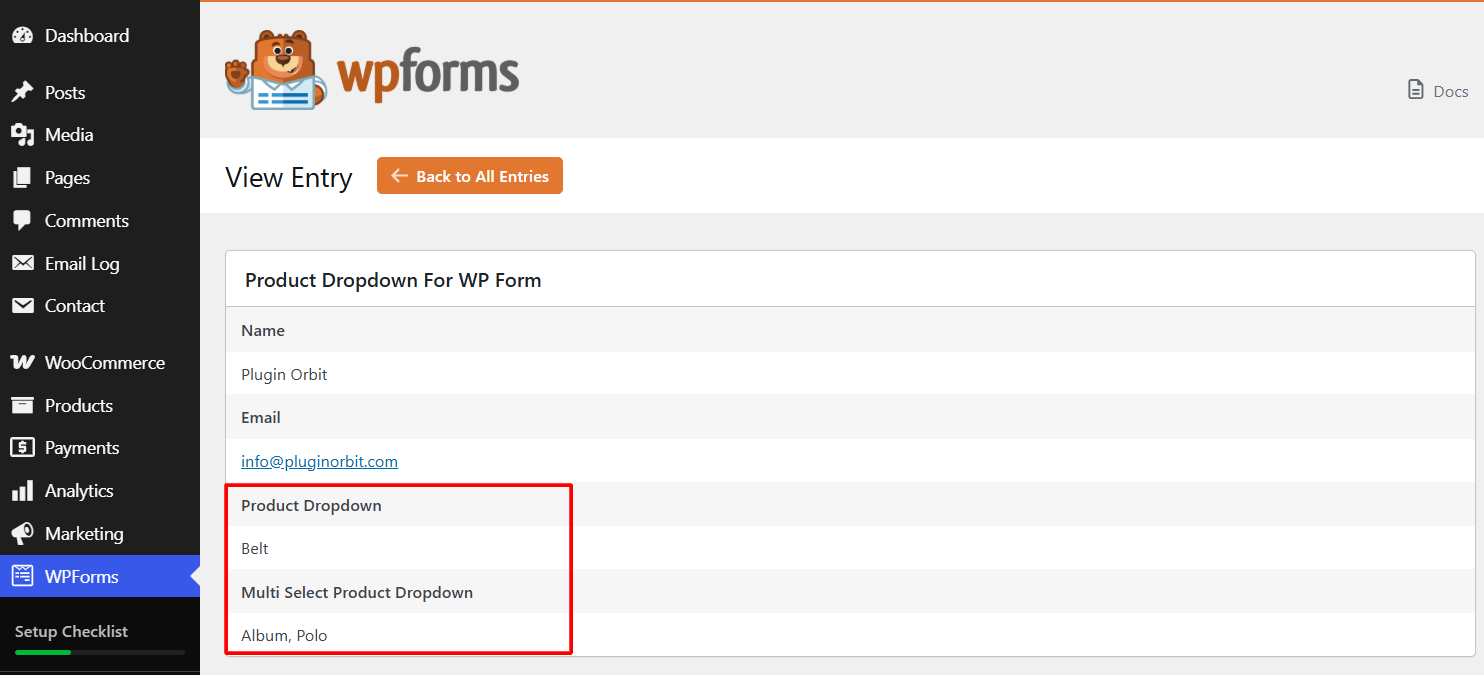
A WPForms entry in WPForms → Entries, showing the submitted product value saved against the field.
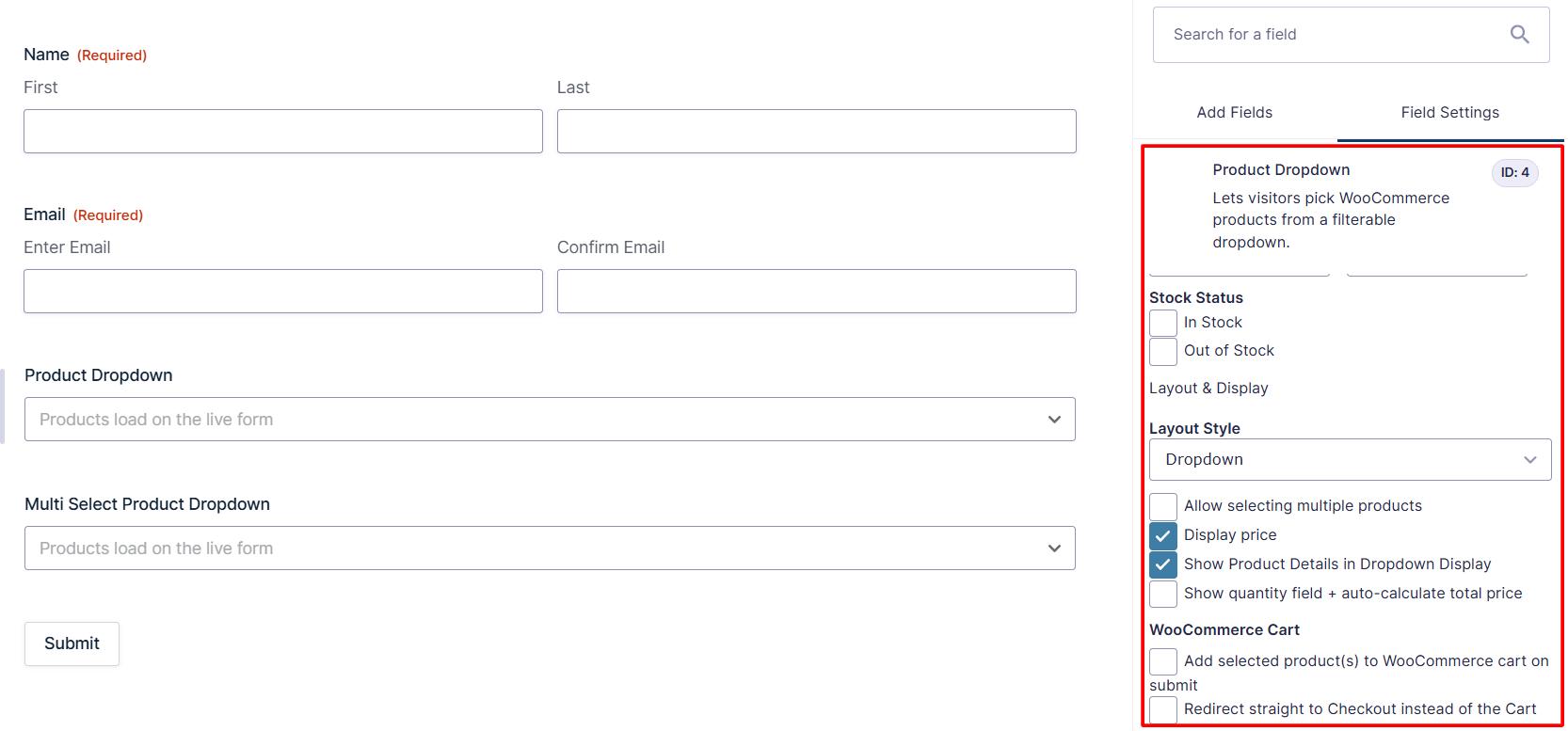
The Gravity Forms editor's Product Dropdown field settings panel, showing the category/tag/price/stock filters, Layout Style, and the Add to Cart options.
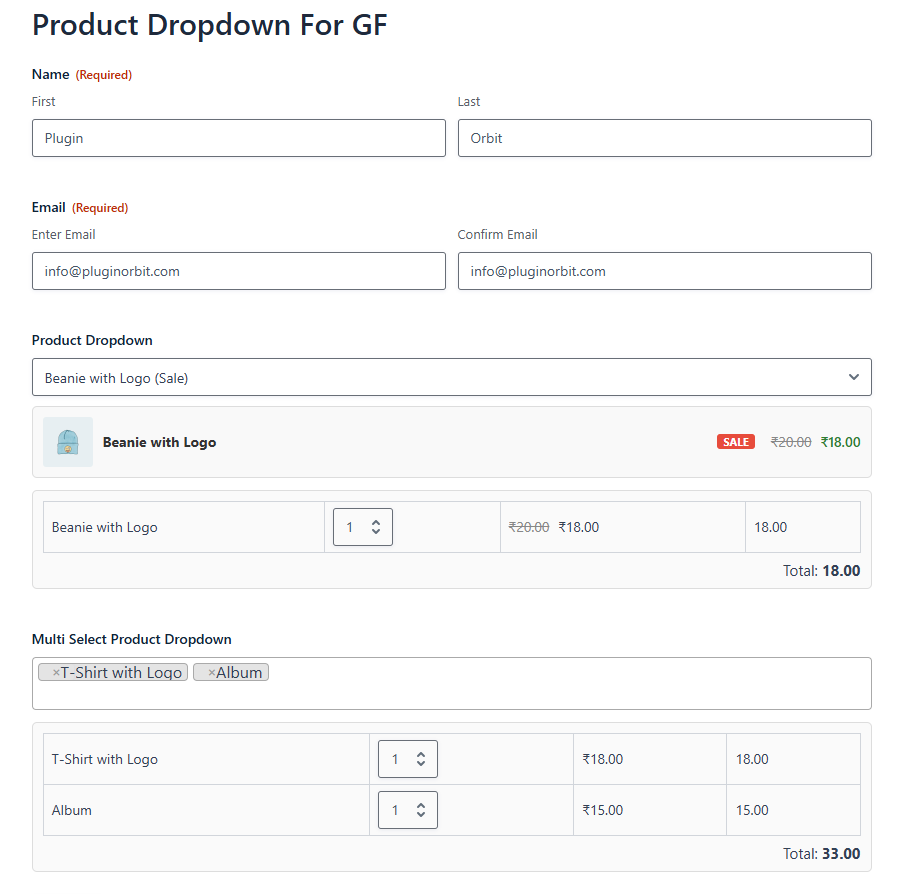
The Product Dropdown field live on a Gravity Forms frontend form, with the product details card and the quantity + grand total table shown below it.
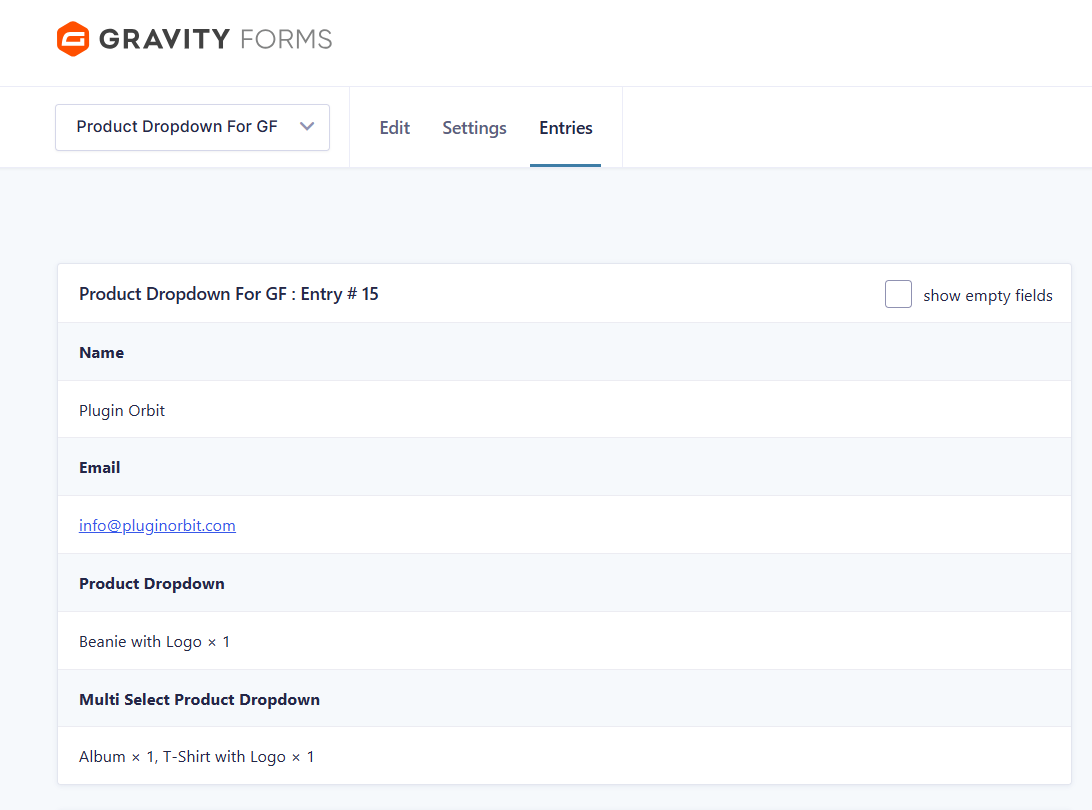
A Gravity Forms entry in Forms → Entries, showing the submitted product (and quantity, if enabled) saved against the field.