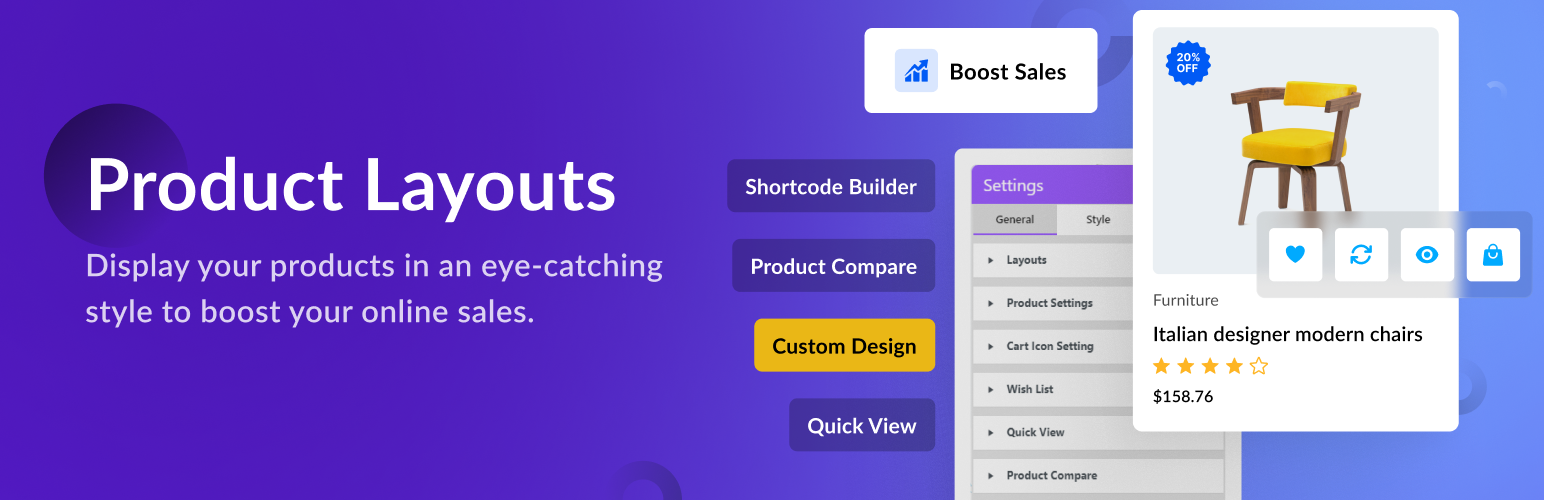
Use Product Layouts for WooCommerce to display your products with stunning styles and layouts, no coding required.
Perfect for showcasing your store items beautifully and increasing sales.
Key Features:
- Create product grids, tables, sliders, and galleries easily.
- Fully responsive and works with all major themes and page builders.
- Use simple shortcodes anywhere, pages, posts, or widgets.
- Import demo layouts or create your own with live preview.
👁️ View Demo | 🚀 Get the Premium Version | 👩🏼💻 Get Support
Free Version
👉 General Layouts (3) View Demo
👉 Call to Action Layouts (2) View Demo
👉 Product Table Layouts (1) View Demo
👉 Product List Layouts (1) View Demo
👉 Caption Layouts (2) View Demo
👉 FlipBox Layouts (1) View Demo
💰 Pro Version
👉 All Free Features
👉 General Layouts (4) View Demo
👉 Caption Layouts (6) View Demo
👉 Product Tabs View Demo
👉 Product Carousel Slider View Demo
👉 Product Filter (Sort by, Show per page, Category, Price Range, Rating). View Demo
👉 Accordion (Upcoming)
👉 Product Pagination (with preset)
👉 Load More Button
👉 Category Page Design
Features
- Custom Settings – You can change layout style (Product Filter, Color, Background Color, Border, Box shadow, etc.) using custom settings.
- Font Settings – You can set font typography (Font, Font-size, Font-shadow, Line-height, letter spacing, etc.) as your own choice.
- Style Settings – You can style layout (Color, Background Color, Border, Box shadow, etc.) using style settings.
- Live Preview – Our plugin includes a Live Preview interface so users can see changes instantly. Product Layouts for WooCommerce (Product Gallery, Product Showcase, Layout Design, Product Slider, Product Grid, Product Table) is designed for real-time editing convenience.
- Clone Layout – Use the Clone option to copy layout styles with one click.
- Export and Import – Export JSON file from Shortcode list and import from Import page.
- Shortcode – Display your product using shortcode.
- Product Filter Settings – Easily filter products by Category, Type, Order By, etc.
- Icon Settings – Use icons from Icon Library (Icon Picker) for Add to Cart, Wishlist, Quick View, Compare Table buttons.
- Borders and Shadows – Apply border and box shadows everywhere.
- Color Pickers – Choose colors using color picker (Color, Gradient, Linear Gradient).
- Import Layouts from Demo – Export layouts from the demo and import directly into your plugin.
- Multi Language Supported – Translate easily with Loco Translate and reach a global audience.
👁️ View Demo | 🚀 Get the Premium Version | 👩🏼💻 Get Support
Responsive & Beautiful
Product Layouts for WooCommerce (Product Gallery, Product Showcase, Layout Design, Product Slider, Product Grid, Product Table) is fully responsive and optimized for performance, an important factor for SEO and eCommerce success.
It works smoothly across devices and displays your products beautifully with animations like sliding, fading, and folding. Customize typography, colors, alignment, and background to create professional product presentations.
👁️ View Demo | 🚀 Get the Premium Version | 👩🏼💻 Get Support
Screenshots
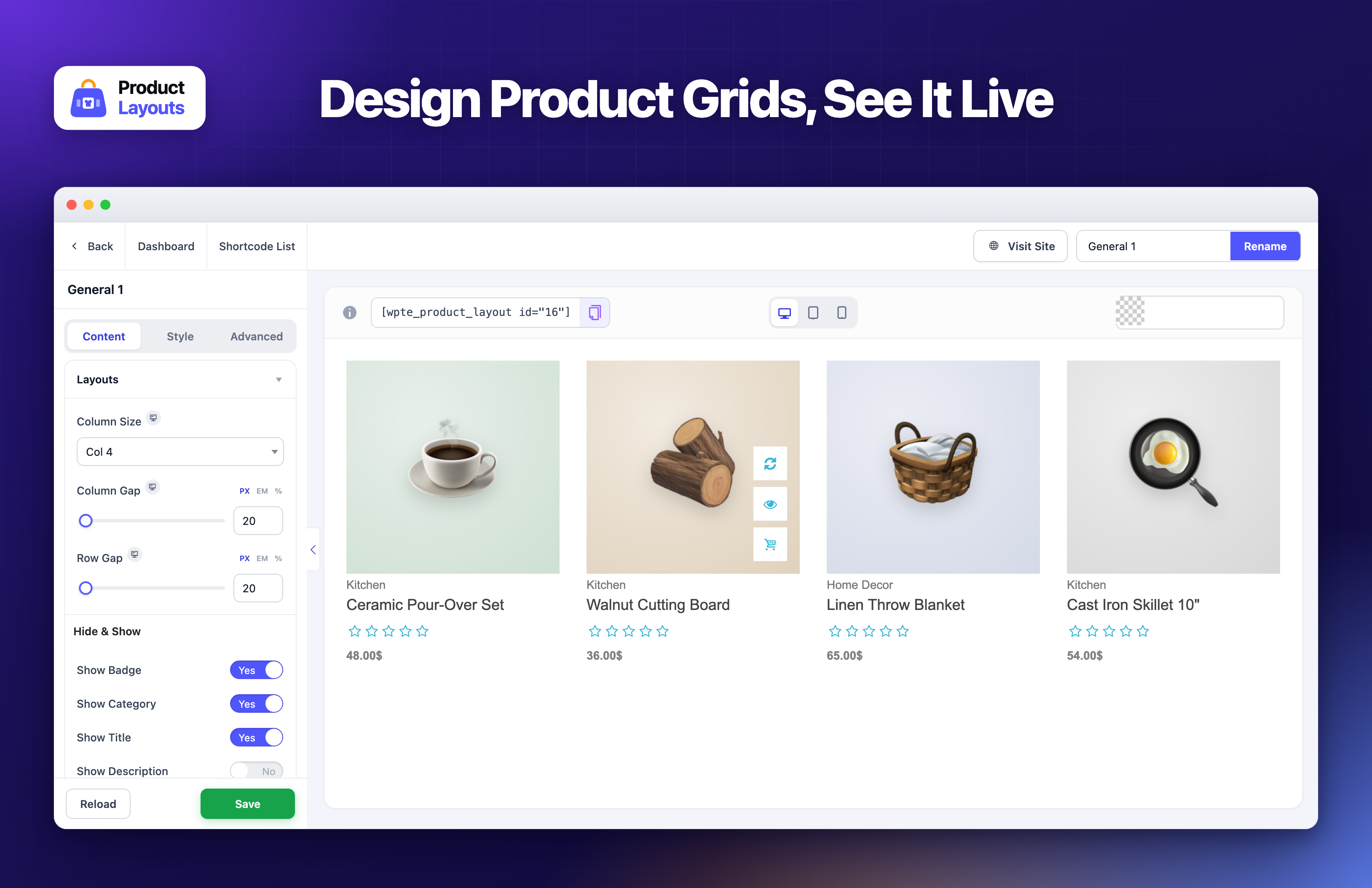
The layout editor: change any setting and the live preview updates as you go. Hover a product to see its compare, quick view and cart buttons.
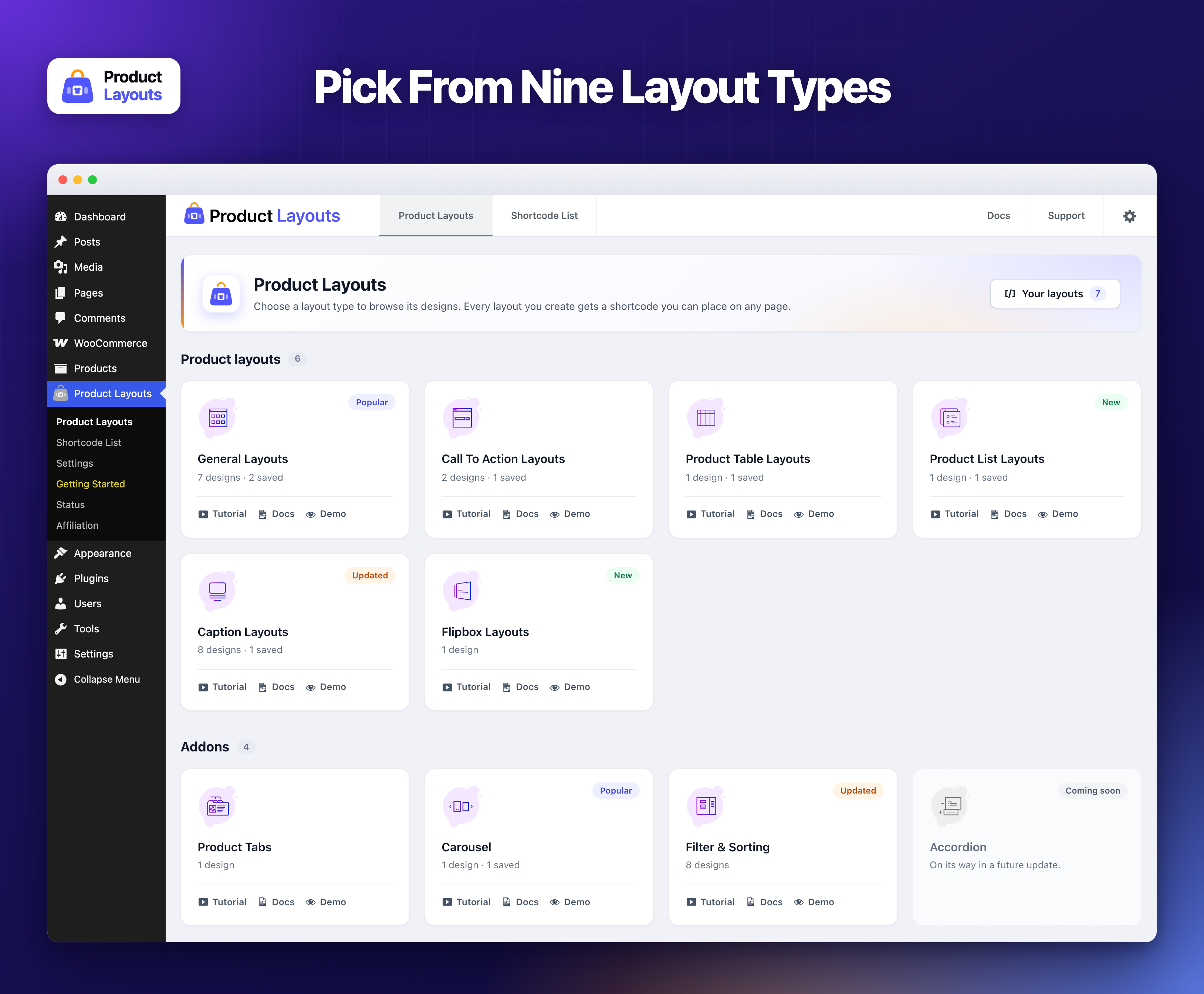
Pick a layout type to start from: General, Call To Action, Product Table, Product List, Caption and Flipbox, plus Product Tabs, Carousel and Filter & Sorting in Pro.
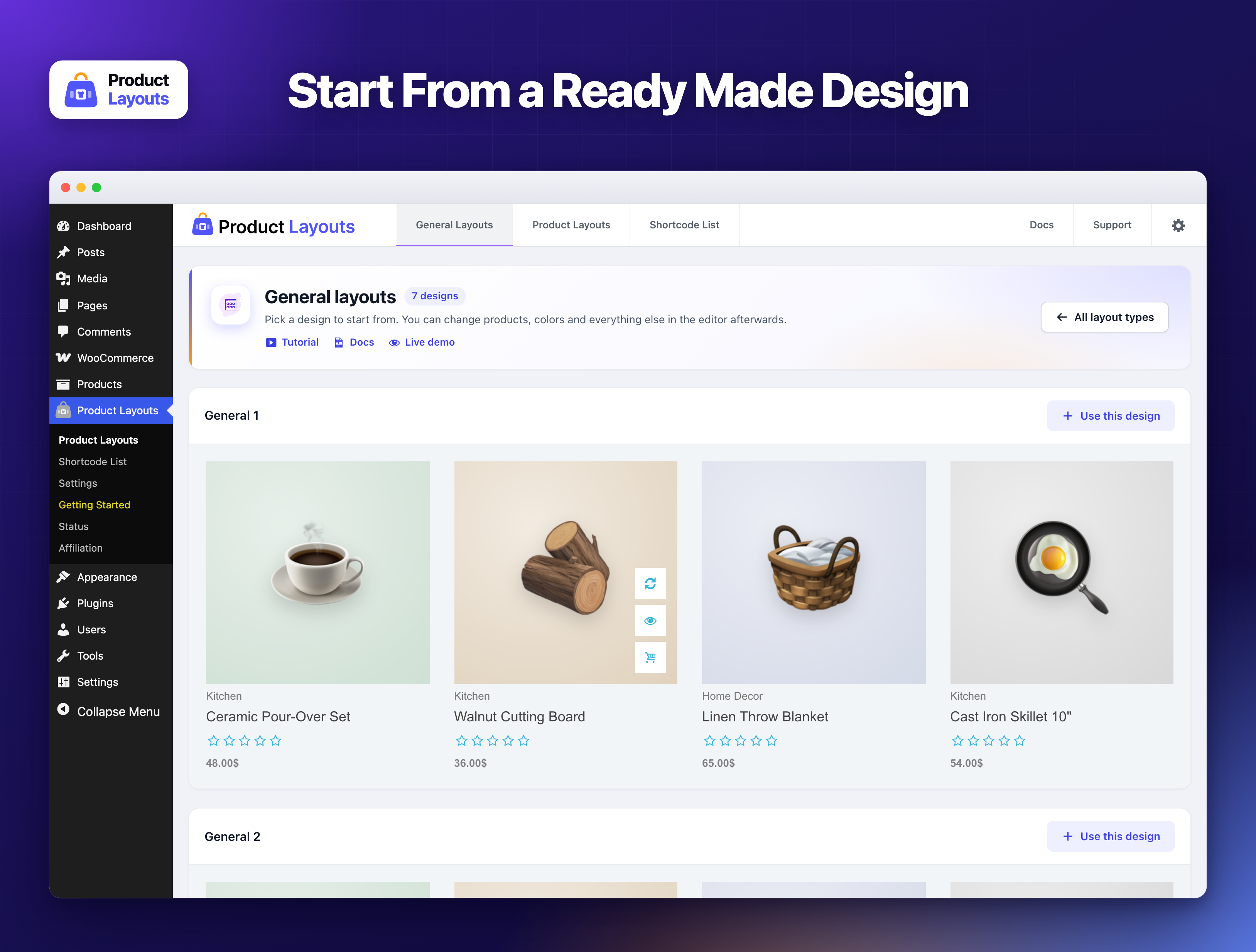
Every layout type comes with ready made designs, shown with your own products.
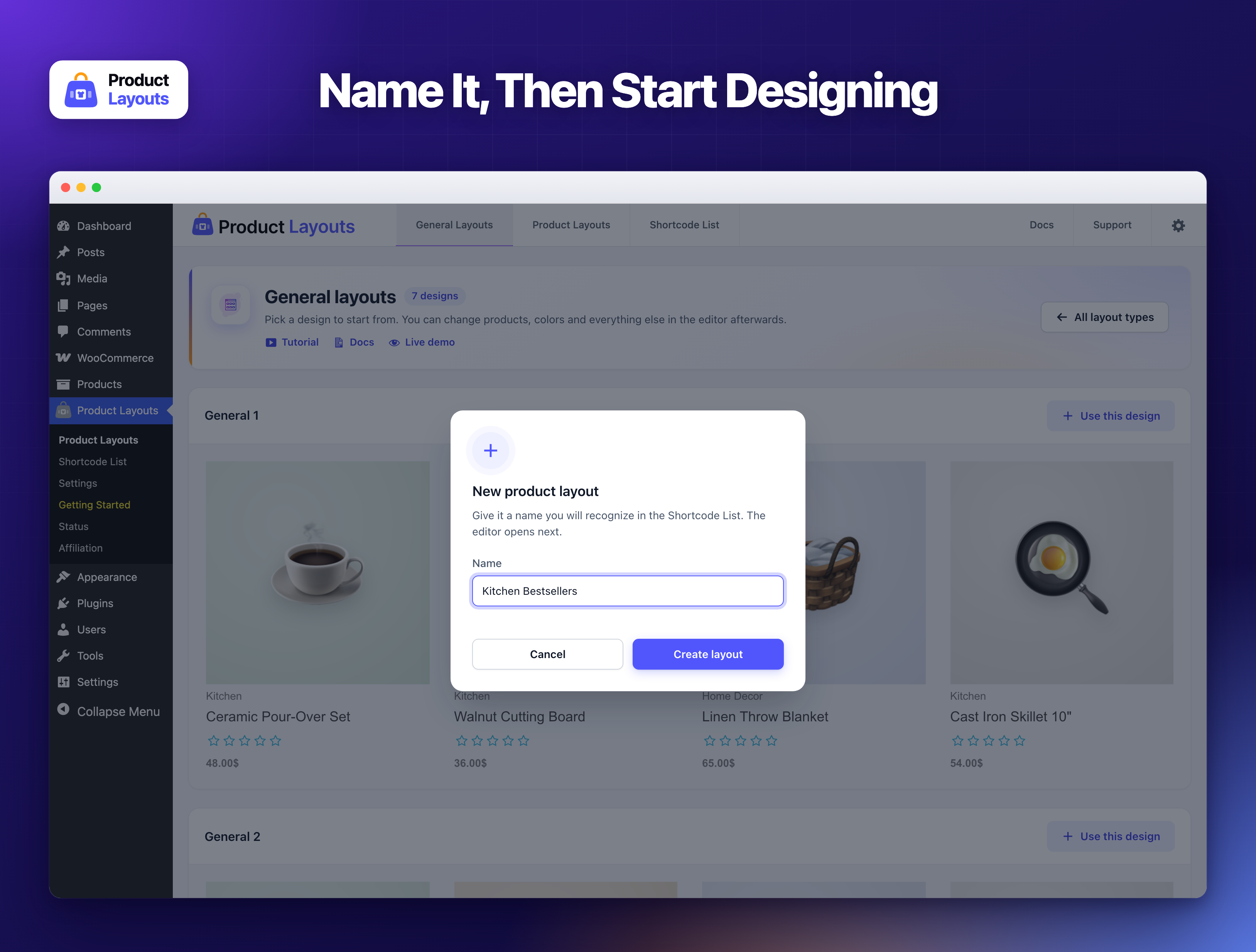
Give your new layout a name, then the editor opens.
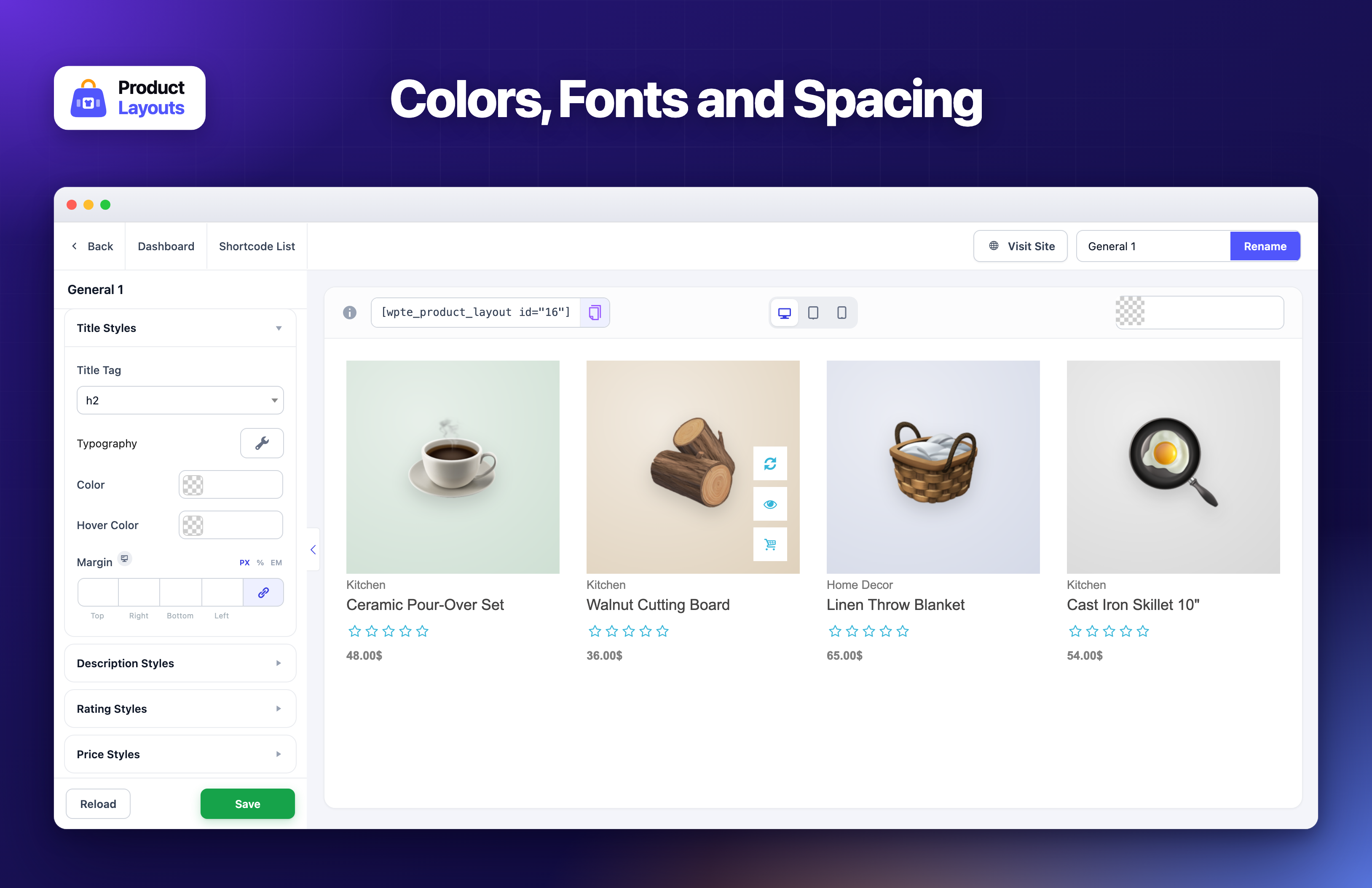
The Style tab sets colors, typography and spacing for every part of the product card.
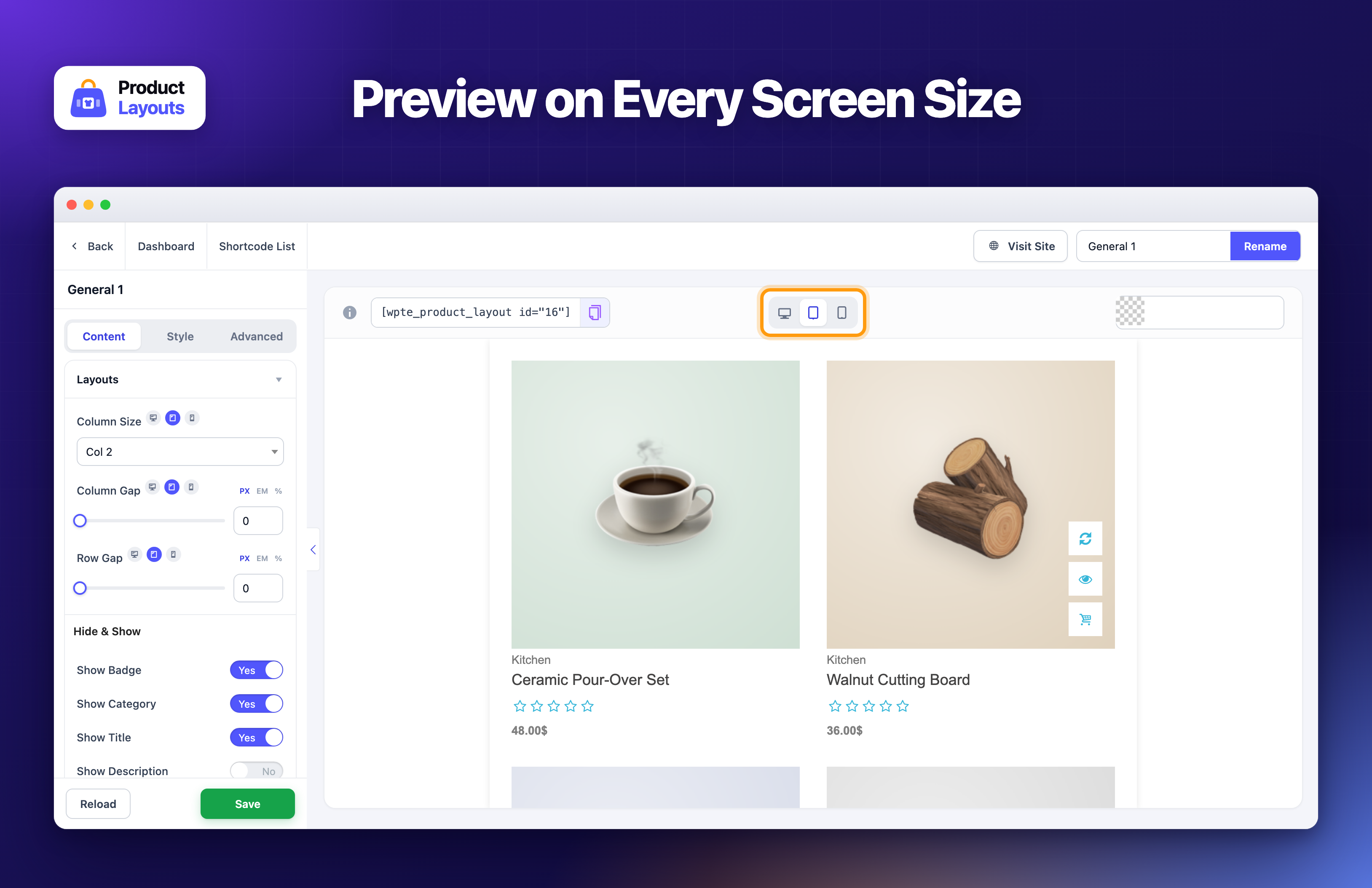
Check how your layout looks on desktop, tablet and mobile before you add it to a page.
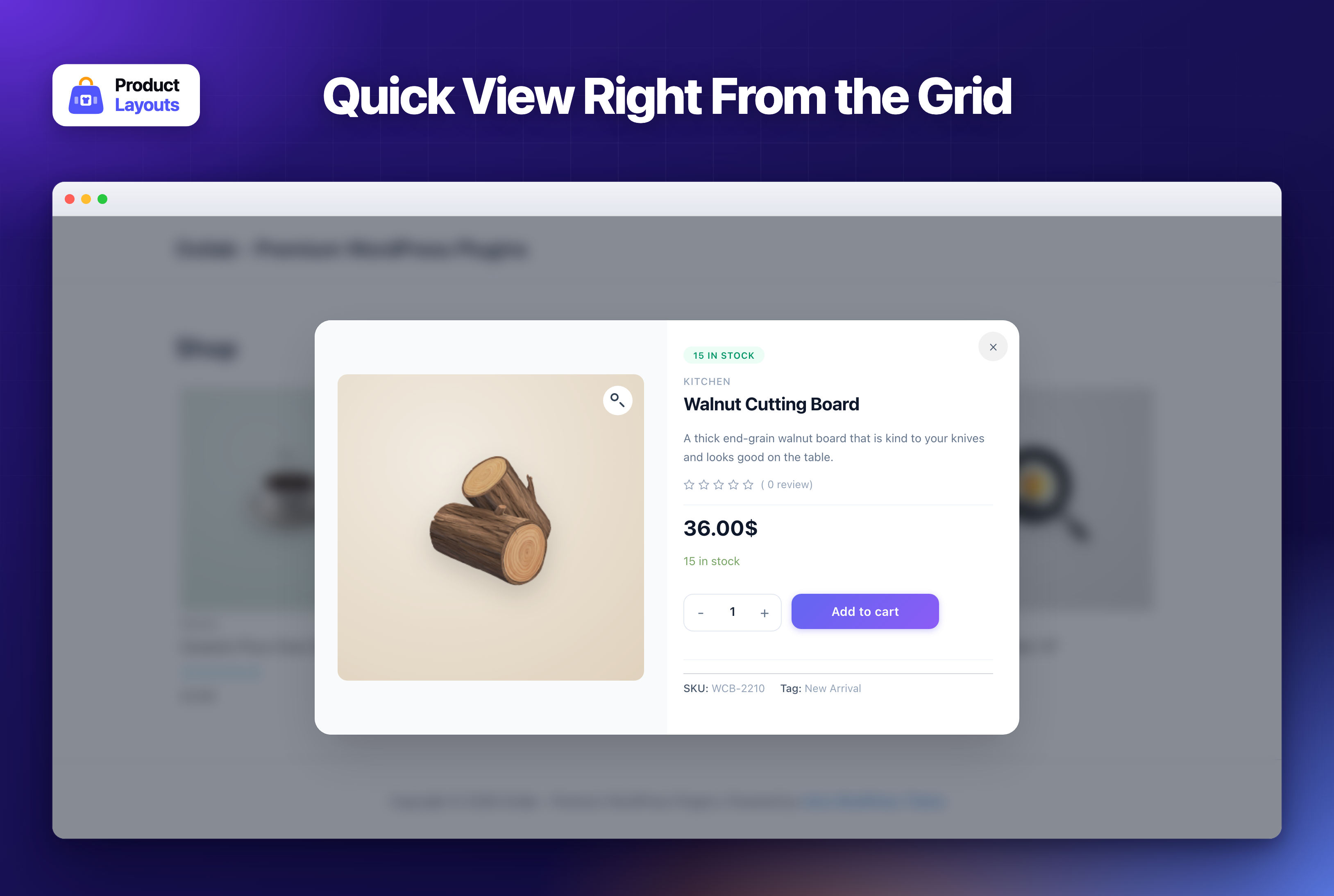
Quick View lets shoppers see a product and add it to the cart without leaving the page.
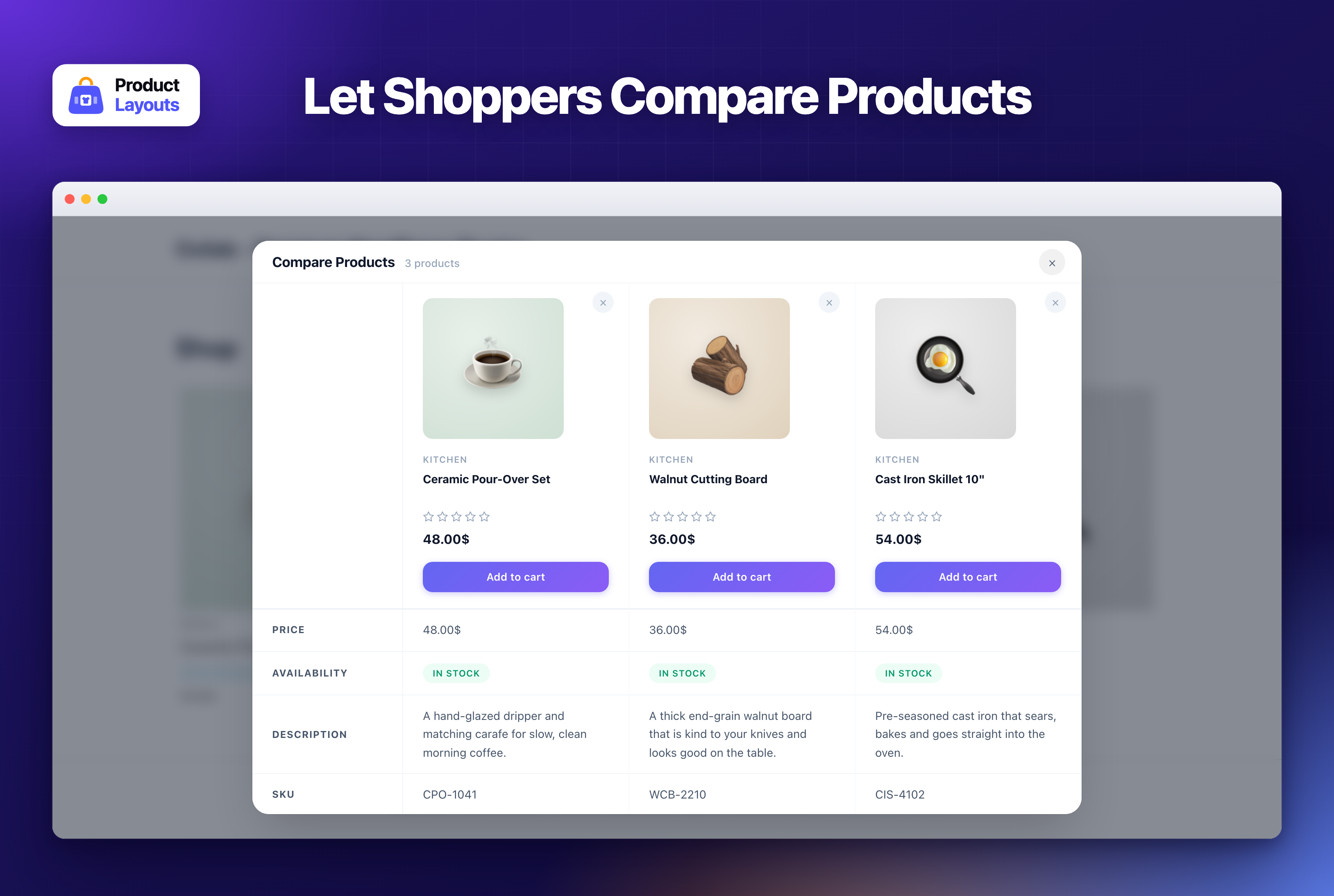
Shoppers can compare products side by side: price, availability, description and SKU.
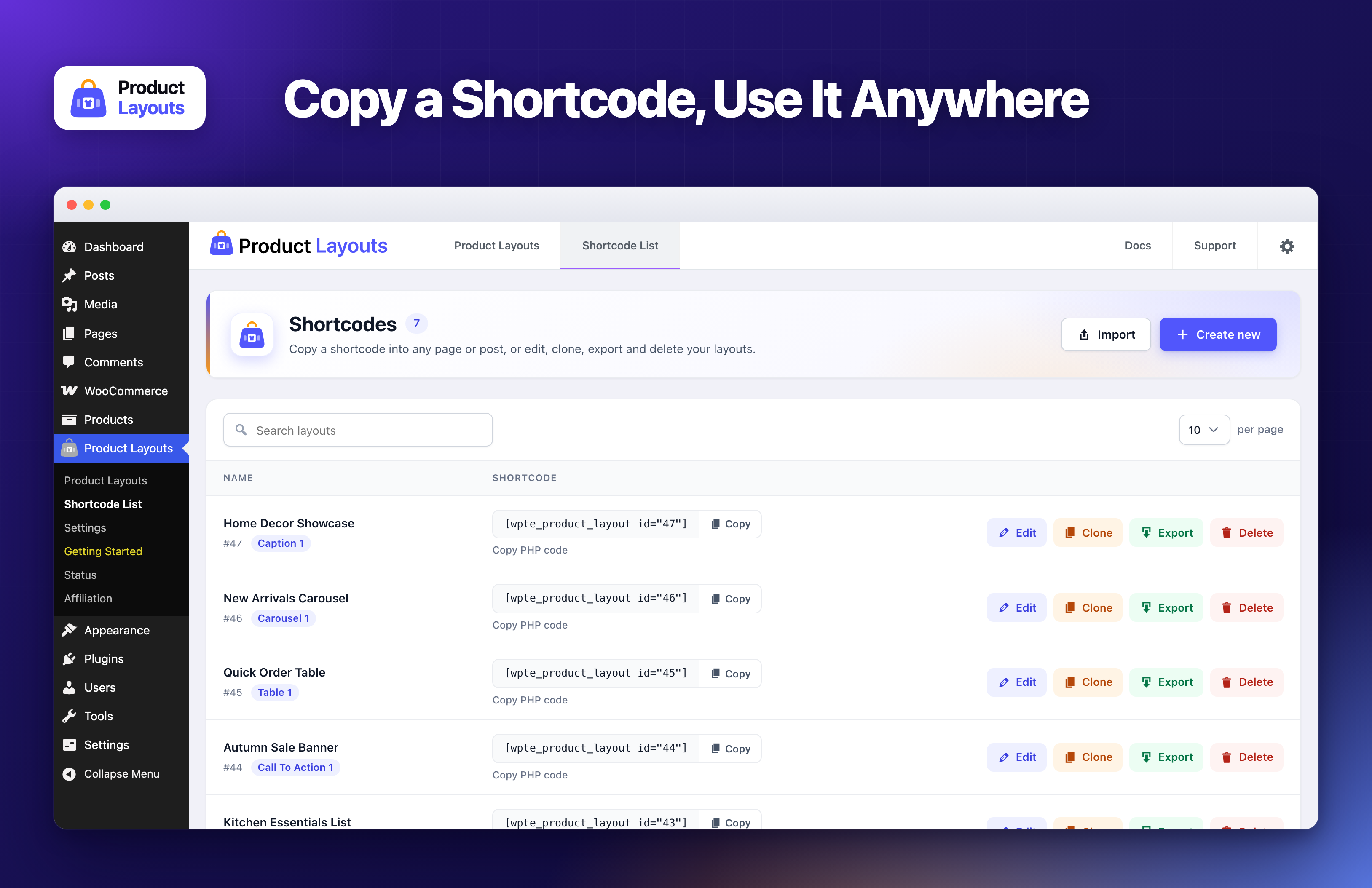
The Shortcode List: copy a layout's shortcode or PHP code, or edit, clone, export and delete it.
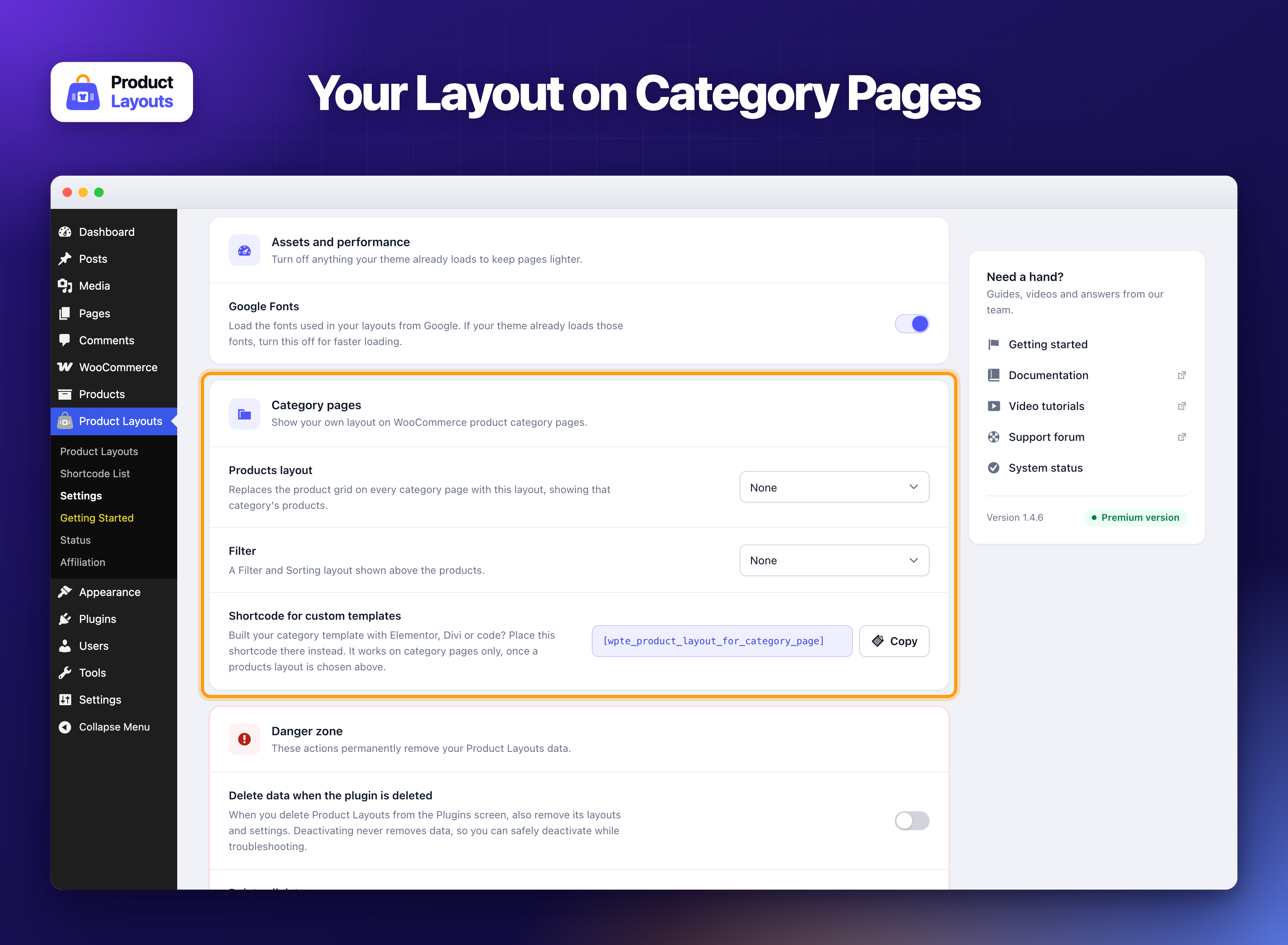
Show your own layout and filter on WooCommerce category pages (Pro).