
What happens when visitors open a promotional landing page after the offer has ended?
An expired campaign link may still be shared, bookmarked or visited after its deadline. Promo Stop helps you handle that situation clearly: when the expiration date is reached, visitors see a customizable overlay explaining that the promotion is no longer available, with optional ways to contact you or continue to another page.
The original page stays published and its content is not deleted or changed.
How Promo Stop works
- Create a promotion rule and give it an internal name.
- Choose one or more WordPress pages to associate with the rule. Use the live page search to find pages by title, ID or URL.
- Set an expiration date and time according to your WordPress timezone.
- Customize the popup title and message, then optionally enable WhatsApp contact and/or an automatic redirect.
- Save and activate the rule. When the configured time is reached, the selected pages show the expiration overlay to visitors.
Key features
- Scheduled expiration overlays: automatically display a blocking popup over selected promotional pages after a chosen date and time.
- Keep existing pages intact: no deletion, unpublishing or modification of the page content.
- Multiple promotion rules: manage several campaigns from a central dashboard, including their status and expiration dates.
- Flexible page assignment: attach a rule to one or more regular WordPress pages; search and add pages using live, relevance-ranked results.
- Customizable popup: edit the expiration heading and message to match the campaign.
- Optional WhatsApp button: provide a direct contact link with a configurable phone number and button label.
- Optional automatic redirect: select another WordPress page and set the delay before visitors are redirected.
- Redirect countdown and loader: show a visual loading indicator and a countdown when redirect is enabled.
- Rule management: create, edit, duplicate, enable, disable and delete promotion rules.
- Preview before saving: inspect the popup appearance from the WordPress admin screen.
- No WooCommerce required: works with standard WordPress pages.
Useful for
Time-limited landing pages, seasonal offers, event registration pages, limited-time service packages and marketing campaigns whose original links may remain available after the deadline.
Important to know
Promo Stop uses a visual overlay, not an HTTP access restriction. The page remains published, its underlying HTML can still be accessed and any forms or services on the original page are not automatically disabled. If an offer must be technically unavailable, disable its registration, checkout or order processing separately. Page caching may also affect when updated expiration settings become visible to visitors.
Screenshots
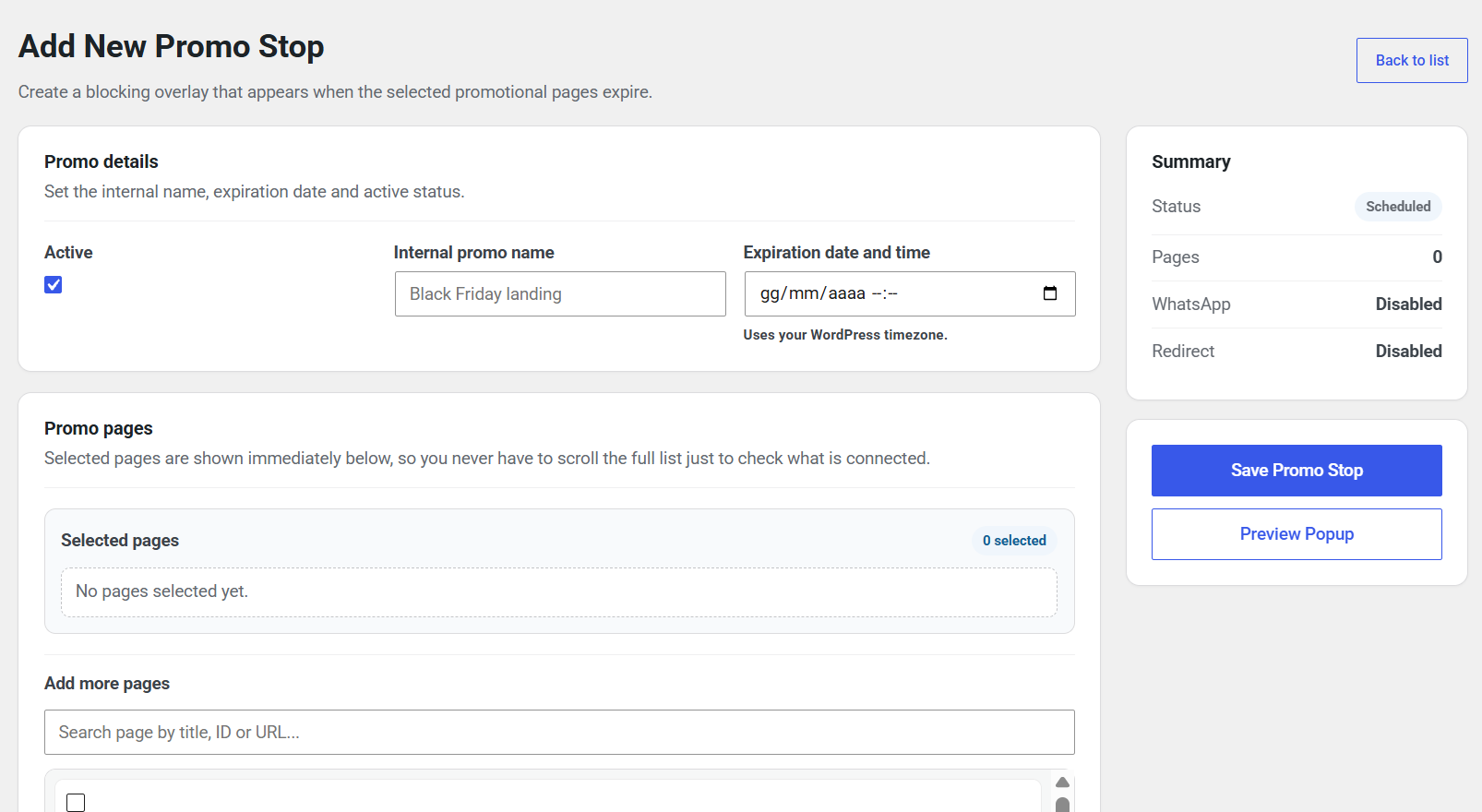
Create a new promotion rule with an expiration date, page selection, and a summary of its settings.
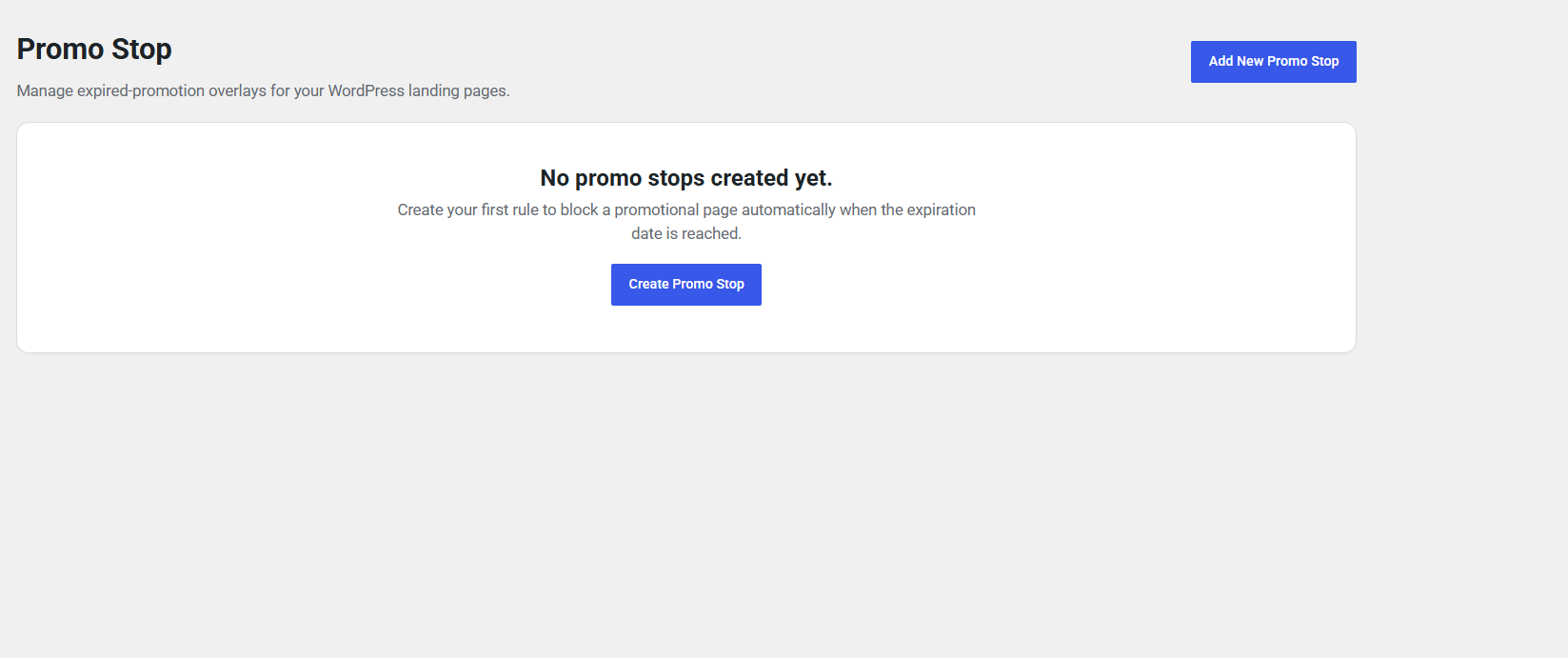
Promo Stop dashboard before any promotion rules have been created.
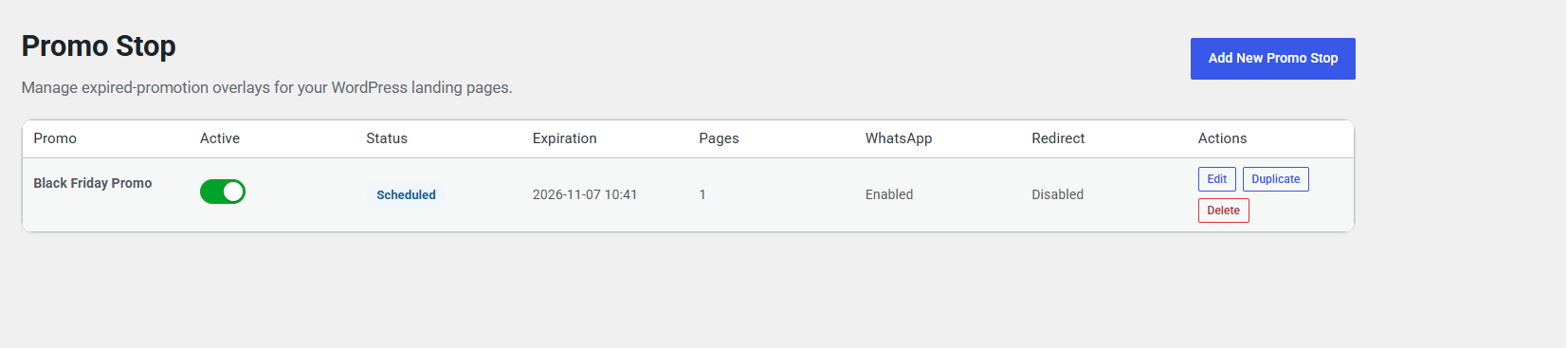
Promotion list showing a scheduled rule, assigned pages, WhatsApp and redirect settings, and management actions.
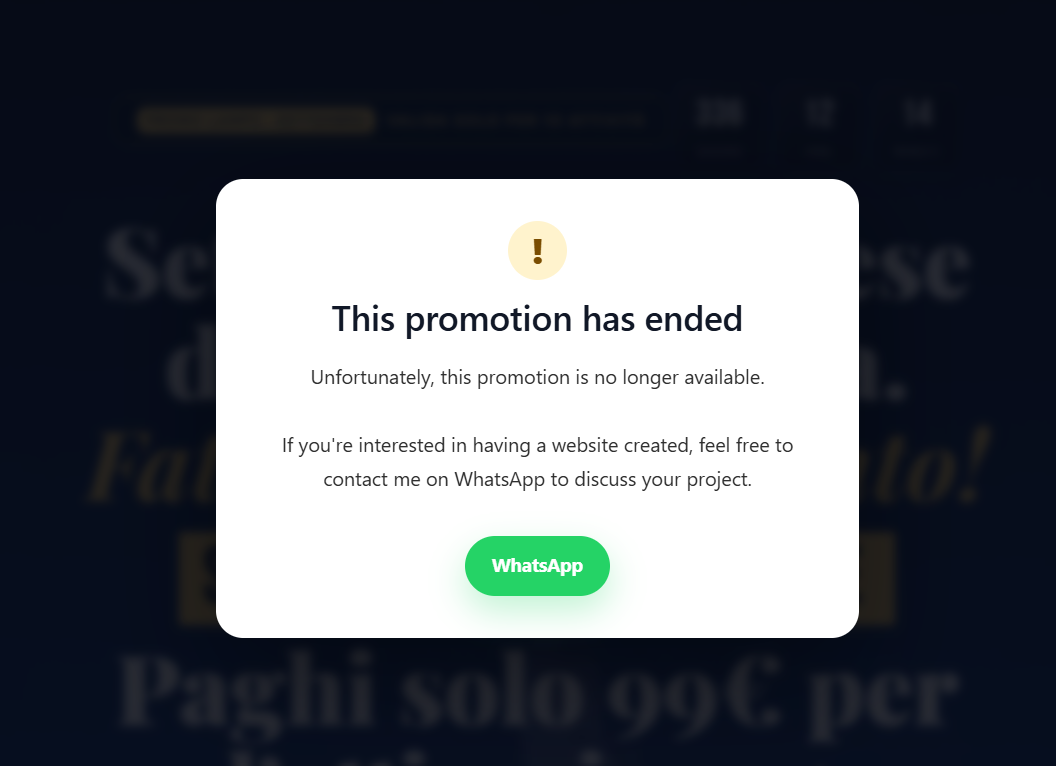
Expired promotion overlay displaying a custom message and an optional WhatsApp contact button.
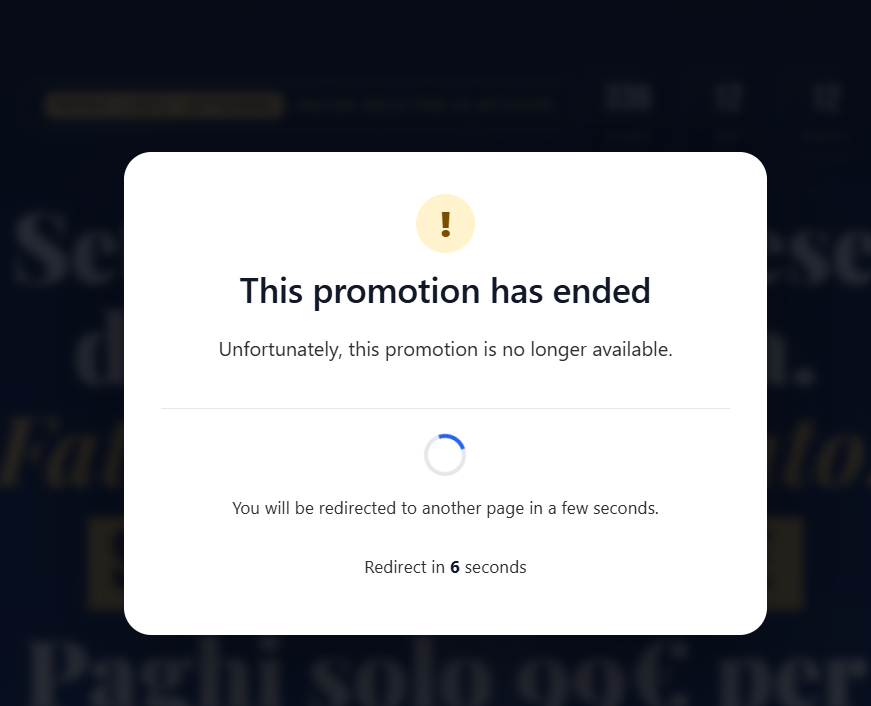
Expired promotion overlay displaying the automatic redirect loader and countdown.