
QW Share Buttons helps WordPress visitors share posts, explore content with AI, and discover more from your site. It combines lightweight social sharing, Share to AI, on-site click analytics, and flexible design and placement controls — without requiring frontend jQuery, external icon fonts, or a separate analytics subscription.
Why choose QW Share Buttons? It goes beyond a row of social icons: customize sharing for each device, offer a follow-up action after a share-button click, track interactions on your own site, and control the experience from the WordPress dashboard.
Lightweight sharing, with privacy in mind
- Vanilla JavaScript frontend — sharing interactions do not require frontend jQuery.
- Conditional loading and local icons — assets are loaded according to enabled features; no external icon font or social network SDK is required to display buttons.
- Admin-only Performance Diagnostics — inspect installed frontend/admin asset sizes and loading behavior without adding visitor-facing diagnostics requests.
- On-site click counts — record aggregate sharing-button interactions locally rather than fetching official network counts.
- Works alongside page caches and CDNs — changes to displayed buttons may require clearing the site’s cache.
Share to AI, alongside social networks
- Optional AI destinations — ChatGPT, Claude, Grok, Perplexity, Google AI and Meta AI (Muse).
- Custom AI prompt — configure the question or instruction visitors can send using the existing Share Messages settings.
- Same device and placement controls — show AI buttons directly or inside More, and control visibility on desktop and mobile.
- No AI SDK on page load — AI destinations open only after a visitor clicks a button. A click does not guarantee an AI service will read, summarize, or cite the page; some services require the visitor to paste the prompt.
See which sharing buttons visitors actually use
- Built-in Share Statistics — view clicks by network, device, post and time period.
- Dashboard widget and weekly digest — spot popular content without logging in to another analytics platform.
- CSV export and optional GA4/GTM events — use QW’s data in your own reporting workflow.
- Historical Count Recovery — manually enter verified past counts and previous post URLs after a migration, without altering QW’s recorded click analytics.
- Honest metrics — click counts are not confirmed completed shares or official totals from Facebook, X or other networks.
Customize sharing without code
- Six appearance presets and custom colors — adjust shape, labels, spacing, sizes, alignment and button styles with a live preview.
- Flexible placement — inline buttons, a floating share bar that responds to scroll position, optional mobile bottom bar and specific post/page targeting.
- Per-network desktop/mobile visibility — decide which networks visitors see on each type of device; group extra options in the customizable More menu.
- Global and automatic sharing switches — control automatic placement separately from manually inserted shortcodes and widgets.
- Editor integrations — Gutenberg block, Elementor widget, shortcodes, WordPress widgets and a PHP template tag.
Features that go beyond basic social buttons
- After-Share Actions — show an optional thank-you, follow or call-to-action panel after a sharing interaction. A click does not confirm a completed external share.
- Advanced Pinterest image sharing — control eligible images, minimum width, Pin descriptions and optional per-post Pin images, with image exclusions.
- Text selection and Click-to-Tweet — let readers share a highlighted quote or a prepared message.
- WooCommerce placements — choose sharing positions on product pages; optional BuddyPress and bbPress sharing is also available.
- Custom networks, UTM links and short links — extend available destinations and tailor shared URLs.
- Follow Icons and optional WhatsApp Chat — complementary tools that can be enabled independently.
Popular sharing destinations
Choose from WhatsApp, Telegram, Facebook, X, LinkedIn, Pinterest, Reddit, Bluesky, Threads, Viber, Naver BAND and many others. Share to AI supports ChatGPT, Claude, Grok, Perplexity, Google AI and Meta AI (Muse). Some destinations depend on browser support or an installed mobile app.
Get started: Open Select Buttons to choose destinations, Where to Display for placements, Button Appearance for styling, and Share Statistics to see click activity. Optional features remain configurable in their own settings.
Main features
Sharing
* WhatsApp click-to-chat — fixed wa.me button with your number and optional message (own WhatsApp Chat page with live preview)
* WooCommerce product positions — after title, price, short description, or Add to cart
* Inline share buttons — above, below, both, or after the first paragraph
* Floating side bar and mobile bottom bar
* Show after scroll — reveal floating/inline bars after 25%, 50%, or 75% of the page
* Native device Share button on supported mobile and desktop browsers (HTTPS required); configure its device visibility
* Copy link, Email, SMS, Print and 25+ networks
* Custom share messages per network ({title}, {url}, {site})
* Share preview card (title + featured image under the bar)
* Share on text selection popup (X, WhatsApp, Telegram, Copy)
* Image share on hover — one compact Share menu with Pinterest, WhatsApp, Facebook, X, Telegram, LinkedIn, Email, and Copy Link (off by default)
* More menu — manually select networks for the menu or automatically move extra networks inside it
* Optional UTM tags and WordPress short links on shared URLs
* Optional Google Analytics 4 / Tag Manager “share” event
* Optional After-Share Action panel with editable heading, message, and follow/CTA link
* Optional BuddyPress activity and bbPress topic/reply sharing
Follow / social media icons
* Profile links for Facebook, X, Instagram, YouTube, LinkedIn, Telegram, Pinterest, Threads
* Shortcode [qwshare_follow] and QW Follow Icons widget
* Own Follow Icons page with a plain-language guide, live preview, and size / shape / color options
* Optional display under the automatic share bar
Counts & statistics
* Click-based counts (not third-party APIs)
* Optional starting count (global or per post)
* Share Statistics — totals, clicks over time, by network, by device
* Top posts list with per-post Reset
* CSV export
* Weekly overview in Share Statistics, WordPress Dashboard widget, and optional weekly email digest
* “Shares” column on Posts / Pages lists
Placement & design
* Post types, categories, or specific posts
* Button shape, style, size, spacing, labels, colours, alignment — with live preview
* Per-network device visibility: desktop only, mobile only, or both
* Responsive container maximum width, optional background/border, and customizable background color
* Independent mobile alignment options for inline sharing
* Dark mode option
* Per-post controls: hide buttons, starting count, custom share text, reset counts
* Gutenberg block with live preview
* Elementor widget — networks, alignment, post/product ID, custom URL and title
* Shortcodes [qwshare_share_buttons] and [qwshare_share_count]
* Template tag qwshare_buttons() for themes
* Share Buttons widget and Popular Shares widget
Privacy & performance
* No official Facebook/X share-count APIs
* No background calls to social networks
* Frontend assets load only when buttons (or optional features) are shown
* Works with page cache and Cloudflare
Shortcodes
[qwshare_share_buttons]— share bar (optionalnetworks,url,title,align,id)[qwshare_share_count]— share count only[qwshare_follow]— follow / profile icons (optionalalign)
Perfect for
Blogs, news sites, WooCommerce stores, education sites and publishers looking for lightweight social sharing, on-site click analytics and customizable sharing buttons in one WordPress plugin.
External services
This plugin constructs share links that open third-party social network share dialogs when a visitor clicks a share button. No data is sent automatically by the plugin server-side; the browser navigates (or opens a new tab) to the chosen network’s share endpoint with the current page URL and title.
Services used (when the corresponding network is enabled):
- WhatsApp (api.whatsapp.com) — opens WhatsApp share with pre-filled text. Terms: https://www.whatsapp.com/legal/terms-of-service Privacy: https://www.whatsapp.com/legal/privacy-policy
- Telegram (t.me) — opens Telegram share. Terms: https://telegram.org/tos Privacy: https://telegram.org/privacy
- Facebook (facebook.com) — opens Facebook sharer. Terms: https://www.facebook.com/terms Privacy: https://www.facebook.com/privacy/policy
- X / Twitter (x.com) — opens post composer. Terms: https://x.com/tos Privacy: https://x.com/privacy
- LinkedIn (linkedin.com) — opens share-offsite. Terms: https://www.linkedin.com/legal/user-agreement Privacy: https://www.linkedin.com/legal/privacy-policy
- ChatGPT (chatgpt.com) — AI button; opens ChatGPT with your prompt and the page link pre-filled. Terms: https://openai.com/policies/terms-of-use/ Privacy: https://openai.com/policies/privacy-policy/
- Claude (claude.ai) — AI button; opens Claude with your prompt and the page link pre-filled. Terms: https://www.anthropic.com/legal/consumer-terms Privacy: https://www.anthropic.com/legal/privacy
- Grok (grok.com) — AI button; opens Grok with your prompt and the page link pre-filled. Terms: https://x.ai/legal/terms-of-service Privacy: https://x.ai/legal/privacy-policy
- Perplexity (perplexity.ai) — AI button; opens Perplexity with your prompt and the page link pre-filled. Terms: https://www.perplexity.ai/hub/legal/terms-of-service Privacy: https://www.perplexity.ai/hub/legal/privacy-policy
- Google AI Mode (google.com) — AI button; opens Google AI Mode with your prompt and the page link pre-filled. Terms: https://policies.google.com/terms Privacy: https://policies.google.com/privacy
- Muse / Meta AI (meta.ai) — AI button; opens Meta AI (powered by Muse) with your prompt and the page link pre-filled. Terms: https://www.facebook.com/terms Privacy: https://www.facebook.com/privacy/policy/
The AI buttons are ordinary links. Nothing is sent until a visitor clicks one, and then only the prompt text (which includes the page link) goes to that service. - Pinterest, Reddit, Bluesky, Threads, Nextdoor, and other networks listed in the plugin settings — each opens that network’s public share/intent URL with the page URL (and sometimes title). Consult each network’s own terms and privacy policy.
No personal data is transmitted by the plugin itself beyond what the visitor’s browser sends when following a normal share link. The plugin does not register with or call network APIs in the background.
Screenshots
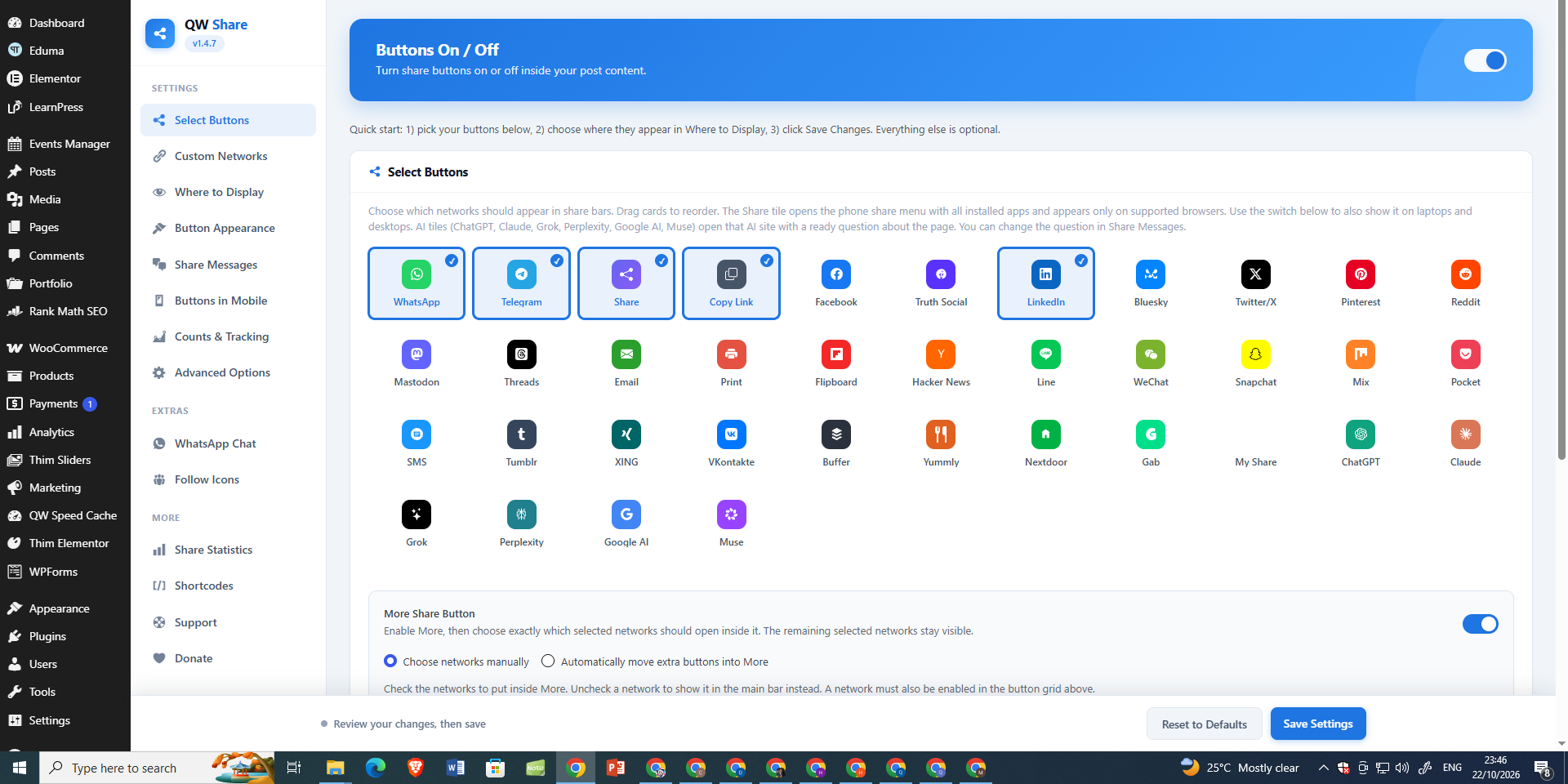
Select Buttons — enable, disable, and reorder social sharing networks, including custom networks and the More button.
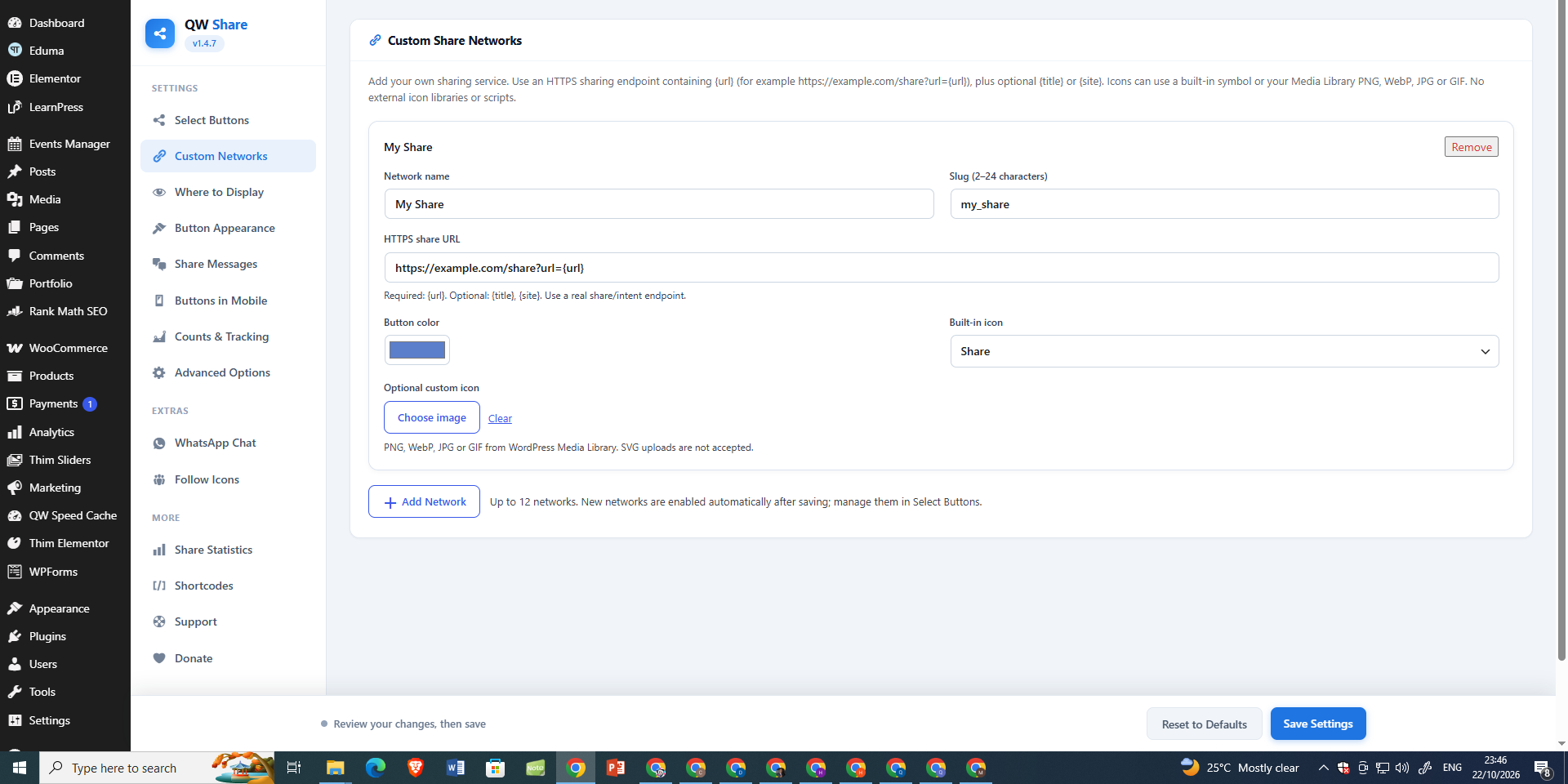
Custom Share Networks — create your own sharing buttons with HTTPS URL templates, colors, and optional image icons.
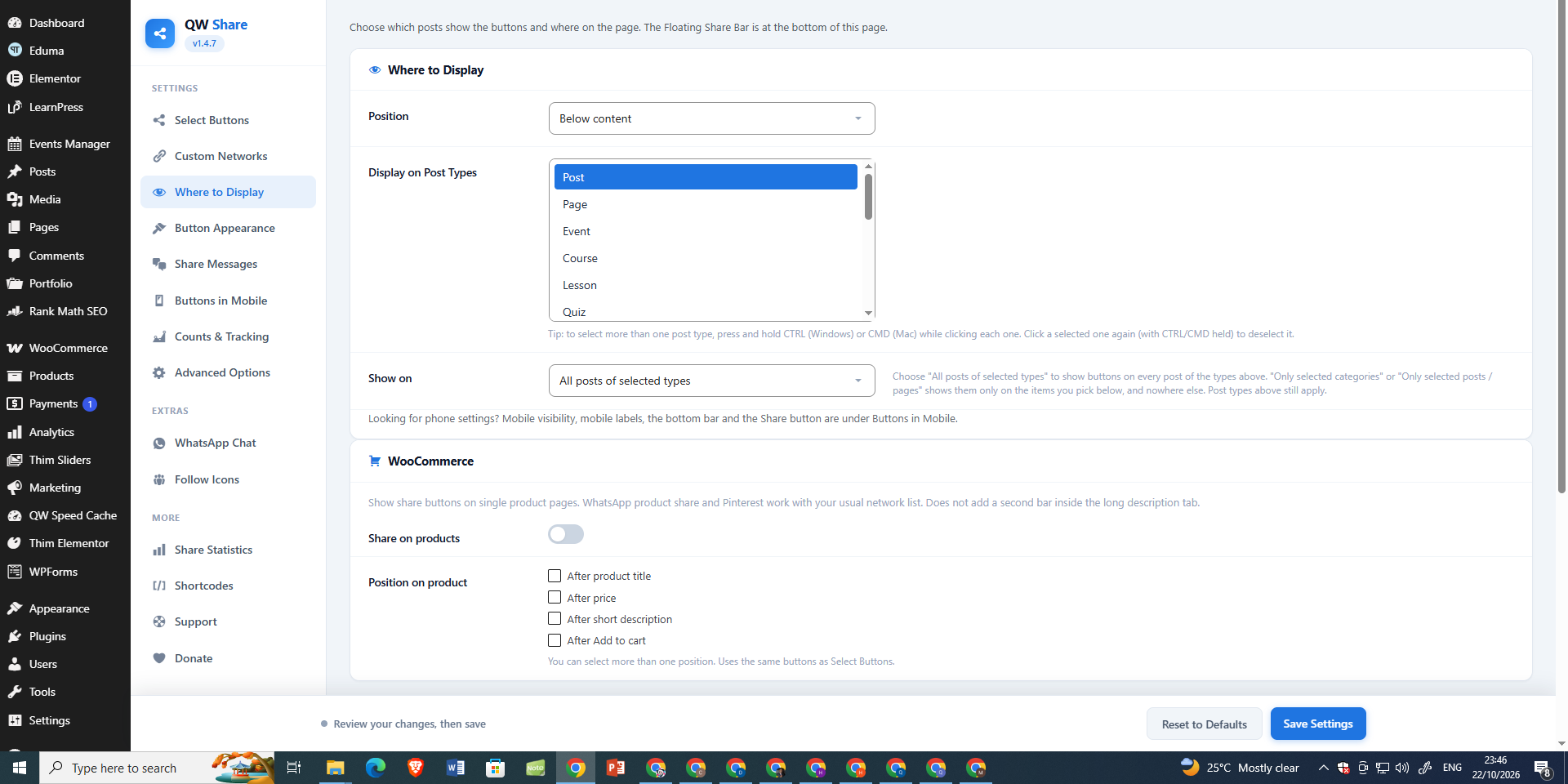
Where to Display — choose the button position, post types, and display conditions; configure WooCommerce product sharing.
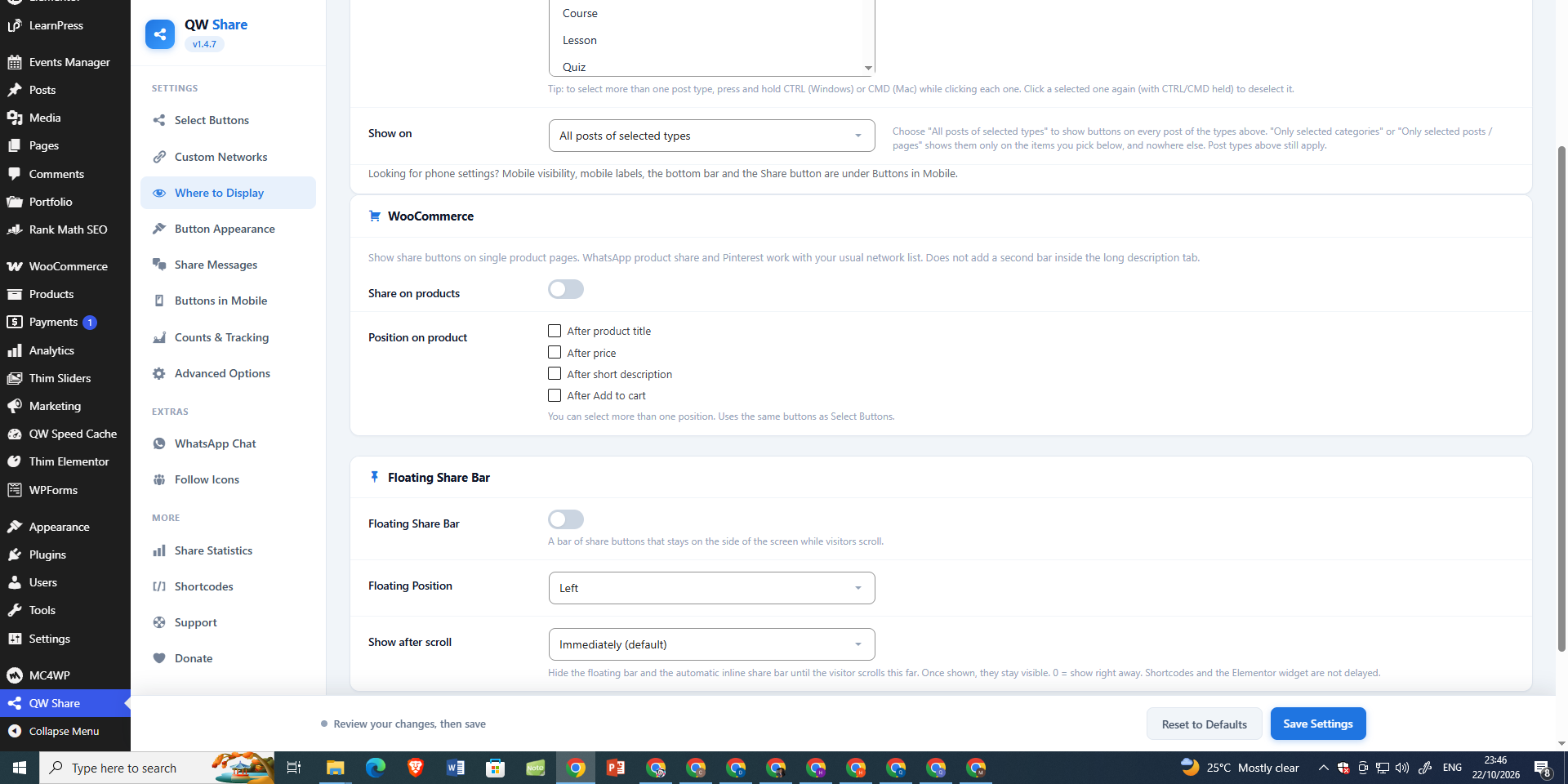
Floating Share Bar — choose the floating bar position and scroll-triggered visibility settings.
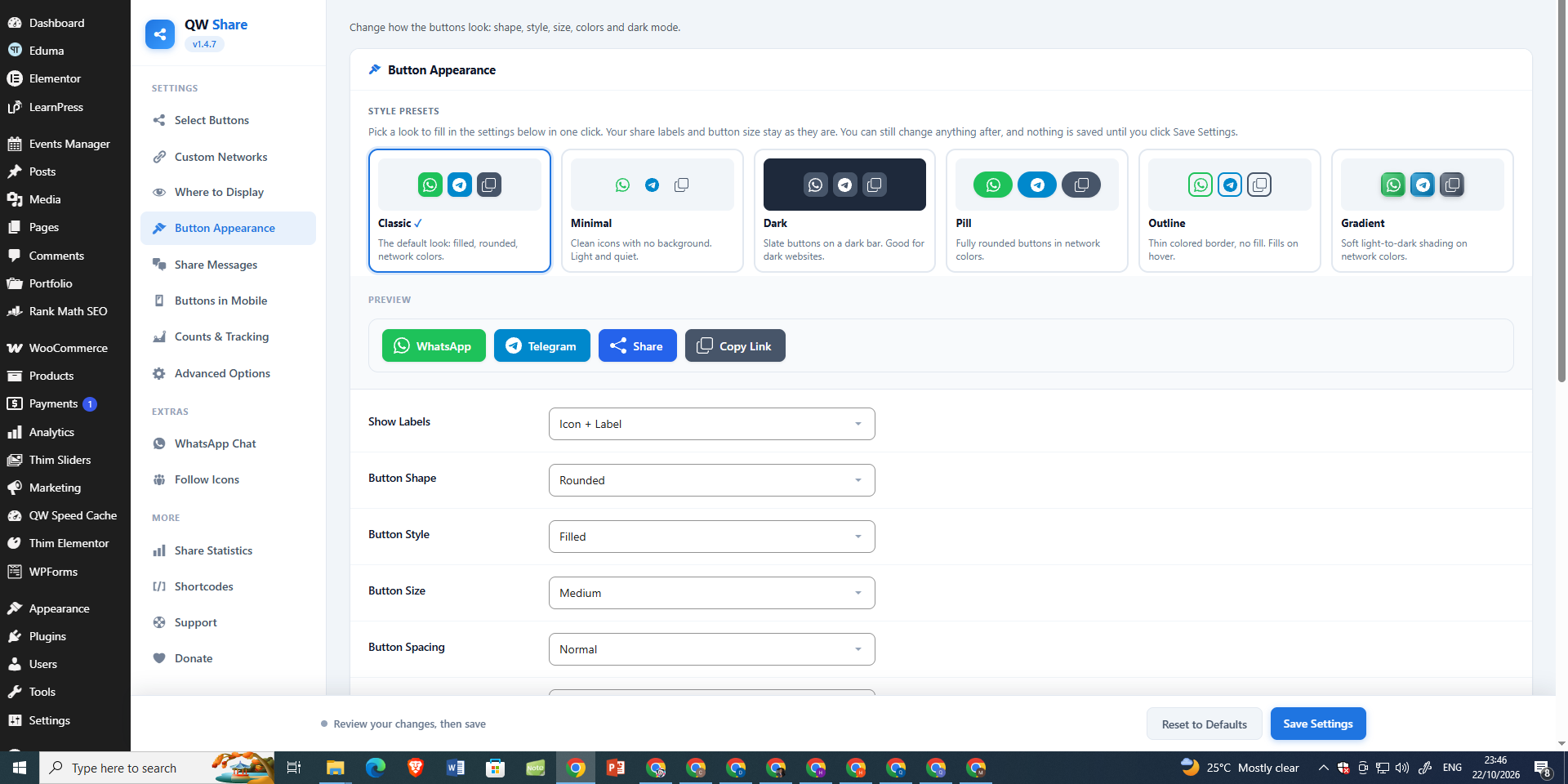
Button Appearance — preview six style presets and customize button labels, shapes, sizes, and spacing.
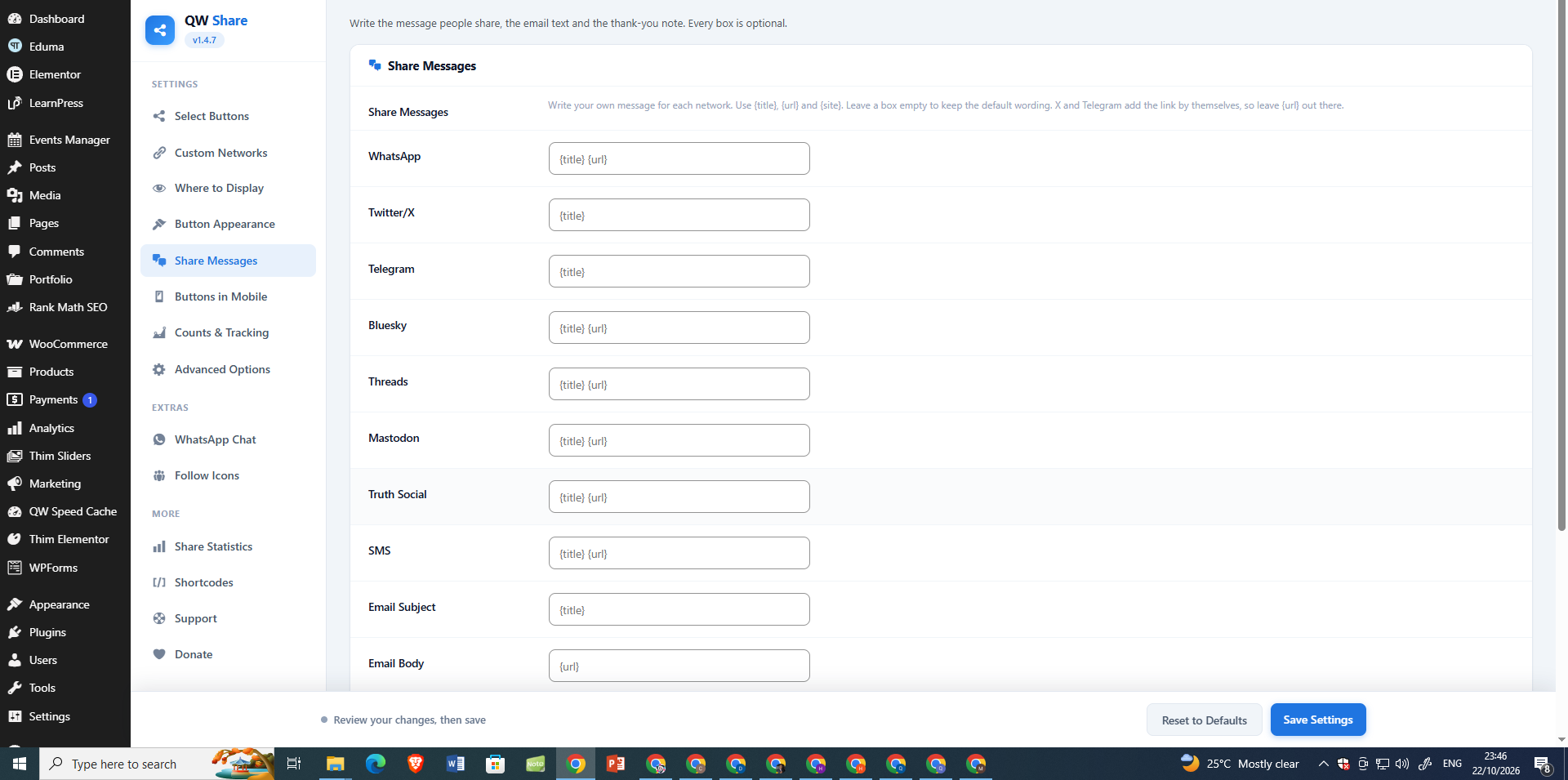
Share Messages — customize sharing text for WhatsApp, X, Telegram, Bluesky, Threads, email, and other services.
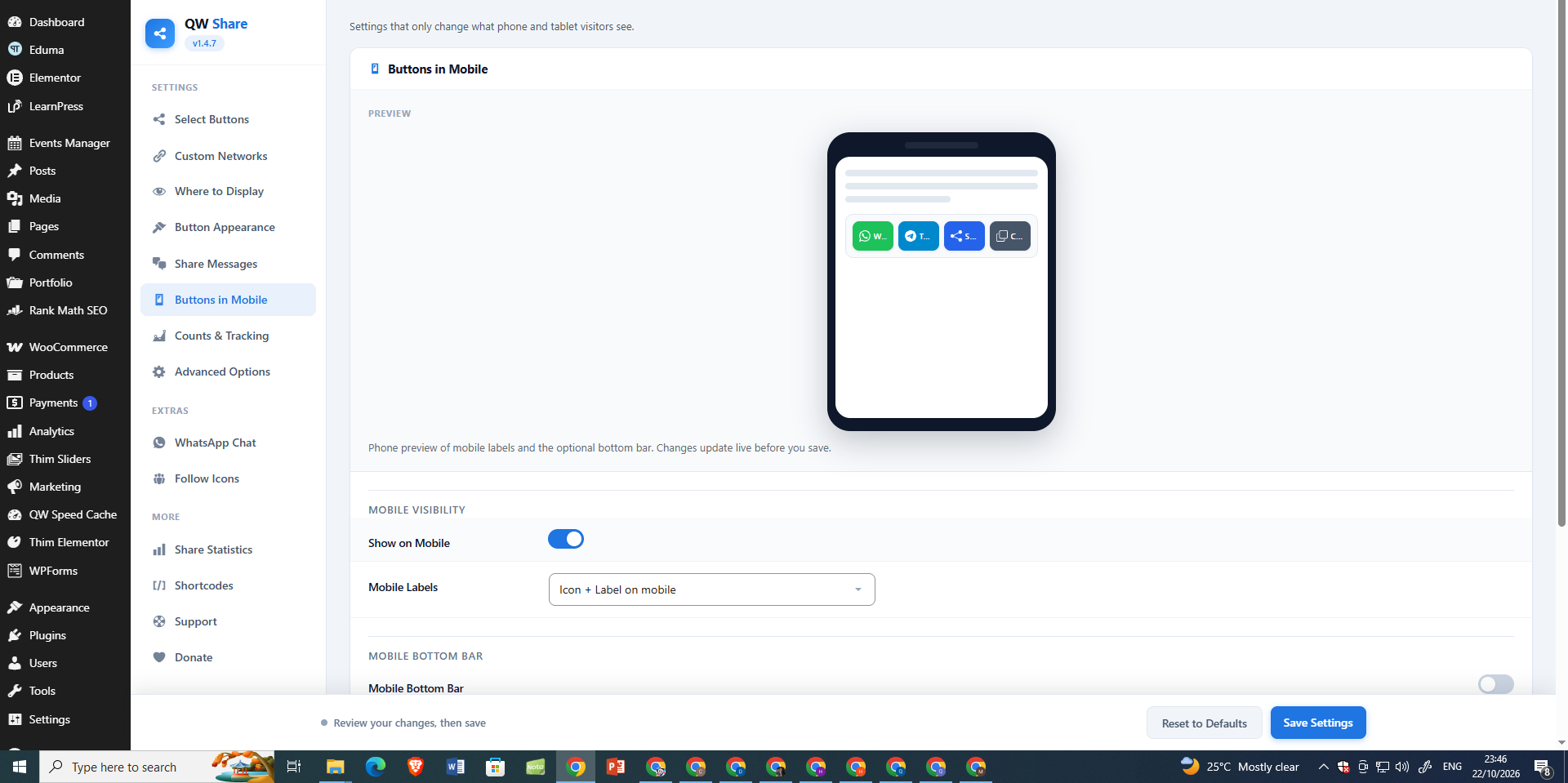
Buttons in Mobile — preview mobile sharing and control mobile visibility, labels, and the optional bottom bar.
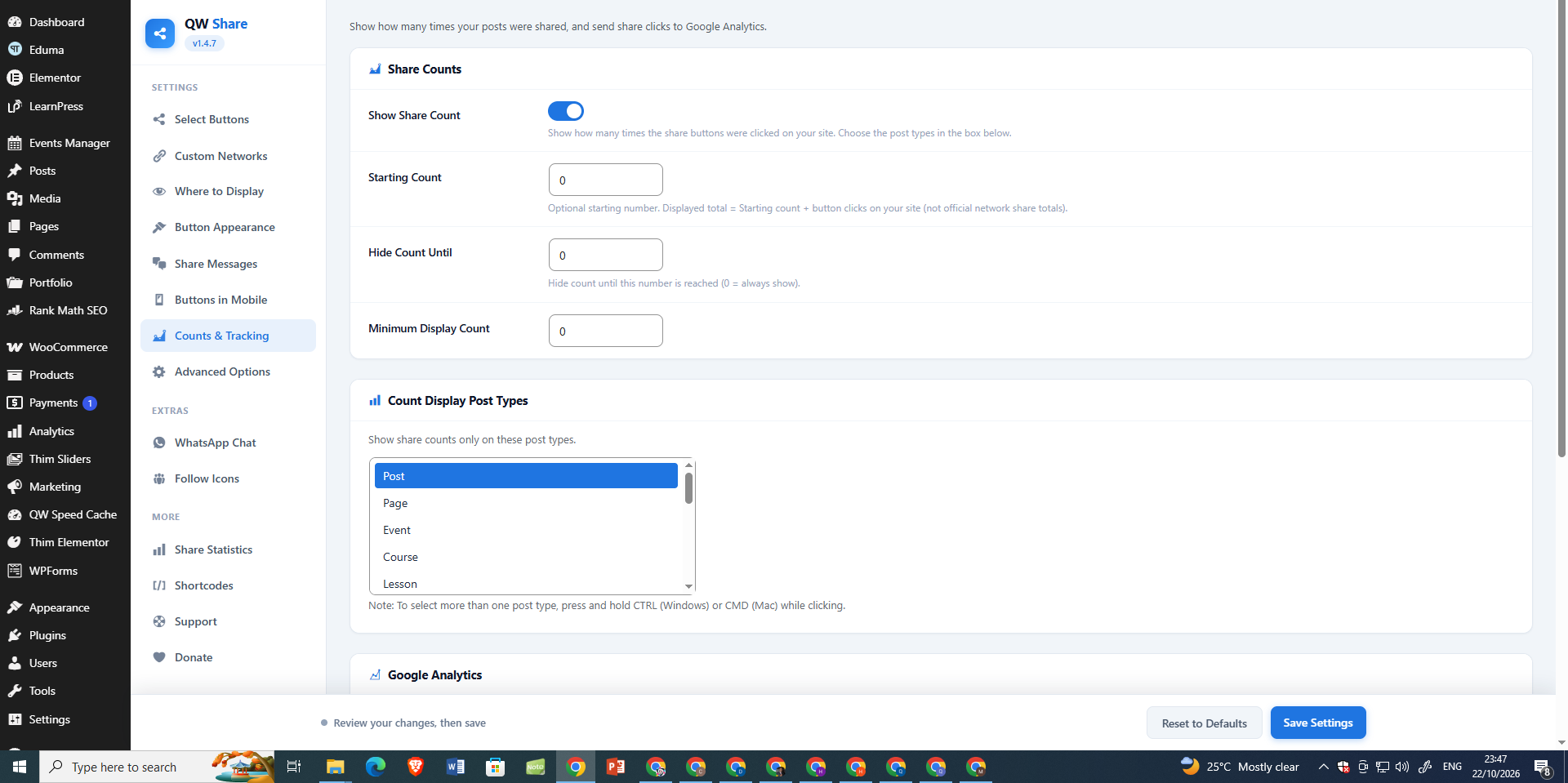
Counts & Tracking — configure click-based share counts, starting counts, visibility thresholds, and post types.
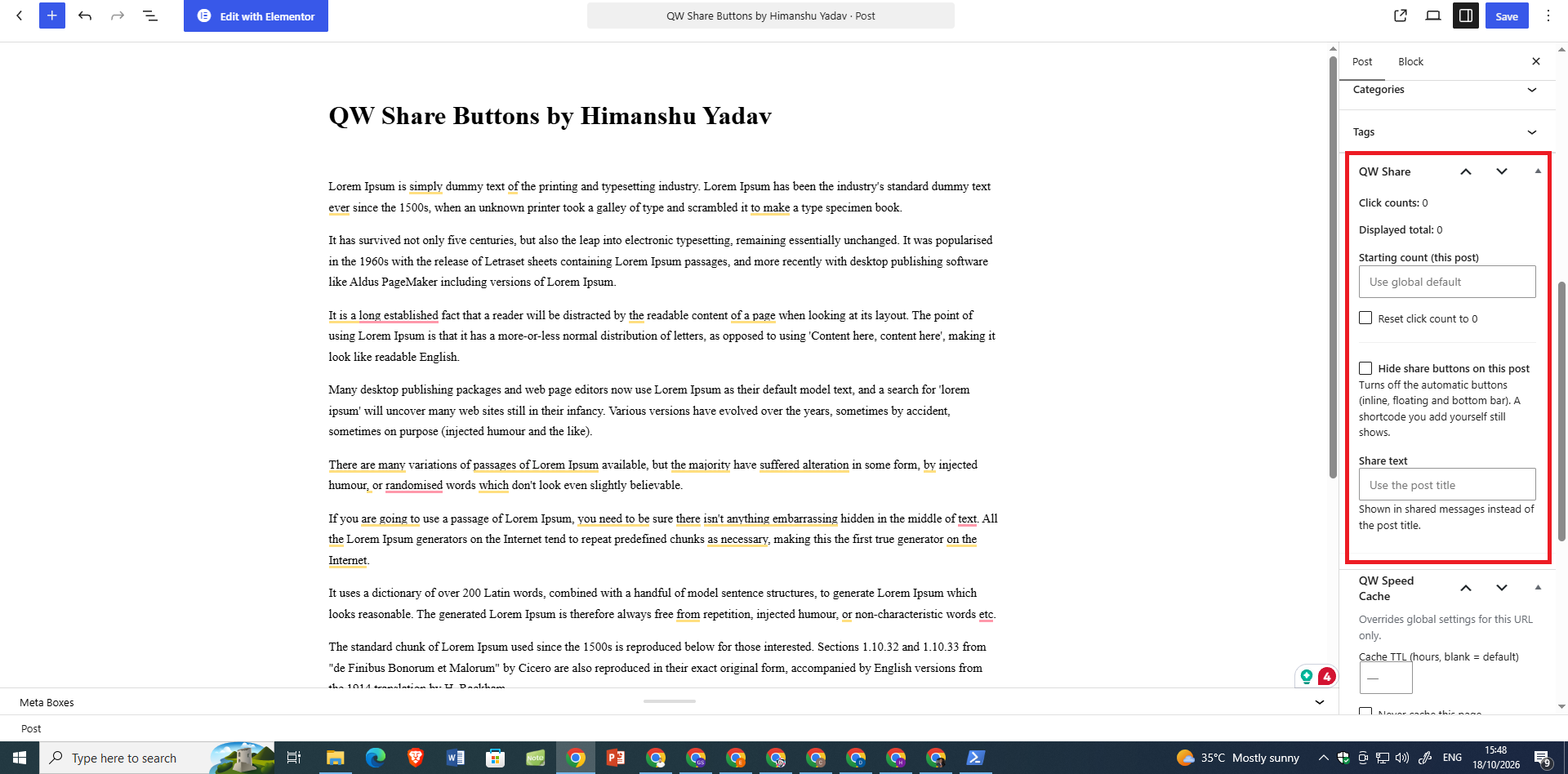
Gutenberg Post Controls — manage per-post share counts, custom share text, and automatic button visibility in the block editor.
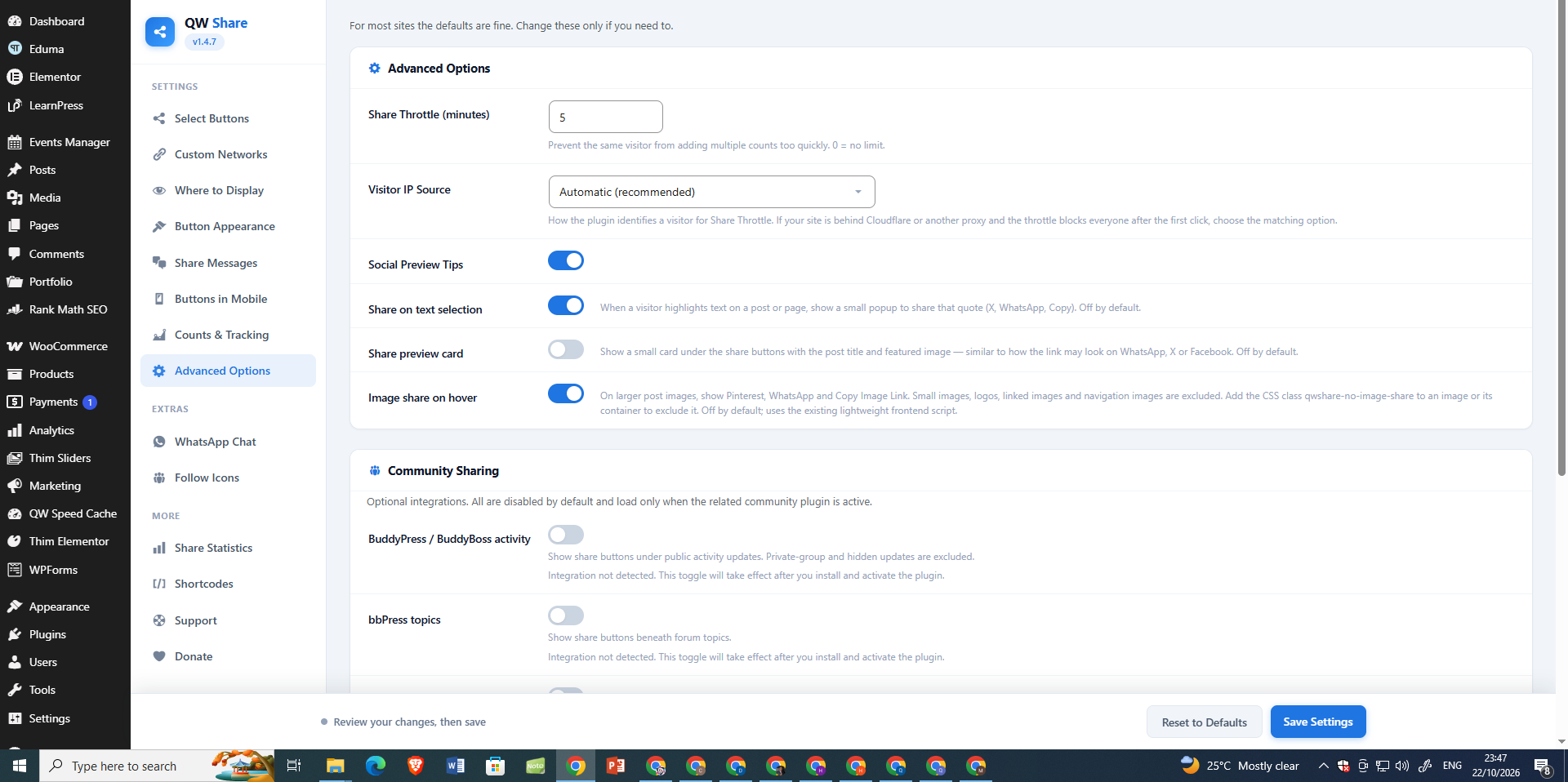
Advanced Options — configure click throttling, text-selection sharing, image-hover sharing, and community integrations.
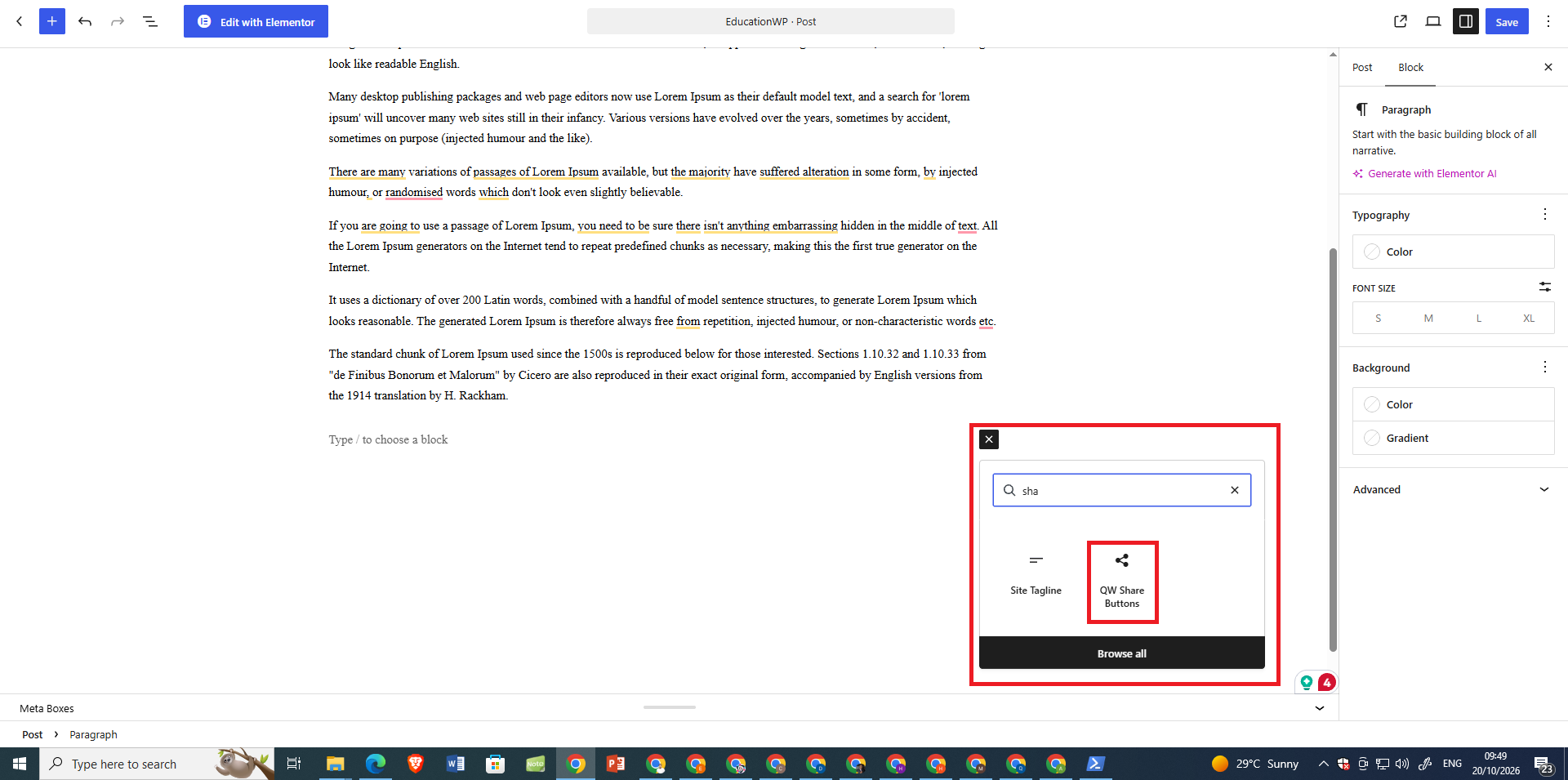
Gutenberg Share Block — insert QW Share Buttons directly into a post or page from the block inserter.
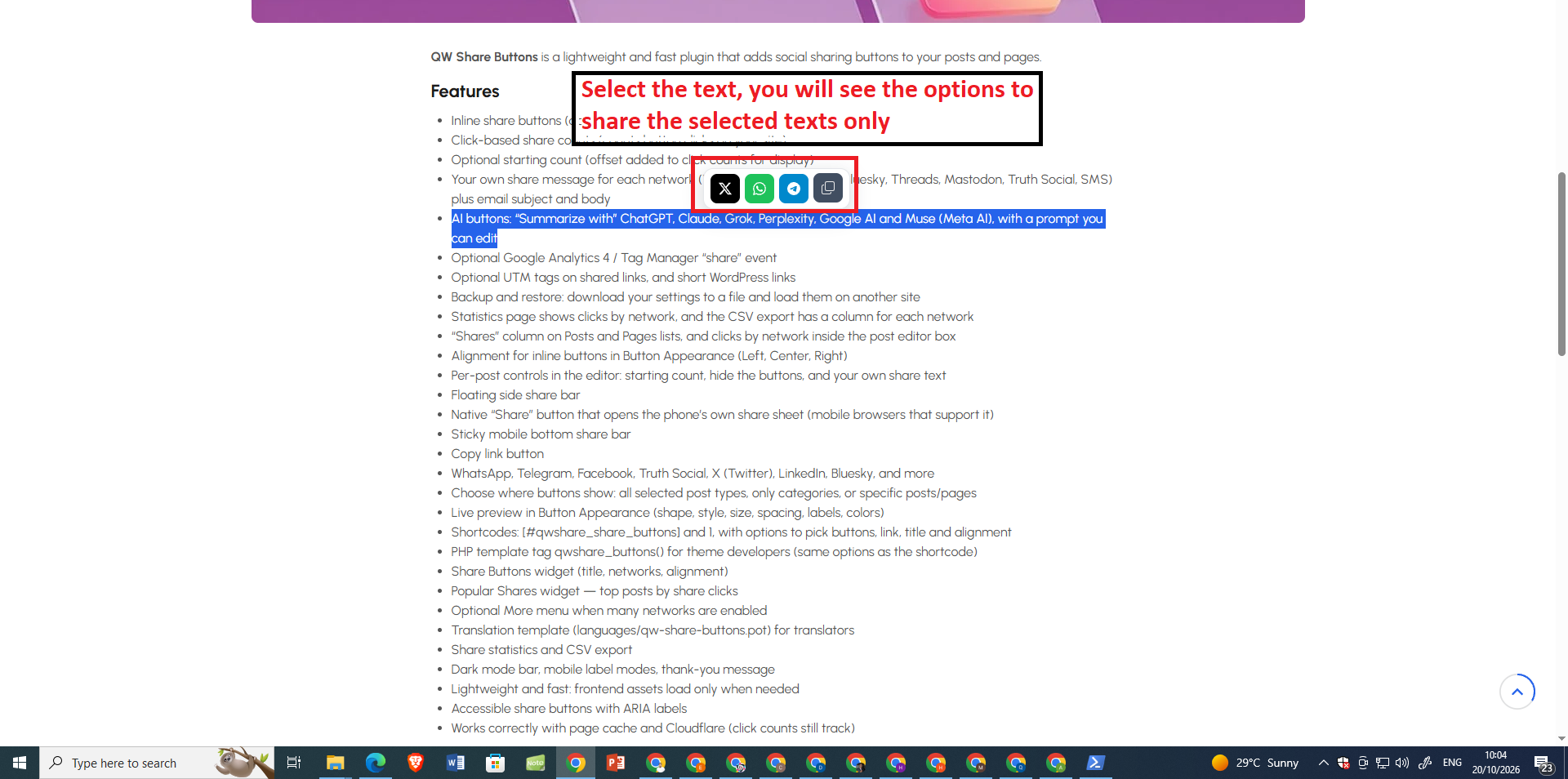
Text Selection Sharing — let readers share highlighted text through a compact floating share toolbar.
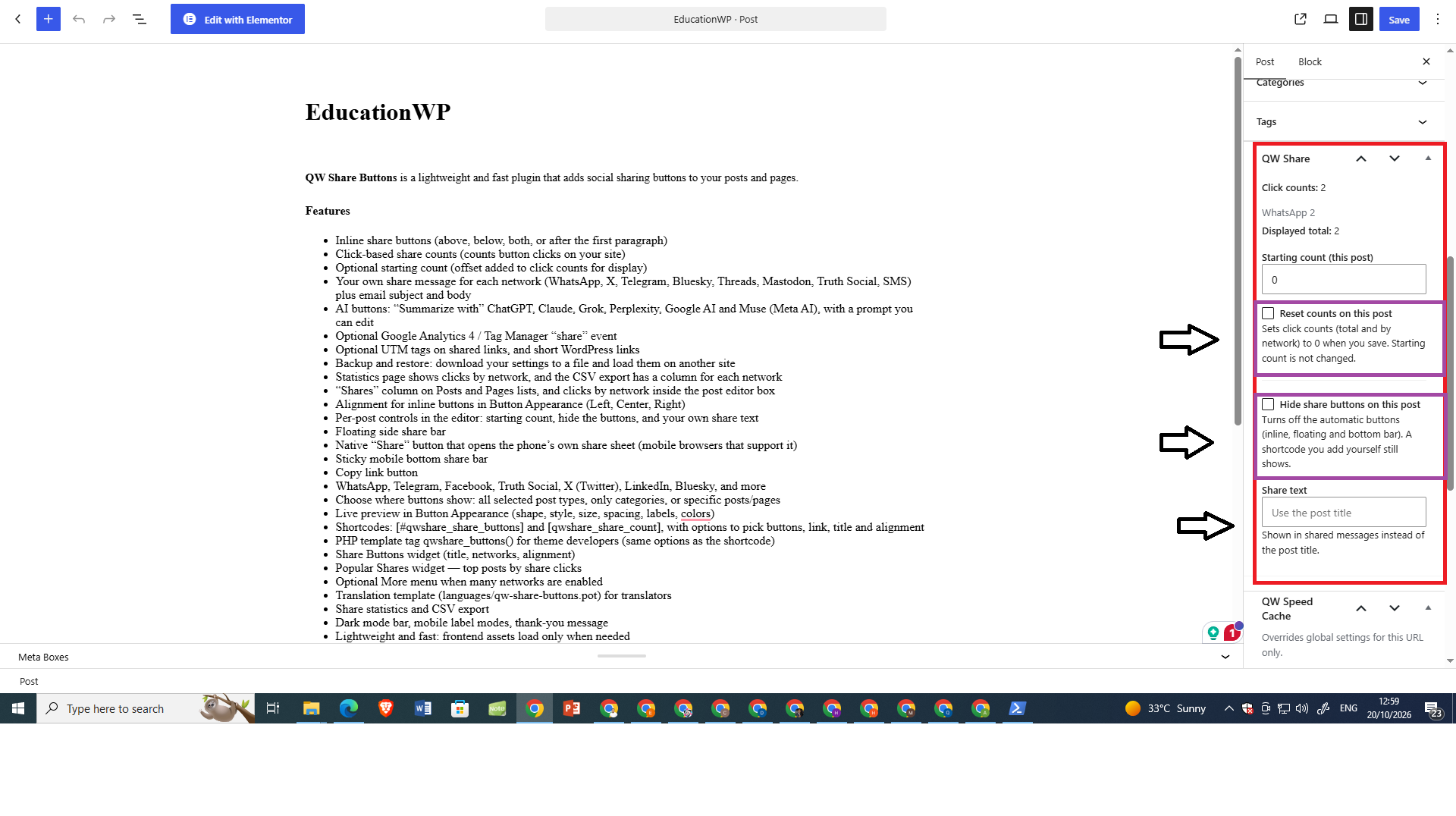
Per-Post Share Settings — reset share counts, hide automatic buttons, or set a custom share message for an individual post.
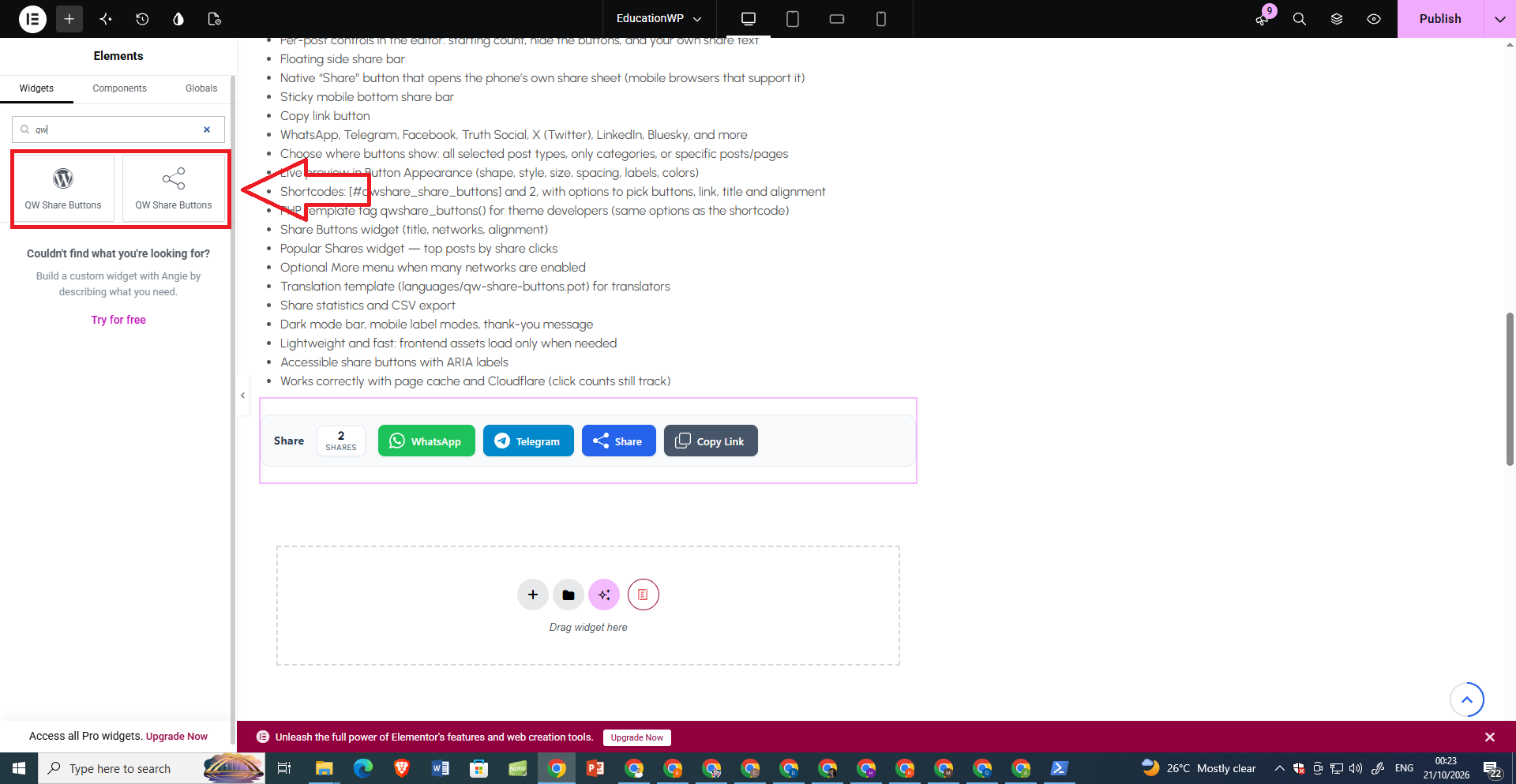
Elementor Integration — insert and preview QW Share Buttons in Elementor layouts.
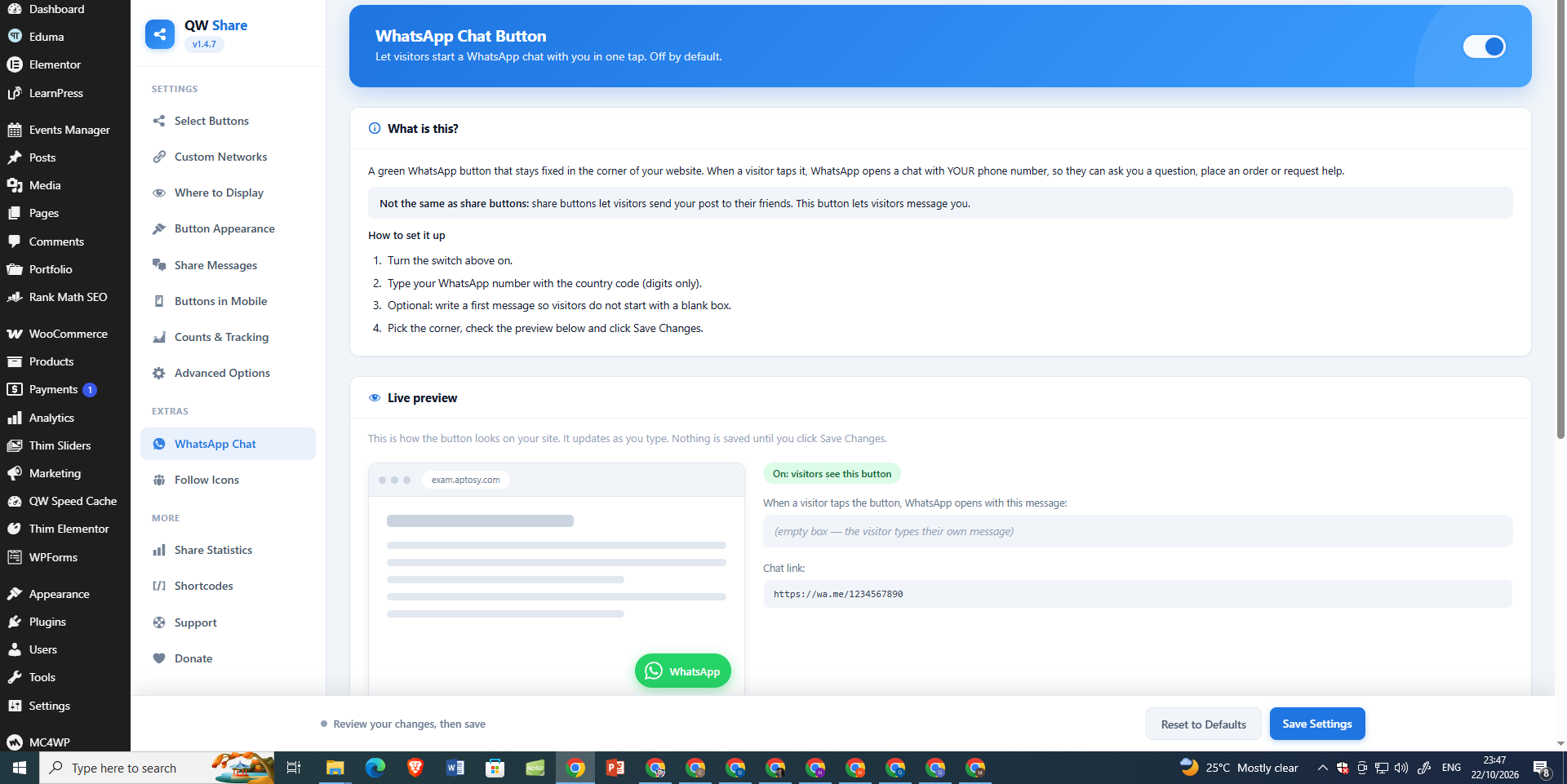
WhatsApp Chat — configure a floating WhatsApp contact button with a live preview.
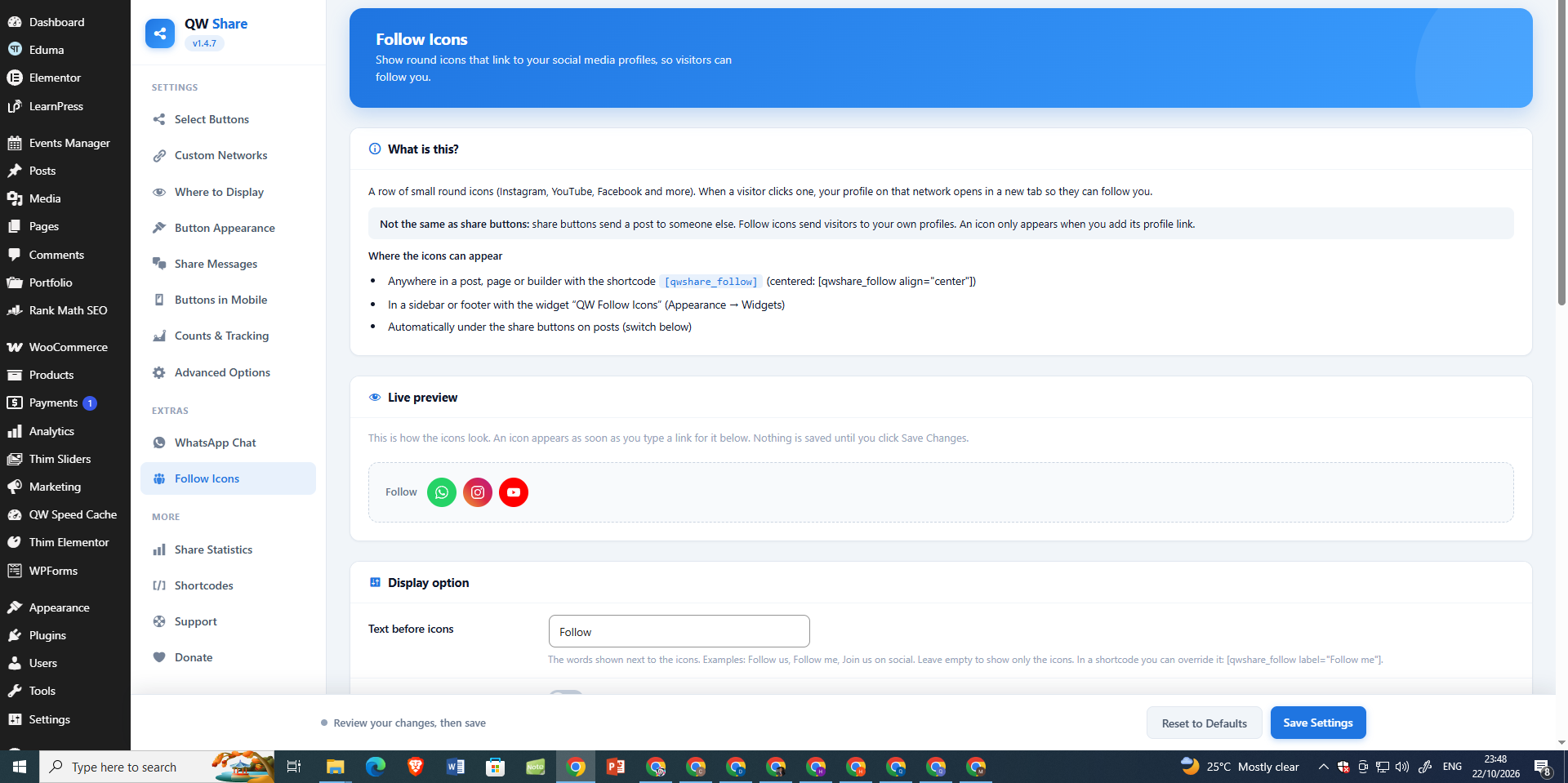
Follow Icons — add links to your social profiles and preview the follow buttons.
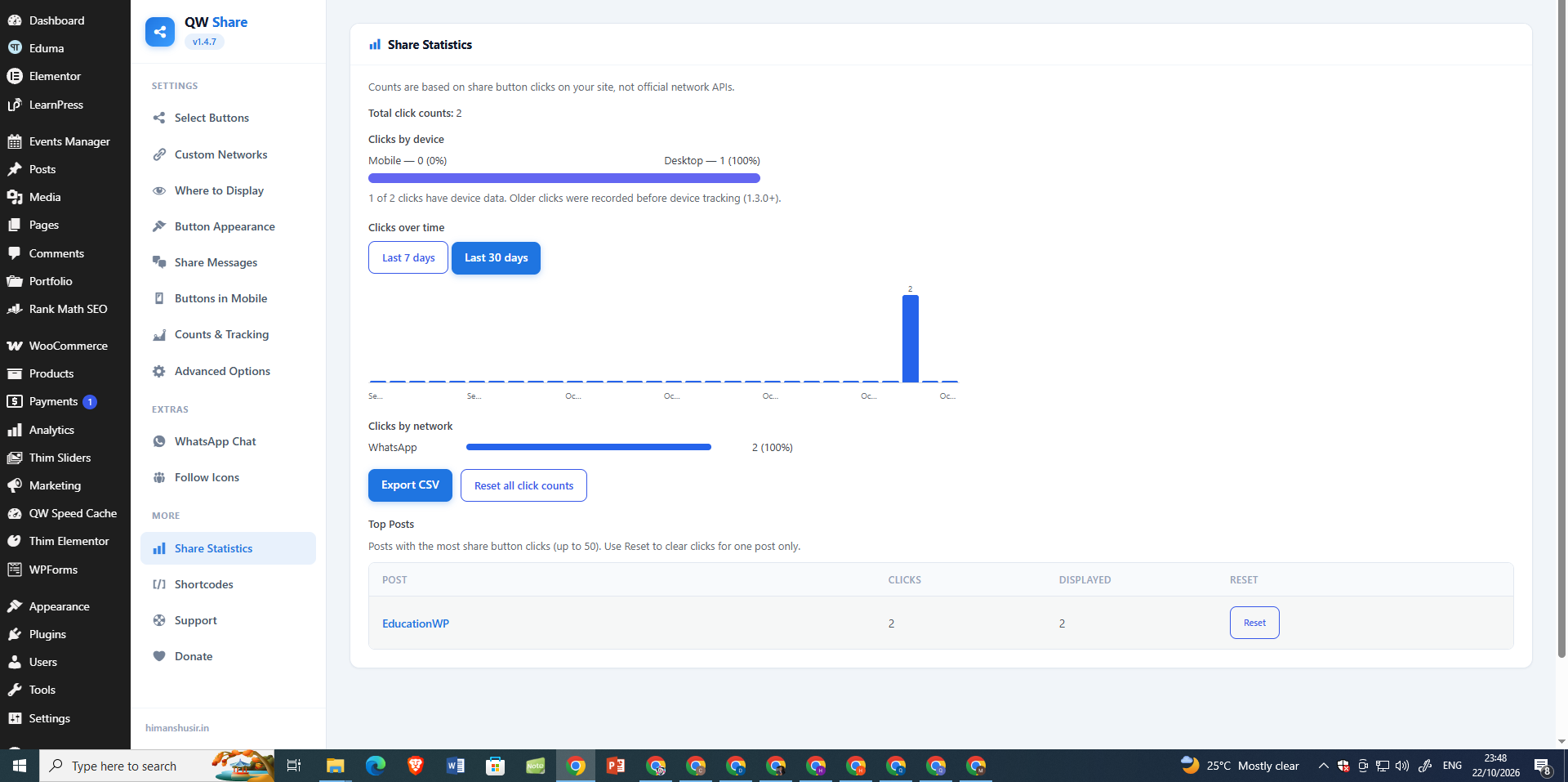
Share Statistics — review clicks over time, devices, networks, and top posts; export CSV reports.
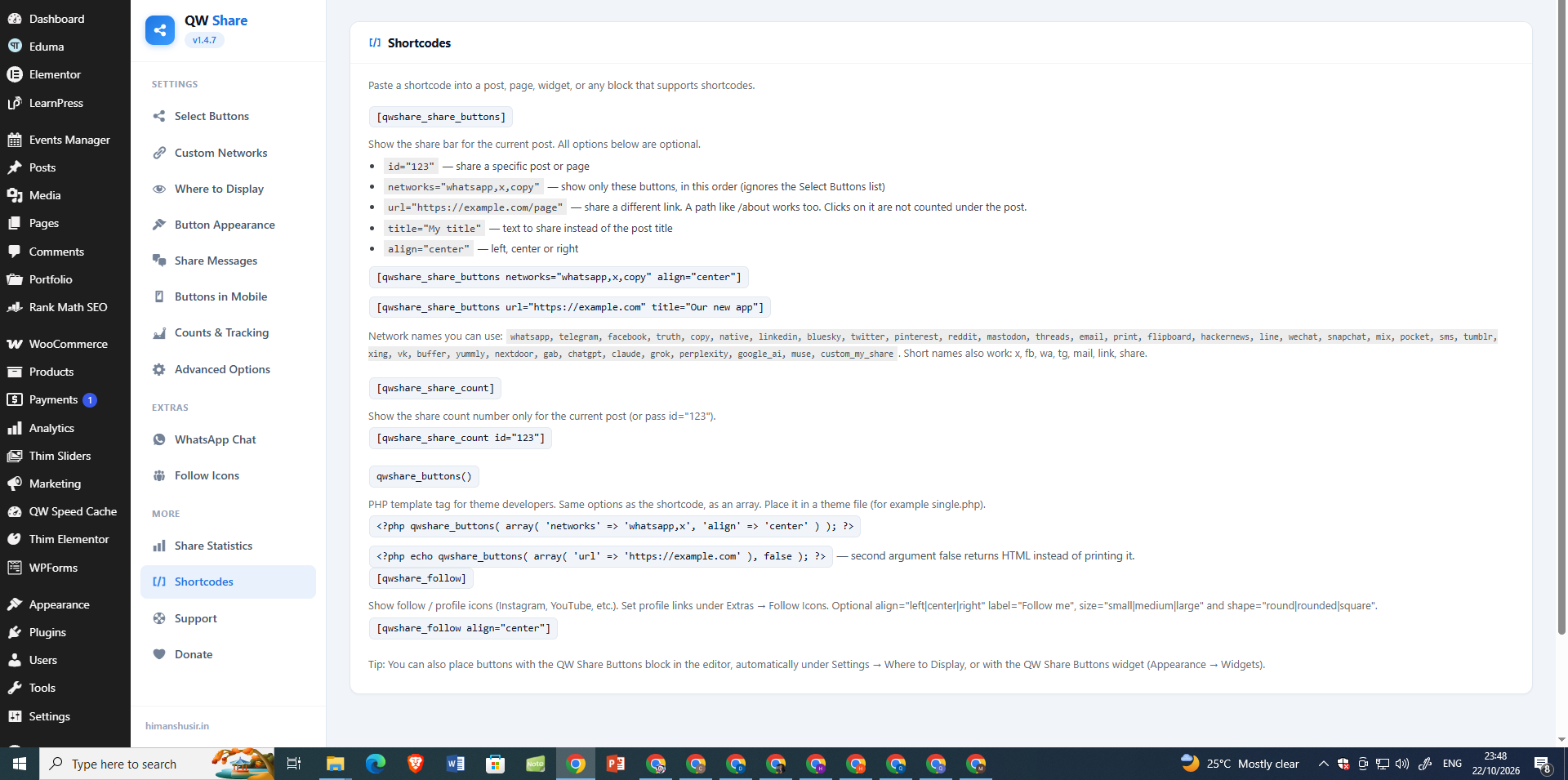
Shortcodes & Template Tags — see examples for sharing buttons, share counts, follow icons, and PHP integration.