
When a visitor selects text in one of your posts and copies it, Rapls Copy Notice
records what was copied and from which post, and tells you by email.
It does not stop anyone from copying. Readers can still select, copy and
right-click as usual; you simply find out which passages are being taken.
- A log under Tools Rapls Copy Notice: date, post, copied text, shortened IP
address and browser. Filter by post, delete selected entries or everything. - Email notifications, either one summary per hour (the default) or one email
per copy with an hourly cap, after which copies roll into the summary. - Only copies of at least 20 characters (adjustable), only from the post body,
and only on the post types you choose. If your theme’s markup is unusual, the
plugin can mark the end of the post body itself so it is found in any theme. - Copies by logged-in administrators and editors are ignored by default. You
can also ignore IP addresses (CIDR ranges allowed) and individual posts. - Your own subject line, so the emails are easy to filter.
- A dashboard widget with the number of copies in the last 7 days and the three
most copied posts. - Checks in Tools Site Health for the log table, the scheduled tasks, the
notification address, notifications that keep failing, the monitored post
types, proxy setup and database locks. - Two optional features for readers, both off by default: a short message after
they copy (for example, asking them to link to the source), and the post title
and URL appended to the copied text. - Log entries are deleted automatically after 90 days (adjustable).
- Works with page caching: the detection script needs no per-visitor token.
Rapls Copy Notice Pro (optional add-on)
Everything described above is free, with no trial and no limits tied to an
upgrade, and this plugin does not need anything else to work. Rapls Copy Notice
Pro is a separate plugin, sold on the author’s website, for sites that want to
act on copies:
- Statistics by post and by paragraph, compared with the previous period.
- Notifications to Slack, Chatwork, Discord or your own webhook, with a delivery history and retries, and a choice of which visitor data they receive.
- Rules that route each copy to the right channel, and burst alerts.
- Daily web search for your most copied paragraphs, with your own search API key.
- CSV export of the log.
- Multisite: the 5-site license covers a whole network, with an overview of every site.
One-time purchase, no subscription. Details: https://raplsworks.com/rapls-copy-notice-pro-en/
The plugin’s screen has a Pro features tab describing the add-on, and short
notes about it on the Log and Notifications tabs and in its row on the Plugins
screen. All of them disappear once the add-on is active, and the
rapls_cn_show_upsell filter hides them (return false).
Paragraphs
Each copy also records a fingerprint of the paragraph it came from: a SHA-1 hash
of that paragraph’s text, worked out in the reader’s browser. The paragraph
itself is not stored. In the log, Copies of this paragraph lists every copy
taken from the same paragraph. Browsers only offer the hashing function on HTTPS
pages, so sites served over plain HTTP record copies without it.
For developers
rapls_cn_logged(action) fires after a copy is stored, with the row ID and
the stored values.rapls_cn_notification_delivered(filter) lets an add-on send each
notification to another channel; returntruewhen it was delivered.rapls_cn_email_rows(filter) lets an add-on choose which rows go into the
notification email; an empty array skips the email for that notification.rapls_cn_is_pro(filter) is set totrueby the Pro add-on;
rapls_cn_show_upsell andrapls_cn_pro_urlcontrol the Pro features tab.rapls_cn_privacy_policy_paragraphs(filter) gets the suggested privacy
policy paragraphs, keyedcollected,ip,useandretention, as plain text;
an add-on that sends copy records out should replaceuse.rapls_cn_log_emptied(action) fires after “Delete all” has removed every log
entry. New entries are numbered from 1 again, so an add-on that keeps entry
IDs should drop them here.rapls_cn_admin_tabs(filter),rapls_cn_admin_loadand
rapls_cn_render_tab_{key} (actions) let an add-on add tabs to the plugin’s
screen.
Values that came from a visitor’s browser are passed to these hooks as stored.
Escape them for wherever you output them.
How visitor data is handled
Everything a copy report contains comes from the visitor’s browser, so the
plugin treats all of it as untrusted.
- Escaped wherever it is shown. The copied text, user agent, referrer and IP
address are escaped every time they are printed in the admin screens, for the
exact place they appear (HTML text, attribute or URL). The plugin does not
rely on cleaning values when they are saved. - Plain-text email only. Notifications are always sent as
text/plain. The
subject line contains your site name, the label you set (by default “Copy
notification”) and a count, never anything a visitor sent or a post title. Copied text is quoted line by line in
the body so it cannot imitate other fields. - Rate limited. By default at most 10 reports per minute from one IP address
and 500 per hour for the whole site are accepted. One address is also held to
a fifth of the site limit per hour (100 by default), so it cannot use up the
site limit alone, and IPv6 addresses are counted per /64 block. Reports over a
limit are neither stored nor emailed. The counts stay exact when many reports
arrive at once as long as the database allows named locks (MySQL’s GET_LOCK),
which Site Health checks. - Checked against real posts. A report is accepted only for a published
post of a monitored type. Copied text is capped at 500 characters and the
user agent and referrer host at 255. - Nothing echoed back. The endpoint answers with a status code and an empty
body. - IP addresses shortened by default. The last part of an IPv4 address and
the last 80 bits of an IPv6 address are removed before storage. Headers such
asX-Forwarded-Forare ignored unless you list your reverse proxy as trusted,
and then only for requests that come from that proxy.
Privacy
Rapls Copy Notice sets no cookies and stores nothing in the visitor’s
browser. To enforce the rate limits, the site keeps a one-way hash of each
visitor’s IP address (of its /64 block for IPv6) for up to an hour, in a
counter that then expires. The optional reader message and source link use
only the post’s own title and URL and your text; they record nothing extra.
This plugin never contacts any external service: copy reports go only to your
own site, and notifications are sent with WordPress’s own mail function,
through whatever mail system the site uses (an SMTP plugin or email service,
for example). Suggested wording for your privacy policy is added to
Settings Privacy.
An add-on can send notifications elsewhere: Rapls Copy Notice Pro, for
example, sends them to the chat services or webhook you switch on. It then
changes the suggested privacy policy wording to name those services and what
they receive.
Screenshots

The log under Tools → Rapls Copy Notice: date, post, copied text, shortened IP address and browser, with a filter by post.

A summary email: plain text, with the copied text quoted, the post and its address, and the length of each copy.
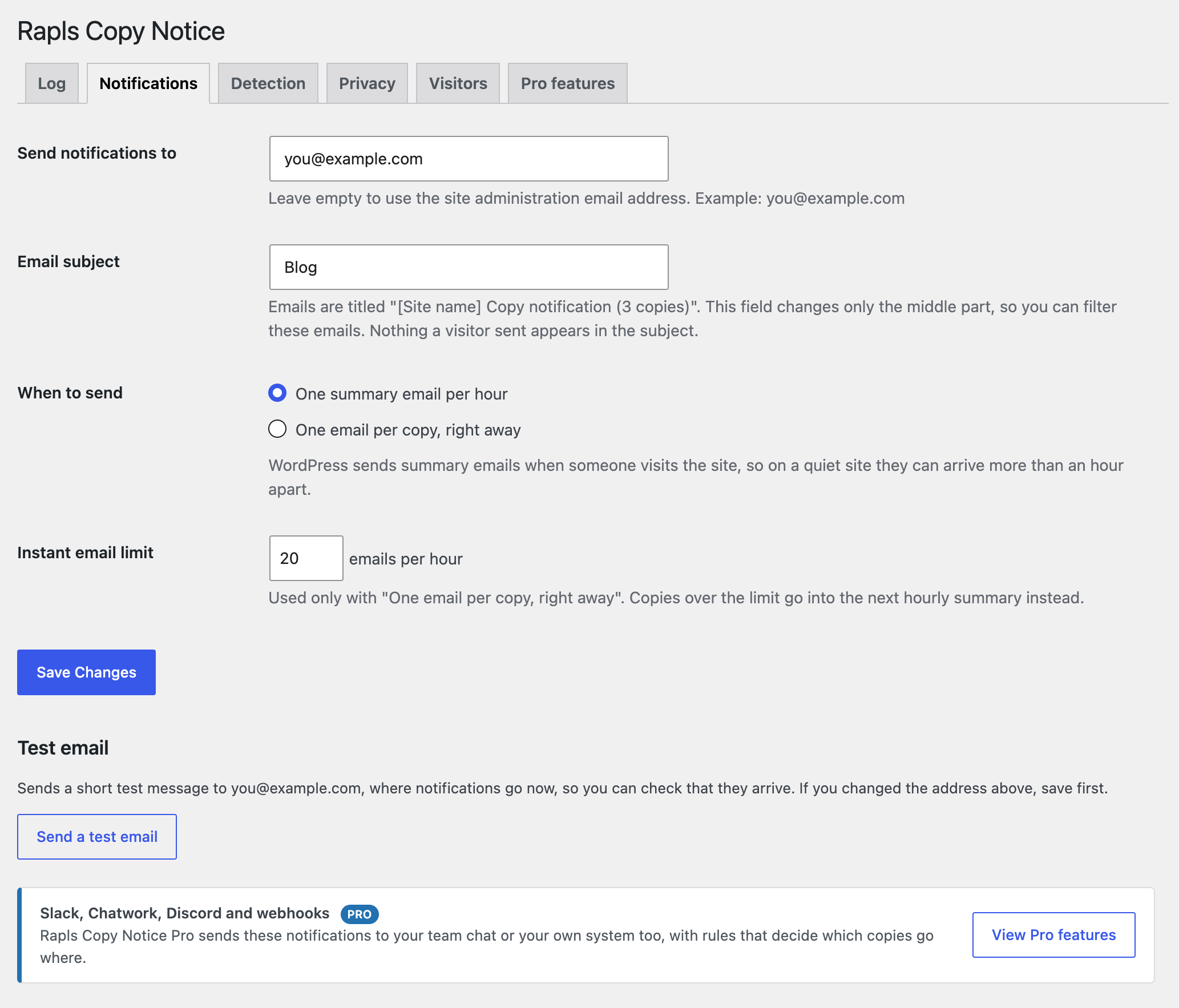
The Notifications tab: where emails go, the subject label, hourly summaries or one email per copy, and a test email button.
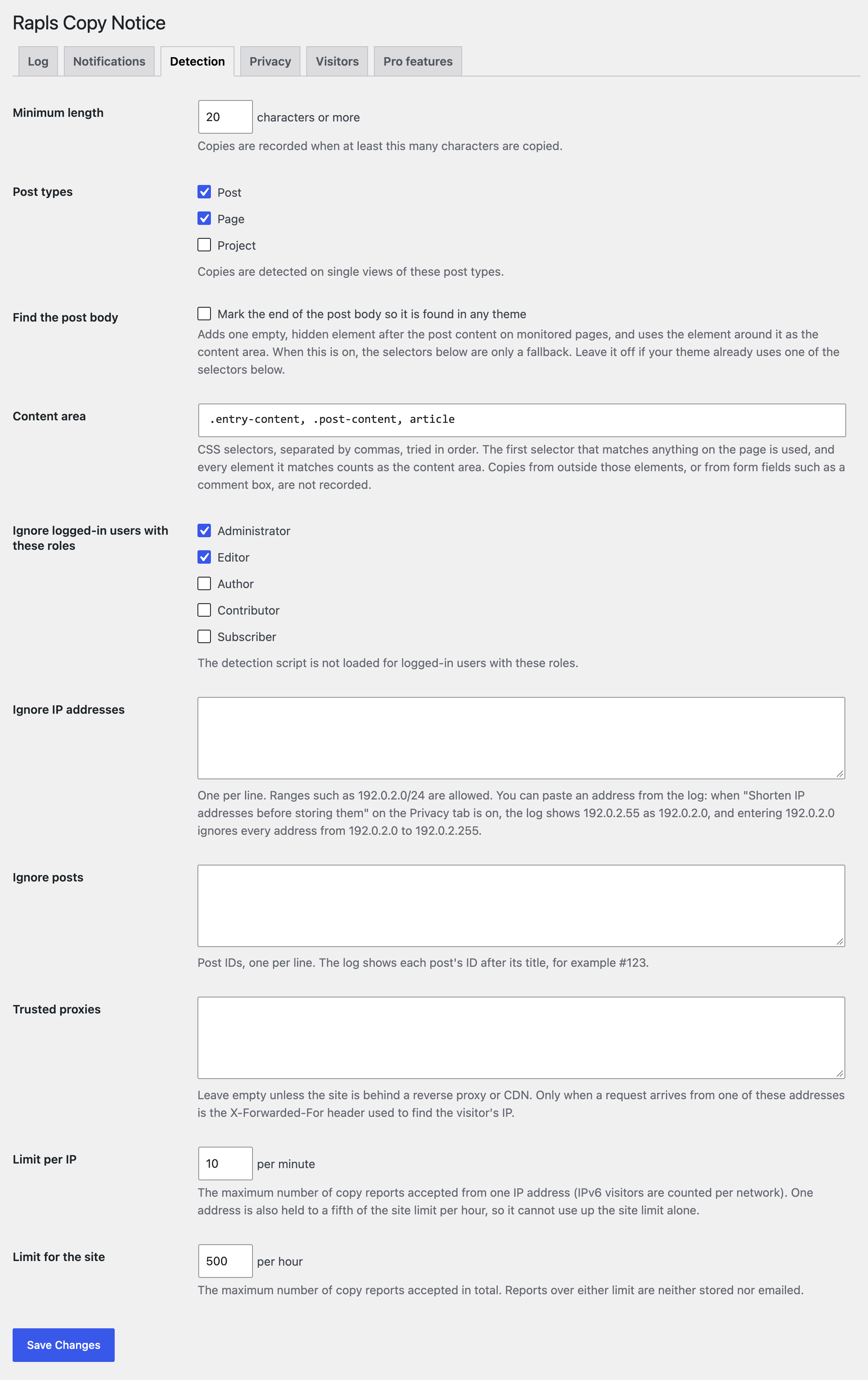
The Detection tab: minimum length, post types, the content area, and who and what to ignore.
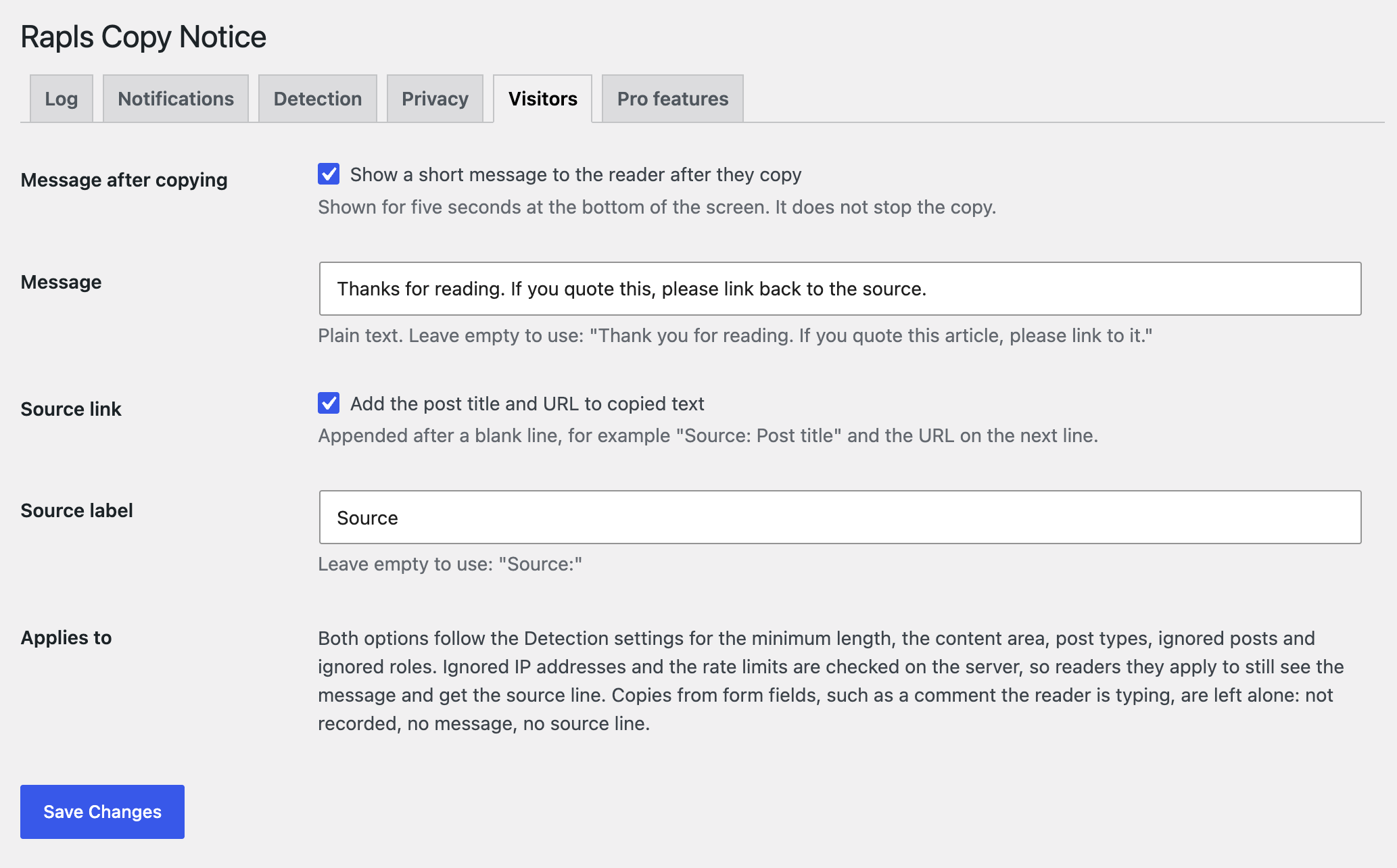
The Visitors tab: an optional message after copying and an optional source line added to copied text, both off by default.
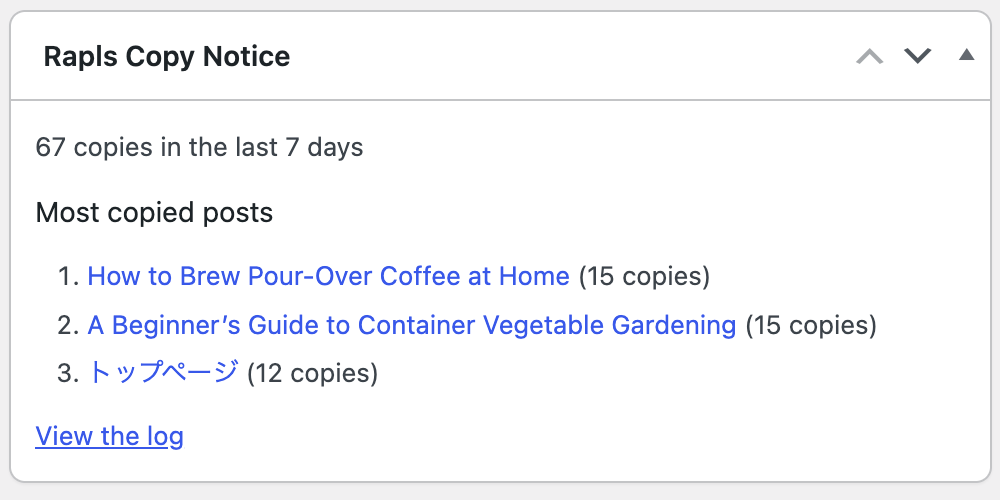
The dashboard widget: copies in the last 7 days and the most copied posts.