BACK TO DIRECTORY


Hide text with an elegant toggle button to show more.
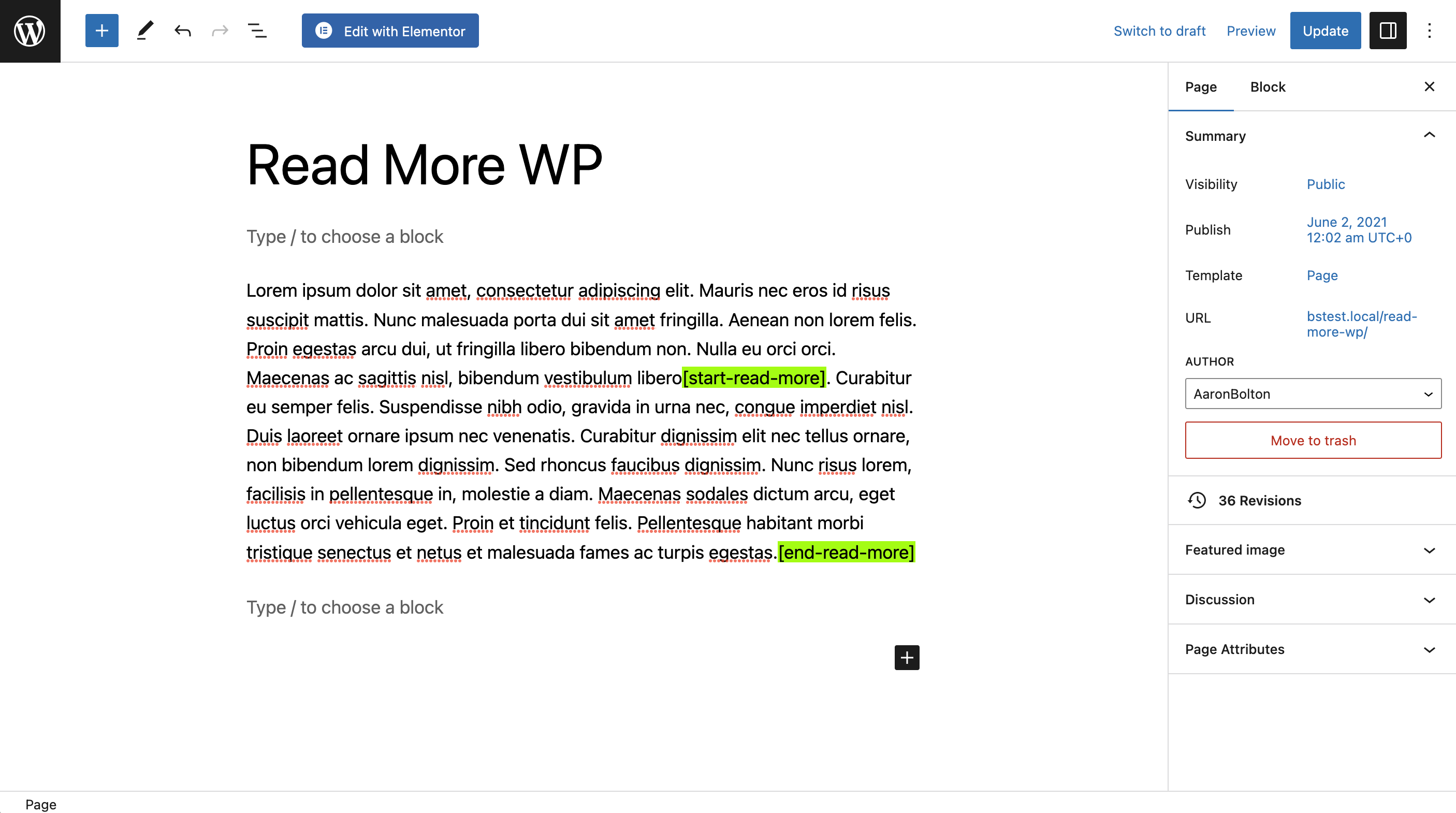
Insert the [start-read-more] shortcode where you want to hide content,
followed by [end-read-more] to add the toggle button.
Target .rmwp-button-wrap button to style the button (optional).
View the Demo.
Features (Free)
- Elegantly hide content.
- Toggle button to show more.
- Easy Shortcodes.
- Inline breaks—great for short text such as testimonials.
- WordPress forum support.
Premium Features (Paid)
- Animated transitions.
- Pop-Ups.
- Priority email support.
- Get Read More WP Plus.
Supporting Read More WP
If you found this free plugin helpful, you can support the developer by upgrading to Read More WP Plus or donating to the coffee fund:
Shortcode
[start-read-more]
[end-read-more]
Optional Shortcode Parameters
[start-read-more more="Read More" less="Read Less" inline=false ellipsis=true][end-read-more]
- more…”Read More” or another button label.
- less…”Read Less” or another button label.
- inline…true or false. Default: false.
- ellipsis…true or false. Default: true.
- animation…”none”, “slide”, “fade”, “fold”, “pop-up”.
- speed…The speed of the animation in milliseconds. Default: 500.
Screenshots
The shortcodes wrapping text in the Gutenberg block editor. Highlights added for visibility.
The plugin settings pages with avalable options.
A block of content partially hidden with the "read more" button toggle.
A block of content revealed with the "read less" button toggle.
Plugin Details
Active Installs
1K+Total Downloads
7,379Version
1.1.7Requires WP
4.0.0Requires PHP
5.6Tested Up To
7.1.4Added
2023-11-02Last Updated
2026-10-18 8:11pm GMTRatings
5
1
4
0
3
0
2
0
1
0