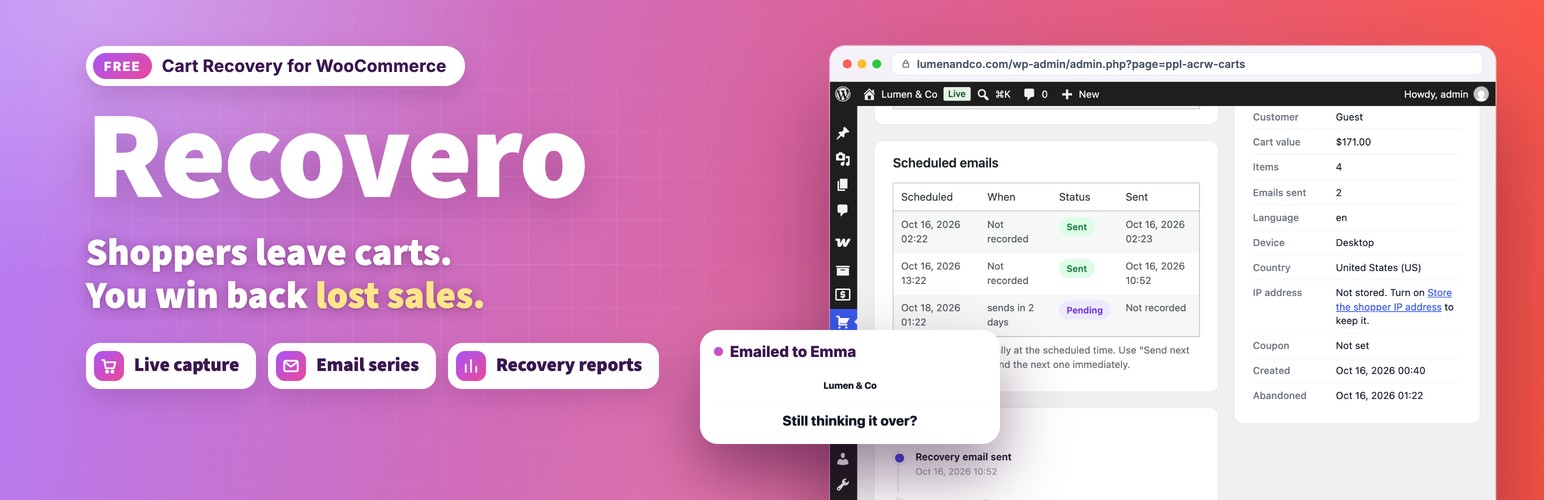
Recovero – Cart Recovery for WooCommerce recovers lost sales automatically. It works the moment it is activated: a three step email series and five ready to use templates are installed for you, so there is nothing to configure before your first cart is saved.
- Live demo: Free version | Pro version
- Documentation: Free version | Pro version
- Support: propluginslab.io/support
What you get
- Real time cart capture for guests and logged in shoppers, including live email capture as the shopper types at checkout.
- Unlimited recovery campaigns and email steps, each with its own delay, template, and subject line, targeted by cart value and shopper language. Adding a step to a live campaign also reaches carts already recovering, and changing a delay moves the emails already queued.
- Five mobile friendly starter templates and unlimited templates of your own, built in a visual editor with blocks, a live preview, and an HTML mode.
- Merge tags and test sends, so you can check exactly what a shopper receives.
- Reliable background sending on WooCommerce Action Scheduler, with retries, bounded batches, and a stalled queue warning.
- Live dashboard and full reports: recovery rate, recovered revenue, per campaign performance, best performing products, and 7, 30 or 90 day ranges.
- Abandoned cart list with status filters, a captured date range, search, sortable columns, bulk actions, CSV export of the filtered list, shopper location, and a detailed single cart view with an activity timeline.
- Stock aware cart restore, so a shopper is never sent back to a broken checkout.
- Exclusions: skip carts from chosen user roles, specific email addresses, whole email domains, products or product categories, so staff and test orders never receive recovery emails.
- Compliance: one click unsubscribe headers (List-Unsubscribe) as Gmail and Yahoo require, an unsubscribe confirmation page that mail scanners cannot trigger, and a do not email list kept as a one way hash that survives data retention.
- Privacy tools: optional consent checkbox at checkout (on by default for new stores in the EU, the EEA, the UK and Switzerland), data retention, anonymization, and integration with the WordPress personal data export and erase tools. The IP address is stored as a keyed hash unless you choose to keep it.
- Template translations: shoppers receive the version of a template in the language their cart was saved in, with WPML, Polylang or the site language.
- Settings import and export, so a tuned configuration moves between stores.
- Built in documentation with a full developer hook reference.
- Compatible with WooCommerce High Performance Order Storage and the block based cart and checkout.
Built for performance
The plugin does no work on requests that do not need it. It never forces a session or a cookie on an anonymous visitor, so full page caching keeps working. All sending runs through Action Scheduler in claimed batches rather than on page loads.
Developer hooks
Actions include ppl_acrw_loaded, ppl_acrw_cart_captured, ppl_acrw_cart_abandoned, ppl_acrw_sequence_scheduled, and ppl_acrw_cart_recovered. Filters include ppl_acrw_default_settings, ppl_acrw_starter_templates, ppl_acrw_merge_tags, ppl_acrw_should_send, ppl_acrw_queue_batch_size, ppl_acrw_recovery_url, ppl_acrw_rendered_email, and ppl_acrw_email_excluded. The full reference is on the built in Documentation screen.
External services
This plugin does not connect to any external service. All cart data, email content, and statistics stay in your own WordPress database, and recovery email is sent through your site’s own mail configuration.
Pro version
Recovero Pro is a separate, paid plugin that adds further recovery tools. Nothing in this free plugin is limited or locked, and the two editions share the same data, so moving between them keeps every cart, campaign, template, and setting.
- Recovery coupons tied to the shopper email and set per step (amount, expiry, minimum spend, product limits), with a coupon block in the email builder and two extra discount templates
- SMS and WhatsApp steps through your own Twilio account
- Campaign audience rules: products or categories in the cart, new or returning customers, earlier orders, role and country
- An exit intent popup with device and operating system targeting, frequency capping, and an optional discount
- Session replay, which shows what happened on the storefront before a cart was abandoned, with every input masked and payment areas excluded
- Email throttling with hourly caps and a daily send window
- Outgoing webhooks for Zapier, Make, and CRMs, with optional signing
More plugins from ProPluginsLab
Free on WordPress.org:
- Back In Stock Notifier for WooCommerce – Waitlist and restock email alerts for out of stock products.
- Anticipo – Pre-Orders for WooCommerce – Take pre-orders before a product launches.
- Affireo – Affiliates for WooCommerce – Run an affiliate and referral program.
- Storefold – Multivendor Marketplace for WooCommerce – Turn your store into a multivendor marketplace.
- Dispatchio – Shipment Tracking for WooCommerce – Add tracking numbers and shipment updates to orders.
- Presentero – Gift Cards for WooCommerce – Sell and redeem digital gift cards.
- Kitero – Product Configurator for WooCommerce – Build composite products and kits.
- Plusero – Extra Fees for WooCommerce – Add conditional checkout fees and surcharges.
- Inputo – Name Your Price for WooCommerce – Let customers choose what they pay.
- Mercenza – B2B for WooCommerce – Sell wholesale with customer groups, wholesale prices and trade accounts.
- Visuaro – Product Designer for WooCommerce – Let customers design custom products in the browser.
- Christmas Snow – Festive Snowfall Effect – Add a lightweight snowfall effect to any site.
Pro plugins at propluginslab.io:
- Recovero Pro
- Anticipo Pro
- Affireo Pro
- Storefold Pro
- Dispatchio Pro
- Presentero Pro
- Kitero Pro
- Plusero Pro
- Inputo Pro
- Mercenza Pro
- Visuaro Pro
- Back In Stock Notifier Add-ons – 26 add-ons incl. Mailchimp, Klaviyo, Twilio SMS, WPML, or all of them in the Bundle.
Screenshots
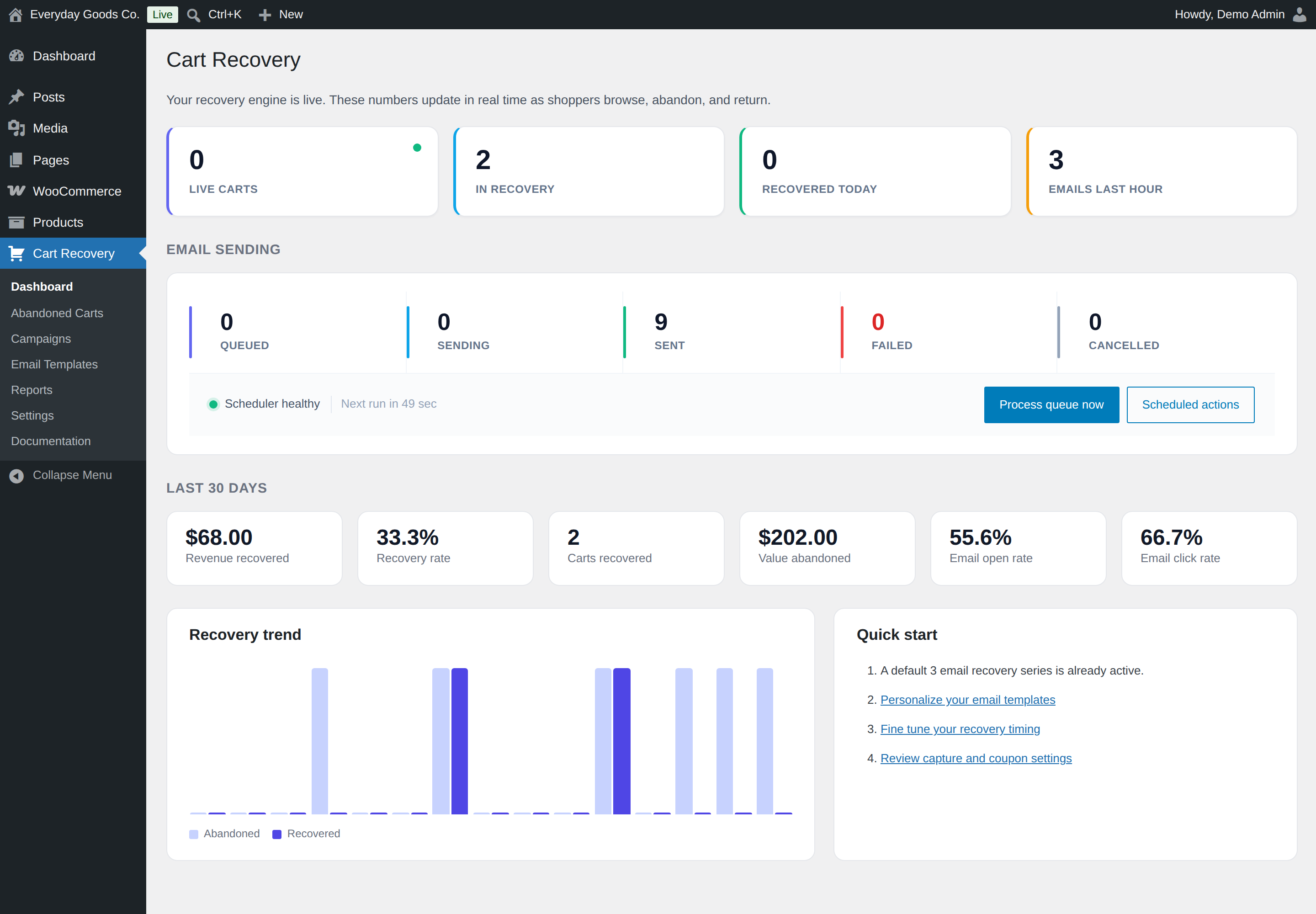
The Email sending panel shows the queue counts, scheduler health and the Process queue now button.
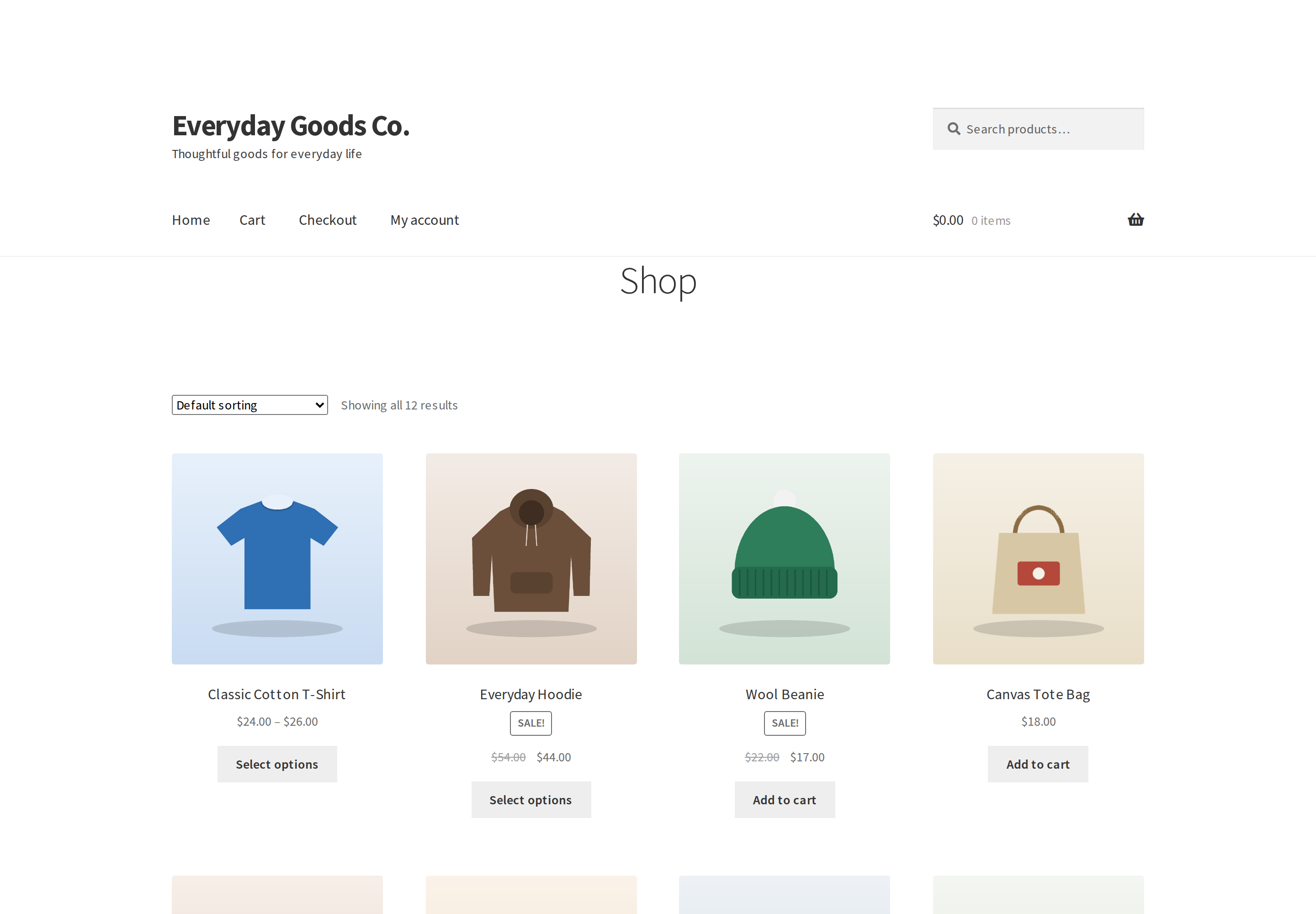
Shop pages look the same as before. Carts are saved quietly in the background.
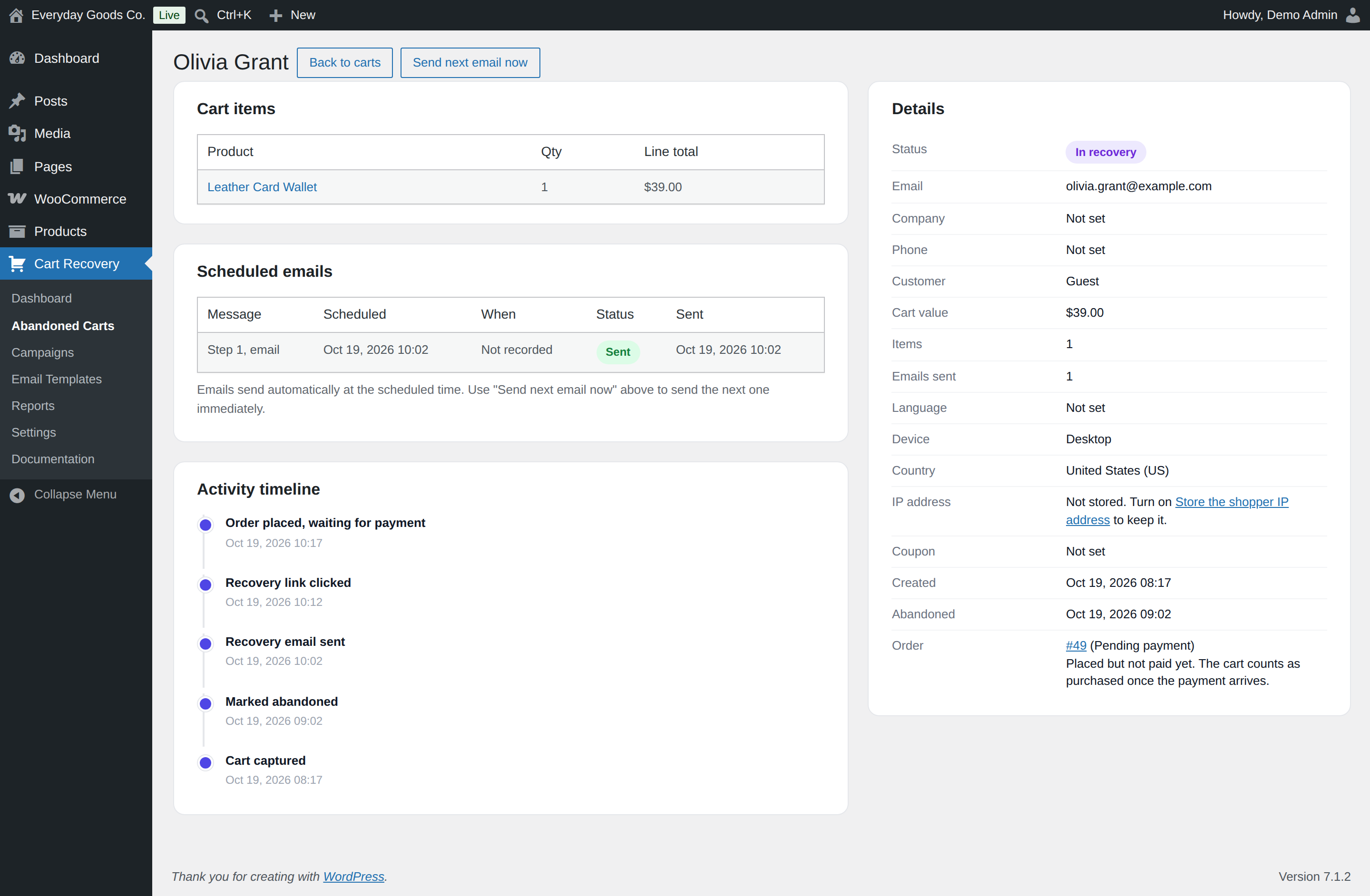
Send next email now sends the next reminder right away, without waiting for its scheduled time.
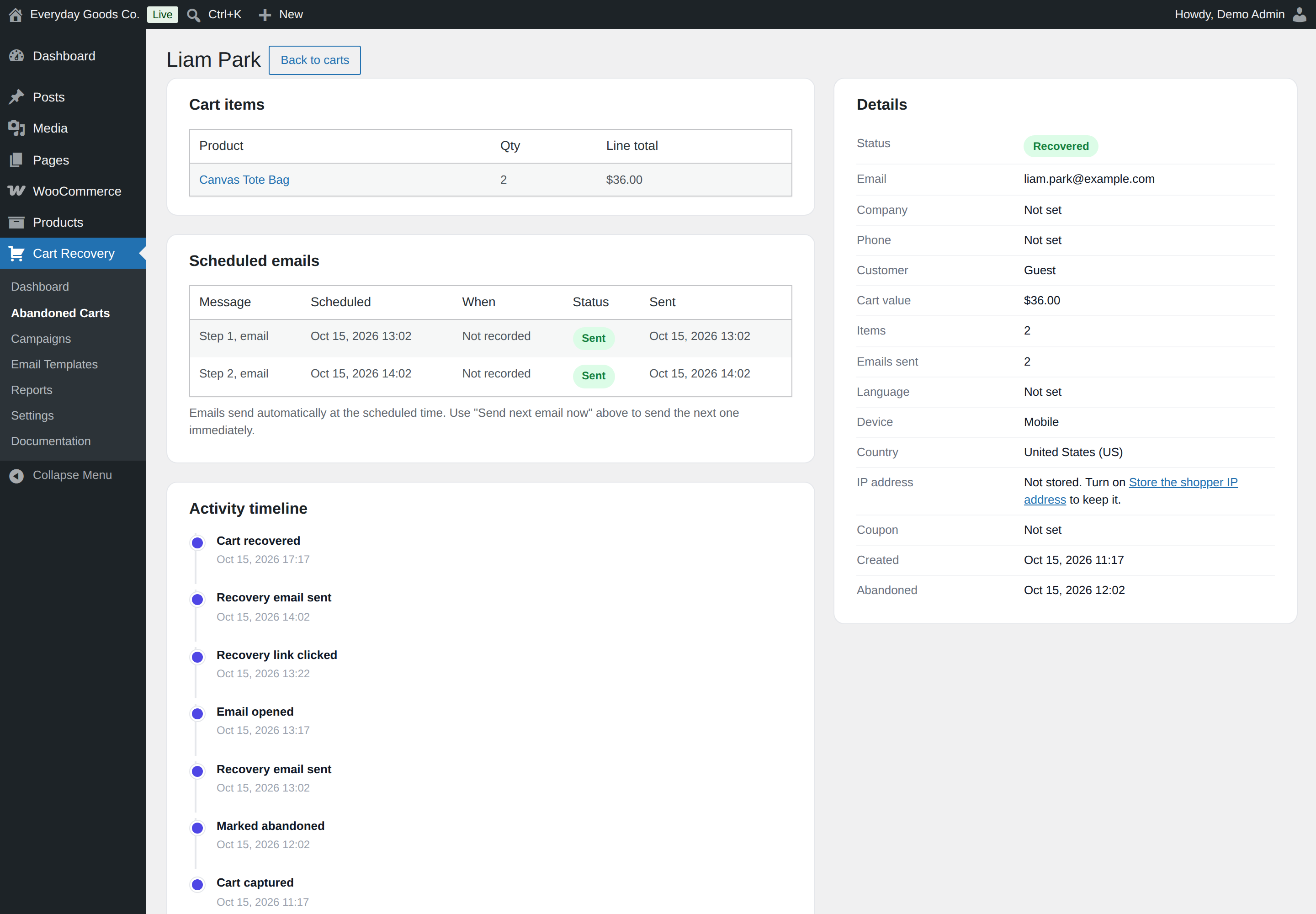
A recovered cart shows the emails that went out and the order that recovered it.
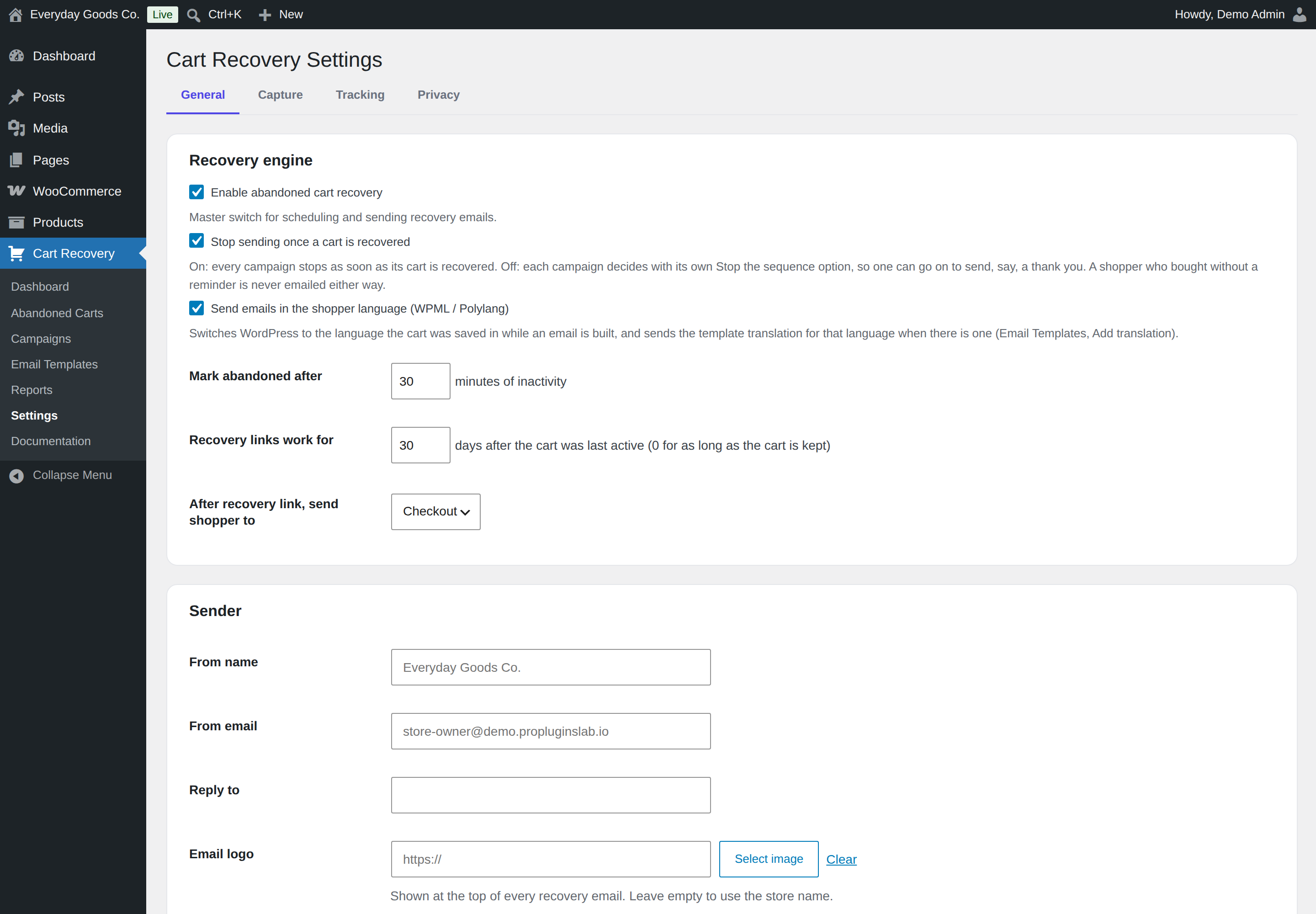
Mark abandoned after sets how many minutes of inactivity turn a cart into an abandoned cart.
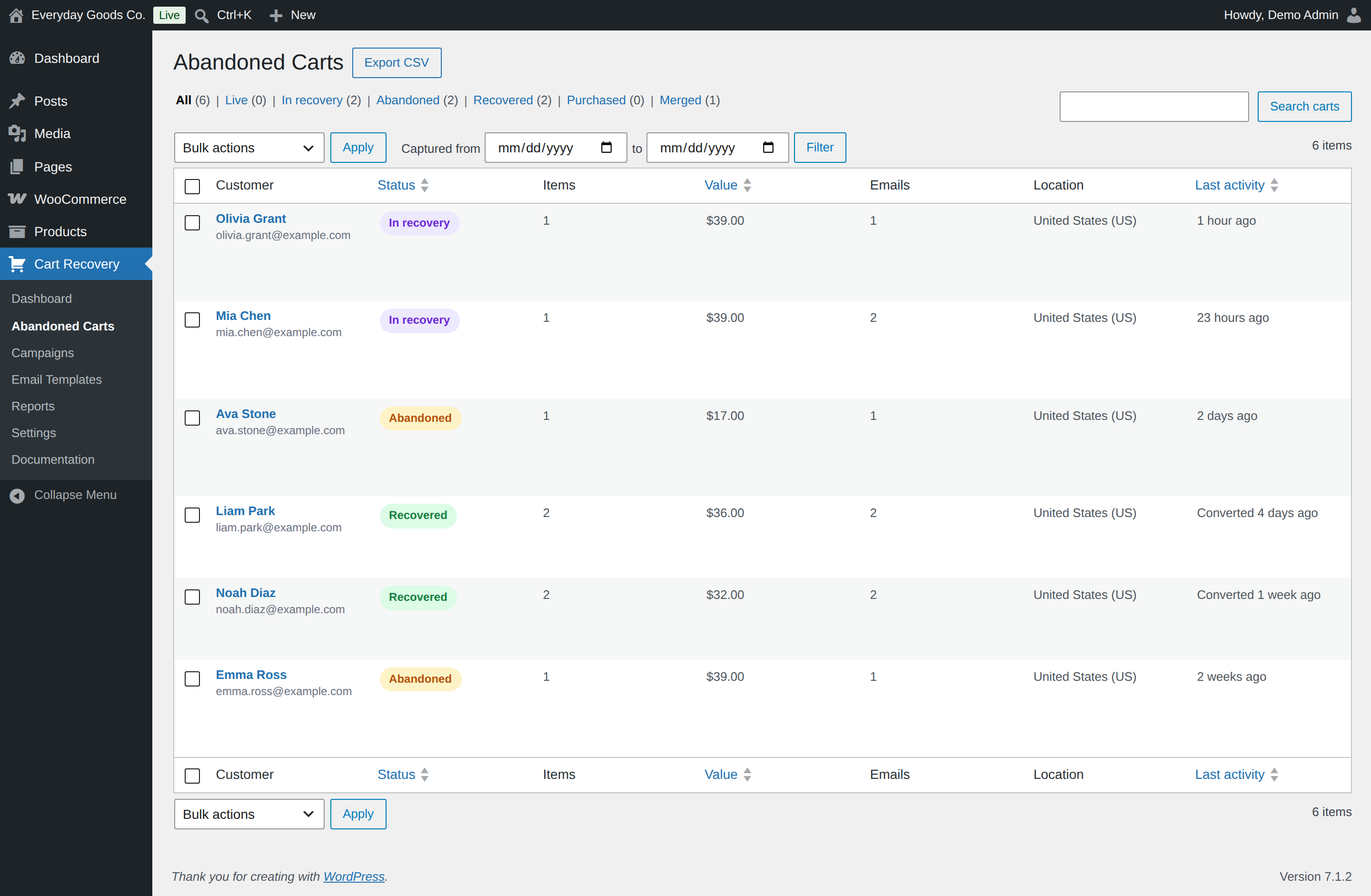
Filter by status or capture date, then export exactly what the list shows with Export CSV.
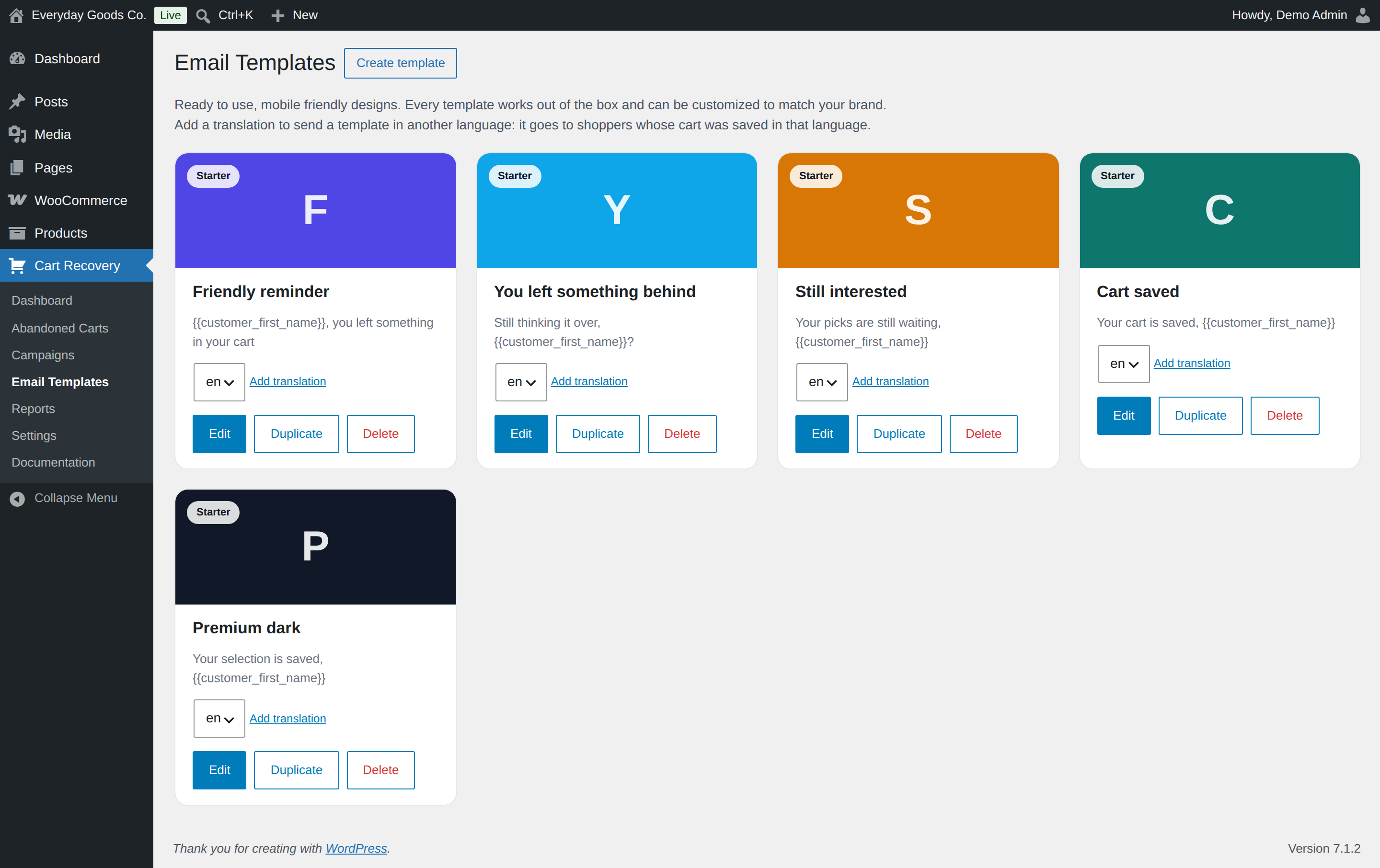
Each card has a language dropdown and an Add translation link.
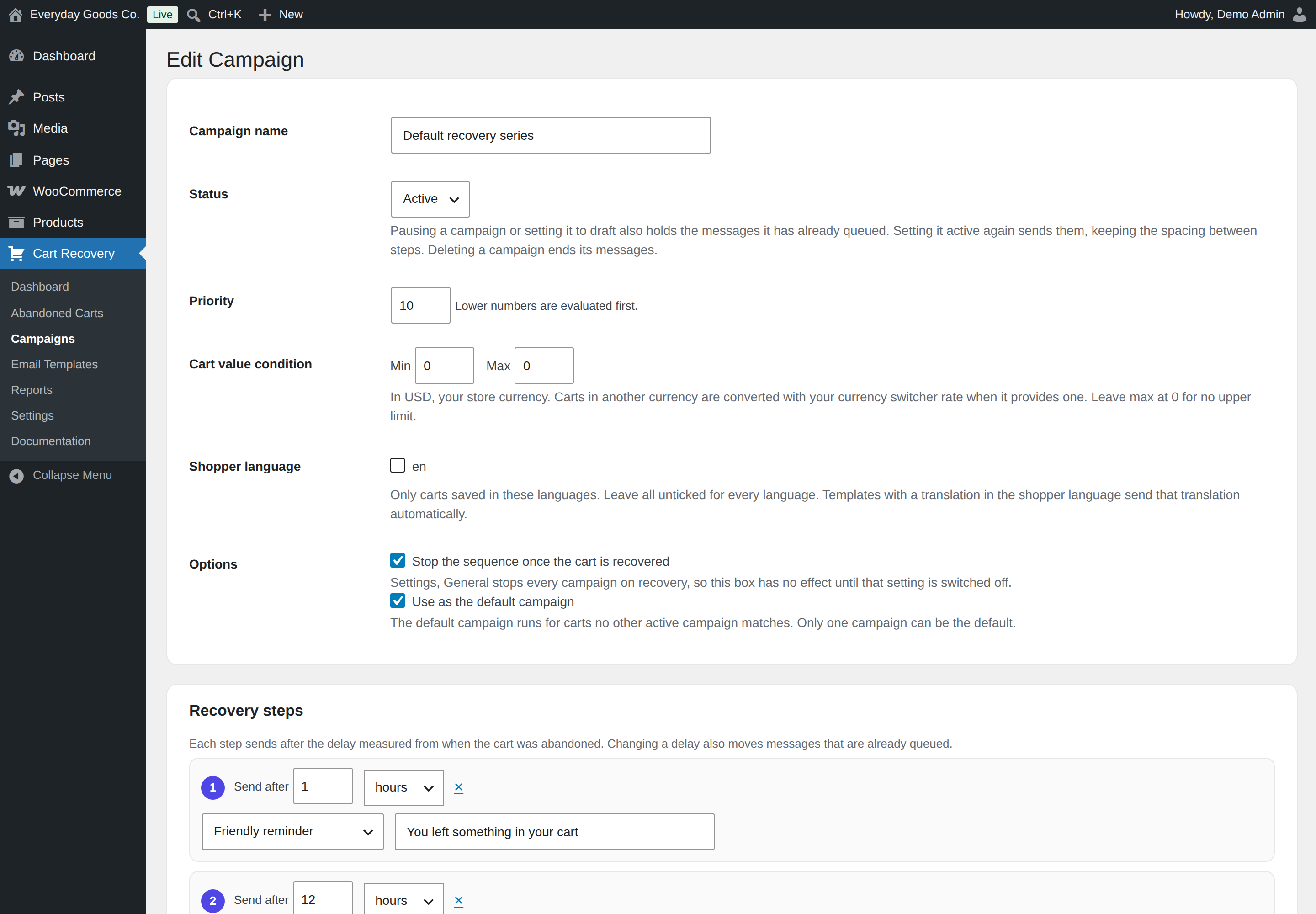
Each step has a delay, a template and an optional subject override.
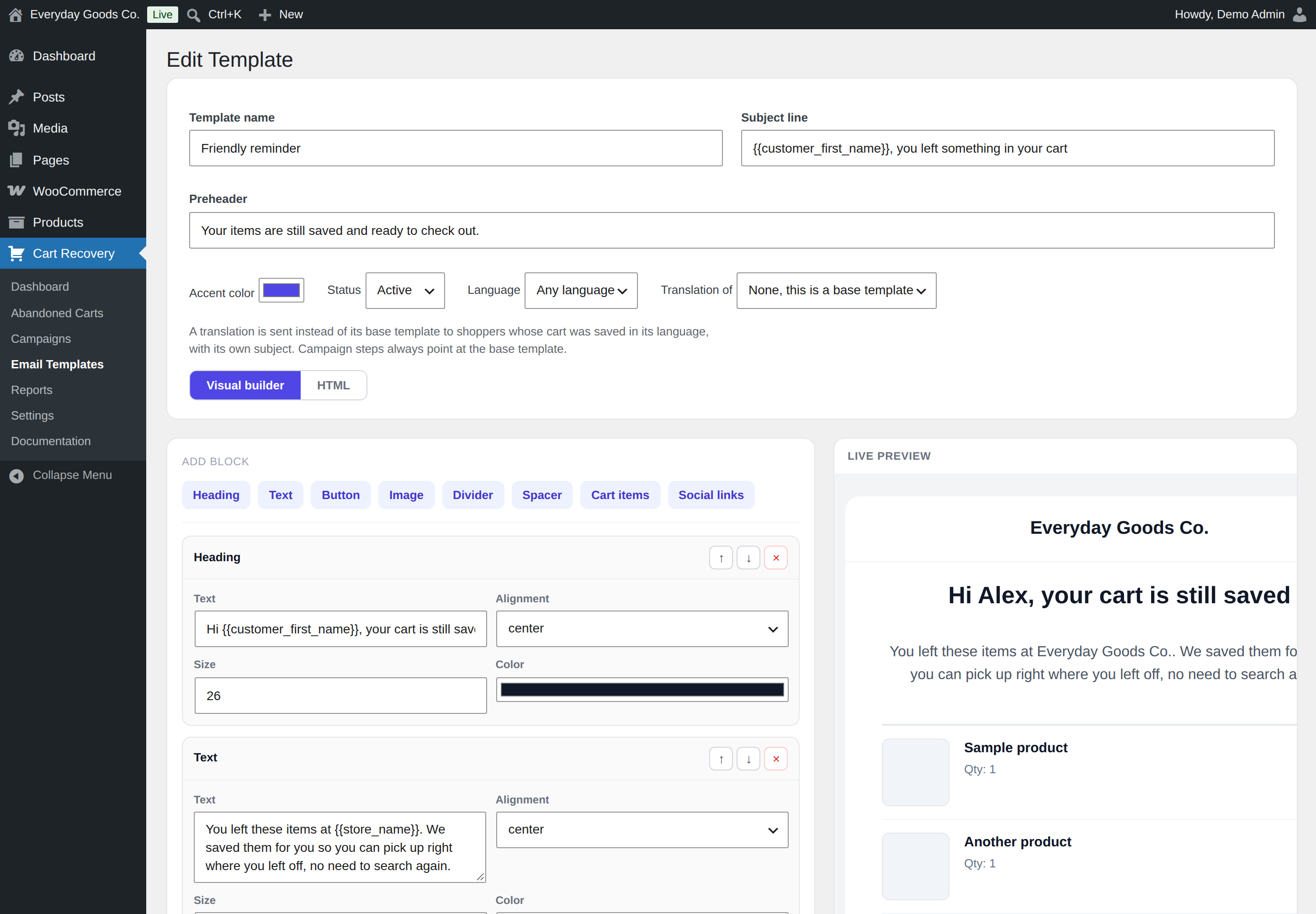
Edit blocks on the left and check the result in the live preview on the right.
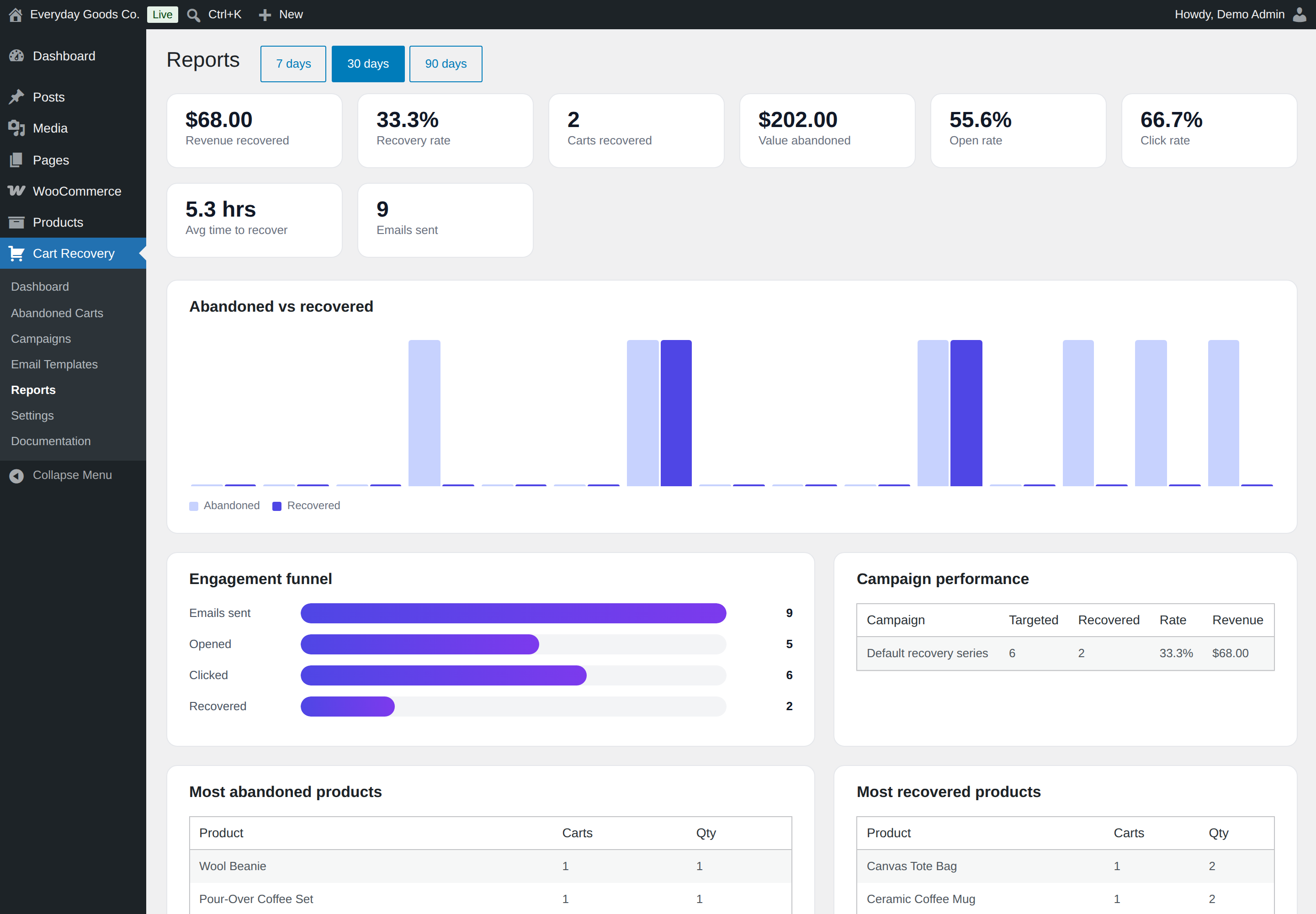
Switch between 7, 30 and 90 days with the buttons next to the title.