
This plugin adds PayNow (Singapore) as a payment method on your WooCommerce checkout. Customers pay instantly by scanning a QR code or approving the payment in their banking app; the order is confirmed automatically once Stripe reports the payment as complete.
Requires a Stripe account. This plugin sends payment requests to Stripe’s Checkout API to process PayNow payments, so you’ll need a Stripe account and API keys before it can accept live payments. Test mode lets you try it out with Stripe’s sandbox keys first.
Features
- Adds “PayNow SG” as a checkout payment option, compatible with both the classic checkout and the WooCommerce Checkout block
- Payments are processed through Stripe’s Checkout API — no PayNow-specific merchant integration required
- Test mode with a separate API key, so you can verify the full flow before going live
- Automatic order status updates once Stripe confirms payment
External services
This plugin uses the Stripe API (provided by Stripe, Inc.) to create Checkout Sessions and process PayNow payments. It is not usable without a Stripe account.
When a customer places an order, the plugin sends the order’s line items (product names, quantities, prices), the store currency, the order ID, and your site’s return URLs to Stripe’s servers to create a Checkout Session. Stripe then handles collecting and confirming the PayNow payment; no card or bank credentials pass through this site.
This happens on every checkout that uses the “PayNow SG” payment method — there is no separate opt-in, as it’s required for the gateway to function.
Stripe: Terms of Service | Privacy Policy
Source Code
The uncompiled source code, including the WooCommerce Blocks integration source in src/ and the build tooling used to produce the compiled build/ assets, is publicly available at: https://bitbucket.org/redooor/redeupay-checkout-extension-with-paynow-for-woocommerce
Screenshots
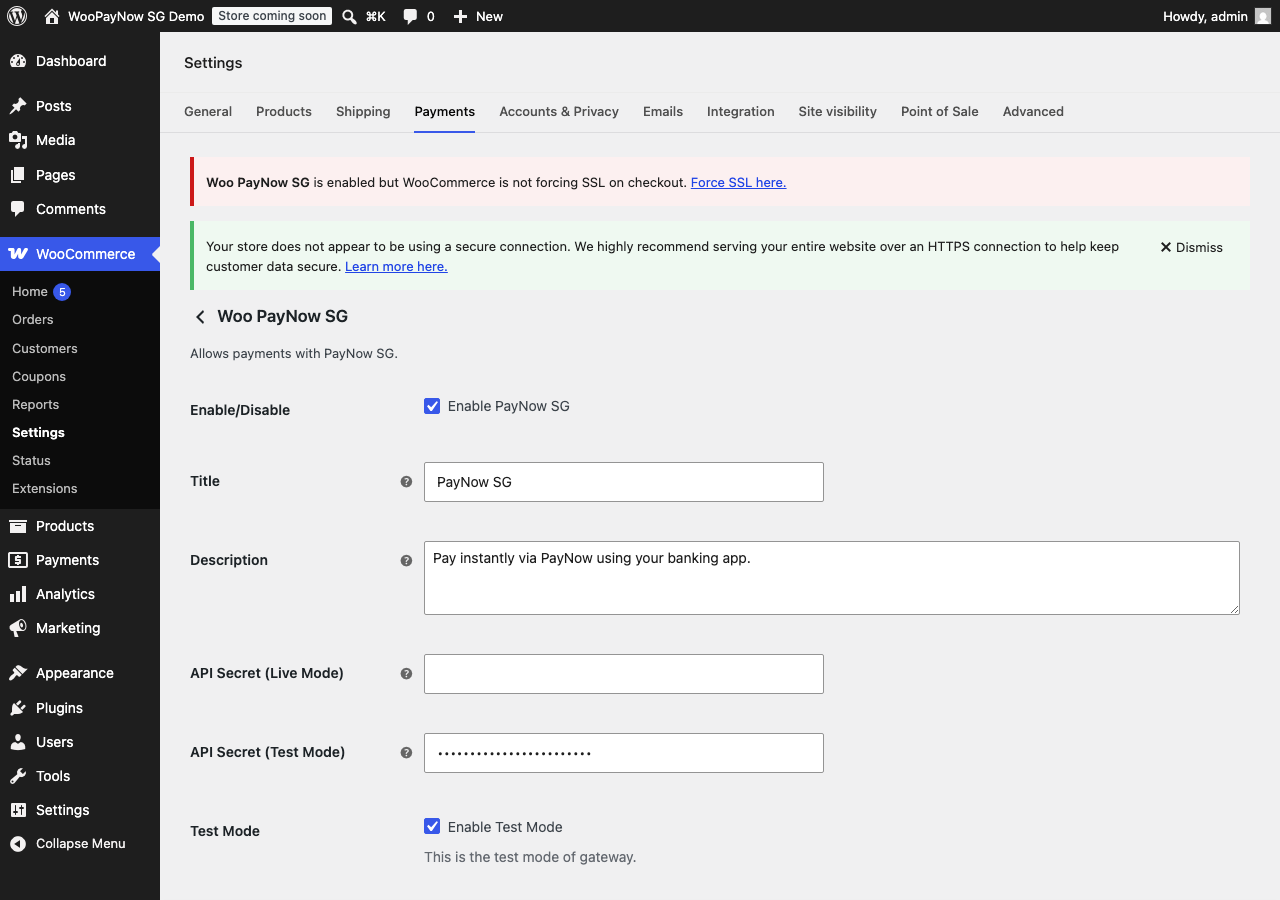
Gateway settings under WooCommerce > Settings > Payments.
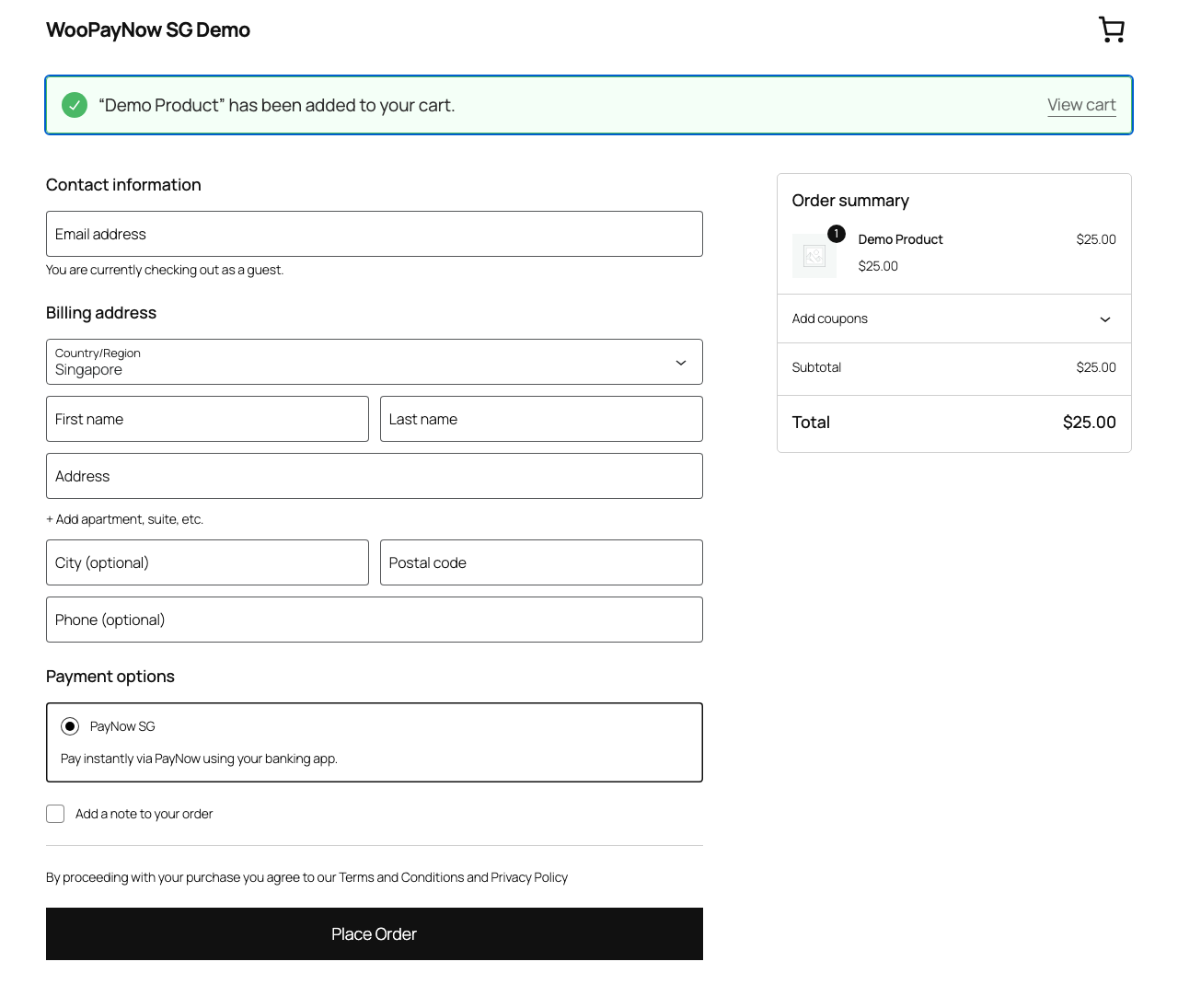
PayNow SG shown as a payment option at checkout.