
Open box returns, damaged stock, demos and ex-display units are money sitting on a shelf. Grade the unit from A (Like New) to D (Fair) and turn your returns back into revenue.
Your customer is on the full-price page and has no idea the open box one exists. So that is where the offer appears – on the original product page, the same page your customers already visit, with the open box option shown next to buying new. Each listed unit also gets its own open box product page, created automatically.
The discounted price draws price-conscious buyers, and the grade, description and any photos explain the condition. A deal for a buyer who wouldn’t have paid full price, a sale you wouldn’t otherwise have made.
Grading, pricing and listing happen in RepairStep – a paid service for physical shops, online stores and distributors handling returns, repairs and open box stock. It keeps track of returned stock, helps you grade and price used items consistently, and keeps your website in sync. Free to set up and try, with your first 5 listings included. Terms – Privacy policy.
What you get
Every unit you list gives you two things: the offer on the original product page, and an open box page of its own.
- It looks like part of your shop – the offer and the open box page take your theme’s fonts, colours and layout. Nothing to design, no developer, and page builders like Divi and Elementor are handled too.
- It runs itself – offers appear when you list a unit, follow your prices, and remove themselves when the last one sells. Nothing to maintain and nothing left behind.
- Buyers know exactly what they are getting – the grade, the condition in plain words, and photos of the actual unit. Fewer questions before the sale and fewer regrets after it.
- You can see it working – one screen shows what is live, where it appears, and how the offer will look as you word it.
Screenshots

Right where they are already looking - the open box option appears on the full-price product page, next to buying new.

Every unit gets its own page - gallery, grade, condition and the saving, built automatically.
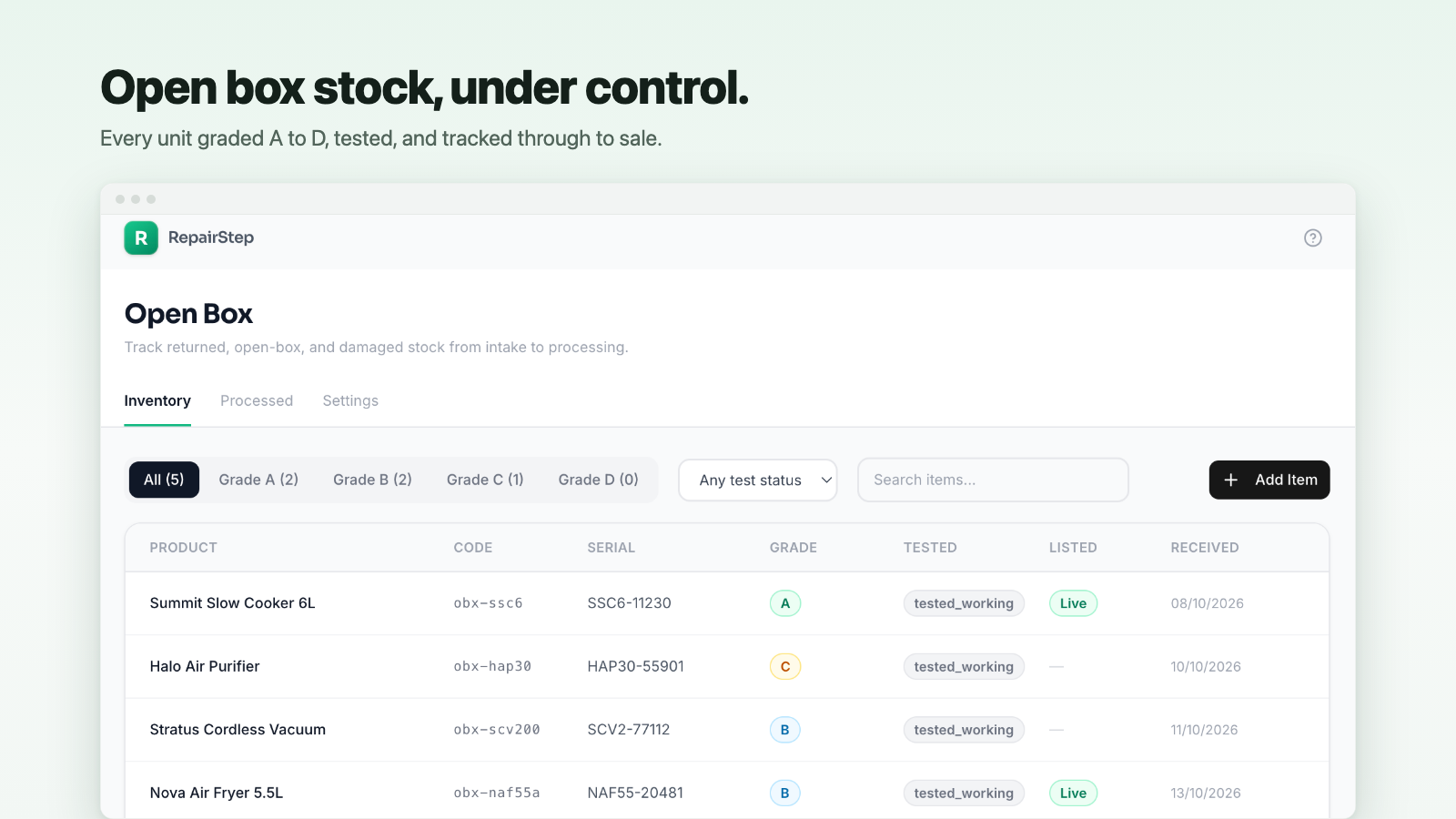
Open box stock, under control - every unit graded A to D, tested, and tracked through to sale.
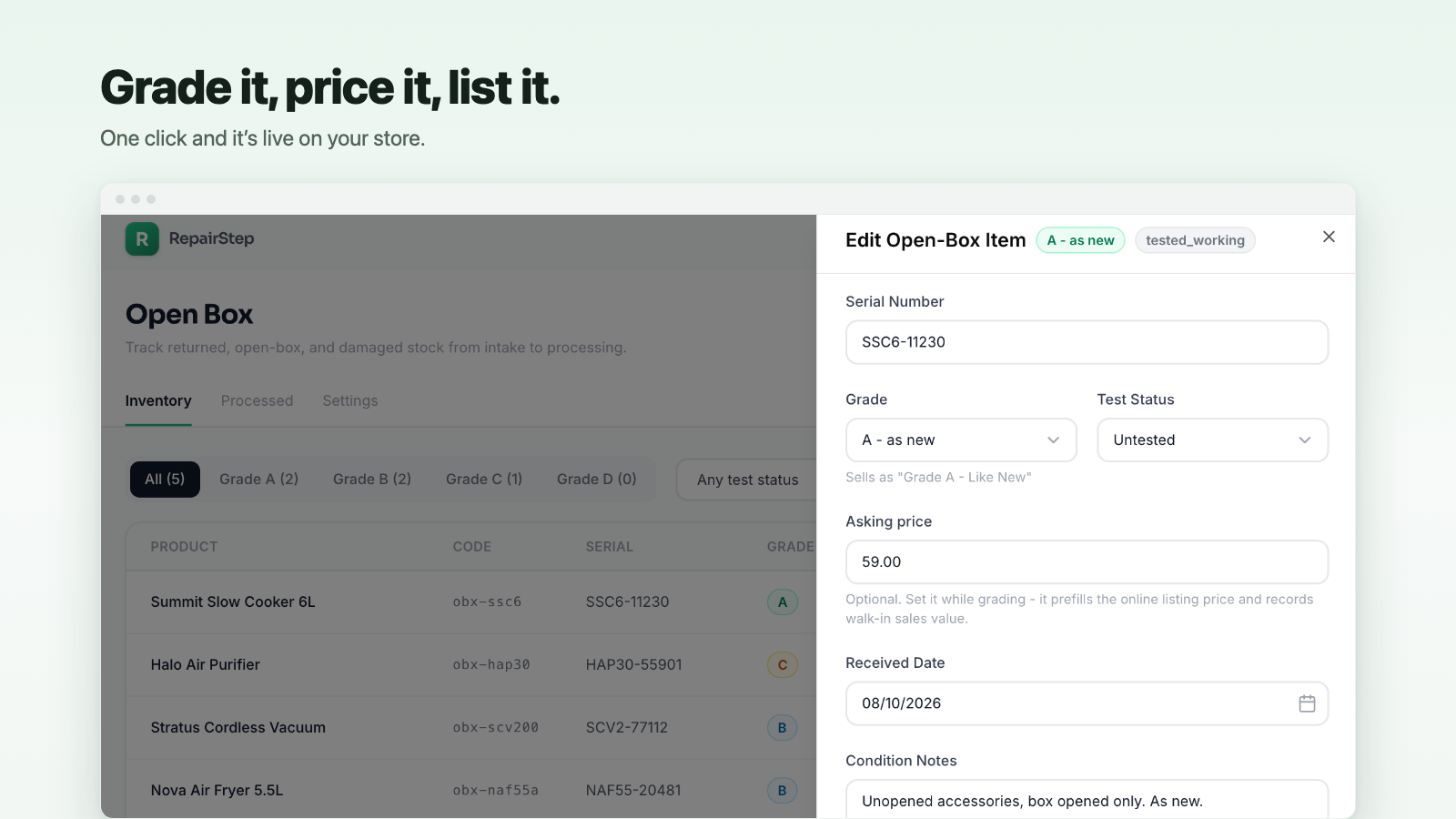
Grade it, price it, list it - one click and it is live on your store.

Set up in one screen - see what is live, choose where the offer appears, and preview it as you type.