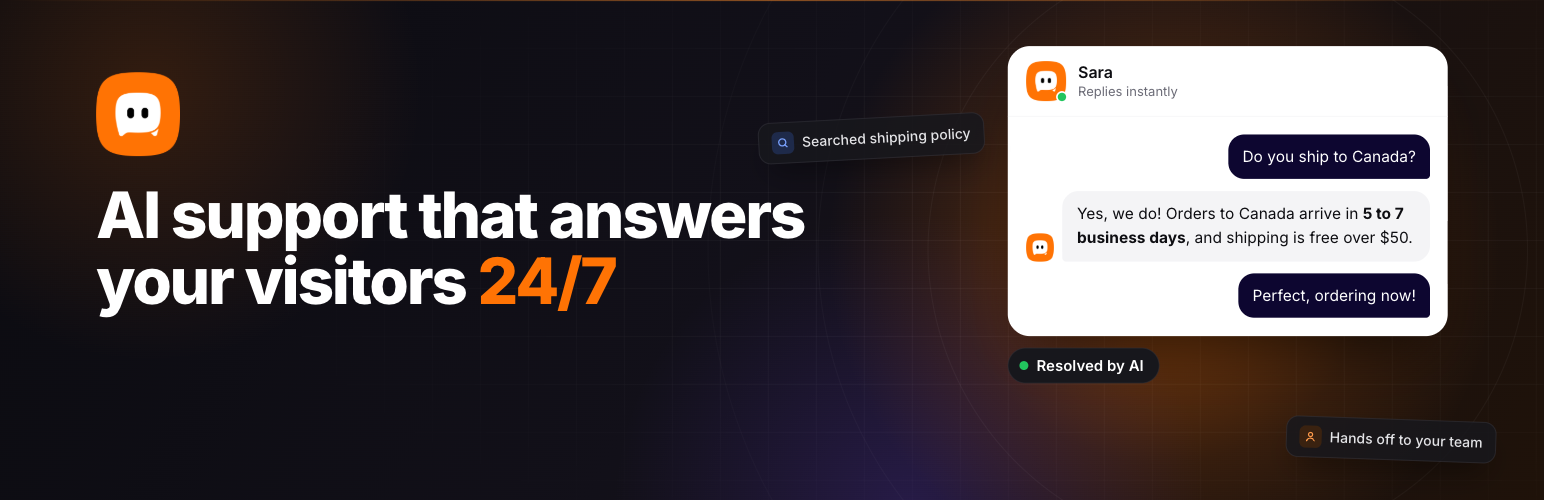
Resolai is an AI chatbot for customer support on your WordPress site. It adds a chat widget with an AI agent that answers your visitors for you. Tell it about your business, give it a name and a few instructions, and it starts helping visitors in about two minutes.
When a question is too much for the agent, it collects the visitor’s details and emails your team with a summary of the chat. Your visitors always get an answer, and your team only sees the conversations that need a person.
How it works
The agent uses skills to handle common requests. A skill is a short set of instructions, like how to troubleshoot a common issue, how to answer pricing questions or when to email your team. Skills load only when a visitor needs them, which keeps answers focused and AI costs low.
Start with the built in skills, pick from ready made templates or write your own in plain language.
Features
Chat widget
- Matches your brand color, with your own avatar or a preset icon
- Welcome message, greeting bubble and quick question buttons
- Dictation, so visitors can speak instead of typing. The text lands in the message box to check before sending
- Shows which pages and PDFs the agent read to answer
- Keeps a visitor’s unsent message when they refresh or change pages
- Visitors can read their past conversations
- Visitors can rate each chat
- Optional consent step that links to your privacy policy
AI agent
- Searches your own pages, posts and other content to find answers
- Reads web pages and PDFs that visitors share in the chat
- Hands off to your team by email when it can’t help
- Pick any OpenRouter model that can use tools, with prices shown and the best ones recommended
- Test chat in your dashboard before you go live
Dashboard and conversations
- Conversations, ratings, usage and AI cost at a glance
- Search and filter conversations by status
- Every conversation gets a title, its language and an AI summary
- Full transcripts that show which skills and tools the agent used
Privacy
- Conversations are stored in your own WordPress database
- Delete conversations one by one, in bulk or automatically after a set time
- No credit link on your site unless you turn it on
You need an OpenRouter API key
Resolai uses OpenRouter to get its AI replies. You add your own API key during setup and pay OpenRouter directly for what you use. There is no markup and no subscription to Resolai. Most conversations cost a fraction of a cent.
Premium
Premium is a separate, optional plugin sold on wpreplai.com. It adds proactive nudges that start the conversation, a WooCommerce skill, EU data routing, custom and translatable widget text, more skill templates and an email step before the chat starts. Resolai works fully without it.
Resolai is made by the team at wpreplai.com.
Other Products
Also check out our other WordPress products.
- BerqWP – All-in-One WordPress performance plugin.
- ElizaWP – SEO MCP for AI agents that researches, writes and publishes for WordPress.
- CanvoWP – Completely free Agent-first website builder plugin. No blocks, no bloat.
- Berq Markdown – Automatically generate markdown version of web pages for AI agents.
- Berq Used CSS – Remove unused CSS automatically.
- Camouflage Security – Static WordPress Firewall and PHP Isolation.
- Barlapse – Fix admin bar overflow issue in WordPress admin panel.
- Seenli Blocks – Conditional display blocks for logged in users & user roles.
External services
Resolai connects to the services below. No conversation data is sent until you add an OpenRouter API key.
OpenRouter
OpenRouter provides the AI models that write the agent’s replies.
- When a visitor sends a message, the conversation so far, your agent’s instructions, your business details and any skills the agent loads are sent to OpenRouter to get a reply.
- After a conversation starts, it is sent once more to write its title, detect its language and write a summary for your dashboard.
- When you add your API key, it is checked with OpenRouter.
- The dashboard asks OpenRouter how much credit is left on your key.
- If you turn on Dictation, a visitor’s voice recording is sent to OpenRouter in short pieces to turn it into text. Nothing is recorded until the visitor taps the mic.
- The Settings screen loads OpenRouter’s public list of models and prices, once a day.
OpenRouter terms of service and privacy policy.
Web pages and PDFs
When a visitor shares a link, or a skill points to a page, the agent can open that web page or PDF to answer. The request goes straight to that address. Only the address is requested, no visitor data is sent with it.
Screenshots
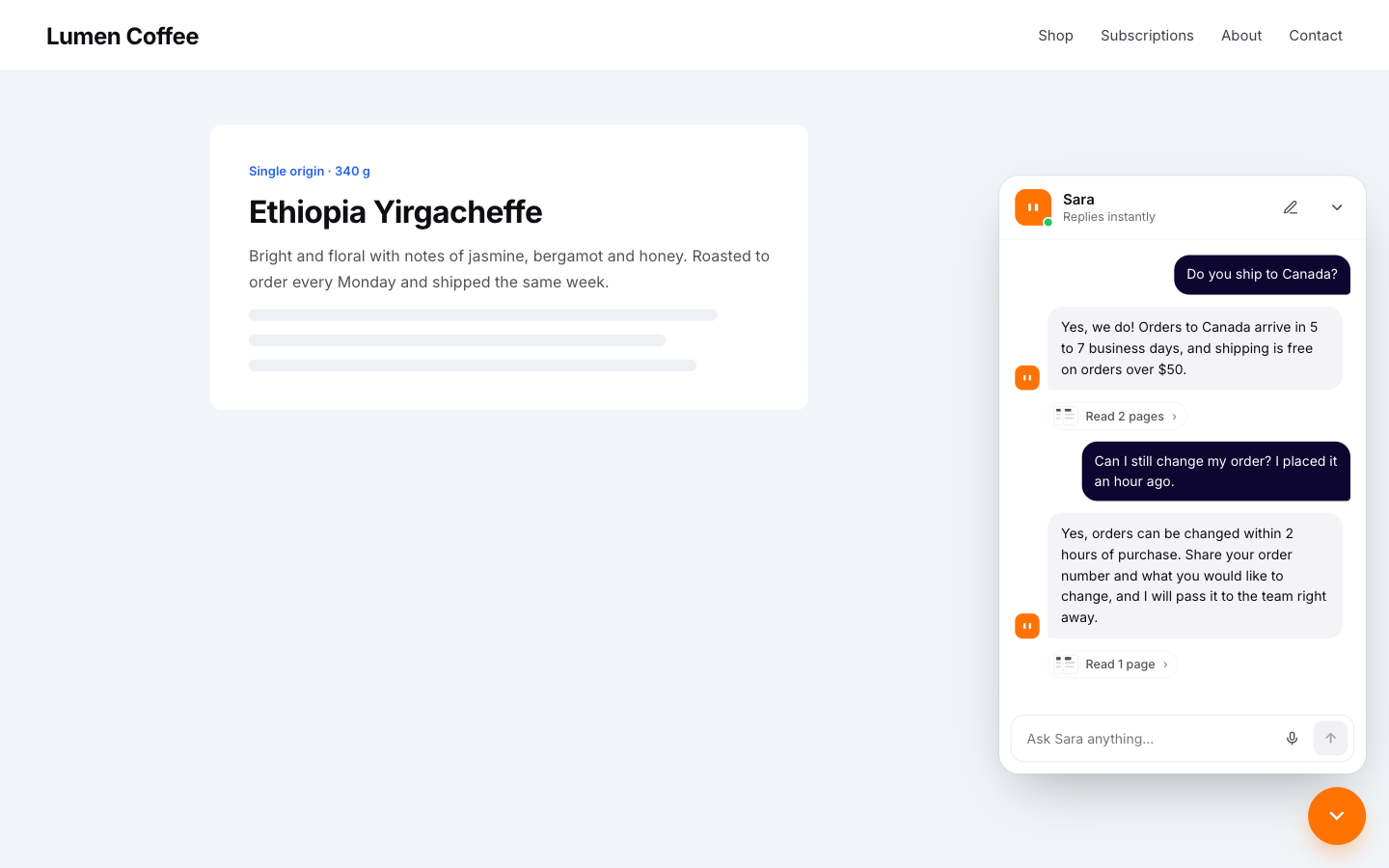
The chat widget on your website.
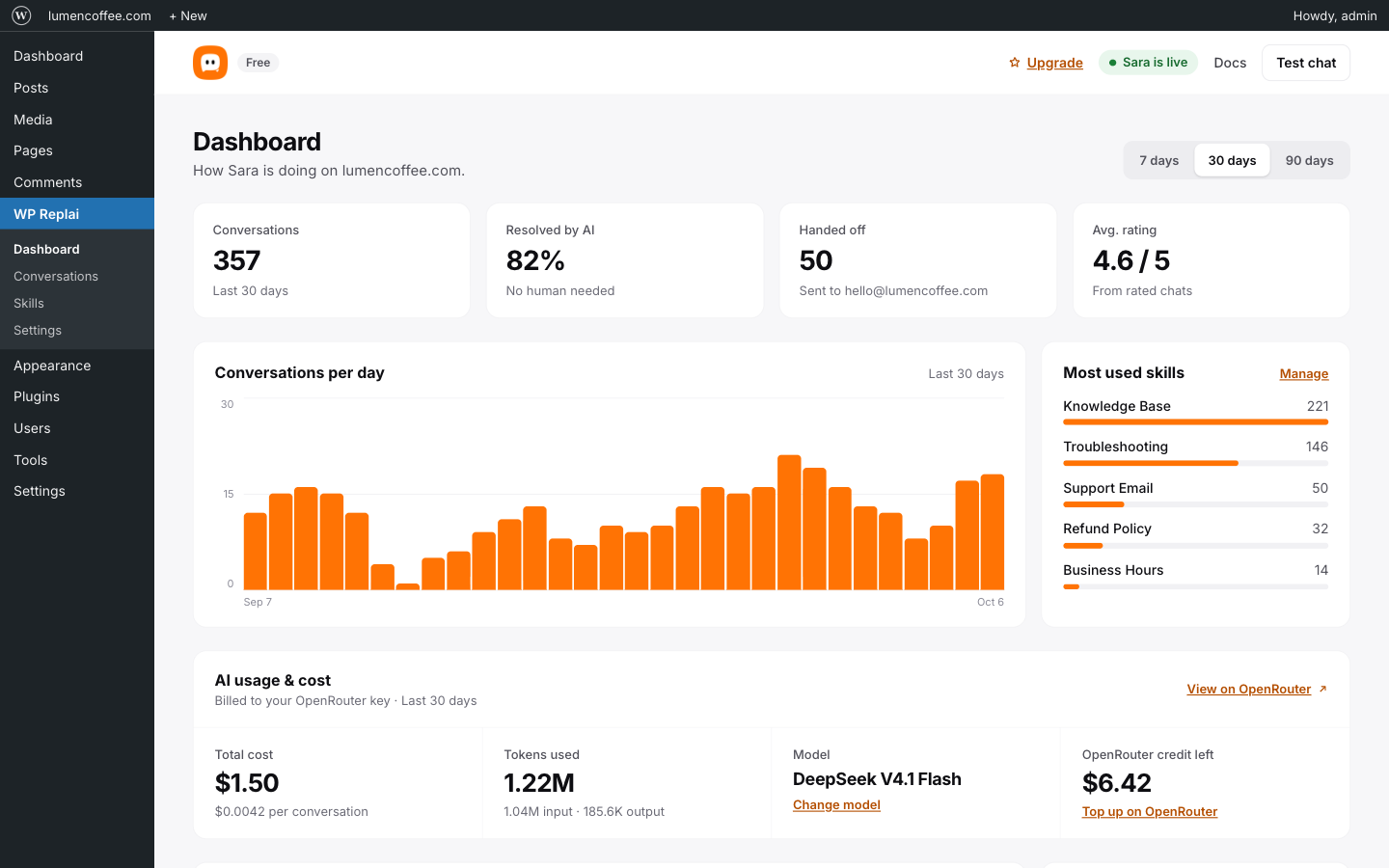
The dashboard with conversations, ratings and AI cost.
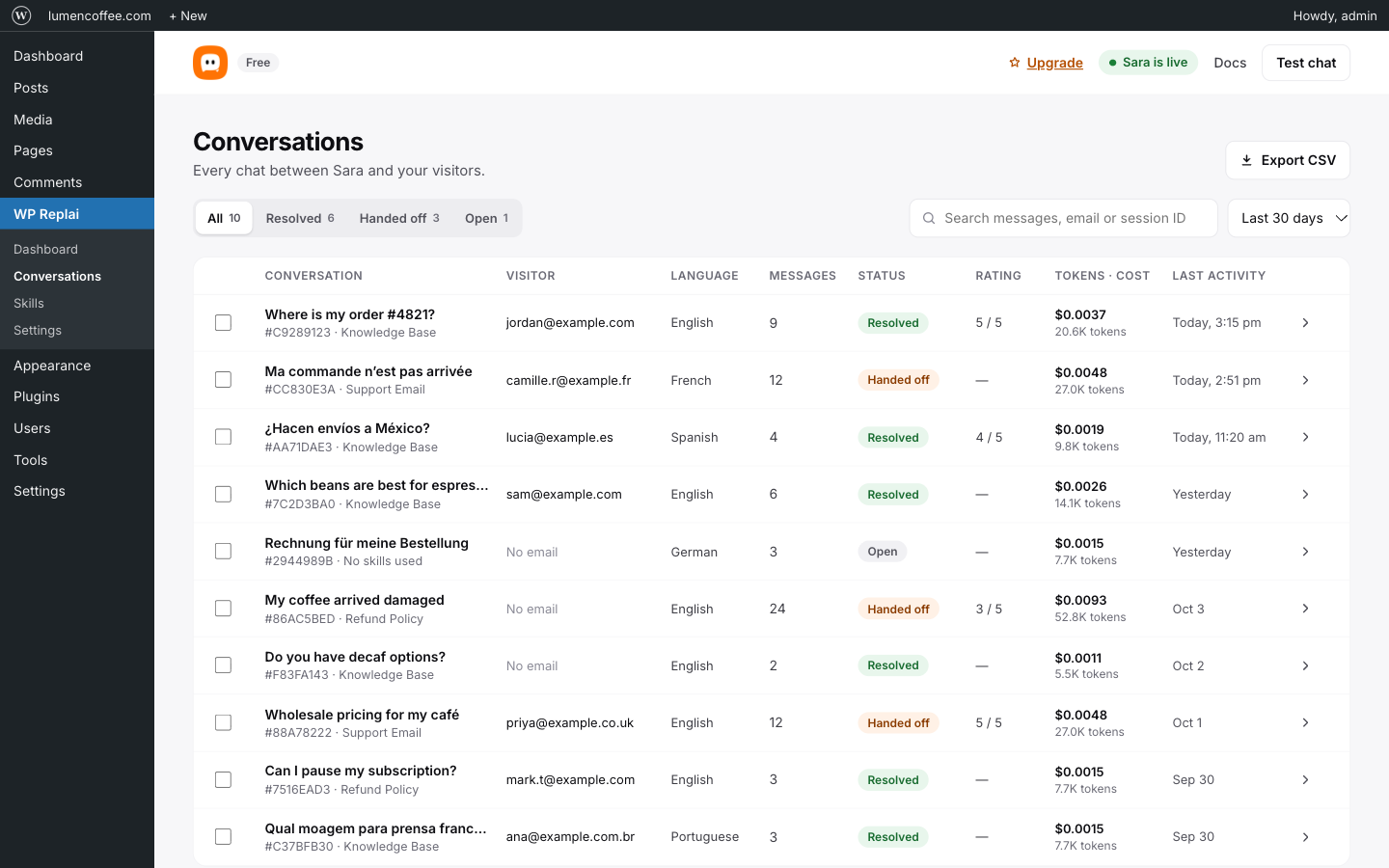
Conversation list.
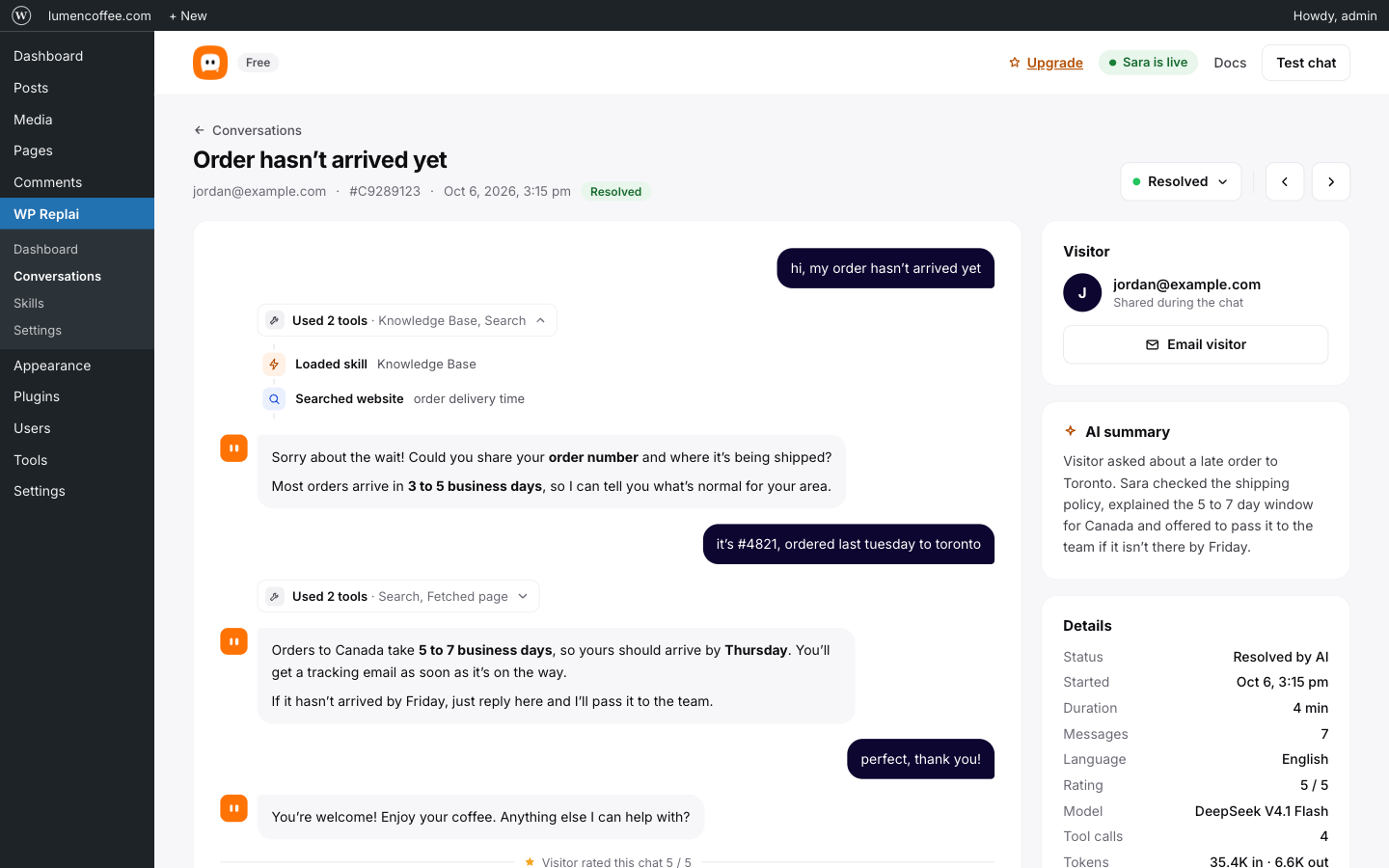
Every conversation with its status, summary and full transcript.
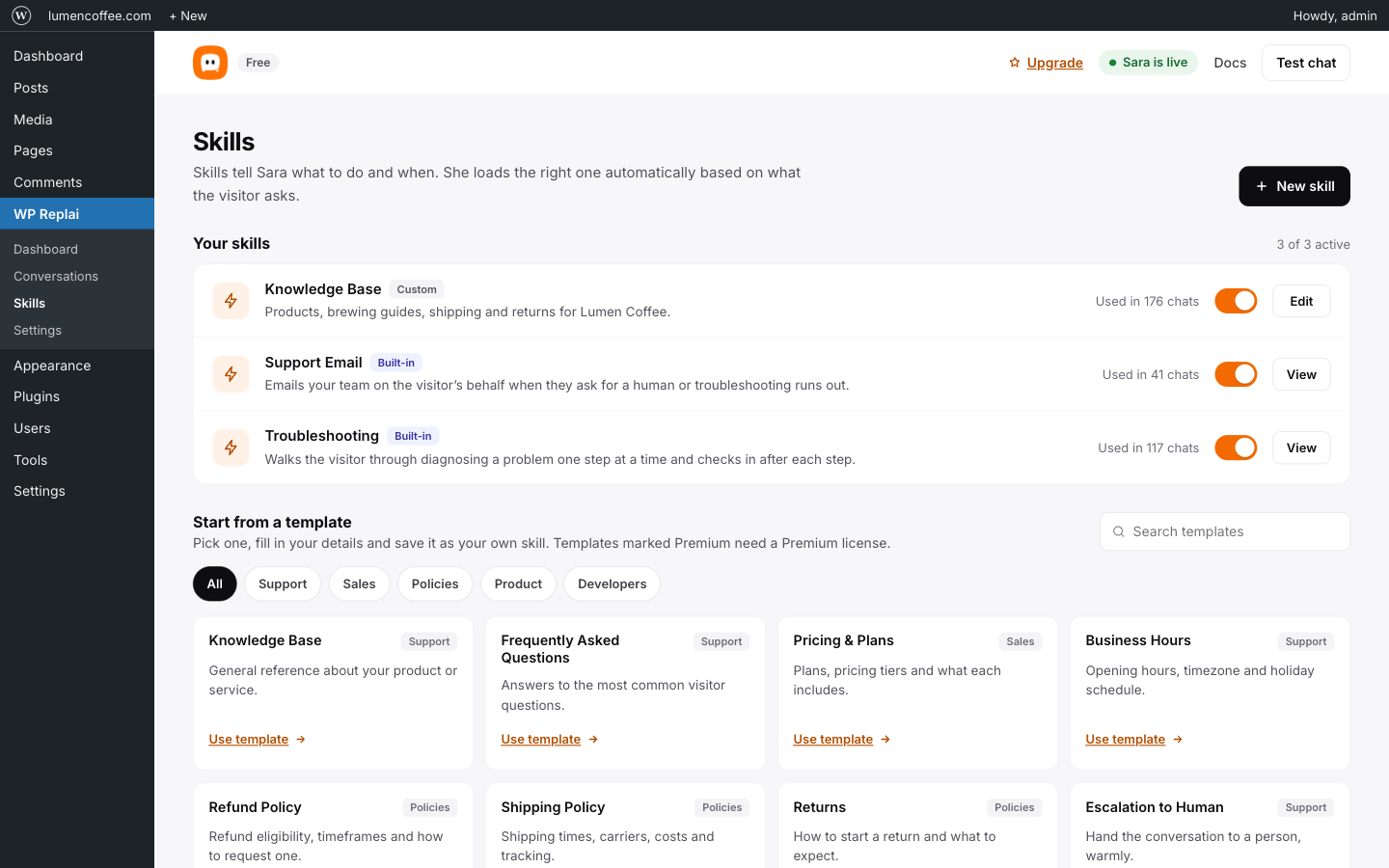
Skills tell the agent how to handle common requests.
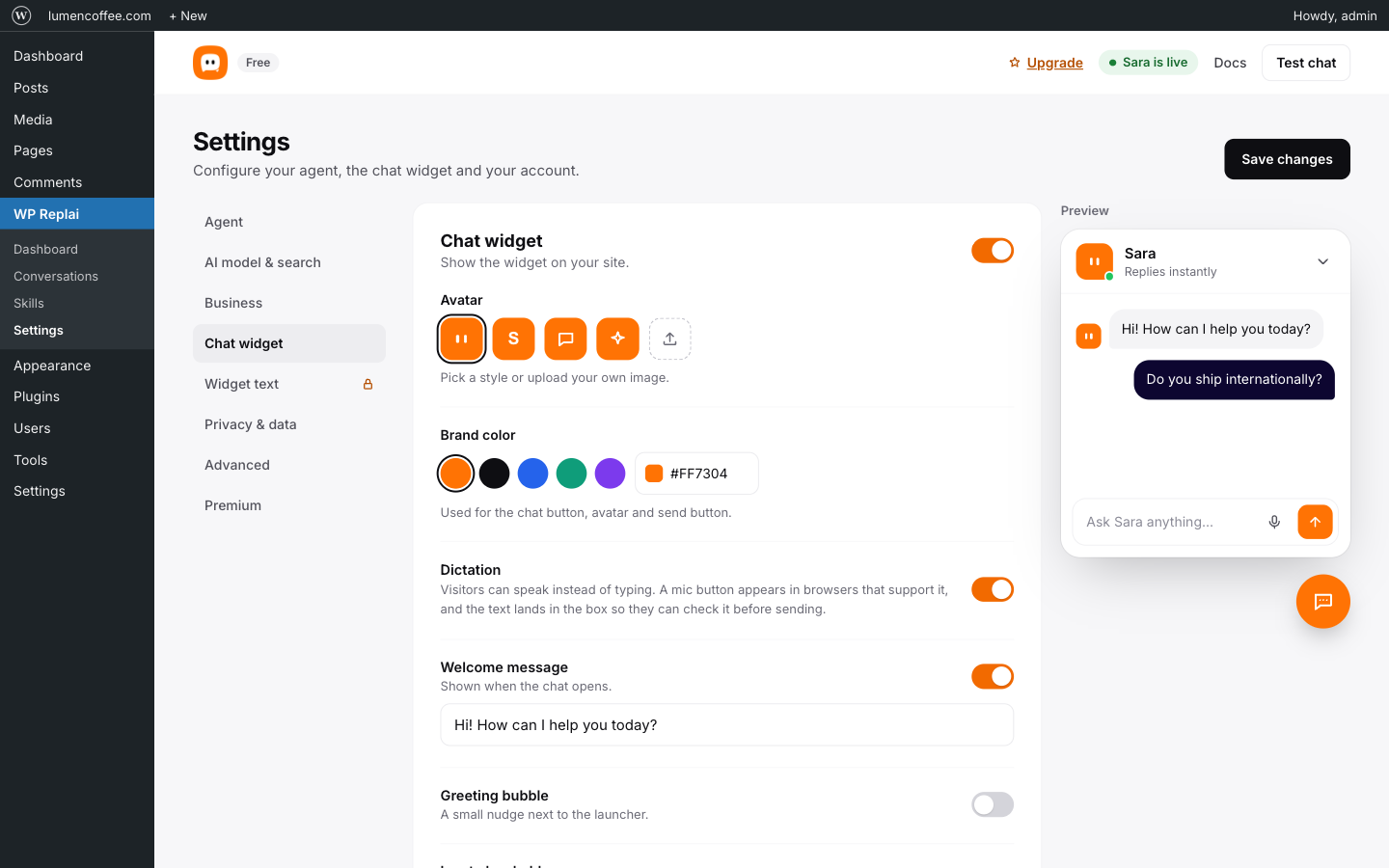
Settings for your agent, AI model, chat widget and privacy.
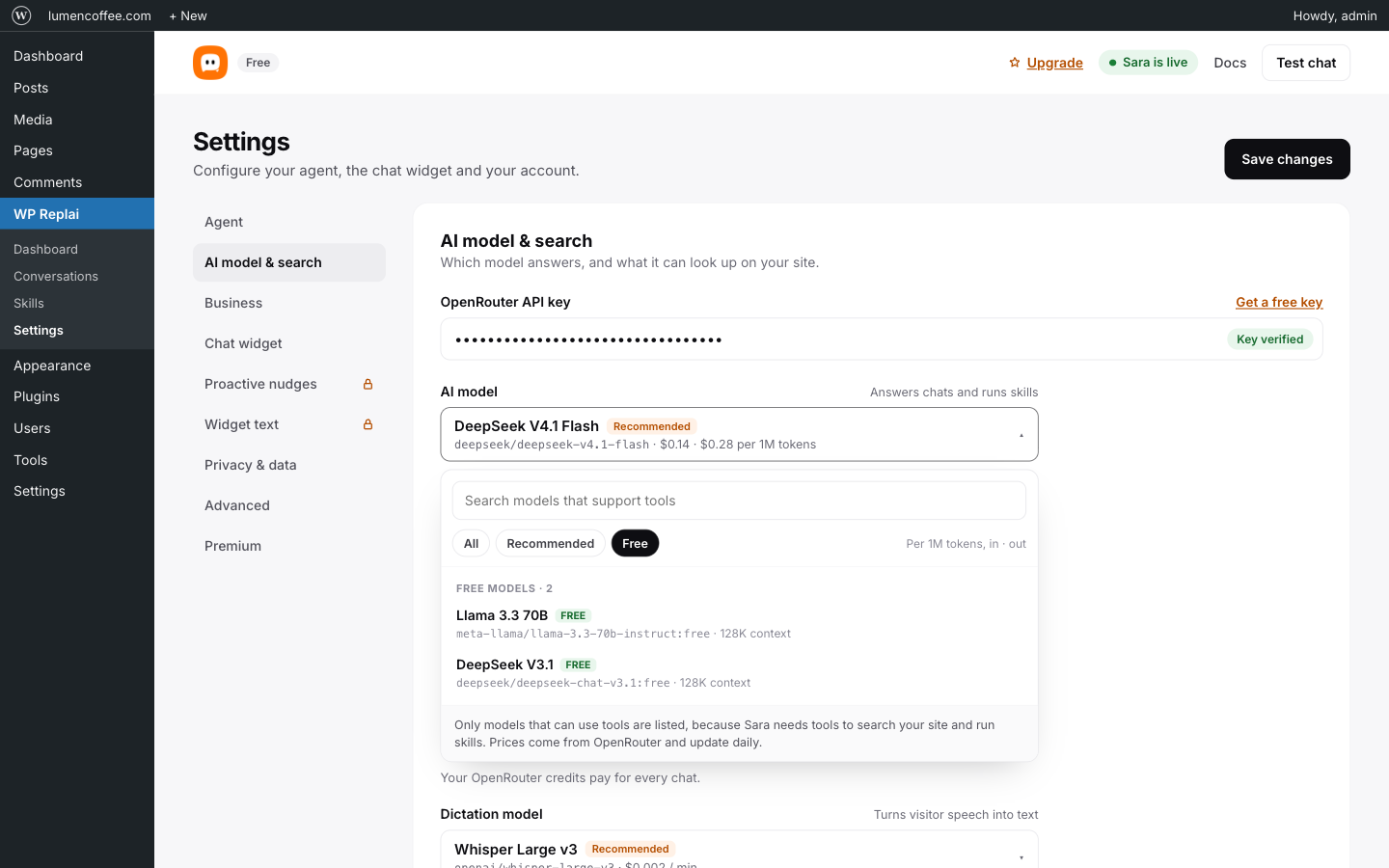
Pick any OpenRouter model, with prices and recommended picks.