
A simple plugin to add block data in json format into the rest api. Once installed, there will be two new fields added to the rest api, has_blocks and blocks.
For example output.
"has_blocks": true,

"block_data": [

  {

    "blockName": "core/image",

    "attrs": {

      "url": "https://www.spacedmonkey.com/wp-content/uploads/2018/12/test-image.jpg",

      "alt": "Terminal de aeropuerto",

      "caption": "fsfsdfdsfdssfd",

      "href": "https://www.spacedmonkey.com/test-image",

      "rel": "noreferrer noopener",

      "linkClass": "jonny-123",

      "linkTarget": "_blank",

      "id": 147355,

      "width": 582,

      "height": 327,

      "linkDestination": "attachment"

    },

    "innerBlocks": [

    ],

    "innerHTML": "\n<figure class=\"wp-block-image is-resized\"><a class=\"jonny-123\" href=\"https://www.spacedmonkey.com/test-image\" target=\"_blank\" rel=\"noreferrer noopener\"><img src=\"https://www.spacedmonkey.com/wp-content/uploads/2018/12/test-image.jpg\" alt=\"Terminal de aeropuerto\" class=\"wp-image-147355\" width=\"582\" height=\"327\"/></a><figcaption>fsfsdfdsfdssfd</figcaption></figure>\n",

    "innerContent": [

      "\n<figure class=\"wp-block-image is-resized\"><a class=\"jonny-123\" href=\"https://www.spacedmonkey.com/test-image\" target=\"_blank\" rel=\"noreferrer noopener\"><img src=\"https://www.spacedmonkey.com/wp-content/uploads/2018/12/test-image.jpg\" alt=\"Terminal de aeropuerto\" class=\"wp-image-147355\" width=\"582\" height=\"327\"/></a><figcaption>fsfsdfdsfdssfd</figcaption></figure>\n"

    ],

    "rendered": "\n<figure class=\"wp-block-image is-resized\"><a class=\"jonny-123\" href=\"https://www.spacedmonkey.com/test-image\" target=\"_blank\" rel=\"noreferrer noopener\"><img src=\"https://www.spacedmonkey.com/wp-content/uploads/2018/12/test-image.jpg\" alt=\"Terminal de aeropuerto\" class=\"wp-image-147355\" width=\"582\" height=\"327\"/></a><figcaption>fsfsdfdsfdssfd</figcaption></figure>\n"

  }

],
Technical Notes
- Requires PHP 5.6+.
- Requires WordPress 5.5+.
- Issues and Pull requests welcome on the GitHub repository: https://github.com/spacedmonkey/wp-rest-blocks
Development
This plugin uses @wordpress/env for local development and testing.
Prerequisites
- Node.js 20+ and npm
- Docker Desktop (must be installed and running)
Setup
- Clone the repository
-
Install dependencies:
bash

npm install

composer install -
Start the WordPress environment:
bash

npm run env:start
This will start a local WordPress instance at
http://localhost:8888(admin:http://localhost:8888/wp-adminwith usernameadminand passwordpassword)Note: Docker must be running for this to work. The first time you run this, it will download WordPress and set up the database, which may take a few minutes.
Available Commands
npm run env:start– Start the WordPress environmentnpm run env:stop– Stop the WordPress environmentnpm run env:reset– Reset the environment (clean database)npm run env:destroy– Destroy the environment completelynpm run test:php– Run PHPUnit testsnpm run test:php:multisite– Run PHPUnit tests in multisite modenpm run lint:php– Run PHP CodeSniffernpm run lint:php:fix– Fix PHP coding standards issues automatically
Running Tests
After starting the environment with npm run env:start, you can run the tests:
`bash
npm run test:php
`
For multisite tests:
`bash
npm run test:php:multisite
`
Accessing the Site
- Development site: http://localhost:8888
- Admin dashboard: http://localhost:8888/wp-admin (admin/password)
- Test site: http://localhost:8889
- Test admin: http://localhost:8889/wp-admin (admin/password)
Screenshots
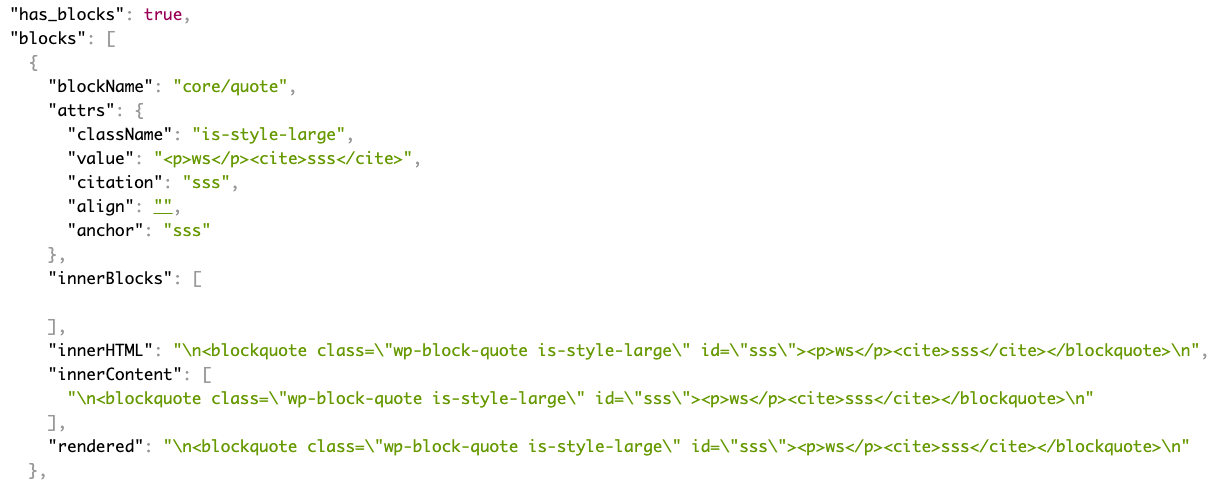
Add fields to the rest api.