
Rino’s Toolkit for Elementor adds seven focused improvements to your daily Elementor workflow. Nothing is forced on you — every feature has its own toggle so you only use what you actually want.
Features
Display Full Class Names
Elementor truncates long class names with “…” in the class input field. This feature shows the full class name so you always know exactly what you’re working with.
Class Highlighter
Adds a “Highlight on page” action to the 3-dot menu on any Elementor class. When triggered, all widgets on the canvas that share that class get a purple outline until you toggle it off. Useful for seeing the reach of a class before you edit it.
Tab Navigator
Adds a search bar and an expand/collapse toggle above the style sections in the Atomic widget panel. Lets you find style controls quickly without scrolling through every section.
Bigger Indicator Dots
Increases the size of Elementor’s pink, grey, and green indicator dots on Atomic widgets to roughly 2× their default size. Makes it easier to see at a glance which properties have values set.
Widget Path Breadcrumbs
Shows a clickable breadcrumb trail at the bottom of the canvas for whatever element is currently selected. Click any level to jump directly to that parent element.
Zoom Out Canvas
Adds a zoom-out button in the Elementor top bar. Useful for getting a full-page overview without leaving the editor.
Quick Action Buttons
Shows edit, duplicate, delete, move up, and move down buttons when hovering over widgets on the canvas. Cuts down on right-click menu trips.
Screenshots
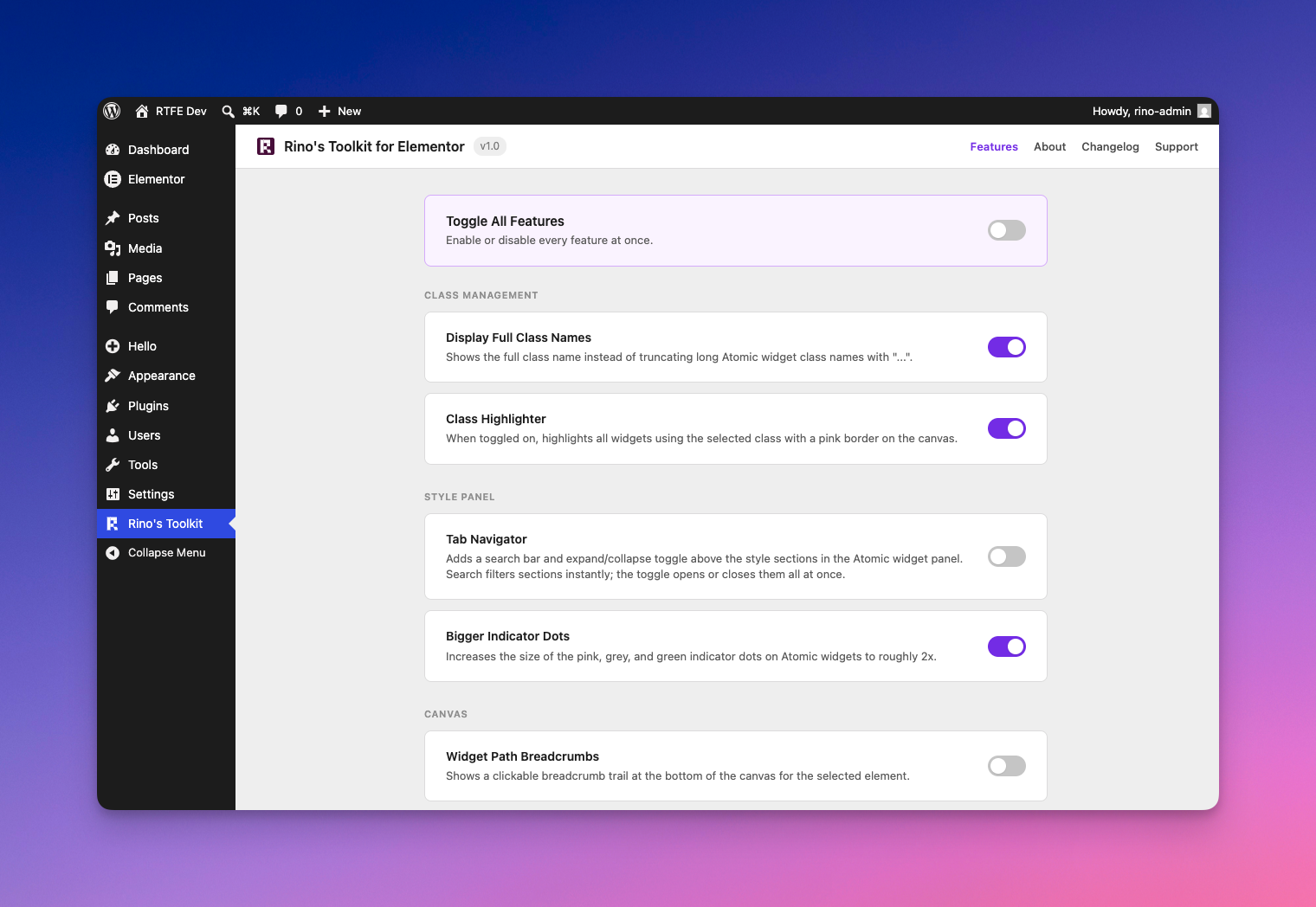
The Rino's Toolkit settings page with all feature groups.
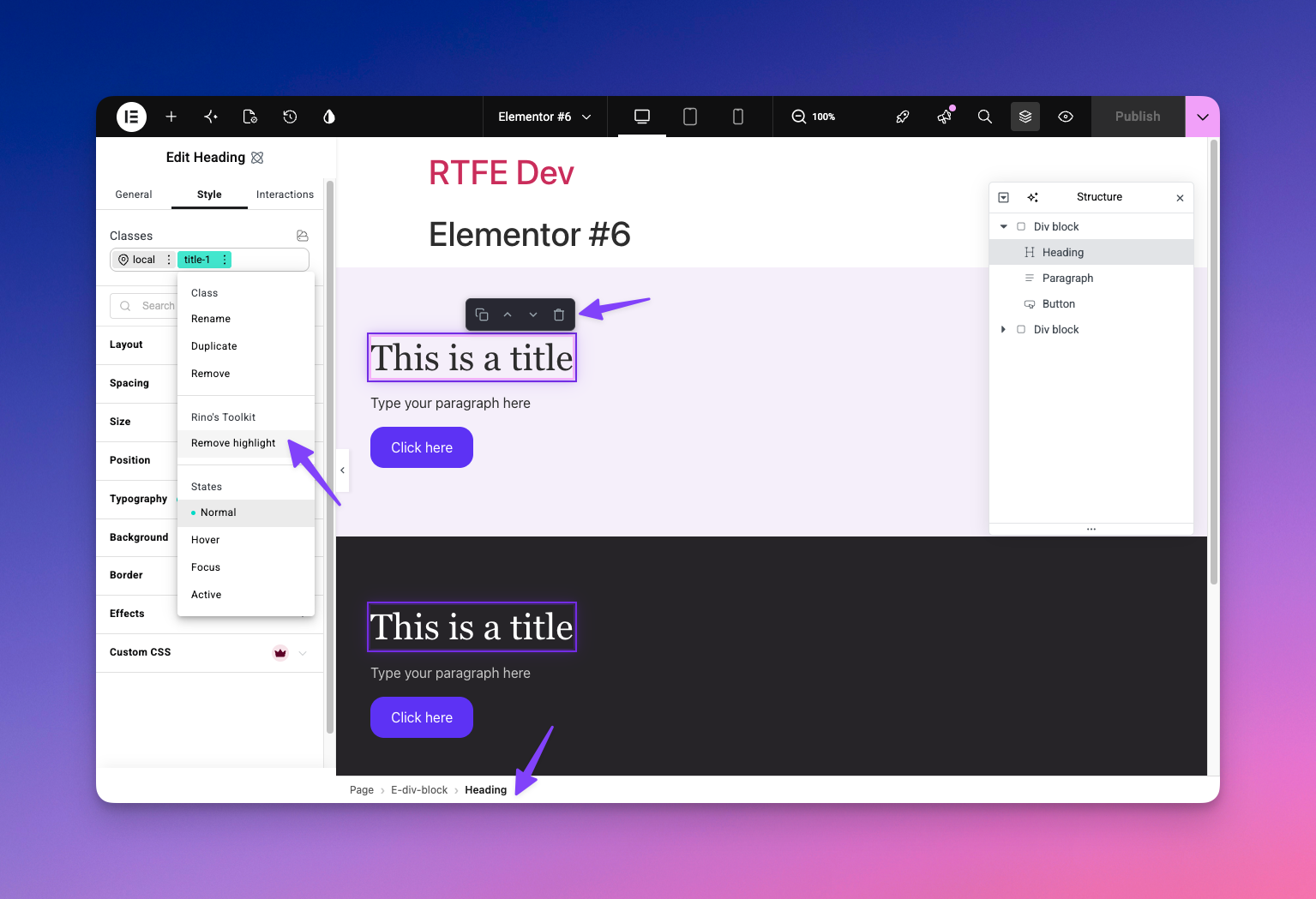
Class Highlighter, Widget Path Breadcrumbs, and Quick Action Buttons in action inside the Elementor editor.
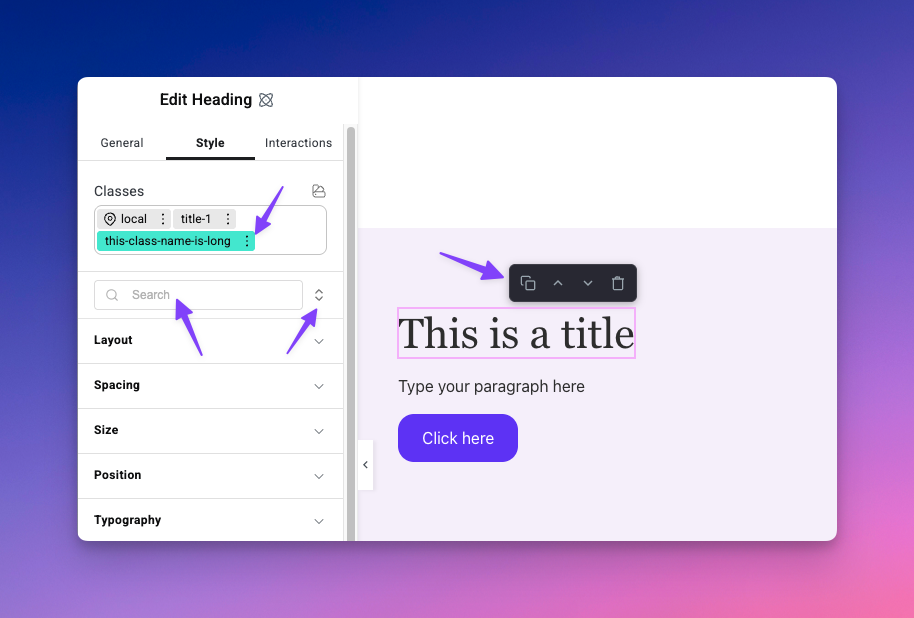
Display Full Class Names with the Tab Navigator search bar and expand/collapse toggle above the style sections.
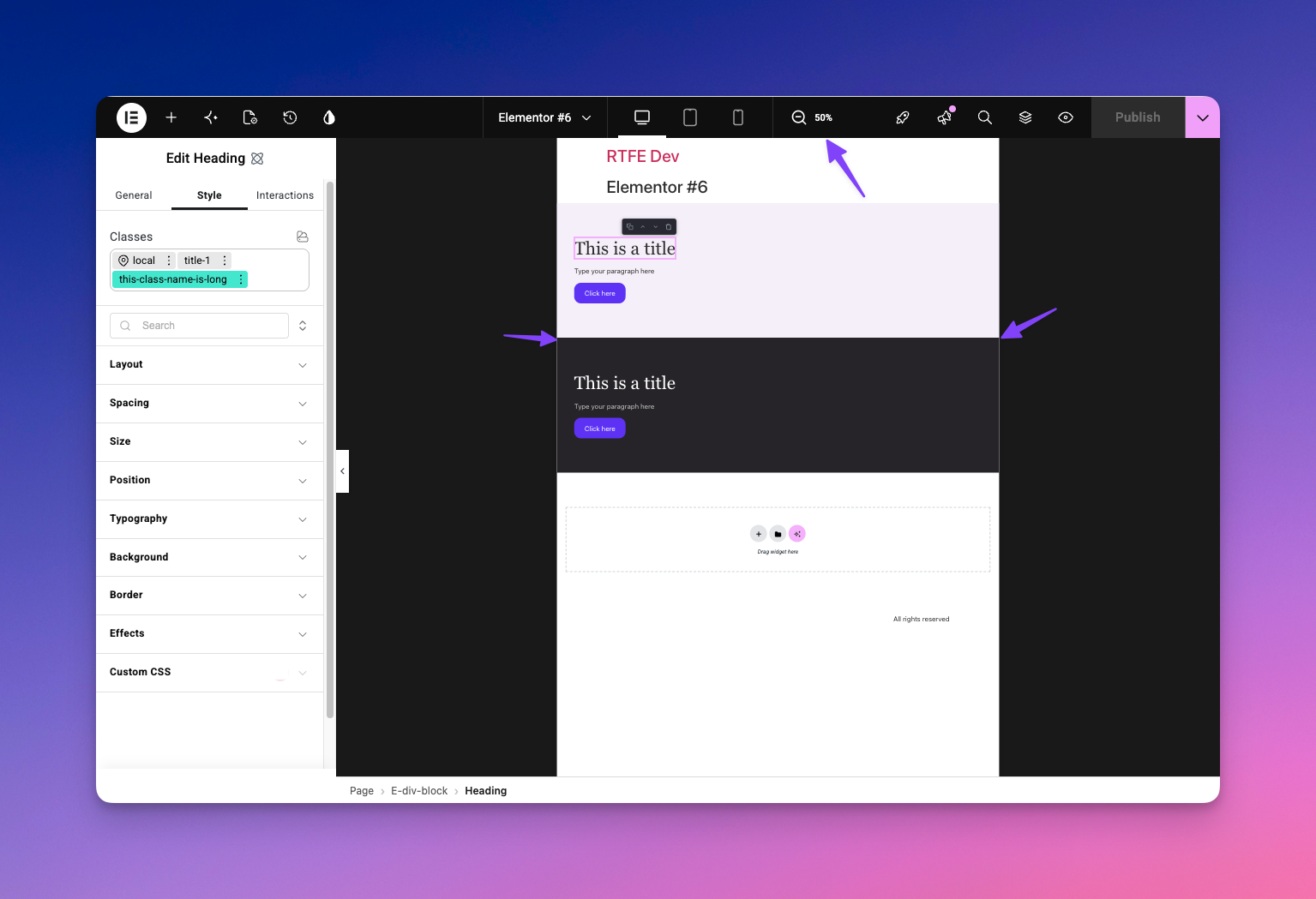
Zoom Out Canvas showing the full page layout at a glance.