A small plugin that collects useful upload-related features. It has four main features.
- Choose the file types that may be uploaded to the media library. For example, use it when hwp (Hangul Word Processor) files are rejected by WordPress.
- Filter the media library list by file extension. Example: show only hwp files.
- Automatically convert Korean file names to Latin letters (romanization) on upload. Example:
사과.jpgbecomessagwa.jpg, and한글 파일.jpgbecomeshangeul-pail.jpg. A separate option appends the upload date and time to the file name (for examplephoto__2026-01-31-09-30-00.jpg). - Restrict risky file types (svg, exe, macro-enabled Office files) to administrators.
한국어 안내
워드프레스 업로드와 관련된 기능을 모은 플러그인입니다. 설정은 설정 > 업로드 파일 타입에서 합니다.
- 업로드를 허용할 파일 타입 선택 (hwp, svg, csv 등)
- 한글 파일명을 로마자로 자동 변환 (예: 사과.jpg > sagwa.jpg). 외부 서비스나 API 키가 필요 없습니다.
- 파일명 뒤에 업로드 일시 붙이기, 맥(macOS)에서 올린 한글 파일명 고치기
- 위험한 형식(svg, exe, 매크로 파일)은 관리자만 업로드
Korean file name conversion
Korean letters are converted to Latin letters using the letter table of the Revised Romanization of Korean. This is not a translation: 사과 becomes sagwa, not Apple. The conversion is calculated on your server, no external service is used, and no API key or fee is needed. Pronunciation-dependent rules (such as liaison) are not applied; each letter is converted as it is. Example: 신라 becomes sinra.
Files uploaded from macOS often have Korean letters split into consonants and vowels (Unicode NFD), which look broken on servers and Windows. With the option “Fix Korean file names uploaded from macOS” turned on, the letters are combined back into normal Korean when the file is uploaded.
Selectable file extensions
hwp, bmp, doc, ico, xla/xls/xlt/xlw, xlsx, pot/pps/ppt, pptx, ppam, pptm, psd, mp4, webm, ogv, csv, ai/eps/ps, txt, svg, json, exe, and the file types WordPress allows by default (jpg, png, gif, mp3, mov, avi, wmv, mid, pdf, zip, gz).
Security notice: Allow svg, exe and files that may contain macros (ppam, pptm) with care. After uploading the file you need, turn the option off again. With the option “Only administrators can upload risky file types” (on by default), users who are not administrators cannot upload these types even if they are enabled.
External services
This plugin does not connect to any external service and does not send any data outside your site. The settings screen uses only the CSS and JavaScript files included in the plugin.
Screenshots
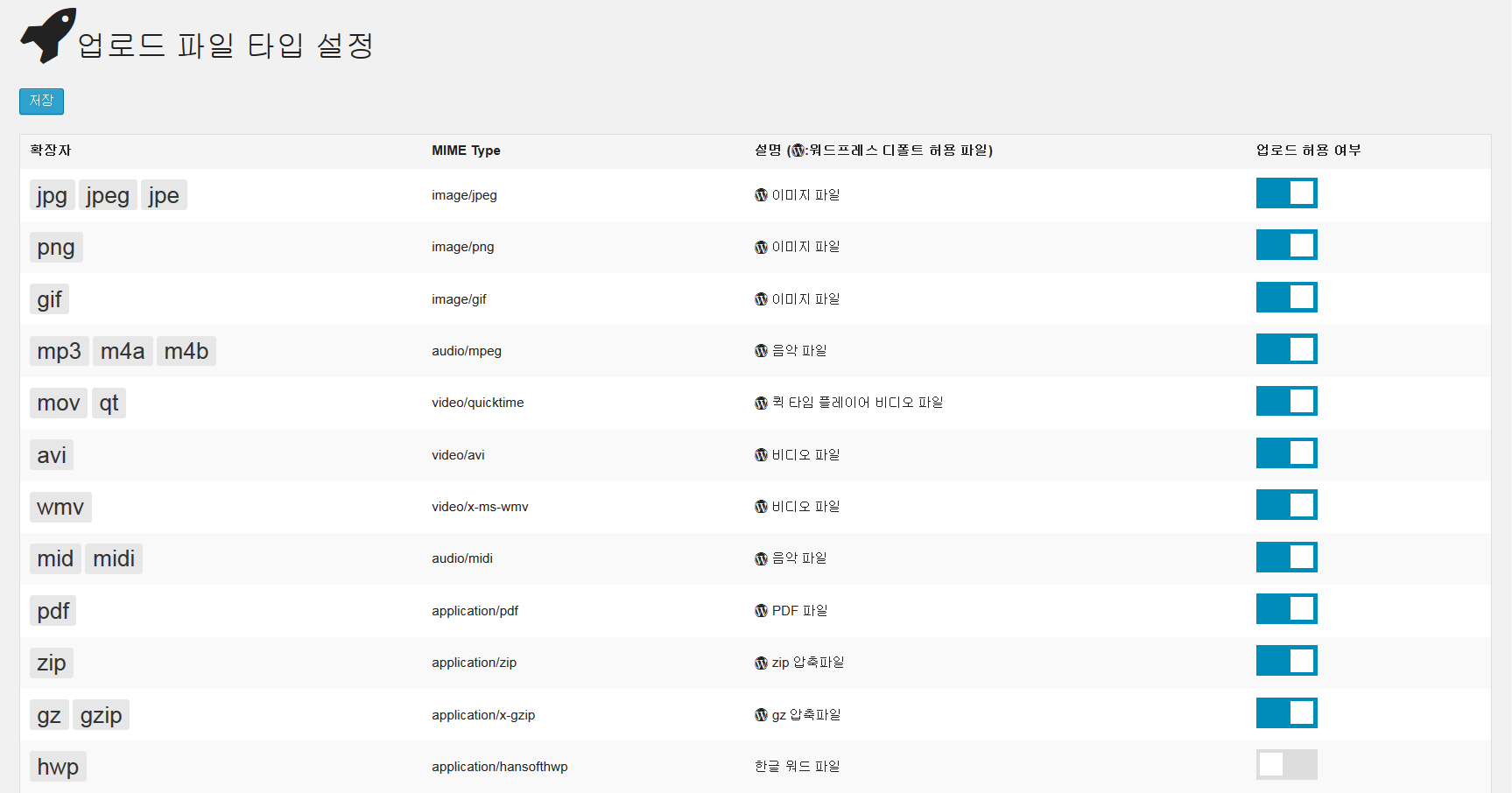
The upload file type settings screen. The hwp file type is not selected yet.
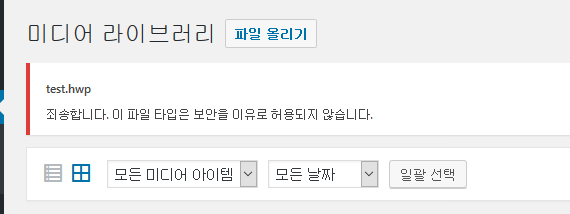
The hwp file is not uploaded because its type was not selected in screen 1.

The screen with the hwp file type allowed.
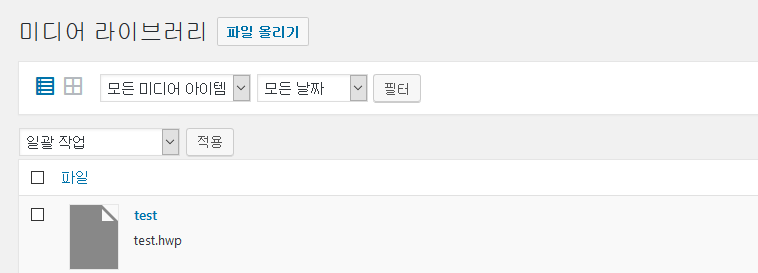
The hwp file is uploaded because it was allowed in screen 3.

A Korean file name converted to a Latin name after turning on the romanization option.

The same with the option that appends the upload date and time.