
RootsPersona turns the GEDCOM file of your genealogy program into a family history website. Every person gets a real WordPress page with their name in the title — found by Google, linked from your posts, open for comments, editable in your page builder. When the tree changes, upload the new file: pages, addresses and photos stay with their people.
Everything is free. No account, no external service, your data stays on your site.
From your genealogy program
- GEDCOM 5.5, 5.5.1 and 7.0 / 7.1 from any program, also as a GEDZIP archive (.gdz) or a .zip with the photos.
- Any encoding: UTF-8, UTF-16, ANSEL, Windows code pages (Cyrillic “ANSI” files are recognised).
- Tags of common programs: married names (_MARN, _MARNM), adoption (_FREL, _MREL), other names (_AKA), the main photo (_PRIM), the person codes (_UID, FamilySearch ids).
- Large trees are imported in small steps with a progress bar, so the host’s time limit does not stop them. A report after the import tells what was loaded.
- Re-importing updates the tree. People renumbered by your program are recognised by their code, by name and birth year or by their relatives. If the file looks like another tree, the import stops before anything is changed.
- Export back to GEDCOM 5.5.1, GEDCOM 7.0 or GEDZIP with the photos: a backup, or a copy for relatives and other programs, with or without living people.
The persona page
- Names (birth, married, also known as, nickname), events and facts with dates, places, addresses, age and cause, notes, sources with the cited page and quoted text.
- Parents, spouses, children, divorce, adoption and fostering, and a three-generation tree.
- Dates in the site language: “15 March 1822”, “about 1890”, “between 1852 and 1854”. Julian (Old Style) dates show the New Style too: “15 (27) March 1822”.
- Any number of photos: the portrait and a gallery with a lightbox. The photos your program links to people go onto their pages by themselves (see the FAQ).
- A map of the places of the person’s life (OpenStreetMap), when the GEDCOM file has coordinates.
- Three layouts — Classic, Archive card and Chronicle — with colour sets and a live preview. A page can be printed in parts, so your own text, memoirs or audio can sit between them, in the block editor or in Elementor.
- schema.org markup (Person) for search engines.
For visitors
- A front page for the tree: the tree in numbers, faces of the older generations, remembrance days around today, ways into the tree, births per decade, families by surname, places on a map.
- Instant search over people (all their names, places and years) and the posts of the site.
- An index of people and a top surnames widget.
Privacy
- Each person is Public, Members only or Private; the default for living people is a setting.
- A person without dates is judged by their own events and by their relatives.
- Hidden people get “Private” as their page title, a noindex tag, and are left out of sitemaps, menus, search, the front page and the export. Visitors can be sent to a page you choose.
Editing on the site
If RootsPersona is your “system of record”, people and their facts can be edited online and new people added, without a genealogy program.
Screenshots
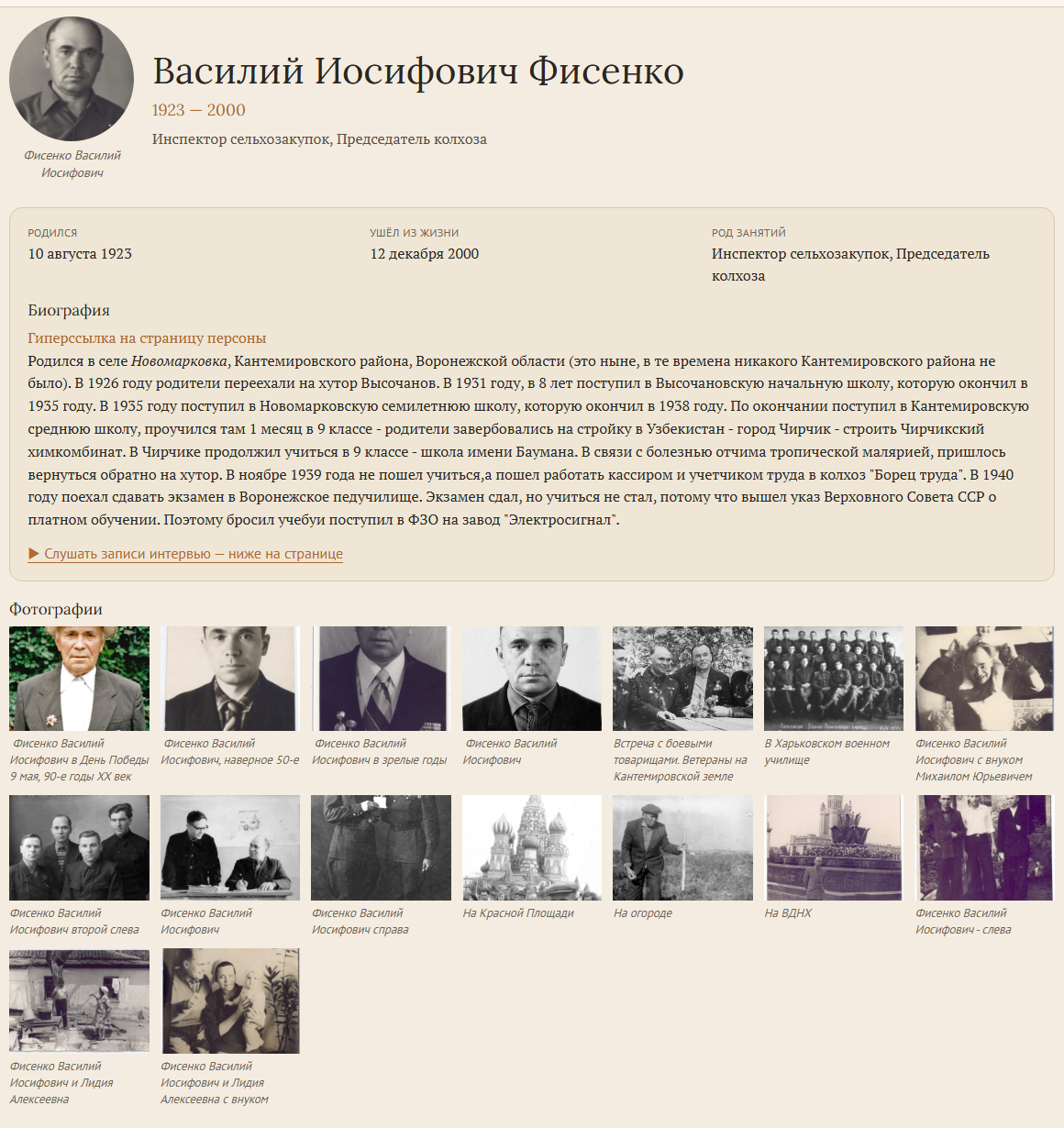
A persona page (Archive card layout): portrait, facts, biography and the photo gallery.
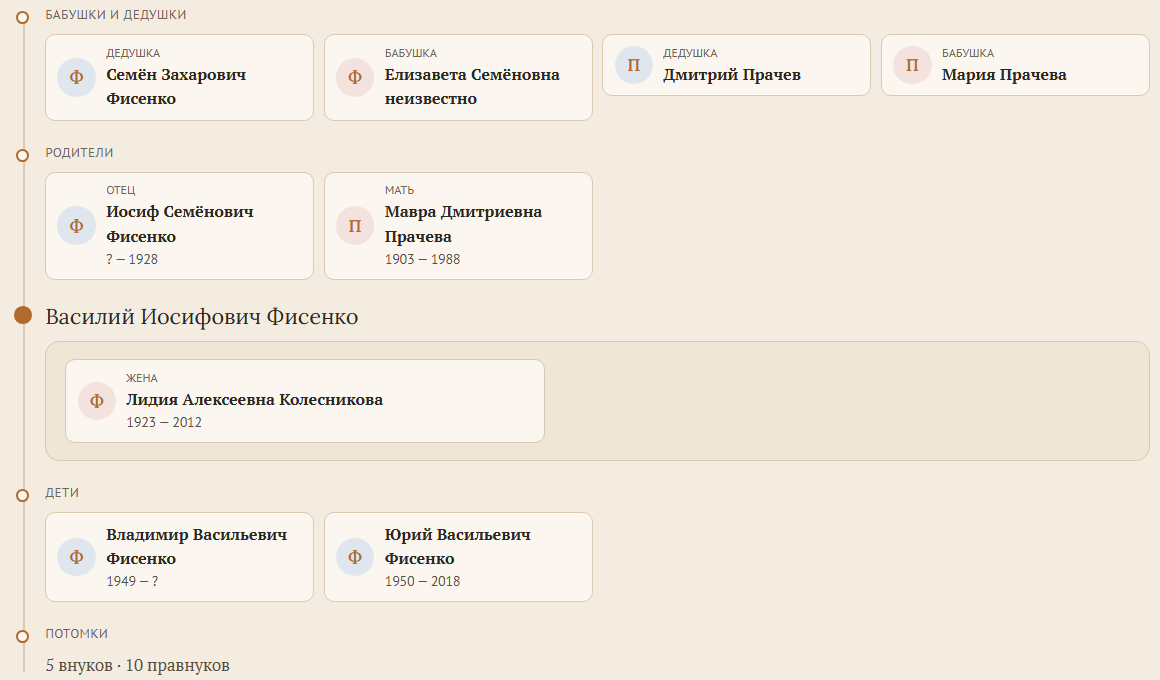
The family on a persona page: grandparents, parents, spouses and children, with the number of descendants.
![The front page of the tree, [rootspersona_hub]: the tree in numbers and the faces of the older generations.](https://ps.w.org/rootspersona/assets/screenshot-3.png?rev=3760316)
The front page of the tree, [rootspersona_hub]: the tree in numbers and the faces of the older generations.
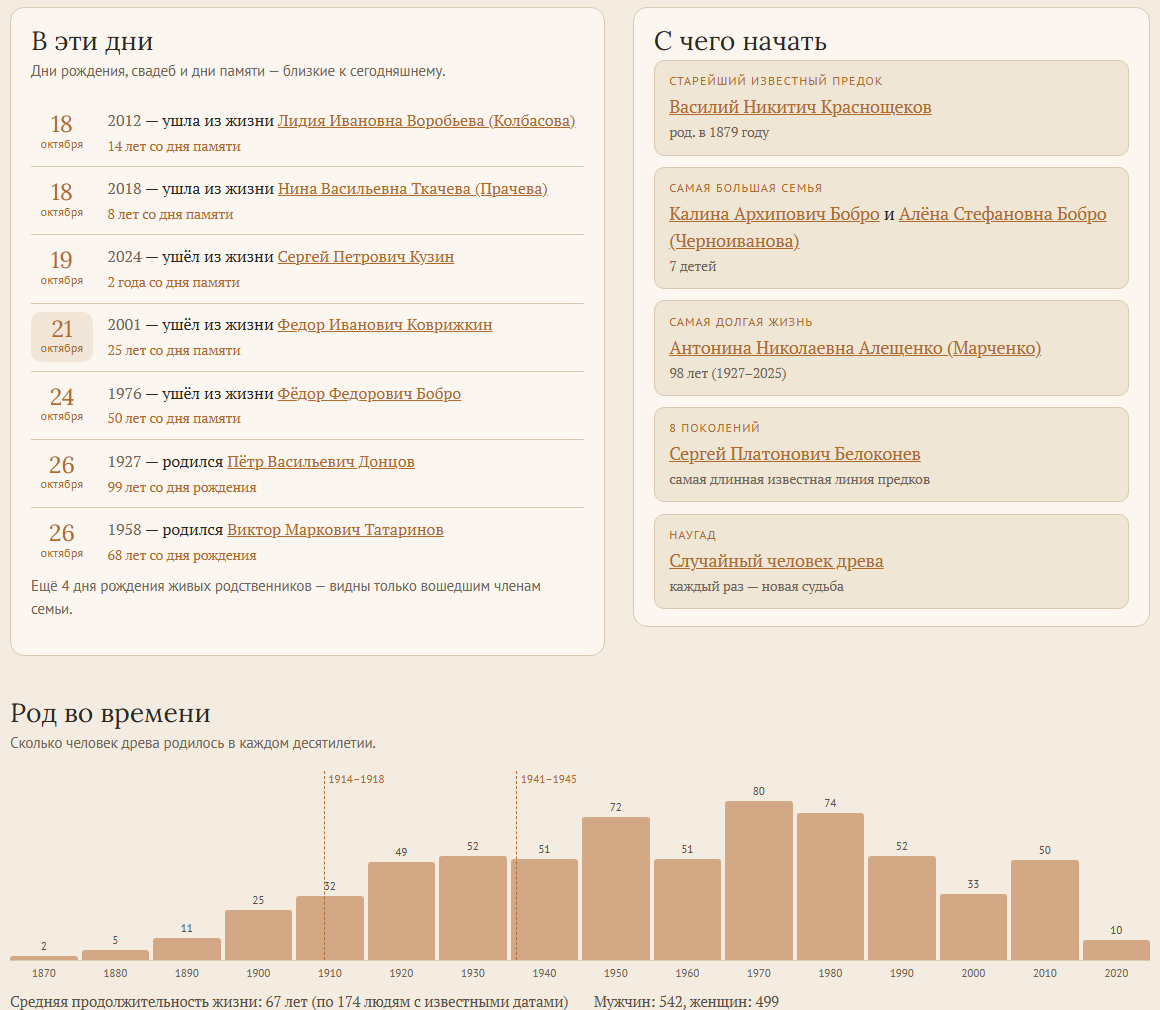
Remembrance days around today, ways into the tree and births per decade.
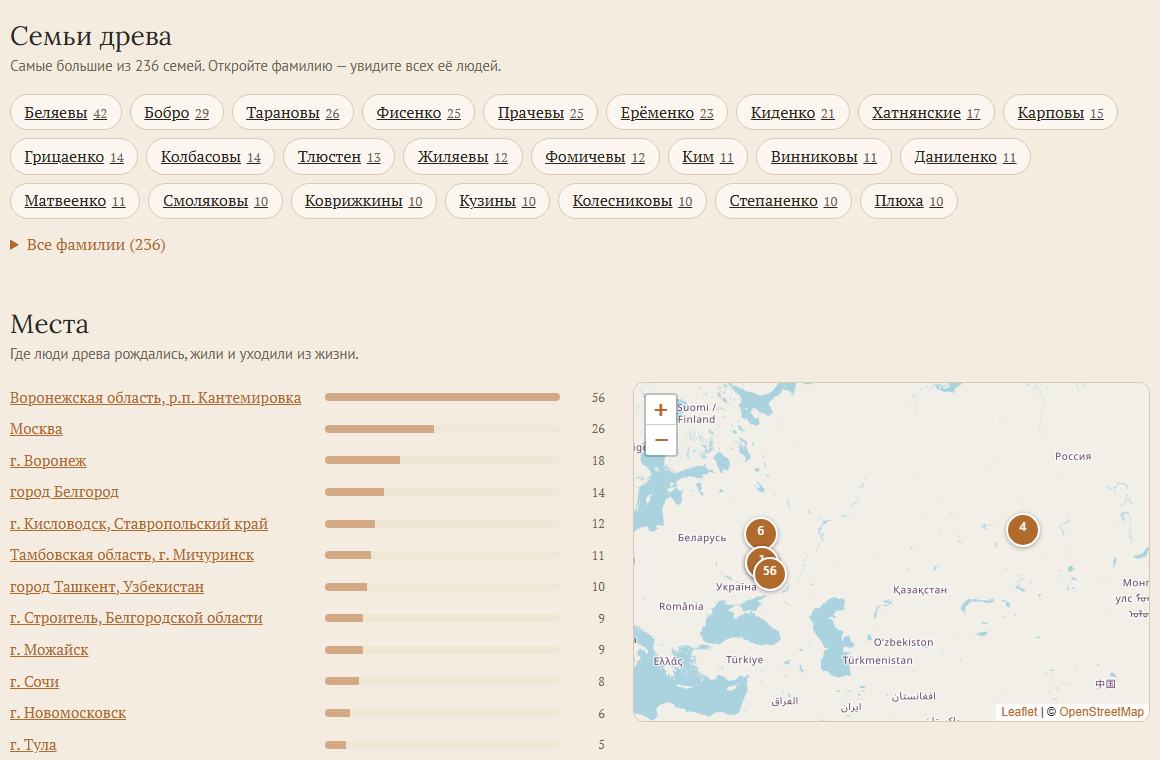
Families by surname and the places of the tree on an OpenStreetMap map.
![The chart of the whole tree, [rootspersona_chart]: zoom, drag and search; every person links to their page.](https://ps.w.org/rootspersona/assets/screenshot-6.png?rev=3760316)
The chart of the whole tree, [rootspersona_chart]: zoom, drag and search; every person links to their page.
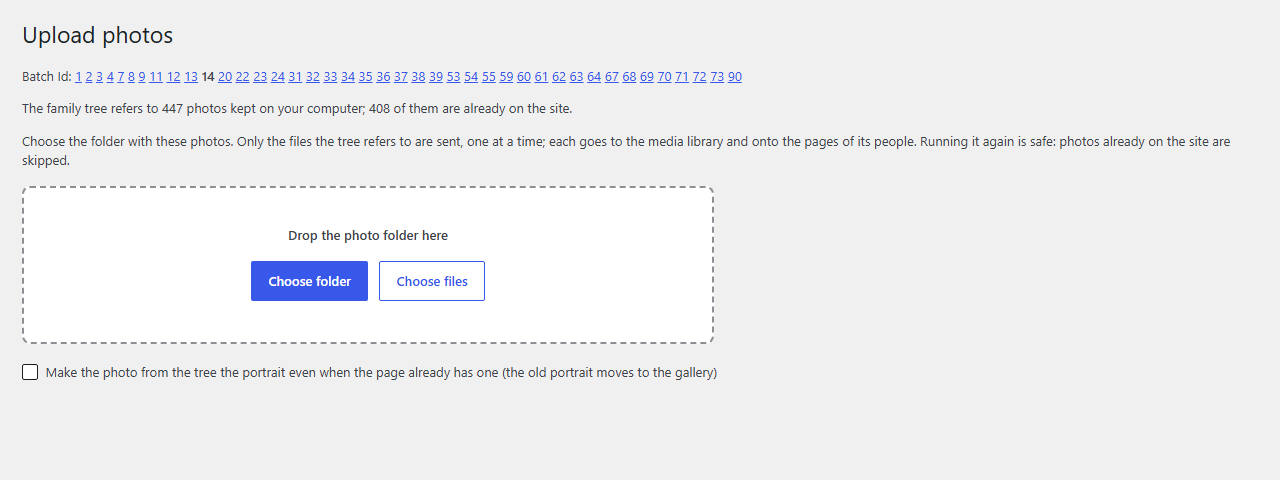
Tools → Upload photos: choose the photo folder of your genealogy program, the photos go onto the pages of their people.
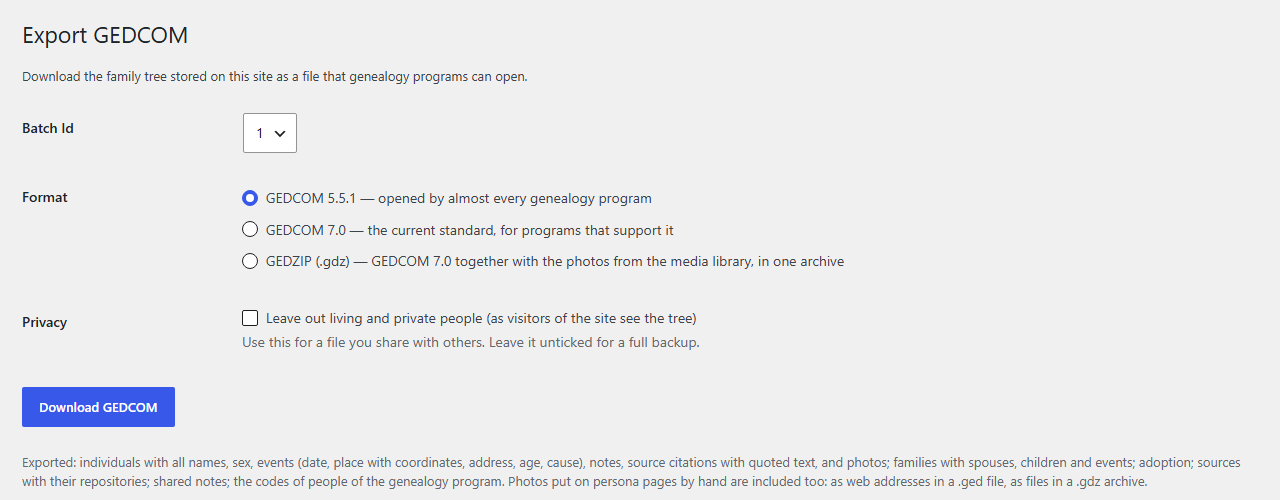
Tools → Export GEDCOM: GEDCOM 5.5.1, GEDCOM 7.0 or GEDZIP with the photos, with or without living people.
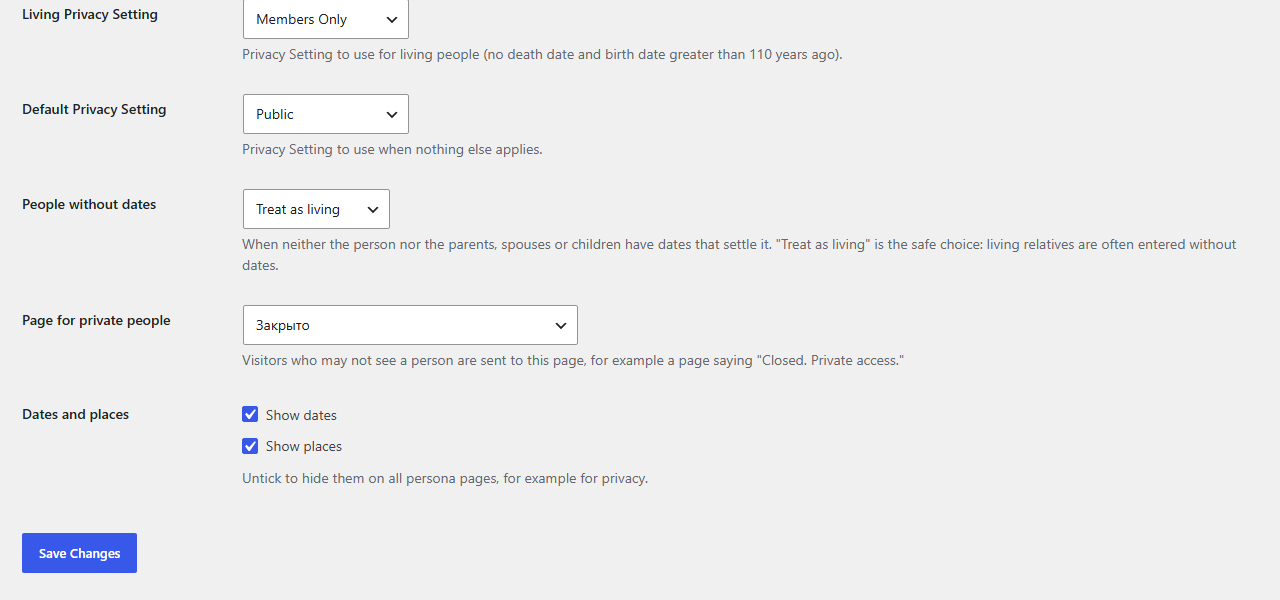
Settings → Privacy: who counts as living, what visitors see, a page for private people.