Turn “that section needs changing” into feedback your team can act on.
Ruhler Review Pins lets reviewers leave comments directly on the page elements they mean. A numbered pin marks each location, so your team can see what needs attention without matching emails and screenshots to the right part of the website.
Use it to review a new website, proof content before launch, or collect feedback on existing pages. Leave a comment about a specific element or the whole page, resolve it when the work is done, and reopen it when it needs another look.
A clear path from feedback to follow-through
- Pin comments directly to page elements, using a mouse or keyboard.
- Collect general feedback about an entire page.
- Track open and resolved comments in the WordPress dashboard.
- Give reviewers dedicated accounts with limited permissions.
- Optionally issue expiring, revocable sign-in links to eligible reviewer accounts.
- Keep feedback on your WordPress site, with no external service or telemetry.
Off until you turn it on
- Review is off on a fresh install. An administrator turns it on in Review Pins Settings, and chooses whether review is available in all environments or only in non-production environments (local, development, staging — as reported by
wp_get_environment_type(); WordPress treats an unset environment type as production). - While review is off, no review controls, scripts, or styles are added to your pages and the review API refuses requests. Existing feedback stays available to managers in the dashboard.
- Review links are off by default and are a separate setting (see below).
Who can do what
- Review Pins Reviewer — use Review Mode: place pins, read comments on the pages they review, and resolve or reopen comments. Reviewers are kept out of wp-admin except their own profile page.
- Review Pins Manager — everything a reviewer can do, plus the feedback dashboard: resolve, reopen, trash, restore, and permanently delete feedback.
- Administrators can use Review Mode and manage feedback.
- Editors can use Review Mode (place pins, read, resolve, and reopen feedback) but cannot open the feedback dashboard or trash, restore, or delete feedback. Assign the Review Pins Manager role to people who should manage feedback.
- Only administrators can change settings and issue or revoke review links.
- Reviewers only see feedback for pages they are allowed to view. Feedback on private or draft pages is hidden from people who cannot read those pages, and their titles and addresses are not shown to them.
Review links (optional)
Reviewers can always sign in with a normal WordPress password. If an administrator enables review links, they can also issue a private sign-in link to a reviewer from Review Pins Reviewer Access:
- Links can only be issued to dedicated accounts whose single role is Review Pins Reviewer and which have no other capabilities. Accounts with any additional role or privilege (including managers, editors, and administrators) are refused, both when a link is issued and every time it is used.
- A link expires 7 days after it is issued, or at the end of a review-window date you set. Issuing a new link replaces the old one; links can be revoked at any time.
- Sessions started from a link end on their next request once the link is revoked, replaced, or expired, the account gains another role or capability, or review or review links are turned off.
- The link is shown to the administrator once and is never stored in readable form. Issuing and revoking links is recorded in an activity log (without the link itself).
- Two-factor authentication. Review links are refused for accounts that use the Two Factor plugin (tested with version 0.17.0); those reviewers sign in with their password and second factor as usual. Enabling two-factor on an account also ends its existing review-link sessions. Other two-factor plugins are not detected and their compatibility is not verified: review-link sign-in does not use a password and does not run WordPress’s
authenticatefilters (so it bypasses plugins that act only there, such as login-attempt limiters), although it does fire the standardwp_loginaction. If your site uses another two-factor plugin, keep review links off or use theruhler_rp_allow_review_link_loginfilter to refuse them.
Feedback dashboard
Review Pins Feedback lists comments with Open, Resolved, All, and Trash views, 20 per page. From here managers can go to a comment on its page, resolve or reopen it, move it to the Trash, restore it, or delete it permanently from the Trash.
- Trash expiry: like other WordPress content, trashed feedback is permanently deleted by WordPress after
EMPTY_TRASH_DAYS(30 days by default). If your site setsEMPTY_TRASH_DAYSto 0, trashing deletes immediately. - Unassigned feedback (administrators only): feedback saved by earlier development builds whose page cannot be identified reliably is kept as Unassigned instead of appearing on the homepage. Only administrators can see it, in the dashboard’s Unassigned view, to review or delete it.
WP-CLI
wp ruhler-review-pins status | list | show | resolve | reopen | trash | restore | delete | add-reviewer | remove-reviewer. WP-CLI commands are administrative tools and keep working while review is off. Status changes and deletions must be attributed to a real user (`--user` or `--actor`). Account creation and role changes also require an explicit actor with WordPress's applicable `create_users` and/or `promote_users` capabilities and permission to assign the target role. `remove-reviewer` removes Review Pins access and roles but never deletes the WordPress account or its content. `add-reviewer` never replaces an existing account's roles and refuses accounts with other roles or privileges.
Requirements and limits
- WordPress 6.4 or later and PHP 8.0 or later. The minimum combination was exercised in a disposable runtime; WordPress 7.1 and PHP 8.4 were also tested during release-candidate validation.
- Feedback is tied to each page’s address. Both plain (
?page_id=123) and pretty permalinks are supported. Tracking parameters (such asutm_*), preview arguments, and this plugin’s own parameters are ignored when matching a page. Changing a page’s address or your permalink settings can separate existing feedback from that page. - Multisite is not supported in this version.
Privacy
Review Pins stores, for each comment: the comment text, the page address, the on-page location and a short excerpt of the page text there, the reviewer’s user account, and who resolved it and when. When review links are used it also stores a hashed link token (never the link itself) and a log of when links were issued or revoked and by whom. This data is visible to administrators and review managers, is kept until deleted (see the FAQ), and is never sent to third parties. A suggested privacy-policy section is added to Settings Privacy.
Screenshots

Leave feedback on a specific page element with a numbered review pin.
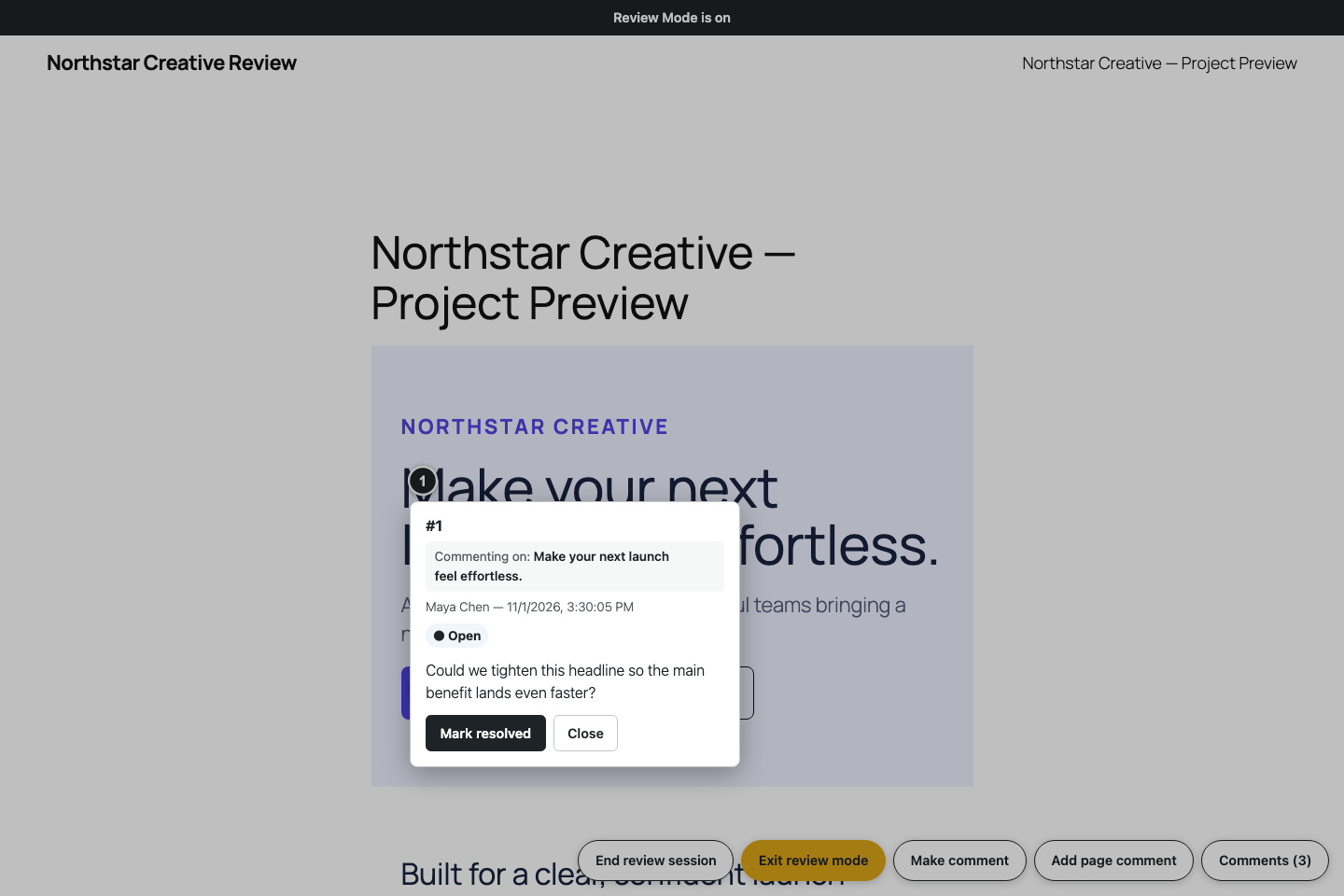
Read page feedback and resolve or reopen a comment.
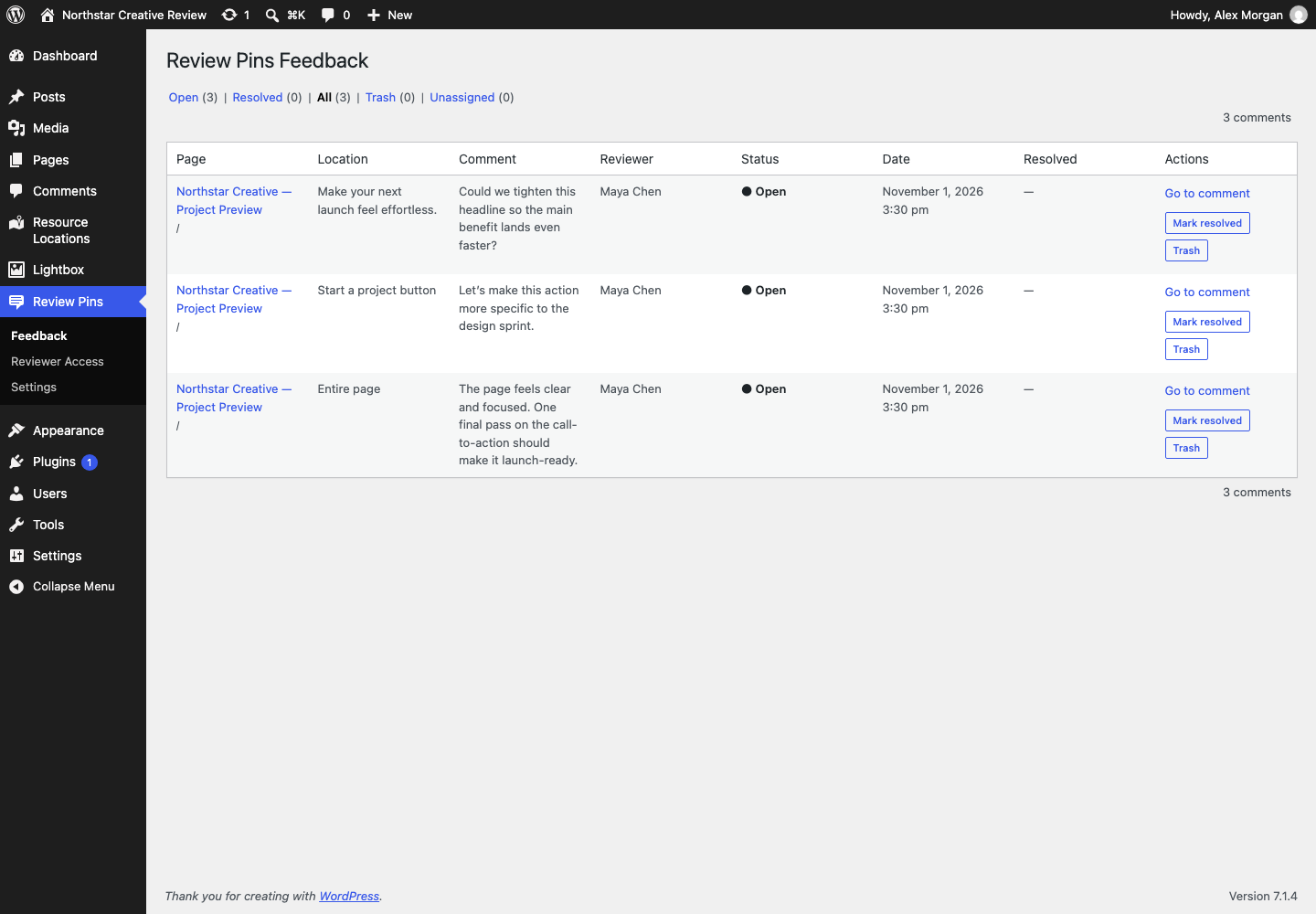
Manage feedback from the WordPress dashboard.
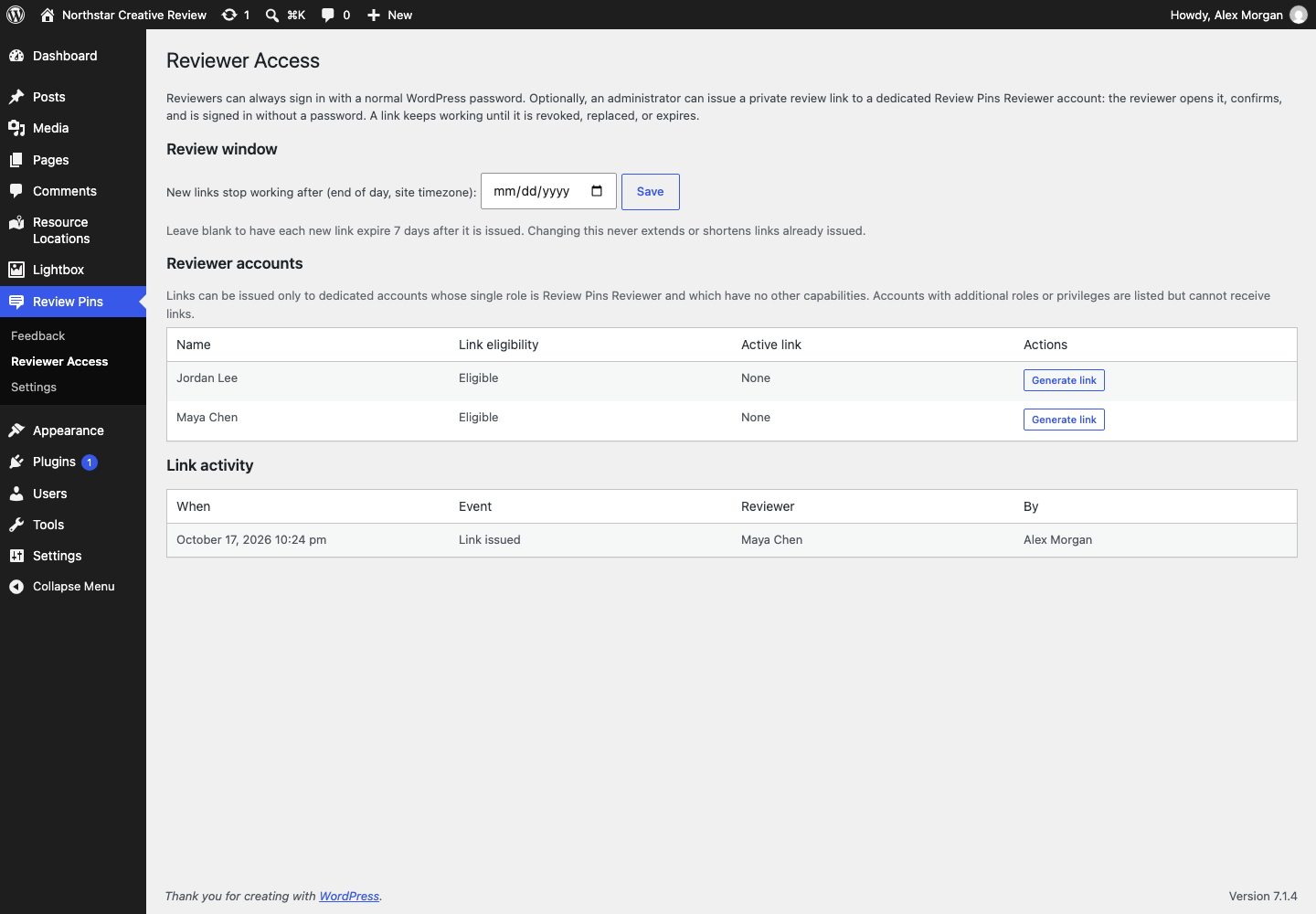
Add reviewers and manage optional private review links.