
A product published without a price, an image or a SKU is a half-finished listing: it sells badly or not at all. SapphireIT Publish Guard stops it at the publish button. It checks every product against a configurable checklist of required fields before it goes live, so incomplete products never reach your customers.
It is product validation for the WooCommerce catalog you already have. A missing SKU, an empty description, a variation without a price or a thin image gallery shows up while you edit, and a product that fails a required check is kept as a draft until it is fixed.
A live checklist in the product editor. A panel in the classic WooCommerce product editor lists every check, grouped by content, media, pricing, organization and inventory. It refreshes on its own as you type, upload images or pick categories. You don’t need to save first. Each failing item links to the field that fixes it.
Twelve built-in checks:
- Product title
- Description (with a minimum length)
- Short description (with a minimum length)
- Featured image
- Product images (a minimum total count)
- Regular price (every enabled variation on variable products)
- Sale price validity (lower than the regular price, sensible dates)
- Product category (warns when only the store default is used)
- Product tags
- Variations and grouped products (a variable product needs an enabled variation, a grouped product a published linked product)
- SKU
- Stock status
Every check knows the product type. Variable products are checked variation by variation. A check that does not apply to a type, such as stock status on an external product, is shown as not applicable with the reason, instead of blocking the product. Every failure says what is missing and where to fix it, for example “Product data Variations”.
Each check can be turned off, or set to required (it must pass before the product can be published) or warning (advisory only).
Real enforcement, on the server. When a required check fails, the product is saved as a draft instead of being published, and a notice explains why. This is enforced on the server, so it also covers Quick Edit, Bulk Edit, scheduled publishing, the WooCommerce REST API and code that saves products through WooCommerce. A disabled button in the browser would not be enforcement.
A readiness column in the products list. See at a glance which products are ready and which need work.
Light footprint.
- One settings row, plus a temporary flag that is removed once the welcome notice has been shown. No custom tables, post meta, roles or capabilities.
- Assets load only on the product editor, the products list and the settings screen, and once on the Plugins screen for the welcome notice.
- No outbound network requests, tracking or upsell notices.
SapphireIT Publish Guard for WooCommerce is an independent plugin. It is not affiliated with or endorsed by WooCommerce or Automattic.
Source Code
The editor script in build/ is compiled. Its human-readable React and SCSS sources ship with the plugin in the assets/ folder, and the full development repository is public at https://github.com/rshalihin/sapphireit-publish-guard.
To rebuild the compiled files from source, install Node.js and npm, then run:
git clone https://github.com/rshalihin/sapphireit-publish-guard.gitcd sapphireit-publish-guardnpm installnpm run build
The build uses @wordpress/scripts and writes the compiled files to build/.
Screenshots
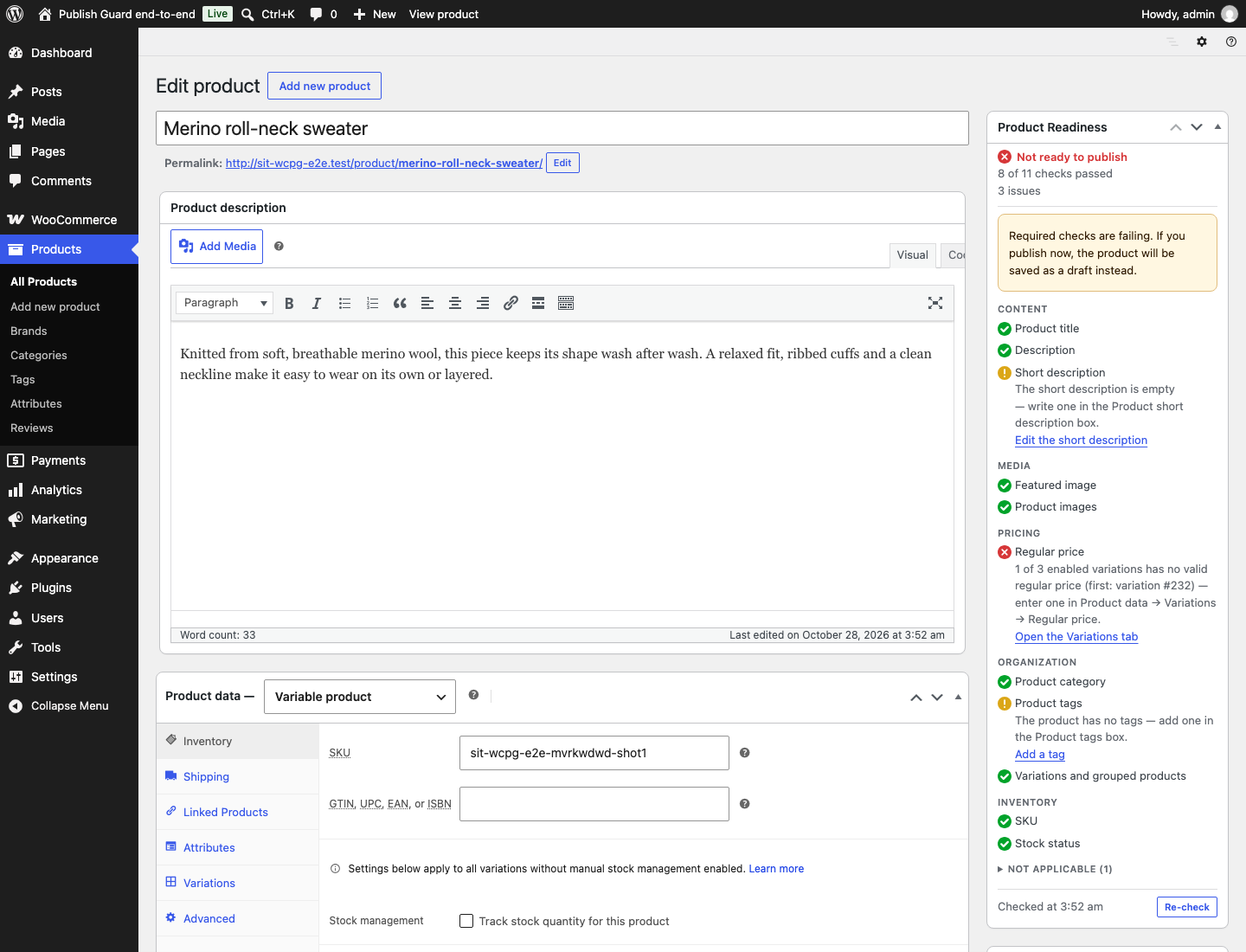
The checklist panel in the product editor.

The readiness column in the products list.

The settings screen under WooCommerce, then Product Checklist.
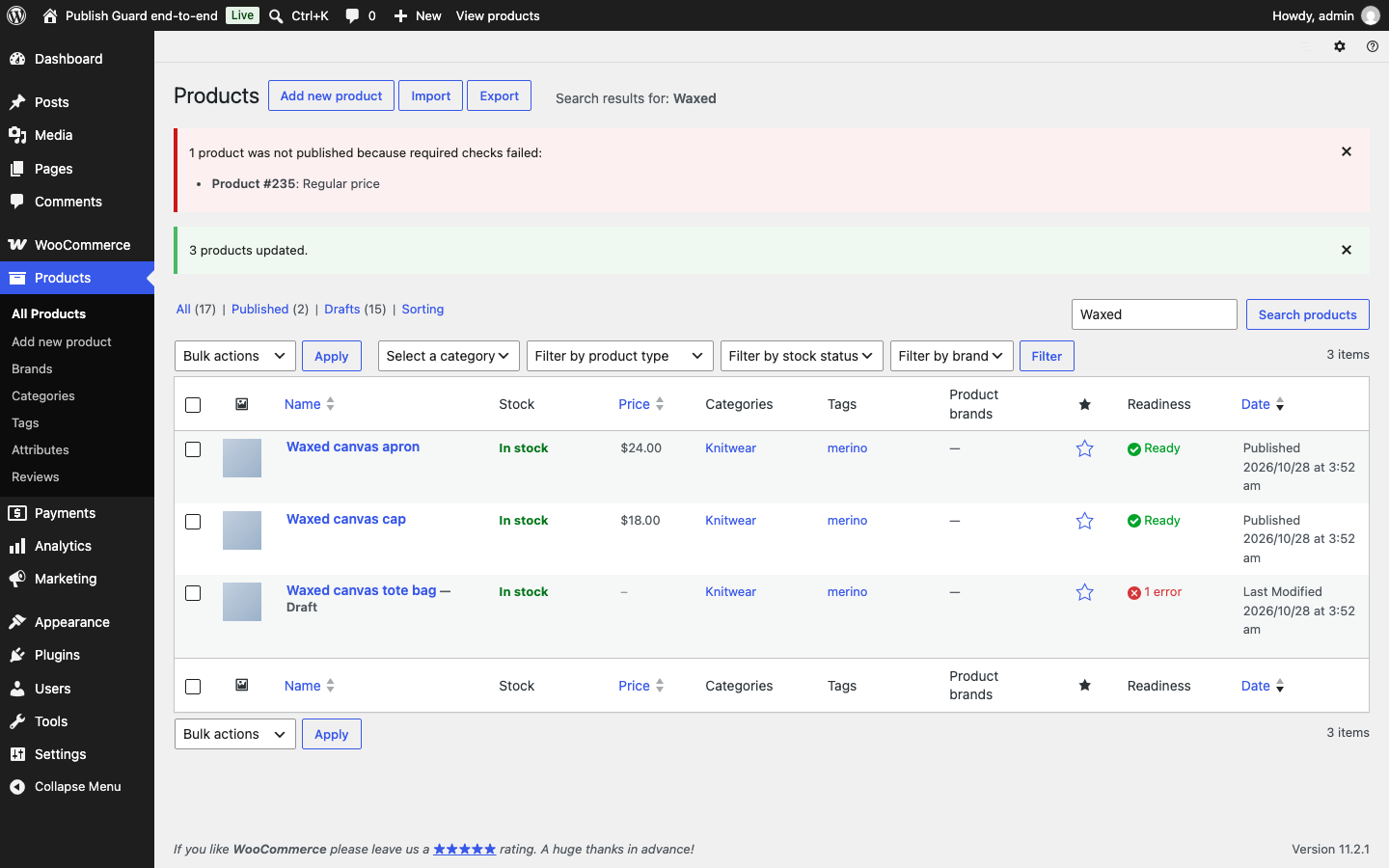
The notice shown when a product could not be published.
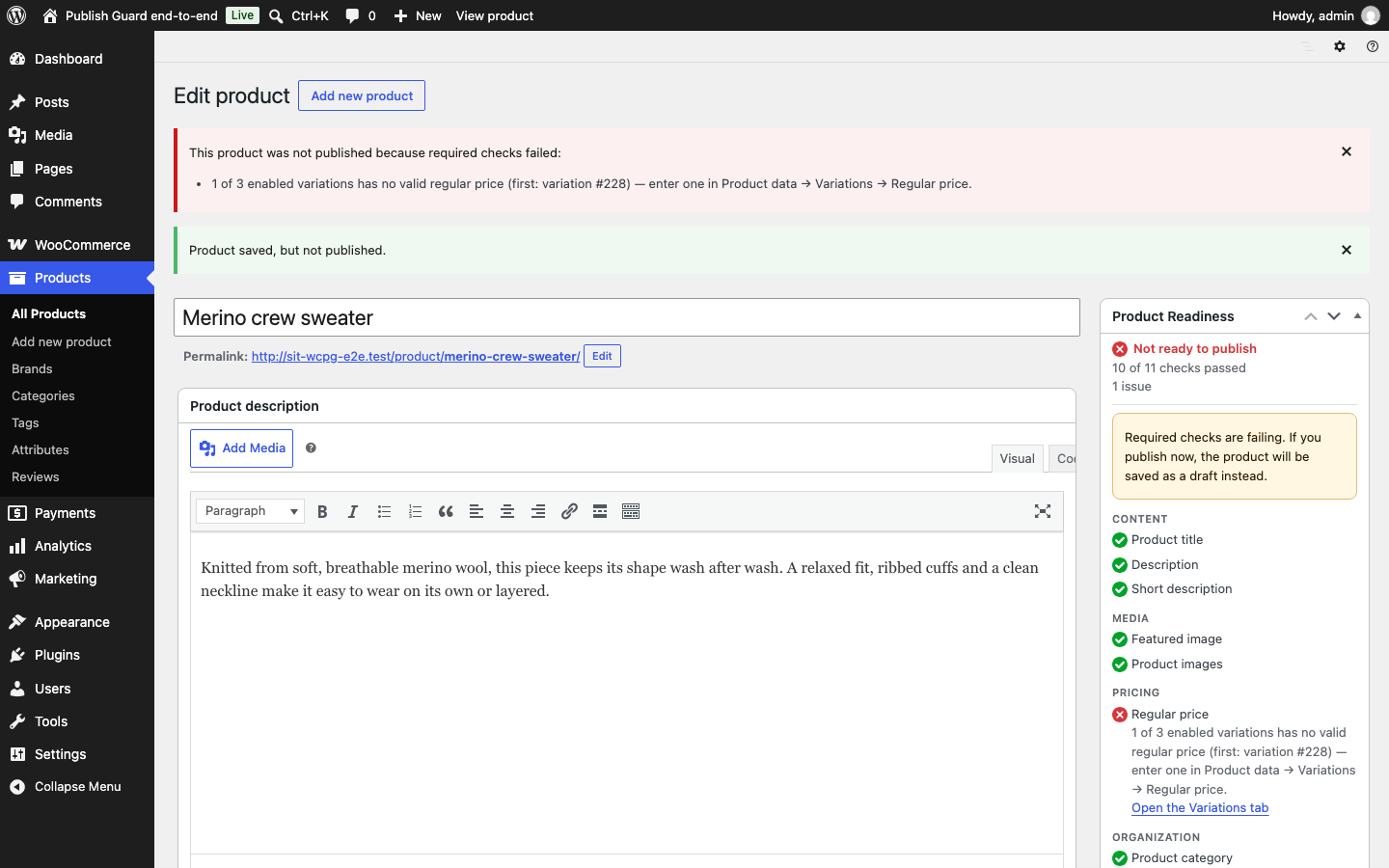
Publishing refused, with the reason and where to fix it.