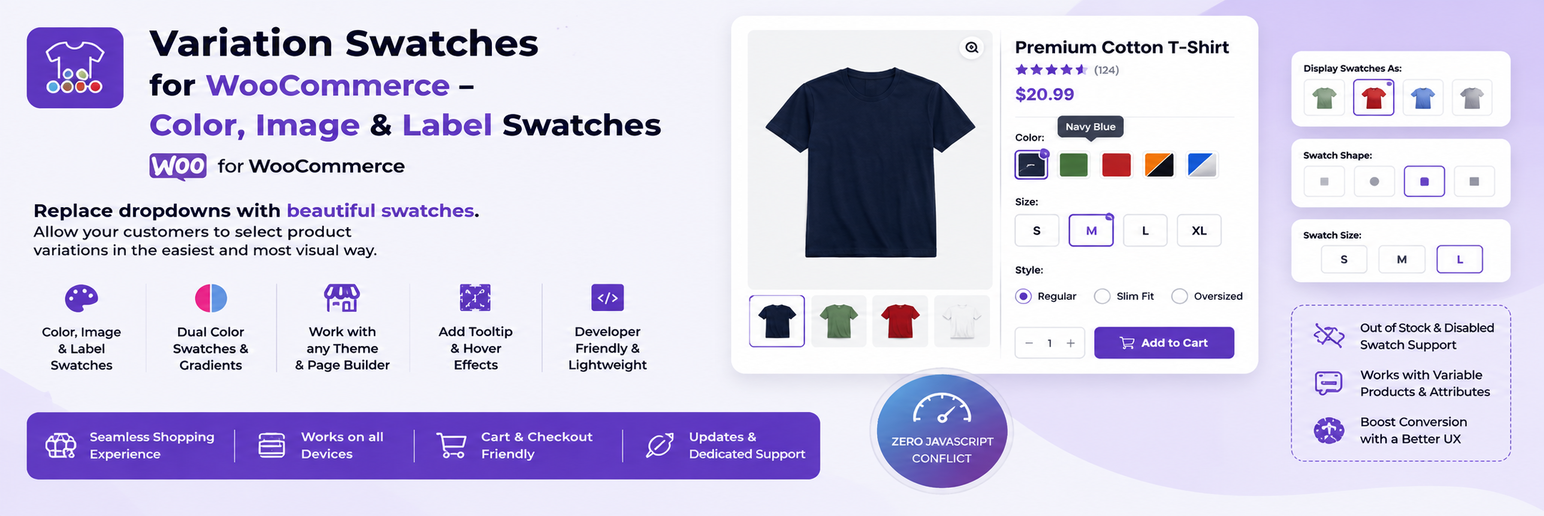
Variation Swatches for WooCommerce replaces the default dropdowns on variable products with color, image, label and radio swatches. Shoppers see every option at a glance, choose faster and get a clearer product page on desktop and mobile.
You pick a swatch type for each global product attribute term under Products Attributes, and the variation swatches appear on the product page and on shop and archive pages. Everything listed below is included in the free plugin, with no key or account needed.
📖 View Documentation | 🌐 WebTend
Swatch types
- Color swatches, including dual (split) color swatches
- Image swatches, uploaded per attribute term
- Label (button) swatches for sizes and other text options
- Radio swatches
- Square, rounded or circle shapes, with an optional shape per attribute term
- A different swatch type for a single product, set on the product’s attribute panel
Shop & archive pages
- WooCommerce variation swatches on shop, category and other archive pages
- A “+N more” badge when a product has more options than fit
- Works inside the WooCommerce Product Collection and All Products blocks
Stock handling
- Out-of-stock variations can be blurred, blurred with a cross, or hidden
- An optional “Notify me” message with your own text and link when a shopper picks an unavailable option
Design controls
- Swatch size, border and selected-state colors, checkmark, tooltip colors and size
- Tooltip position: top, bottom, left or right
- Optional custom CSS
Smart Variation Finder (optional)
A search box above the swatches on product pages. Shoppers can type words such as “dark blue large” and the matching options are selected. It runs in the browser and is switched off until you enable it.
Accessibility
Swatches use radio roles with ARIA states, work with the keyboard and show a visible focus outline. Animations respect reduced motion.
Compatibility
- Declares HPOS and Cart and Checkout Blocks compatibility
- Built on standard WooCommerce hooks, so it is designed to work with most themes
- Re-initializes inside quick view modals and Elementor product widgets
How it works
- Go to Products Attributes, then add or edit an attribute such as Color and add its terms.
- Edit a term and choose a Swatch Type, then set the color, second color or image.
- Create a variable product that uses the attribute.
- Open the product page or the shop page. The dropdown is replaced by swatches.
- Fine-tune the look under Variation Swatches, in the General, Design & Style, Shop / Archive and Advanced tabs.
Perfect for
Fashion, furniture, cosmetics, electronics and any other store that wants clearer variation swatches for its variable products.
Documentation & support
- Documentation: https://webtend.net/docs/variation-swatches/
- Support forum: https://wordpress.org/support/plugin/sayan-variation-swatches/
- Help translate the plugin: https://translate.wordpress.org/projects/wp-plugins/sayan-variation-swatches/
Pro version
A separate Pro plugin from webtend.net adds a sticky add-to-cart bar, per-swatch badges, per-variation galleries, a bulk swatch generator and a live stock badge. The free plugin stays fully functional on its own and nothing in it is locked. Details: https://webtend.net/
Privacy
This plugin does not collect personal data and makes no external requests. It uses no third-party services, trackers or CDNs.
Screenshots

Product page with color, image and label swatches

Plugin settings panel, General tab

Archive and shop page swatches with the "+N more" badge

Attribute term edit screen with swatch type and color picker

Smart Variation Finder search box on a product page