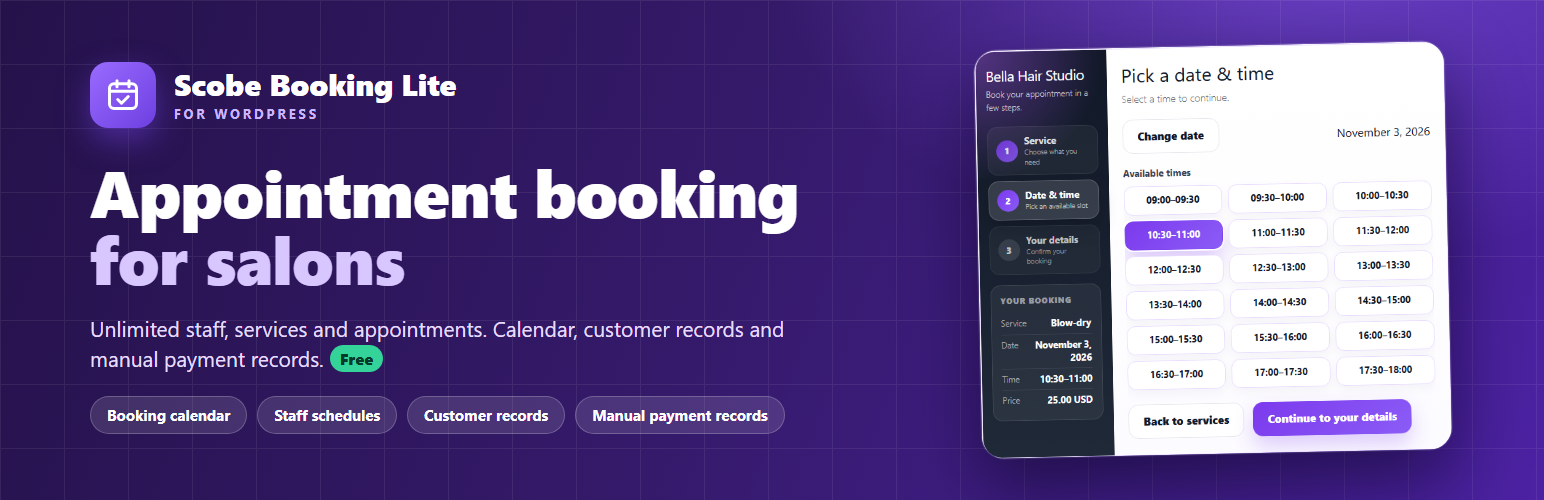
Let customers book salon appointments on your WordPress website. They choose a service and an available time; you manage appointments, staff and customer records from one dashboard.
Scobe Booking Lite is free, with unlimited staff members, services and appointments. It also includes email confirmations and records for payments you collect in person.
Included in the free plugin
- Unlimited staff members, services, categories and appointments
- Booking page with live availability, published for you by the setup wizard
- Day-by-staff, week and month calendar for your team
- Customer list built automatically from bookings, with visit history and private notes
- Email confirmations for the customer and the business, with a calendar (.ics) file
- Manual payment records: cash, card terminal, bank transfer or other
- English, Turkish, German, Spanish and French
How customers book
- Choose a service (price and duration are shown).
- Pick a day, then an available time.
- Enter name and phone (email optional) and confirm.
The confirmation screen shows the service, date, time and price, and offers an “Add to calendar” file. The layout is made for phones first.
Set up your booking page
The setup wizard asks for your business details, your first staff member, shared business hours and your first service, then publishes a “Book an Appointment” page. You can also place the [scobe_booking_lite] shortcode on any page yourself. Until setup is finished, the plugin tells you exactly what is still missing.
Manual payment records
Record payments the business has already received outside the plugin:
- Several payment records per appointment
- Paid, partially paid or unpaid status with the remaining balance
- Payments list with daily and monthly totals
These are records, not online payment processing. Scobe Booking Lite does not charge customers, connect to a payment gateway, or collect or store card numbers.
Private by design
All booking data stays in your own WordPress database. The plugin includes no telemetry or analytics and sends nothing to Scobe servers; see the Privacy section below.
Need more business tools?
Scobe Pro is a separate paid product with automatic SMS and WhatsApp reminders, individual working hours for each staff member, online payments, Google Calendar sync, product stock and expense tracking. Scobe Booking Lite remains free and works on its own; Pro feature code is not included in Lite.
External services
Scobe Booking Lite does not independently connect to Scobe servers or transmit booking data to an external Scobe service.
E-mail notifications use WordPress wp_mail() and the site’s configured mail system. The site’s hosting company, SMTP service or e-mail provider may therefore process message contents according to the site’s own configuration.
Privacy
Appointment, customer, staff, service, manual payment and plugin settings data are stored in the site’s WordPress database.
Scobe Booking Lite:
- Does not independently transmit this data to Scobe servers
- Does not include telemetry or analytics
- Does not collect or store payment-card data
- Stores payment entries only as manual operational records
- Uses WordPress
wp_mail()for notifications - Keeps historical customer, service and price snapshots in appointment records
- Keeps cancelled appointments and their manual payment records
- Does not automatically delete plugin tables or settings on deactivation or uninstall
E-mail messages can contain appointment and customer information. Hosting, SMTP and e-mail providers configured by the site may process those messages. Downloaded ICS files can contain appointment information and may be imported into a calendar service chosen by the user.
The public booking rate limiter stores a short-lived counter under a one-way keyed hash derived from the visitor’s validated network address. It does not place the raw address in the transient key. Only the server-provided REMOTE_ADDR is trusted by default. Sites behind a trusted reverse proxy may use the Lite-specific scblite_rate_limit_client_ip filter to return a validated client address; the site owner is responsible for configuring that trust boundary safely.
Appointment records keep customer, service and price snapshots so historical bookings remain understandable after related records change. Site owners are responsible for choosing an appropriate retention period and for deletion or anonymisation required by their published privacy policy and applicable law. Scobe Booking Lite also adds suggested text to the WordPress Privacy Policy Guide.
Third-party libraries
The admin calendar uses FullCalendar version 6.1.21 (https://fullcalendar.io/), MIT licensed. The bundled build is included at assets/js/vendor/fullcalendar/index.global.min.js; source is available at https://github.com/fullcalendar/fullcalendar.
Screenshots
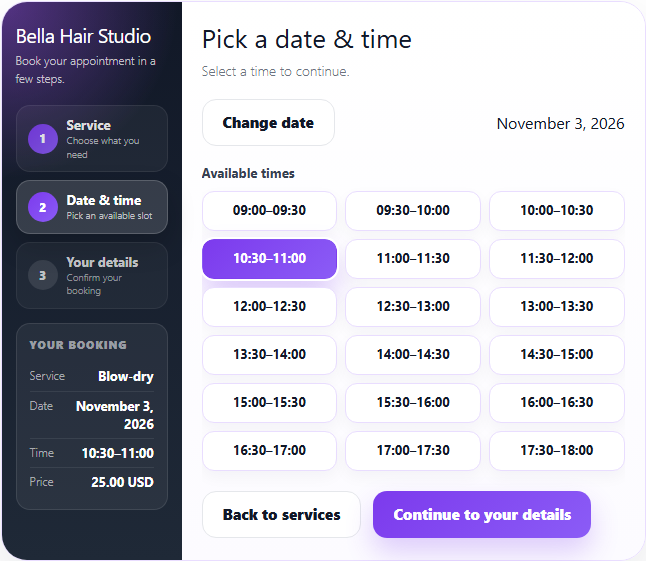
Customers choose a service and an available appointment time.

Mobile booking form: choose a service, then a date and time.
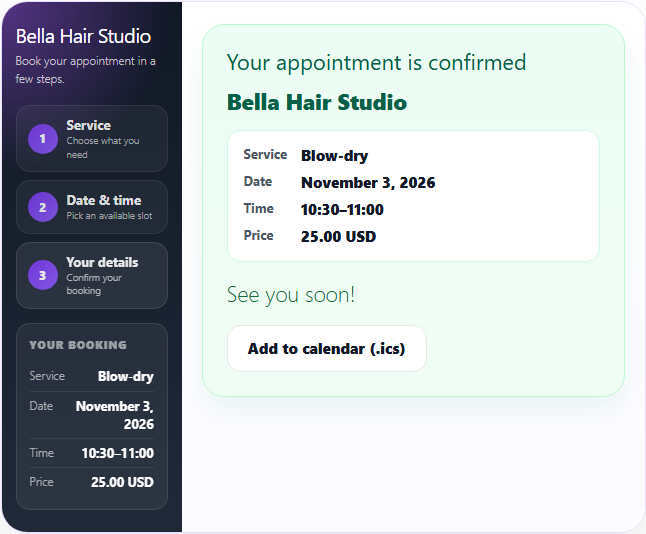
The confirmation shows the service, date, time and price, with an "Add to calendar" file.
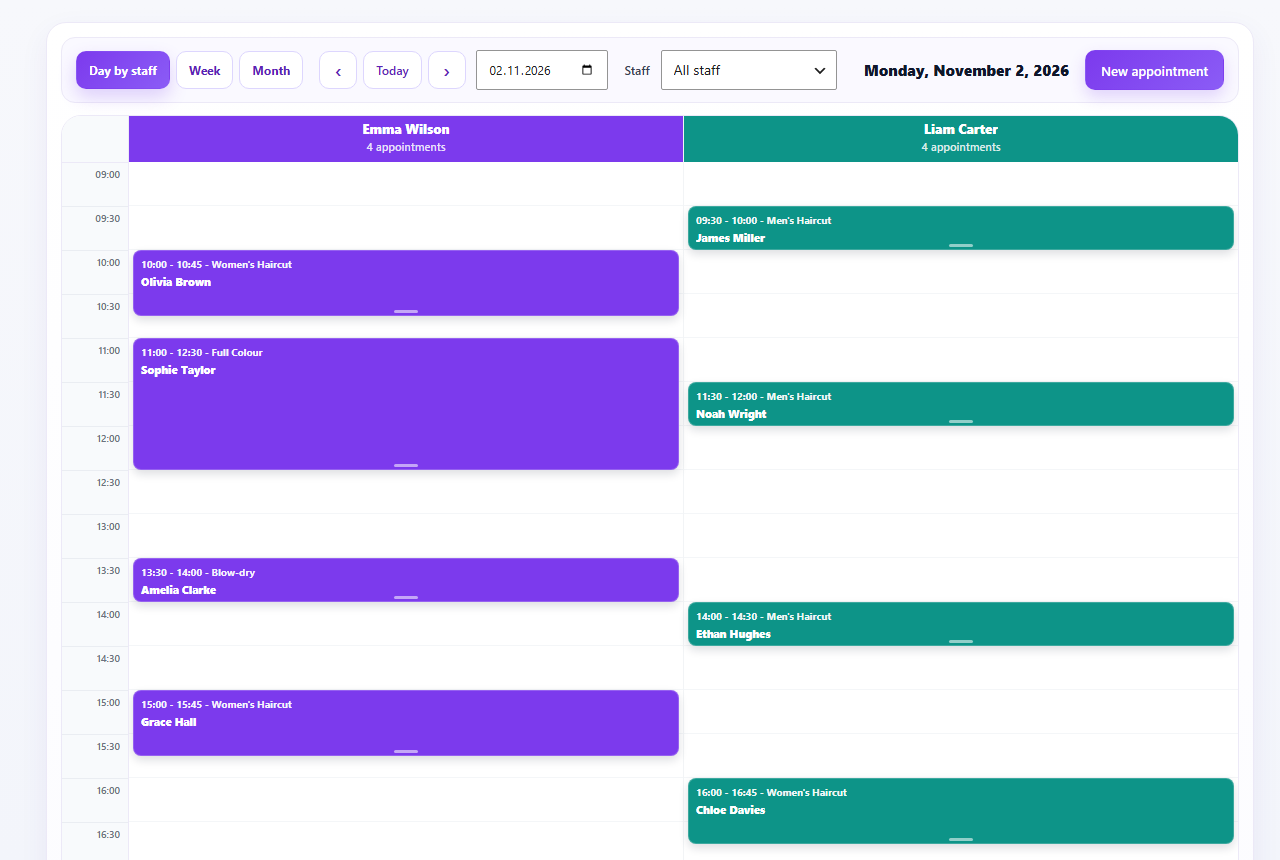
Day-by-staff calendar for the whole team.
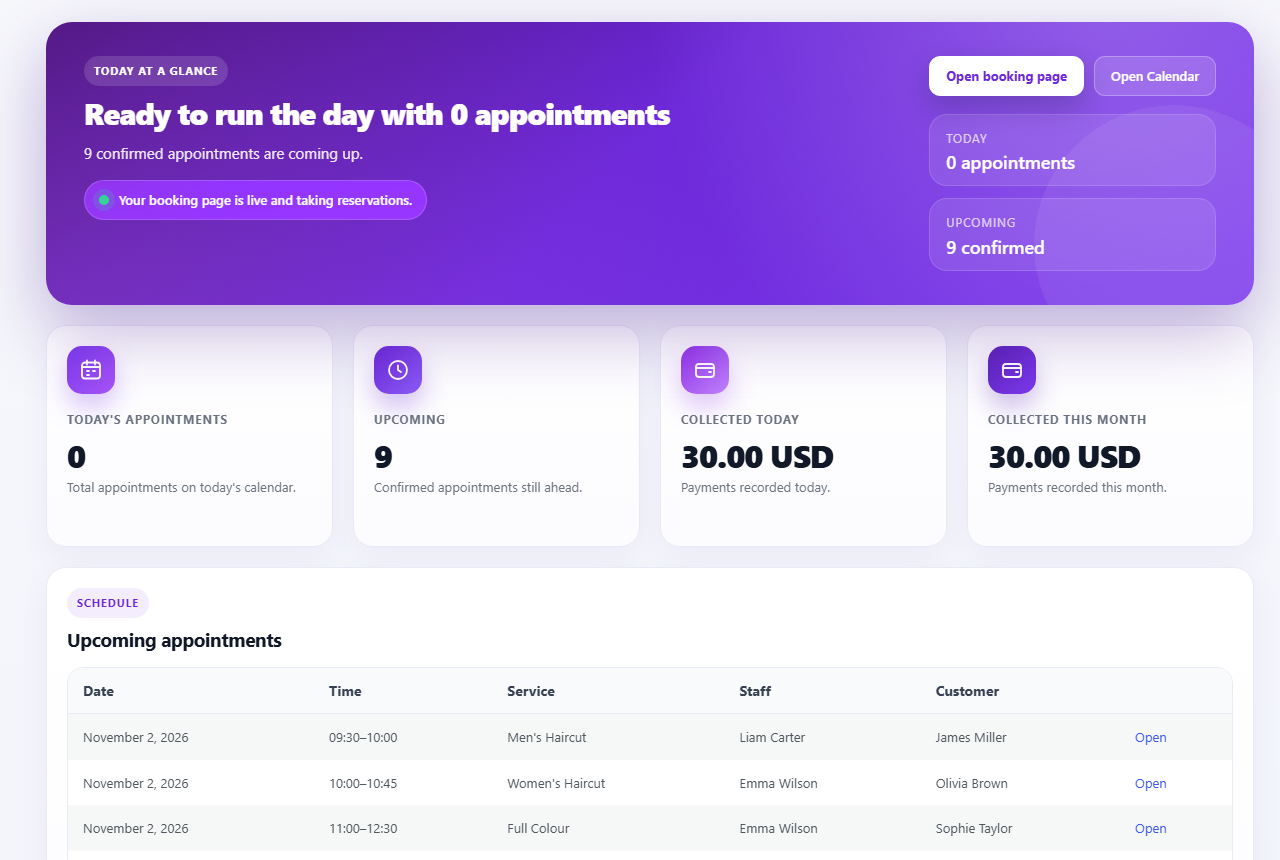
Dashboard with today's and upcoming appointments.
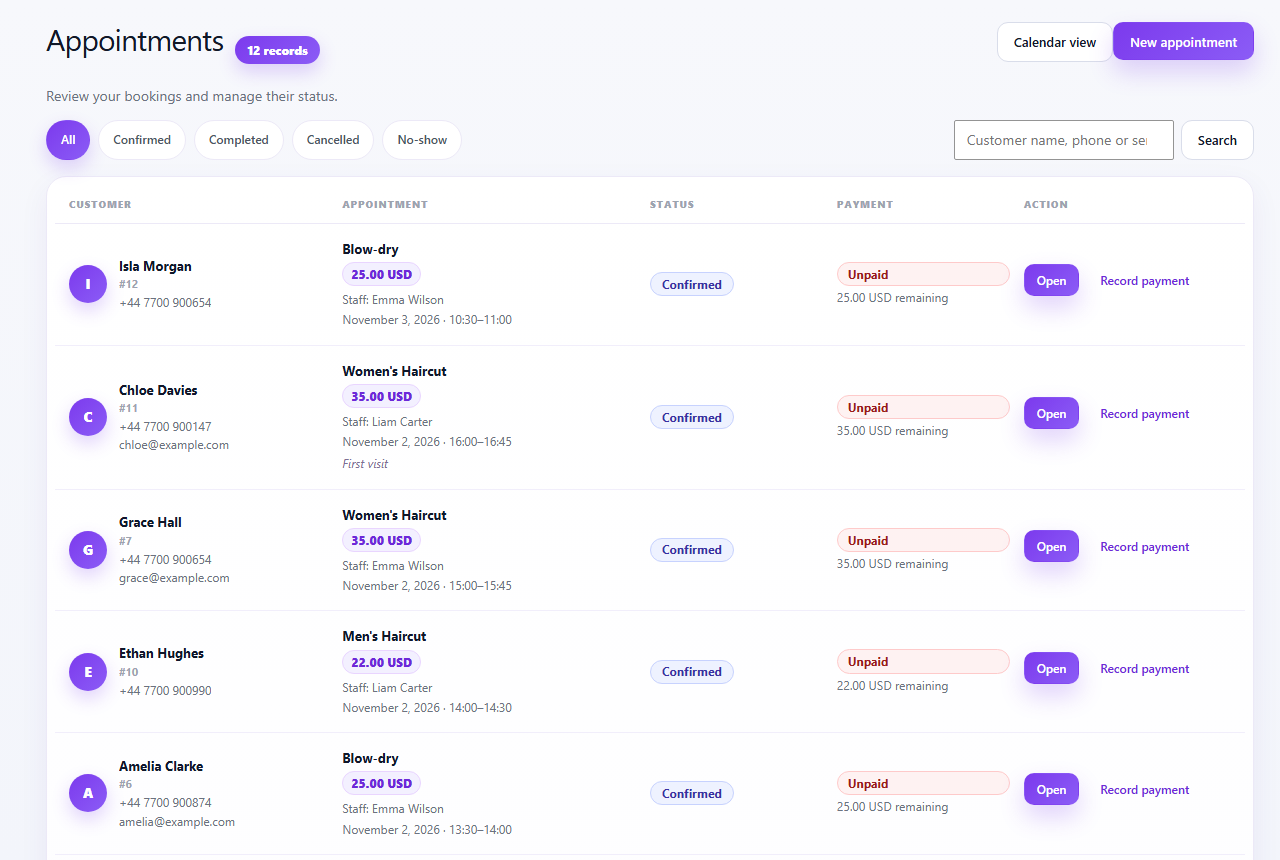
Appointments with customer, service, staff, payment status and quick actions.

Services with duration and price.

Record payments received in person and see what is still unpaid.