
SDAweb Channels for YouTube turns any public YouTube channel into a fast, privacy-friendly video section on your WordPress site. Add channels by pasting their URL, pick a layout, and drop a shortcode or the block into any page. Videos are fetched in the background and stored in your own database, so visitors never trigger a YouTube API call and pages load instantly.
Built and maintained by SDAweb for church, school and community sites that stream regularly, which is why live and upcoming broadcasts are a first-class feature rather than an afterthought.
Why site owners pick it
- Set up in five minutes – paste a channel URL, handle or ID; the plugin finds the rest.
- Looks right everywhere – responsive grids, channel tabs and sliders that adapt to phones, tablets and the width of the column they sit in.
- Live streams just work – live and upcoming broadcasts are detected automatically, shown with badges, viewer counts and countdowns, and kept out of the regular lists.
- Fast and private – all data is cached locally, thumbnails load lazily, and the player only loads from YouTube’s privacy-enhanced domain when a visitor presses play.
- Yours to style – colours, badge and button styles, every visitor-facing text and a set of CSS variables for dark themes.
- Free to run – a typical site with ten channels uses a few hundred of the 10,000 free daily YouTube API units.
Layouts and playback
- Grid – responsive multi-column grid (1–6 columns) that follows the width of its container.
- Tabs – one tab per channel, with three navigation styles: scrolling tabs, wrapping pills or an avatar strip. Fully keyboard-accessible.
- Slider – horizontal carousel with arrows, scroll-snap and keyboard support.
- Auto player (default) – lightbox on desktop and tablet, inline on phones.
- Lightbox – fullscreen overlay with previous/next, arrow keys, Escape, swipe gestures and a mobile bottom sheet.
- Inline – plays inside the card, with an expand-to-lightbox button.
- Link – opens the video on YouTube in a new tab.
- Load More – show a first batch and let visitors load the rest without a page reload.
- Hide Shorts –
exclude_shorts="true"removes YouTube Shorts from any list; the block and the Shortcode Builder have the same switch.
Live and upcoming streams
- Automatic detection of live broadcasts and scheduled streams, checked every 5 minutes.
- Broadcast Boost – a weekly time window (for example Saturday 10:30–13:00) during which the plugin checks every minute.
- Live badge with viewer count, upcoming badge with countdown, “Starting soon” once the time has passed.
- Zero-quota RSS discovery catches streams that were scheduled at the last minute.
- Stale guard: an upcoming stream drops off one hour after its start time if it never went live; a live stream after 24 hours.
[sdawchfo_live]shows only live and upcoming streams, with “Live now” and “Coming up” headings and a friendly empty state.
Channel management
- Add channels by URL (
youtube.com/@handle,/channel/UC…,/user/name), by handle or by channel ID. - Drag-and-drop ordering controls tab and section order site-wide; override it per page with the
idsattribute. - Custom labels per channel.
- Scheduled refresh every 1–24 hours (you choose), manual refresh per channel or for all, automatic cleanup of deleted and private videos, daily refresh of channel name, avatar and subscriber count.
- A health card on the Dashboard tells you when YouTube last answered and explains any error in plain language (for example “quota used up, resets at midnight Pacific time”). The same check appears under Tools Site Health.
- Export and import channels and settings as a JSON file.
Shortcodes
[sdawchfo_channel id="UC…"]– videos from one channel (byid,handleorlabel).[sdawchfo_channels]– several channels in a grid, tabs or slider.[sdawchfo_feed]– one combined list of the newest or most-viewed videos across channels.[sdawchfo_live]– live and upcoming streams only.
Common attributes for the first three: count, columns, layout, sort, player, pagination, per_page, show_stats, show_duration, show_channel, show_description, exclude_shorts, live_only and (for multi-channel shortcodes) ids. The live shortcode takes ids, count, columns, player, show_channel, show_stats, show_duration, show_description and empty_message. The Shortcode Builder on the Dashboard writes them for you, and the Settings page has a full reference table with examples.
Block editor
The YouTube Channel block offers the same choices as the shortcodes – channel selection, layout, columns, count, sort, player, pagination, Live Only, Show Description and Exclude Shorts – with a styled live preview in the editor.
Customisation
- 29 visitor-facing texts (buttons, badges, headings, screen-reader announcements) editable in Settings, in any language.
- Colours and styles for the play button, Load More button, live and upcoming badges, active tab and time texts, with colour pickers.
- CSS variables for themes:
--sdawchfo-card-bg,--sdawchfo-surface,--sdawchfo-surface-alt,--sdawchfo-text,--sdawchfo-muted,--sdawchfo-border,--sdawchfo-accent. - Developer hooks to change queries, card classes, thumbnail URLs, generated CSS and the REST payload, plus actions before and after a refresh and when a refresh fails. See
docs/hooks.mdin the plugin folder. - Public REST endpoints for custom or headless front ends.
Privacy and performance
- Visitor page views make no request to Google: everything is served from the local cache.
- The plugin sets no cookies and sends no visitor data anywhere.
- Thumbnails are loaded from YouTube’s image servers (i.ytimg.com) with native lazy loading and responsive sizes; the player (youtube-nocookie.com) loads only when a visitor presses play.
- A suggested privacy-policy text is provided under Settings Privacy.
- Works with page caches (WP Rocket, LiteSpeed, Cloudflare) and object caches (Redis, Memcached).
Third-Party Services
YouTube Data API v3
This plugin connects to the YouTube Data API v3 to fetch channel information and video data. API calls are made server-side only when:
- An admin adds, refreshes or tests a channel or the API key
- The scheduled cron refresh runs (configurable interval, default 6 hours)
- The live status cron runs (every 5 minutes, or every 1 minute during a configured Broadcast Boost window)
No API calls are made during normal visitor page views — all data is served from the local cache.
- Service provider: Google LLC
- API endpoint:
https://www.googleapis.com/youtube/v3 - YouTube API Terms of Service
- Google Privacy Policy
A YouTube Data API v3 key is required. You can obtain one for free from the Google Cloud Console; the Settings page walks you through it.
YouTube RSS Feeds
This plugin fetches public YouTube RSS feeds (https://www.youtube.com/feeds/videos.xml) to discover recently published and scheduled videos. These requests are read-only, use no API quota, and contain only publicly available video IDs.
- Service provider: Google LLC (YouTube)
- YouTube Terms of Service
- Google Privacy Policy
YouTube Thumbnails and Embeds
Video thumbnails are loaded in the visitor’s browser from YouTube’s image servers (i.ytimg.com) when a page containing the plugin is shown. When a visitor clicks play, an iframe loads from YouTube’s privacy-enhanced domain (youtube-nocookie.com). No embed loads until the visitor initiates playback.
- Service provider: Google LLC (YouTube)
- YouTube Terms of Service
- Google Privacy Policy
Bundled library
The colour pickers in the settings use wp-color-picker-alpha (GPL-2.0-or-later). The unminified source is available at that address.
Screenshots
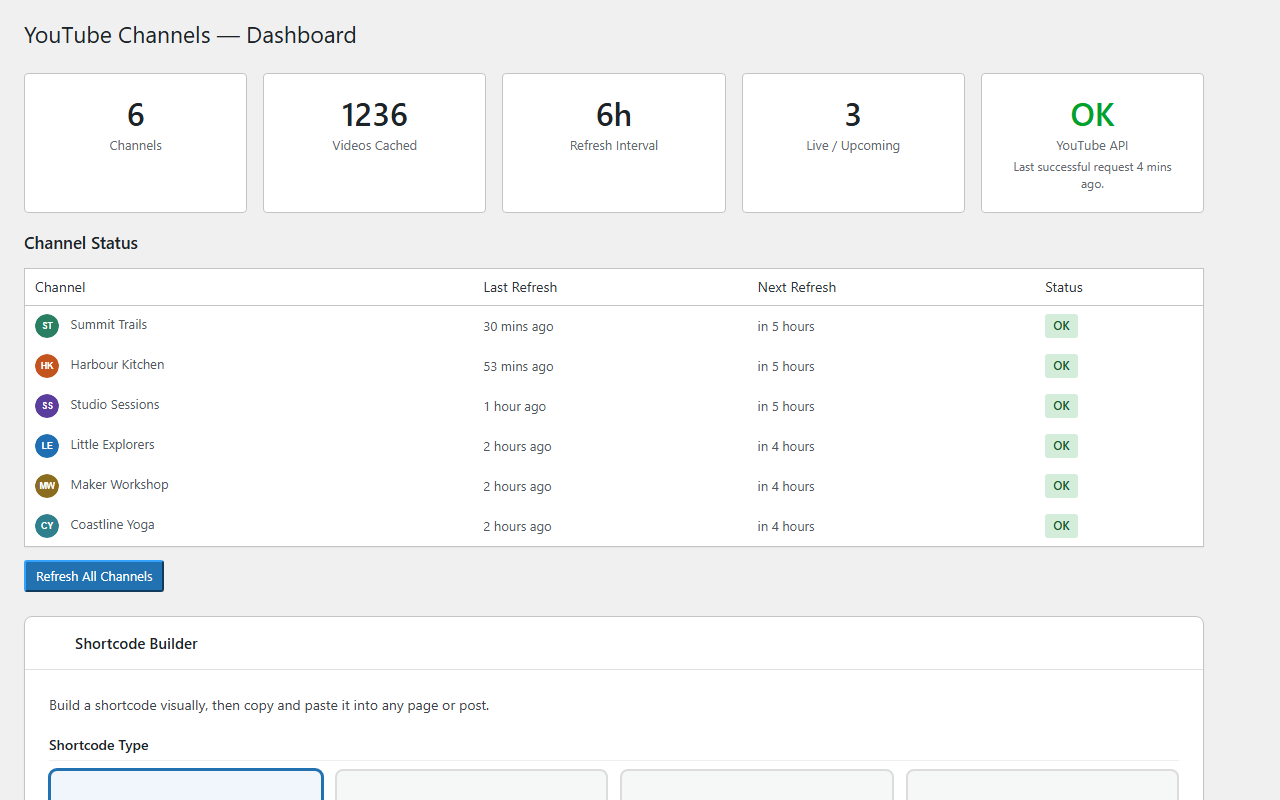
Dashboard with connection health, channel status and the Shortcode Builder
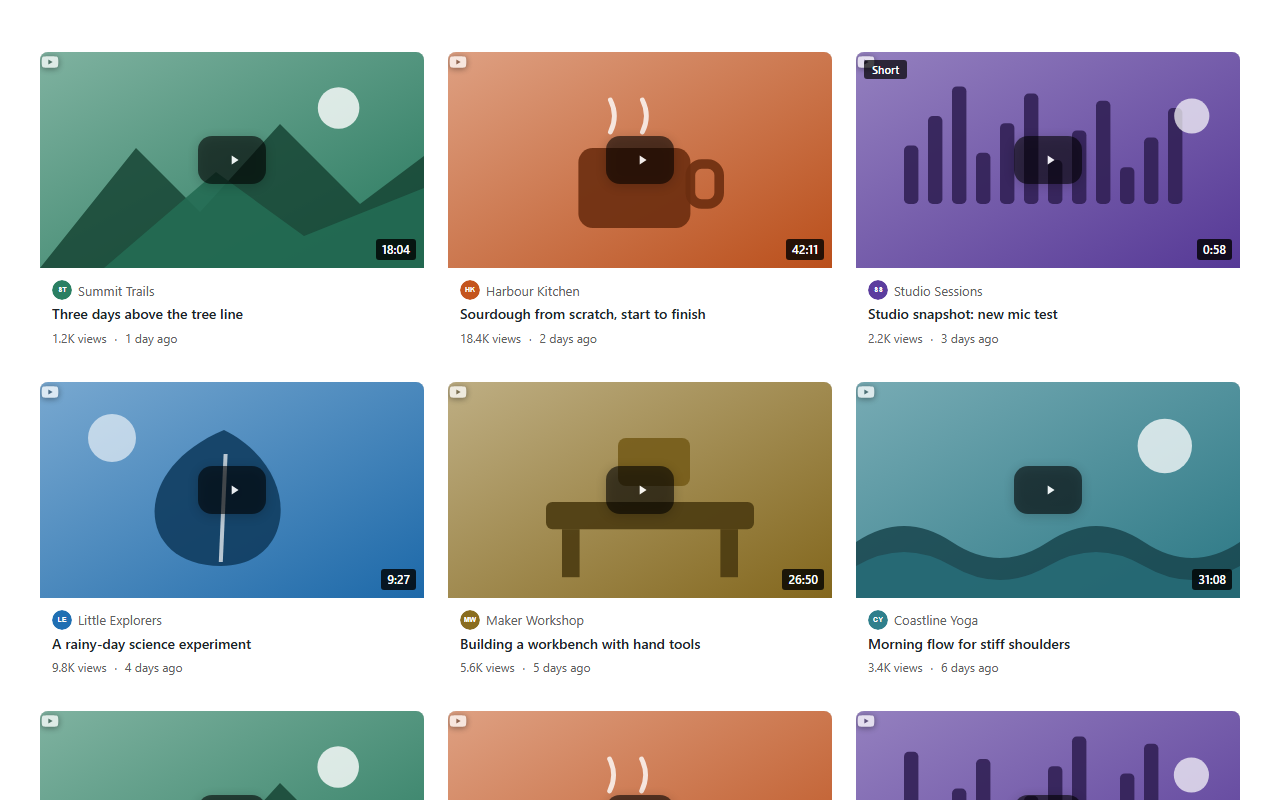
Grid layout with lazy-loaded thumbnails and Load More
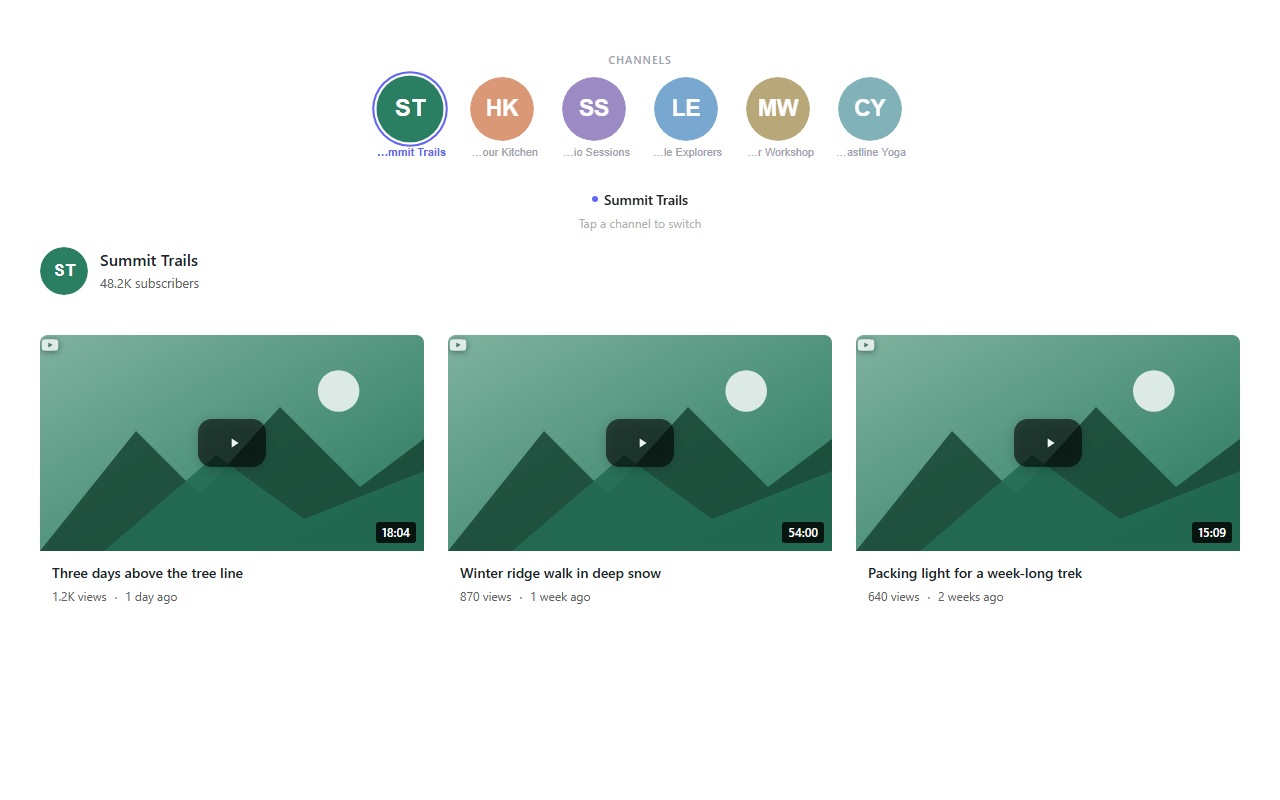
Tabs layout with the avatar strip navigation
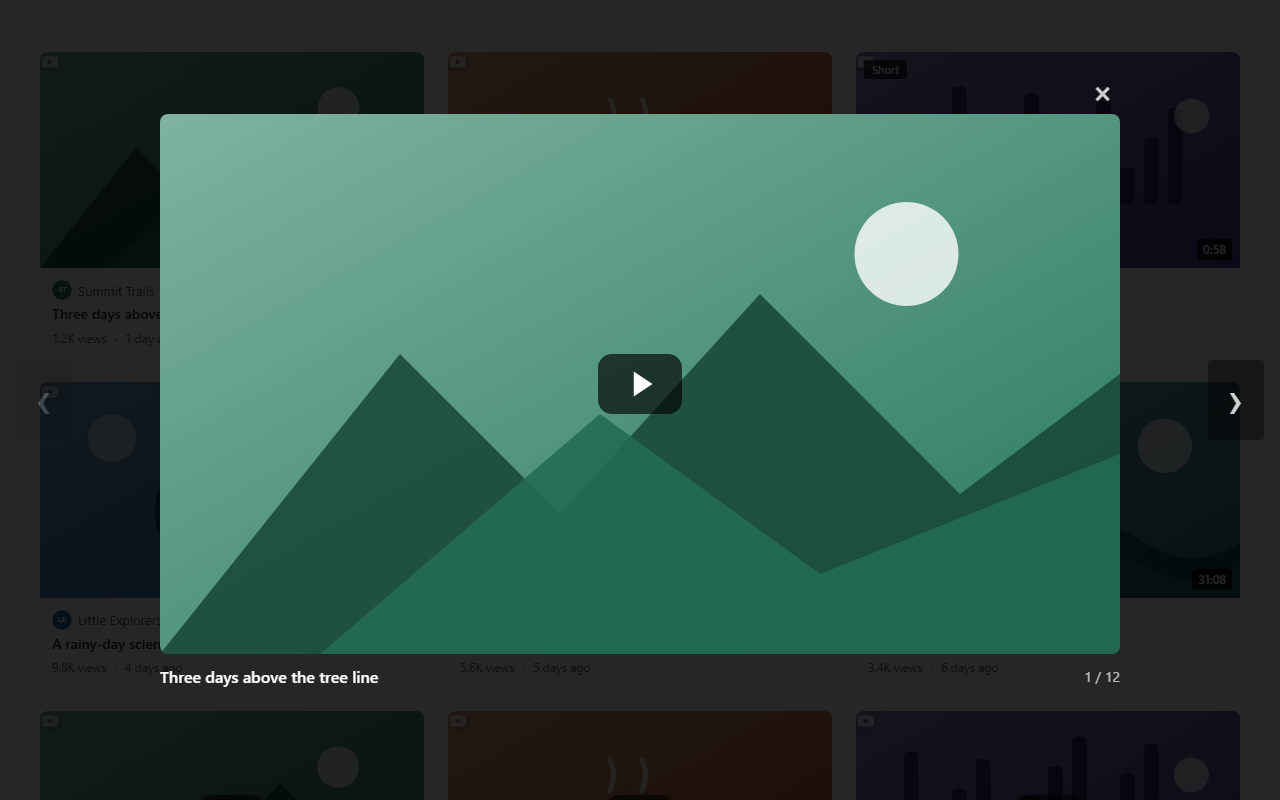
Lightbox player with previous/next navigation
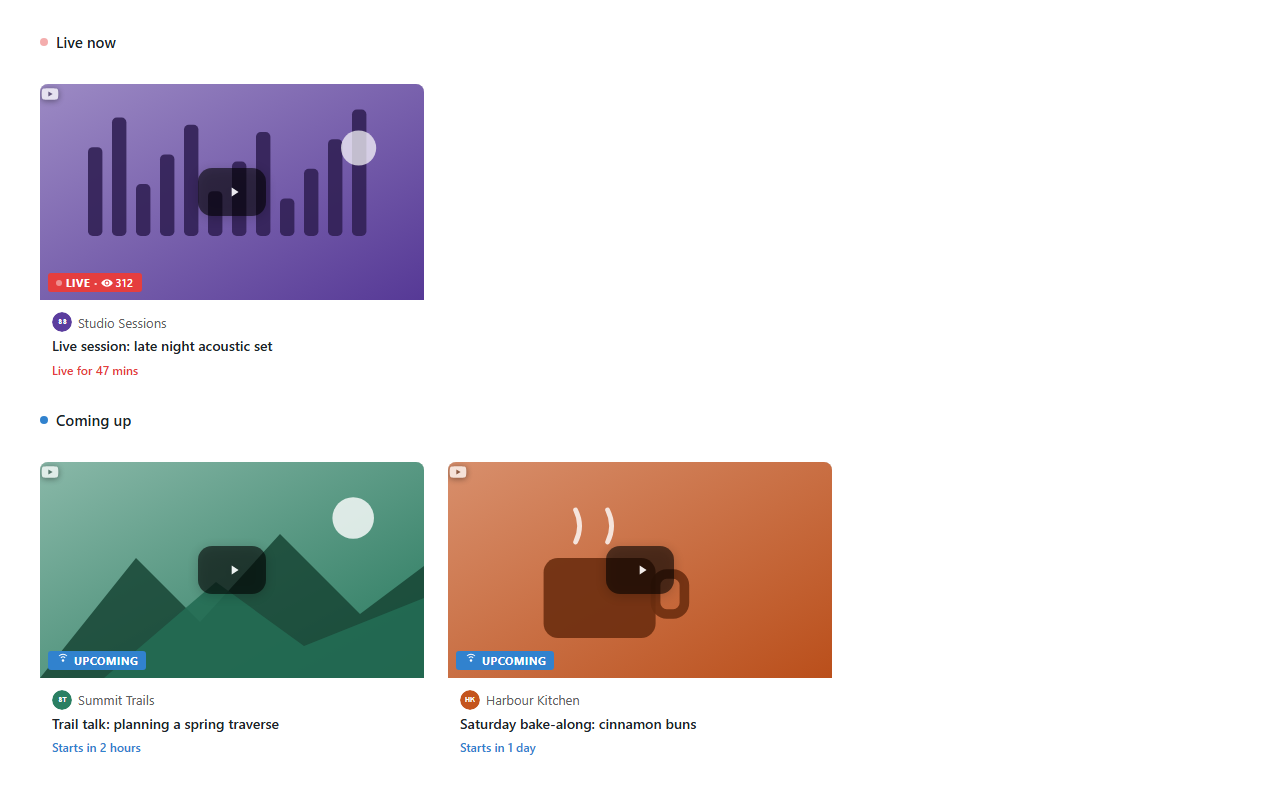
Live and upcoming streams with badges and countdown
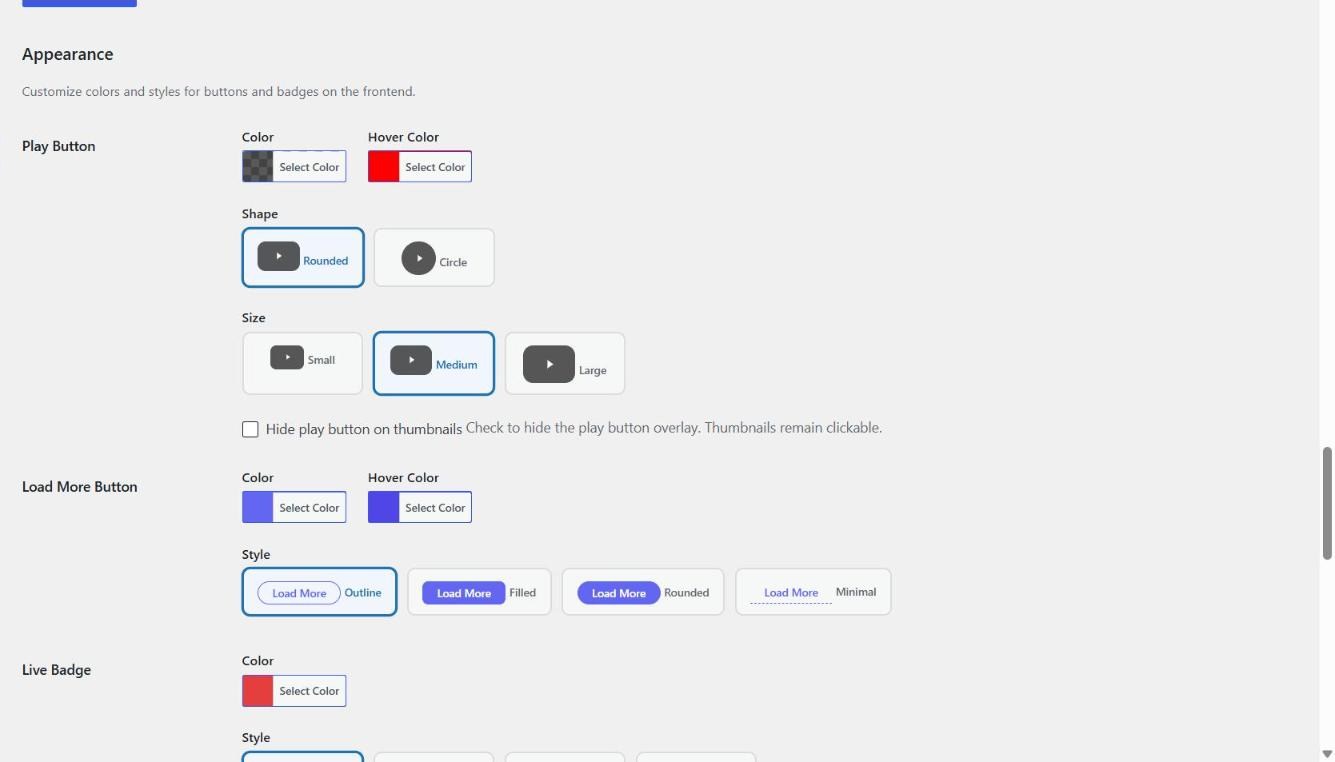
Settings: appearance options with colour pickers and style previews