
SDAweb Social Galleri Feed connects to the Instagram Graph API and displays your posts in a customizable grid gallery with lightbox. Supports multiple Instagram accounts — connect up to 20 accounts and display different feeds on different pages. Built for speed — feeds load instantly on cached pages with zero network requests.
Features
Multi-Account Support
* Connect up to 20 Instagram accounts, each with its own token and cache
* Per-account test connection, cache management, and failure tracking
* Display different accounts on different pages with the account shortcode attribute
* Visual Shortcode Builder shows which account you’re building for
Layout & Design
* Multiple layouts — Grid, masonry, and highlight modes
* Responsive columns — Separate settings for desktop, laptop, tablet, and mobile
* Profile header — Avatar, username, follower count, bio, and follow button
* Hover effects — Overlay on image hover with gradient
* Color pickers — Customize likes icon, comments icon, and date text colors
Instagram Stories
* Story ring — Gradient ring on avatar when Stories are active (like Instagram)
* Fullscreen Story viewer — Auto-advance, tap navigation, progress bars, keyboard support
* Video Stories play automatically (muted by default)
* Per-account Stories refresh every 15 minutes via WP-Cron
* Toggle on/off globally or per shortcode
Lightbox
* Fullscreen lightbox — Carousel navigation with keyboard and swipe support
* Swipe-up-to-close — Mobile-native gesture
* Engagement stats — Likes, comments, media type badge, and relative date
Content & Filtering
* Multiple feeds — Use feed_id attribute for independent feeds on different pages
* Hashtag filtering — Include or exclude posts by hashtag
* Media type filter — Filter by image, video, or carousel
* Load more — Paginated loading with customizable button
Performance
* Instant loading — The first screens are built into the page, zero network requests on cache hit
* REST API endpoint with legacy AJAX fallback
* Stale-while-revalidate — Expired cache served instantly while refreshing
* Per-account WP-Cron background refresh — All caches stay warm automatically
* Lean pages — Only the posts a page can show are built into it; Load more fetches the rest on demand
* Lazy loading and incremental grid rendering
* Local picture cache — Pictures are copied to your uploads folder in three sizes during the background refresh and served from your site with a srcset; a phone loads a 320 px copy instead of Instagram’s 2 MB original, visitors’ browsers never connect to Meta for pictures, and the gallery survives Instagram’s expiring picture links. Can be switched off.
* Per-IP rate limiting
Localization
* All 30+ frontend strings configurable in admin (translated defaults, override any of them)
* Relative timestamps and month names customizable
Security
* Bearer token authentication — API token sent via Authorization header
* AES-256-CBC token encryption at rest with random IV per encryption
* CSRF protection — check_admin_referer() on all admin actions
* XSS prevention — gallery built with DOM methods, all output escaped
* Clean uninstall — Removes all options, transients, and cron jobs per account
Accessibility
* Full keyboard navigation in lightbox and gallery
* ARIA labels and screen reader support
* Respects prefers-reduced-motion
Shortcode
[sdawsoga_gallery]
Shortcode Attributes
account— Account slug from Accounts tab (default: default account)feed_id— Gallery name for CSS targetinglimit— Number of posts to display (default: 9)columns— Number of columns (default: 3)layout— grid, masonry, or highlightaspect_ratio— square, portrait, instagram, or originalpadding— Gap between images in pixelsshow_header— Show/hide profile header (true/false)show_loadmore— Show/hide load more button (true/false)hover_effect— Enable/disable hover overlay (true/false)filter_type— all, image, video, or carouselhashtag— Only show posts containing this hashtagexclude_hashtags— Comma-separated hashtags to excludeshow_stories— Show/hide Instagram Stories ring (true/false)
Requirements
- A Facebook Page connected to an Instagram Business or Creator account
- A valid Facebook Page Access Token with the
instagram_basic,pages_show_list,pages_read_engagement, andinstagram_manage_insightspermissions (all four are required for the feed) - PHP 7.4+ and WordPress 5.8+
Third-Party Services
This plugin connects to the Instagram Graph API (via Facebook) to retrieve your Instagram posts, profile information, and engagement metrics.
- Service: Instagram Graph API / Facebook Graph API
- Website: https://developers.facebook.com/
- Terms of Use: https://developers.facebook.com/terms/
- Privacy Policy: https://www.facebook.com/privacy/policy/
When data is sent: When the plugin refreshes the feed cache — by the WP-Cron background refresh, by “Refresh now” or a settings change in the admin panel, or when a visitor opens a gallery page while the cache is empty. With default settings, this happens approximately once per hour.
What data is sent: Your Facebook Page Access Token and Instagram Business Account ID are sent to Facebook’s servers to authenticate and retrieve your posts. No visitor information is included in these requests.
Pictures: with the default setting “Serve pictures from this site” (Behavior tab), the plugin copies the pictures of your posts to your site’s uploads folder during its background refresh, and visitors’ browsers load them from your site. Until a picture has been copied, and whenever the setting is off, pictures are loaded by the visitor’s browser directly from Instagram’s media servers (cdninstagram.com and fbcdn.net, operated by Meta), as with any embedded Instagram content; Meta then receives the visitor’s IP address and browser details for those requests, under the privacy policy linked above. Videos are always played from Instagram’s servers when a visitor starts them, and Stories, if enabled, are loaded from Instagram’s servers. When a visitor opens a gallery page while the cache is empty, the plugin stores a one-way hash of the visitor’s IP address for five minutes to limit how often Instagram is contacted. The plugin sets no cookies. A suggested privacy-policy text is provided under Settings Privacy Policy Guide.
Screenshots

Grid gallery on frontend

Lightbox with engagement stats
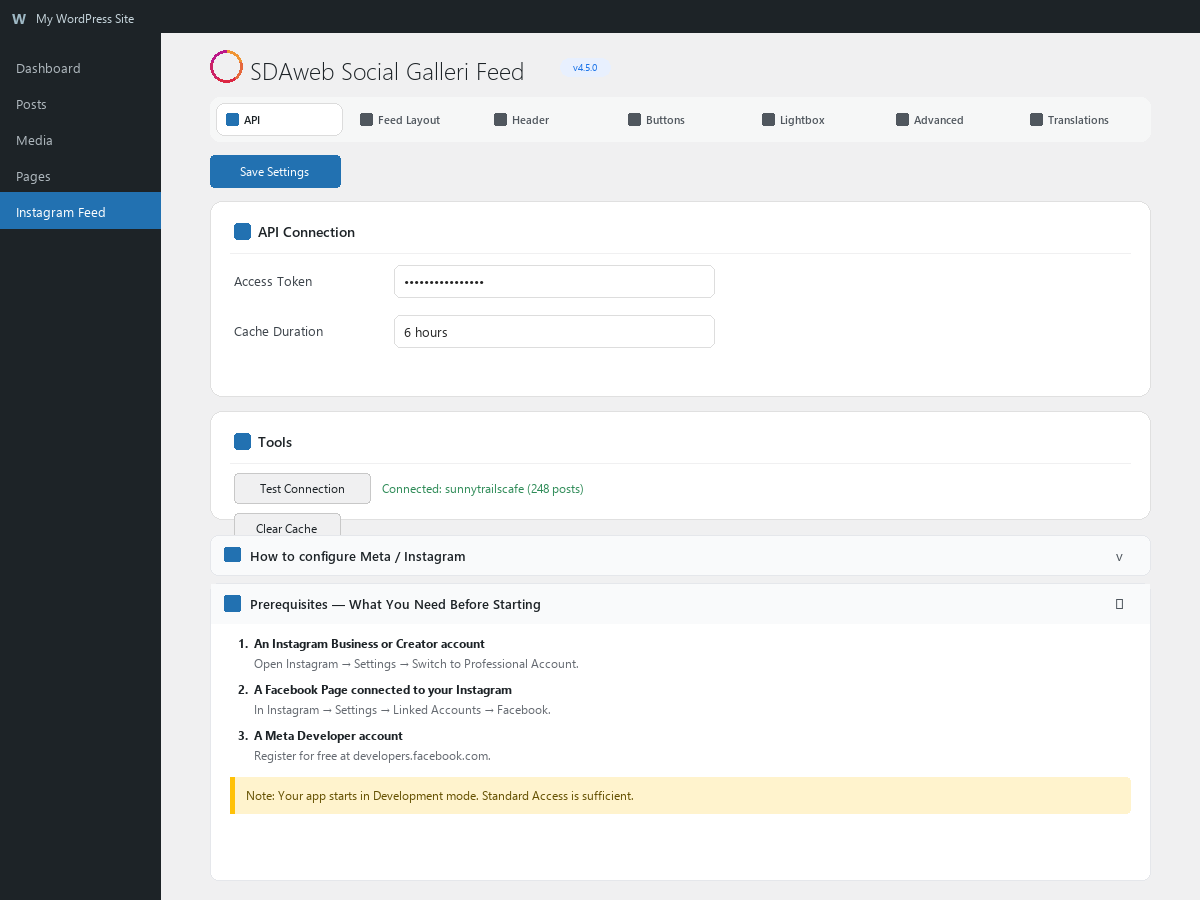
Admin settings — Accounts tab with multi-account management

Admin settings — Shortcode Builder with account selector

Mobile lightbox view