Search by GOGO GET lets visitors ask in plain language and see live results as they type. Published pages, posts, and WooCommerce products are included. In WP Admin you can see what people search, which queries return nothing, and how often they click a result.
Live results
Results update as the visitor types, with richer cards, a category filter, and share links. Place search as a site-wide side tab or inside a page.
AI-powered search
GOGO builds keywords and descriptions when the site is scanned. Where AI mode is enabled on your plan, visitors can ask a question in plain language inside the search box.
WooCommerce products
When WooCommerce is active, published products are indexed with the rest of the site and can show an image and price in results.
Two ways to add search
* Floating search — a site-wide side tab visitors can open from any page
* In-content — shortcode [gogo_search type="bar"] / [gogo_search type="icon"] or the GOGO Search Gutenberg block
Pages and Category Manager
Review indexed pages (keywords, boost, active state), upload page previews, and organize hierarchical categories — all for this site, in WP Admin.
Search Metrics
See what visitors search, zero-result queries, and (on supported plans) product metrics — without leaving WordPress.
Connect with GOGO
Sign in with email or Google to link this WordPress site to your GOGO organization. Day-to-day search setup stays in WP Admin. Billing and multi-site management stay in the GOGO portal when needed.
Learn more: https://gogoget.ai
Screenshots

Overview dashboard — scan status, active configuration, floating or in-content placement, and recent search activity for this site.

Pages — review indexed pages, edit keywords and categories, set boost, and control which pages stay active in search.
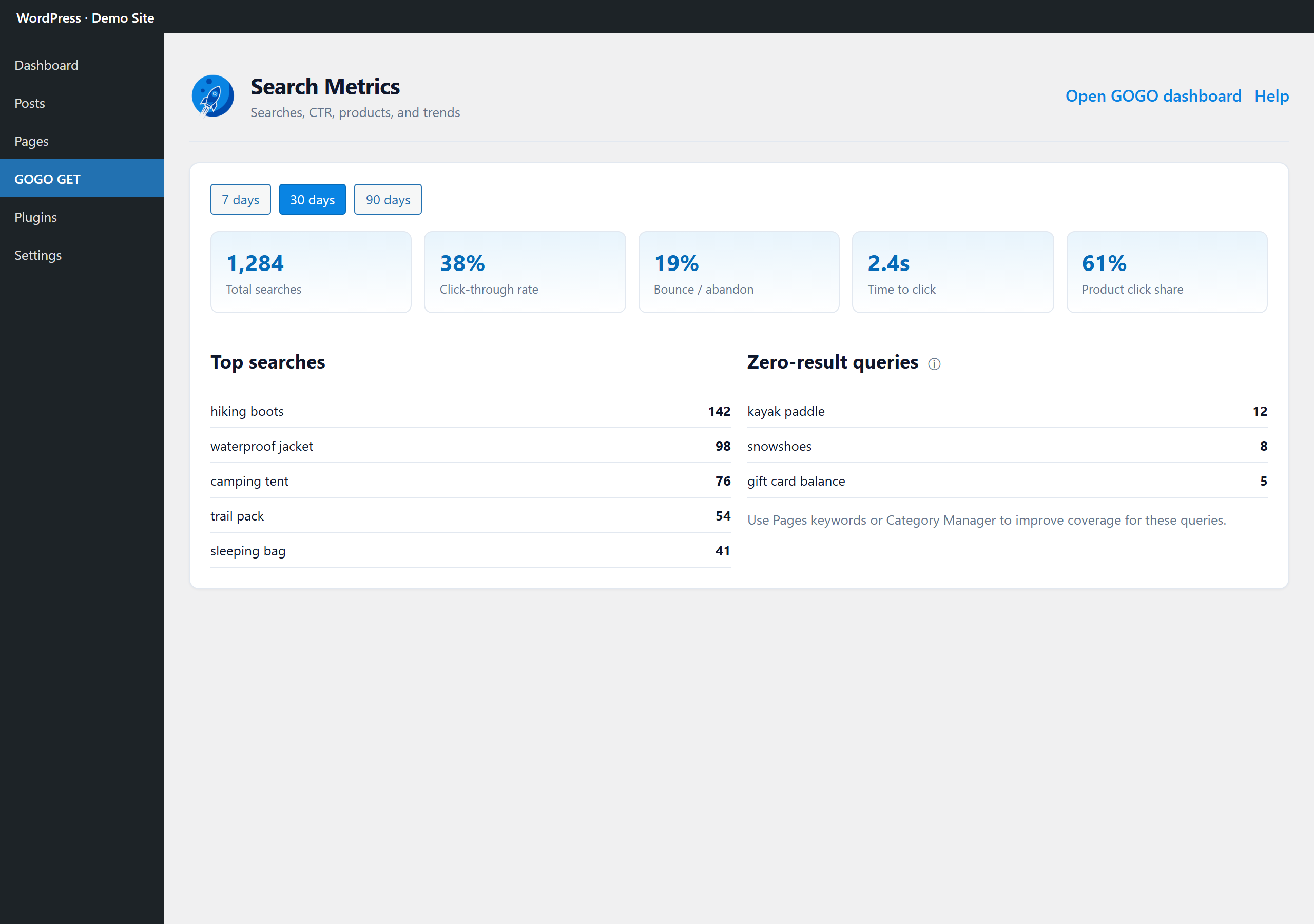
Search Metrics — total searches, click-through rate, abandonment, and zero-result queries without leaving WP Admin.

Floating search on your live site — visitors open the side tab to find products and pages instantly (AI mode where enabled on your plan).