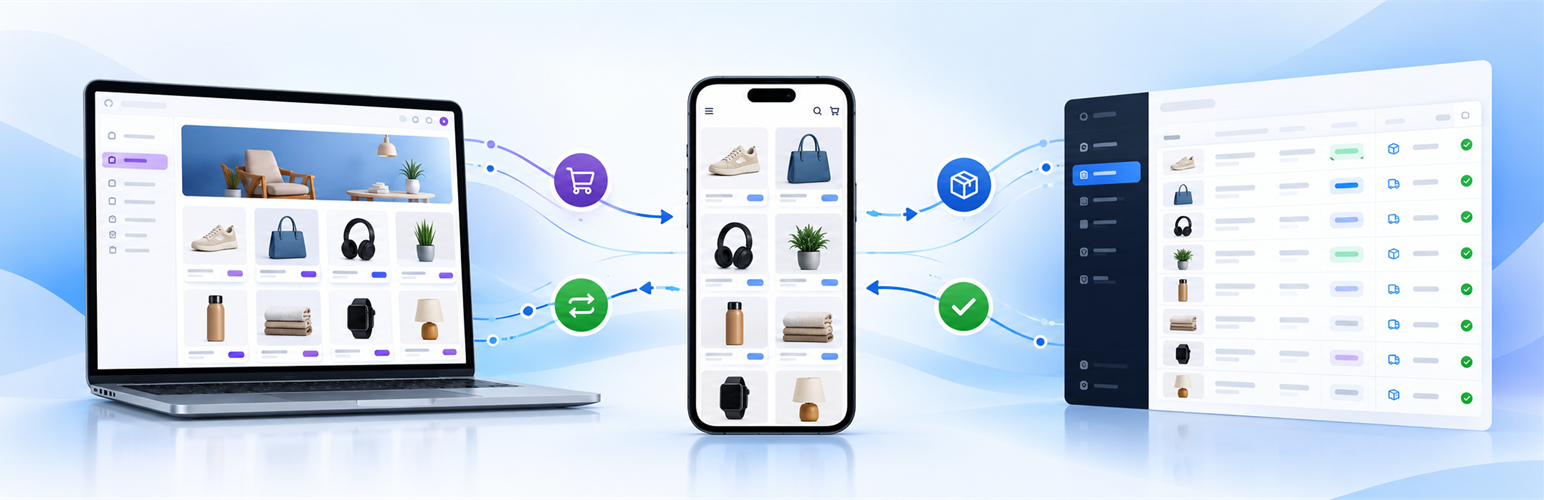
Turn your WooCommerce store into an additional mobile sales channel without rebuilding your catalogue.
SellViaApp publishes your WooCommerce catalogue in a mobile shopping experience for iOS and Android. Customers can browse categories and products, view images, prices and stock, add items to their cart, apply available SellViaApp promotion codes, choose delivery or pickup, and place an order from their phone.
Confirmed mobile orders can then be imported into WooCommerce, where your team can process them with the tools it already uses. Products, customers and orders stay connected through stable identifiers and duplicate protection.
One catalogue, an additional way to sell
You keep managing the source catalogue in WooCommerce. SellViaApp adds the mobile experience around it:
- Publish categories, subcategories, products and variations in the mobile app.
- Synchronize descriptions, up to five product images, regular prices, sale prices and sale dates.
- Keep taxes, stock, visibility, SKUs, attributes and barcodes aligned.
- Let customers browse, add to cart and order from a mobile interface.
- Offer delivery to an address, pickup, or several pickup locations according to the SellViaApp shop settings.
- Offer the payment methods configured for the mobile shop.
- Import SellViaApp orders manually or automatically into WooCommerce.
- Prevent duplicate order creation with acknowledgements and unique identifiers.
SellViaApp promotion codes are created and managed in the SellViaApp Dashboard. This plugin synchronizes WooCommerce sale prices and sale dates; it does not synchronize WooCommerce coupon definitions.
A complete mobile customer journey
- A customer opens the SellViaApp mobile experience.
- They browse the WooCommerce catalogue synchronized by the plugin.
- They add products to the cart and can apply an available SellViaApp promotion code.
- They choose the available delivery, pickup and payment options.
- They confirm the mobile order.
- The order is imported into WooCommerce with its customer, lines, quantities, totals, delivery information and status.
Built for different commercial models
Depending on the SellViaApp configuration, the mobile catalogue can be available in the shared SellViaApp app or in a dedicated branded app. It can be public for broad mobile commerce or confidential and limited to authorized customer accounts for B2B, internal purchasing or restricted catalogues.
Manage the mobile channel clearly
The SellViaApp Dashboard gives the merchant a clear view of products, categories, customers, orders and mobile shop settings. The business can configure its identity, delivery and pickup options, payment methods and other mobile experience settings without changing the WooCommerce storefront.
Reliable synchronization
- Manual first synchronization processed in small batches.
- Automatic catalogue, price, sale price and stock updates.
- Manual or automatic SellViaApp order imports.
- Order acknowledgements and unique identifiers that prevent duplicates.
- HMAC-signed webhook notifications.
- Local technical logs that never contain access credentials.
- WooCommerce HPOS compatibility.
- Initial and automatic customer account synchronization without email delivery.
The plugin does not include analytics, advertising, user tracking, profiling, or telemetry. It communicates only with the SellViaApp service to provide the synchronization features described below. No catalogue or customer data is sent merely by activating the plugin. The first synchronization is started manually by a WooCommerce administrator after the store has been connected.
External services
This plugin connects to the SellViaApp API at https://api.sellviaapp.com/. This service is required to connect the WooCommerce store to the merchant’s SellViaApp mobile commerce app, synchronize store data, and import orders placed through SellViaApp.
When a WooCommerce administrator saves SellViaApp credentials or tests the connection, the plugin sends the SellViaApp API key and supplier integration token in HTTPS request headers. The credentials identify and authorize the merchant’s SellViaApp account. They are encrypted before being stored in the WordPress database and are never included in technical logs.
When the administrator starts a synchronization, or later enables automatic synchronization, the plugin can send:
- Store information required to register the signed webhook endpoint, including the WordPress REST endpoint URL.
- Category and subcategory identifiers, names, parent relationships, display order, active state, and HTTPS image URLs.
- Product and variation identifiers, parent relationships, type, SKU, name, description, prices, promotion dates, tax rate, stock, category relationships, HTTPS image URLs, attributes, barcode, publication status, catalogue visibility, and display order.
- WooCommerce customer account identifiers, username, email address, first and last name, display name, company, phone number, VAT number, account type, language, billing and shipping addresses, roles, registration date, order count, and total spent. Customer data is sent only as part of the merchant-requested catalogue/customer synchronization or an enabled automatic update. SellViaApp is instructed not to send an invitation email for these synchronized records.
When order import is started manually or enabled automatically, the plugin requests SellViaApp orders assigned to the connected merchant account. Order identifiers, customer and delivery details, product lines, quantities, prices, taxes, delivery method, totals, notes, and status can be received and used to create the corresponding WooCommerce order. The plugin then sends the SellViaApp order identifier, WooCommerce order identifier, import status, and any import error needed for acknowledgement and duplicate prevention.
The plugin can also send a signed-webhook registration request and request API health or synchronization-log information when an administrator explicitly uses the related connection or diagnostic actions. Incoming webhook requests contain an event identifier, timestamp, signature, and event body; their HMAC signature is verified before an order import can be queued.
SellViaApp service information: https://sellviaapp.com/plugin-woocommerce-app-mobile
SellViaApp terms of use: https://sellviaapp.com/terms-of-use
SellViaApp privacy policy: https://sellviaapp.com/privacy-policy
Screenshots
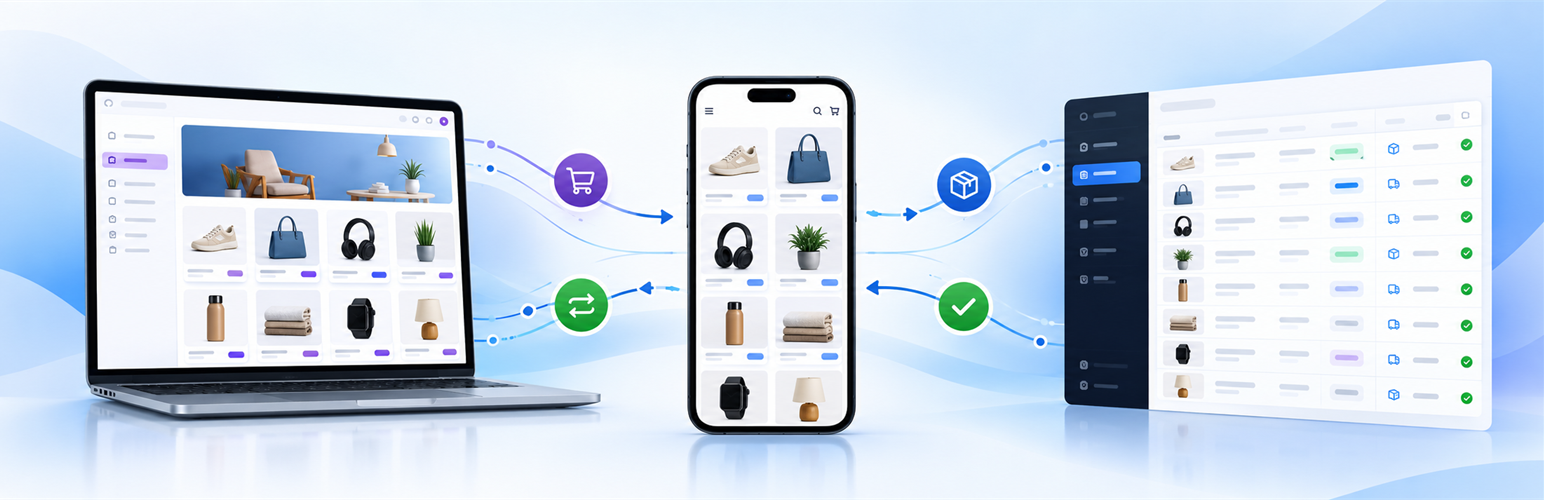
Add a mobile sales channel: publish the WooCommerce catalogue in a mobile experience and bring confirmed orders back into the business workflow.
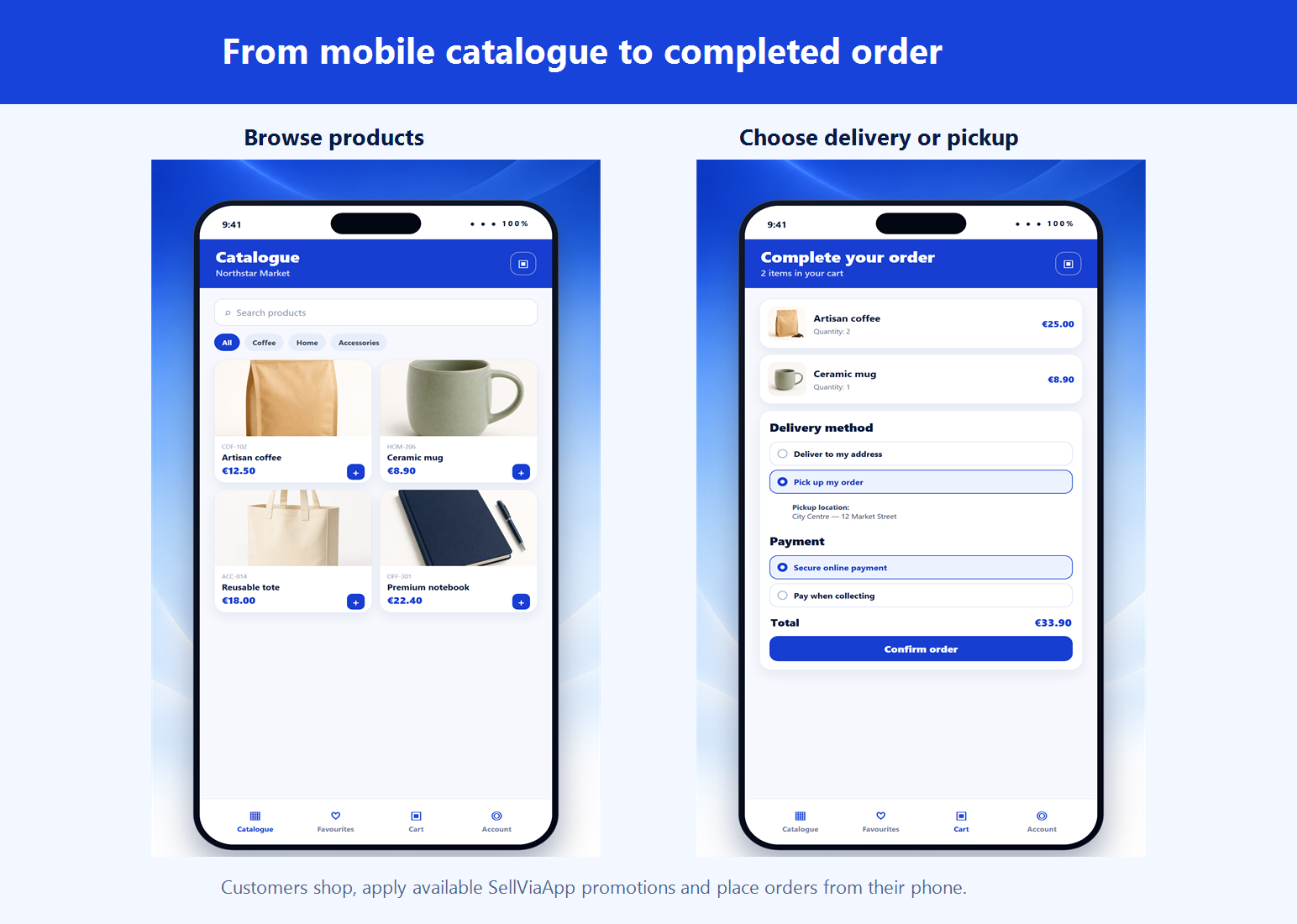
Customers can browse products, use available SellViaApp promotions, choose delivery or pickup, select an available payment method and place their order from a phone.
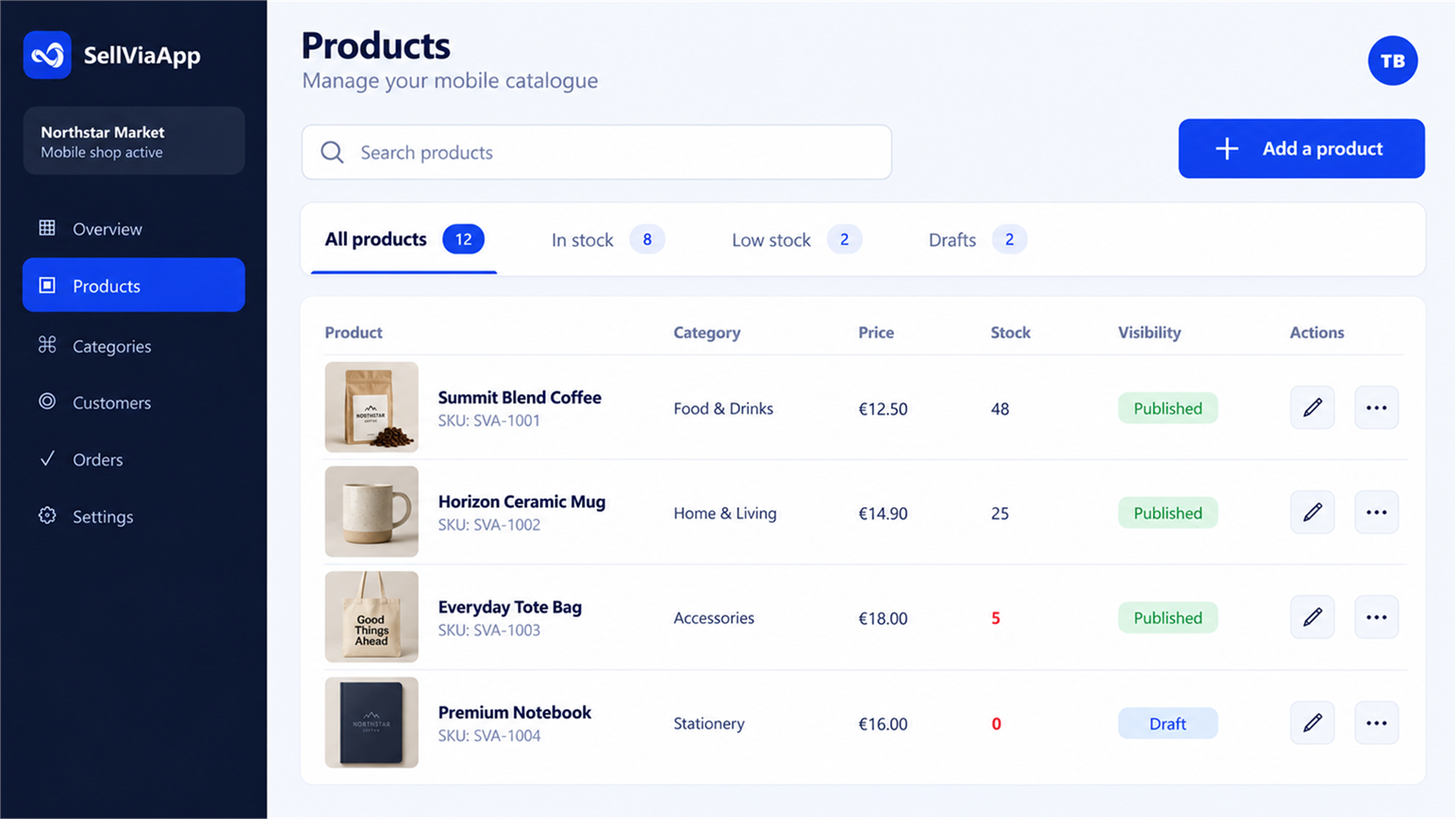
Review products, prices, stock and publication status from the clear SellViaApp Dashboard.
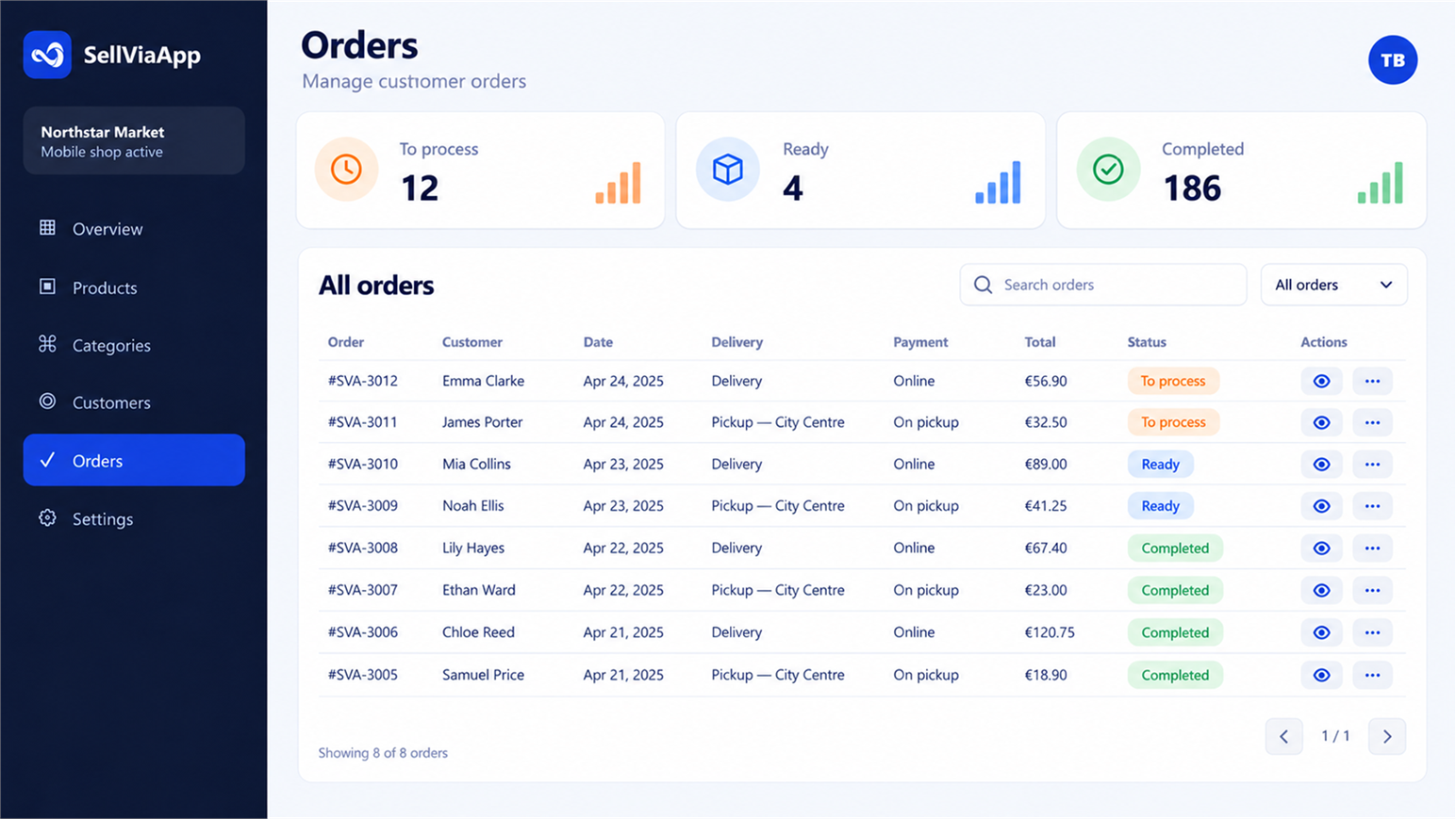
Follow mobile orders, delivery or pickup choices, payments and processing status from one order view.
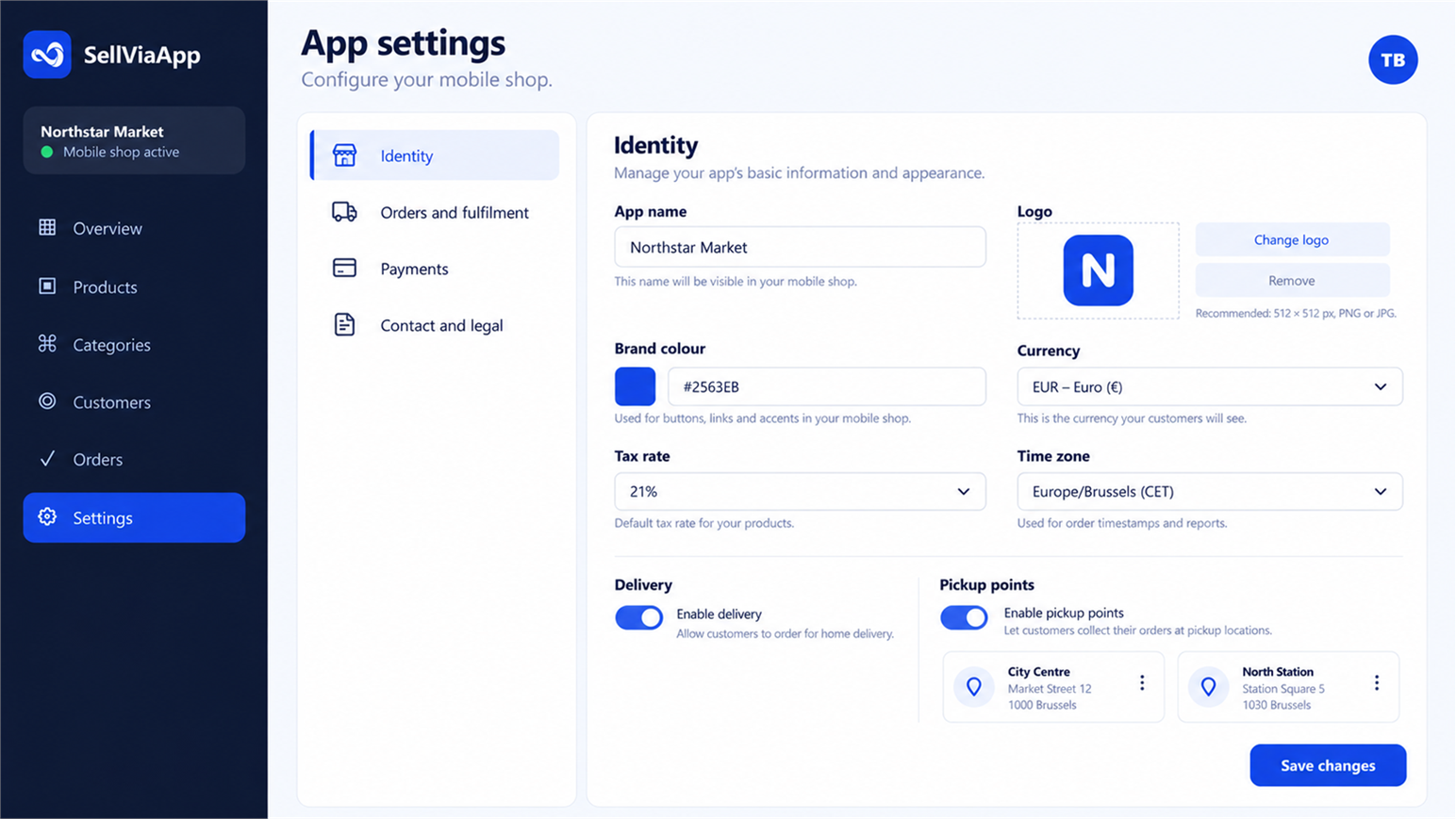
Configure the mobile shop identity, delivery, pickup points, payments and other customer experience settings.