
SendPaw Mail makes WordPress email actually arrive. It replaces WordPress’s default
mail sending (wp_mail()) with delivery through SendPaw, so your transactional email —
order confirmations, user registrations, password resets, contact-form notifications —
reaches the inbox instead of the spam folder.
You can send using either of two independent methods, whichever suits your host:
- HTTP API — a Bearer token calls SendPaw’s REST endpoint directly. Fastest, and less
likely to be blocked by hosting firewalls. - SMTP — a real username and password over the standard SMTP protocol.
The HTTP API and SMTP are two different protocols with their own separate credentials —
pick either one as your primary sending method, with optional automatic fallback from
API to SMTP if the API call fails.
Features:
- Two independent sending methods: HTTP API (Bearer token) or SMTP (username + password).
- SMTP credentials work like any standard SMTP server — they aren’t tied to the API key,
so the SMTP settings also work with SMTP providers other than SendPaw. - Optional automatic fallback to SMTP if the API call fails.
- Every send is capped at 10 seconds total (across the API attempt and the
SMTP fallback combined), so a slow or unreachable mail server can only add
a few seconds to the page that triggered the email, never minutes — this
is what prevents 504 Gateway Timeout errors on checkout, registration,
contact forms, etc. - Automatically overrides the “From” address for all WordPress emails.
- Send a test email directly from the settings page.
- Built-in Mail Log recording every email the plugin sends — recipient, subject, date,
which plugin or theme triggered it, the transport used, and the error when a send
fails. Filterable by status and searchable by recipient, subject, or sender. - The log stores delivery metadata only, never message content, so password-reset links
and order details are not copied into your database. Entries are purged automatically
after a configurable number of days (30 by default).
Note: SendPaw is a self-hosted service, so you’ll need to enter the hostname of your own
SendPaw instance (there is no single shared hostname for all users).
External services
This plugin connects to SendPaw, an external transactional email service, to deliver the
email your WordPress site sends. Sending mail through SendPaw is the entire purpose of the
plugin, so it cannot work without contacting that service. Nothing is sent until you have
entered your own credentials on the Settings > SendPaw Mail screen.
1. SendPaw email API (https://sendpaw.com/api/v1/email)
Used to deliver your WordPress email when the sending method is set to “HTTP API”. Every
time WordPress sends an email (order confirmation, user registration, password reset,
contact-form notification, or the test email you trigger from the settings screen), the
plugin makes one HTTPS request to this endpoint containing: your API key (as a Bearer
token), the sender name and address you configured, the recipient addresses, the subject,
the message body, and any attachments passed to wp_mail(). No data is sent when no email
is being sent.
2. SendPaw SMTP server (the host you enter under “SMTP host”)
Used to deliver your WordPress email when the sending method is set to “SMTP”, or as the
automatic fallback when an API send fails. The same message data listed above (sender,
recipients, subject, body, attachments) is transmitted over an authenticated, encrypted
SMTP connection using the SMTP username and password you entered. These SMTP settings are
provider-agnostic: if you point them at a non-SendPaw SMTP server, the mail goes to that
server instead and SendPaw is not contacted.
3. SendPaw account API (https://sendpaw.com/api/v1/account), optional
Only used if you click “Connect to SendPaw” or save a License Key. The connect flow opens
SendPaw in your browser to authorise this site (protected by a one-time state value plus
PKCE) and, on approval, receives a send-only API key that is saved in your settings. Your
site URL is sent as part of that request so the created key can be identified.
Once connected, the plugin sends your saved key to this endpoint to confirm it is still
valid and to read your account summary: the account email, remaining email credits, your
sending domains and their verification status, and your sandbox details (its address, daily
limit, usage, authorised recipients, and its send credential). That summary is cached for
five minutes and is what the settings screen displays. No message content is involved.
This is not used at all if you enter an API key manually and never connect.
4. SendPaw sandbox recipients API (https://sendpaw.com/api/v1/sandbox/recipients), optional
Only used when you click “Authorize” in the sandbox panel. Sends your site’s admin email
address to SendPaw so the sandbox is allowed to deliver to it.
Service provider: SendPaw (https://sendpaw.com).
Terms of Service: https://sendpaw.com/terms
Privacy Policy: https://sendpaw.com/privacy
Note: SendPaw can also be self-hosted. If you define the SENDPAW_API_HOST constant in
wp-config.php, or point the SMTP host at your own server, the requests described above go
to that instance instead of sendpaw.com, and that operator’s terms apply.
Screenshots
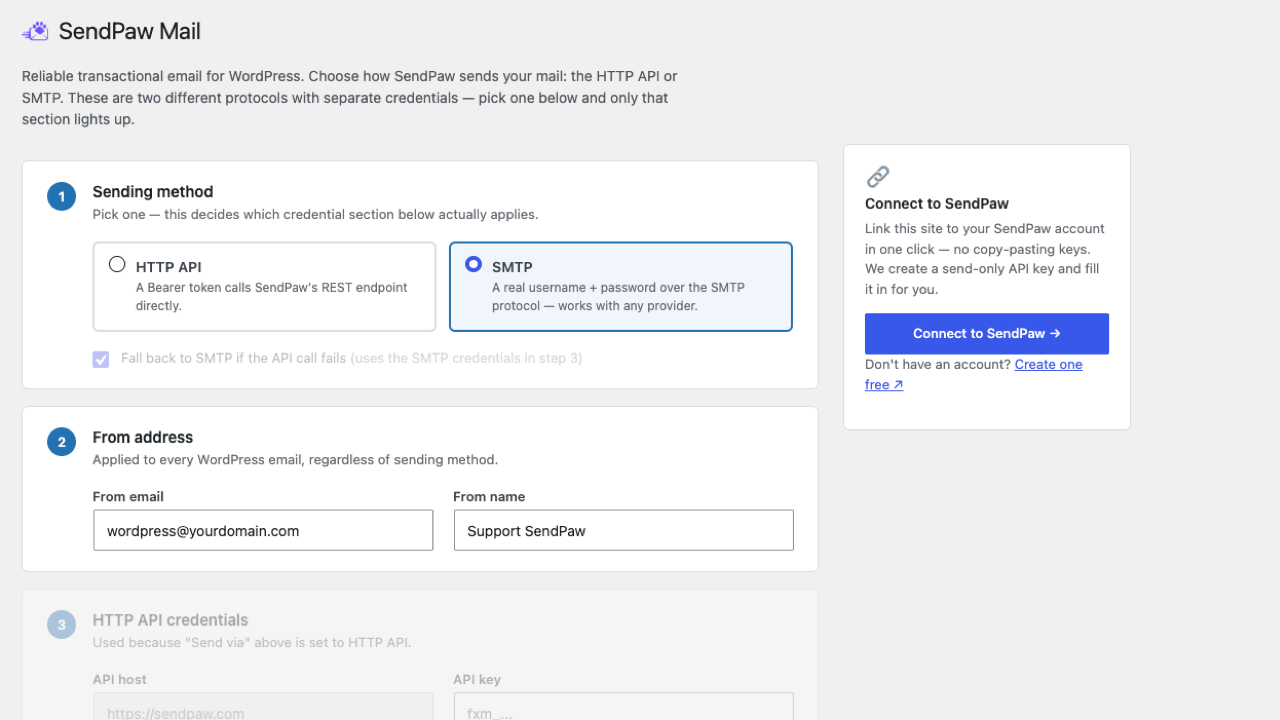
Settings page (placeholder — to be replaced with an actual screenshot).
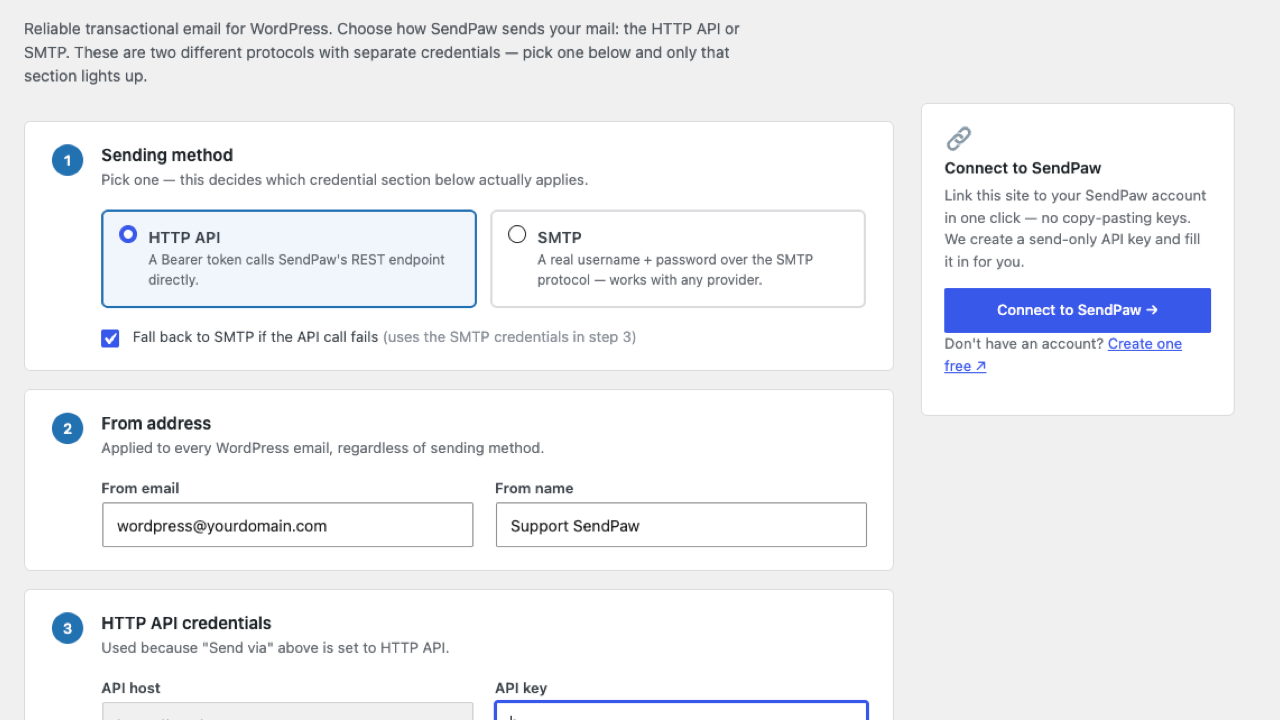
Connect flow (placeholder — to be replaced with an actual screenshot).