Tagline: WordPress Telegram
Senzastile AutoPost for Telegram sends newly published posts to a Telegram channel using the Bot API. Settings, previews, and diagnostics live under the top-level AutoPost Telegram menu in your WordPress admin.
Features
- Automatic sharing when a post is published (duplicate sends avoided with post meta).
- Top-level admin menu: AutoPost Telegram Settings (bot token, channel, HTML template, featured image option).
- Telegram
parse_modeHTML with dynamic fields escaped and markup filtered throughwp_kses(). - Card-based settings UI with hero, status, setup guide, and tools.
- Live template preview on the settings screen (sample data via AJAX).
- Optional dashboard widget with a connection snapshot.
- Manual share on the post editor for published posts.
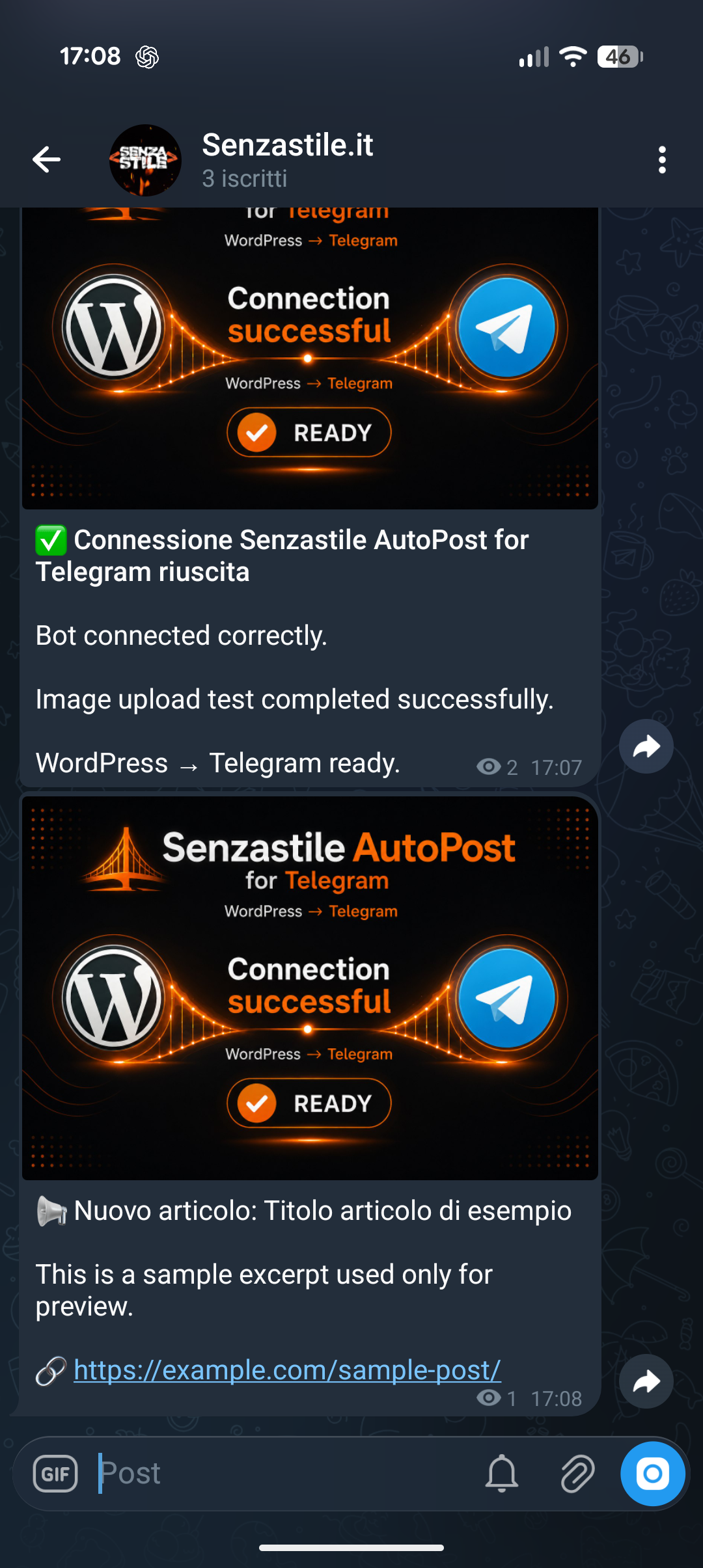
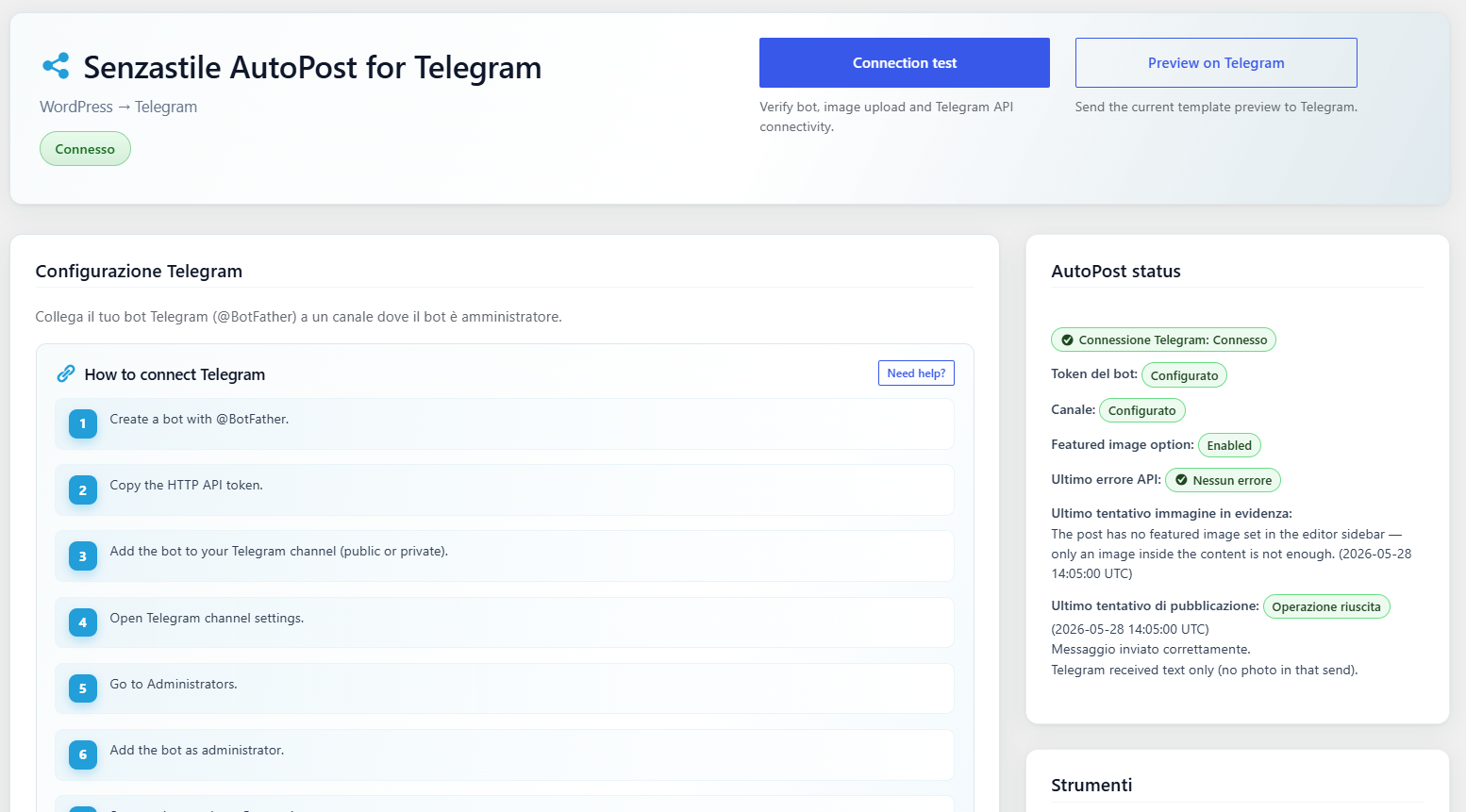
- AJAX connection test with branded test image and HTML status message.
- Masked bot token in settings (reveal on demand; tests use saved credentials).
- Last API/HTTP error surfaced for administrators (optional).
Placeholders: {title}, {excerpt}, {url}, {hashtags} (post tags as Telegram hashtags), {categories} (comma-separated category names), {site_name}. Legacy: {permalink} (same as {url}), {author}, {date}.
Allowed HTML in templates: b, strong, i, em, code, a (href).
External services
This plugin connects to the Telegram Bot API to publish WordPress posts to Telegram channels.
Service used:
Telegram Bot API
https://core.telegram.org/bots/api
Data sent:
– Telegram Bot Token
– Channel ID / Username
– Post title
– Post excerpt/content
– Featured image (optional)
Data is sent only when:
– a post is published
– manual connection tests are executed
– preview actions are used
Terms of Service:
https://telegram.org/tos
Privacy Policy:
https://telegram.org/privacy
Troubleshooting
- Nothing posted: Check token and channel, bot permissions in the channel, and that the post isn’t already marked as shared.
- HTML looks wrong: Stick to allowed tags; avoid raw HTML from untrusted sources in templates.
- Timeouts: Server firewalls or Telegram rate limits can block
wp_remote_post; check the last error message in settings. - Test connection fails after update: Delete
wp-content/plugins/senzastile-autopost-for-telegram(and any duplicate folder such assenzastile-autopost-for-telegram-1), then install a fresh copy of the plugin ZIP.
Translations
Translate at translate.wordpress.org when the project is available. A bundled it_IT pack may ship in /languages for reference.
Screenshots
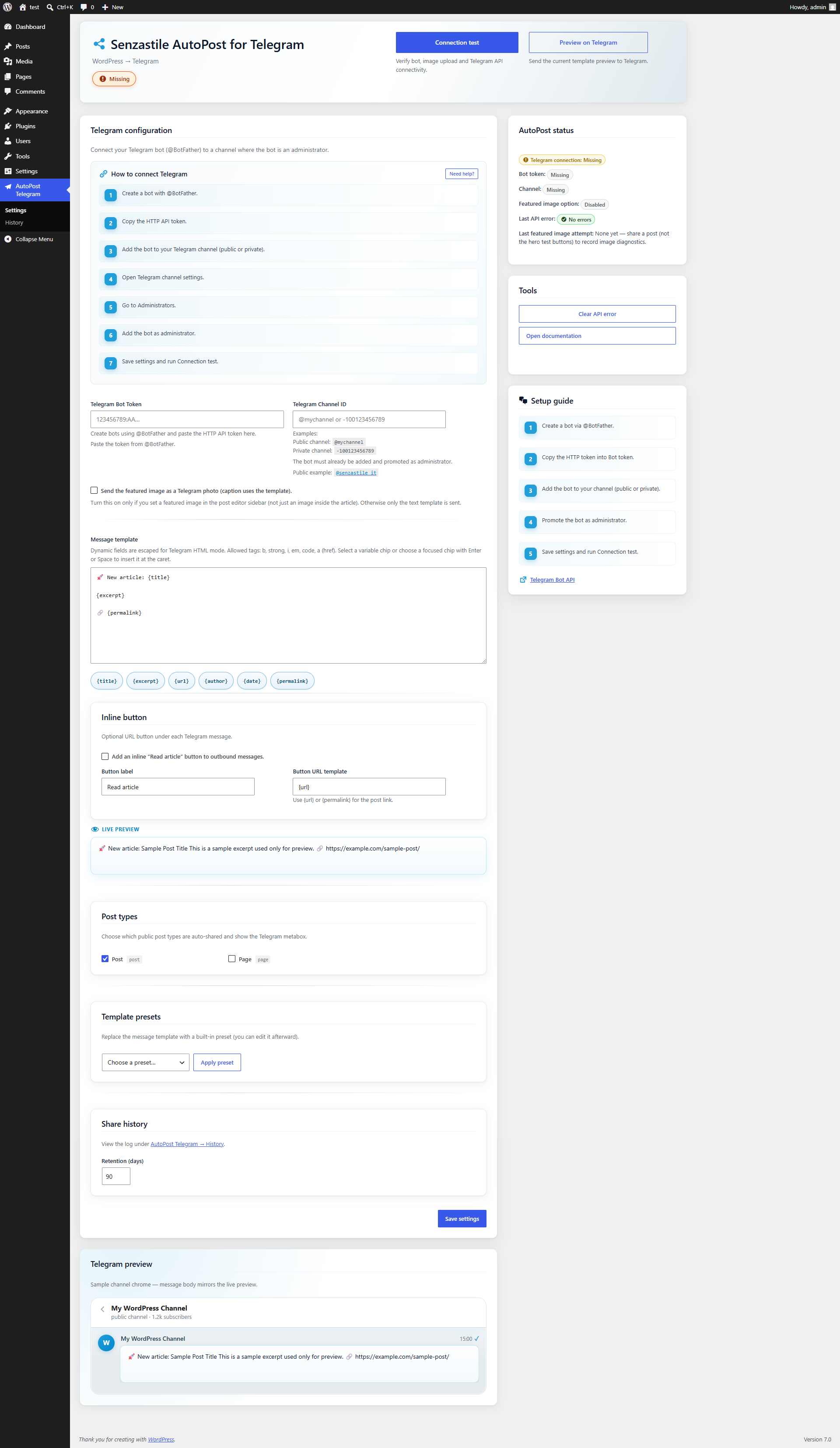
Senzastile AutoPost for Telegram onboarding and Telegram setup screen.
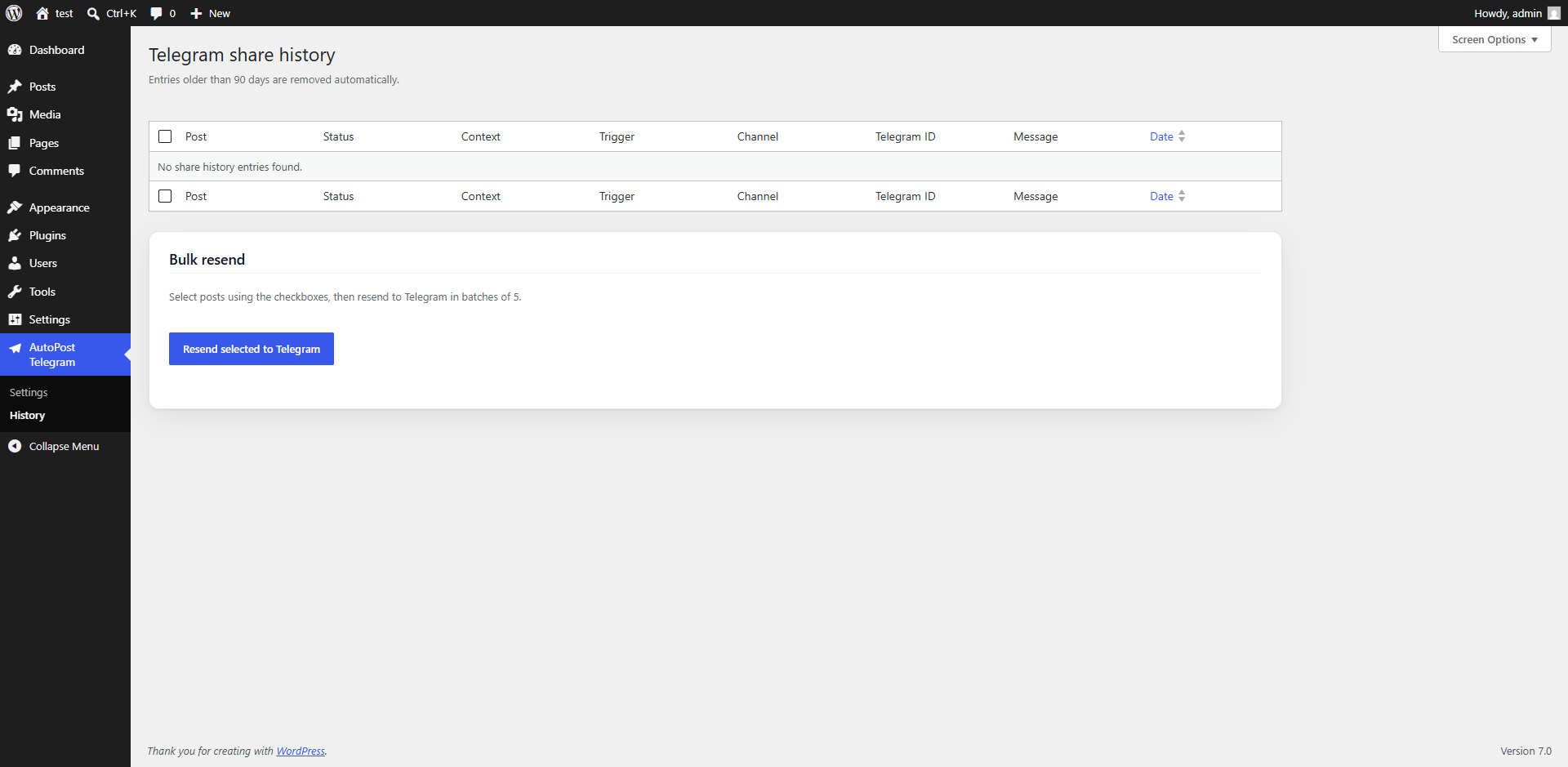
Connected AutoPost Telegram dashboard with Telegram integration enabled.
Telegram post automatically published from WordPress.
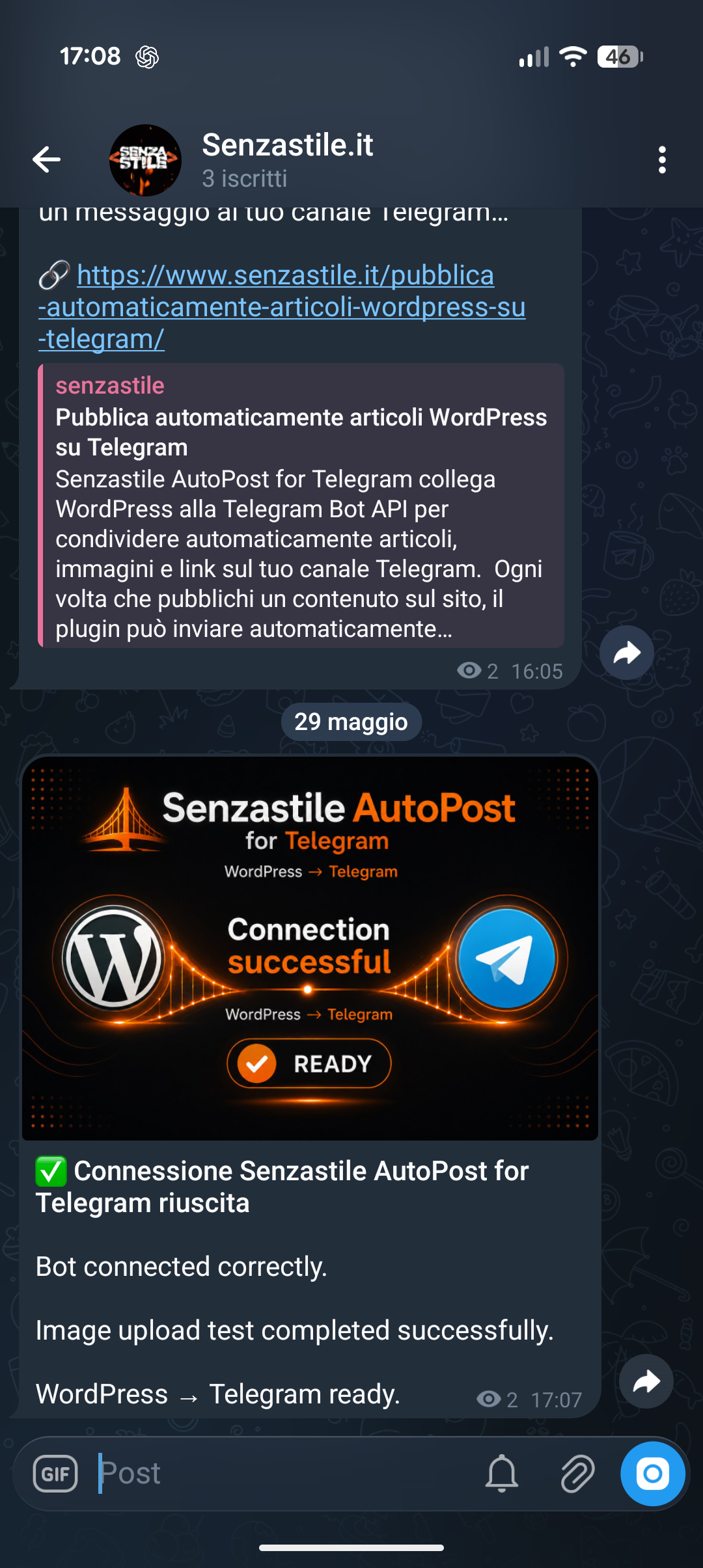
AutoPost Telegram connection test with image delivery verification.