
Every good post has two sides. Let your readers pick one.
Coffee or tea. Remote or office. Print or digital. A dilemma is the smallest possible piece of interactive content — one question, two options, one click — and it is remarkably good at turning a passive reader into a participant.
Seven Digits Dilemmas gives you exactly that. Write a question with two options, paste one shortcode into any post or page, and visitors vote with a single click. No account, no form, no page reload. The moment they choose, the two option cards animate into result bars showing live percentages and vote counts.
A dilemma gives people a reason to stop scrolling, a reason to come back (“who’s winning?”), and a reason to share. And every vote is first-party audience insight, stored in your own database — not somebody else’s.
How it works
- Create a dilemma. Go to Dilemmas Add New, type your question and two options, set a voting period (or leave the 30-day default), and publish.
- Drop in the shortcode. Each dilemma gets its own tag, ready to copy:
[sevendigits_dilemma id="1"] - Readers vote. The two options render as real, server-side HTML. A click sends one small REST request, and the cards animate into result bars — percentages, vote counts, and the total underneath.
- You watch the split. The Statistics dashboard shows KPIs, a votes-per-day chart, and a per-dilemma A/B breakdown you can export to CSV.
Behind the scenes, one vote per visitor is enforced twice: a first-party cookie on the client, and a unique database index on the server. Clearing the cookie does not buy a second vote.
One-click voting that just works
- Visitors vote with a single click; the result view animates in instantly.
- One vote per visitor, enforced by both a first-party cookie and a database-level unique index.
- Per-dilemma voting periods (default 30 days). When a period ends, voting closes automatically but results stay visible with a “closed” badge.
- Schedule a dilemma to open in the future with an explicit start date.
- Works for logged-out visitors — no registration required.
Make it look like your site
- Colours, typography, spacing, rectangle height, border radius, max width, and mobile stacking are all configurable from a tabbed Settings screen — no CSS needed.
- Nine result-reveal animations (fade, slide down, slide up, flip, fold, rotate, scale, reveal, or none) with adjustable duration, overridable per dilemma.
- Respects the visitor’s reduced-motion preference and falls back to instant transitions.
- Every tab can be restored to its defaults independently, so experimenting is safe.
- BEM-style class names (
sd-dilemma,sd-dilemma__option,sd-dilemma__results, …) for theme developers who want to go further in CSS.
Know what your audience thinks
- A Statistics dashboard with KPIs, date-range filters, and a top-10 dilemmas chart.
- Per-dilemma drilldowns: the A/B split, a votes-per-day chart, and the most recent votes.
- CSV export of both the overview and per-dilemma vote logs (UTF-8 with BOM, so accented characters open correctly in Excel).
- An append-only audit log of every privileged admin action — who did what, to which dilemma, and when — with configurable retention.
- Full lifecycle management: create, edit, clone, archive, restore, reset votes, delete.
Fast, private, and dependency-free
- Server-side rendering. The question and both options are real HTML, visible to search engines and no-JS visitors, with an optional Schema.org
QuestionJSON-LD block. - Cache-friendly. The pre-vote markup is identical for every visitor, so full-page caches serve a single version; per-visitor state hydrates via one lightweight REST call.
- No tracking. No raw IP addresses or user agents are ever stored — only salted hashes, used solely for fraud prevention and rate limiting.
- No dependencies. Vanilla JavaScript. No jQuery, no external CDN requests, no build step, no Composer.
- Translation-ready, with separate Hungarian and English front-end labels you can edit in Settings, plus locale-aware date formatting.
Privacy
The plugin sets a single first-party, strictly-necessary functional cookie (7d_dv) whose only purpose is to enforce the one-vote-per-visitor rule. No personal data is collected, no raw IP addresses or user agents are stored (only salted HMAC-SHA256 hashes, for fraud prevention and rate limiting), and nothing is sent to any external service. A ready-made paragraph for your site’s privacy policy is provided through the WordPress privacy policy helper.
External services and bundled libraries
This plugin does not connect to any external service. All processing happens on your own server, and all assets are bundled locally.
It bundles one third-party library: Chart.js (MIT licence), loaded only on the plugin’s own admin statistics screens — never on the front end.
REST API
The plugin registers two endpoints under sevendigits/v1:
POST /dilemmas/{id}/vote— casts a vote. Protected by a REST nonce and rate-limited per IP.GET /dilemmas/{id}/results— returns the public vote counts for a published dilemma. This endpoint is intentionally public: it exposes only the same aggregate numbers already rendered on the page.
Support
Seven Digits Dilemmas is built and maintained by Seven Digits Media, a performance-driven digital marketing agency.
Questions, bug reports, feature ideas, or help fitting dilemmas into your content strategy? Get in touch at 7digits.net — we read everything, and we are happy to help.
Screenshots
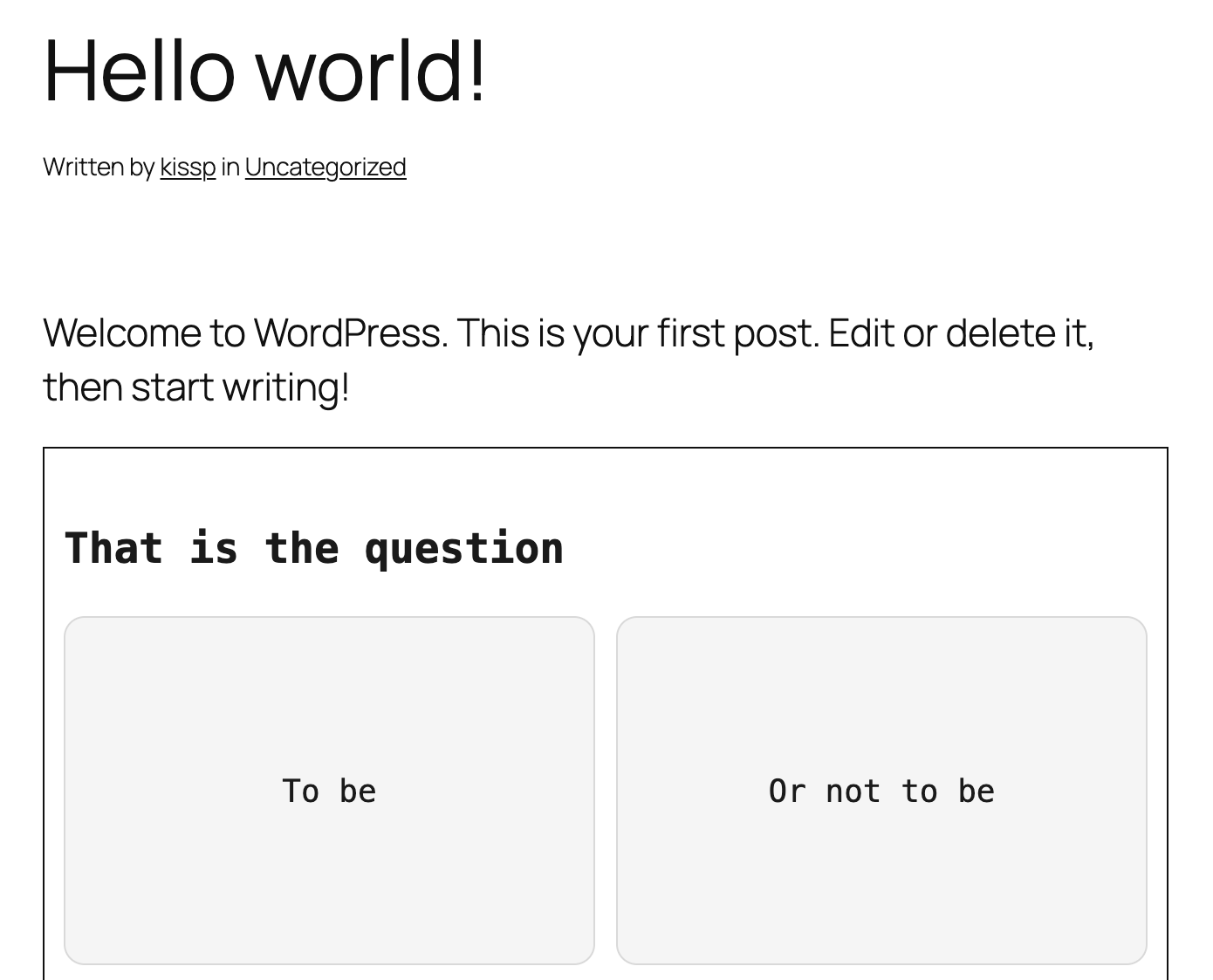
A dilemma embedded in a post — the pre-vote state, with both options waiting for a single click.
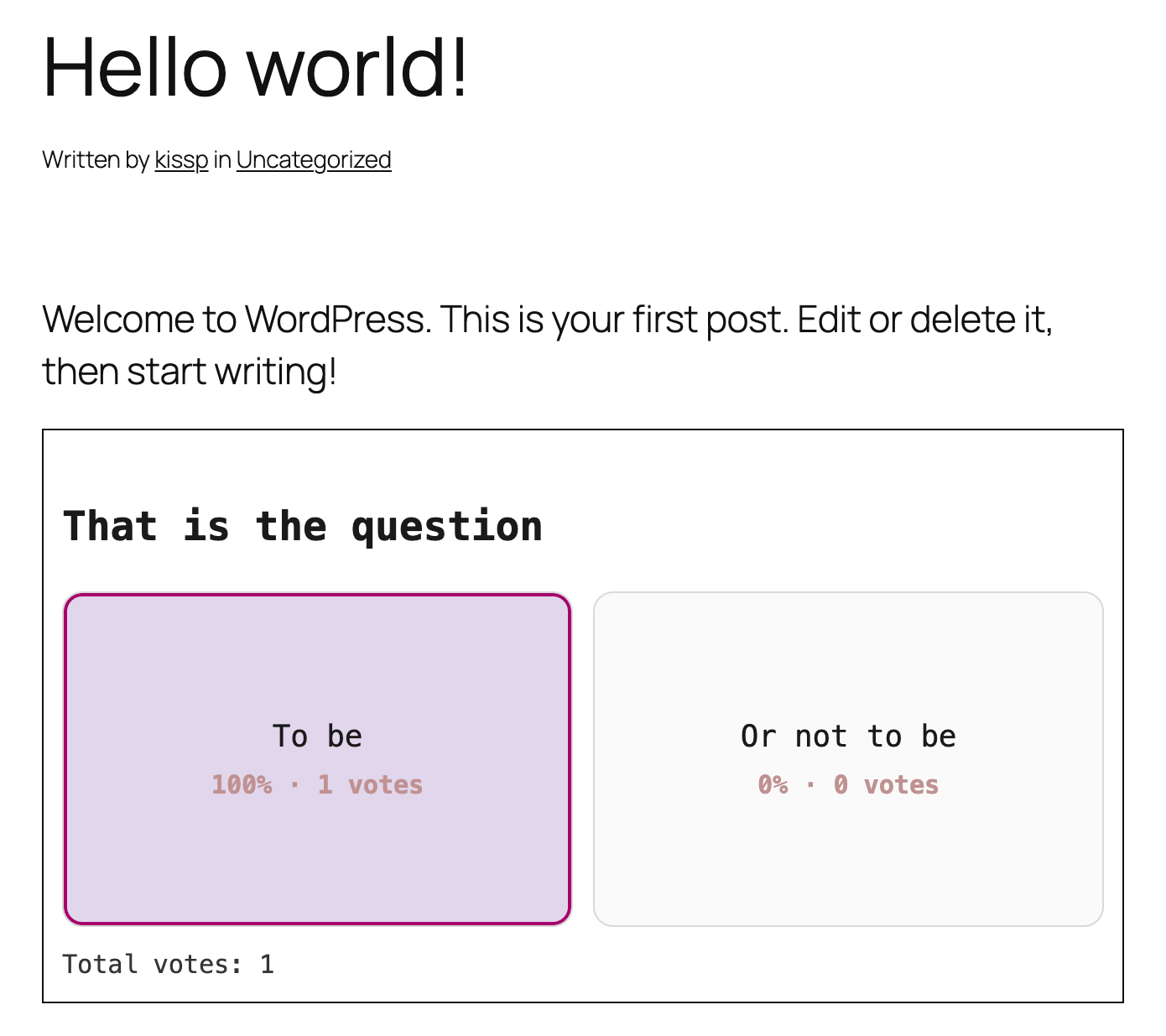
The same dilemma right after voting: the chosen option is highlighted, both cards show percentage and vote count, and the total appears below. (Shown with custom colours; the defaults are a pale blue winner and a near-white runner-up.)
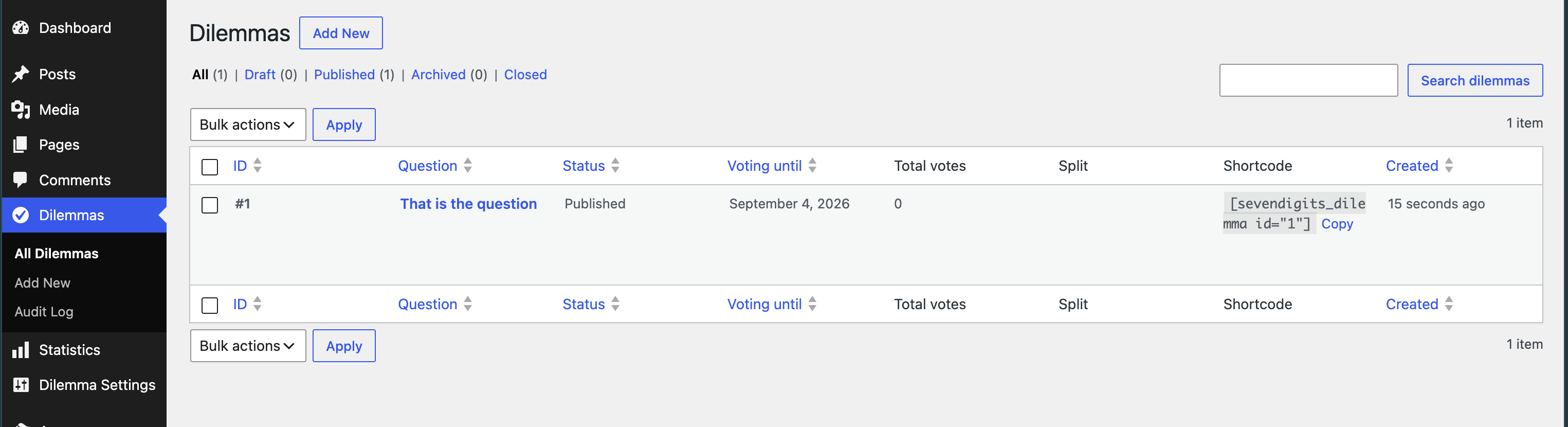
All Dilemmas — status, voting period, running totals and A/B split, plus a copy-to-clipboard shortcode for every dilemma.
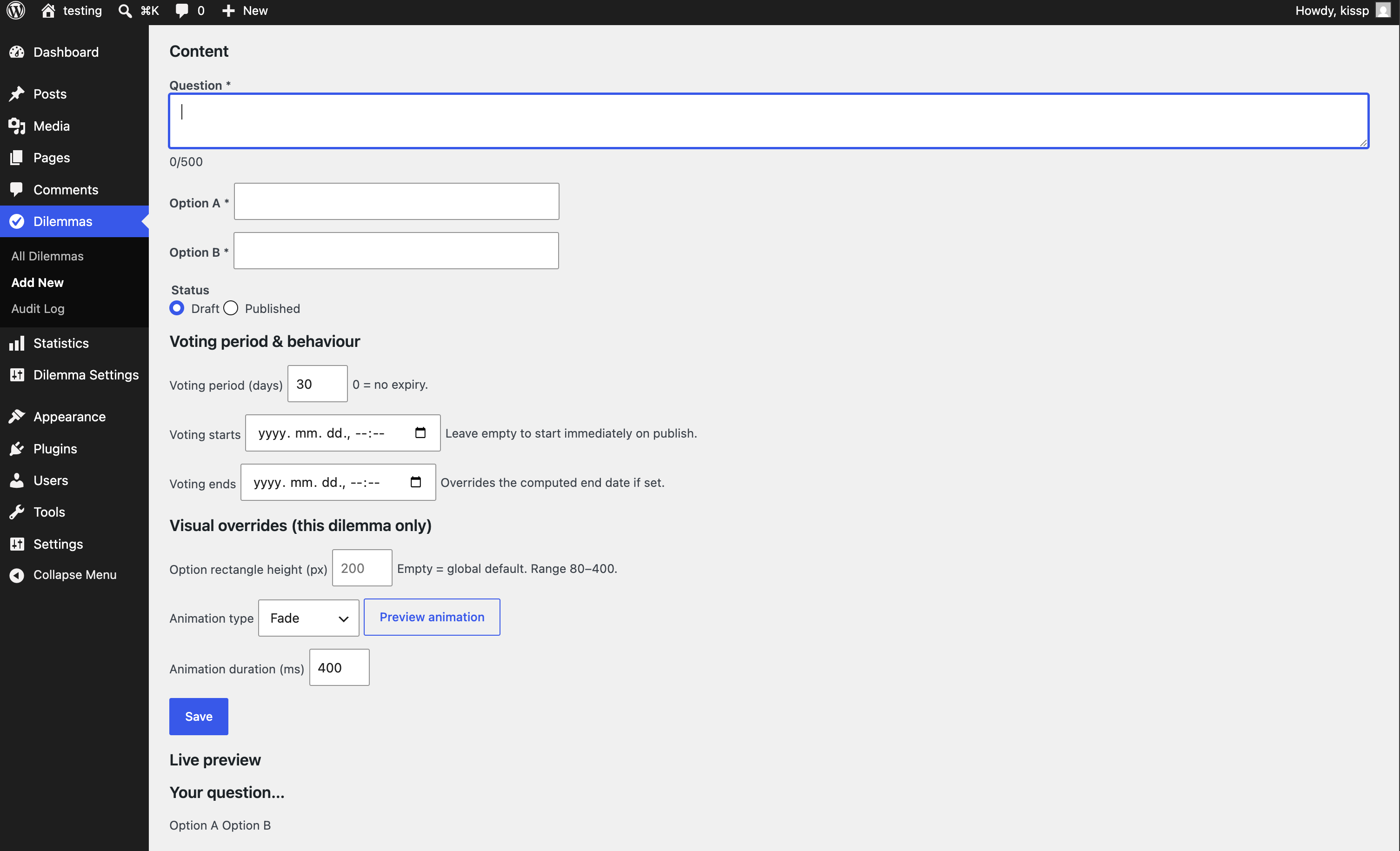
The dilemma editor: question and two options, voting period with optional explicit start and end dates, per-dilemma visual and animation overrides, and a live preview.
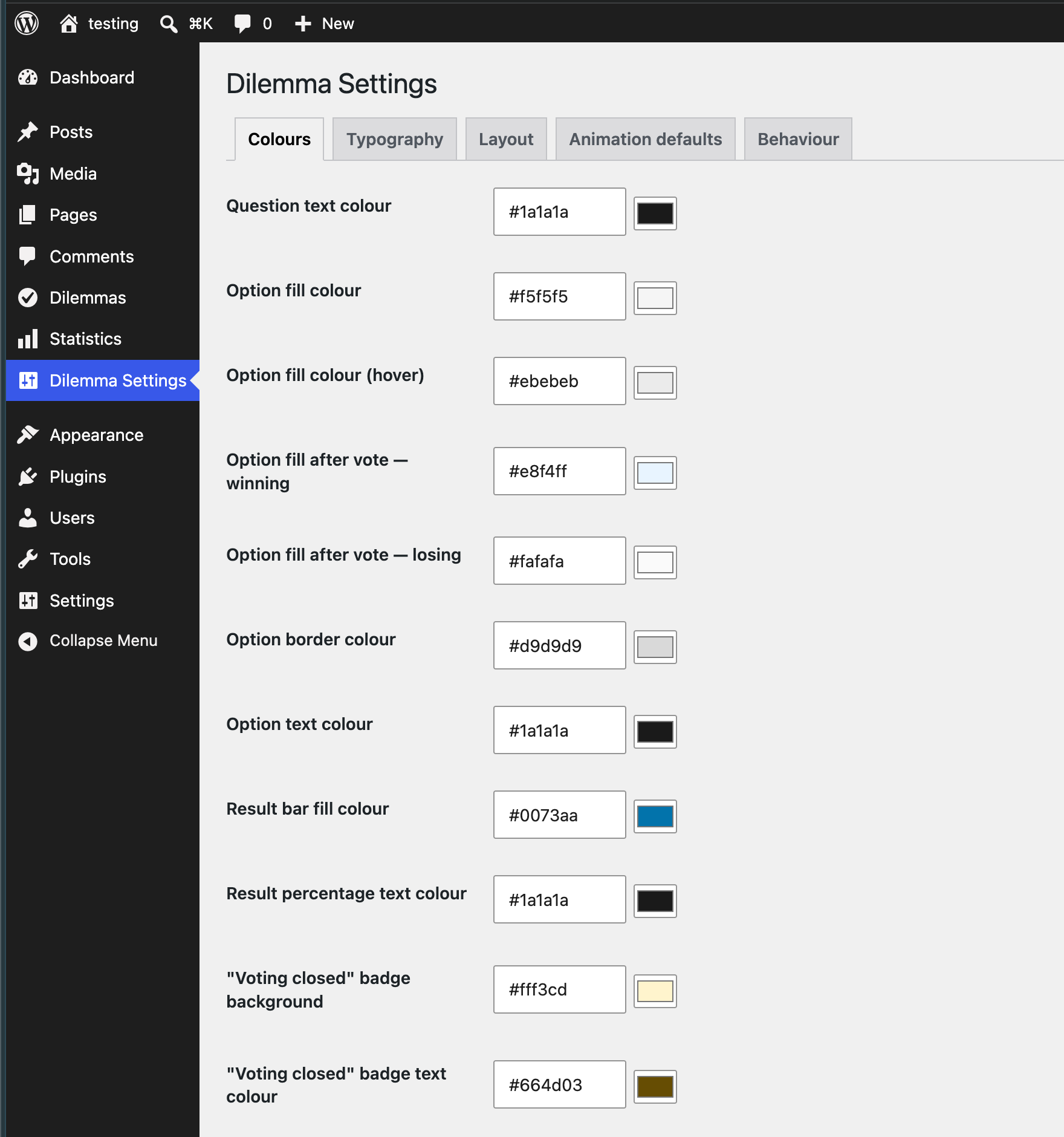
Settings → Colours: every colour in the widget, including the winning and losing fills after a vote and the "voting closed" badge.
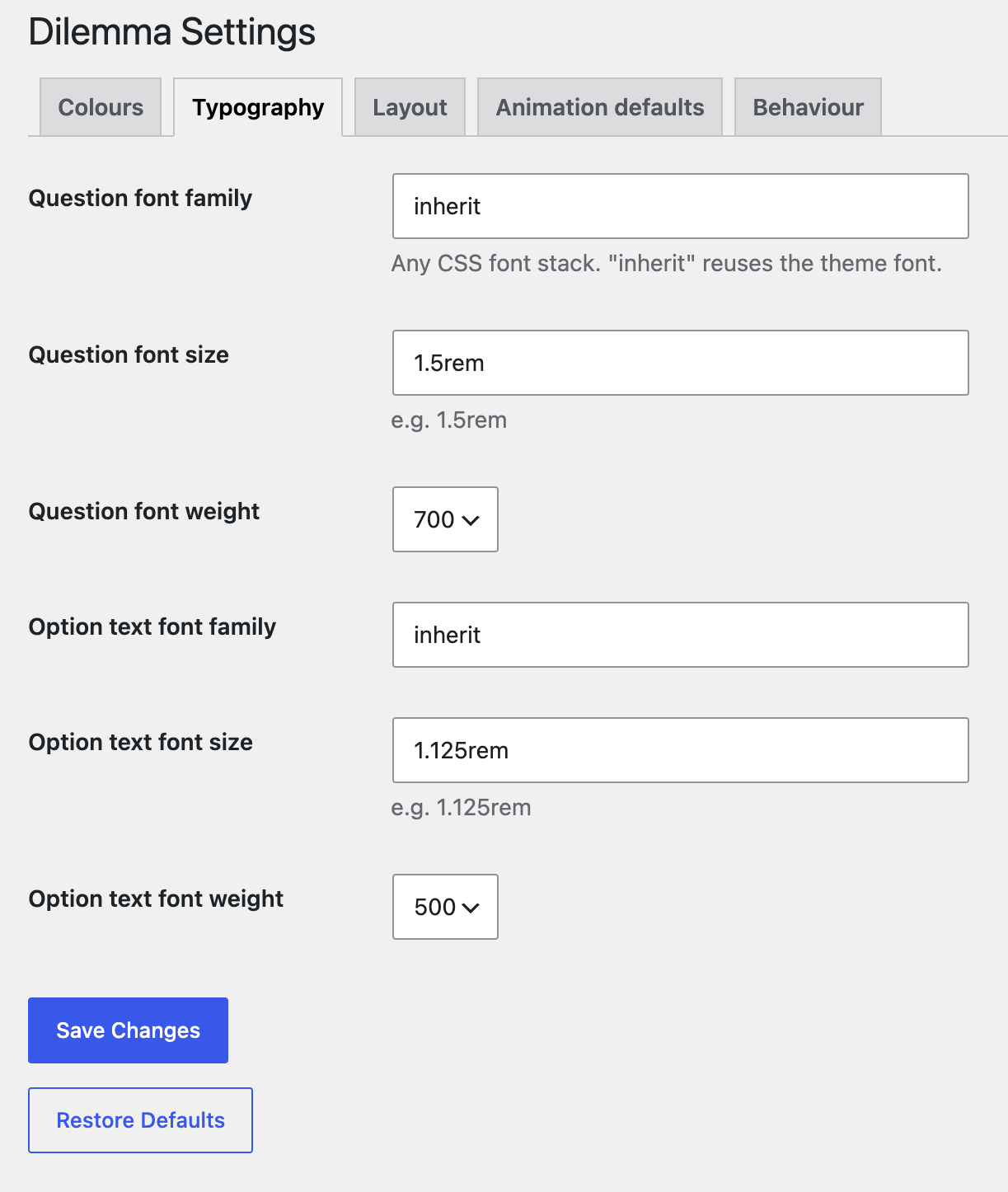
Settings → Typography: font family, size, and weight for the question and the option text.
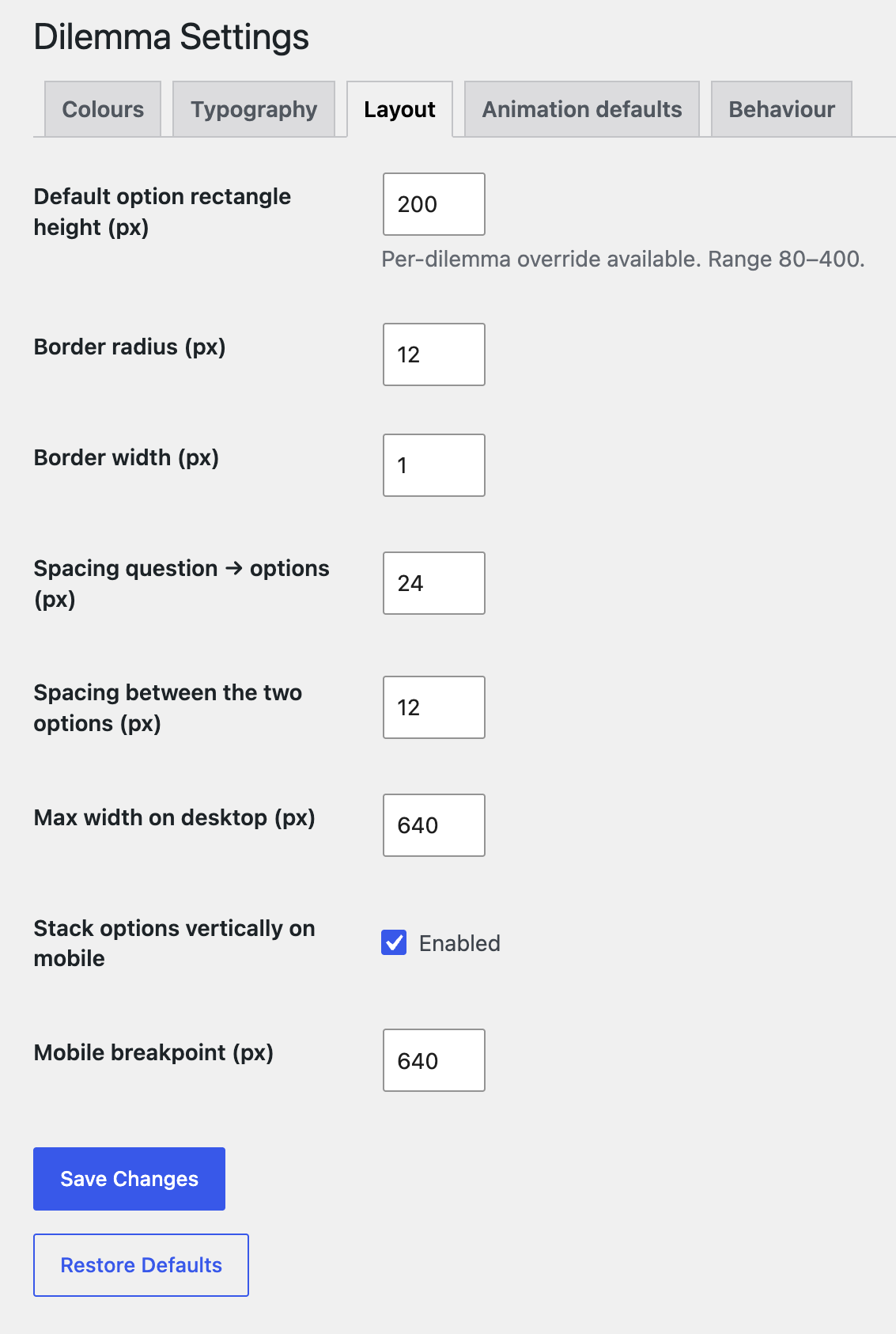
Settings → Layout: rectangle height, border radius and width, spacing, max width, and mobile stacking.
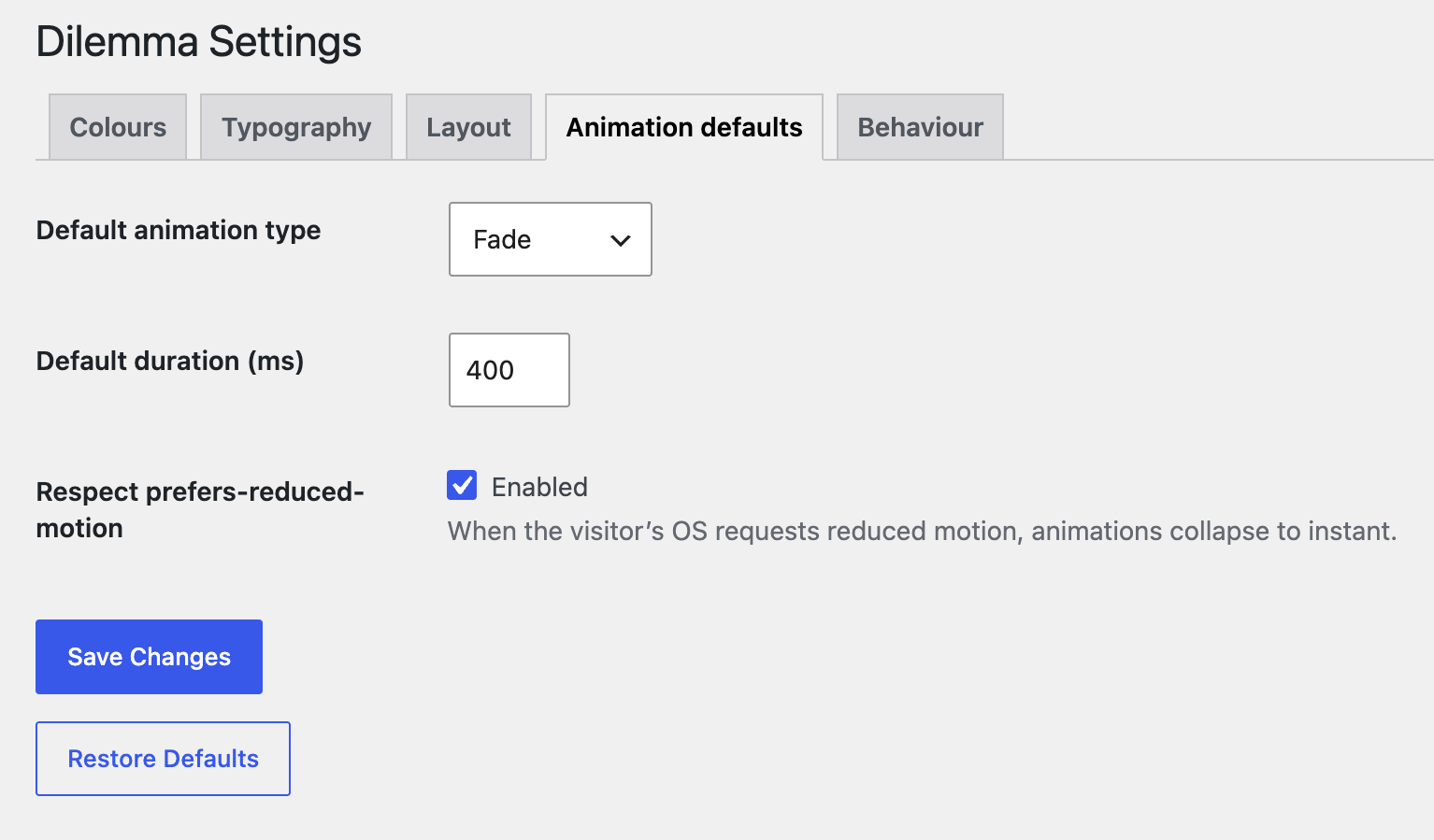
Settings → Animation defaults: one of nine reveal animations, its duration, and reduced-motion handling.
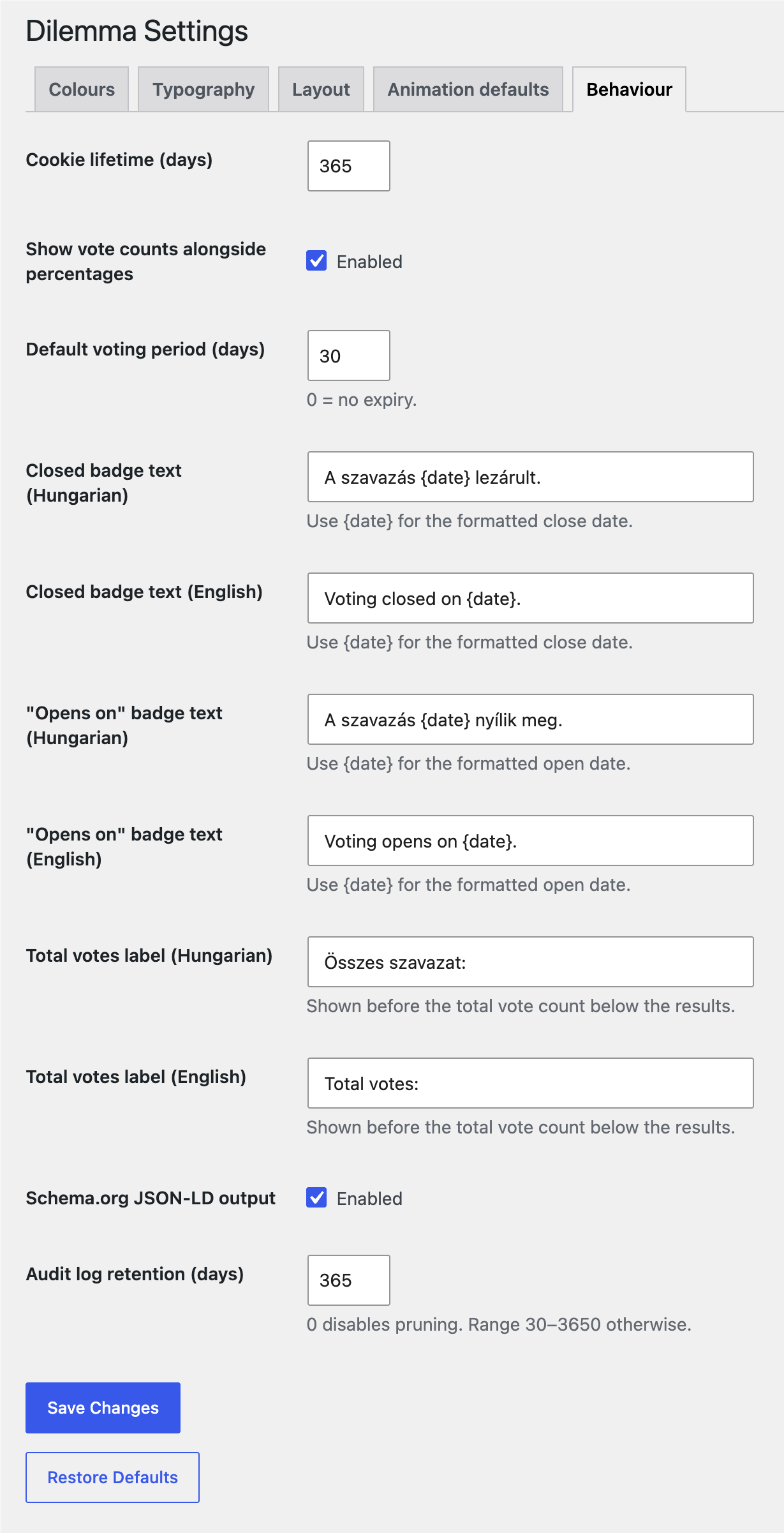
Settings → Behaviour: cookie lifetime, default voting period, Hungarian and English badge and label text, Schema.org output, and audit log retention.

The Audit Log — a read-only, filterable record of every privileged action.