BACK TO DIRECTORY
SFTP Sync for Google Sheets allows you to automatically export Google Sheets and upload them to any SFTP server. Use cases include:
- Daily inventory updates from Google Sheets
- Automated data feeds for e-commerce
- Syncing spreadsheet data to your server
- Backing up Google Sheets to your own server
Features:
- Easy Setup – Configure everything from the WordPress admin
- Secure API – Auto-generated API keys protect your endpoint
- REST API Endpoint – Receives files from Google Apps Script
- SFTP Upload – Automatically uploads to your SFTP server
- Activity Logs – Track all uploads and errors
- Pre-built Script – Copy-paste Google Apps Script included
- No paid services required – Uses Google Apps Script and your SFTP server
How It Works:
- Install and activate the plugin
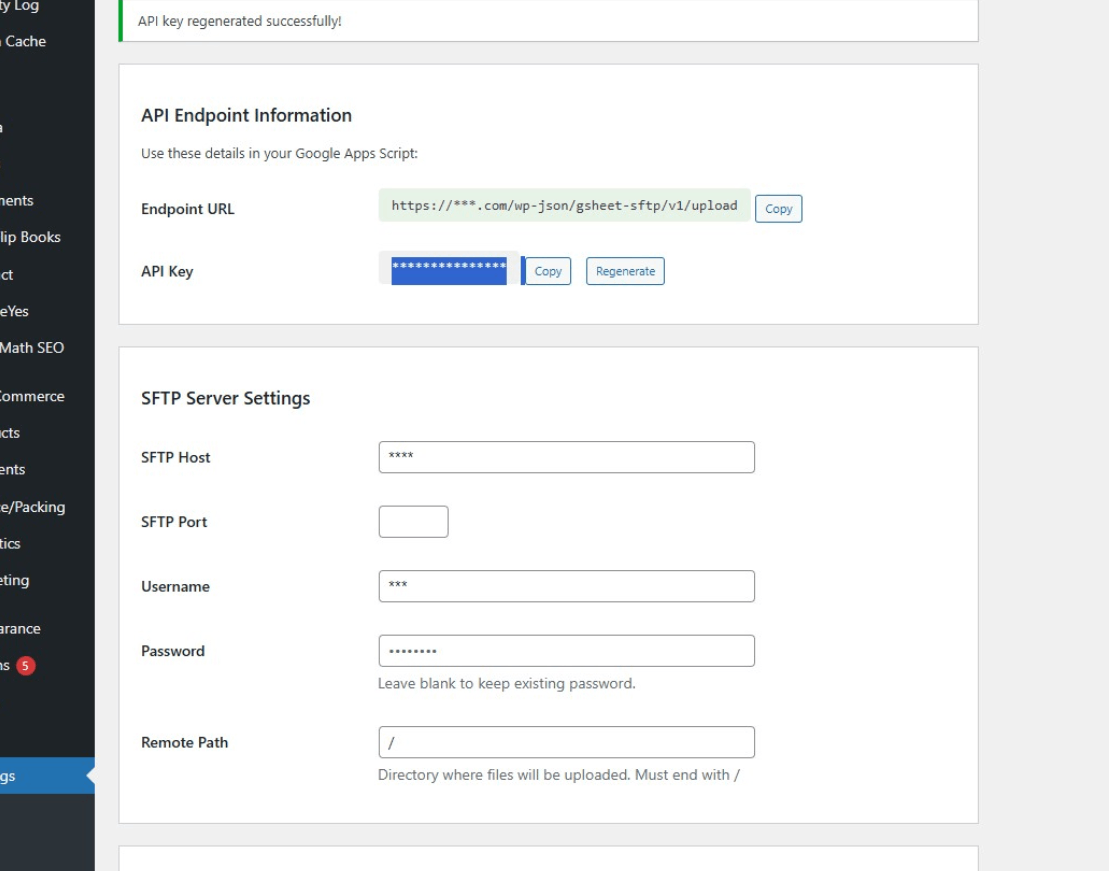
- Configure your SFTP credentials in Settings
- Copy the provided Google Apps Script to your Sheet
- Set up a daily trigger in Google Apps Script
- Your sheet automatically syncs to your SFTP server
Screenshots
Plugin settings page with API endpoint information and SFTP server configuration
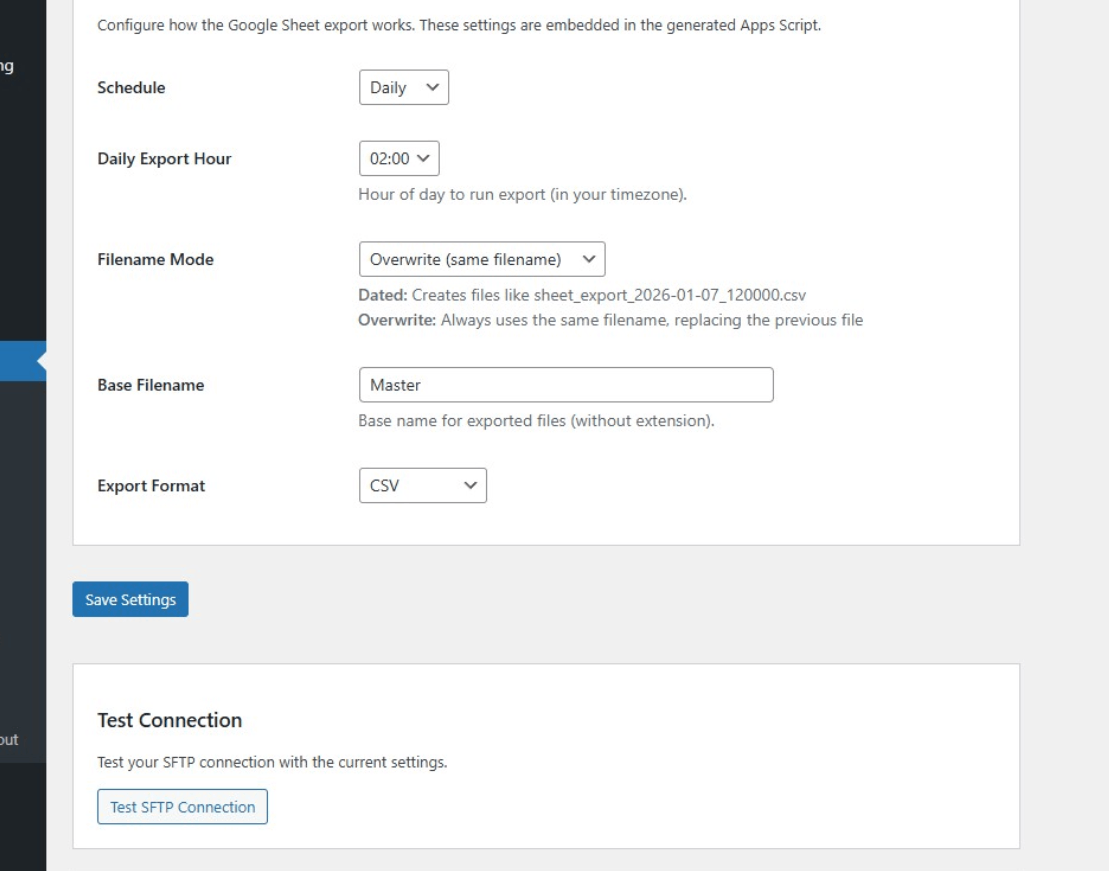
Export settings with schedule, filename mode, and format options
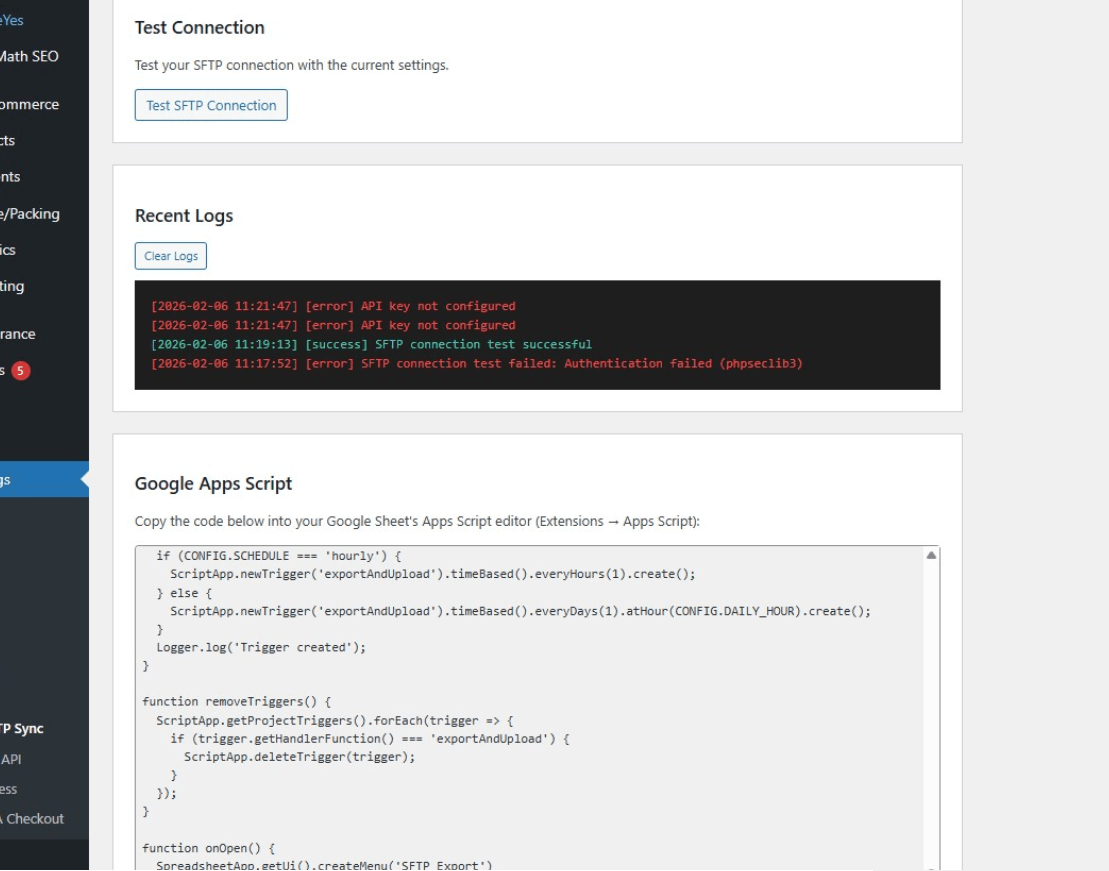
Activity logs and Google Apps Script code generator
Plugin Details
Active Installs
10Total Downloads
648Version
1.5.3Requires WP
5.0Requires PHP
7.4Tested Up To
6.9.11Added
2026-03-01Last Updated
2026-10-12 11:28pm GMTRatings
5
0
4
0
3
0
2
0
1
0