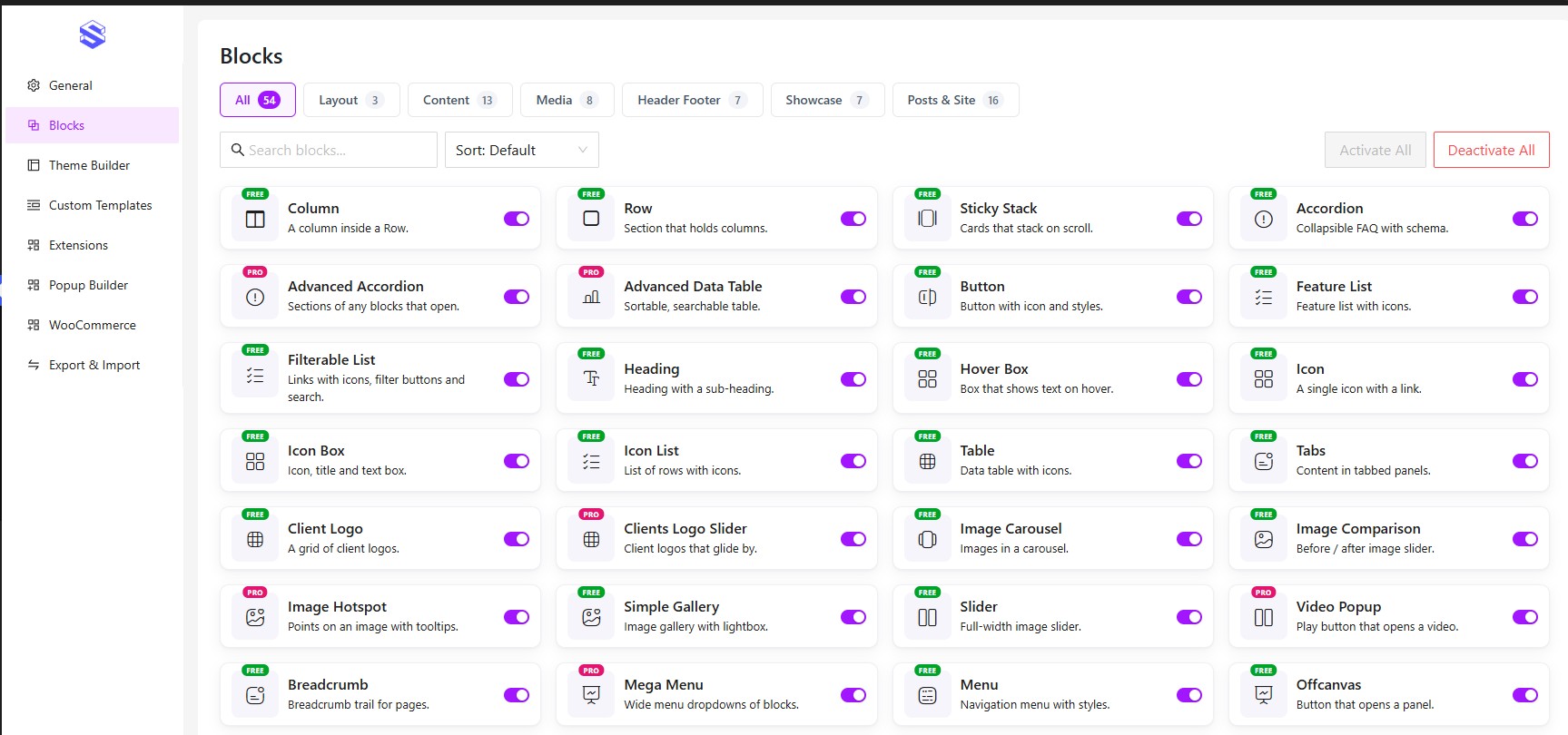
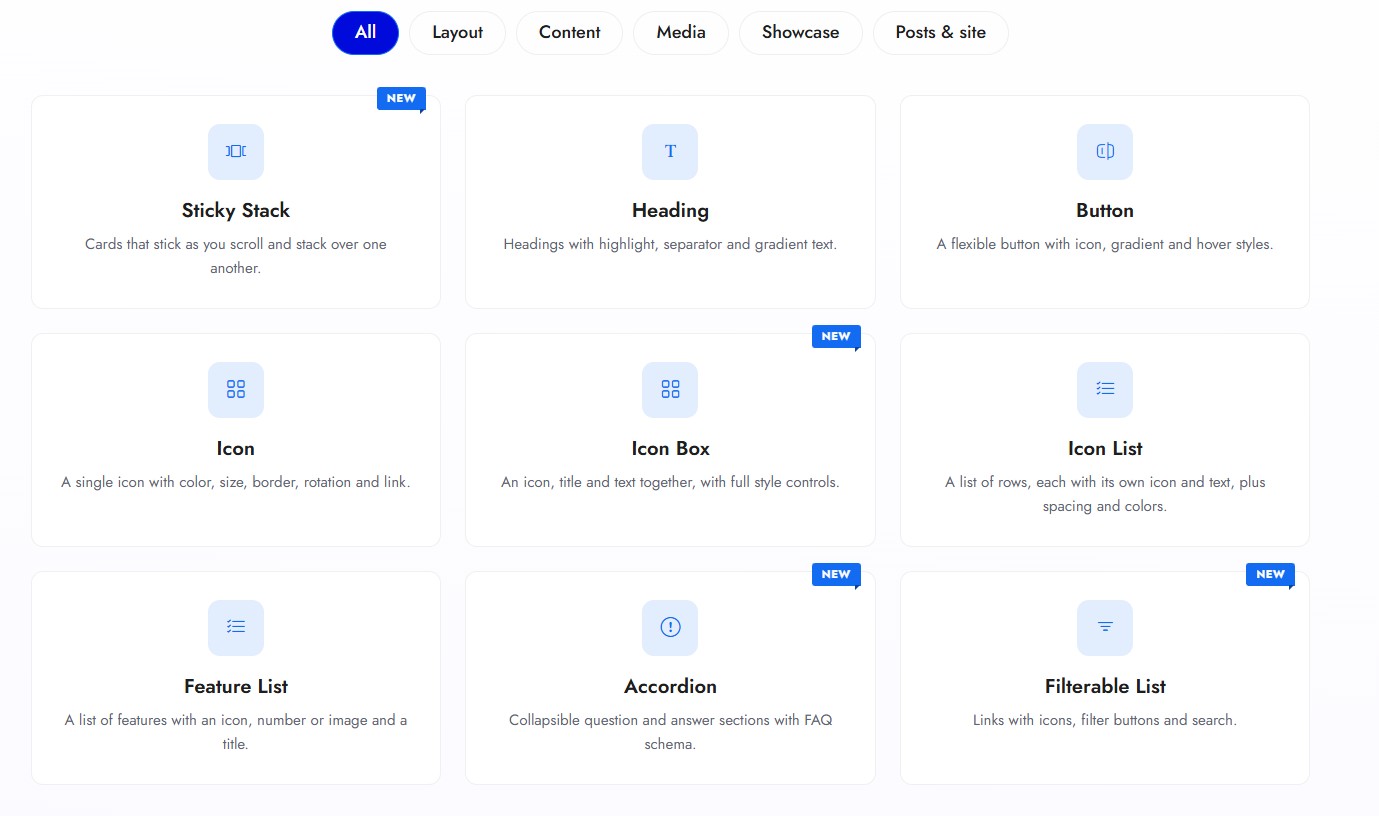
ShapeBlock adds 30+ blocks to the WordPress block editor, plus a Header & Footer Builder.
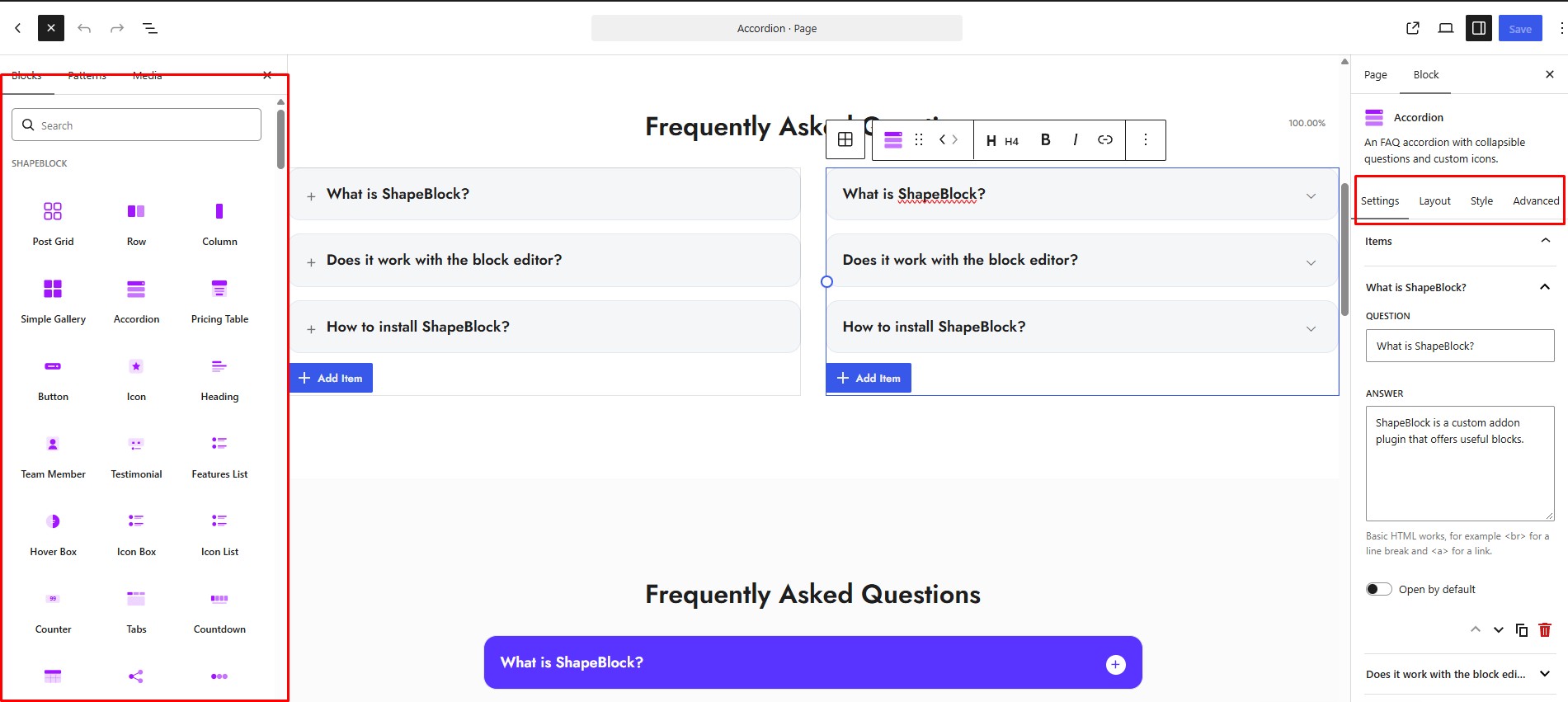
Every block has the same three tabs: Settings for the content, Layout for columns, alignment and spacing, and Style for colours, typography, borders, shadows and hover effects. Sizes, spacing and columns can be set separately for desktop, tablet and mobile.
Key Features
- 30+ blocks for layouts, content, media, navigation and marketing.
- Header & Footer Builder with Include and Exclude display conditions, for classic and block themes.
- Fully responsive – separate desktop, tablet and mobile values, and hide any block per device.
- Full design control – typography, gradients, borders, shadows, spacing and a built-in icon picker.
- Custom Templates – build a layout once and reuse it anywhere with a shortcode.
- Lightweight – each block loads its files only on pages that use it, and unused blocks can be switched off.
- Export & Import – move your settings and templates between sites in one file.
- Privacy friendly – no tracking unless you opt in, no CDN, and Google Fonts stays off until you turn it on.
Blocks
- Accordion – Collapsible question and answer sections.
- Breadcrumb – Shows visitors where they are on the site.
- Button – Buttons with icons, sizes and hover styles.
- Client Logo – A grid of client or partner logos with links, grayscale and hover-swap.
- Column – A column inside a Row, with its own width per device.
- Countdown – Counts down to a date and time.
- Counter – Animated number counters.
- Features List – Feature lists with icons.
- Filterable List – A list of links with icons, filter buttons that count their items, badges and a search box.
- Heading – Headings with typography, gradient and highlight options.
- Hover Box – An image or icon in a circle or square that shows a title and description on hover.
- Icon Box – Icon, heading and text together, in several layouts, with an optional button (text, icon or icon only).
- Icon List – A list where each item gets its own icon.
- Icon – A single icon with colour, size and link.
- Image Carousel – Several images at once, with centred slides and continuous scrolling.
- Image Comparison – Before / after images with a draggable handle – side by side, top and bottom, or corner to corner – with labels and several handle styles.
- Isotope Filter – A filterable grid with category buttons, an optional search box, and an icon, title, description and badge for each item.
- Menu – Shows a WordPress navigation menu with layout, alignment and colour options.
- Offcanvas – Slide-in panels for menus, sidebars or extra content.
- Post Grid – Posts in grid layouts, with pagination.
- Pricing Table – Pricing plans with features, badges and a button.
- Progress Bar – Animated progress and skill bars.
- Row – A responsive row that holds Column blocks, boxed, full width or a custom width.
- Scroll Top – A back-to-top button.
- Search – A search field you can put anywhere.
- Simple Gallery – An image gallery with spacing and column controls, and a popup with a choice of animations.
- Slider – A full-width image slider with arrows, dots and autoplay.
- Social Icon – Linked social icons, coloured all together or one by one.
- Social Share – Share buttons for the current page.
- Sticky Stack – Cards that stick as you scroll and stack over one another.
- Table – Tables with styled headers, rows and cells.
- Tabs – Tabbed content with icons and a few tab styles to pick from.
- Team Member – Team members with photo, role and social links.
- Testimonial – Testimonials in three styles, with ratings, quote icons and logos.
Header & Footer Builder
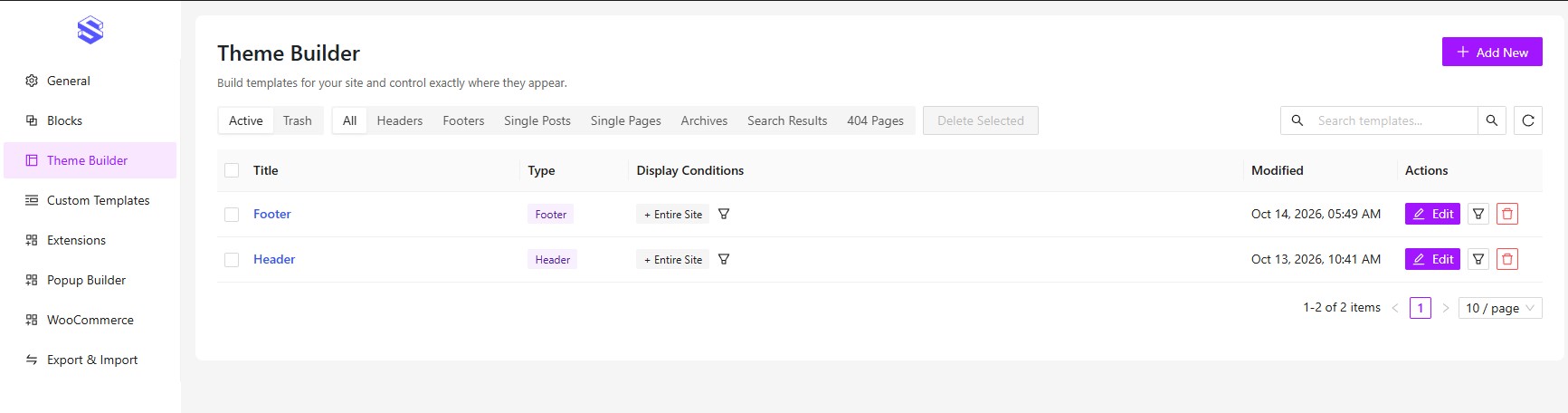
Build your header and footer in the block editor – no child theme and no PHP. Then pick where each one shows up with display conditions: Entire Site, Front Page, All Pages, All Posts, All Archives, Search Results, 404 Page, or specific pages and posts. Any condition can be set to Include or Exclude.
It works with classic and block themes. Pages that match none of your conditions keep the theme’s own header and footer. There’s also a Custom Block type you can place anywhere with the [shapeblock_builder] shortcode.
Features
Design controls on every block
- Settings, Layout and Style tabs, plus an Advanced tab with padding, margin and a solid or gradient background.
- Typography: font family, size, weight, style, line height, letter spacing, transform and decoration.
- Borders, radius and box shadows.
- A built-in icon picker with search, served from your own site.
Fully responsive
- A desktop, tablet and mobile switcher on sizes, spacing, columns and typography, so each device gets its own value.
- Tablet styles apply up to 1024px and mobile styles up to 767px.
- Padding and margin per device on every block.
- Hide any block on desktop, tablet or mobile from its Responsive panel.
- Tablet and mobile padding and margin for core WordPress blocks too.
Header & Footer Builder
- Header, Footer and Custom Block templates, built in the block editor.
- Include and Exclude display conditions, where Exclude always wins.
- Works with classic and block themes.
- Copy a template’s shortcode with one click.
Custom Templates
- Save a layout once and reuse it anywhere with the
[shapeblock_template]shortcode. - Use a template as the content of the Offcanvas block.
- Search, sort, trash, restore and bulk actions in the template list.
Dashboard
- Turn any block on or off, or all at once. A block that’s off doesn’t load.
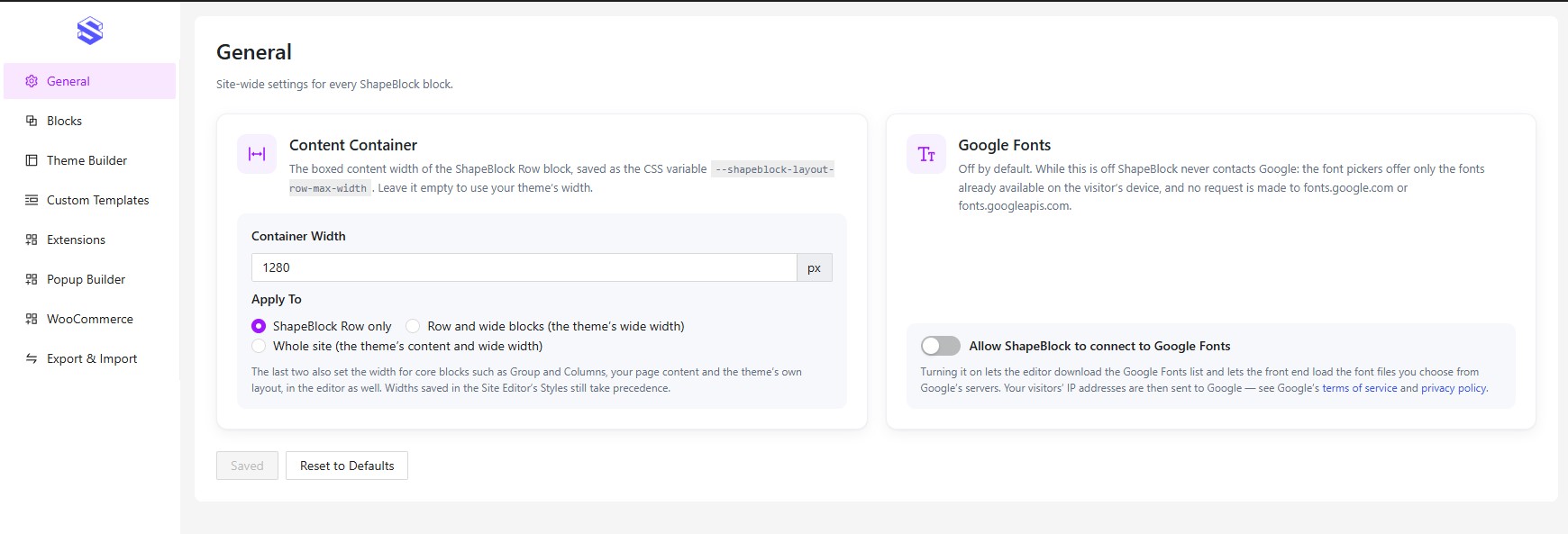
- A global container width for the Row block.
- Export and import your settings, Custom Templates and Theme Builder templates as one JSON file. Pick what to import and skip duplicates.
Speed
- Block styles and scripts load only on pages that use the block.
- Styles are generated per block, so two copies of a block can look different.
- All libraries are bundled with the plugin, with no CDN.
- Google Fonts are optional, off by default, and load only the fonts you use.
Other
- Duplicated or pasted blocks get a new ID, so their styles never clash.
- Translation ready, with a
.potfile. - No tracking unless you opt in, and no licence check.
- Deleting the plugin removes its settings and cached data, and keeps your content.
External services
Out of the box, ShapeBlock doesn’t connect to any outside service. It only does in the cases below, and each one is your choice.
Google Fonts (optional, off by default)
When it’s turned on, Google Fonts feeds the Font Family picker in the block settings and loads the fonts you pick. While it’s off, the plugin doesn’t talk to Google at all. To turn it on, go to ShapeBlock > General > Google Fonts. If you turn it off later, the requests stop and the cached font list is deleted.
With it switched on:
- In the WordPress admin, your server fetches the font list from
https://fonts.google.com/metadata/fontsand caches it for a week. That request carries no site, post or user data. - In the block editor and on the front end, the browser loads the font stylesheet from
https://fonts.googleapis.comand the font files fromhttps://fonts.gstatic.com. Like any browser request, this sends the visitor’s IP address, user agent and the referring page to Google.
Google Fonts is provided by Google LLC. Terms of service: https://policies.google.com/terms – Privacy policy: https://policies.google.com/privacy
Appsero (usage data, only if you allow it)
After activation, an admin notice asks whether you want to share usage data to help improve ShapeBlock. Nothing is sent unless you click Allow; No thanks sends nothing.
With it allowed, your server sends this to Appsero right away and then once a week: the site URL and name, the admin email and name, the server software, the PHP and MySQL versions and a few PHP settings (upload size, time zone, available extensions), the WordPress version, language, memory limit, debug and multisite mode, the active theme’s name, version, author and URI, the number of users per role, the number of active and inactive plugins, ShapeBlock’s version, whether the site runs on a local server, and the server IP address. The IP address is looked up through https://icanhazip.com. Deactivating the plugin stops it.
When you deactivate ShapeBlock, a dialog asks why. Only Submit & Deactivate sends the reason you picked to Appsero, with ShapeBlock’s project key and an anonymous hash of the site address (and the site details above only if you had allowed sharing); Skip & Deactivate sends nothing.
Appsero (https://appsero.com) – Privacy policy: https://appsero.com/privacy-policy/
icanhazip – About and privacy: https://major.io/icanhazip-com-faq/
Gravatar (Post Grid author picture)
When a Post Grid uses meta style 2 or 3 with the author shown, it shows the author’s profile picture from Gravatar. The visitor’s browser loads that picture from Gravatar, which receives the visitor’s IP address, user agent and the referring page, and a hash of the author’s email address (WordPress’ own avatars work the same way). With other meta styles, or the author hidden, nothing is loaded.
Gravatar is provided by Automattic Inc. Terms of service: https://automattic.com/tos/ – Privacy policy: https://automattic.com/privacy/
Social Share and Social Icon links
These blocks only output normal links. Nothing is sent until a visitor clicks one; the Social Share links then pass the page URL and title (and for Pinterest the featured image) to that network: Facebook, X, LinkedIn, Pinterest, WhatsApp, Telegram and Reddit. Email opens the visitor’s own mail app, and Copy Link copies the URL in the browser.
Source code and build process
Every compiled file in the plugin ships with its readable source right beside it:
- Blocks:
includes/public/blocks/<block>/src/, built into thebuild/folder next to it. The Menu block is hand-written inincludes/public/blocks/menu/build/and has no build step. - Admin dashboard:
src/in the plugin root, built intobuild/. - Stylesheets:
assets/css/style.scss,includes/public/assets/css/public.scssandassets/lib/bootstrap/bootstrap-grid.scss, each built beside its source.
Built with @wordpress/scripts and Dart Sass. To rebuild: npm install, then npm run build and npm run build:<block> (all script names are in package.json).
Credits
ShapeBlock is licensed GPLv2 or later and includes these MIT-licensed libraries:
- Swiper 12.0.3 (https://swiperjs.com) –
assets/lib/swiper/LICENSE, unmodified release files. - Bootstrap 5.3 grid (https://getbootstrap.com) –
assets/lib/bootstrap/LICENSE, only the grid, recompiled with ashapeblock-prefix. - Ant Design 6 and Ant Design Icons (https://ant.design) –
assets/lib/antd/LICENSE, used only in the admin dashboard. - Bootstrap Icons 1.13.1 (https://icons.getbootstrap.com) –
includes/public/assets/font/bootstrap-icons-LICENSE.txt, the icons of the built-in icon picker. - Appsero Client 2.0 (https://github.com/Appsero/client) –
includes/appsero/, the opt-in usage data client described under External services.
The icon fonts were made with Fontello (https://fontello.com). Our own icons are GPLv2 or later; three come from Font Awesome 4.7 and Elusive Icons under the SIL Open Font License 1.1 (https://openfontlicense.org), listed in includes/public/assets/icon/config.json.
Screenshots