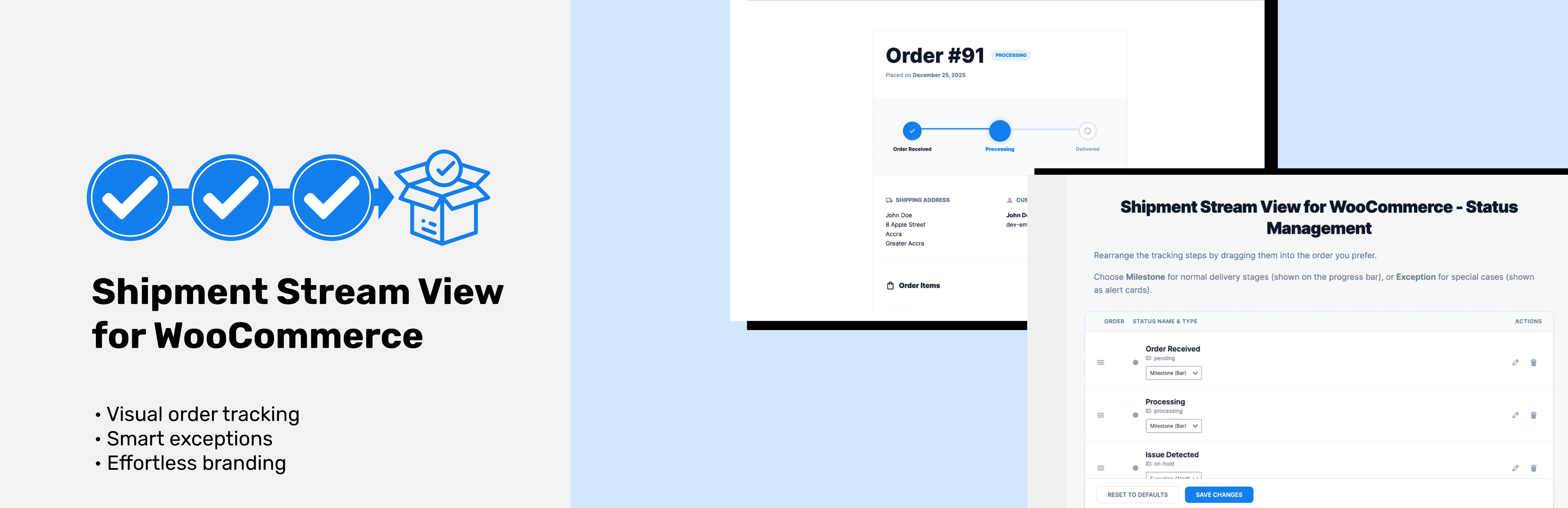
Shipment Stream View for WooCommerce transforms the way your customers track their orders with a beautiful, intuitive visual progress bar. No more confusing status labels – your customers will see exactly where their order is in the delivery process.
Features
- Visual Progress Tracking – Beautiful progress bar showing order journey
- Customizable Status Steps – Drag and drop to reorder your tracking milestones
- Exception Handling – Special alerts for order issues (on-hold, cancelled, etc.)
- Easy Integration – Simple shortcode
[ssvfww_order_tracker]to add to any page - Responsive Design – Perfect on desktop, tablet, and mobile devices
- WooCommerce Compatible – Works seamlessly with your existing WooCommerce setup
- HPOS Ready – Full support for High-Performance Order Storage
- Design Customization – Choose your brand colors and fonts
- Milestone & Exception Types – Categorize statuses as normal progress or special alerts
How It Works
- Install and activate the plugin
- Go to Shipment Stream in your WordPress admin
- Customize your tracking steps (drag to reorder, edit labels, set types)
- Add the
[ssvfww_order_tracker]shortcode to any page - Customers enter their order ID and email to track their order
Perfect For
- Online stores wanting to reduce “where is my order?” support tickets
- Businesses looking to improve customer experience
- WooCommerce sites that want modern, professional order tracking
- Store owners who need flexible tracking milestone management
Why Choose Shipment Stream View?
Unlike other tracking plugins, Shipment Stream View gives you complete control over your tracking flow. Define custom milestones, handle exceptions gracefully, and present everything in a stunning visual interface that customers love.
Development
This plugin uses modern JavaScript tools (npm, webpack) for development.
The full source code is available in our public GitHub repository: Link
To build from source:
- Clone the repository
- Run
npm installto install dependencies - Run
npm run buildto compile assets - Run
npm run startfor development mode
Additional Info
Support: Email: dev@tiekuasare.com
Documentation: Link
GitHub: Link
Built with ❤️ by Tieku Asare
Screenshots

Customer-facing order tracker search form

Visual progress bar showing order status

Admin interface for managing tracking steps

Drag and drop to reorder tracking milestones

Exception alert display for special order statuses

Design settings for customization

Mobile responsive tracking display