
Shufti is a real-time identity verification and AML screening platform built for businesses that need to know exactly who they’re dealing with. The Shufti plugin connects your WordPress site directly to Shufti’s verification engine, so visitors can complete ID document checks, biometric face verification, and AML watchlist screening without ever leaving your site.
To use the plugin for live verification, you’ll need an active Shufti account. If you’d like to test the flow first, request a demo and use the trial key to get started. When you’re ready to go live, our integration team will help configure Shufti to fit your verification workflow.
What This Plugin Does
- Identity Verification (KYC): Verify users in real time with ID document checks, biometric face matching, and liveness detection.
- AML Screening: Screen users instantly against global sanctions, PEP, and watchlists.
- Shortcode-Based Embed: Drop a single shortcode anywhere on your site to launch the verification flow. No custom development required.
- Flexible Activation: Connect a live Shufti account, or start with a free trial key to test the flow before going live.
- Detailed Back-Office Reporting: Every verification result, including image and video proof, is logged in Shufti’s back-office dashboard for compliance audit trails.
Top Features
- Verifies users in real time without them leaving your website.
- Multiple automated ID verification checks to choose from.
- GDPR and PCI-compliant, with proper data protection protocols throughout.
- Broad global coverage of ID document types and languages.
- Instant AML screening against global sanctions, PEP and watchlists.
- AI-assisted verification models for fast, consistent decisioning.
- Hybrid verification model combining AI with human review.
Additional Features
- Responsive design with a simple, frictionless UI/UX.
- Integrated workflows for a convenient end-to-end user journey.
- Customised verification flows tailored to your business needs.
- Detailed verification reports, including image and video proof of each check.
- Regular updates and new features.
How It Works
- Install the Shufti plugin and activate it on your WordPress site.
- Activate your subscription, or start in trial mode.
- Enter your Client ID and Secret Key to connect your account.
- Select the verification parameters you want applied to your users.
- Save your settings to generate a shortcode.
- Paste the shortcode onto any page or post to enable verification.
- Users complete verification without leaving your website.
- Shufti verifies the user in real time and stores the result in compliance with data protection regulations.
- Results are stored in the Shufti back-office, with image and video proof attached to each verification.
Languages
The plugin interface is available in English. End-user verification supports multiple languages.
Support
Questions or feedback can be sent to tech@shuftipro.com, or raised directly in the support forum.
Screenshots

Back-office dashboard with verification totals, services used and the most common decline reasons.
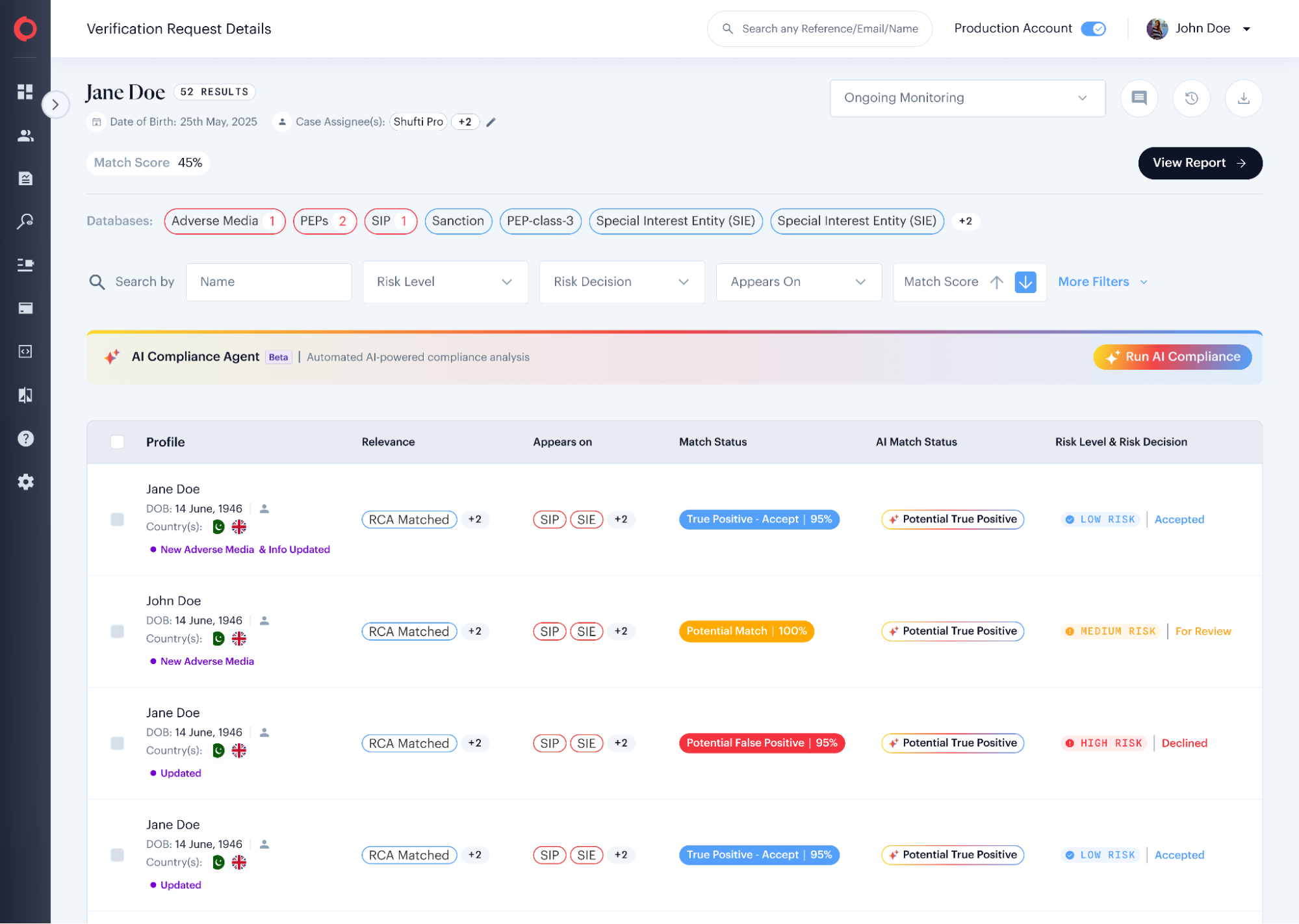
AML screening results with match status, risk level and ongoing monitoring.
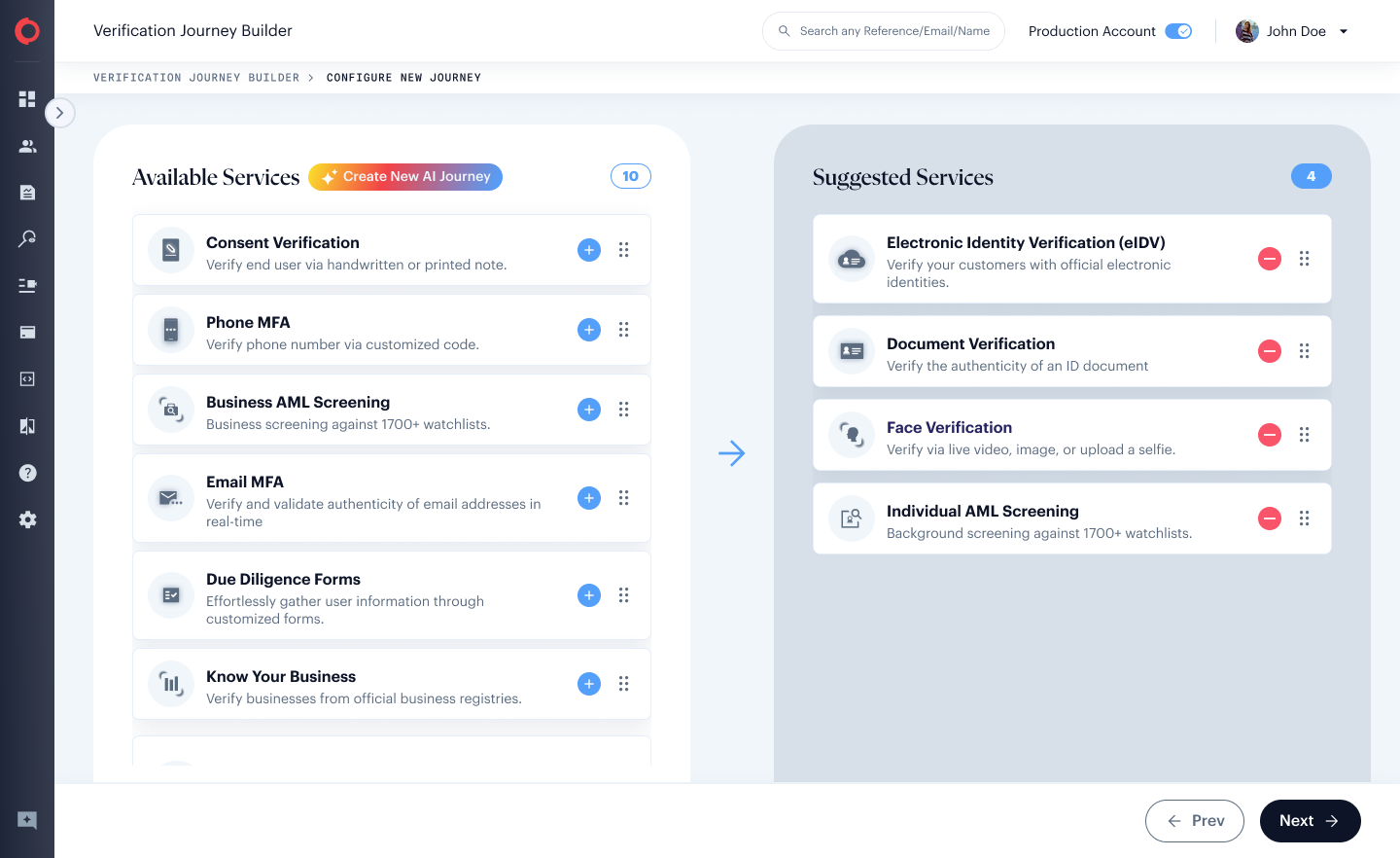
Verification Journey Builder for choosing the services in your verification flow.