
SignoffFlow is a WordPress client portal and client approval workflow plugin for agencies, freelancers, and service teams.
Create a private workspace for each client where you can share project updates, provide protected file downloads, send approval requests, collect client feedback, and keep a clear history of every approval decision.
Instead of chasing approvals through scattered email threads, SignoffFlow gives your team and clients one place to see what needs attention, what has been approved, and what still needs changes.
A private client portal inside WordPress
Create a dedicated portal workspace for each client account.
Clients can use their private workspace to:
- View project updates.
- Download protected files.
- Review approval requests.
- Approve work.
- Request changes.
- Reject a request.
- Mark a request as blocked.
- Add response notes.
- Review their request activity.
- See request deadlines and which open requests are overdue or due soon.
Portal access is restricted to WordPress users assigned to the relevant client account, plus staff users with the SignoffFlow management capability.
Each client only gets access to the workspace assigned to them.
Stop chasing client approvals through email
SignoffFlow turns client approval into a structured workflow.
Create an approval request when you need a client to review a deliverable, decision, task, or project milestone.
The client can respond with one of four outcomes:
- Approved.
- Changes requested.
- Rejected.
- Blocked.
A response note is optional when approving and required when the client chooses Changes requested, Rejected, or Blocked.
This helps your team understand not only whether something was approved, but also what needs to happen next.
Keep a complete client approval history
Every real approval status transition is preserved in an immutable per-request activity history.
The request history can include:
- Request creation.
- Client approval responses.
- Response notes.
- Response timestamps.
- The responding user.
- Staff reopen actions.
- Staff status changes.
- Staff due-date changes, including previous and new dates.
- Earlier response-note snapshots from previous approval cycles.
This gives agencies and service teams a clearer record of how each client approval progressed over time.
The latest response is displayed prominently, while earlier activity remains available in the request history.
Track approval status from WordPress admin
The Requests screen gives staff a central view of client approval activity.
Requests include clear status badges and can be filtered by:
- Open.
- Approved.
- Changes requested.
- Rejected.
- Blocked.
Use the filters to quickly find requests that still need action or review previously completed client approvals.
Request due dates and attention
Set an optional due date in Request Details. Deadlines use the WordPress site timezone and remain separate from approval status.
Open requests become overdue after their due day has ended. Due soon includes today through seven calendar days ahead. The portal shows urgency counts and places overdue requests first, followed by due-soon requests and other open requests.
Staff can sort the Requests list by due date and combine the existing status filter with Due soon, Overdue, or No due date. Undated requests remain visible and sort last when ordering by date.
Due-date edits are preserved in Activity History. Resolving or reopening a request keeps its deadline. New-request notification emails include the due date when present; changing a date does not send another email or schedule a reminder.
Share project updates with clients
Each client portal includes an updates timeline.
Use project updates to keep clients informed about:
- Project progress.
- Completed work.
- Important milestones.
- Upcoming actions.
- Delivery information.
- Other client-facing announcements.
Keeping updates inside the client portal reduces the need to reconstruct project history from long email threads.
Private client file sharing
SignoffFlow includes protected file sharing for client accounts.
Files are stored in a dedicated private uploads subdirectory rather than being exposed as normal public WordPress Media Library URLs.
Client downloads pass through an access-checked endpoint so SignoffFlow can verify that the current user is allowed to access the file.
The portal interface does not expose raw private file paths.
Apache hardening files are created automatically for the private directory.
Nginx servers may require an equivalent deny rule at the server configuration level.
Built for agencies and freelancers
SignoffFlow is designed for businesses that regularly need clients to review work, download deliverables, or provide formal approval feedback.
Typical uses include:
Web design and development agencies
Send designs, development milestones, staging reviews, or launch decisions to clients for approval.
Marketing agencies
Share campaign deliverables, creative work, reports, content, and other materials that require client feedback.
Freelancers
Give clients a focused workspace instead of managing deliverables and approvals across multiple email conversations.
Creative and service teams
Request approval for files, project stages, tasks, deliverables, or other work that needs a documented client response.
Review material on requests
Staff can link existing published protected files to requests for the same client. Save the request’s client association, then use its Review material panel to select files and optionally add a material reference and revision label.
Clients see review material beside their response controls. Every new response preserves descriptive context in Activity History. Historical entries do not grant downloads or retain deleted binaries, and this is not legal certification or proof that a client opened every file.
Reopen and save resolved requests before changing their material. Create a new protected file for each revision: linked files cannot be replaced in place. Removing a link or deleting a request does not delete the file. Unavailable attachments prevent approval; clients can still request changes, reject, or block with an explanation. Material changes do not send notifications.
Account-based client access
SignoffFlow uses WordPress user accounts for portal access.
To give someone access:
- Create or use a WordPress user.
- Create a client account in SignoffFlow.
- Assign the WordPress user to that client account.
- Give the client the portal page URL.
- The user logs in and sees the workspace assigned to their account.
Staff users with the appropriate SignoffFlow capability can manage client portal content.
This account-based approach keeps client workspaces separate and access controlled.
Email notifications
SignoffFlow can send WordPress email notifications when relevant client activity is created.
Notification types include:
- Approval requests.
- Project updates.
- Client files.
Notifications are sent with WordPress wp_mail() to users assigned to the related client account.
Individual notification types can be enabled or disabled under SignoffFlow > Settings.
SignoffFlow also records email-attempt entries in its Event Log so administrators can review notification activity.
Email delivery troubleshooting
Email delivery depends on the WordPress site’s mail configuration and hosting environment.
If WordPress cannot confirm that a notification was handed off successfully, SignoffFlow displays a dismissible admin notice on its own screens and records the attempt in the Event Log.
The Notifications settings include email-delivery guidance for local development and production environments.
Guided setup and onboarding
SignoffFlow includes a state-aware onboarding panel that detects setup progress automatically.
The onboarding flow guides administrators through milestones such as:
- Creating the client portal page.
- Creating a client account.
- Assigning a portal user.
- Adding client-facing content.
- Receiving the first real client response.
The setup panel provides direct next-step actions based on the current site state.
Onboarding can be dismissed per administrator and reopened later.
Optional sample workflow
Want to see how SignoffFlow works before creating real client content?
Administrators can create an optional sample workflow containing clearly labeled example content.
The sample workflow includes:
- A sample client.
- A sample project update.
- A sample approval request.
- Example request-history activity.
- A signed staff-only preview.
The sample workflow does not create a demo WordPress user, upload a file, send email notifications, trigger tracking, or count toward real onboarding progress.
Sample content can be repaired if necessary and permanently removed using marker-validated cleanup.
A focused client portal experience
The page selected as the SignoffFlow portal uses a focused, responsive portal canvas rather than displaying the active theme’s normal public header and footer.
This gives clients a workspace designed around portal actions and content.
If you place SignoffFlow shortcodes on other WordPress pages, those pages continue to use the normal active-theme layout.
Customize portal styling
Developers can customize the client portal without editing SignoffFlow directly.
The portal provides:
- A stable
.cliapwo-portalroot wrapper. - Documented CSS variables.
- Filters for wrapper classes.
- Filters for section classes.
- Filters for inline style variables.
Site-specific customizations should be added through a theme or custom plugin so they are not lost when SignoffFlow is updated.
Key features
- WordPress client portal.
- Client approval workflow.
- Private workspace per client account.
- WordPress user-based client access.
- Project update timeline.
- Protected client file sharing.
- Access-checked file downloads.
- Client approval requests.
- Approved status.
- Changes requested status.
- Rejected status.
- Blocked status.
- Client response notes.
- Required notes for non-approval outcomes.
- Latest response details.
- Immutable approval activity history.
- Client-safe request timeline.
- Complete request history for staff.
- Approval status badges.
- Approval status filtering.
- WordPress email notifications.
- Configurable notification types.
- Email-attempt Event Log.
- State-aware onboarding.
- Per-administrator onboarding dismissal.
- Optional sample workflow.
- Staff-only sample preview.
- Exact sample-content cleanup.
- Responsive portal layout.
- Developer styling hooks and CSS variables.
What SignoffFlow does not do
SignoffFlow focuses on private client communication, files, and approval workflows.
It does not require clients to interact with the WordPress admin area to review their portal content.
It does not create public Media Library links for protected SignoffFlow files.
It does not treat an unchanged request save as a new approval-history event.
It does not automatically create demo users or send demo emails when sample content is created.
Screenshots
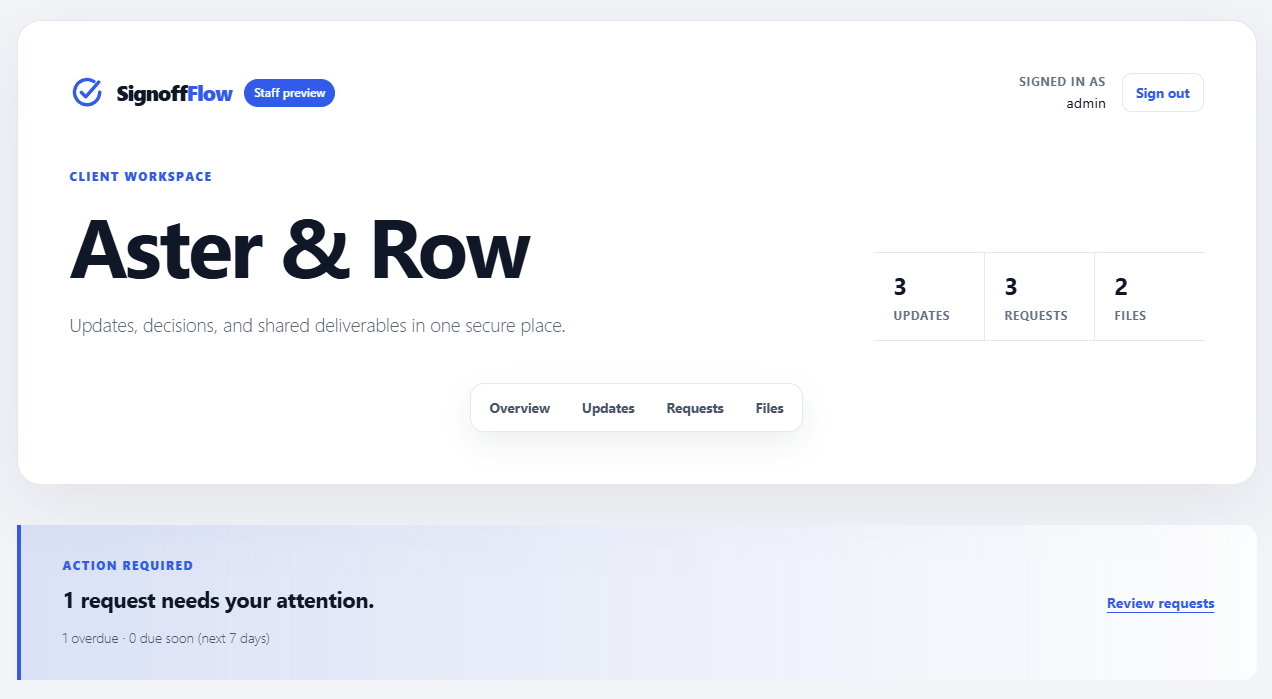
Private client portal dashboard showing items that require the client's attention.
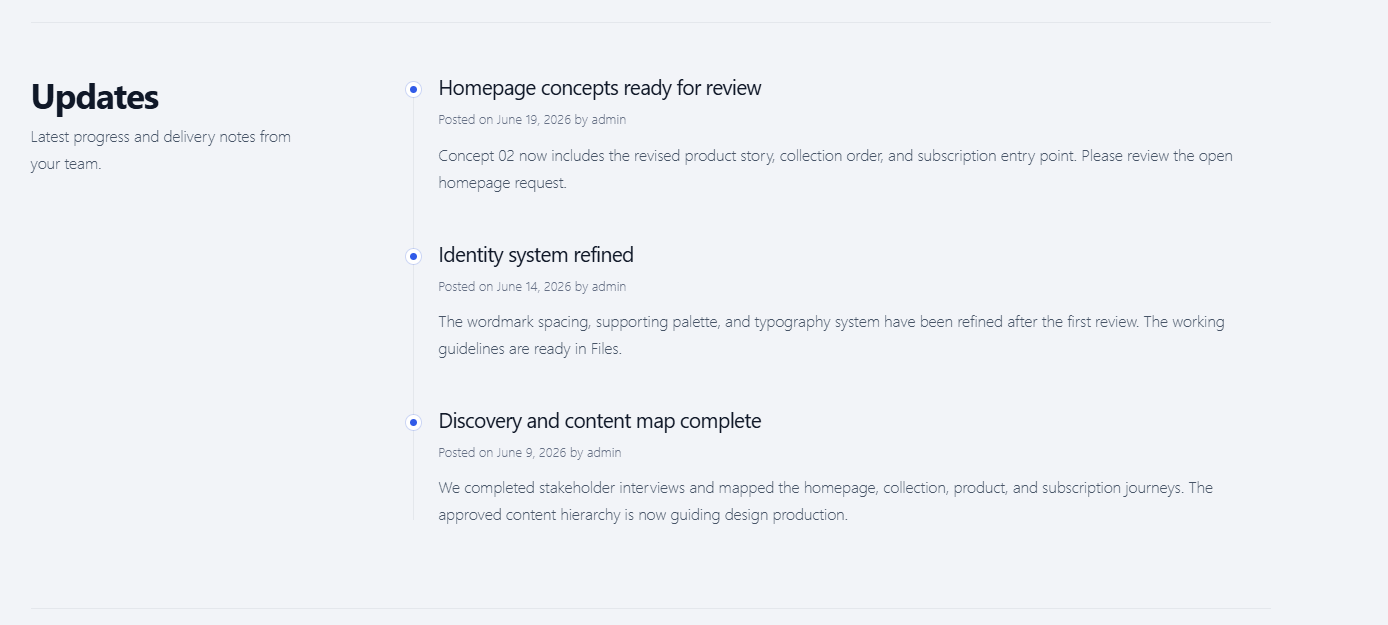
Client-facing project updates timeline for keeping communication and progress information in one place.
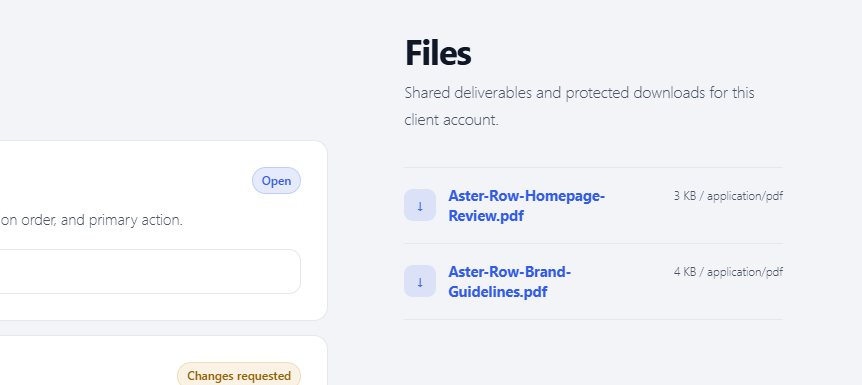
Protected client file area with access-controlled downloads.
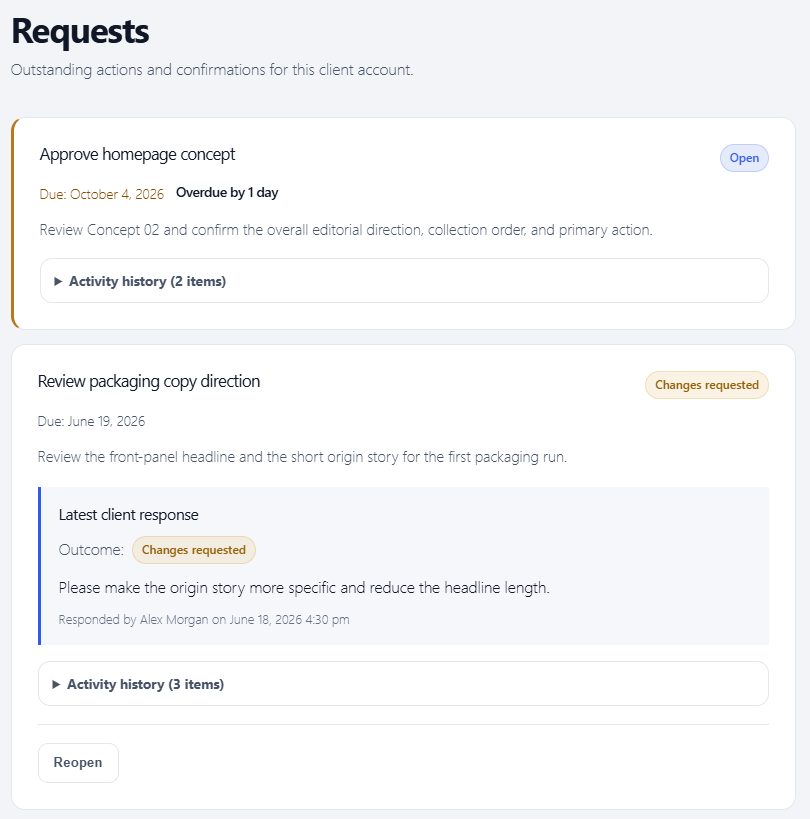
Approval requests with Approved, Changes requested, Rejected, and Blocked outcomes, response notes, and activity history.
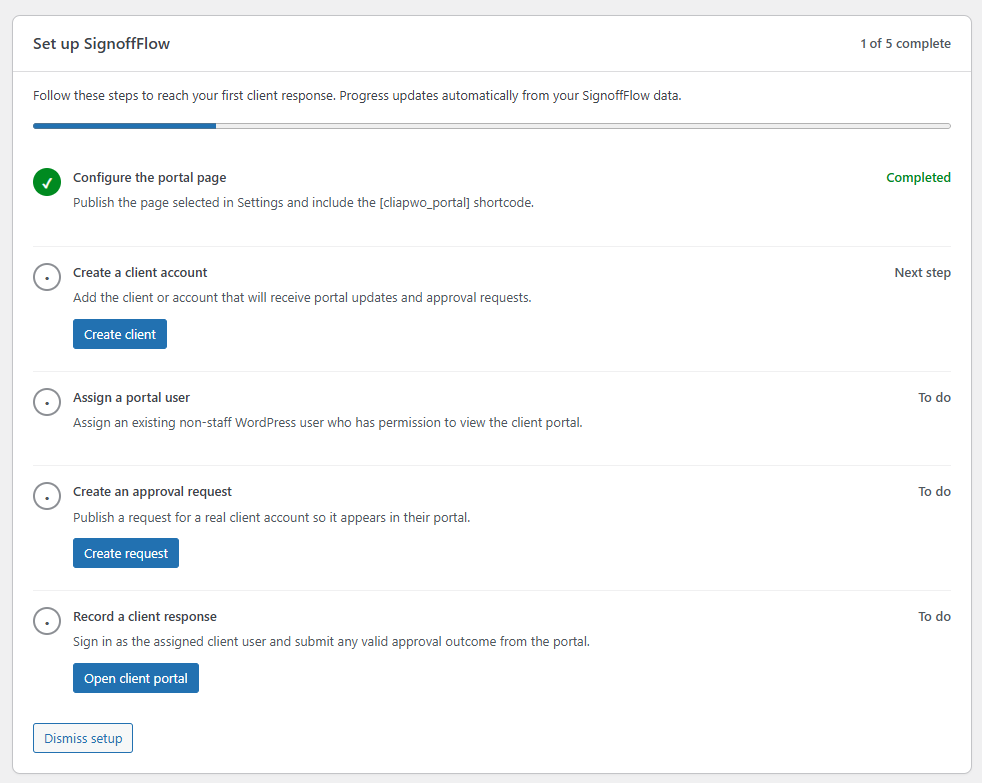
State-aware onboarding checklist showing detected setup progress and the next recommended action.
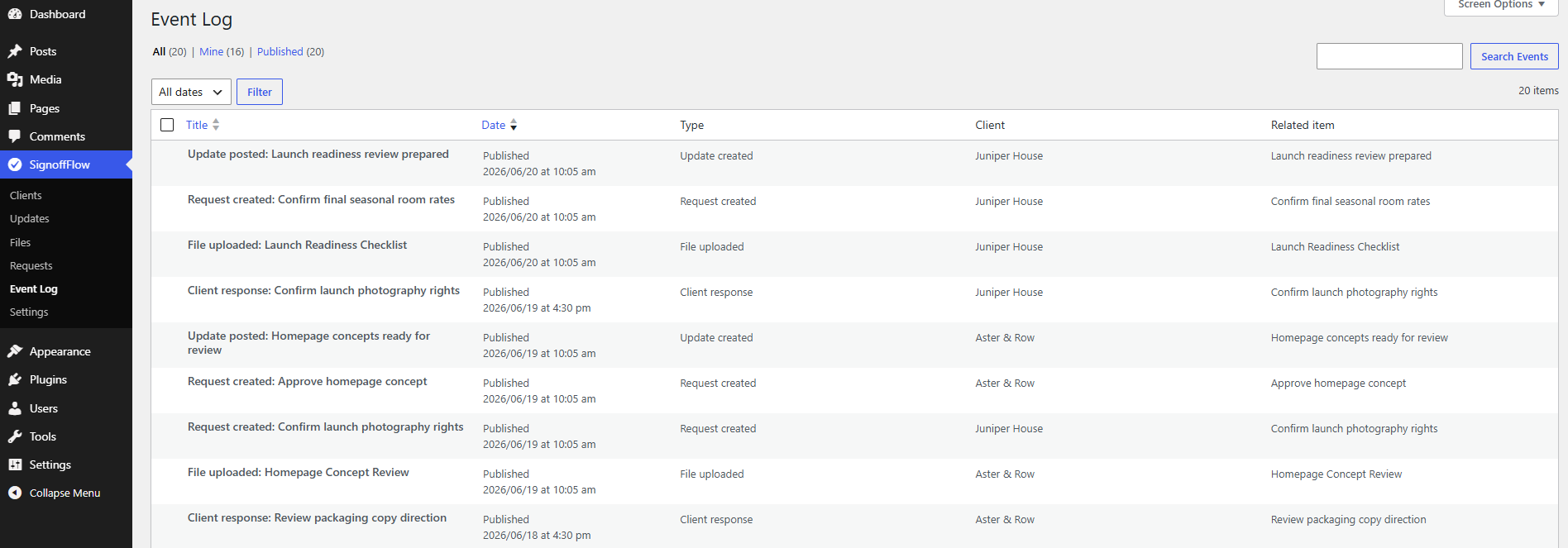
Event Log showing approval activity.
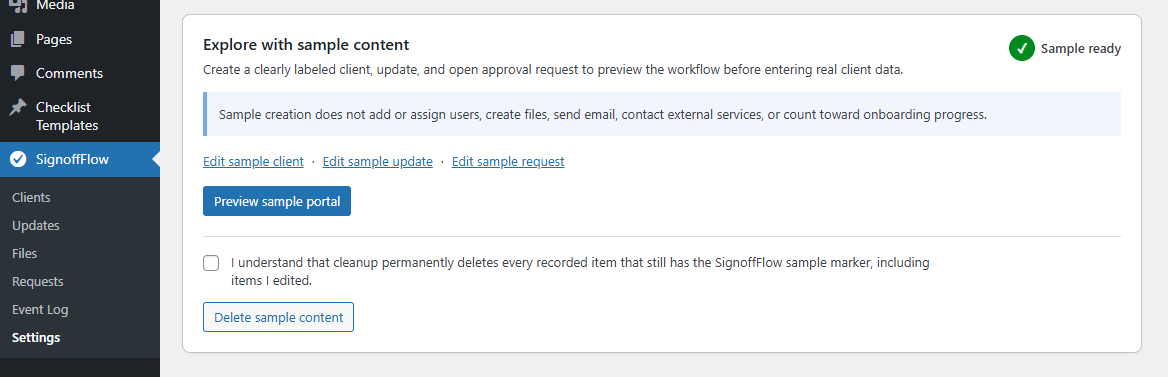
Optional sample workflow with staff preview, repair tools, and exact sample-content cleanup.