
Simple Bike Rental is a lightweight and user-friendly plugin designed to help you manage bicycle rentals directly from your WordPress site.
It’s perfect for small businesses, bike shops, and tour operators who need a simple booking system without complex setup.
Main features:
- Add and manage bikes from the backend
- Daily and hourly booking modes
- Availability calendar in the admin panel
- Frontend booking form with AJAX validation
- Email notifications for admin and customers
- No third-party dependencies
Just install, configure, and start receiving bookings in minutes.
Read the documentation to get started quickly.
Visit the official website to learn more about the plugin and Pro version.
You can also explore a live demo of the booking flow.
Usage
To display the booking form on the frontend, you can use one of the following shortcodes:
[simpbire_bike_rental_split]
Modern two-column layout with instant catalog view. Recommended for most use cases.
[simpbire_bike_rental]
Standard single-column layout.
[simpbire_bike_rental layout=”centered”]
Centered single-column layout optimized for full-width pages and modern landing pages.
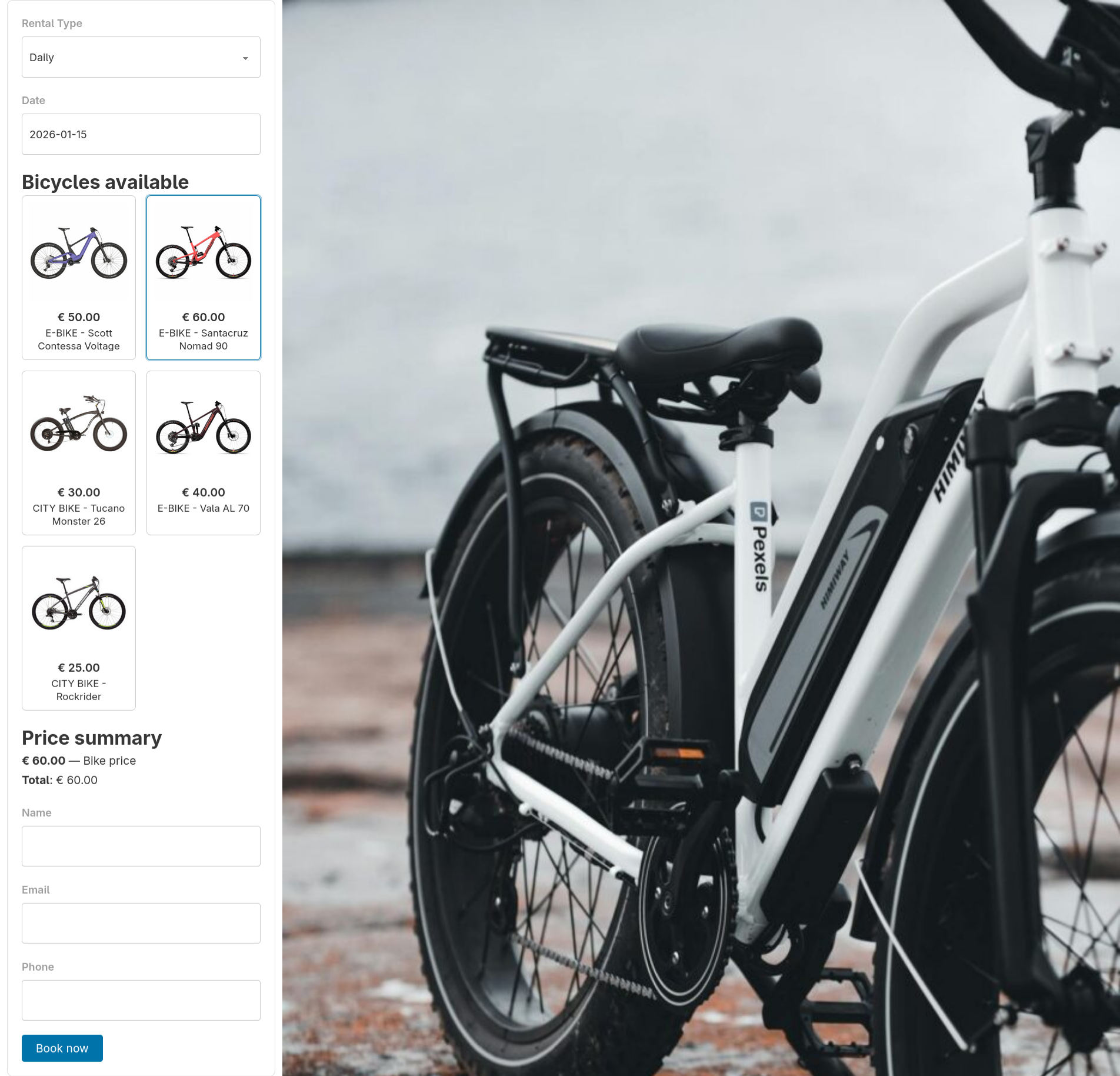
The split layout displays the booking form on the left and the list of bicycles on the right.
Without selecting dates, it works as a catalog: clicking a bike opens its detail page (if a details URL is set).
After selecting dates, it switches to booking mode and allows selecting a bike for reservation directly from the grid.
The centered layout provides:
– improved spacing and alignment
– better distribution of bicycle cards
– improved tablet and mobile responsiveness
– a cleaner frontend appearance for modern themes
You can add these shortcodes to any post or page. The form will automatically load available bikes and booking options based on your settings.
Tip: Create a dedicated page (for example, “Book a Bike”) and place the shortcode there for easy access.
Bike grid (catalog view)
You can display a grid of available bikes using this shortcode:
[simpbire_bike_grid columns=”4″ type=”e-bike”]
Available attributes:
– columns: number of columns in the grid
– type: filter bikes by type (optional)
Each bike in the grid includes a “Check availability” button that links to the bike detail page (if configured).
Single bike page
To display the booking flow for a specific bike, use the single bike shortcode:
[simpbire_bike id=”4″ show_calendars=”true” months=”3″]
This shortcode is typically used together with the bike grid on a dedicated bike detail page to create a complete booking flow.
Available attributes:
– id: the bike ID (required)
– show_calendars: show availability calendars (true or false)
– months: number of months to display in the calendar
Mini availability calendars
You can display compact availability calendars for a specific bike using this shortcode:
[simpbire_mini_calendar bike_id=”1″ months=”3″ legend=”1″]
Available attributes:
– bike_id: the bike ID (required)
– months: number of months to display
– legend: show the availability legend (1 to enable, 0 to disable)
Linking the bike details page
To use the booking flow “bike grid single bike page”, each bike must be linked to its detail page using the “Bike details URL” field.
How it works:
– The [simpbire_bike_grid] shortcode displays a list of bikes with a “Check availability” button.
– If a details URL is set for a bike, the button and the bike image link to that page.
– The destination page must contain the shortcode [simpbire_bike id=”X”], where X is the bike ID.
Required setup:
– Create a dedicated page for the bike (or for each bike type).
– Add the shortcode [simpbire_bike id=”X”] to that page.
– Open the bike settings in the admin panel.
– Set the “Bike details URL” field to the page URL.
Note: If the details URL is not set, the “Check availability” button will be disabled and the bike will not be clickable.
For detailed documentation, please refer to the online docs
Links
Learn more about simple bike rental (advanced features):
https://www.simplebikerental.com
Learn how to enable online payments (Pro version):
https://www.simplebikerental.com/documentation/payments/
Screenshots

Bicycle Management – Admin interface for managing bikes.
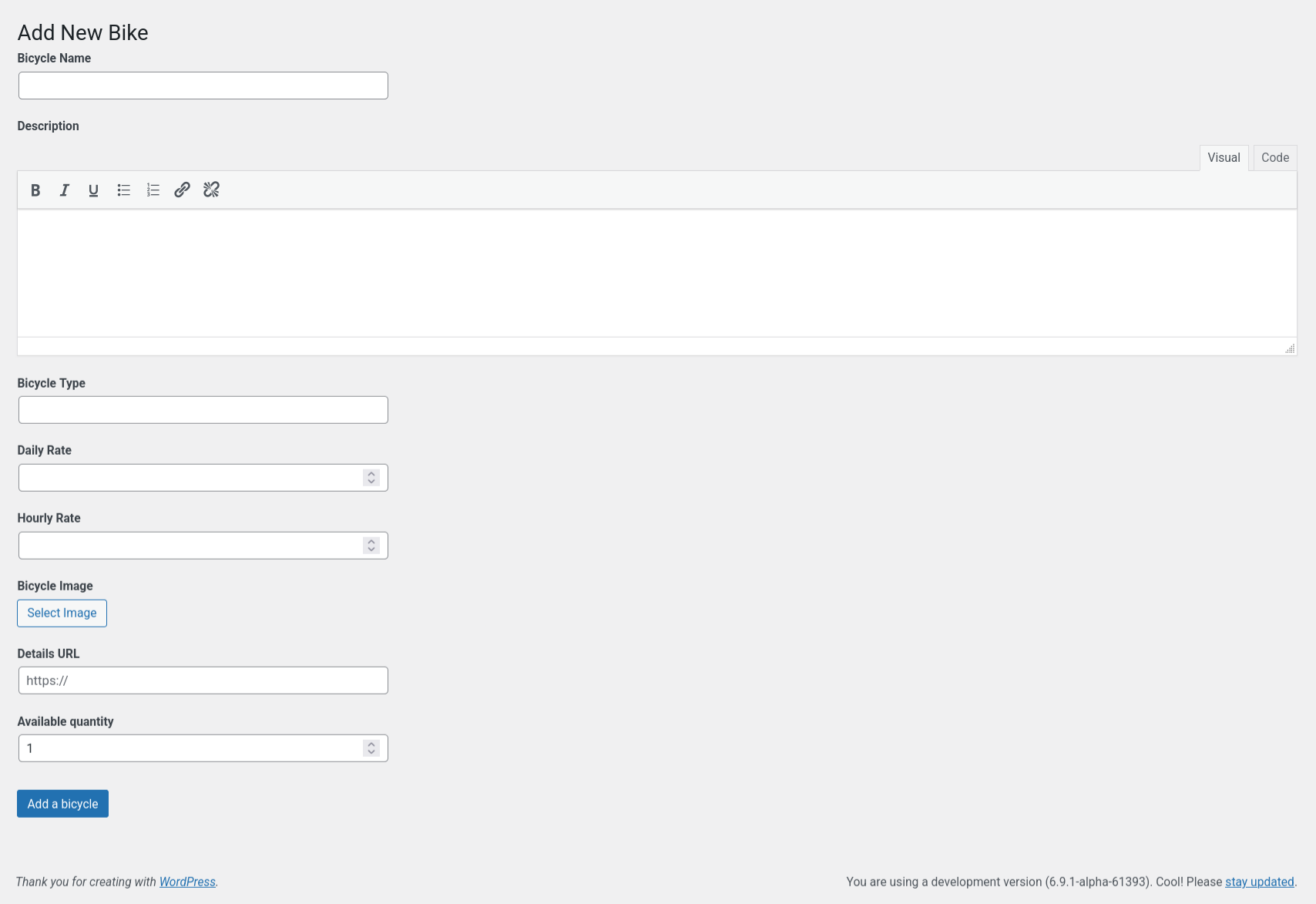
Add New Bike – Form to add a new bicycle from the backend.
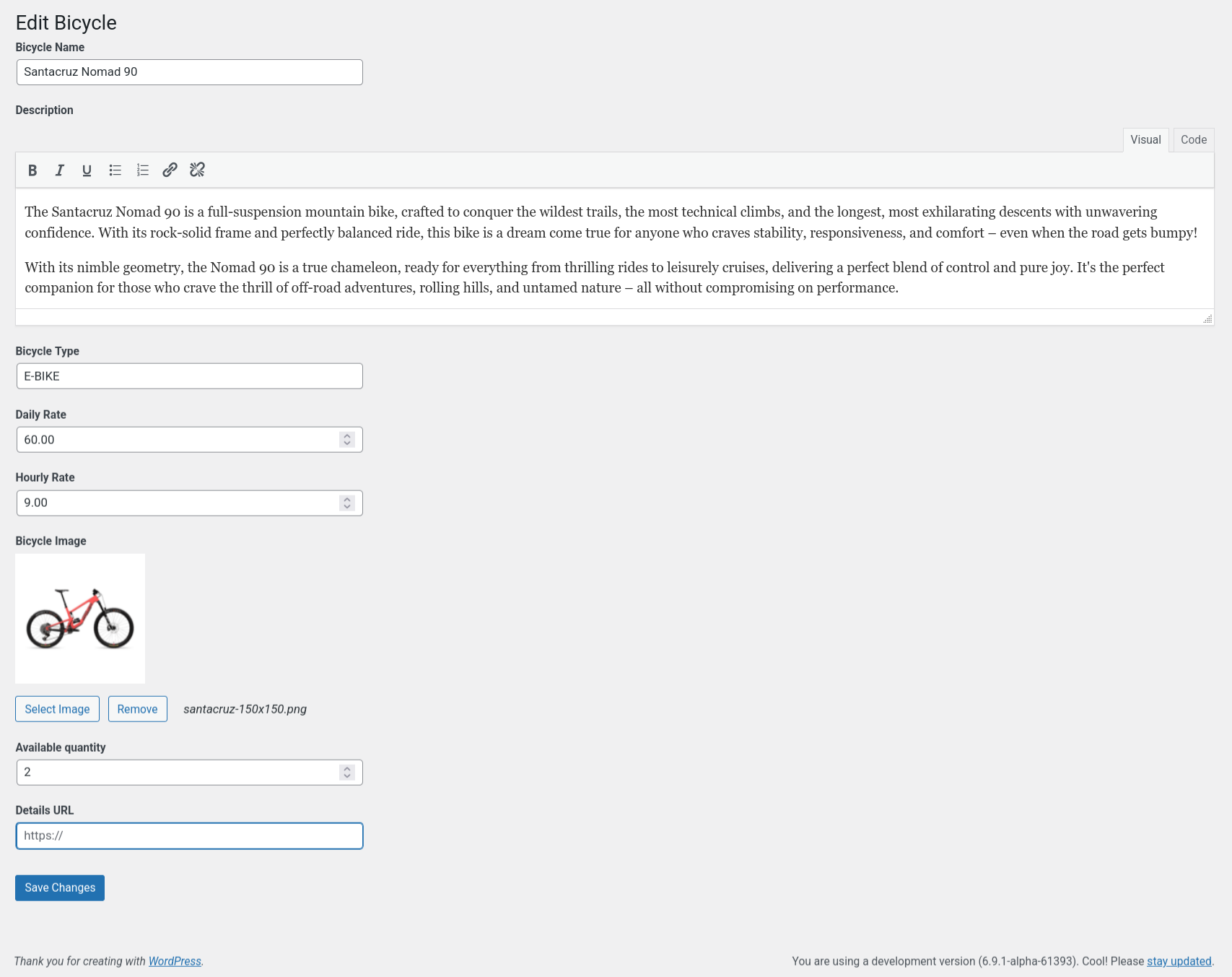
Edit Bicycle – Edit details of an existing bike.

Add Booking (Admin) – Manual booking form for admin use.

Bookings Page (FullCalendar) – Calendar view of bookings.

Bookings Page (Table View) – Tabular view of all bookings.

Bookings Modal (FullCalendar) – Click to view/edit bookings.

Notification Page – Email templates management.

Edit Notification – Customize notification content.
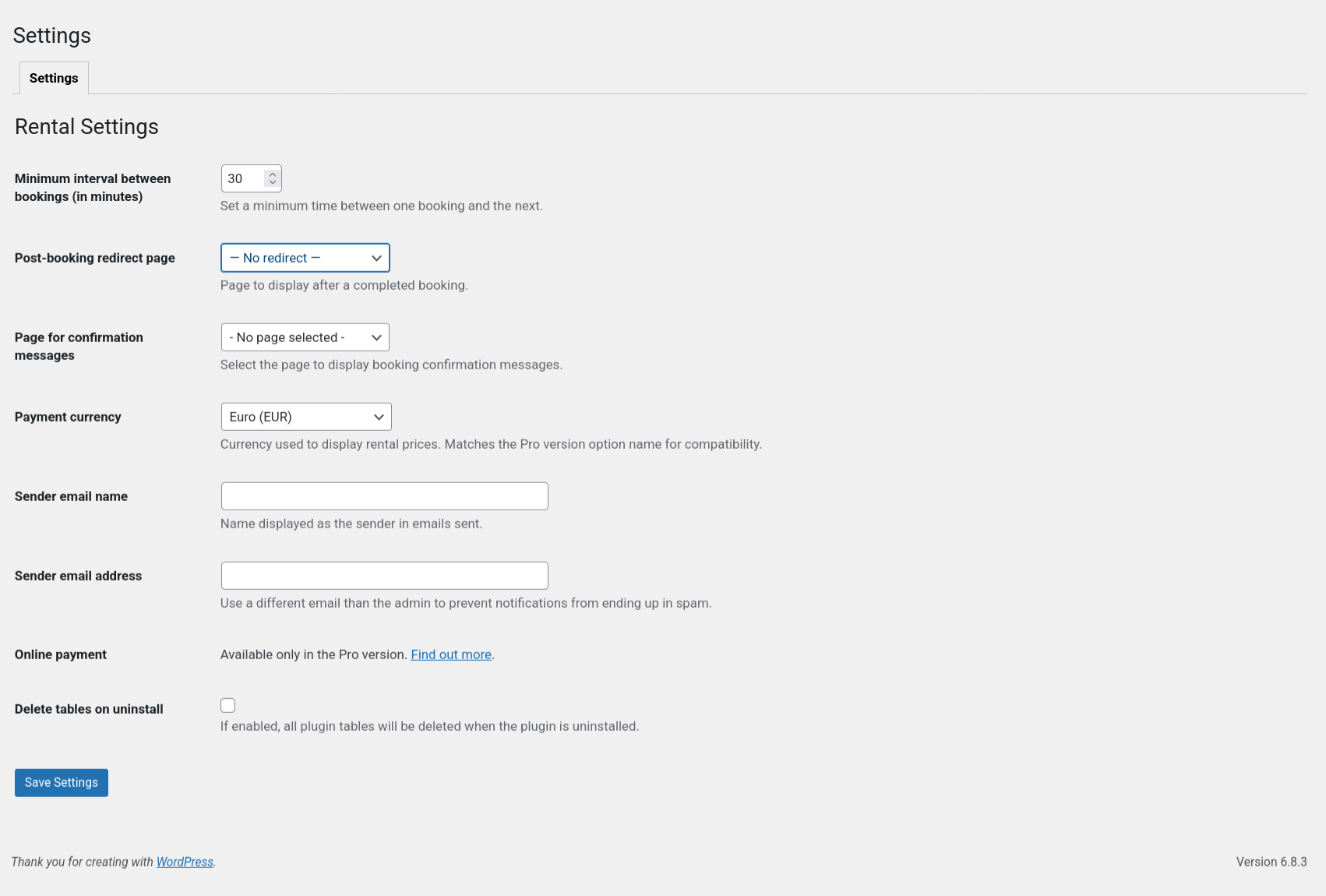
Setting Page – Configure plugin options and preferences.
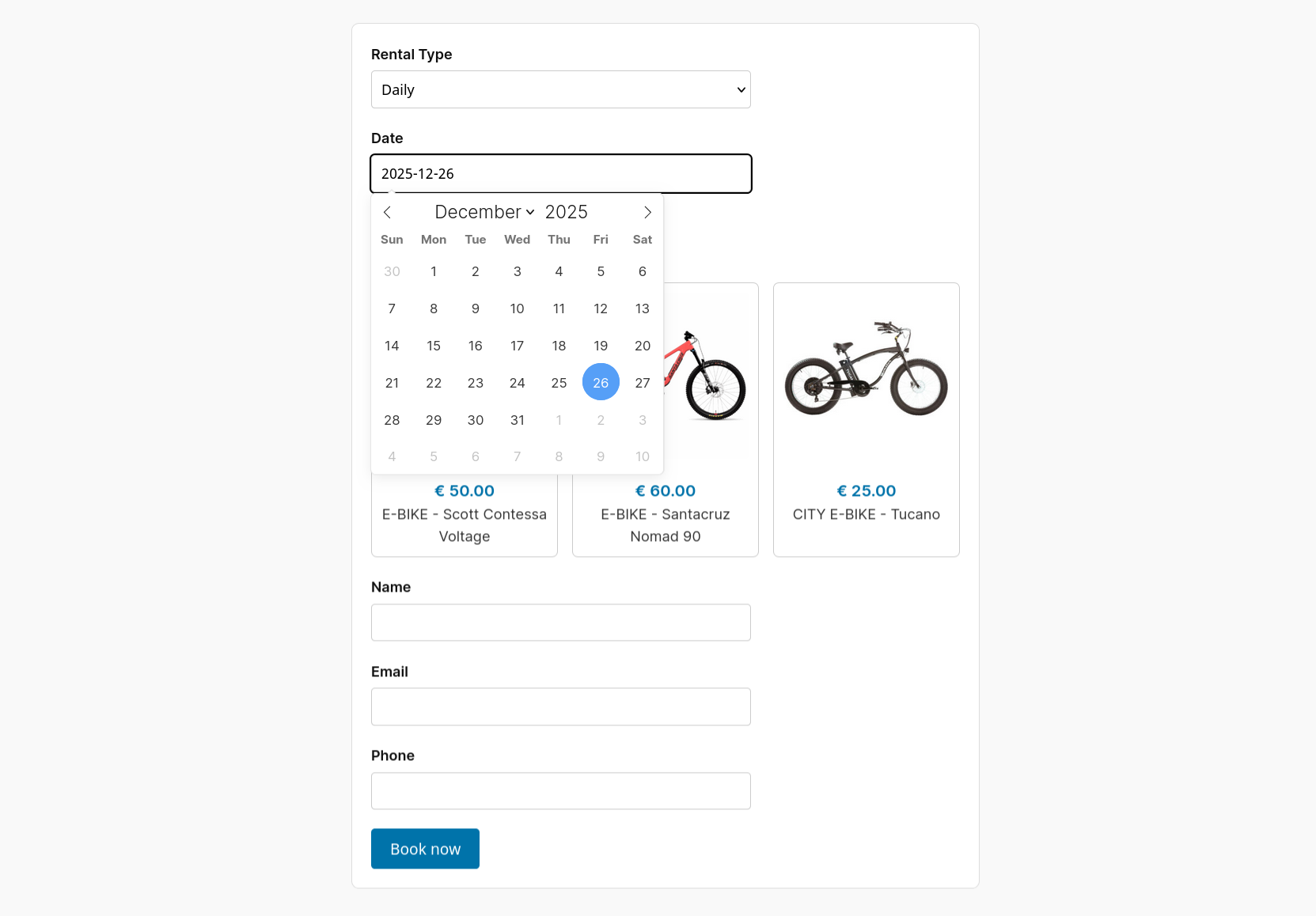
Frontend booking form – Standard single-column booking layout
Frontend booking form example – Example of a complete booking flow

Frontend booking split layout – Modern two-column layout with instant catalog view

Bike grid 4 columns – Display bikes in a responsive grid layout

Bike grid 3 columns – Alternative grid layout with fewer columns

Bike single details – Dedicated page for a single bike with booking form