BACK TO DIRECTORY
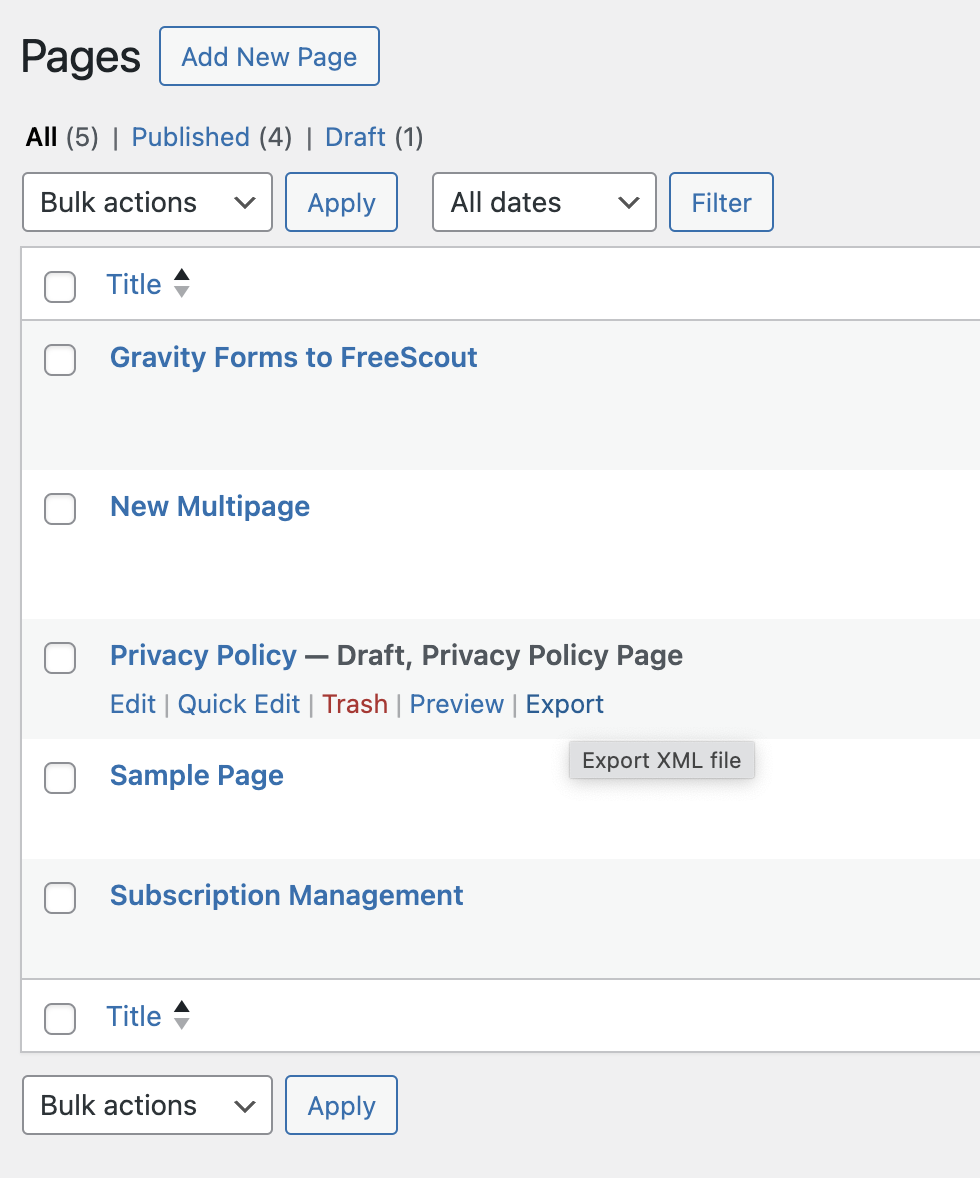
Say goodbye to exporting your entire content database or manually copying and pasting individual posts or pages. Export exactly the content you need as a standard WordPress (WXR) XML file, then bring it into any other site with the official WordPress Importer.
Features
- One-click export from the Posts, Pages, Media and custom post type lists.
- Bulk export. Select several items and choose “Export” from the Bulk actions menu to get them all in one file.
- Export from the editor. Use the block editor’s options (⋮) menu, or the Publish box in the classic editor.
- Export with media. Include the featured image, attached media, and images, galleries, video, audio and files used in the content. The importer downloads them and updates the links.
- Only the terms you need. Categories, tags and custom taxonomy terms used by the exported content are included, along with their parent terms.
- Clear file names. Single exports are named after the post slug.
- Secure. Export links are protected with nonces and are only shown to users who can export and edit the content.
Check out our other plugins:
- 🦄 Unicorn Panel – the new web hosting control panel built for multi-server fleets; FREE!
- 🎉 Media Library File Size
- 🔒 Two Factor (2FA) Authentication via Email
- 🙍♂️ View User Metadata
- 🔠 Enable Turnstile (Cloudflare) for Gravity Forms
- ⭐️⭐️⭐️⭐️⭐️ Gravity Forms to FreeScout
Screenshots
An example of the 'Export' link when viewing Pages.
Plugin Details
Active Installs
3K+Total Downloads
18,386Version
1.4.1Requires WP
5.0Requires PHP
5.6Tested Up To
7.1.4Added
2023-10-28Last Updated
2026-10-21 5:04pm GMTRatings
5
2
4
1
3
0
2
0
1
0