BACK TO DIRECTORY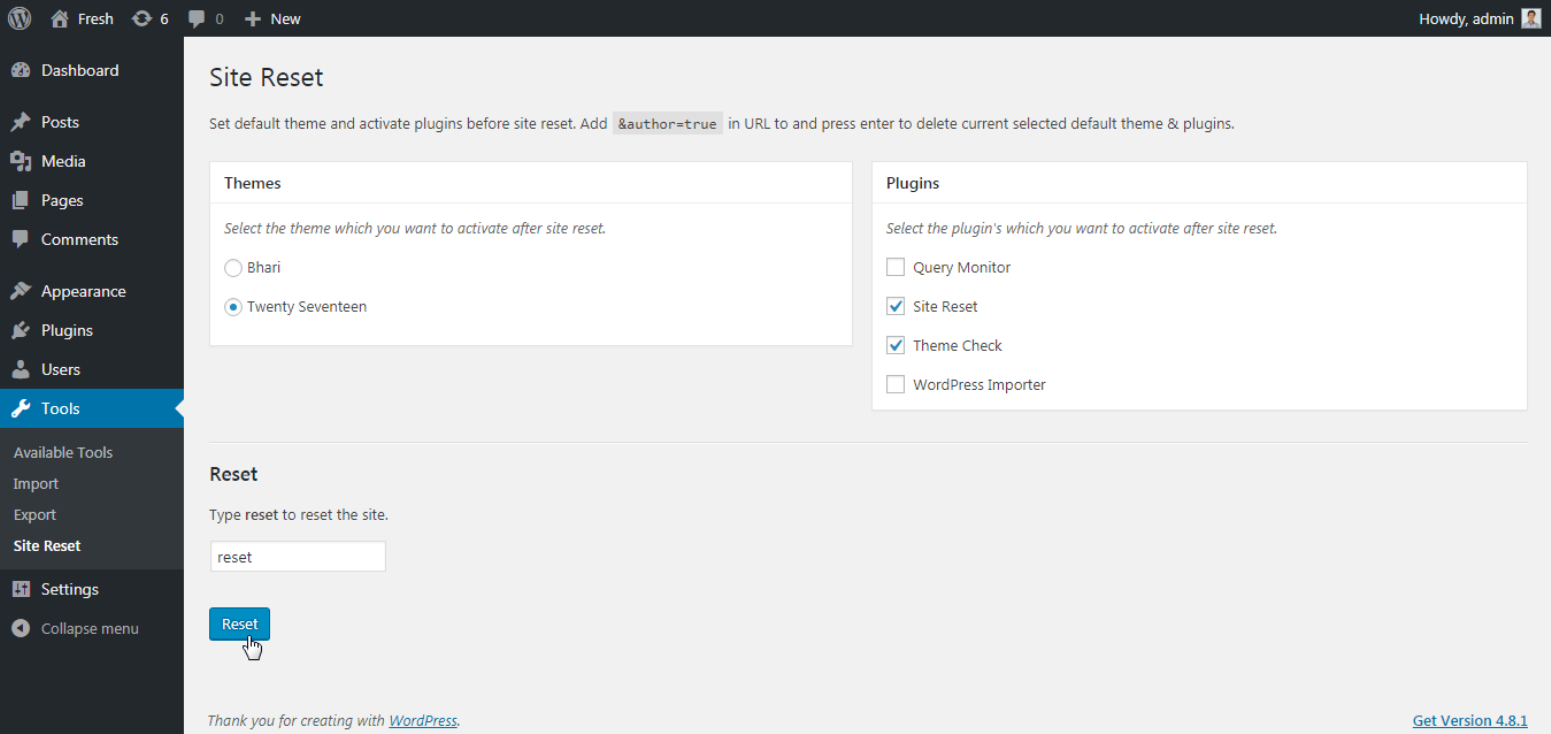

Select your favorite theme and active plugin’s which you want to see after site reset.
Note: ‘Reset Complete Site’ plugin not support multisite.
How to use?
- Goto
tools -> Site Reset. - Select theme which you want to activate after site reset.
- Select plugins which you want to activate after site reset.
- Type
resetin input box - From popup confirmation box select
Ok - Done! Your site will be reset with your selected theme and plugins.
Extend Site Reset plugin on Github
Screenshots
Plugin Details
Active Installs
10Total Downloads
3,119Version
1.2.1Requires WP
4.4Requires PHP
—Tested Up To
5.7.17Added
2017-08-07Last Updated
2021-04-10 6:54am GMTRatings
5
1
4
0
3
0
2
0
1
0