
SiteFort Security – Malware Scanner, Firewall, Login Security & Hardening
by securewpteam
SiteFort is a prevention-first WordPress security plugin that combines security hardening, firewall and bot protection, login security and 2FA, vulnerability scanning, and malware detection in one protection layer. It blocks common attack paths early, before they turn into compromises, while supported firewall rules can sync to Cloudflare for enforcement at the edge.
SiteFort’s cloud-assisted malware scanner verifies trusted files by hash and sends only unknown or suspicious files for deep threat analysis, keeping scans reliable even on shared and lower-resource hosting.
Security hardening, firewall protection, login security, 2FA, and vulnerability scanning are free forever.
Try the Live Demo | Features | Try Online Scanner
Core WordPress Security Features
- WordPress Security Hardening: Reduces common exposure through XML-RPC, user enumeration, sensitive files, direct PHP execution, REST access, security headers, and other WordPress security controls.
- Firewall & Bot Protection: Blocks known malicious IPs using network threat intelligence, filters vulnerability probes and abusive bots, and limits excessive requests. Includes configurable firewall rules and optional Cloudflare edge protection.
- Login Security & 2FA: Protects WordPress login, WooCommerce customer accounts, and membership account access with two-factor authentication, CAPTCHA, brute-force lockouts, a custom login URL, breached-password checks, and password policies.
- Vulnerability Scanner: Checks WordPress core, plugins, and themes for known vulnerabilities, affected versions, severity, CVE references where available, and remediation guidance.
- Cloud-Assisted Malware Scanner: Detects backdoors, web shells, injected code, malicious redirects, SEO spam, and suspicious file changes, with deep threat analysis in the cloud to reduce server load.
- Compromise & Reputation Checks: Detects suspicious administrator accounts, injected content, unsafe URLs, exposed sensitive files, malicious redirects, and domain or server reputation issues.
WordPress Security Hardening
SiteFort provides simple, toggle-based WordPress hardening controls to reduce common security exposure and shrink the attack surface.
- Sensitive File Protection: Blocks public access to WordPress configuration backups, database dumps, debug logs, backup files, installer files, and other sensitive resources, including exposed
.envor.gitdata when present. - PHP Execution Protection: Blocks PHP execution in uploads and restricts direct access to PHP files in plugin and theme directories.
- XML-RPC Controls: Disable XML-RPC, restrict authentication, or block pingback abuse.
- User Enumeration Blocking: Reduces username exposure through author archives, REST endpoints, and common discovery paths.
- REST & Application Password Controls: Restricts REST API access and controls WordPress Application Passwords based on site requirements.
- File Editor Protection: Disables the built-in WordPress theme and plugin file editor.
- Directory Browsing Protection: Disables directory listing to reduce file discovery and unintended information exposure.
- Security Headers: Analyze and manage CSP, HSTS, X-Frame-Options, X-Content-Type-Options, Referrer-Policy, Permissions-Policy, and disclosure headers.
- Version & Metadata Cleanup: Reduces exposed WordPress version, generator, and header information.
- Protection Verification: Confirms supported hardening protections are active and identifies items that require manual hosting or server configuration.
WordPress Malware Scanner
SiteFort combines hash-first file verification with cloud-assisted deep threat analysis to detect malware while reducing scan workload on the WordPress server.
- Hash-First File Verification: Known WordPress core, plugin, and theme files are verified against trusted hashes.
- Deep Threat Analysis: Files that cannot be verified by hash or show suspicious indicators are sent to the SiteFort cloud for deep threat analysis, including backdoors, web shells, injected PHP or JavaScript, malicious redirects, SEO spam, and obfuscated code.
- File Integrity: Detects modified WordPress core, plugin, and theme files, along with unexpected files that do not belong in trusted packages.
- Account & Content Checks: Checks administrator accounts, WordPress content, options, URLs, and redirects for suspicious changes and indicators of compromise.
- Sensitive File Exposure: Identifies publicly accessible backups, logs, configuration files, debug files, and other sensitive files commonly targeted by attackers.
- Domain & IP Reputation: Checks the site domain and server IP against supported blocklists and abuse intelligence.
Database and content checks run locally. External link reputation checks use hashed data rather than uploading plaintext URLs or database content.
Login Security & 2FA
SiteFort protects WordPress login and account access against brute-force attacks, credential abuse, and unauthorized access.
- Brute-Force & CAPTCHA Protection: Limits repeated login attempts and adds CAPTCHA protection to WordPress, WooCommerce, and supported custom login and registration forms.
- Two-Factor Authentication: Adds role-based 2FA with authenticator apps, email codes, recovery codes, grace periods, and trusted devices.
- WooCommerce & Membership 2FA: Lets customers and members manage 2FA from WooCommerce My Account or supported custom account pages.
- Custom Login URL: Move the WordPress login page to a private URL and control requests to the default
wp-login.phpaddress. - Password Security: Detects weak and breached passwords, enforces password strength, prevents reuse, and supports optional expiration policies.
WordPress Firewall
SiteFort filters malicious and abusive traffic early, with clear controls for IPs, countries, rate limits, sensitive paths, bots, and optional Cloudflare edge enforcement.
- IP, CIDR & Country Rules: Block or allow individual IP addresses, CIDR ranges, and countries, including an allow-only mode.
- Sensitive Path Probe Protection: Blocks requests probing for commonly targeted sensitive paths, including WordPress configuration backups, database dumps, debug logs, installer files,
.env, and.git. - Rate Limiting & 404 Controls: Reduces abusive request bursts, repeated missing-page requests, and automated scanning activity.
- Bot & User-Agent Controls: Block or allow selected bots, crawlers, scanners, and user agents with configurable firewall rules.
- Network Threat Protection: Automatically blocks known malicious IPs using threat intelligence shared across the SiteFort network, including threats identified on other protected websites.
- Vulnerability Probe Protection: Blocks automated requests searching for vulnerable plugins, themes, backup files, and configuration leaks.
- Cloudflare Sync: Synchronizes supported IP, country, and user-agent rules to Cloudflare, with temporary edge blocks for repeat attackers where supported.
- Traffic Log: Review firewall traffic, blocked requests, bot activity, rate-limit events, and rule matches from the firewall dashboard.
Bot Protection Policy
SiteFort provides three bot protection presets for straightforward setup, with the option to allow or block specific bots and crawlers individually.
- Basic: Blocks known hacking tools and bots probing for vulnerable files and common attack paths.
- Balanced: Adds protection against scraping bots and automated scripts. Recommended for most WordPress sites.
- Maximum: Extends filtering to unrecognized bot traffic for sites that require stricter automation controls.
- AI Training Crawlers: Optionally block training-focused crawlers such as GPTBot, ClaudeBot, CCBot, and Bytespider while supported AI assistants and AI search crawlers remain allowed.
Supported search crawlers are verified using reverse DNS and published IP ranges and are allowed through bot protection, while bots impersonating known search engines are detected and blocked.
Vulnerability Scanner
SiteFort checks installed WordPress core, plugins, and themes against vulnerability intelligence and identifies affected versions, severity, and available remediation.
- Affected Components: Identifies vulnerable WordPress core, plugins, and themes with installed versions, severity, and CVE references where available.
- Fix Guidance: Shows fixed versions and recommended actions when remediation information is available.
- Vulnerability Probe Protection: Firewall controls block automated discovery attempts targeting vulnerable plugins, themes, and known component paths while affected software is being updated, replaced, or removed.
SiteFort does not virtually patch vulnerable code. Vulnerable components should be updated, replaced, or removed using the available remediation guidance.
Malware Repair & Quarantine
- Delete or Quarantine (Free): Remove malicious or unwanted files from scan results, with optional quarantine for recovery when needed.
- One-Click Repair (Pro): Repairs malicious or modified files directly from scan results when a trusted clean source is available.
- Clean-File Restore (Pro): Restores supported WordPress core, plugin, and theme files, including selected commercial plugins and themes when verified clean sources are available.
For active WordPress compromises requiring hands-on investigation, Securewp expert cleanup is available for malware removal, root-cause remediation, blocklist assistance, and post-cleanup review.
WordPress Security Audit Log
SiteFort records important security and administrative activity, providing a clear history for review and investigation.
- Login Activity: Successful and failed logins, lockouts, 2FA events, and account-related activity.
- User Changes: User creation, updates, role changes, and other account actions.
- Plugin & Theme Activity: Installations, activations, deactivations, updates, and other recorded changes.
- Security & Settings Changes: Hardening, login security, firewall configuration, and other sensitive administrative changes.
SiteFort Console
SiteFort Console provides a central panel for managing security across multiple WordPress sites. No separate add-on is required; Console connectivity can be enabled or disabled directly from the SiteFort plugin.
- Run security scans and review findings across sites.
- Monitor vulnerabilities and update hardening settings remotely.
- Review security status, scan history, uptime, and SSL expiry.
- Route alerts and download reports for individual sites or clients.
- Manage team access and support workflows from one place.
All site-level security features remain available directly in WordPress; Console adds centralized management for multiple sites.
Hosting Compatibility
SiteFort supports shared hosting, managed WordPress hosting, VPS, and dedicated servers across Apache, Nginx, and LiteSpeed.
- Cloudflare: Works with Cloudflare-proxied sites and supports optional firewall rule sync for edge enforcement.
- Lower-Resource Hosting: Hash-first file verification and cloud-assisted deep analysis reduce scan workload on the hosting server.
- Flexible Server Support: Does not require a specific web server stack or managed hosting environment.
Free vs Pro
SiteFort Free includes security hardening, firewall and bot protection, network threat protection, login security and 2FA, vulnerability scanning, activity logging, and 10,000 monthly cloud file-analysis credits. Pro removes the cloud analysis limit and adds automation, repair, monitoring, alerts, and reporting.
SiteFort Pro adds:
- Unlimited deep threat analysis
- Scheduled malware scans and automated vulnerability alerts
- One-click malware repair and clean-file restore
- Uptime and SSL expiry monitoring
- Slack, Discord, email, and webhook alerts
- Remote scan history and detailed security reports
- White-label options for agencies
Managed adds hands-on monitoring, incident response workflows, and expert cleanup coverage from the Securewp team.
See the WordPress Security Plugin Comparison for a feature-by-feature comparison with other WordPress security plugins.
External services
SiteFort uses external services only for features that require them, including license activation, cloud-assisted malware analysis, vulnerability and firewall intelligence, reputation checks, optional Console sync, CAPTCHA, GeoIP, Cloudflare Sync, and administrator-configured notifications.
Optional integrations are not contacted unless they are enabled or used.
SiteFort Cloud
- Servers: securewp.net, intel.securewp.net, console.securewp.net
- Used for: Account activation, cloud malware analysis, vulnerability and reputation checks, Network Threat Protection, file repair, and optional Console sync.
- Data sent: Depending on the features used, SiteFort may send account email, license credentials, site URL, WordPress and plugin versions, installed components and versions, file hashes, scan findings, vulnerability and reputation results, attacker IP addresses, security events, and relevant configuration metadata.
- Malware scanning: File hashes are checked first. Only unknown or suspicious files may be uploaded for cloud analysis and are deleted after processing. Database checks run locally. Sensitive configuration values are removed before uploading
wp-config.php. - Reputation checks: External URLs and domains are hashed locally. SiteFort checks four-byte SHA-256 prefixes and sends full hashes only for possible matches. Plaintext URLs, database content, credentials, and query strings are not uploaded for this check. Temporary lookup data is cleared after scanning.
- Firewall IP verification: Works without an account. SiteFort uses a signed test request through intel.securewp.net to identify the correct visitor IP header, including when the site operates behind a proxy or CDN.
- Network Threat Protection: Requires a connected SiteFort account. SiteFort receives signed threat lists of known malicious IPs and ranges and shares detected attacking IPs with relevant security event details to improve protection across the network. Reports do not include request contents, passwords, cookies, or form data. Submitted reports are evaluated before contributing to network-wide blocking.
- Temporary storage: SiteFort Cloud may provide temporary
*.amazonaws.comURLs for malware analysis and clean-file restoration. - Privacy: https://securewp.net/privacy-policy/
- Terms: https://securewp.net/terms-and-conditions/
- Storage provider policies: AWS: https://aws.amazon.com/privacy/ and https://aws.amazon.com/service-terms/; Cloudflare: https://www.cloudflare.com/privacypolicy/ and https://www.cloudflare.com/website-terms/
Optional integrations
-
MaxMind GeoLite2 (download.maxmind.com): Used only when an administrator downloads or updates the local GeoIP database. The configured MaxMind account ID and license key are sent to MaxMind. Visitor IP addresses are resolved locally and are not sent to MaxMind during normal requests. Privacy: https://www.maxmind.com/en/privacy-policy Terms: https://www.maxmind.com/en/geolite2/eula
-
Have I Been Pwned Passwords (api.pwnedpasswords.com): Used for breached-password checks when enabled. SiteFort sends only the first 5 characters of the SHA-1 password hash. Full passwords and full hashes are not sent. Privacy: https://haveibeenpwned.com/Privacy Terms: https://haveibeenpwned.com/TermsOfUse
-
Google reCAPTCHA (www.google.com) and Cloudflare Turnstile (challenges.cloudflare.com): Used only when selected and configured for CAPTCHA protection. The selected provider receives the challenge token, site key, and visitor or browser data required to process the challenge. Policies: https://policies.google.com/privacy https://policies.google.com/terms https://www.cloudflare.com/turnstile-privacy-policy/ https://www.cloudflare.com/website-terms/
-
Cloudflare API (api.cloudflare.com): Used only when Cloudflare Sync is enabled. SiteFort sends the Zone ID, API token or credentials, zone details, blocked IP addresses, country rules, selected user-agent rules, and firewall rule data required for synchronization. Privacy: https://www.cloudflare.com/privacypolicy/ Terms: https://www.cloudflare.com/website-terms/
-
Notification webhooks: Security alerts may be sent to Slack (hooks.slack.com), Discord (discord.com, discordapp.com), or a custom HTTPS webhook configured by the administrator. Payloads may include site name, site URL, event type, severity, scan counts, vulnerability names, CVE identifiers, firewall counts, usernames, IP addresses, browser names, action URLs, timestamps, and event details. Slack policies: https://slack.com/trust/privacy/privacy-policy https://slack.com/terms-of-service/user Discord policies: https://discord.com/privacy https://discord.com/terms
Local site checks
Some SiteFort checks send loopback requests to the protected site’s own public URL, including security-header and public-file exposure checks. These requests contact the protected site itself, not a third-party service.
Screenshots
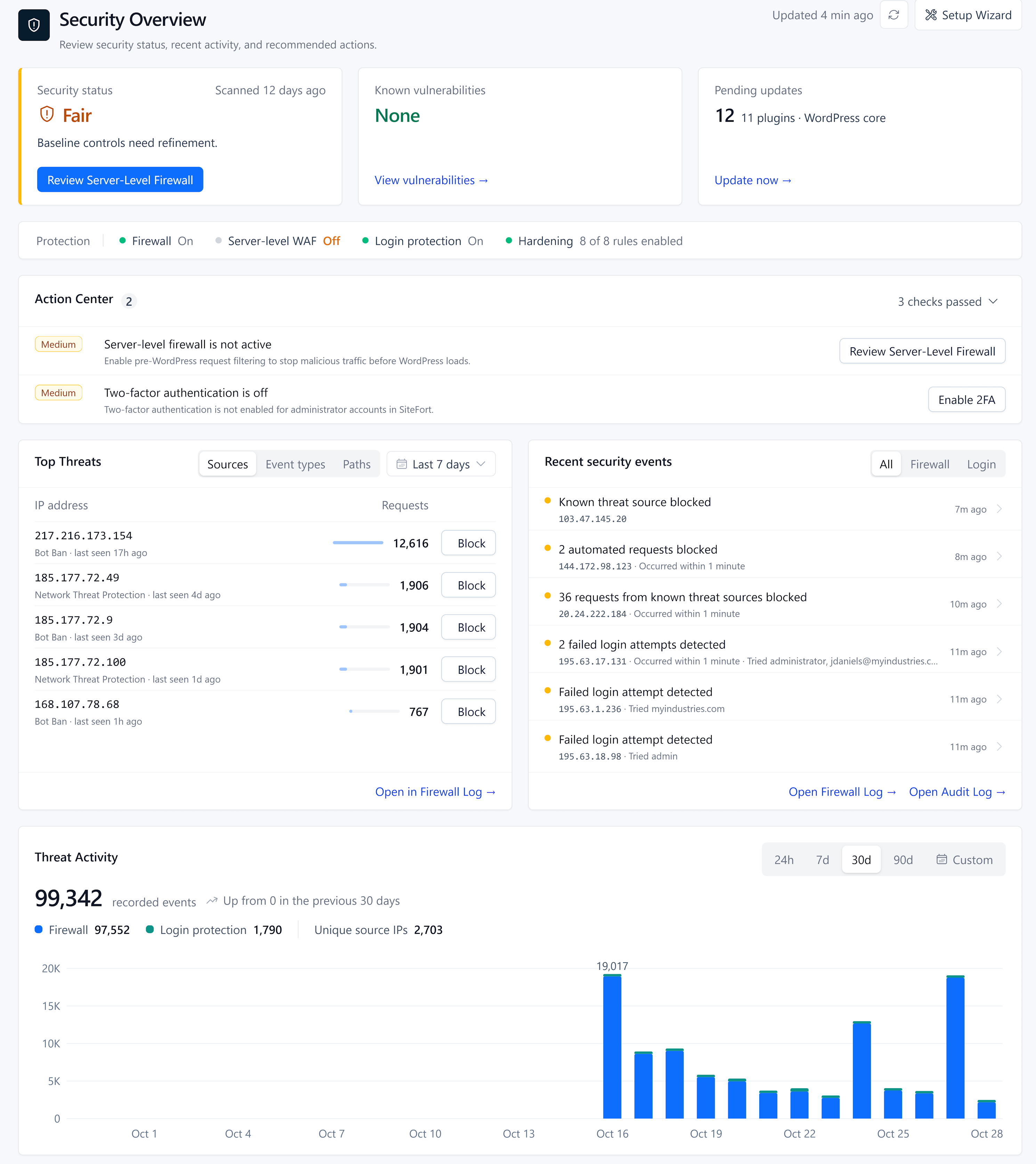
Security Dashboard: Site health, malware status, known vulnerabilities, blocked requests, and security issues that need attention.
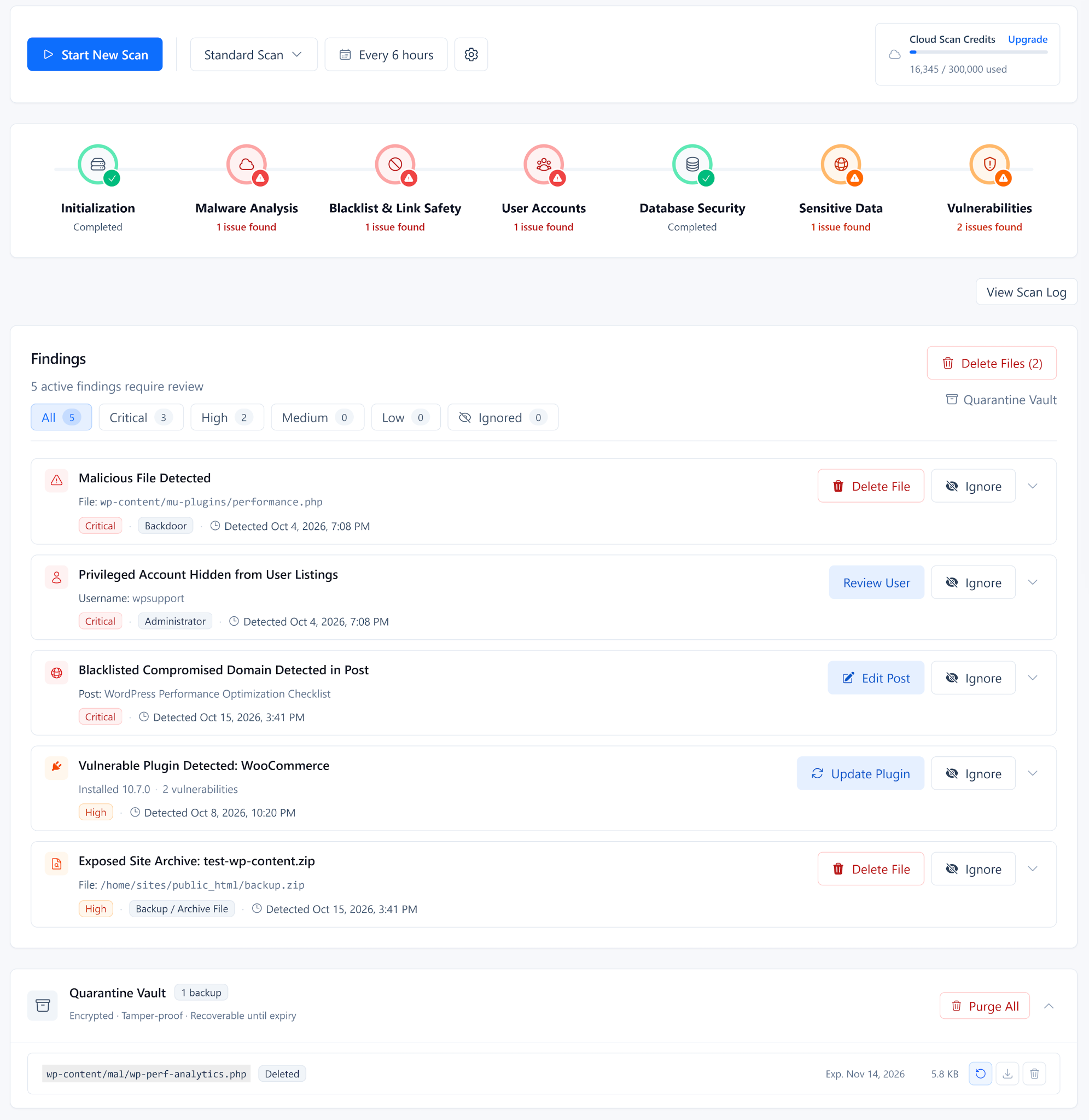
WordPress Malware Scanner: Security scan progress and findings across files, malware, accounts, content, reputation, vulnerabilities, and remediation actions.
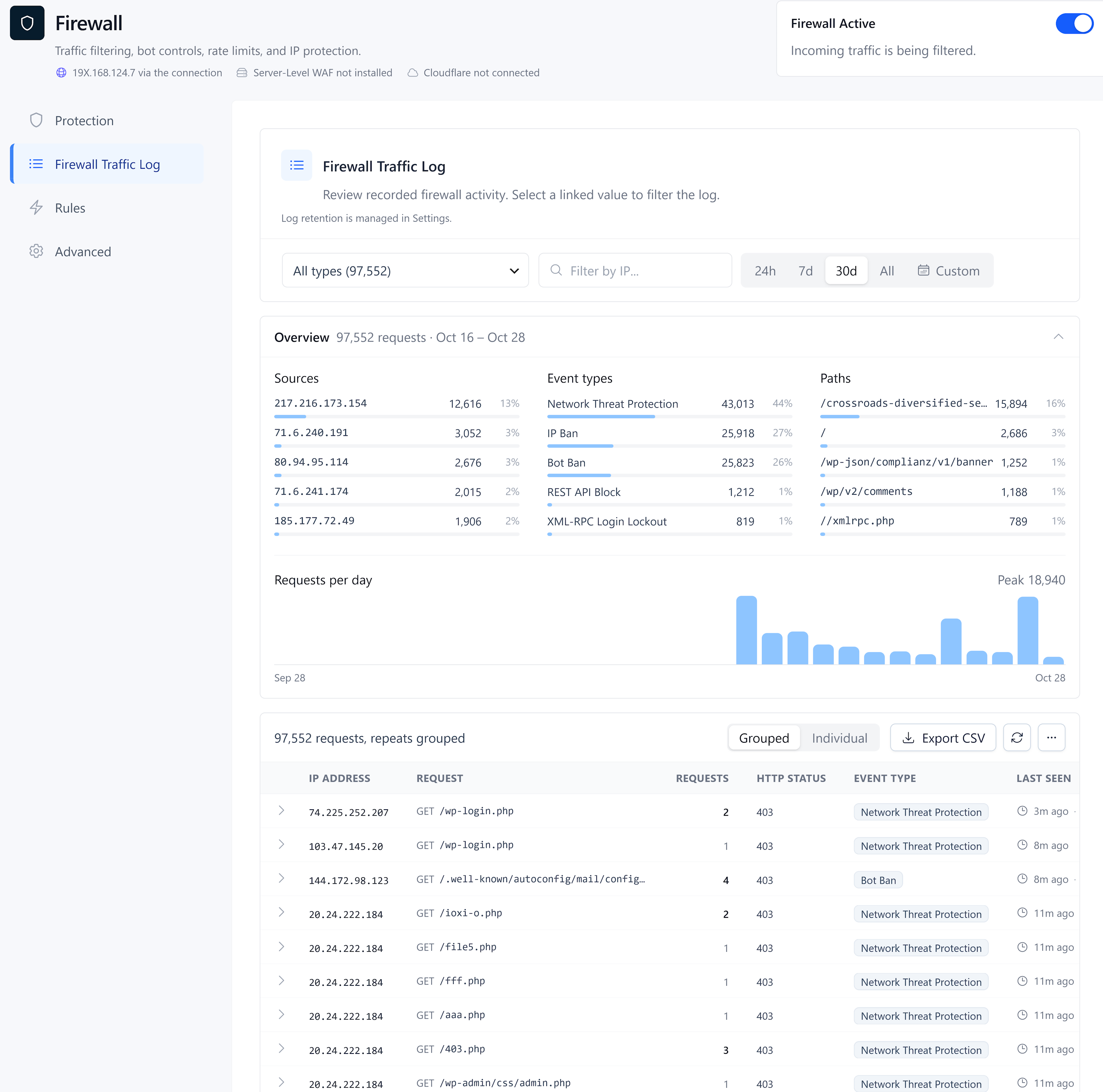
Firewall Traffic Log: Blocked requests overview, attack sources, matched firewall rules, and IP management actions.
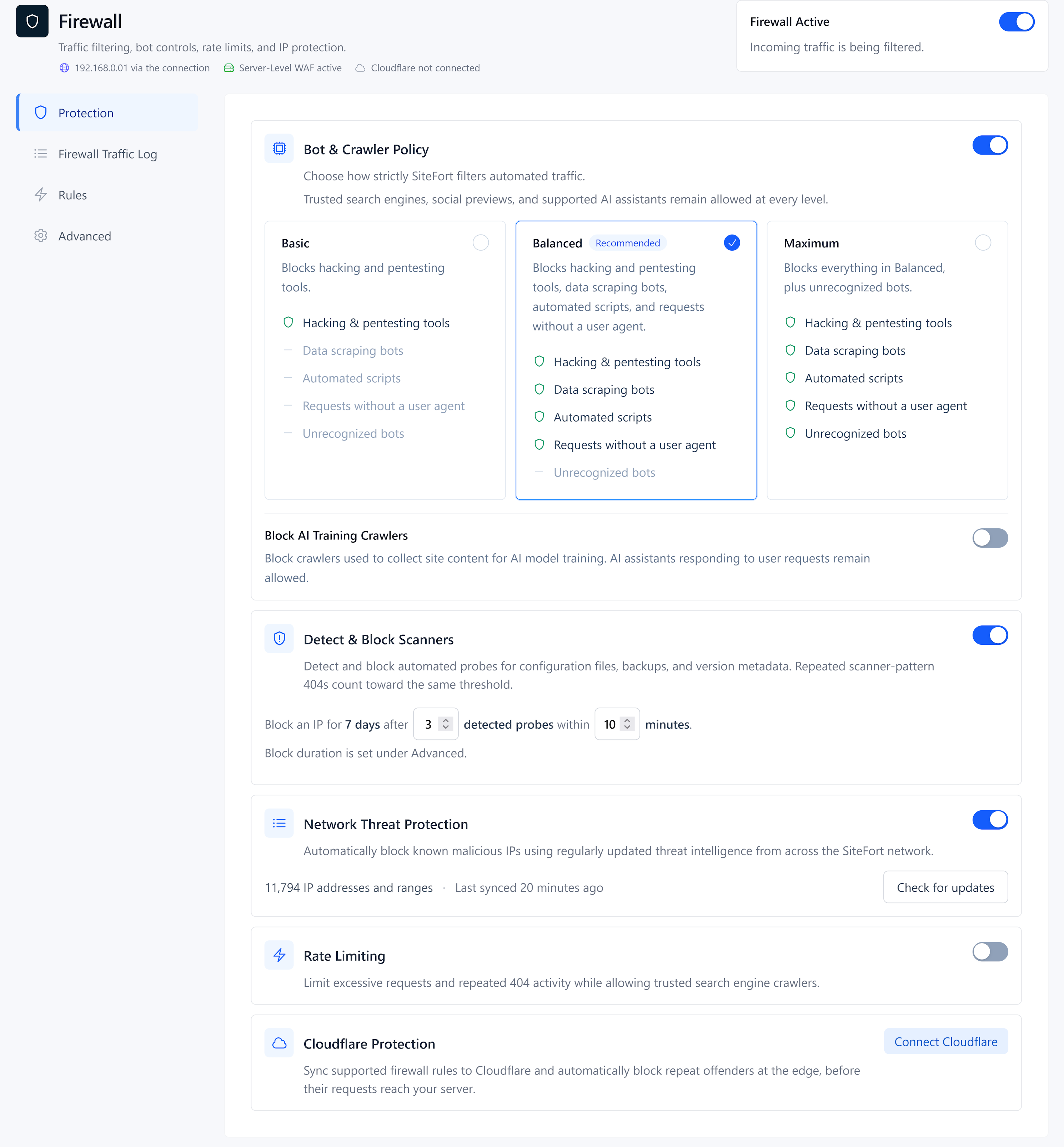
Firewall & Bot Protection: Bot protection presets, network threat protection, scanner detection, rate limiting and Cloudflare Sync.
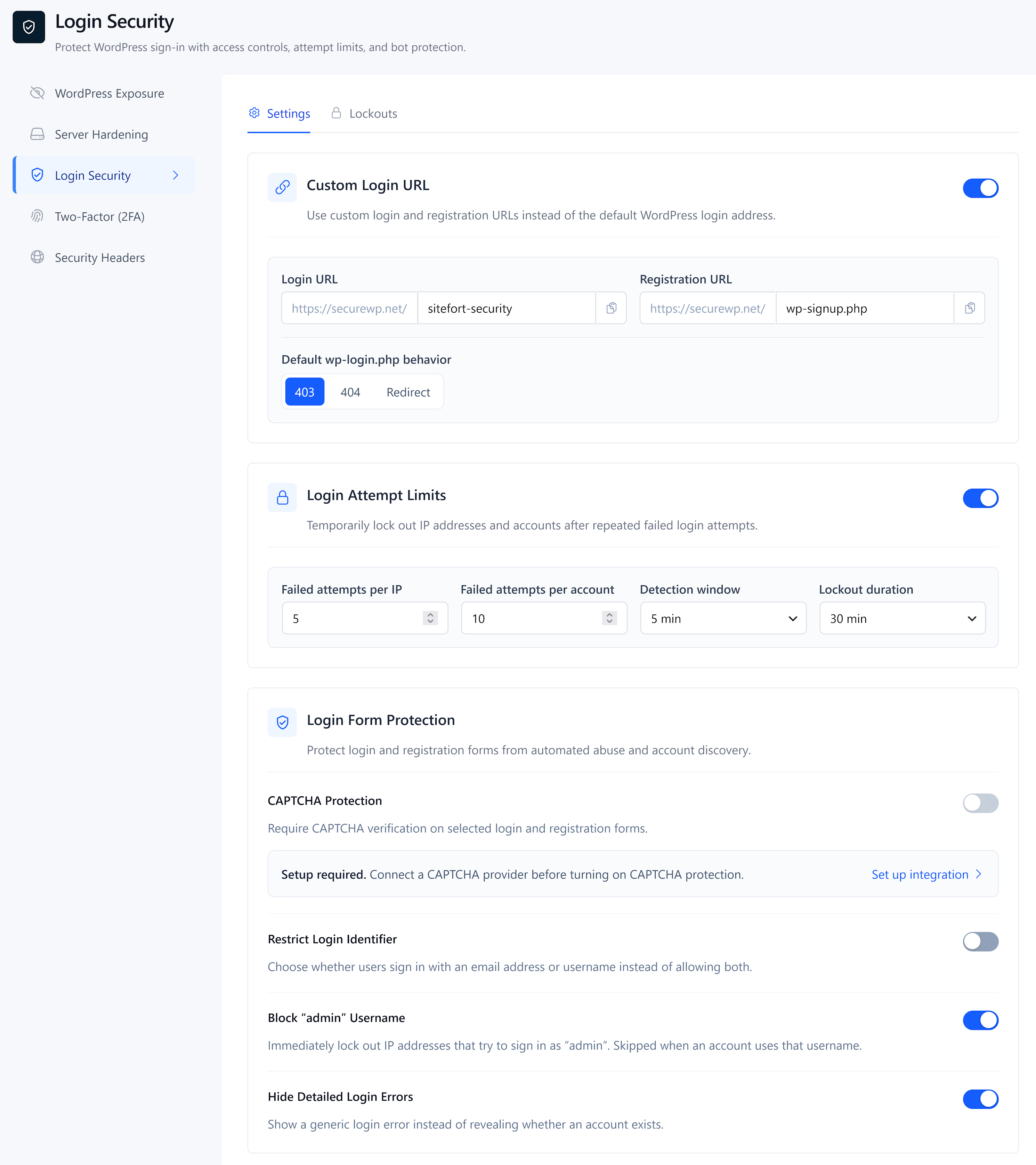
Login Security: Custom login URL, login attempt limits, CAPTCHA protection, and password policies.
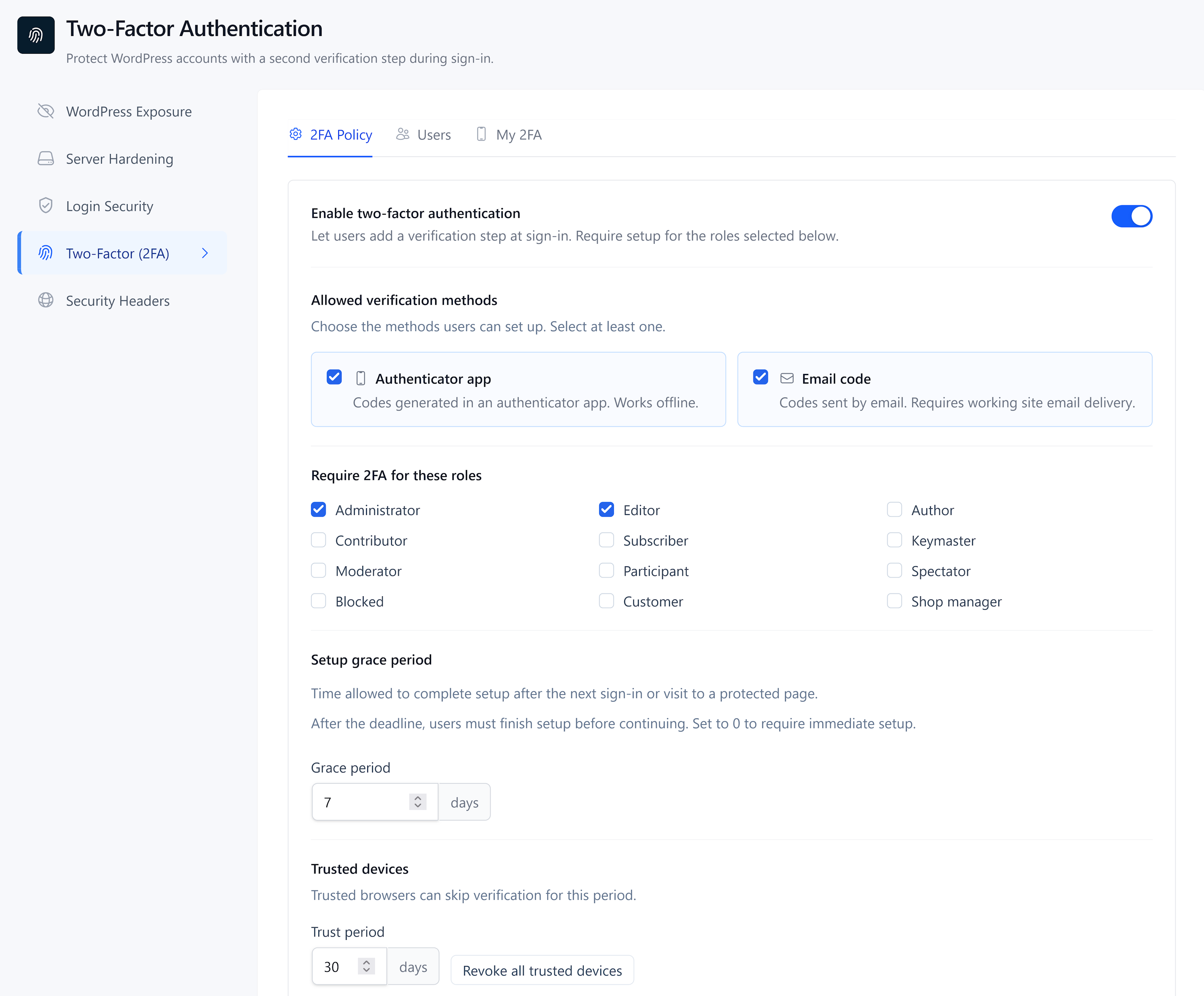
Two-Factor Authentication: Role-based 2FA, authenticator app setup, email codes, trusted browsers and recovery codes.

WordPress Hardening: User enumeration protection, REST API restrictions, Application Password controls, and file editor protection.
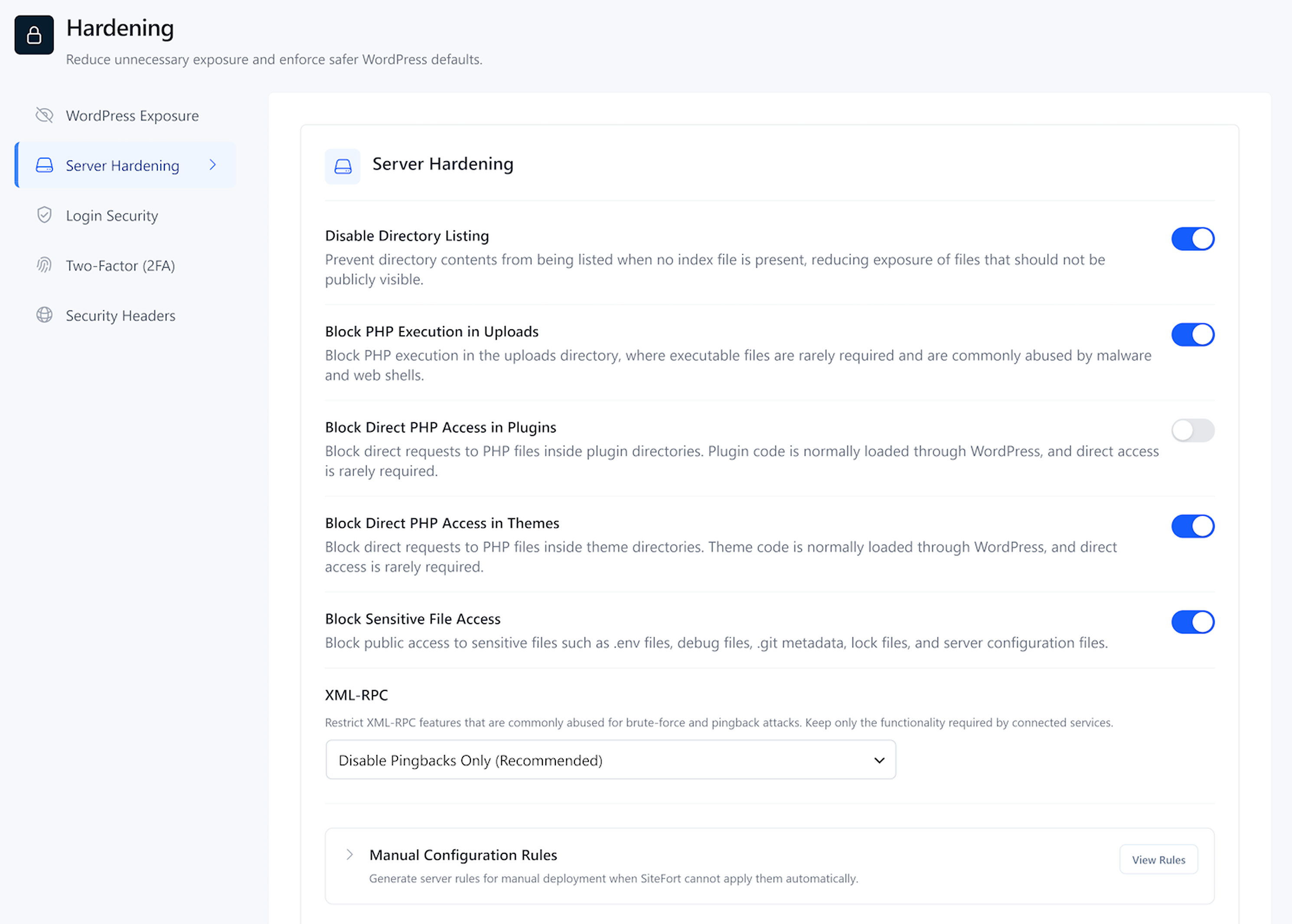
Server-Side Hardening: Sensitive file protection, PHP execution restrictions, XML-RPC controls, and server-side security settings.
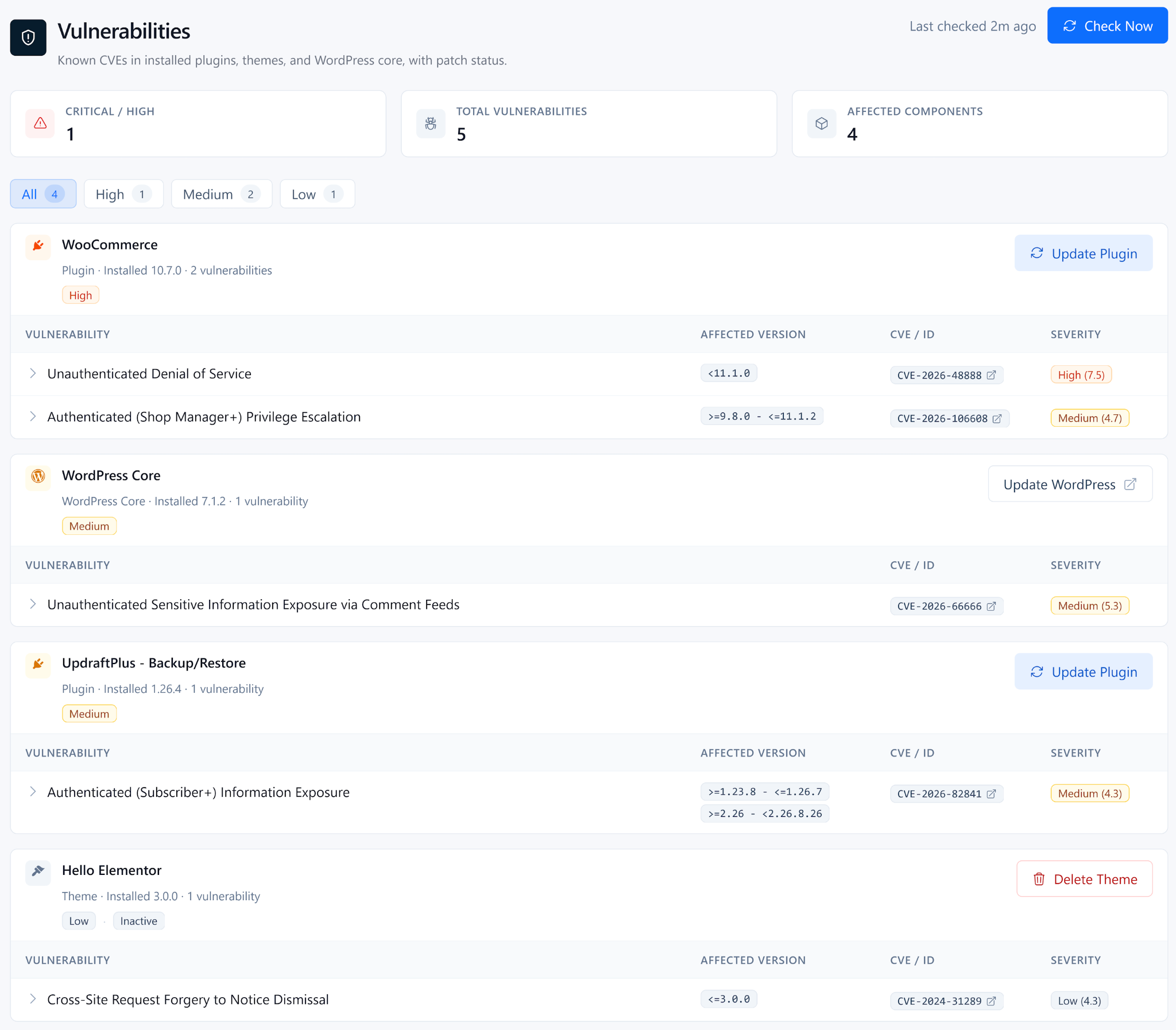
Vulnerability Scanner: Vulnerable WordPress core, plugins, and themes with severity ratings, CVE details, and available fixes.
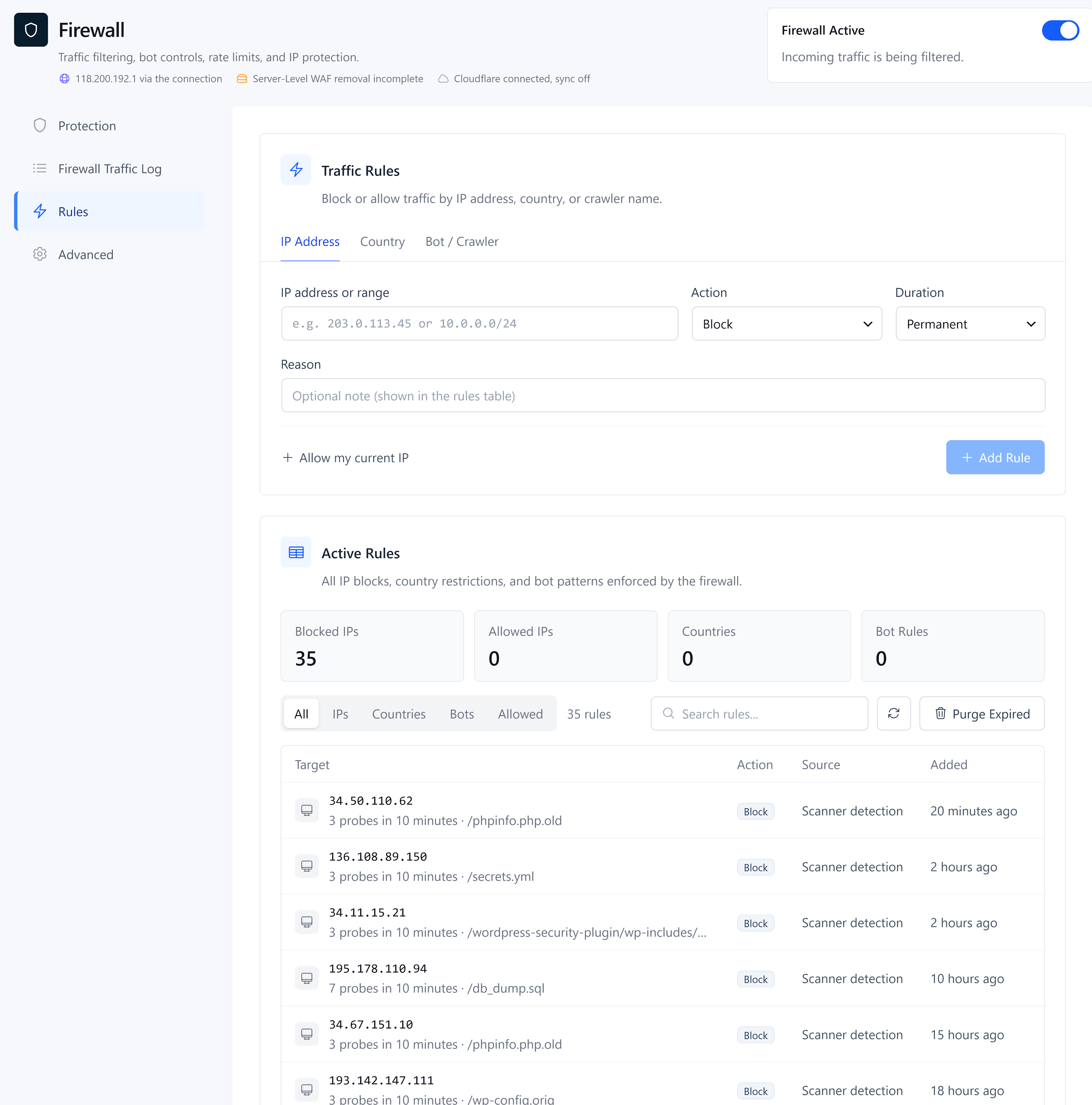
Firewall Rules: IP and CIDR rules, country blocking, bot controls, and and user-agent blocking.

Security Audit Log: Login activity, account changes, plugin and theme events, and security settings changes.

SiteFort Console: Manage connected WordPress sites, review scans and vulnerabilities, and monitor alerts, uptime, and SSL status.