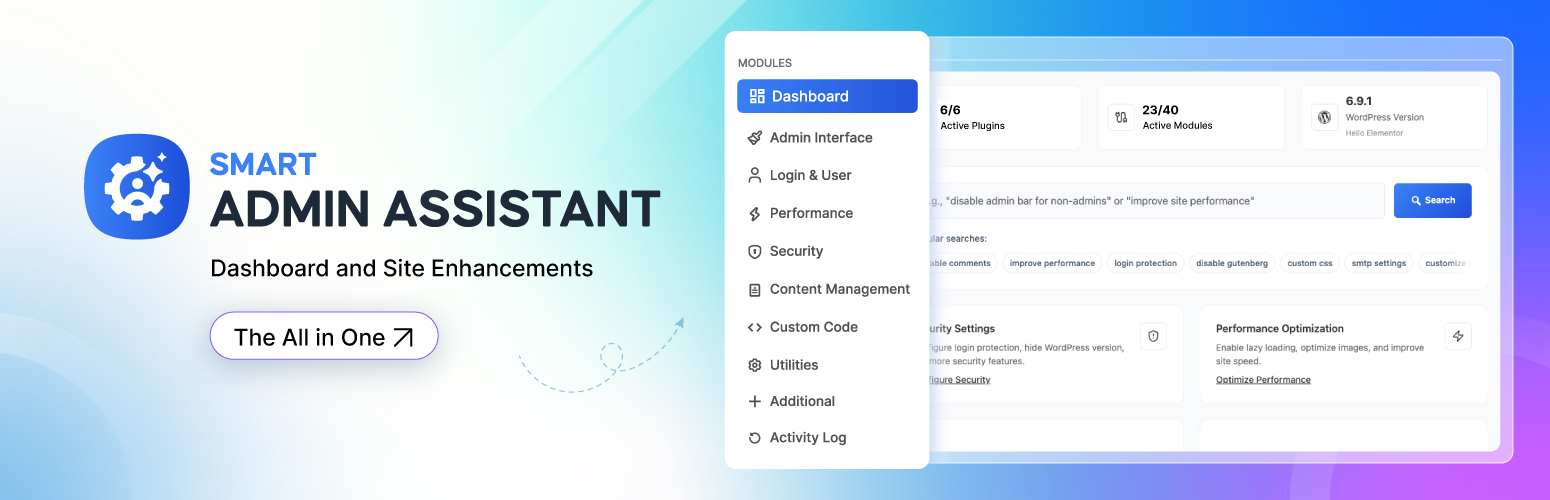
Smart Admin Assistant is a free, modular WordPress admin toolkit. It brings the small fixes most sites install one plugin at a time into one lightweight plugin: change the login URL, limit login attempts, duplicate posts and pages, hide the admin bar, hide admin notices, disable comments, switch to the Classic Editor, allow SVG uploads safely, add security headers, cache pages and put the site in coming soon mode.
Every module is off until you switch it on, and a module that is switched off loads no code. Nothing in this plugin is locked, limited or trial-only.
Replace a stack of single-purpose plugins with one admin assistant.
Try Live Demo | Read Documentation
What does Smart Admin Assistant do?
In one plugin, Smart Admin Assistant can:
- Hide the WordPress login page behind a custom login URL, and send visits to
wp-login.phpto a 404 page, the homepage or a URL you choose - Limit login attempts and lock out IP addresses that keep failing, with optional progressive lockouts
- Duplicate posts, pages and custom post types in one click, including meta and taxonomy terms
- Hide the admin bar on the front end or in the dashboard, for everyone or only for chosen roles
- Hide admin notices from plugins, themes and WordPress core
- Disable comments sitewide or per post type, and close comments on old posts automatically
- Switch to the Classic Editor for the whole site or for selected post types
- Allow SVG and AVIF uploads, with SVG files sanitized on upload
- Add HTTP security headers and harden WordPress (hide the version, disable XML-RPC, disable the file editor)
- Speed up your site with a page cache, lazy-loaded images, revision limits and Heartbeat API control
- Show a coming soon / maintenance mode page with a countdown timer and a progress bar
- Publish missed scheduled posts automatically
- Scan your site’s health and get a score with one-click fixes
Why choose Smart Admin Assistant?
- One plugin instead of many. Fewer plugins to update, audit and keep compatible.
- Modular. Turn on only the features you need. Disabled modules do not run.
- Fully free. Every feature described on this page works without a licence or an account.
- Private. No telemetry, no remote fonts, no calls to outside servers.
- Modern admin. A fast React dashboard with a module search, a command palette (Ctrl/Cmd + K) and per-module overview pages.
- Multisite ready. Network activation sets up every site, including sites created later.
Features
Admin Interface: clean up the WordPress dashboard
- Hide admin notices – remove notices from plugins, themes and WordPress, including multisite and script-injected banners
- Hide the admin bar in the backend, on the front end, or only for selected user roles
- Admin bar cleanup – remove the WordPress logo menu, site name, comments, “New”, updates, Customize, search or My Account items, with a live preview
- Remove admin bar items added by other plugins
- Custom admin footer text (shortcodes supported) and hide the WordPress version in the footer
- Body classes – add the user role to the front-end
bodyclass, and the role, username and user ID to the adminbodyclass for role-based CSS
Login & User Management: secure and customize the login page
- Custom login URL – replace
wp-login.phpwith your own slug (for example/my-login) - Redirect the default login URL to a 404 page, the homepage or any custom URL
- WooCommerce compatible – keeps WooCommerce account pages working with a custom login URL
- Login with username only or email only
- Login page templates – Split Screen, Modern Center and Underline Split layouts, also applied to the lost-password, reset-password and registration screens
Security: protect WordPress from brute force and common attacks
- Limit login attempts – 3 to 10 failed attempts before the IP is locked out for 1 to 1440 minutes
- Progressive lockout – repeat offenders are locked out for longer each time
- IP management – see blocked IPs and time remaining, block an IP manually, unblock or clear all
- HTTP security headers – X-Content-Type-Options, X-Frame-Options, X-XSS-Protection, Referrer-Policy, Strict-Transport-Security (HSTS) and Content-Security-Policy
- WordPress hardening – hide the WordPress version (generator tag and
ver=query strings), remove RSD, WLW manifest and shortlink tags, disable the theme and plugin file editor, disable XML-RPC and pingbacks - Email address obfuscation – protect email addresses in posts, excerpts, widgets and comments from spam bots, with four methods (HTML entities, JavaScript, CSS reversal, ROT13) and an exclusion list
- Security scan – checks the login URL, debug mode, HTTPS, file editor, XML-RPC, version disclosure and recent failed logins
- Security Status widget on the WordPress dashboard
Performance: make WordPress faster
- Page cache – caches pages for logged-out visitors, ignores tracking parameters such as
utm_*,fbclidandgclid, skips WooCommerce and Easy Digital Downloads shoppers, and clears itself when content, comments, menus or the theme change - Revision control – keep 0 to 100 revisions per post, clean up existing revisions in one click, or delete extra revisions weekly
- Heartbeat API control – set the interval (15 seconds to 5 minutes) or disable it on the dashboard and front end to reduce
admin-ajax.phpload - Lazy load images in post content
Content Management: save editorial time
- Duplicate post / duplicate page – one-click copy of posts, pages and custom post types with content, meta and taxonomies, saved as a draft
- Disable comments sitewide or per post type, and close comments automatically after 1 to 365 days
- Classic Editor – disable the block editor (Gutenberg) globally or per post type
- Auto excerpts – generate an excerpt of a set length for posts and pages that have none
- SVG uploads with security sanitization (administrators only)
- AVIF image uploads
- Missed schedule fix – automatically publishes scheduled posts that WordPress missed
Utilities
- Coming soon / maintenance mode – shows a coming soon page (HTTP 503, search-engine friendly) to everyone except administrators, with title, subtitle, description, countdown timer, progress bar and footer text
Additional user features
- Extra user profile fields – phone, company, job title, address, social links and a custom bio
- Private admin notes on user profiles, visible only to administrators
Dashboard, site health and tools
- Site health score – a scan of performance (GZIP, browser caching, mobile viewport), SEO (XML sitemap, robots.txt, image alt text, broken internal links), configuration (WordPress and PHP versions) and security, with a detailed report
- Smart recommendations – suggested settings you can apply in one click
- Plain-language settings search – type what you want (“hide the admin bar”, “stop spam comments”) and jump to the matching setting; it runs locally, nothing is sent anywhere
- Command palette – press Ctrl/Cmd + K to jump to any module or setting
- Modules page – filter modules by category or status and activate or deactivate them in bulk
- Settings import and export as JSON, to copy your setup to another site
- Reset to defaults for all settings
- System information – server, PHP and WordPress details with one-click copy for support tickets
Who is it for?
- Site owners and bloggers who want a cleaner, safer dashboard without touching code
- Agencies and freelancers who set up the same tweaks on every client site and want one plugin and one settings export to do it
- Developers who want hardening, security headers and body classes without writing a custom plugin
- Content teams who duplicate posts, schedule content and work in the Classic Editor
Pro version
A separate premium plugin, Smart Admin Assistant Pro, is available from store.bdthemes.com. It is installed alongside this plugin and adds its own modules, such as SEO and Google Search Console, an activity log, two-factor authentication, SMTP, admin menu customization and login page styling. Everything listed above works without it.
Smart Admin Assistant 2.4.0 requires Smart Admin Assistant Pro 2.4.0 or newer.
External Services
This plugin does not connect to any third-party service. It sends no telemetry, checks no remote feeds and loads no remote fonts or scripts.
The only HTTP requests it makes are loopback requests to your own site — for example fetching your homepage, robots.txt, a sitemap URL or a core script URL from your own domain — and only when you run the site-health scan from the plugin dashboard. Nothing is sent to any external server.
Source Code and Build Process
This plugin ships with the complete, human-readable source for every generated
file it loads. Nothing you need in order to read, study, modify or rebuild the
plugin is withheld.
src/admin/— React source (JSX) for the admin application, built todist/admin/src/scss/— Sass source for every stylesheet, built todist/css/src/js/— JavaScript source for the classic admin screens, built todist/js/
The build configuration is included as well: package.json, webpack.config.js
(via @wordpress/scripts), vite.config.js, postcss.config.js,
tailwind.config.js and tailwind.preset.js.
To rebuild the distributed files from source, from the plugin directory:
npm install
npm run build

npm run build runs `@wordpress/scripts` (webpack) for the React admin app and
Vite for the stylesheets and classic scripts, writing the result to dist/.
npm run dev and npm run dev:scss are the watch-mode equivalents. The PHP
autoloader is generated with composer dump-autoload -o.
No minified third-party library is bundled without its source.
Support & Documentation
- Plugin support: WordPress.org support forums
- Documentation: Smart Admin Assistant knowledge base
- Feature requests: tell us in the support forum
Screenshots

Modules of Smart Admin Assistant

Modules in Action

Explore All Modules

Module - Admin Interface

Module - Login & User

Module - Performance

Module - Security

Module - Component Disabling

Module - Utilities

Module - System Information

Module - Content Management

Module - Additional

Help & Support