BACK TO DIRECTORY


Smart Phone Field For WPForms, Contact Form 7, Fluent Forms, Elementor Forms, WooCommerce, Formidable Forms, Ninja Forms
by PluginsCafe
5.0
(4 ratings)The Smart Phone field plugin enables you to create a country drop-down list with country flags. The tag field automatically populates country names in the standard drop-down field in the phone field.
Features
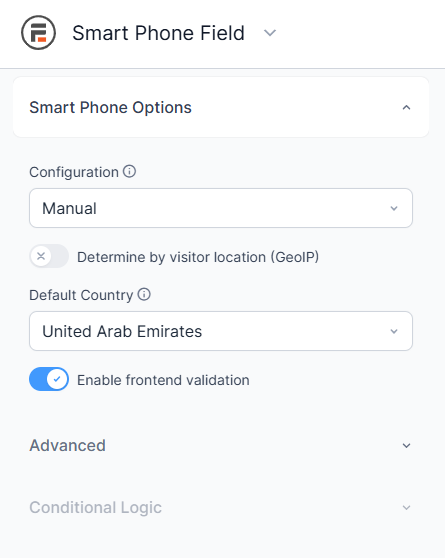
- Live/Frontend validation.
- Automatic country select with IP address (GeoIP).
- Default country selection.
- Exclude countries.
- Only include countries.
- Multiple phone field.
- Country search
- Token Field for GeoIP (optional)
- Add Formidable Forms
- Add Ninja Forms (new)
Premium Features
- Prevent submit form with wrong validation.
- Multiple form in single page (different form).
- Custom validation message.
- Phone number format with typing.
- Add country code automatically.
- Phone number format in 4 different types. Ex: E.164 and more.
- Three flag option and more.
- Available in WPForms, Elementor form, Fluent forms, Contact form 7, Formidable Forms, Ninja Forms
- More are coming soon…
Requirements
- PHP 7.4
- WPForms 1.8.0 or higher
- WooCommerce
- Contact Form 7
- Fluent Forms
- Elementor Forms
- Formidable Forms
- Ninja Forms
Screenshots
Active addons
Global settings
Selectable country codes with flags.
Settings on WPForms
Settings on WooCommerce
Settings on Contact Form 7
Settings on Fluent Forms
Settings on Elementor Forms
Settings on Formidable Forms
Plugin Details
Active Installs
1K+Total Downloads
9,201Version
1.0.8Requires WP
6.0Requires PHP
7.4Tested Up To
7.1.3Added
2024-10-14Last Updated
2026-09-03 10:47am GMTRatings
5
4
4
0
3
0
2
0
1
0