
Smart Variations Images & Swatches is a powerful WooCommerce extension that enhances your product image gallery and adds swatches for an improved shopping experience. Designed to optimize your workflow, this plugin allows you to upload images only once for each variation gallery.
By default, WooCommerce swaps only the main variation image. This extension allows visitors to swap gallery images when selecting a product variation, providing a comprehensive view of each product variation. SVI also replaces dropdown fields for variable products with color, image, or label swatches for a more user-friendly display.
Make the smart choice! Read the article
Features
Free Features
- Unlimited additional images for each variation
- Drag & Drop custom sorting option
- Trigger gallery change on single attribute change
- Variation Swatches and Photos
- Stacked Layout Display
- Display 1 Image under Variation Selection
- Showcase Variations on product loop pages
- Slider with navigation arrows
- Magnifier Lens with Lens, Window, or Inner display
- Lightbox
- Hide thumbnails until variation is chosen
- WPML Compatible
- Compatible with page builders
- Compatible with other Swatches Plugins
- Compatible with popular themes
- Responsive design
Premium Features
Live Demo | Upgrade to PRO | Support
- All Free Features plus:
- Video Support
- Advanced Slider/Lightbox/Magnifier Lens options
- Stacked Layout
- Trigger image swap on specific attribute change
- Add variation image to Cart / Email / Admin order Edit / Order details
- API actions
- Import/Export handling
- Filter Attribute Animation (Sliding effect on hover for Diagonal, Vertical, and Horizontal layouts)
- And much more…
Screenshots
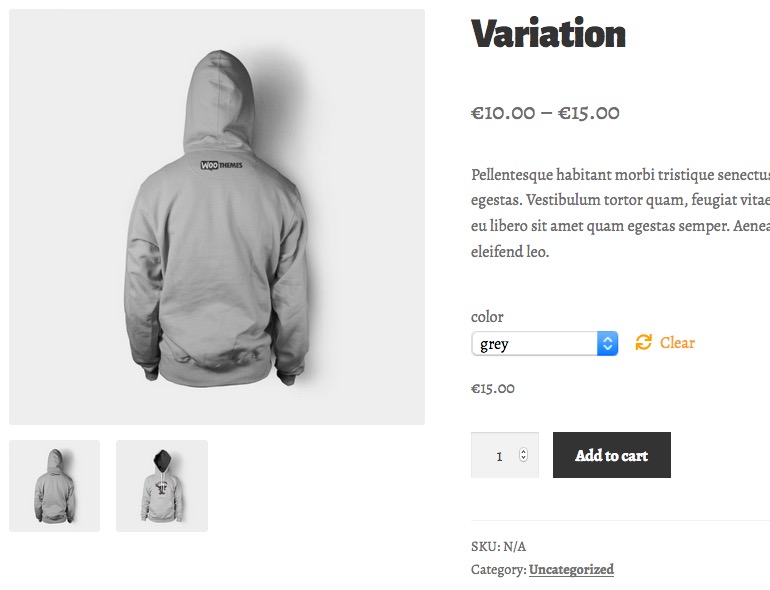
Display Images according to variation

Lightbox
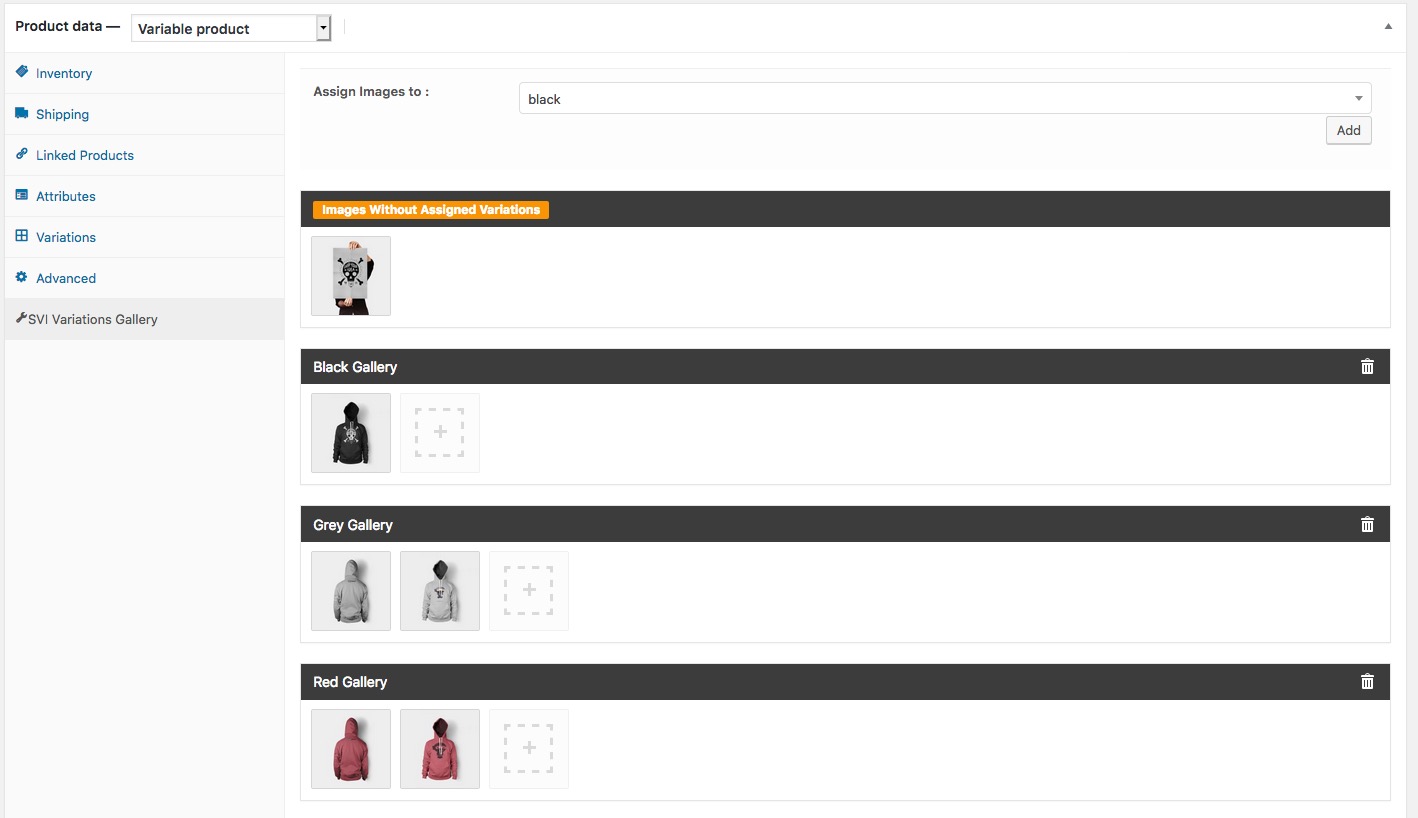
Set up the combinations

Display variations under Variations Select

Display variations on Product Loop Pages

Replace dropdown fields for your variable products with Swatches

Setup swatches on Product > Attributes
