
SoftIcon Poll adds a Poll block to the block editor. Write the question and the answers right in the block, publish, and visitors vote. The votes stay in your own WordPress database: no sign-up, no outside service, and nothing about your visitors is sent anywhere.
Why choose SoftIcon Poll?
- Block first – the question and answers are edited in place, and the results can be previewed in the editor with your colors.
- Your data stays with you – votes are saved in a table on your own site. Nothing about your visitors or their votes is sent to another server.
- Works with caching plugins – the page can be cached; the vote and the results come from your site’s REST API.
- One vote per person – by account for logged-in visitors, otherwise by a browser cookie and a scrambled code made from the IP address. The IP address itself is never saved.
- Accessible – real radio buttons and checkboxes, full keyboard use, and the results are read out to screen readers.
Features
- Question and any number of answers, with an optional image for each answer
- Answers as a list, or as image cards in 2, 3 or 4 columns
- Shuffle the answers, so each visitor sees them in a new order
- Ready-made polls in the inserter: Yes / No, Rating, Reactions (emoji) and Multiple choice
- One answer, or several answers with an optional limit (“Choose up to 2 answers”)
- Show the results after voting, always (with a “View results” link), only when the poll is closed, or never
- Results as percent, number of votes or both, with animated bars and the total number of votes
- Results sorted with the most votes first (optional), and a “Your vote” tag beside the visitor’s answer
- Four designs: Default, Card, Minimal and Pill
- Your own text for the Vote button and the thank-you message
- End date and time, or close the poll by hand, with an optional countdown (“Voting ends in 3 hours”)
- Only logged-in users can vote (optional); others get a link to log in and come back
- Current results and a “Reset votes” button in the block settings
- Colors for the background, text, accent, bars, border and the Vote button; font size and corner radius; wide and full width alignment
- Works in posts, pages, synced patterns, templates and template parts (for example a poll in the footer of every page)
- A shortcode for the Classic Editor, widgets and page builders such as Elementor, Divi, Beaver Builder, WPBakery, Bricks and Oxygen, for example
[softicon_poll id="123"] - Translation ready and right-to-left ready
Members-only polls
Only want members to vote? Turn on “Only logged-in users” in the Voting panel. Visitors who are not logged in still see the poll, with a link to log in, and come right back to the same page to vote. Each account votes once.
Privacy
Polls on your pages contact no external service: the votes and the results go only between the visitor’s browser and your own site.
In the admin, after activation, the plugin asks once if you want to share basic data with us through Freemius (wp.freemius.com, api.freemius.com). It is optional, and nothing about you or your site is sent unless you click “Allow & Continue”. See “Does the plugin collect any data?” below. Freemius terms and privacy policy.
Screenshots

A poll on the page: the visitor picks an answer and votes.

The results after voting: percent and number of votes for each answer, the visitor's answer in bold, and the total.

Ready-made polls: Rating, Reactions (number of votes only) and Yes / No, each with its own accent color.

Answers with images, "Choose up to 2 answers" and an end date.
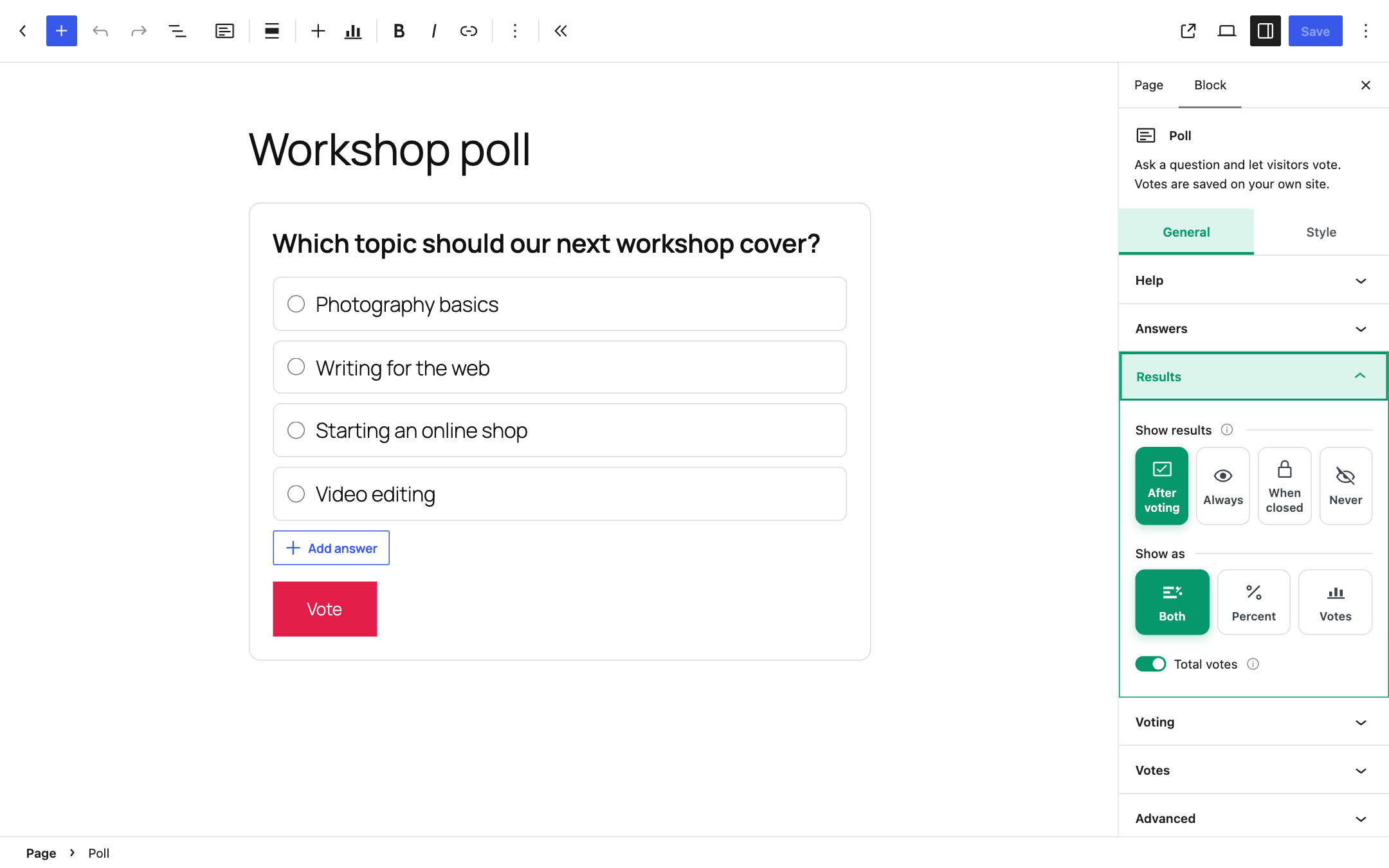
The question and answers are written right in the block. The Results panel sets when and how the results show.

The current votes in the block settings, with Refresh and Reset votes.

The Style tab: background, text, accent, bar and border colors.
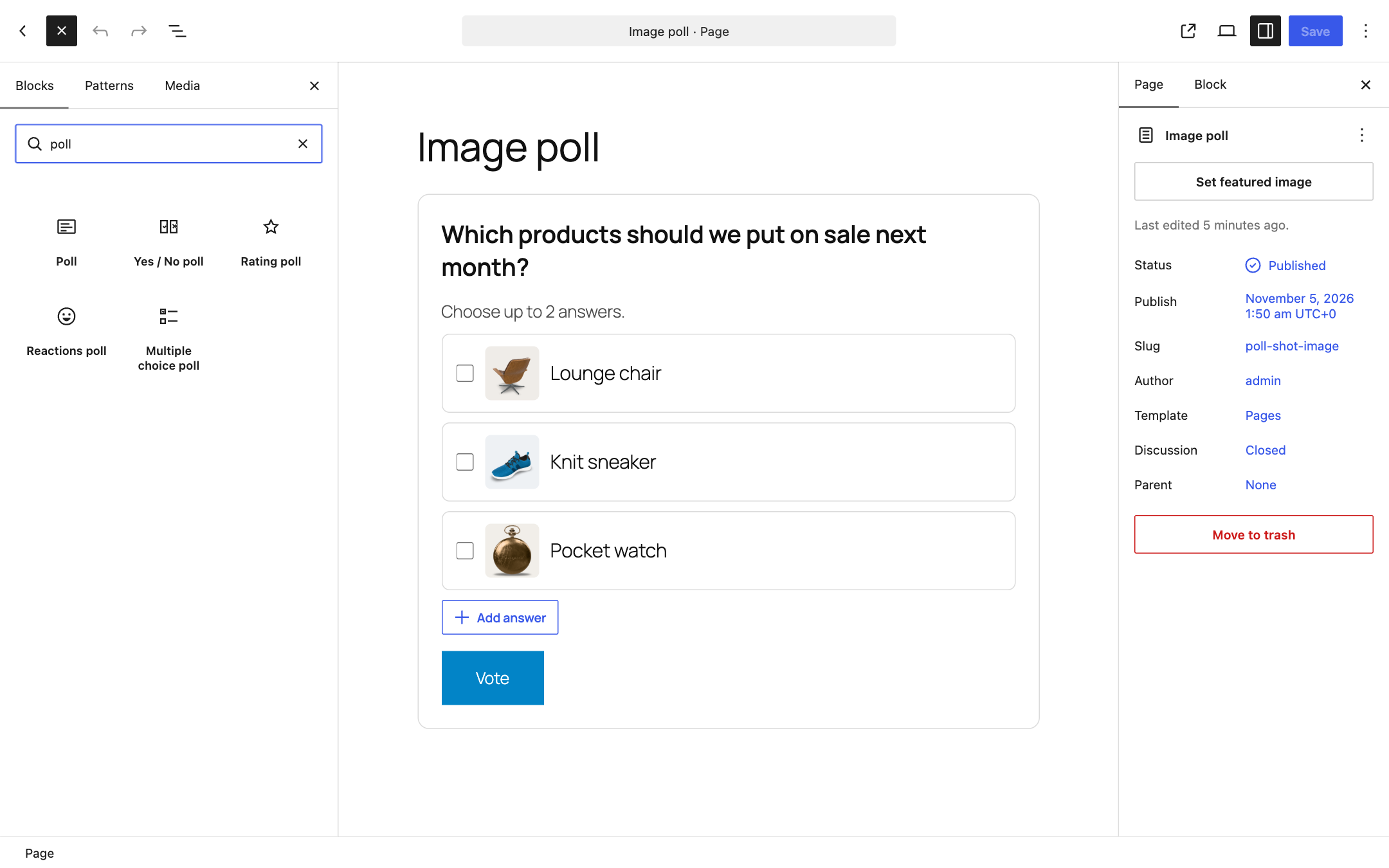
Ready-made polls in the block inserter: search for "poll".