
Give logged-in customers time to decide with a temporary product hold. Spectral Dot Reservations lets them reserve one unit of an eligible WooCommerce product or selected variation, review it in My Account, and add an active reservation to the cart when ready to buy.
Choose an immediate stock hold or require merchant approval first. Pending requests do not hold stock. Approval starts the active hold and its duration.
Is Free a fit for your store?
- Customers must be logged in; guest reservations are not included.
- Products must be published, purchasable and have positive WooCommerce-managed stock.
- Simple products and selected variations are supported. Variations can manage their own stock or share stock with the variable parent.
- Each reservation holds one unit. Open-reservation limits apply across all products and variations for the customer.
- Active holds and pending requests have separate configurable durations from 1 to 168 hours.
Grouped, external, composite and bundled products, multi-unit reservations and out-of-stock waitlists are not part of Free.
Customer features
- Reserve an eligible product from its product page
- View active and historical reservations in My Account
- Add an active reservation to the cart and complete checkout
- Cancel an eligible reservation
- Receive reservation, approval, denial, and expiration emails when notifications are enabled
Merchant features
- Configure reservation and pending-approval durations from 1 to 168 hours
- Limit concurrent open reservations per customer
- Require merchant approval before stock is held
- Search, filter, approve, deny, cancel, or delete reservations
- View product-level active reservations and local reservation-to-order transfer analytics
- Customize reservation modal colors, typography, and border radius
- Allow Administrators and WooCommerce Shop Managers to operate reservations
Inventory behavior
An immediate reservation reduces stock once. When approval is required, the request remains pending without changing stock; approval starts the active hold and its duration. Cancellation or expiration releases held stock once. Checkout transfers the held unit to the order without a second stock decrement. Qualifying cancelled orders restore the unit once.
For a variable product, customers choose the required options before reserving. The hold retains that exact variation and selection, including selections from an “Any…” variation. Checkout cannot transfer the hold to different options. Duplicate blocking applies to the concrete variation; the customer quota counts all open requests and active holds.
Expiry and email timing
The plugin schedules expiration processing every five minutes. Execution depends on WordPress cron and can occur after the displayed deadline; stock restoration and expiration messages are not guaranteed at that exact second.
Notifications are optional. Messages cover creation, pending approval, approval, denial and expiration. Free does not include pre-expiry reminders, cancellation emails or automatic merchant notification emails. Passing a message to WordPress does not guarantee inbox delivery.
Privacy and external services
Reservation records are stored only in this website’s WordPress database. Spectral Dot Reservations does not send reservation data, telemetry, or usage analytics to the plugin authors or any service selected by the plugin.
If email notifications are enabled, reservation details are passed to the mail delivery system configured by the site owner. That system may be the web host, an SMTP plugin, or another third-party provider and is governed by the site owner’s provider terms.
Records remain until a merchant deletes an eligible record or uninstalls the plugin. WordPress erasure anonymizes closed reservations’ customer identity and free-text denial details while retaining operational product, variation-selection, order and inventory data. Open reservations remain identifiable until their inventory obligation ends; another erasure request can be submitted after closure.
Support
Use the plugin’s WordPress.org support forum.
Screenshots
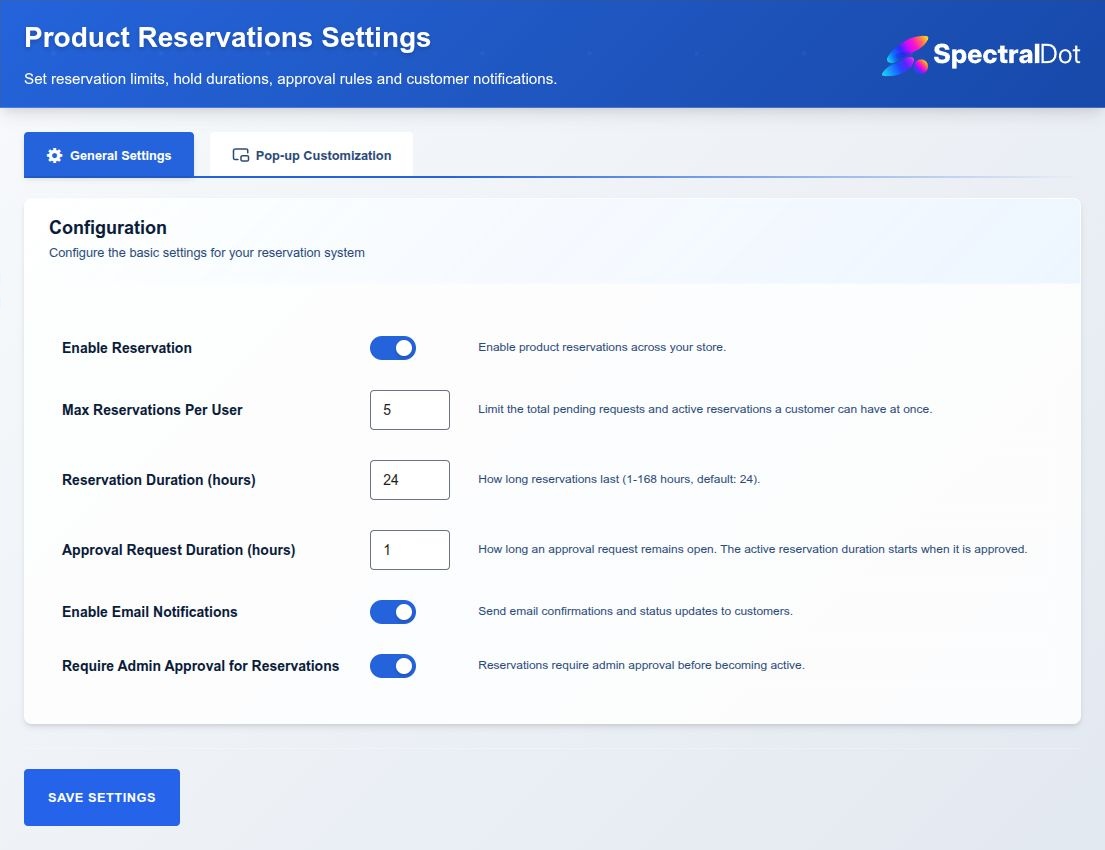
Configure reservation limits, durations, approval workflow, email notifications, and modal appearance.
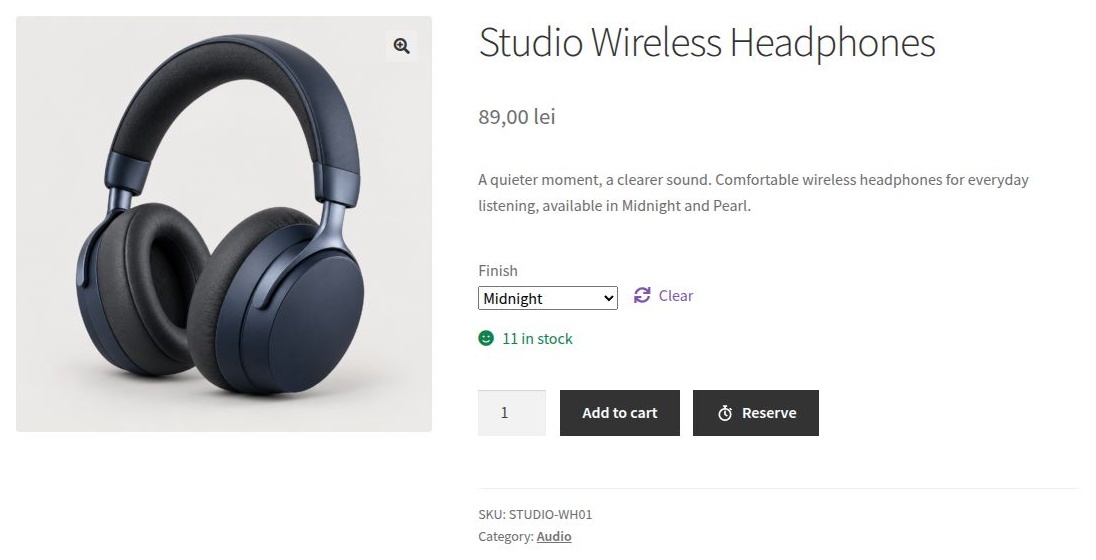
Choose an available variation and use Reserve alongside Add to cart. The example store uses the separately installed Storefront theme.
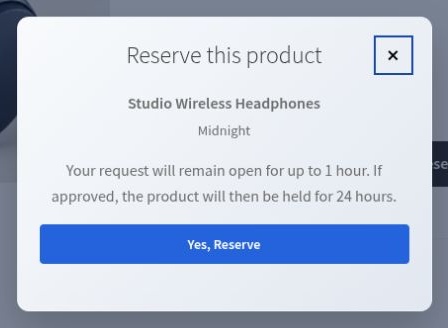
Review the selected finish and hold duration before confirming a reservation in the dialog.
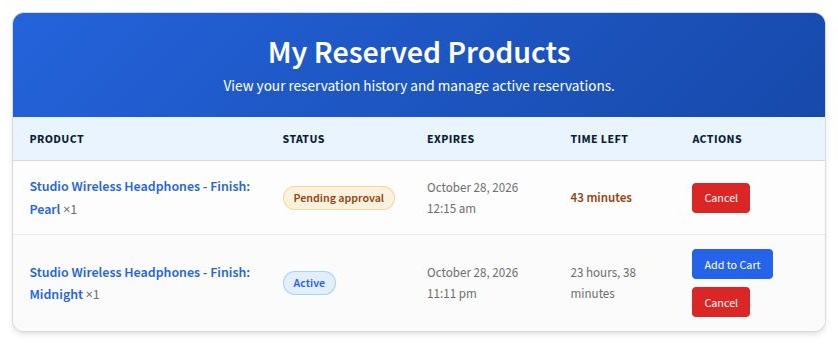
Customers can review active and pending reservations, check deadlines, add active reserved items to the cart, or cancel open reservations from My Account.
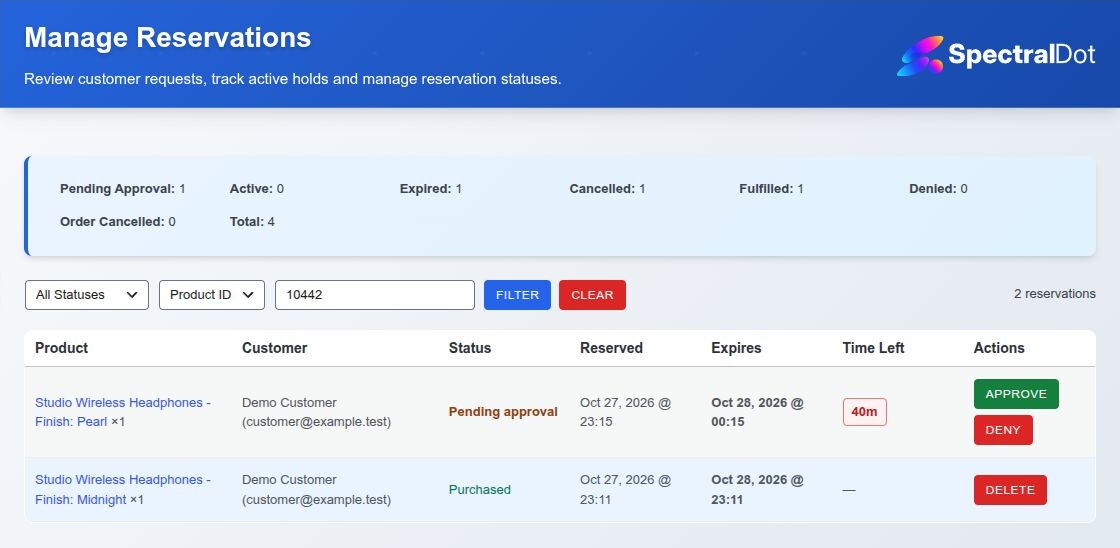
Manage and filter reservation status, expiry, customer, and stock-hold actions from the WordPress dashboard.
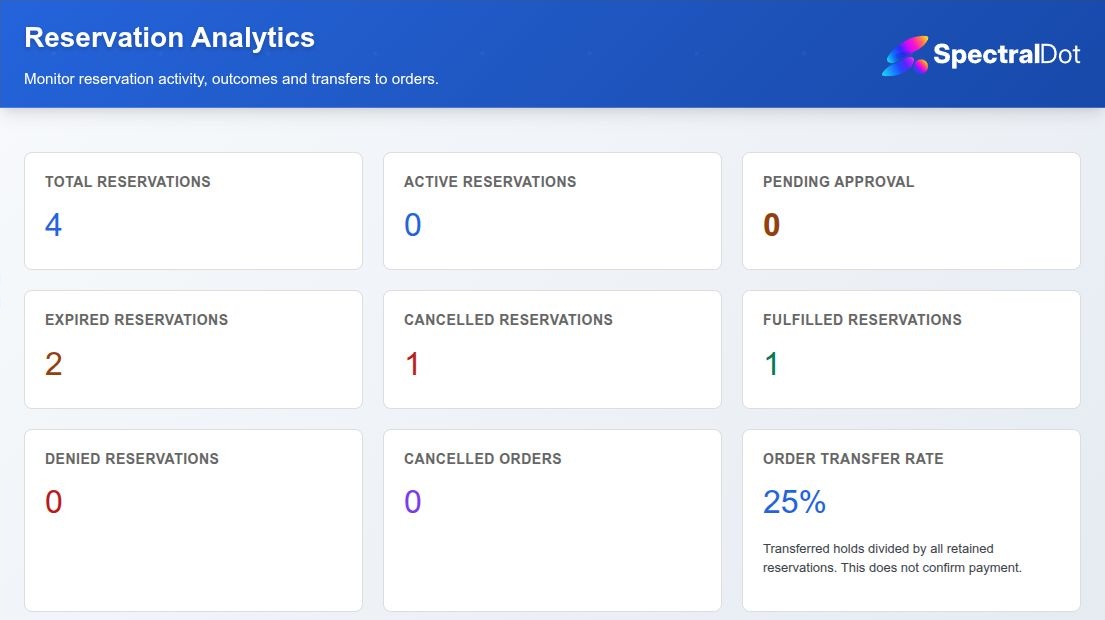
Review reservation totals, lifecycle outcomes and order transfer rate. A transfer to an order does not independently confirm payment.