
In most clubs the training schedule exists. Getting it onto the website and keeping it there is the work. The plan lives in a PDF that is two seasons old, the summer break is still not on the calendar, and the person who knows when the hall is free is away for three weeks.
Squadeno turns that around. You maintain the training schedule once, say Tuesday at 6 pm in the gym hall from September to June, and every single date is generated from it. Closures and school holidays block the affected sessions automatically. A cancelled session, a moved date or an extra session is handled on the date itself, and the change shows up everywhere that sport appears.
Who it is for: clubs with more than a handful of offerings that want every sport to have its own findable page, and that want trainers to keep their own dates current without being handed the keys to the whole site.
What you get
- Sports with their own SEO-friendly page; optional subgroups/disciplines (e.g. athletics kids/youth).
- Training times per sport – weekly, every few weeks or on a set weekday of the month, running open-ended or as a course with an end date or a number of sessions; season- and weather-aware; location as a venue or free text.
- Automatic calendar: dates are generated from the training schedule, holidays/closures block automatically, exceptions (cancelled/rescheduled/extra date) and events are added on top.
- What is coming up next: one block lists the next dates of a sport or of the whole club, trainings and events together. Each sport appears with its next training and each event once, as a list or as cards in the colours of sections and event types.
- People with their own profile page: one record per person, whatever they do for the club. An office says what that is (trainer, chair, treasurer), offices can sit in committees, and a person may hold several.
- The board on the website: an ordinary page with one block on it, filtered to the board offices and grouped by committee. Anyone who coaches and holds an office is entered once and appears in both places.
- Venues with address, GPS, photo and an automatic “what takes place here” list.
- Events in three short sections (when and where, registration, costs), on the calendar and, with the Events block, on a page of their own.
- Competitive play (optional, off by default): teams are subgroups of a sport, each with a squad (positions kept as club data, order by drag and drop), a league with a link to the association’s table, and fixtures on a date (opponent, home or away) that reach the calendar subscription. Player profiles are internal per team unless you publish them. There is no field for a result and no table of your own: the association’s table is the one that counts, and a match report belongs in a post.
- Online booking (optional, off by default): events, single training dates and whole course runs can be booked online, free of charge. An event can also offer start times, for example every 15 minutes with a pause every hour, with the places counted per start time. Members book with their account, guests confirm by email. Places are counted live and a full date takes no more bookings. Participants can cancel up to a deadline you set. Registrations that come in on paper or by phone are entered in the same list and take a place too. The organizer gets the list of participants the day before, the bookings can be exported as CSV, and personal data is deleted automatically after the date.
- Permissions in two layers: six task packages ticked per person (own profile, trainer, club administration, dates, public relations, pages and posts), plus a permission level per sport for trainers. Only the club administration may delete, and nobody can pass on a package they do not hold. On top of that the role “Club management” stands above it, adding the design and this plugin’s settings – but never on plugins, themes, user accounts or the WordPress settings.
- Call it what your club calls it: a football club does not create “sports”, it creates teams – and a gymnastics club creates squads. Enter your own wording in the settings and the menu, the list, every button and every message follow. The web addresses stay as they are.
- SEO: clean URLs, internal linking and structured data (schema.org).
- Performance: computed dates are cached (transient) and refreshed automatically on changes.
The source language of the plugin is English; a complete German translation (de_DE) is bundled. Public URL slugs default to English and can be localized per site in the settings.
Putting it on the page
Shortcodes (blocks with the same output are also available):
[csmgr_sports]– overview of all sports with filters (age group/section).[csmgr_calendar view="month"]– club-wide calendar (view="month",view="week"orview="list"for the weekly training schedule). Narrow it withsports="ID,ID",kind="training"orkind="event"andevent_types="slug";filters="false"hides the filter bar.[csmgr_upcoming sport="ID" limit="5"]– upcoming dates of a sport. Withscope="club"the next dates of the whole club, trainings and events together, optionally as cards (layout="cards").[csmgr_people group="true"]– the people of the club, optionally filtered to one office (function="board") and grouped by committee. Addwithout_office="true"to include records that hold no office.[csmgr_events]– the events of the club: upcoming ones by default,scope="past"for a look back, narrowed bytype="",age=""orsport="ID".[csmgr_venues]– the venues of the club with their addresses.[csmgr_my_bookings]– a visitor’s own bookings, upcoming and past. Members see them after logging in, guests get a link by email. Only with online booking switched on.
More about the plugin
The project page at squadeno.com covers the same ground in more detail, with larger screenshots and a German version of the text.
Privacy by default
Maps are optional and switched off by default: no map data is requested from any external server until an administrator selects the map provider “OpenStreetMap” in the settings. The Leaflet map library (BSD-2-Clause) is bundled with the plugin and served locally; it is not loaded from a CDN.
External services
This plugin relies on the following third-party services. It does not send any data unless the corresponding feature is used.
OpenStreetMap map tiles (optional, disabled by default) – Maps are off out of the box: the setting “Map provider” (Club Sports Settings Calendar & maps) defaults to “none”, and while it is set to “none” the plugin contacts no map server at all, neither on the public website nor in the WordPress admin area. Only after an administrator explicitly selects “OpenStreetMap” does the browser load map tiles directly from the OpenStreetMap tile servers (tile.openstreetmap.org), on venue pages with coordinates and on the venue editor screen in wp-admin. This transmits the IP address and the requested map section to OpenStreetMap. As a fallback for visitors without JavaScript, an embedded map from openstreetmap.org may be displayed. No tracking, analytics or usage data is collected by the plugin or sent anywhere.
Terms/attribution: https://www.openstreetmap.org/copyright – Privacy policy: https://wiki.osmfoundation.org/wiki/Privacy_Policy
Nominatim geocoding (OpenStreetMap) (optional, disabled by default) – Part of the same opt-in: only when the map provider “OpenStreetMap” is enabled, and only when an editor clicks the “Determine coordinates from address” button in the venue editor, the address typed into the form is sent to the Nominatim service (nominatim.openstreetmap.org) to look up coordinates. It is never called on the public website, and it is not called at all while maps are disabled.
Usage policy: https://operations.osmfoundation.org/policies/nominatim/ – Privacy policy: https://wiki.osmfoundation.org/wiki/Privacy_Policy
Cloudflare Turnstile (optional, disabled by default) – Only if an administrator enables Turnstile in the settings, the plugin loads the Turnstile widget script from Cloudflare (challenges.cloudflare.com) on pages that show a trainer contact form, and on submission sends the challenge token together with the visitor’s IP address to Cloudflare for bot verification. When Turnstile is disabled, no data is sent to Cloudflare.
Terms of use: https://www.cloudflare.com/website-terms/ – Privacy policy: https://www.cloudflare.com/privacypolicy/
Source code and build
The plugin ships with the complete, human-readable source of every generated file, plus the tooling needed to regenerate it. Nothing is obfuscated.
Editor blocks – build/<block>/index.js is generated and minified. The readable ES module source of each of these files is included in the plugin under blocks/<block>/index.js (same folder name, e.g. blocks/kalender/index.js build/kalender/index.js).
Build tooling: @wordpress/scripts (webpack + Babel), declared in the bundled package.json / package-lock.json. To regenerate the files from the shipped sources, run inside the plugin folder:
npm ci
npm run build
which executes wp-scripts build --webpack-src-dir=blocks and writes build/.
PHP – All PHP is plain, unminified source under src/ (PSR-4, autoloaded via Composer; see the bundled composer.json / composer.lock). assets/js/*.js and assets/css/*.css are hand-written and unminified as well.
Third-party libraries
- Leaflet 1.9.4 – interactive maps, BSD-2-Clause. Bundled locally in
assets/vendor/leaflet/(upstream distribution build, includingLICENSE); it is never loaded from a CDN. Project and full source: https://github.com/Leaflet/Leaflet – release used: https://github.com/Leaflet/Leaflet/releases/tag/v1.9.4
Screenshots
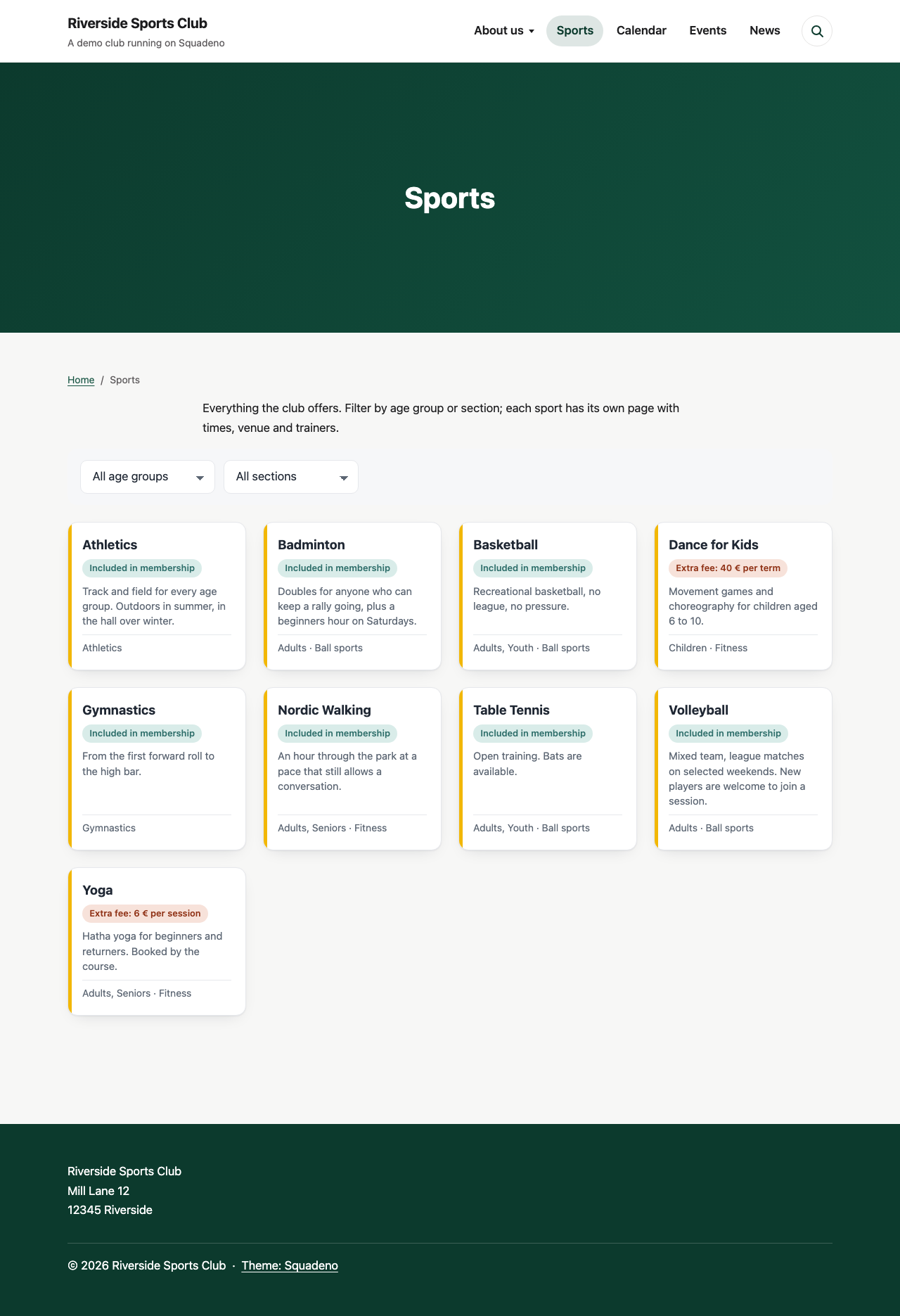
All sports at a glance on the website, with filters for age group and section.
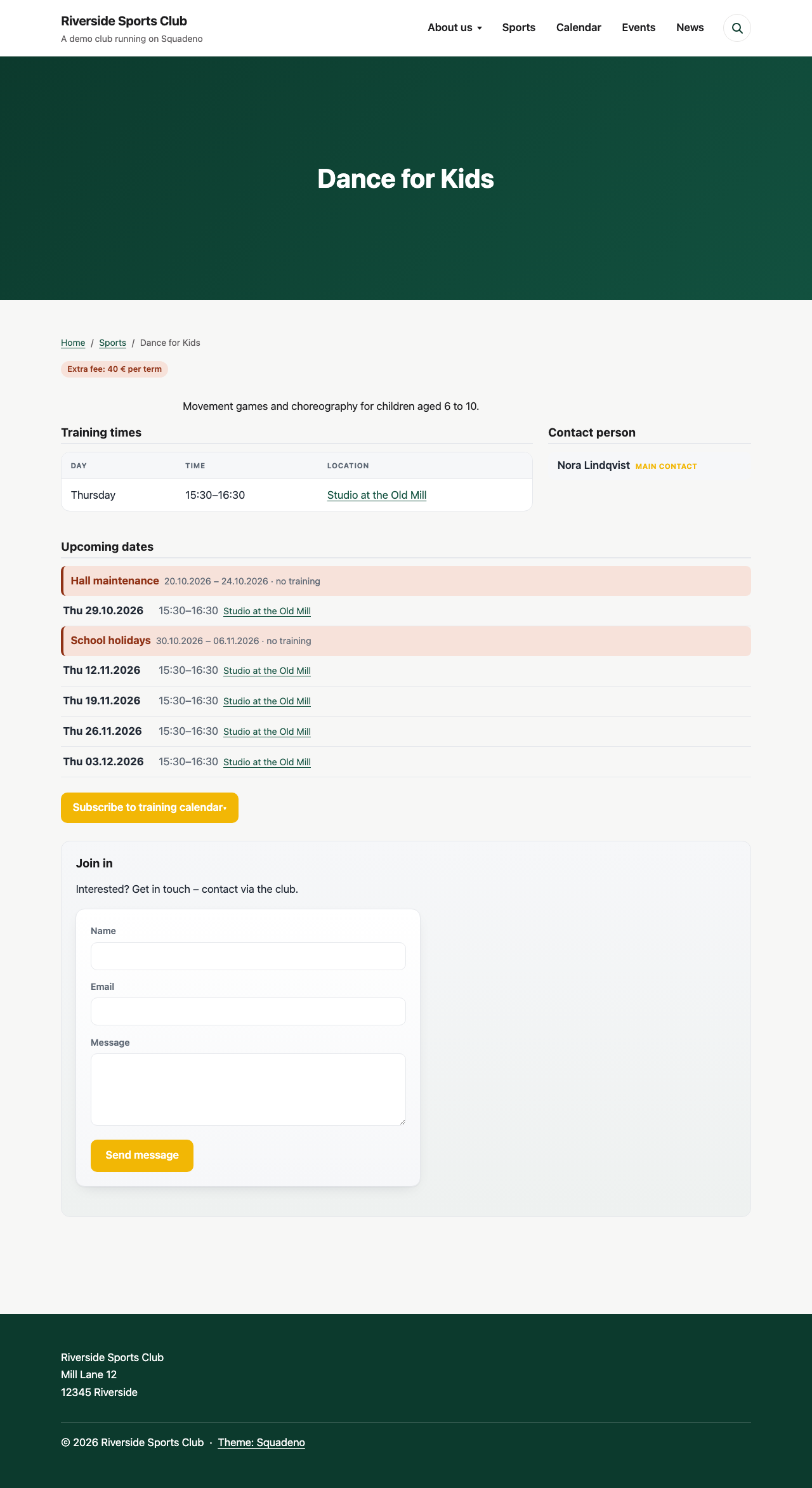
A sport's own page: training times, contacts and the automatically generated upcoming dates – holidays are blocked automatically.
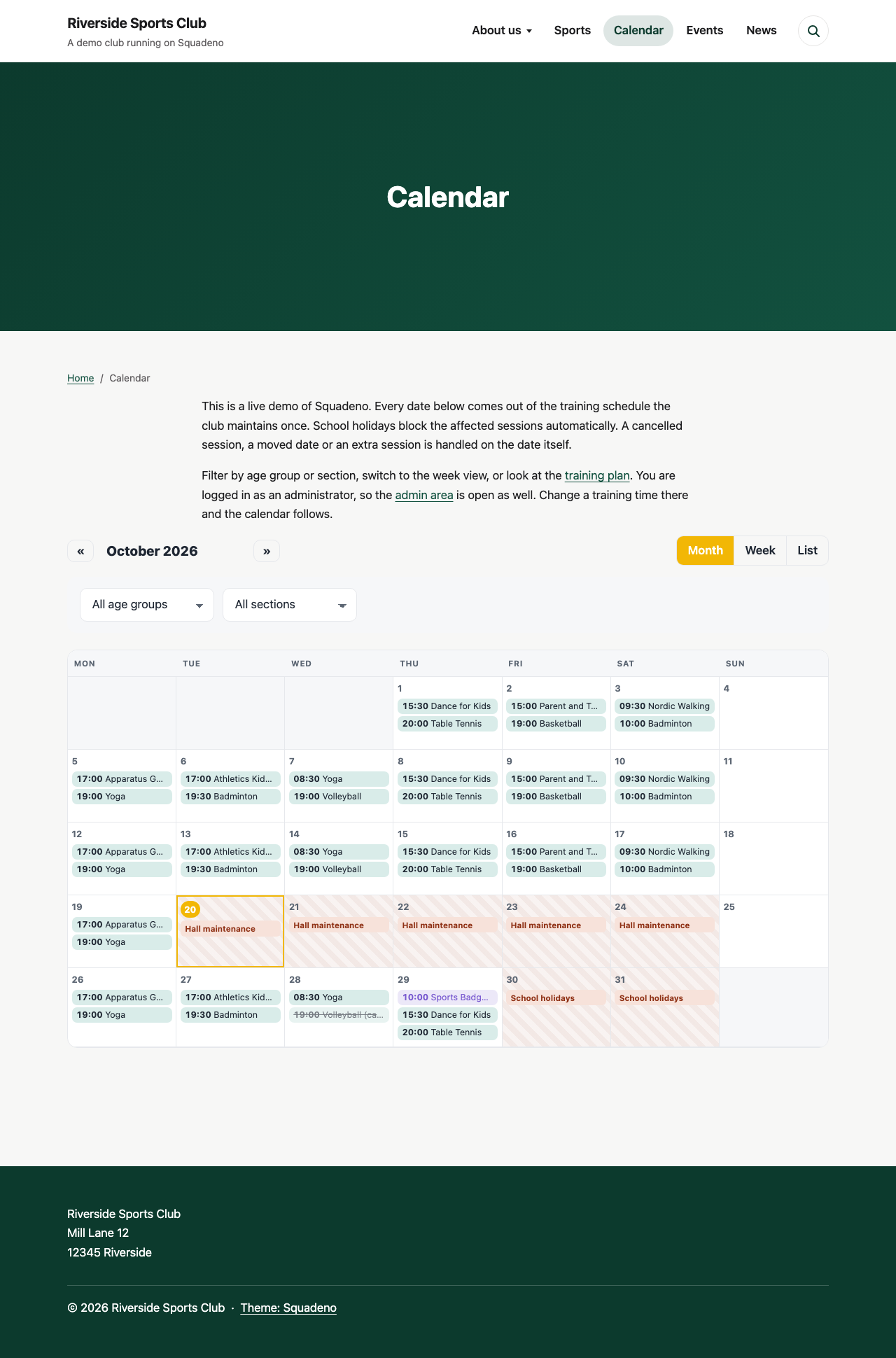
The club-wide calendar (month or week view) with trainings, events and closures. School holidays block the affected sessions, a cancelled one stays visible and struck through.
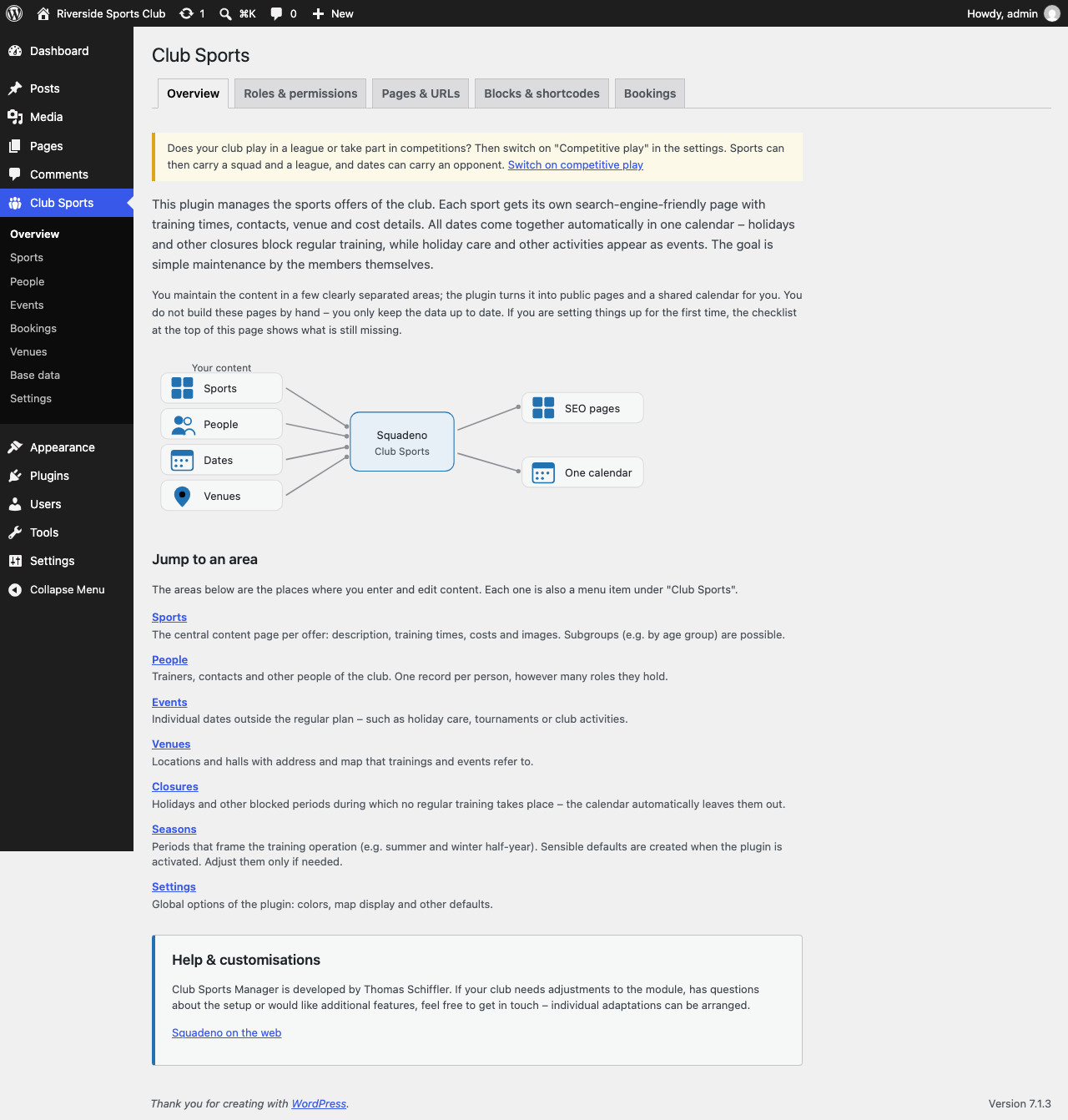
The admin overview introduces new users to the plugin and where to maintain content.
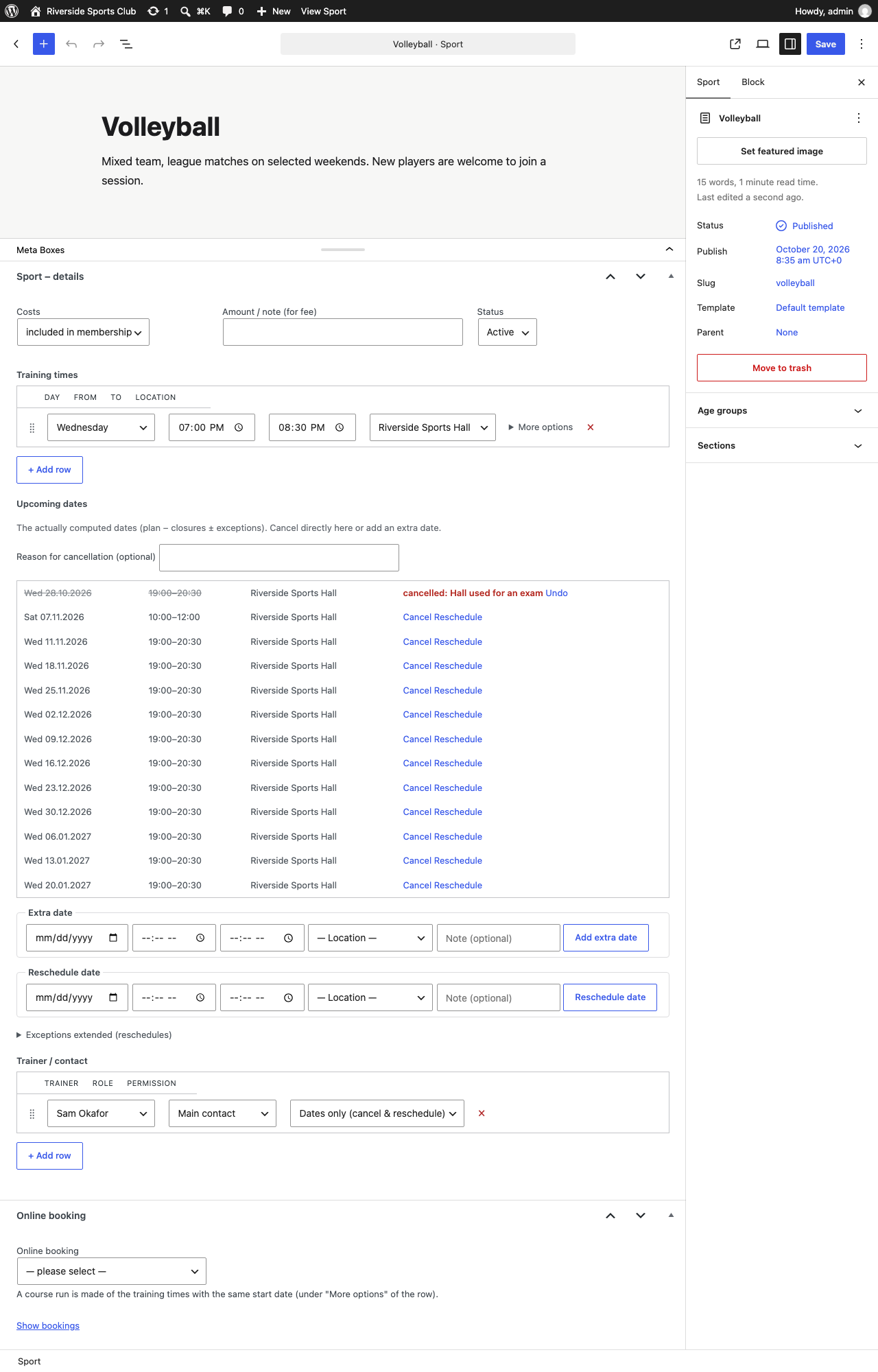
Maintaining a sport: the weekly training time, the dates computed from it with cancel and reschedule right there, fields for an extra or a moved session, and the trainers with their permission level.
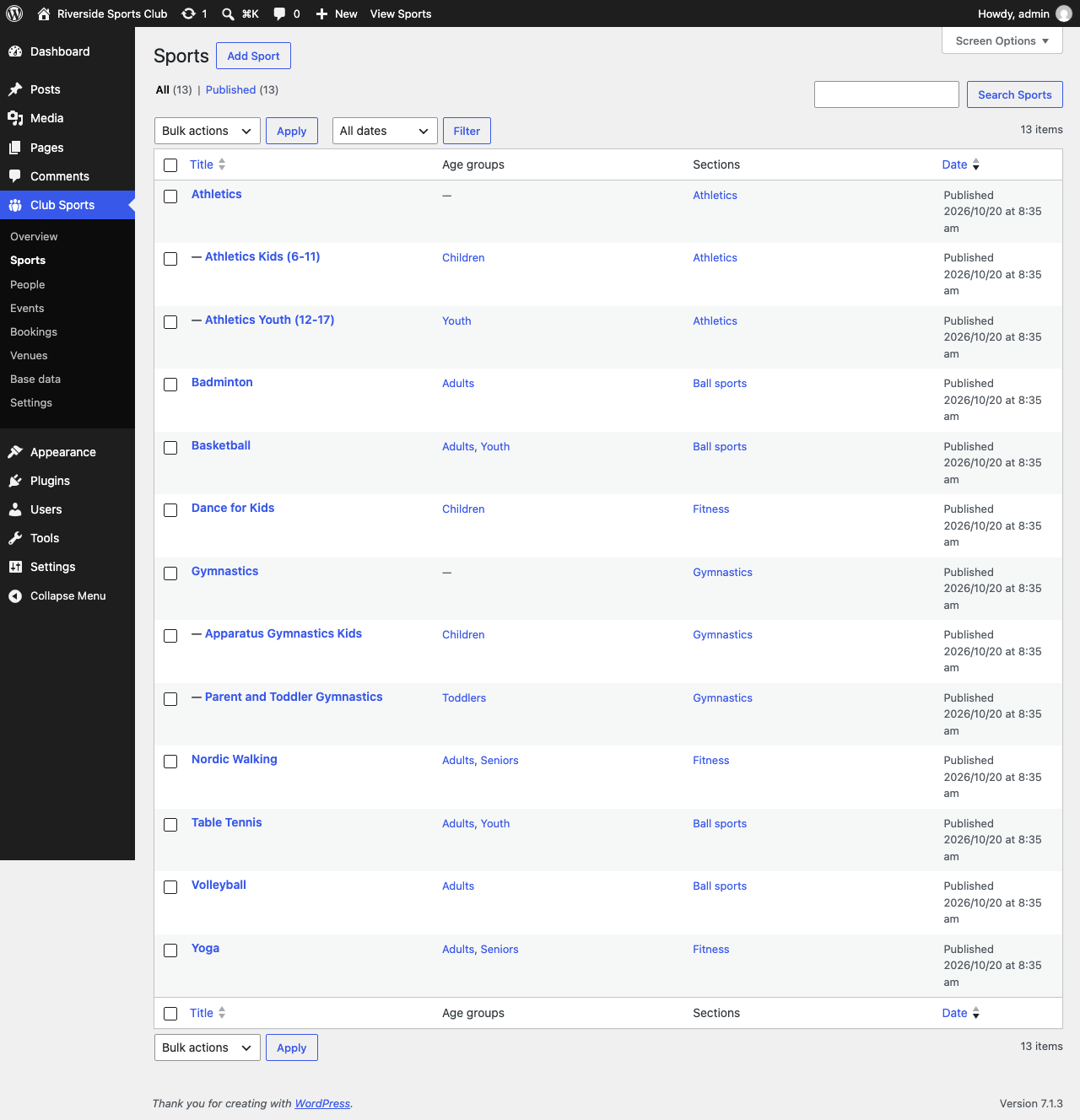
All sports in the admin area, with their sub-groups, age groups and sections.
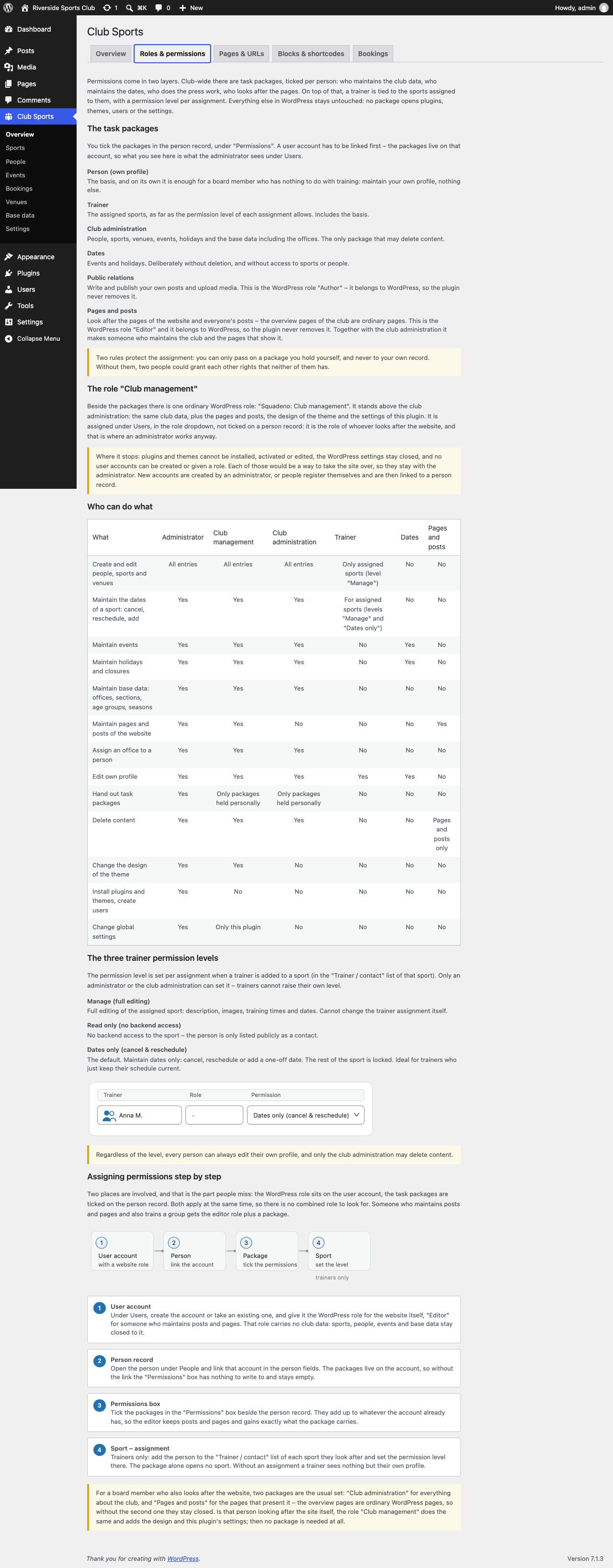
Permissions in two layers: six task packages ticked per person and a permission level per sport for trainers, plus the role "Club management" for whoever looks after the website.
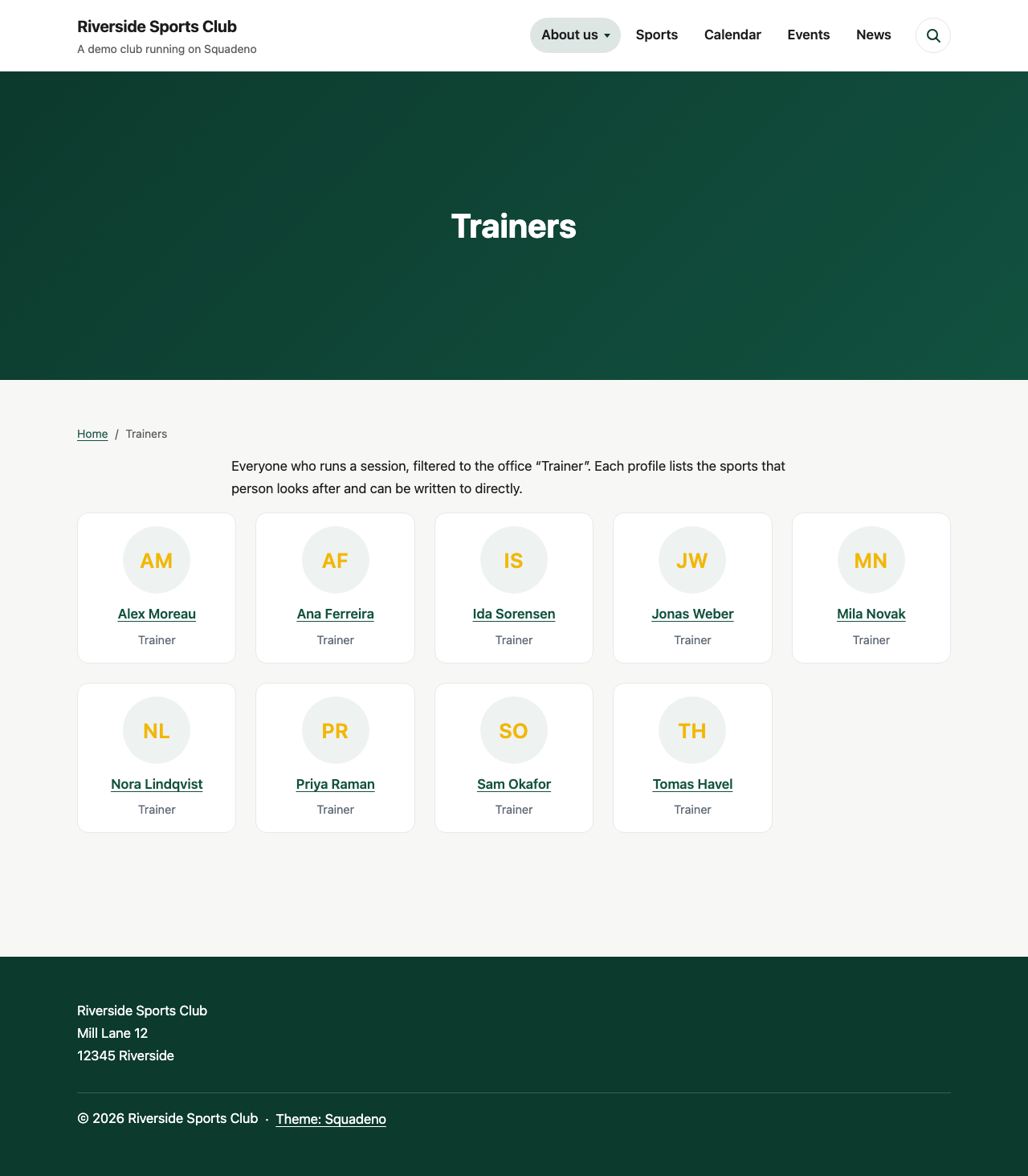
The trainers as their own page, filtered to the office "Trainer".
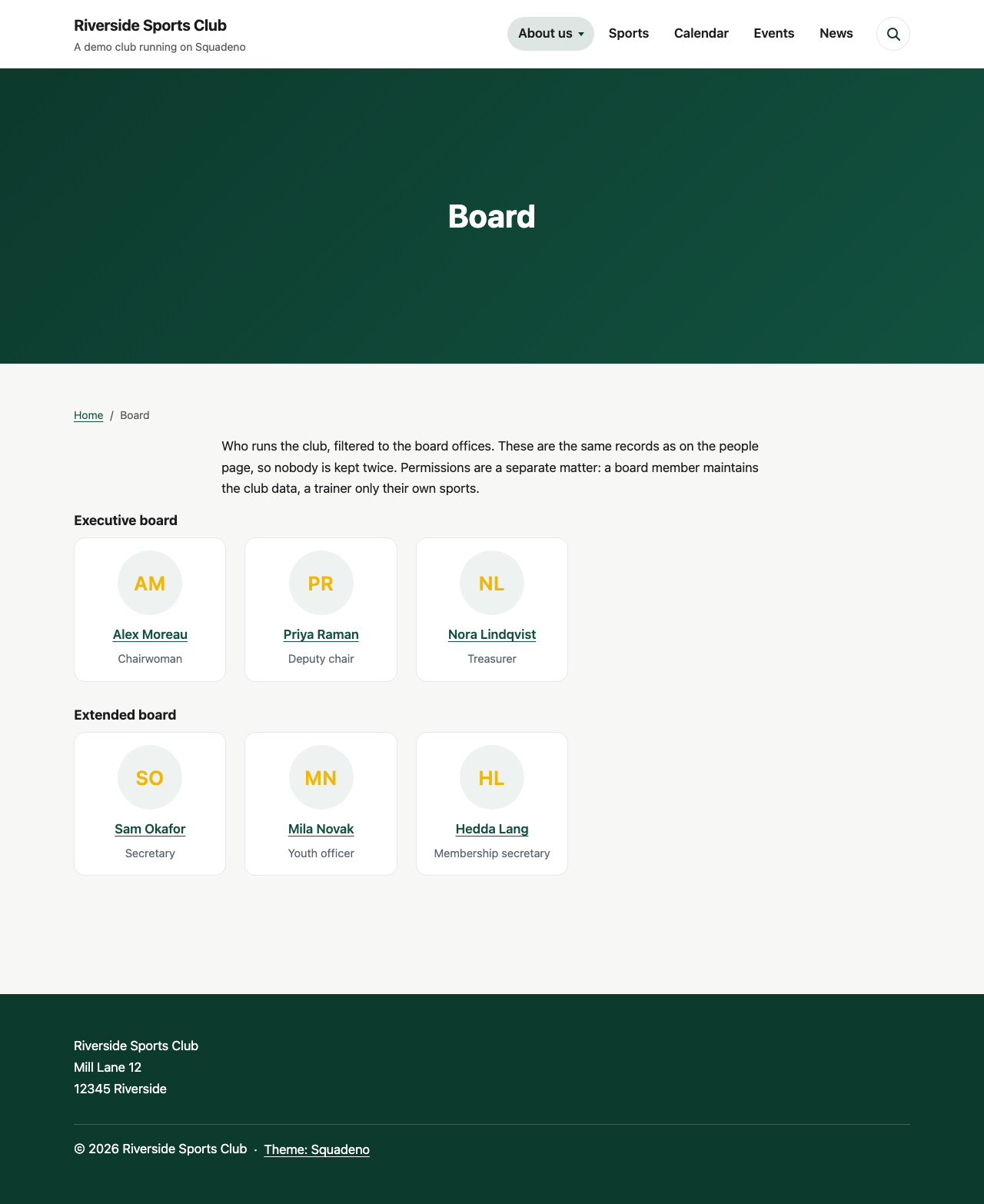
The board as its own page, filtered to the board offices and grouped by committee. These are the same records as the trainers, so nobody is kept twice.
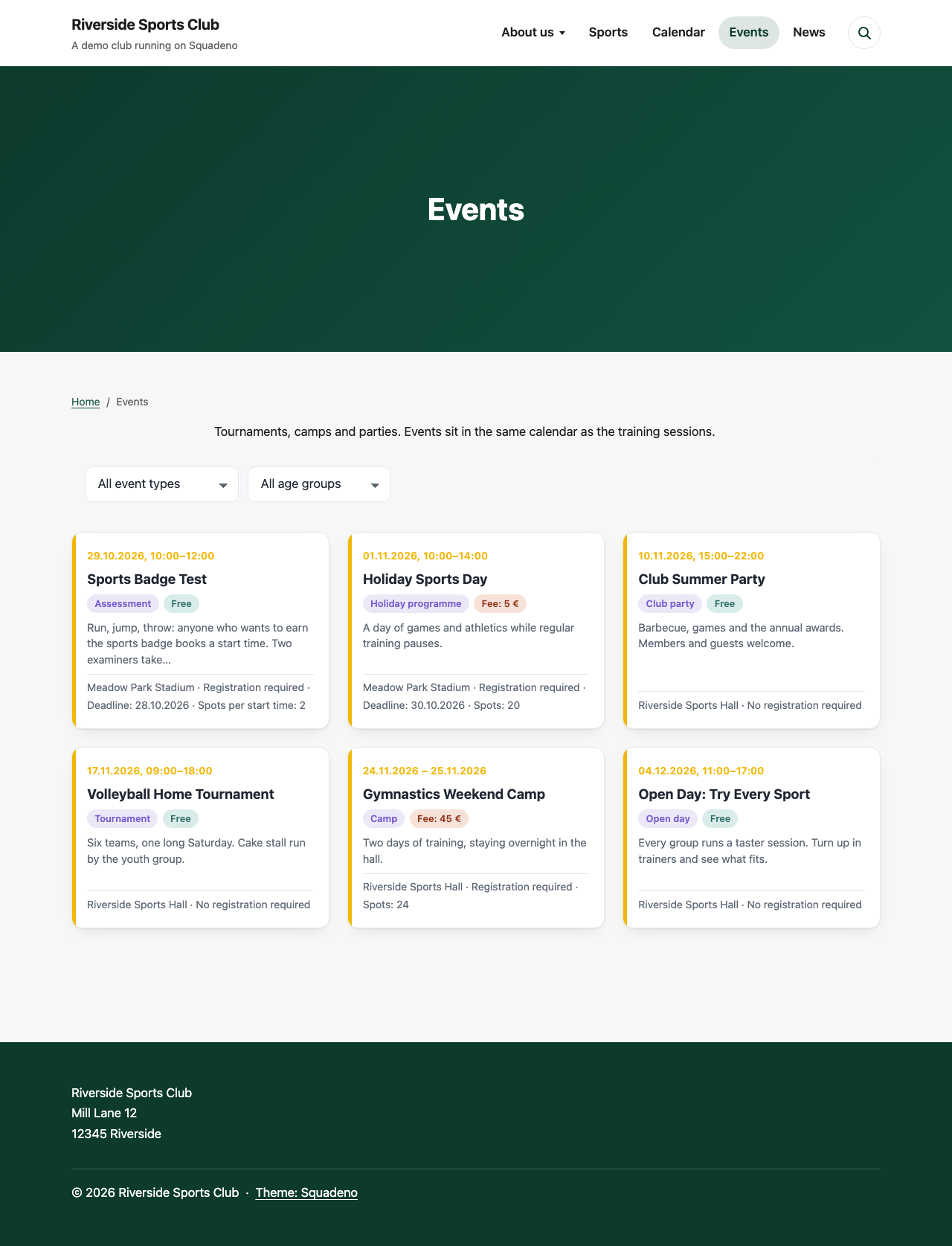
The events of the club on a page of their own, with the date above each one and filters for event type and age group.
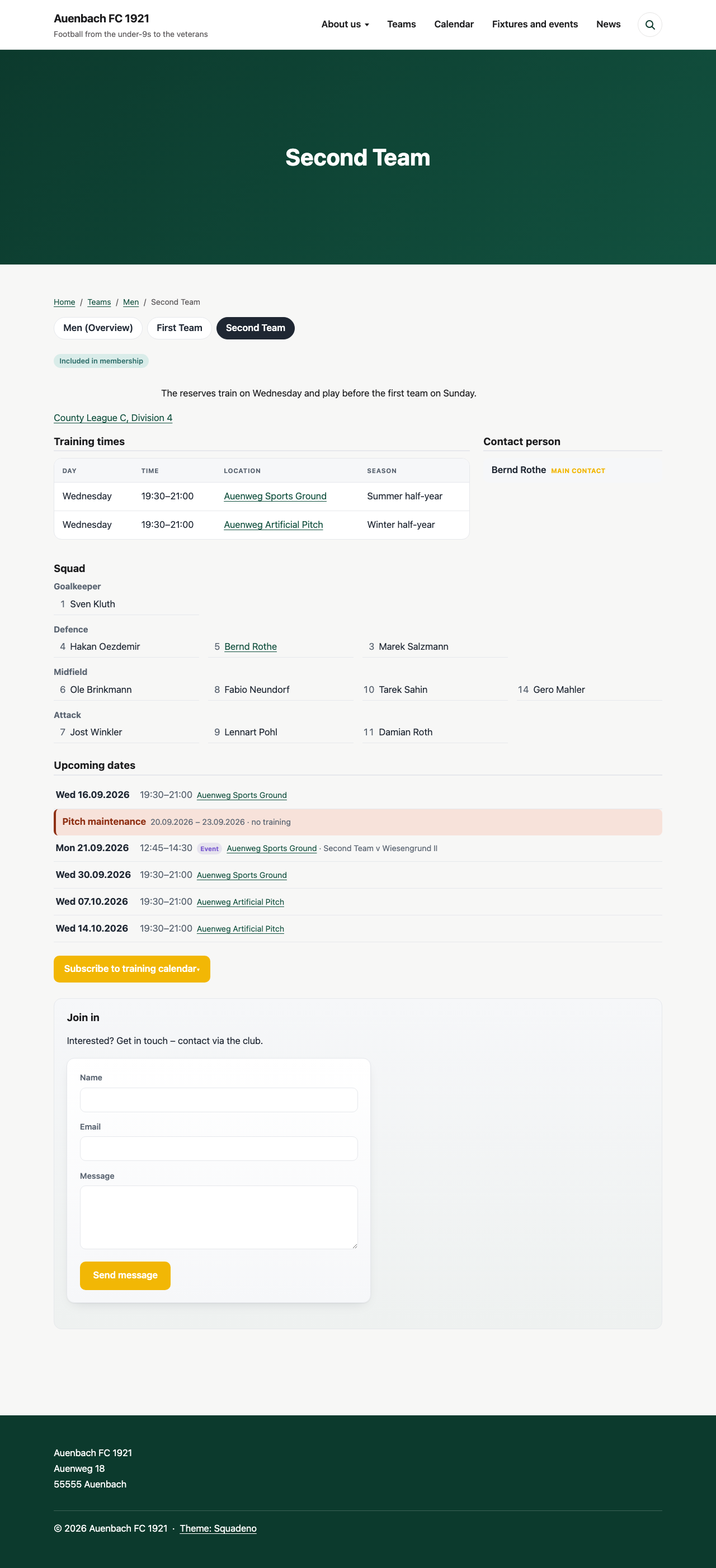
A team with its squad: positions in the order you keep them, shirt numbers, the league with a link to the association's table, and fixtures among the training dates. Only visible once competitive play is switched on.
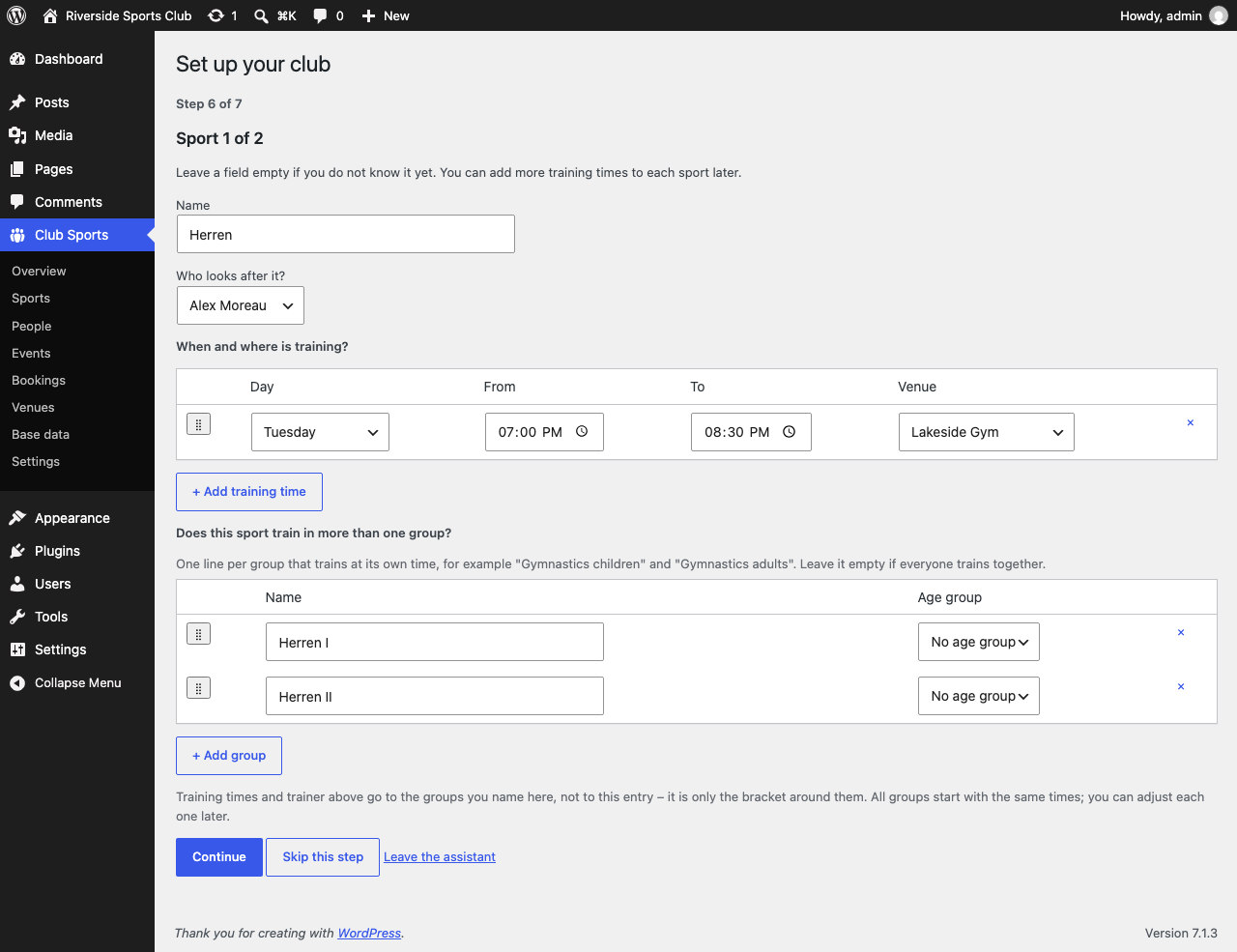
The setup assistant: it asks what your club has, one thing at a time, and creates exactly that. Name your teams and you enter the training time once - it goes to all of them.
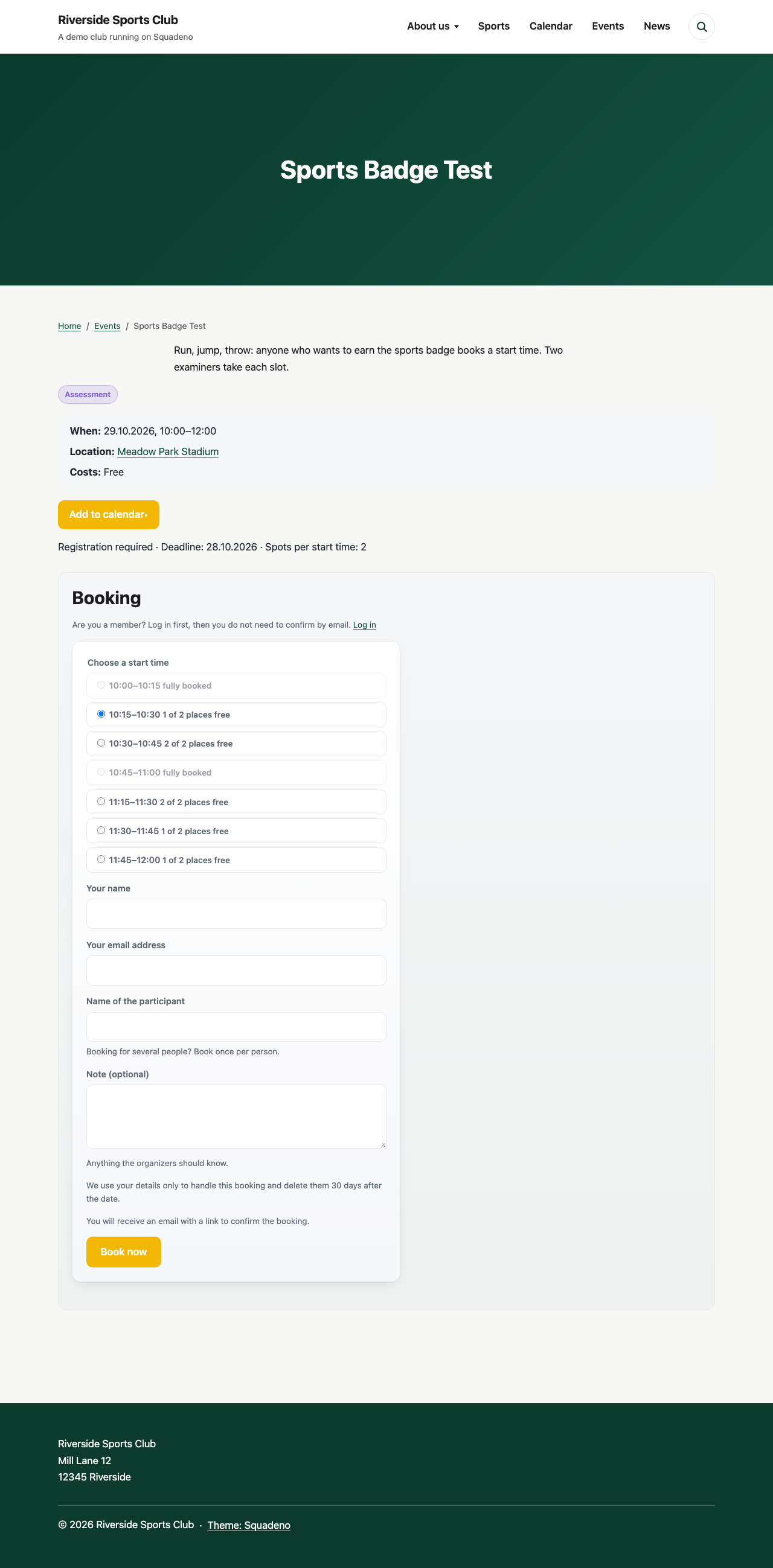
Online booking with start times: people choose a time on the event page, and full ones are greyed out.
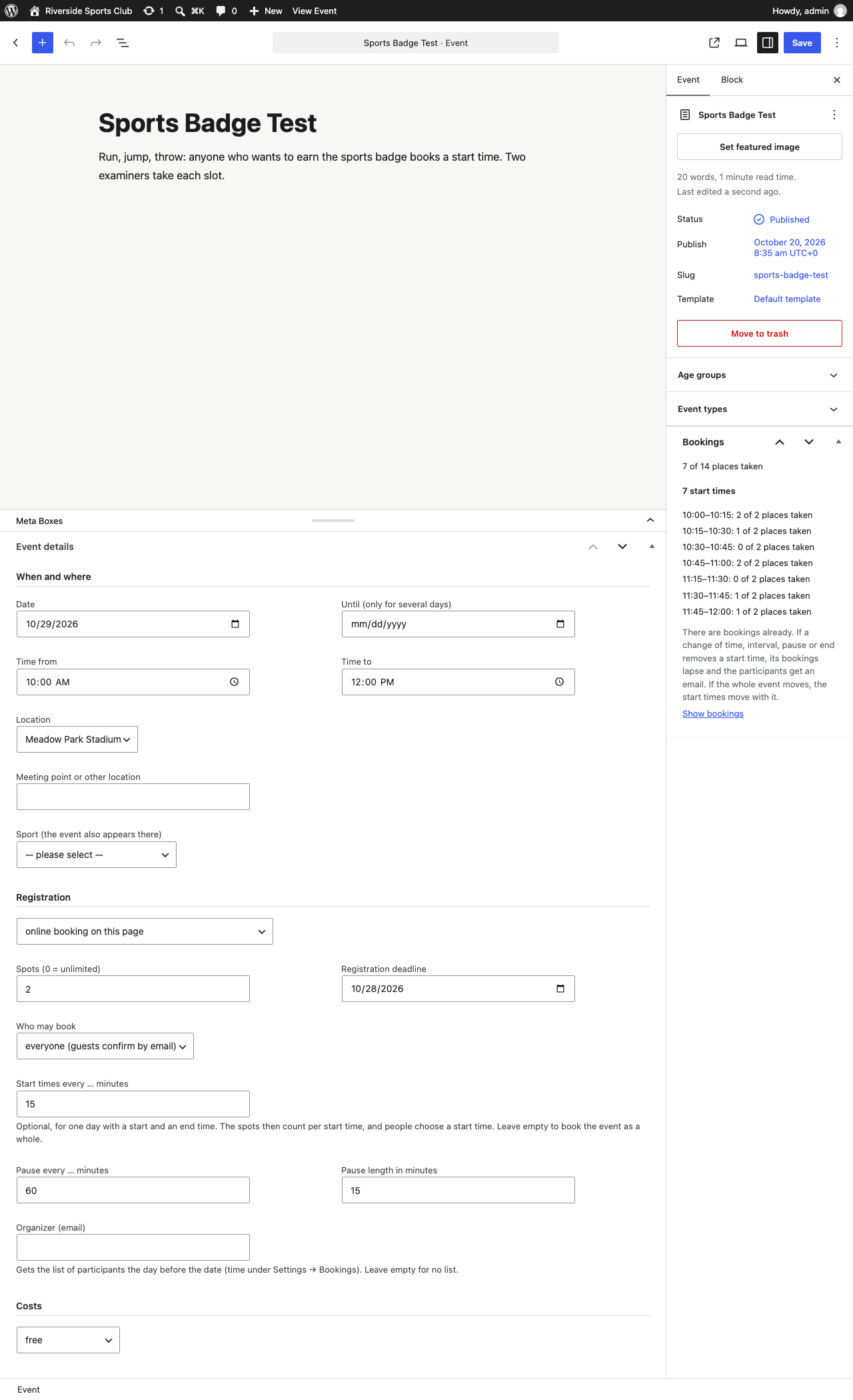
Setting up an event: three sections, one switch for online booking, and start times every 15 minutes with a pause every hour. The box on the right shows each start time and how full it is.
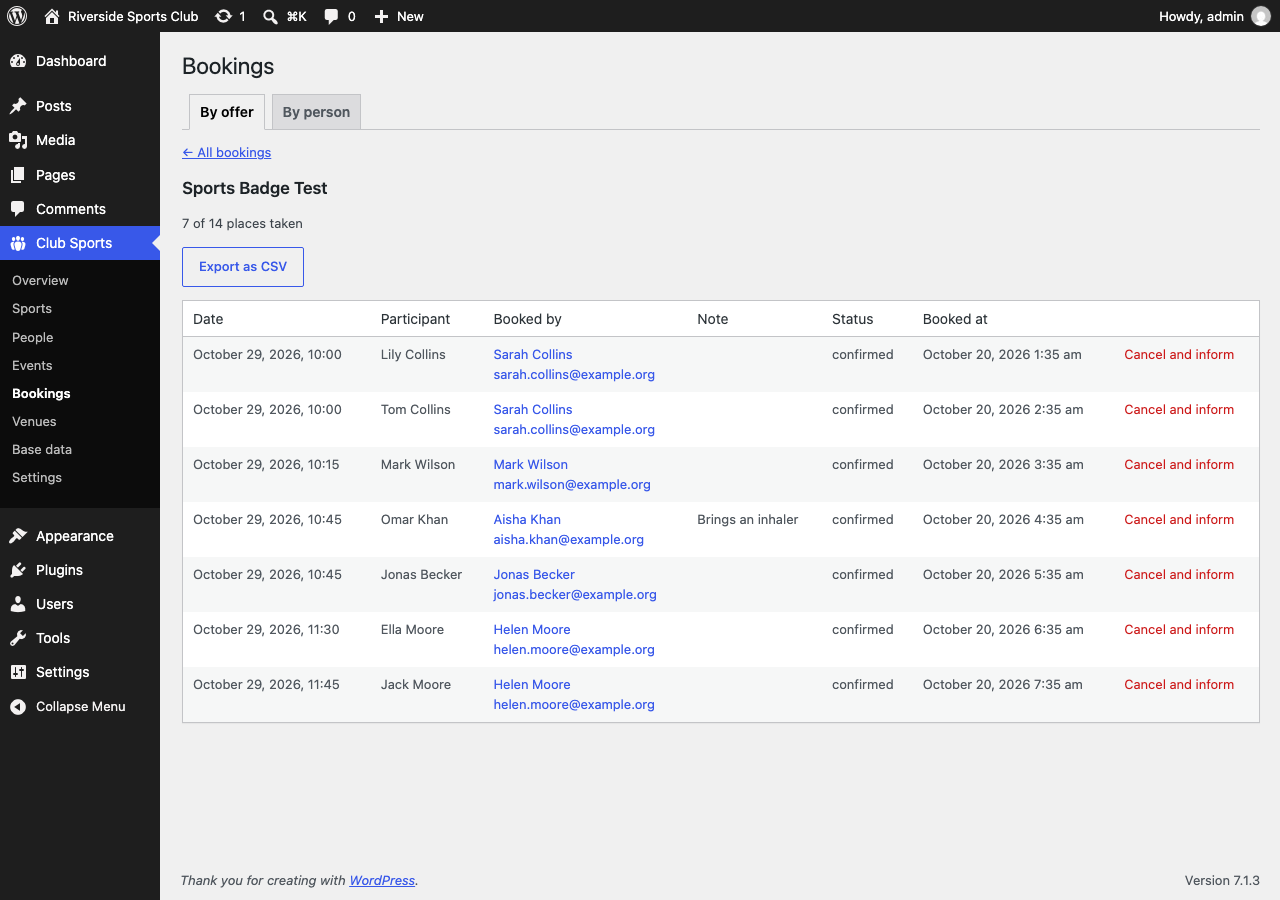
The bookings of an event with start time, participant and note, plus cancellation and CSV export.

My bookings: what someone has booked, upcoming and past, with a link to cancel on the page of the offer. Members see it after logging in, guests get a link by email.