Stablevoy is a non-custodial crypto payment gateway for WooCommerce. It lets your store accept USDT (Tether) and USDC (USD Coin), the two biggest stablecoins, so every price stays in US dollars and there is no volatility to worry about. Customers pay from their own crypto wallet, and the money goes straight to your wallet, not to an exchange or a payment processor account.
Accept USDT TRC20 on Tron with no fee, USDT BEP20 and USDC on BNB Chain (BSC), and USDC and USDT on Base, Arbitrum, Optimism, Avalanche and Polygon, where network fees are cents. Customers pay with MetaMask, Trust Wallet, TronLink, Rabby or any other wallet, or by scanning a QR code from an exchange app.
Features
- Connect in one click: sign in to Stablevoy with your wallet, choose or create a store, and come back with the API key and webhook secret saved and tested.
- Money goes straight to your own wallet. Stablevoy never holds it.
- USDC and USDT on Base, Arbitrum, Optimism, Avalanche, Polygon and BNB Chain, and USDT on Tron.
- Every order gets its own deposit address, checked in the customer’s browser before payment.
- Orders move to Processing on their own once the payment is confirmed on chain; status changes arrive as signed webhooks.
- Underpaid, overpaid and late payments are recognised and noted on the order.
- Sender addresses are screened against the OFAC sanctions list.
- Works with the block checkout and the classic checkout, and with High-Performance Order Storage.
Pricing
No monthly fee and no setup fee. The first $1,000 of payments is free, once per payout wallet. After that the fee is 0.5% per payment, taken on chain when the funds are forwarded to you, and the contract caps it at 2% forever. USDT on Tron has no fee from Stablevoy.
How it works
Each order gets its own deposit address, backed by an immutable contract that can only forward funds to your payout wallet (minus a fixed fee). Stablevoy never holds your money.
On Tron (USDT TRC20, also written TRC-20) there is no contract at all: the customer pays your own wallet directly, an exact amount identifies the order, and Stablevoy takes no fee. A payment that arrives with another amount, for example from an exchange that took its withdrawal fee out of it, is listed in your Stablevoy dashboard for you to match to the order.
On the payment page the customer can pay on Tron with TronLink in the browser or from a mobile wallet that supports Tron, such as Trust Wallet, over WalletConnect: the page prepares the transfer of the exact amount and the customer confirms it in the wallet.
External service
This plugin connects to the Stablevoy API (https://api.stablevoy.com, or the URL you configure) to create an invoice for each order and to read your invoice limits. It sends the order total, the order id and the order return URL. When you click Connect to Stablevoy, your browser opens https://stablevoy.com/app/connect/ with this shop’s address, settings page address and webhook address; after you confirm there, the plugin sends a one-time code back to the Stablevoy API to receive the shop’s API key and webhook secret. Disconnect asks the Stablevoy API to revoke that key. Stablevoy sends signed webhooks back to your site when a payment is confirmed. Terms of service: https://stablevoy.com/terms/ Privacy policy: https://stablevoy.com/privacy/
Screenshots
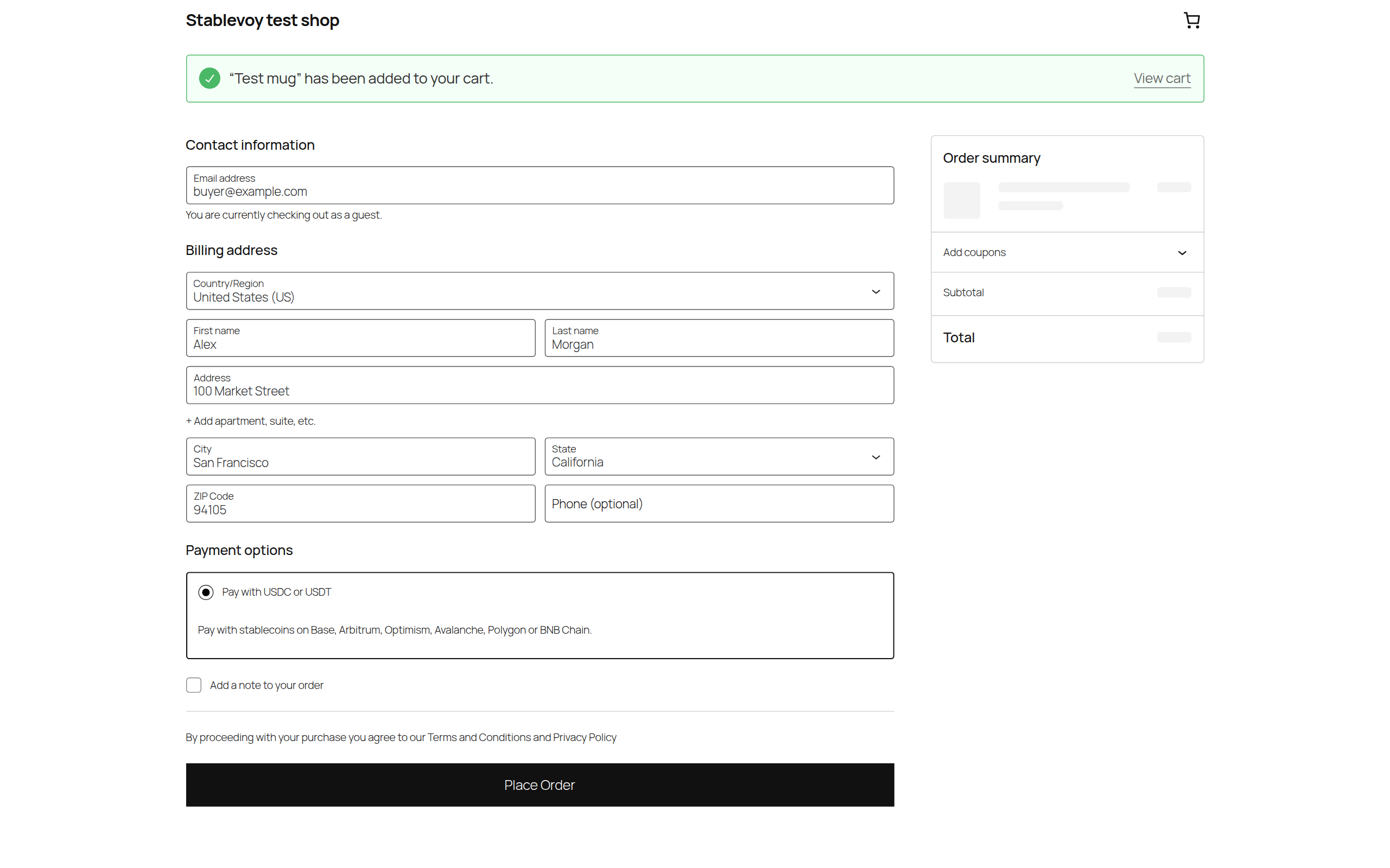
The Stablevoy payment method at checkout.
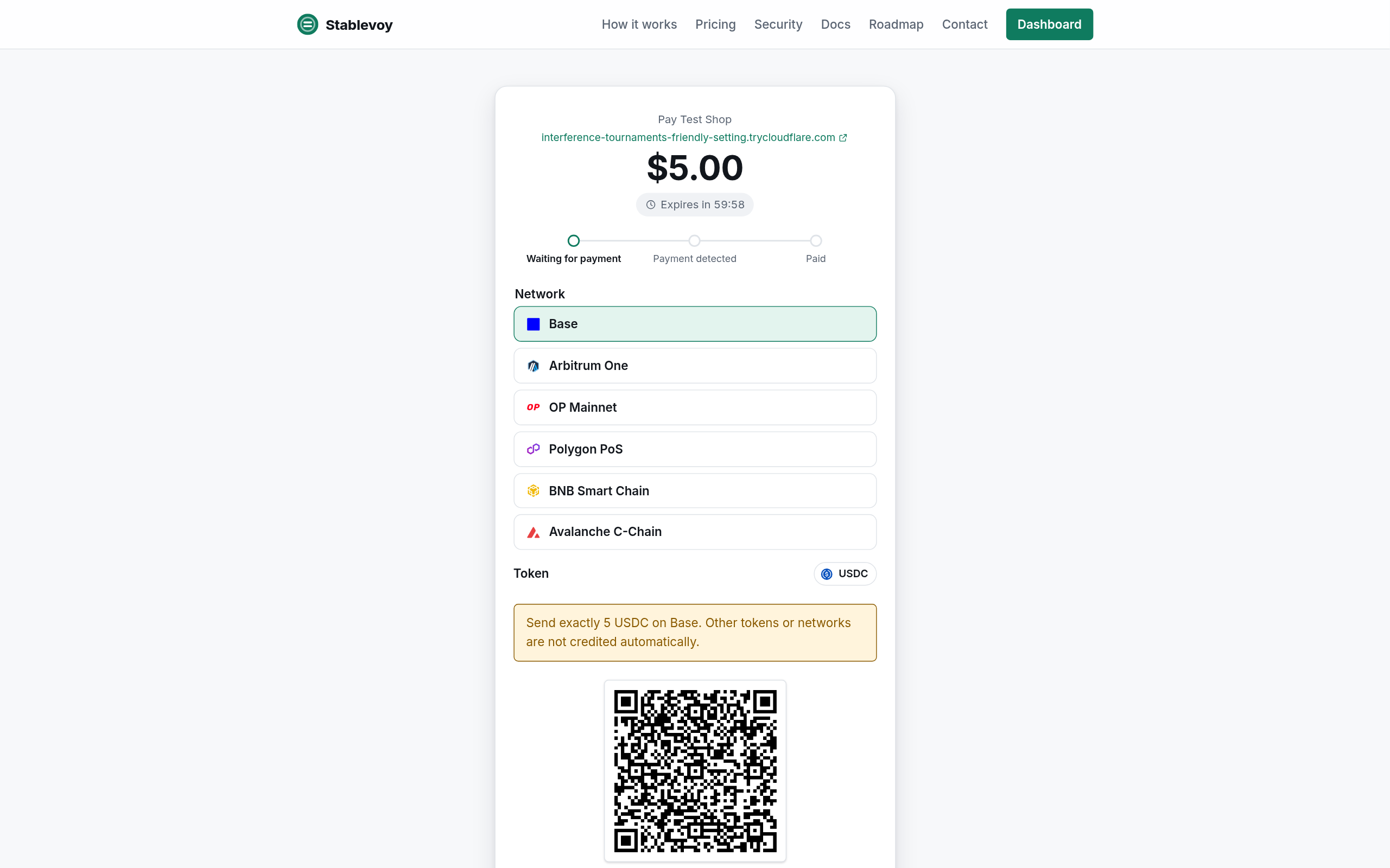
The payment page: the buyer picks a network and pays to the order's own deposit address, checked in the browser before payment.

Gateway settings: the shop connected to a Stablevoy store in one click, with the connection status.
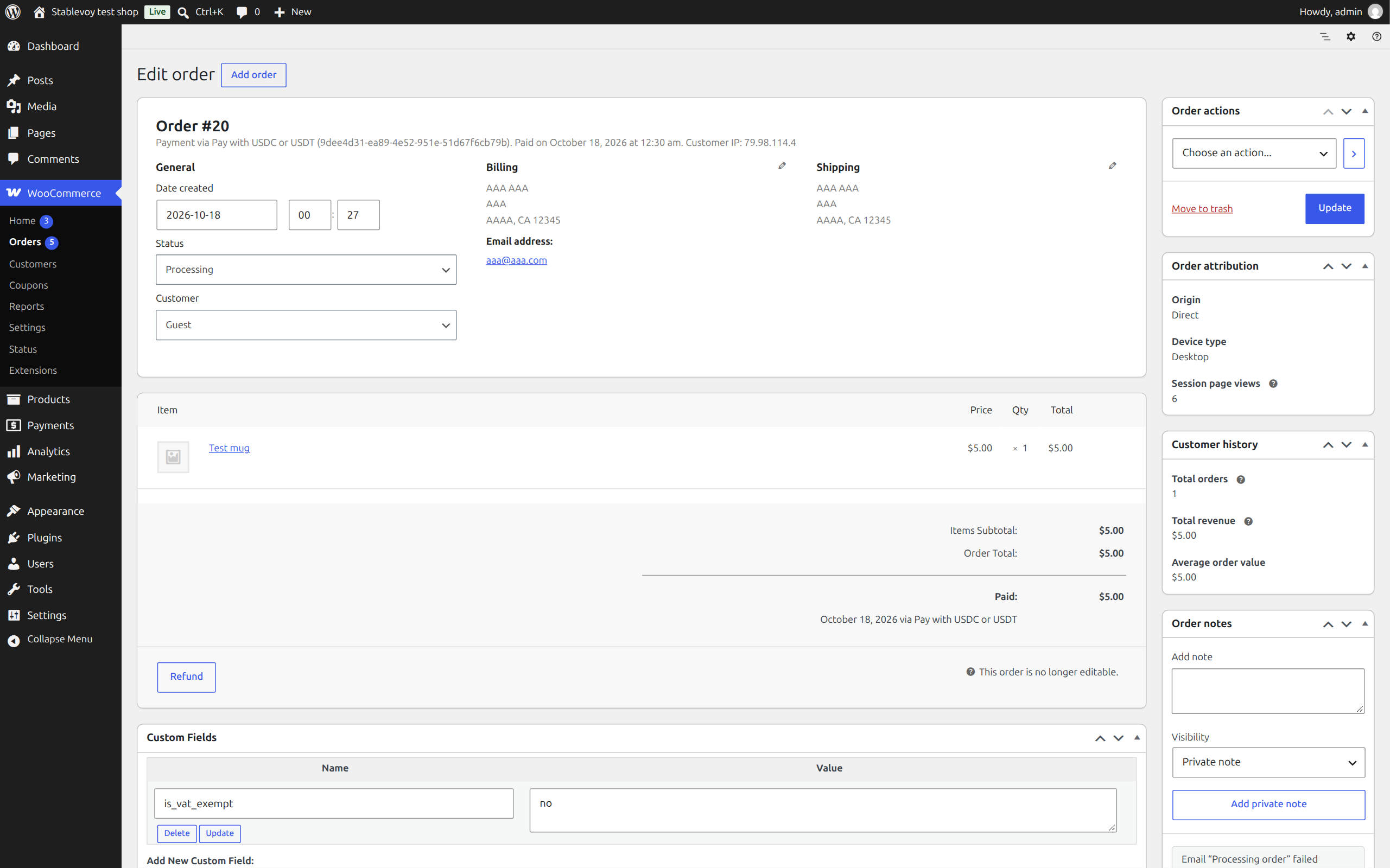
A paid order: the payment is confirmed on-chain and the order moves to Processing.