
Stock Locations for WooCommerce will help you manage your products stock across multiple locations easily. If you have multiple physical stores or storage locations, like warehouses, this plugin may help you.
You can print the locations inside a product page on the frontend, with this shortcodes:
Product pages
[slw_product_locations show_qty="yes" show_stock_status="no" show_empty_stock="yes" collapsed="no" stock_location_status="enabled"]
[slw_product_variations_locations show_qty="yes" show_stock_status="no" show_empty_stock="yes" collapsed="yes" stock_location_status="all|disabled|enabled"]
[slw_product_message is_available="yes" only_location_available="no" location="location-slug"]Your custom product message/HTML here[/slw_product_message]
Cart page
[slw_cart_message qty_from_location="location-slug" only_location_available="no"]Your custom cart message/HTML here[/slw_cart_message]
REST API
REST API endpoints (both accept GET and PUT requests):
/wp-json/wc/v3/products/id
/wp-json/wc/v3/products/id/variations/id (first ID is for parent product, the second one for the variation ID)
/wp-json/wp/v2/location/
/wp-json/wp/v2/location/id
This plugin requires at least WooCommerce 3.4.
Features
- New taxonomy for stock locations
- Works on both, simple and variable products
- Easy management of stock with multiple locations, both in product and orders
- Get and update product stock locations from the REST API
- Allow customers to select locations when purchasing
- Auto order allocation for locations stock reduction
- Send email notifications when stock is allocated for a product in a location
- Send WooCommerce New Order email copy to item location
- Compatible with WPML
Compatibility
- PHP 7.2+
Screenshots
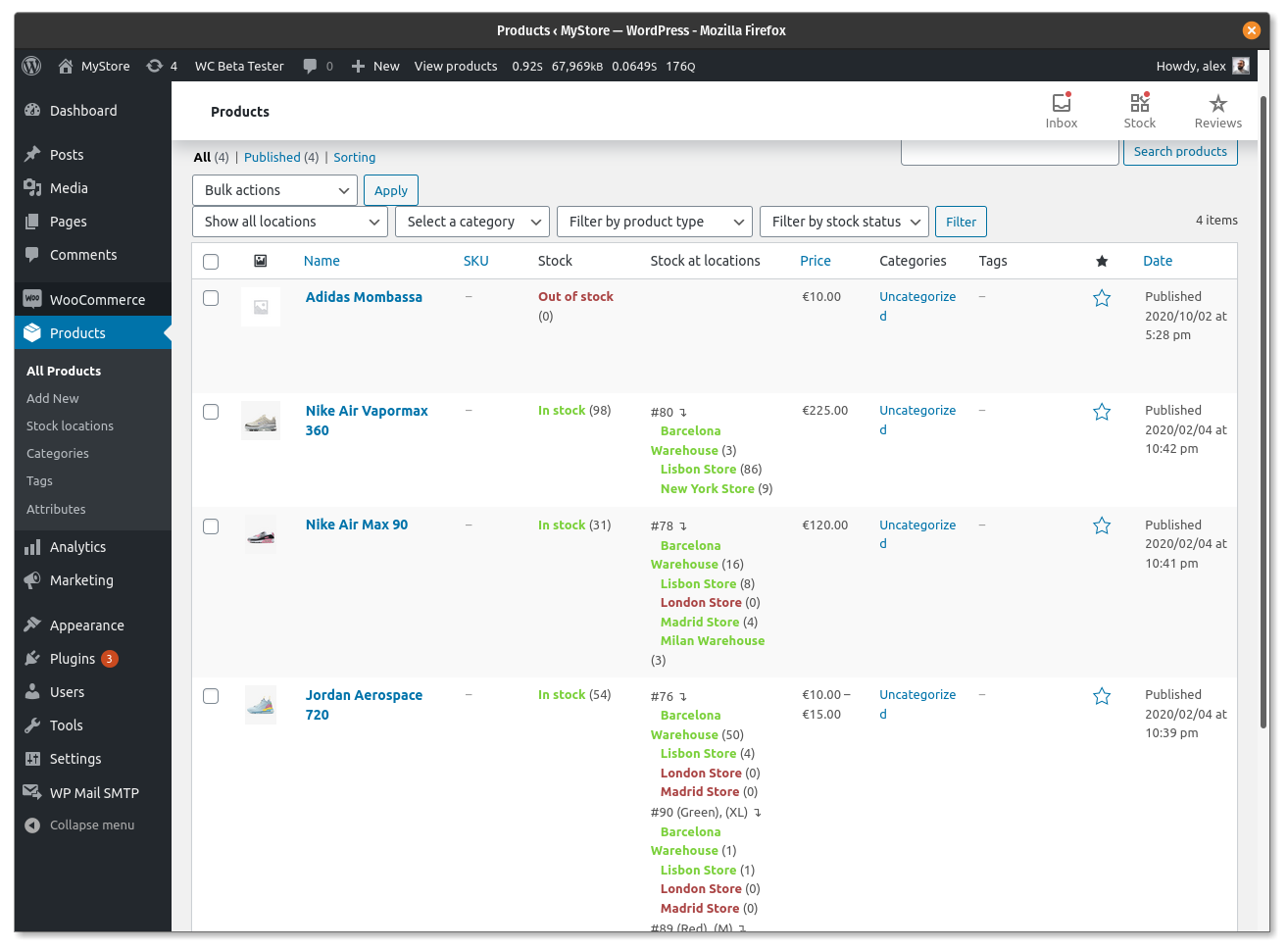
Product list filter and stock locations column
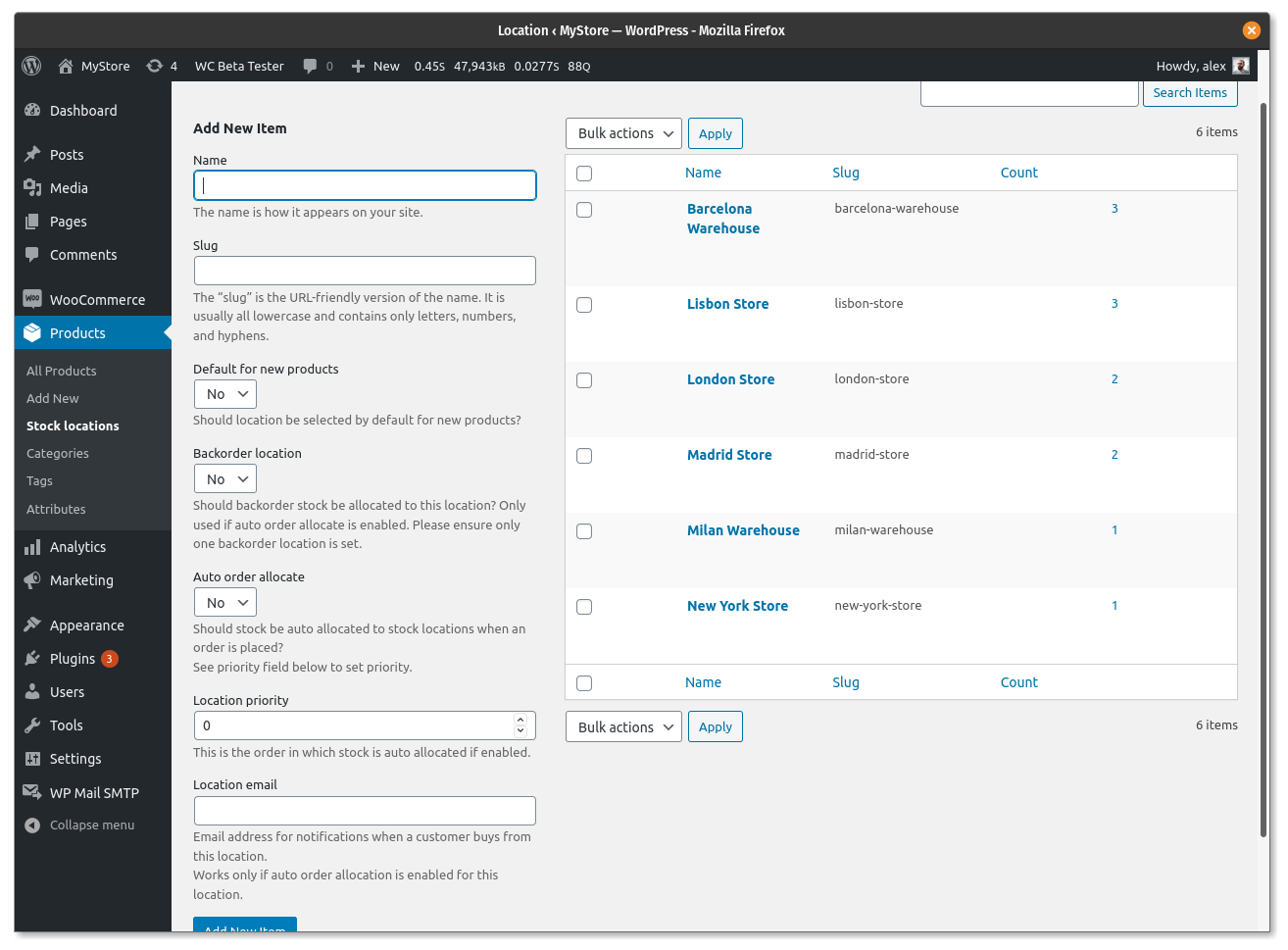
Stock locations taxonomy
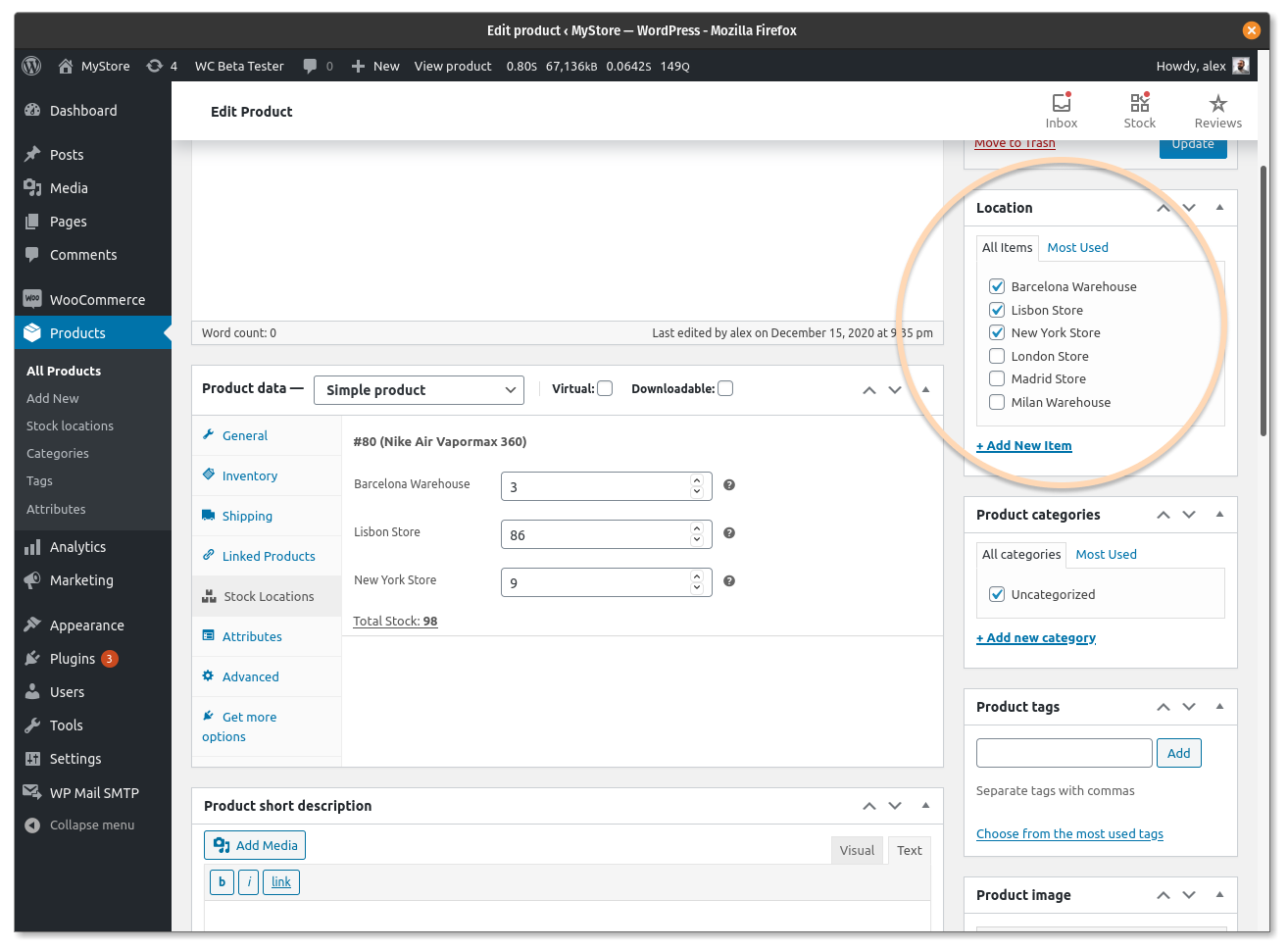
Manage stock locations in simple products
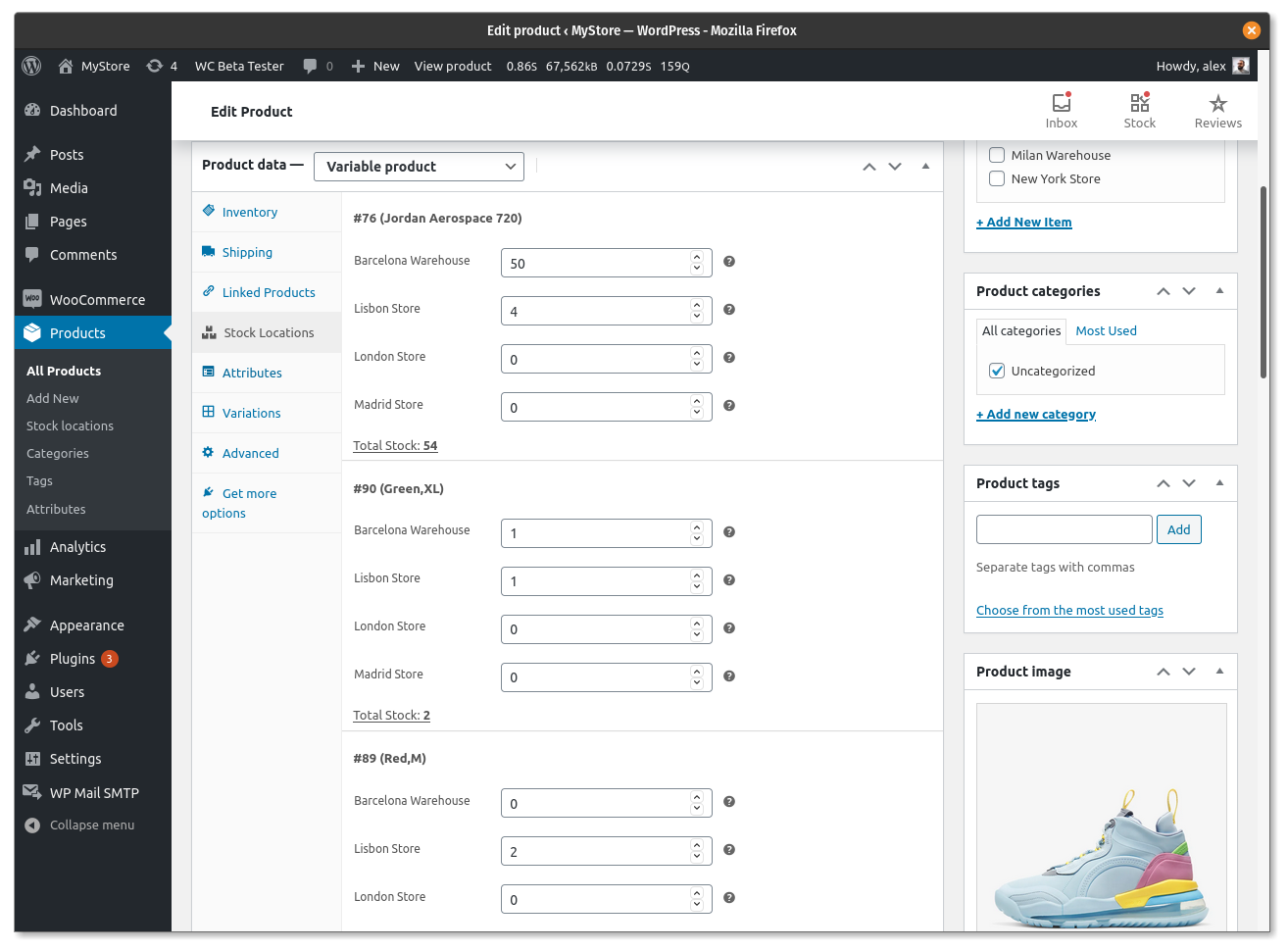
Manage stock locations in variable products
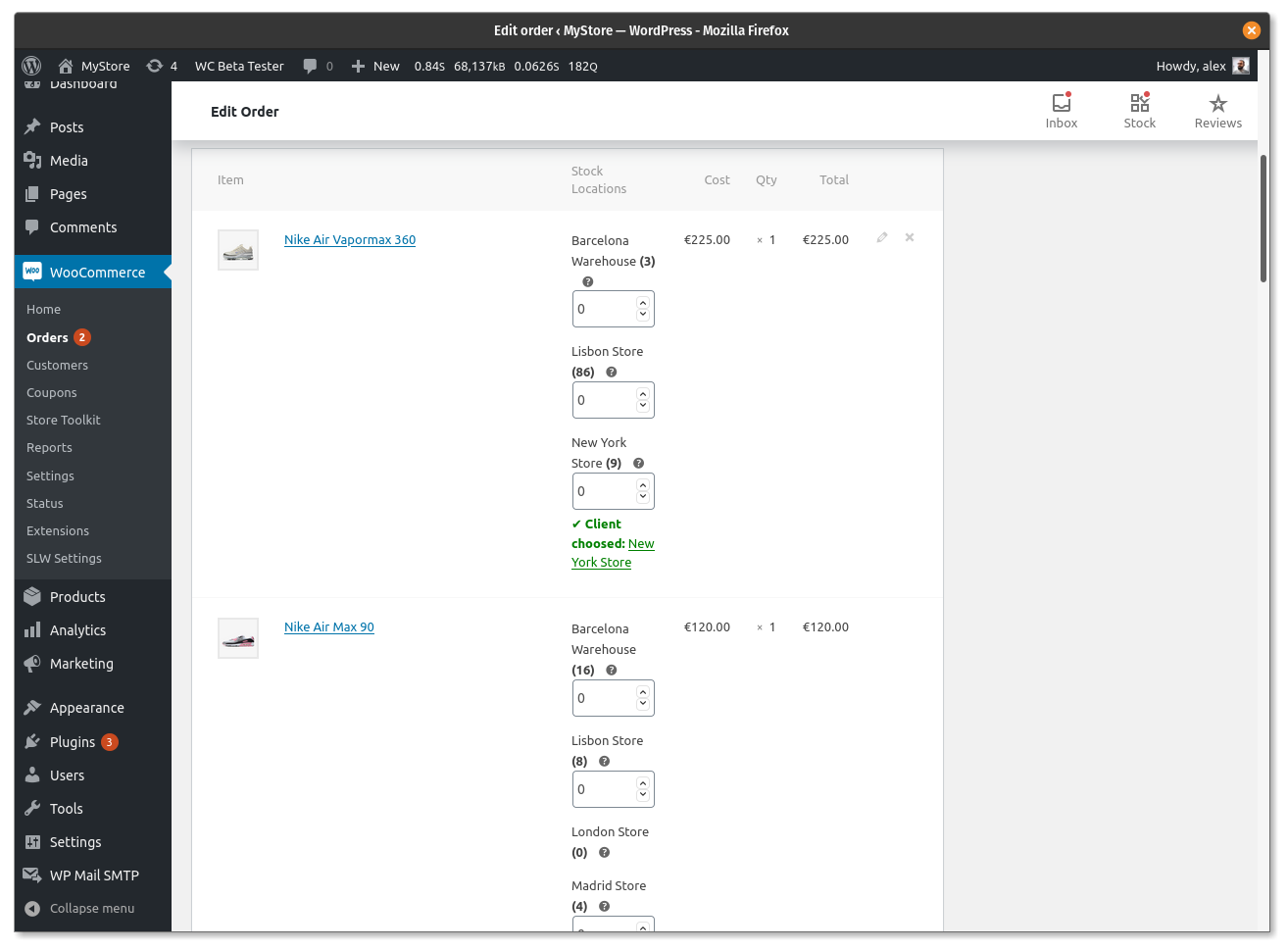
Deduct stock from locations manually
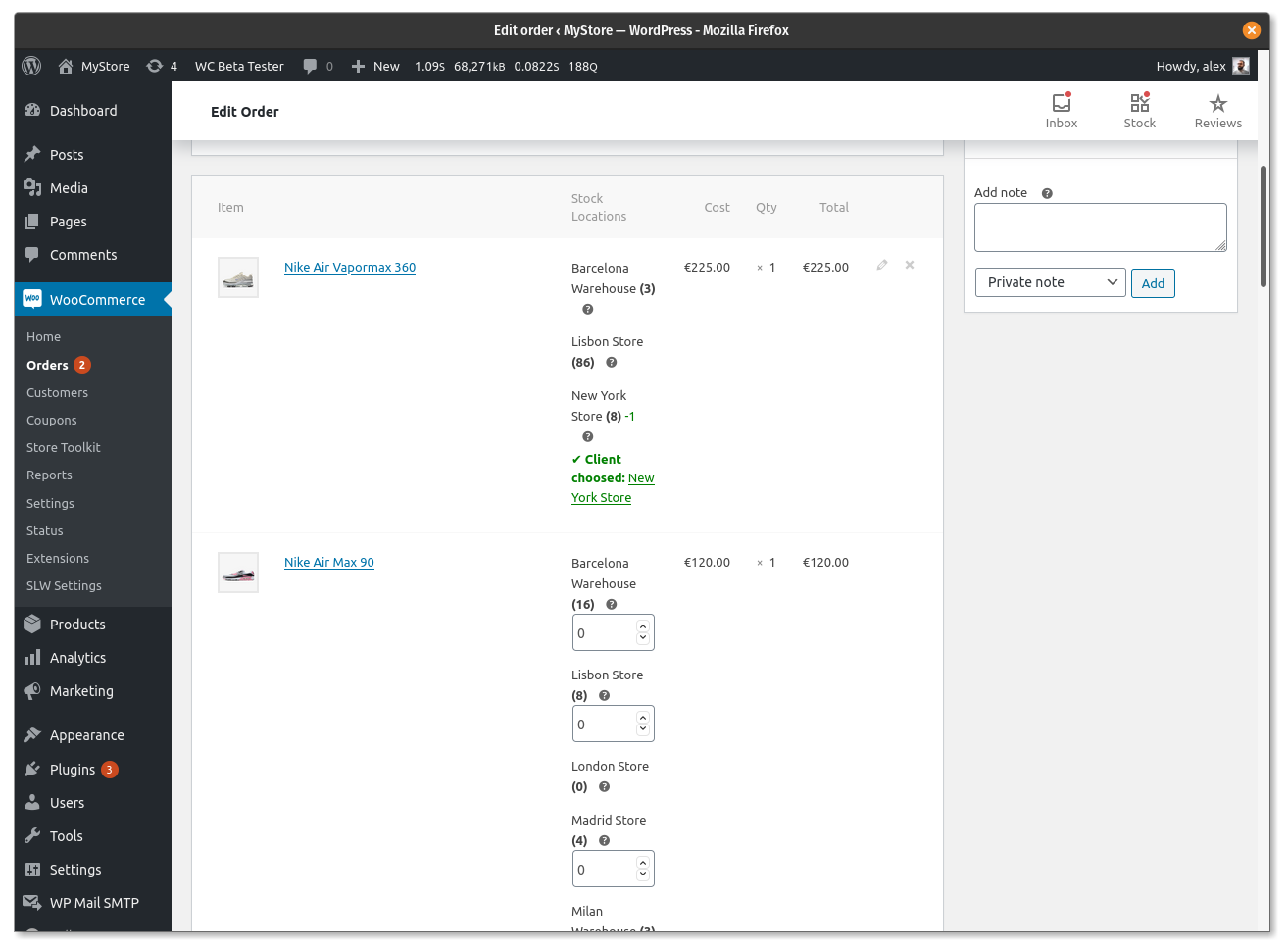
Deduct stock from location automatically
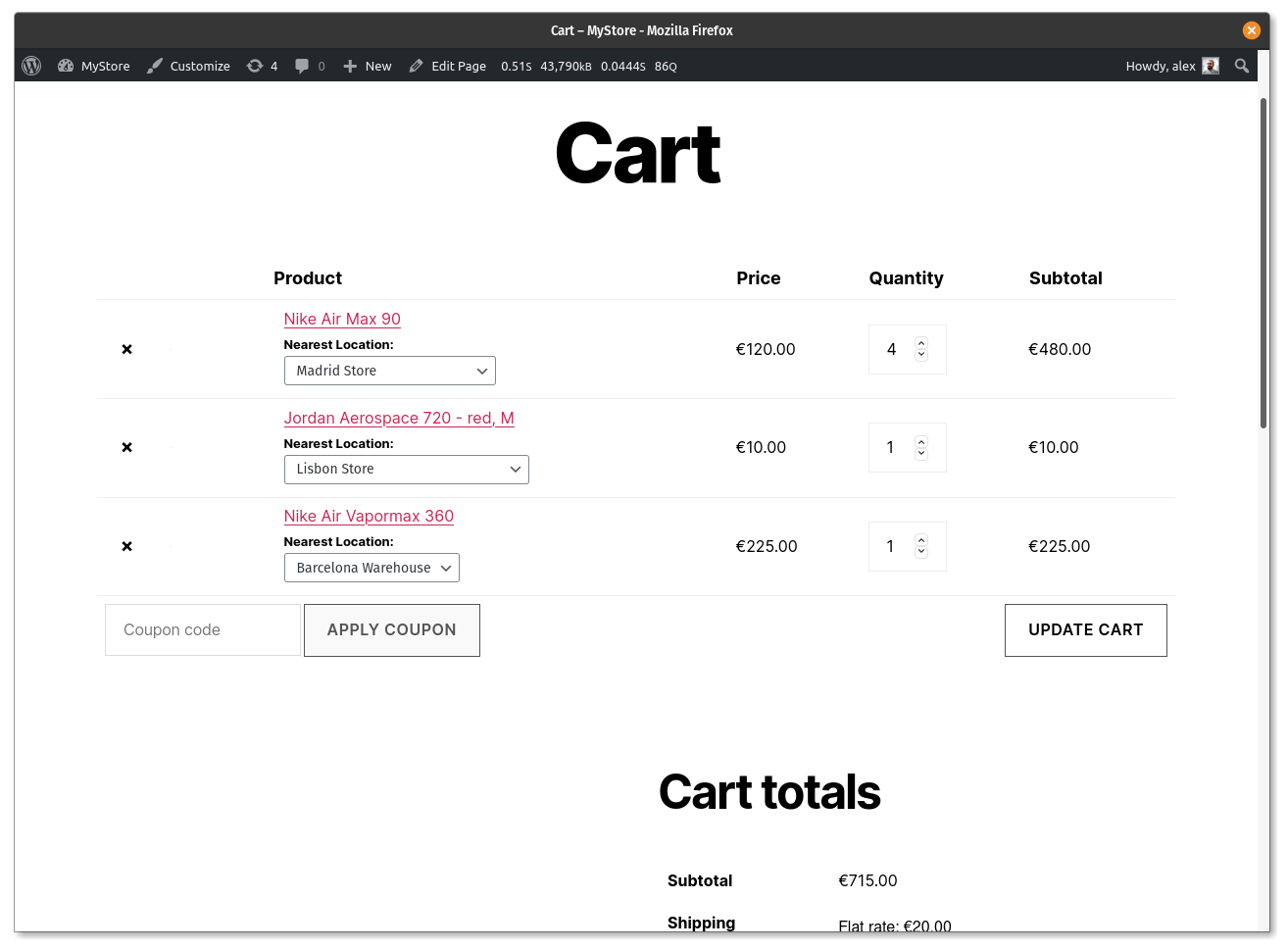
Allow customers to select locations in cart page
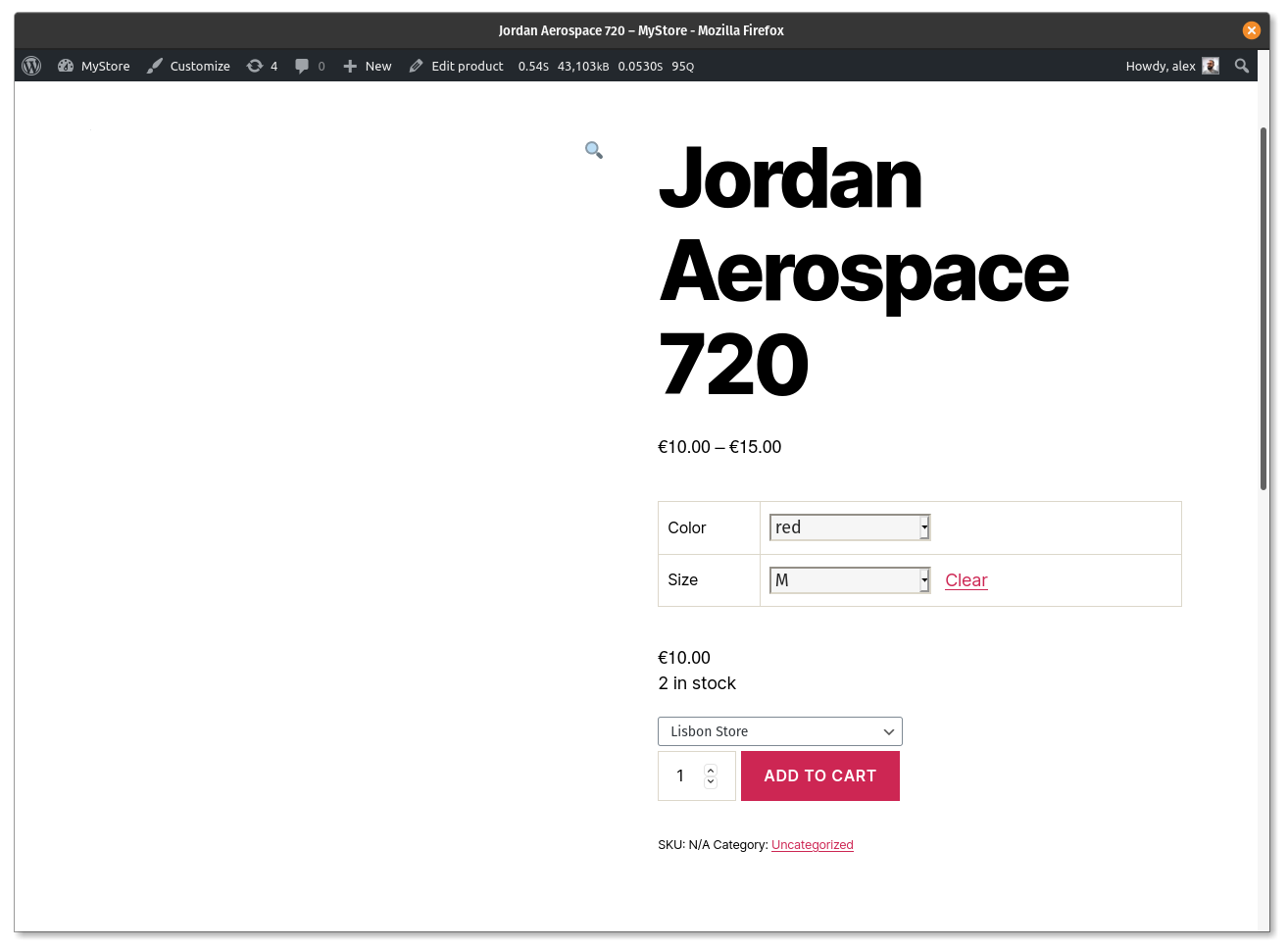
Allow customers to select location in variable products
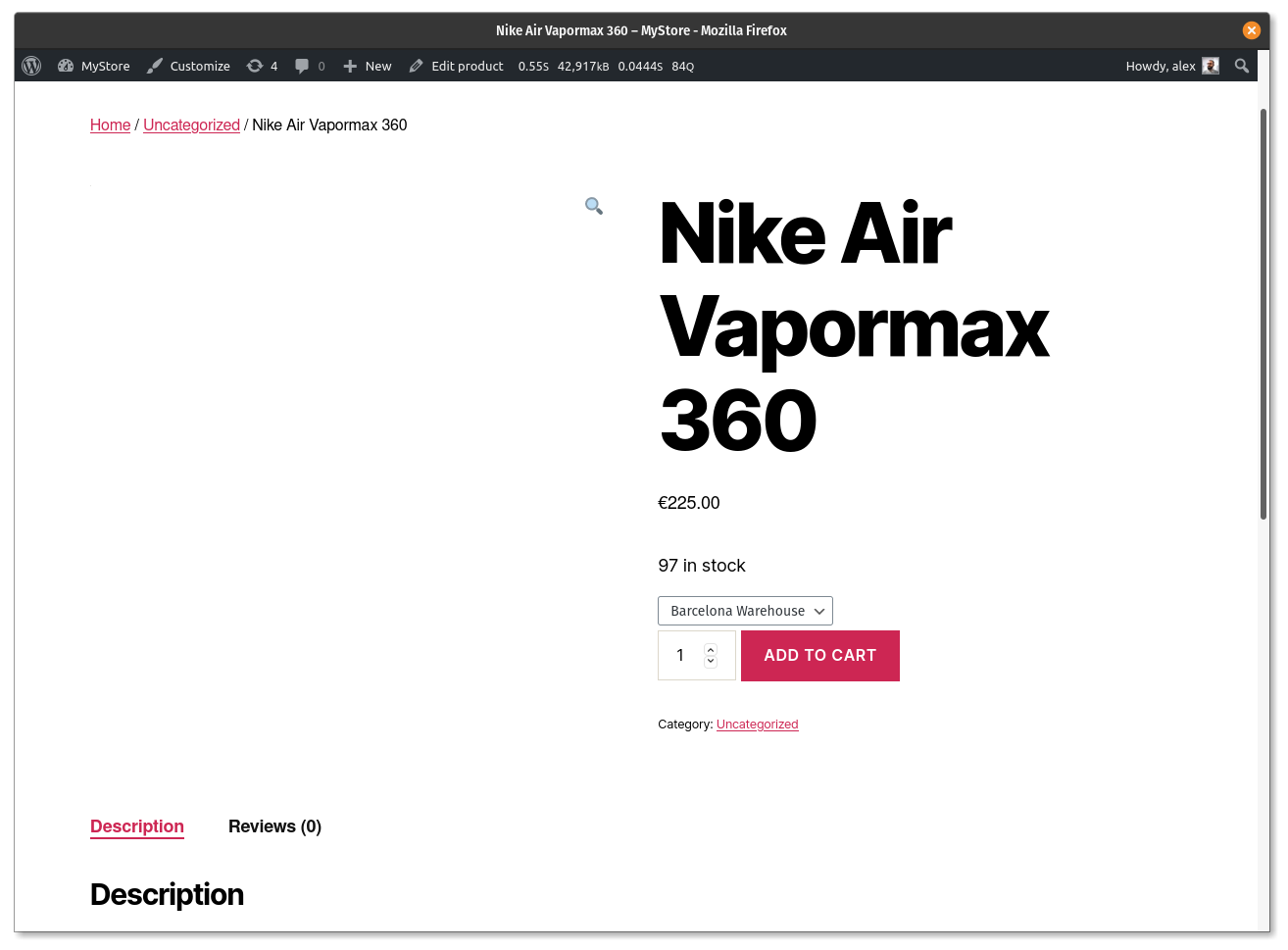
Allow customers to select location in simple products
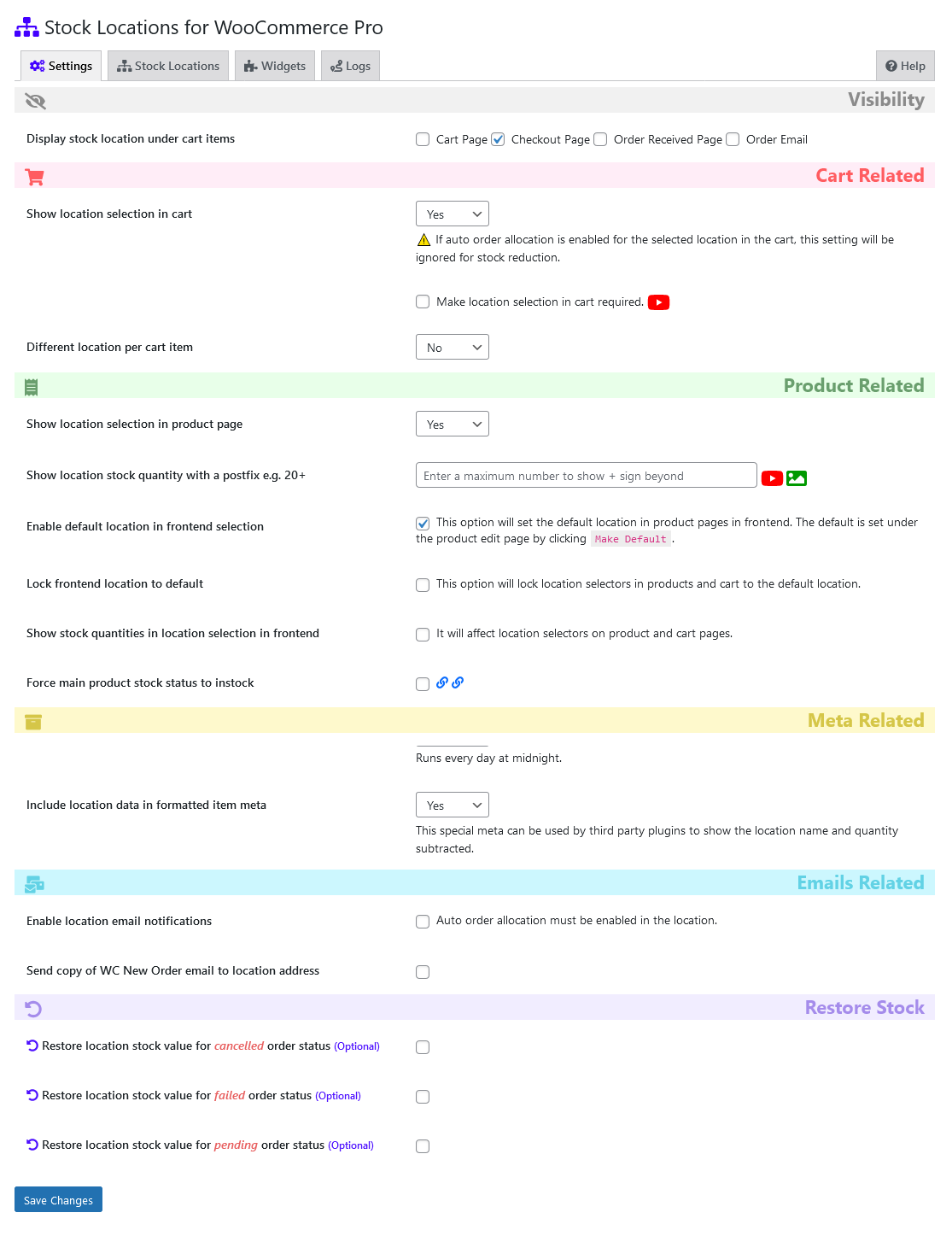
Plugin settings
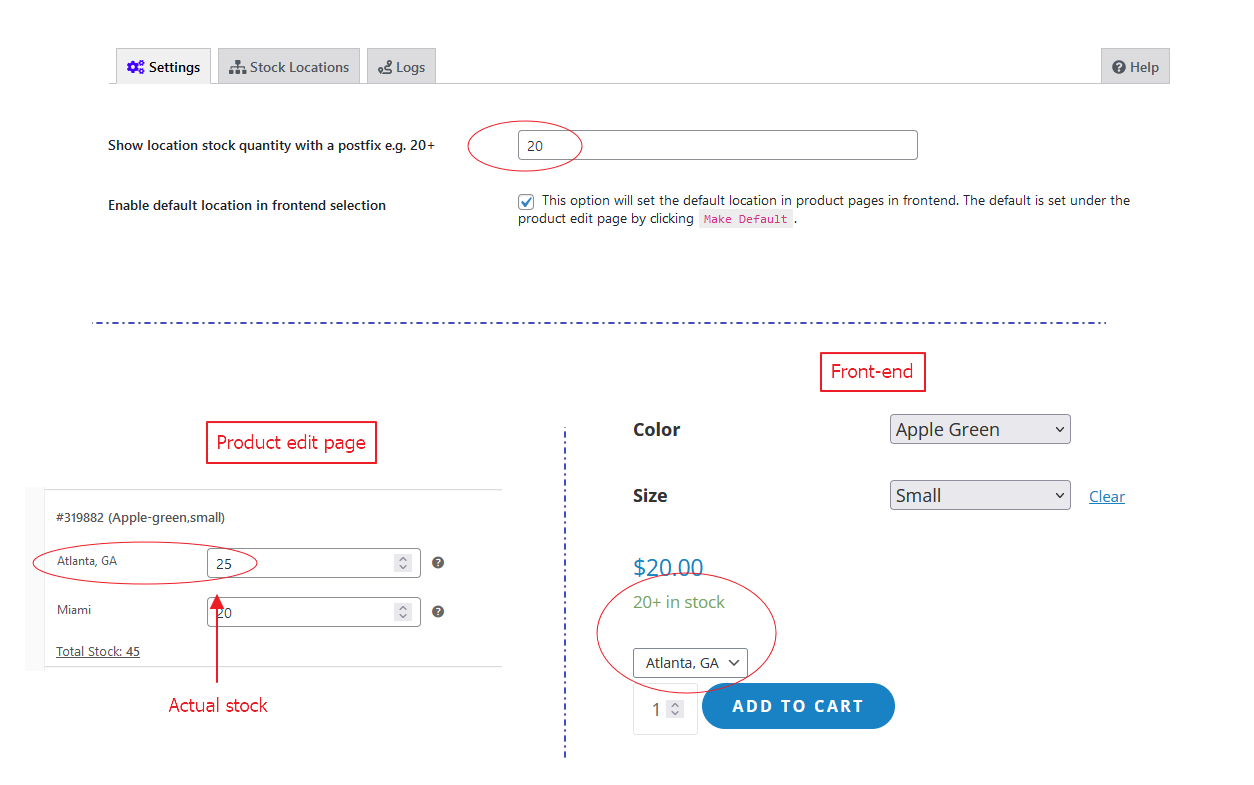
Show location stock quantity with a postfix e.g. 20+
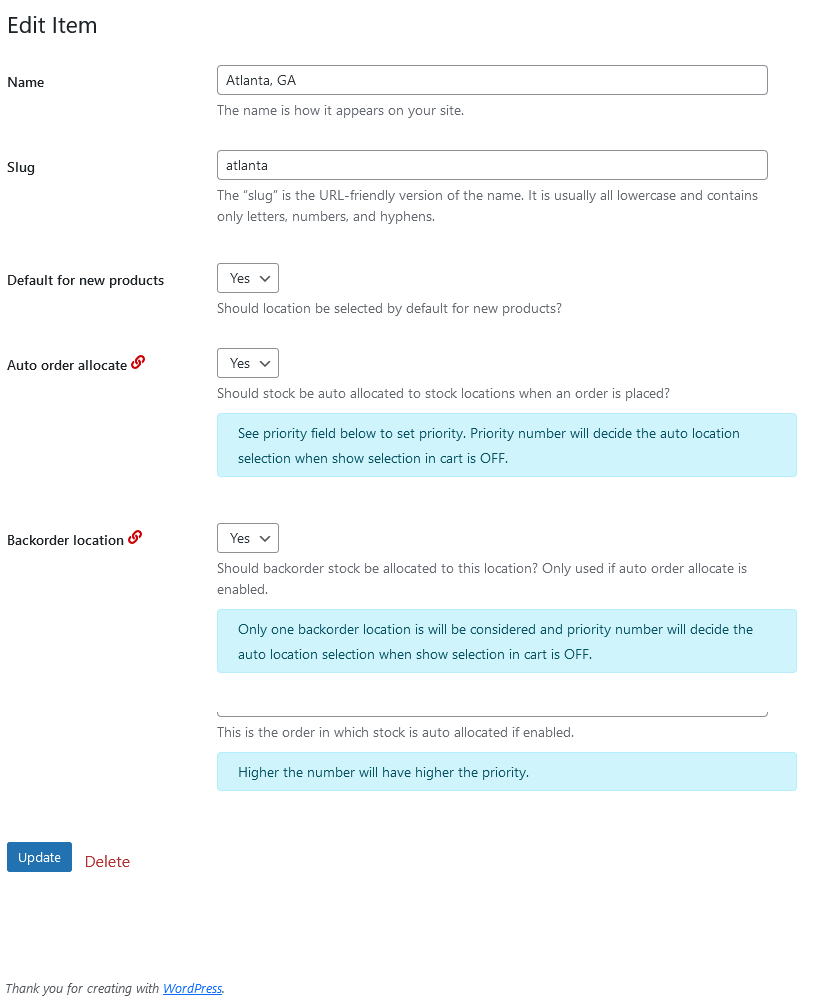
Edit Stock locations taxonomy
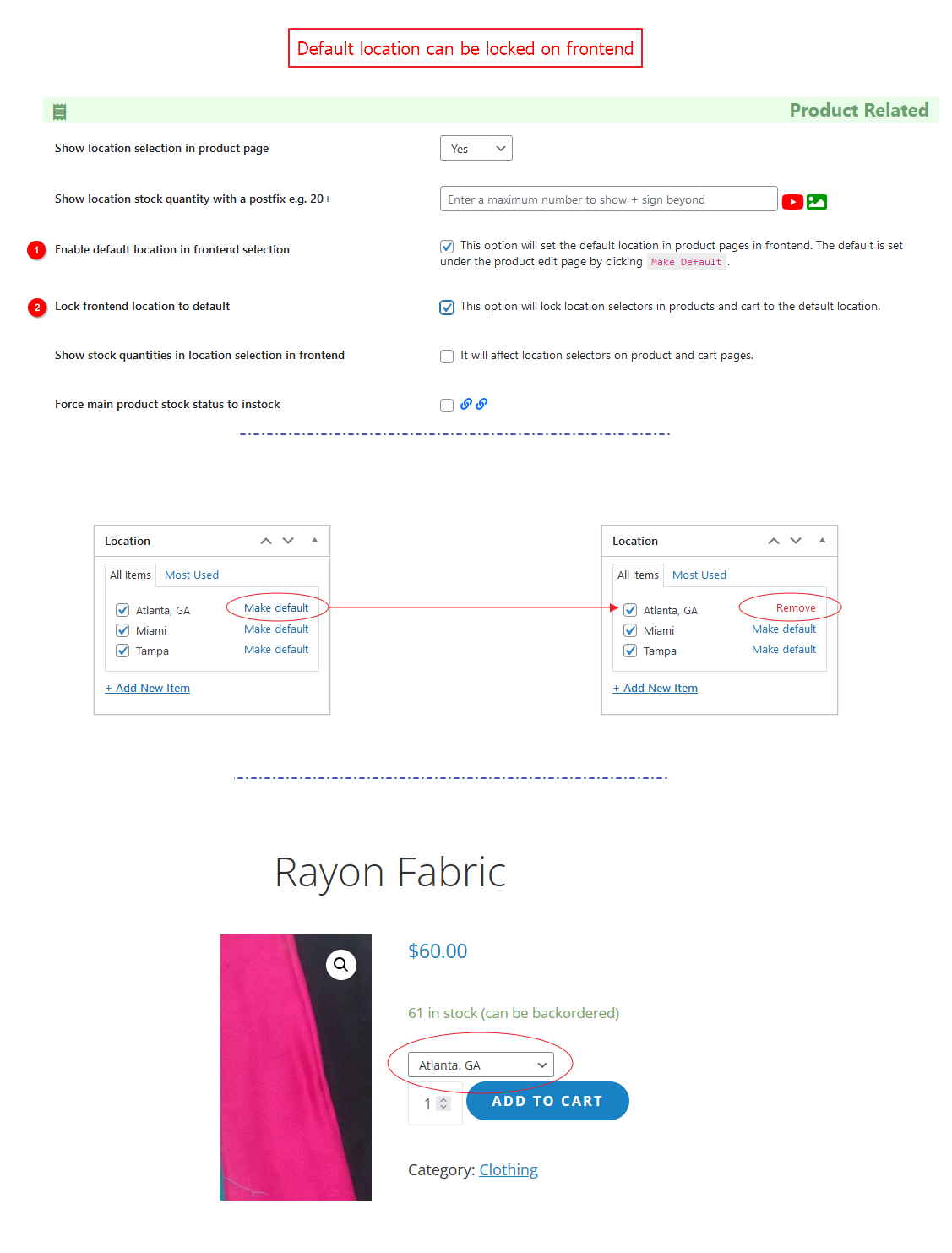
Lock default location on frontend.
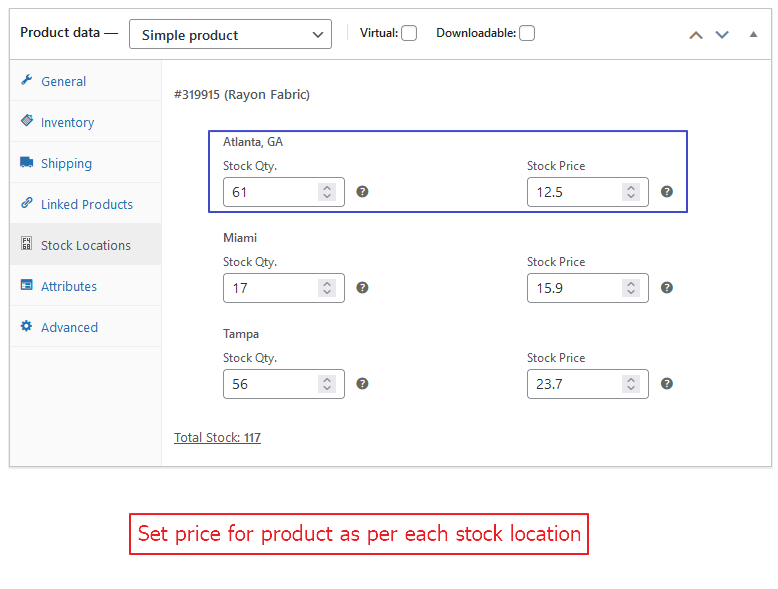
Set price for product as per each stock location.
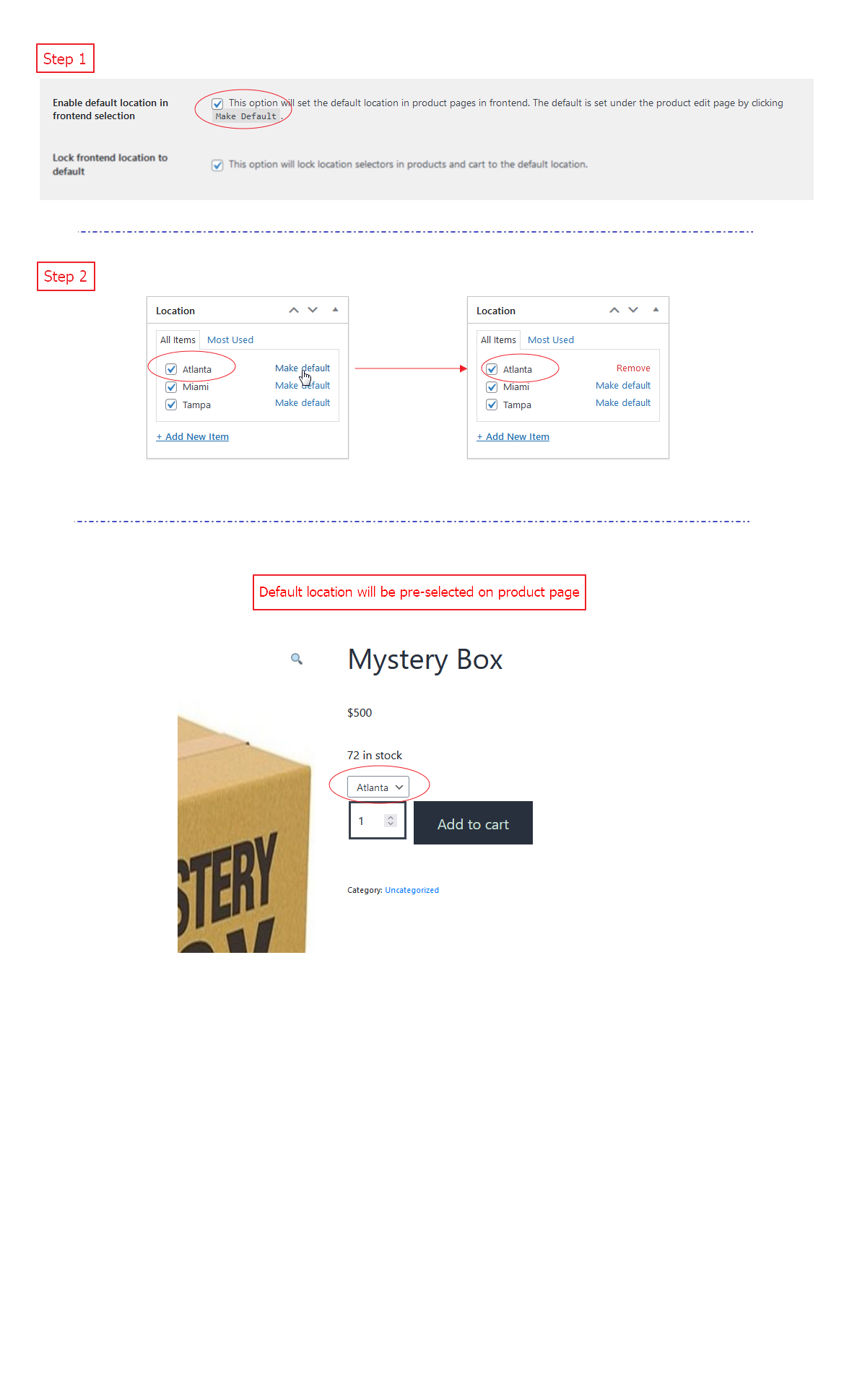
Pre-select default location on product page (frontend).
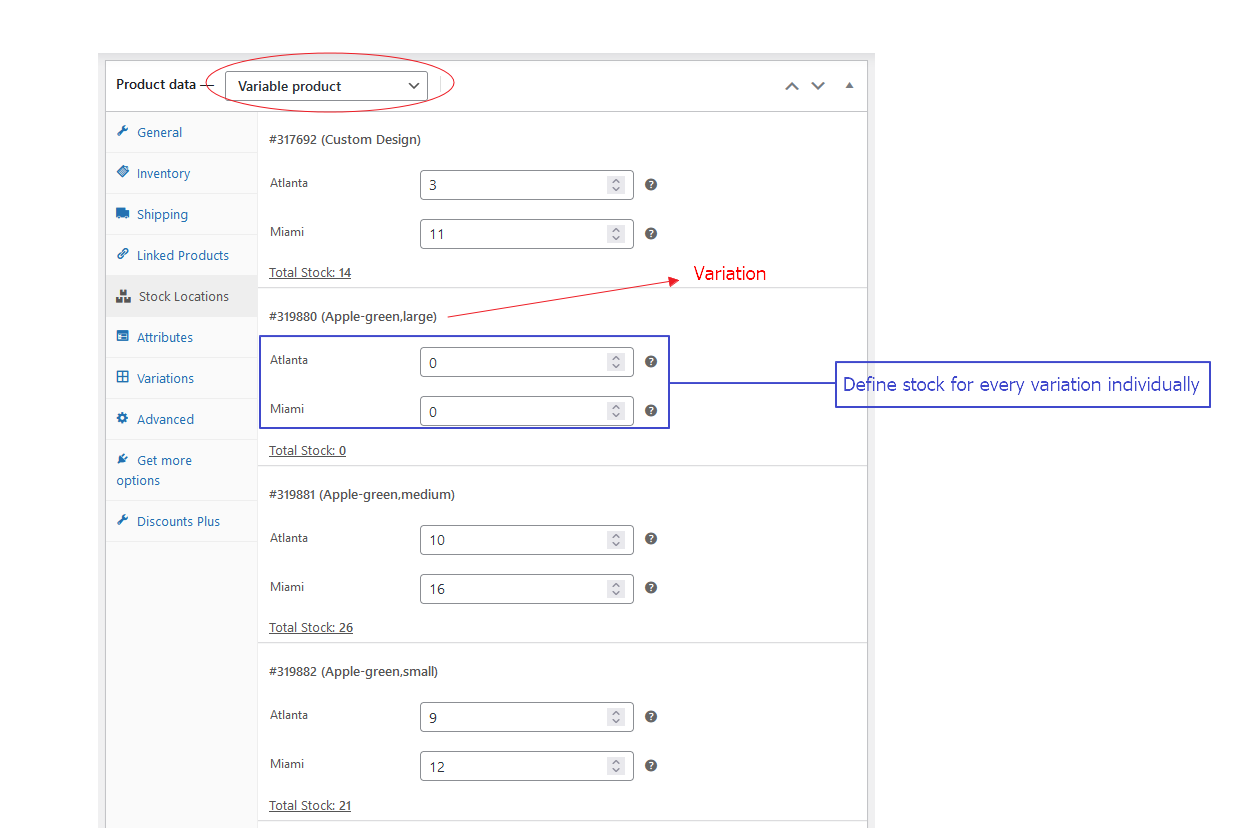
Stock locations for each variation.
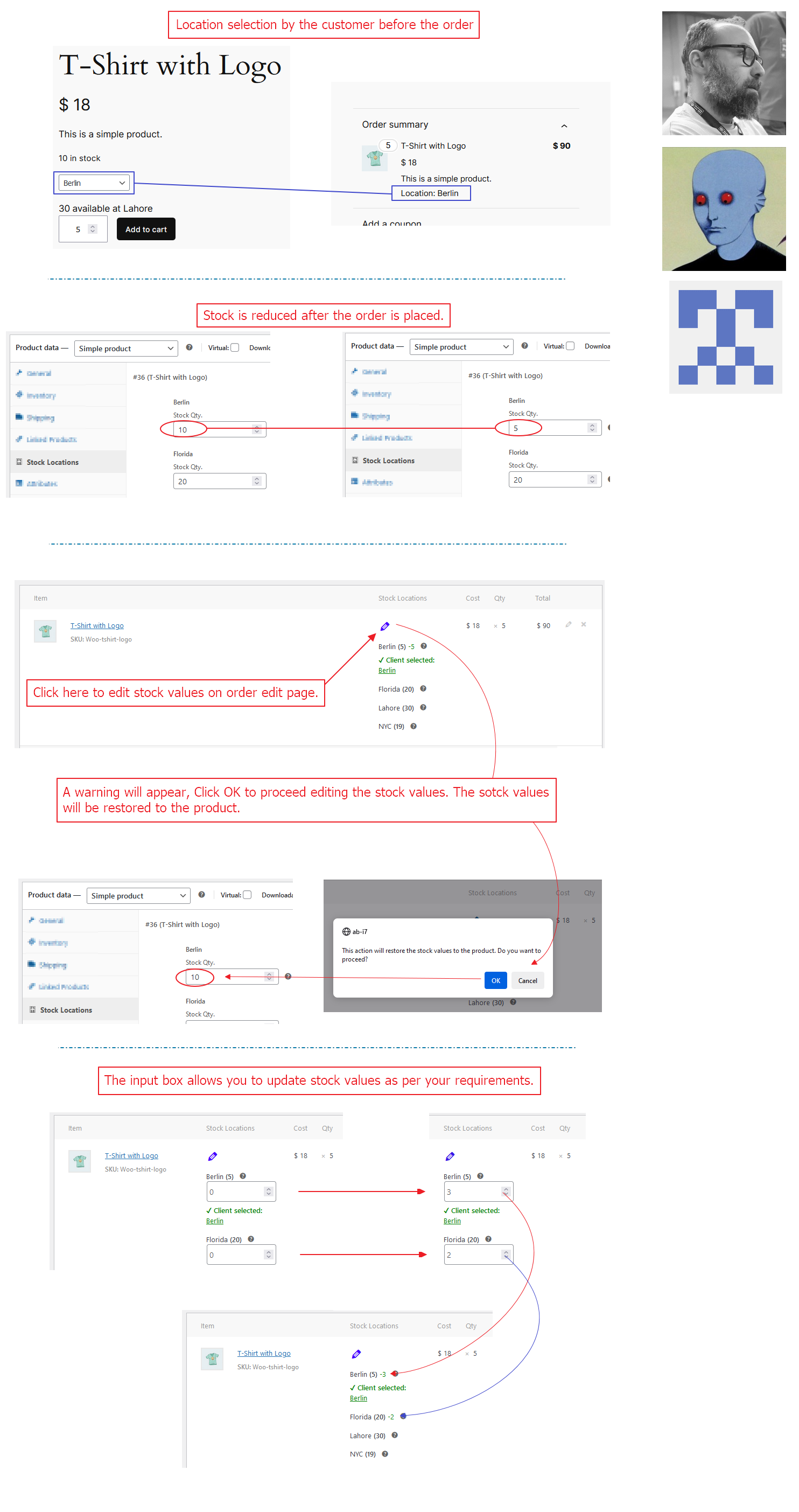
How to allow editing location values on orders after being reduced?