BACK TO DIRECTORY


StockNotify adds a “Notify me when this product is back in stock” form to WooCommerce product pages whenever a product, or a selected variation, is out of stock.
Core flow
- A product (or variation) goes out of stock.
- A customer enters their email address on the product page.
- The product comes back in stock.
- The customer receives an email notification.
- Store owners can track who subscribed and who was notified under WooCommerce > StockNotify.
Features:
- A back-in-stock subscription form on the single product page.
- Support for simple products.
- Support for variable products, with the form appearing automatically for the selected out-of-stock variation.
- AJAX submission with no page reload.
- Duplicate-subscription protection and per-IP rate limiting.
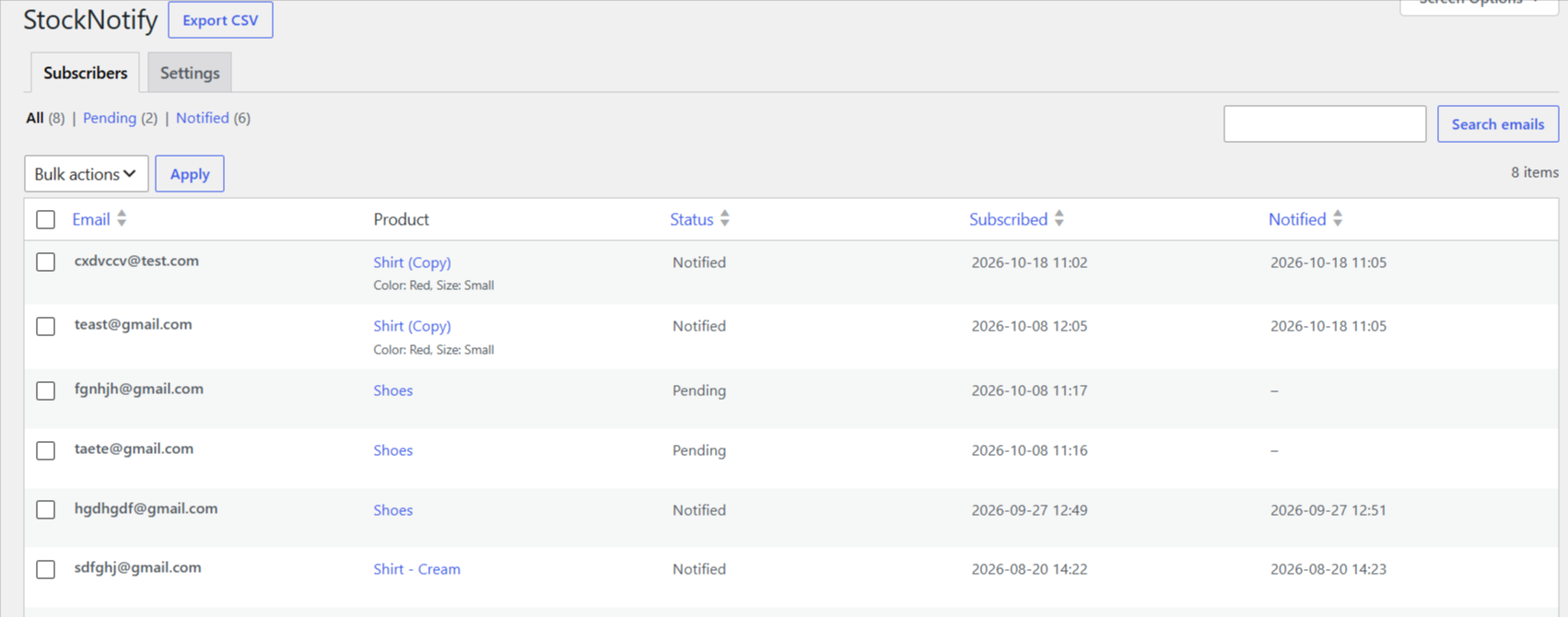
- A “StockNotify” screen under WooCommerce to browse subscribers, filter by Pending or Notified, search by email, delete, and export to CSV.
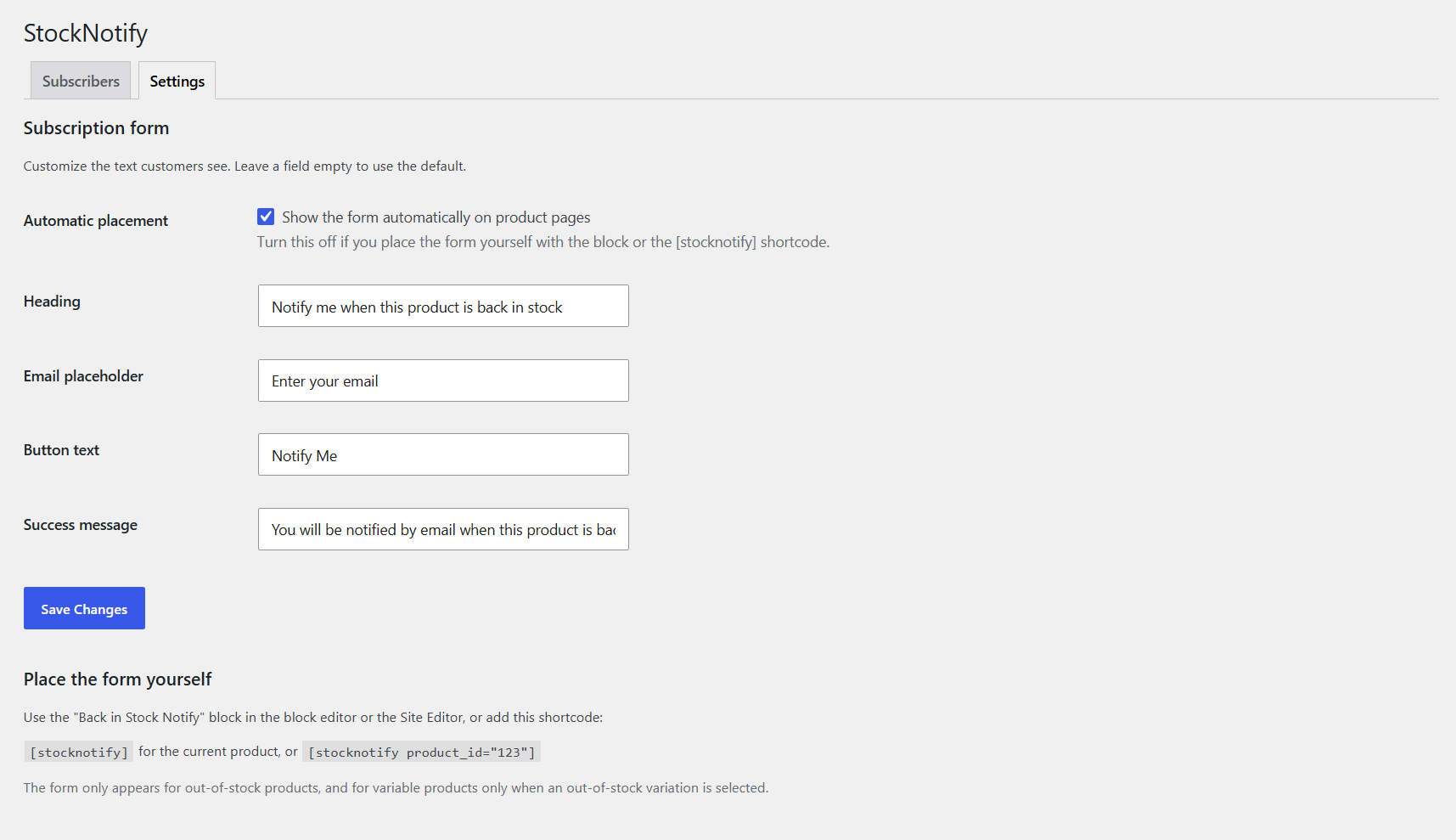
- A Settings tab (WooCommerce > StockNotify > Settings) to edit the form heading, placeholder, button text and success message.
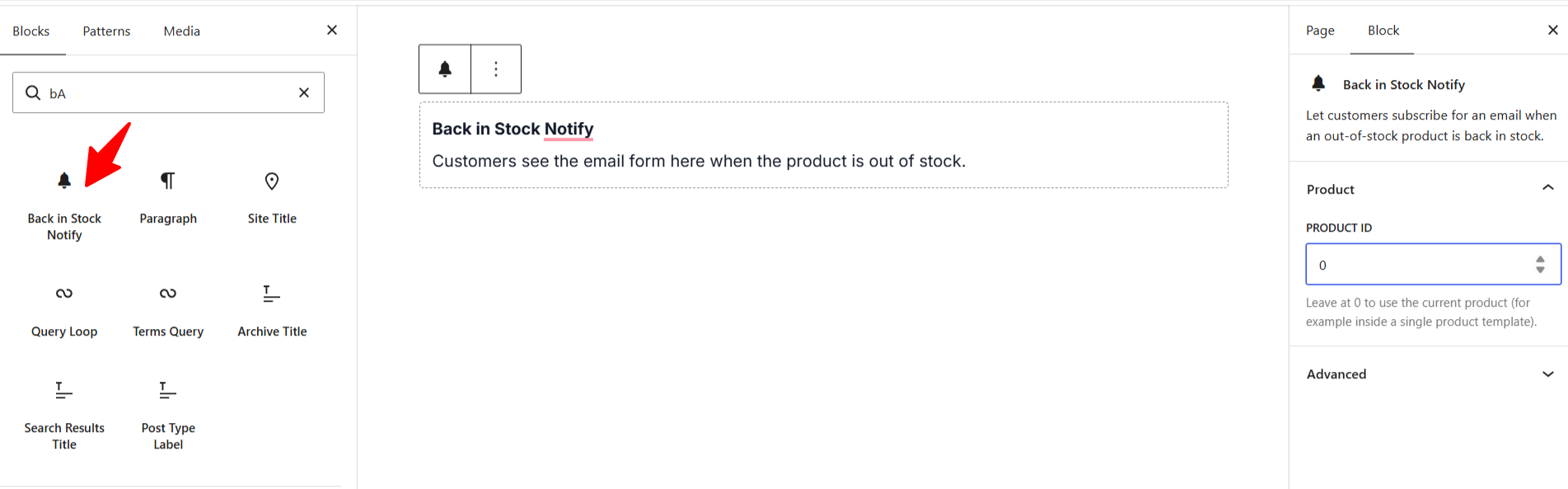
- A “Back in Stock Notify” block and a
[stocknotify]shortcode to place the form anywhere, including block themes. - A “Waitlist” column on the WooCommerce Products list showing how many customers are waiting.
- WordPress privacy tools support (personal data export and erase).
- Automatic “back in stock” email sent to every pending subscriber as soon as a product or variation returns to stock.
- The notification email is a standard WooCommerce email, editable under WooCommerce > Settings > Emails (subject, heading, extra text, HTML/plain format) and themeable by copying its template into
yourtheme/stocknotify/.
Requirements
- WooCommerce must be installed and active. StockNotify will show an admin notice if it is not.
Screenshots
Subscription form on an out-of-stock product page.
"Waitlist" column on the Products list showing how many customers are waiting for each product.
Subscribers tab under WooCommerce > StockNotify, with search, Pending/Notified filters, bulk delete and CSV export.
Settings tab to customize the form text and turn automatic placement on or off.
"Back in Stock Notify" block in the block editor.
Plugin Details
Active Installs
0Total Downloads
266Version
1.2.0Requires WP
6.2Requires PHP
7.4Tested Up To
7.1.4Added
2026-09-30Last Updated
2026-10-18 11:50am GMTRatings
5
0
4
0
3
0
2
0
1
0