BACK TO DIRECTORY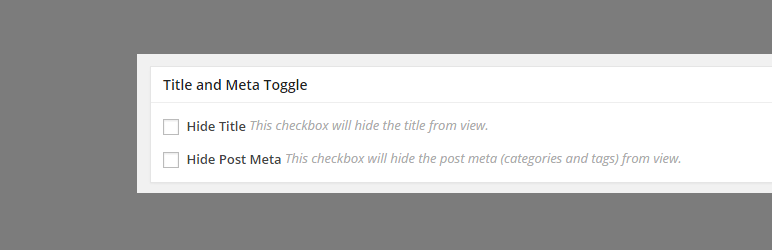

This plugin lets you easily remove the page title from specific pages or posts. The basic case scenario is to be
able to hide the title that you will be setting for your “Home” page.
This plugin is built to work only for the Storefront theme
How to use:
- To hide the title for a certain page, you need to login to your WordPress dashboard, and edit the page that you want to hide the title.
- On the edit page, scroll down until you see the Title and Toggle meta box. Check “Hide Title” checkbox and update your page.
- After the page has been updated, check your page to see if the title has been successfully removed.
There is also an option to remove the post meta (tags and comment count) for posts.
Screenshots
Metabox that will be displayed in the edit screen. This should be located below the content editor.
Plugin Details
Active Installs
3K+Total Downloads
105,420Version
1.3.0Requires WP
4.0.0Requires PHP
—Tested Up To
6.6.11Added
2015-01-05Last Updated
2024-10-01 11:59am GMTRatings
5
15
4
0
3
0
2
0
1
2