
StorePlus Manual QR Gateway with PromptPay for WooCommerce helps Thai WooCommerce store owners accept manual PromptPay QR payments.
The plugin generates a PromptPay QR code based on the WooCommerce order amount and displays the QR code, payment amount, recipient name, order number, and payment instructions on the order received page.
This plugin is designed for manual payment verification. It does not connect to a bank API, does not automatically confirm payments, and does not process card payments.
Features
- Add PromptPay QR as a WooCommerce payment method.
- Generate PromptPay QR codes based on WooCommerce order totals.
- Support registered mobile number, National ID / Tax ID, and E-Wallet PromptPay receiver IDs.
- Display recipient name, amount, order number, and payment instructions.
- Let store owners choose On hold or Pending payment while waiting for manual verification.
- Let customers upload JPG, PNG, or WebP payment slips after checkout and from My Account orders.
- Preview the selected slip image before upload and allow customers to replace a submitted slip.
- Display the payment slip inside the WooCommerce order screen for administrators.
- Confirm a manually verified payment from the order screen and choose the resulting order status.
- Download the generated PromptPay QR code from the order payment page.
- Generate a test PromptPay QR from the admin diagnostics page before accepting real orders.
- Show customer payment instructions in WooCommerce emails.
- Include a WooCommerce admin status page for configuration checks.
- Generate QR codes locally without using an external QR image service.
Important Notes
This plugin is designed for WooCommerce stores in Thailand that accept manual PromptPay QR payments in Thai Baht (THB).
A normal bank account number is not a PromptPay ID. Store owners must enter a PromptPay receiver ID that is registered with their bank.
International QR payments may work only with participating cross-border QR payment applications. Availability depends on the customer’s bank, country, and payment provider.
Privacy
This plugin generates PromptPay QR codes locally on the WordPress site. When payment slip upload is enabled, customer slip images are stored in the site’s WordPress Media Library and referenced from the WooCommerce order. The plugin does not send order data, customer data, PromptPay settings, or slip images to StorePlus, a bank API, or an external QR service.
Store owners are responsible for protecting uploaded payment slips according to their privacy policy and for manually verifying payments in their banking app or bank account before processing orders.
Screenshots
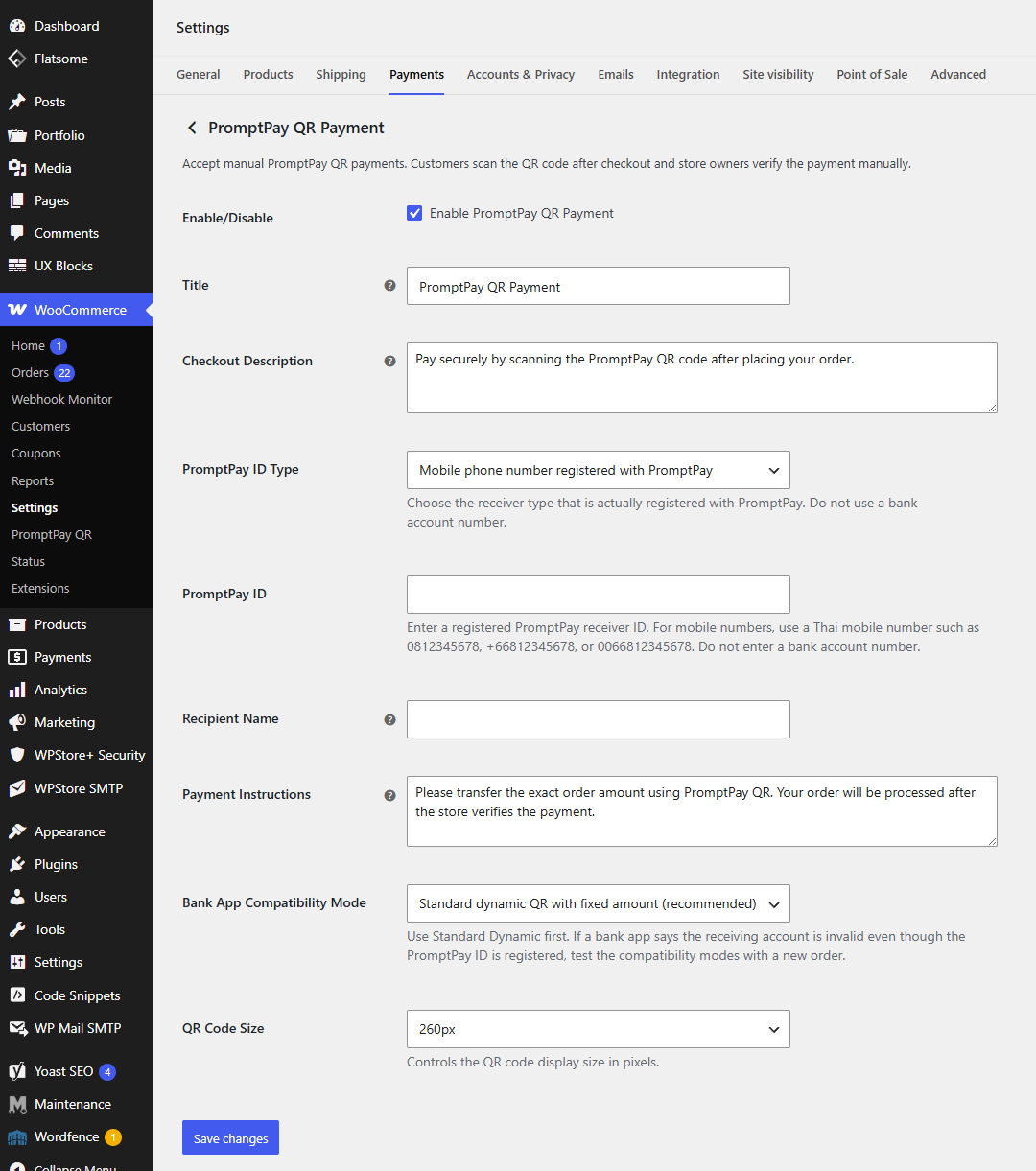
Configure PromptPay QR Payment in WooCommerce payment settings.
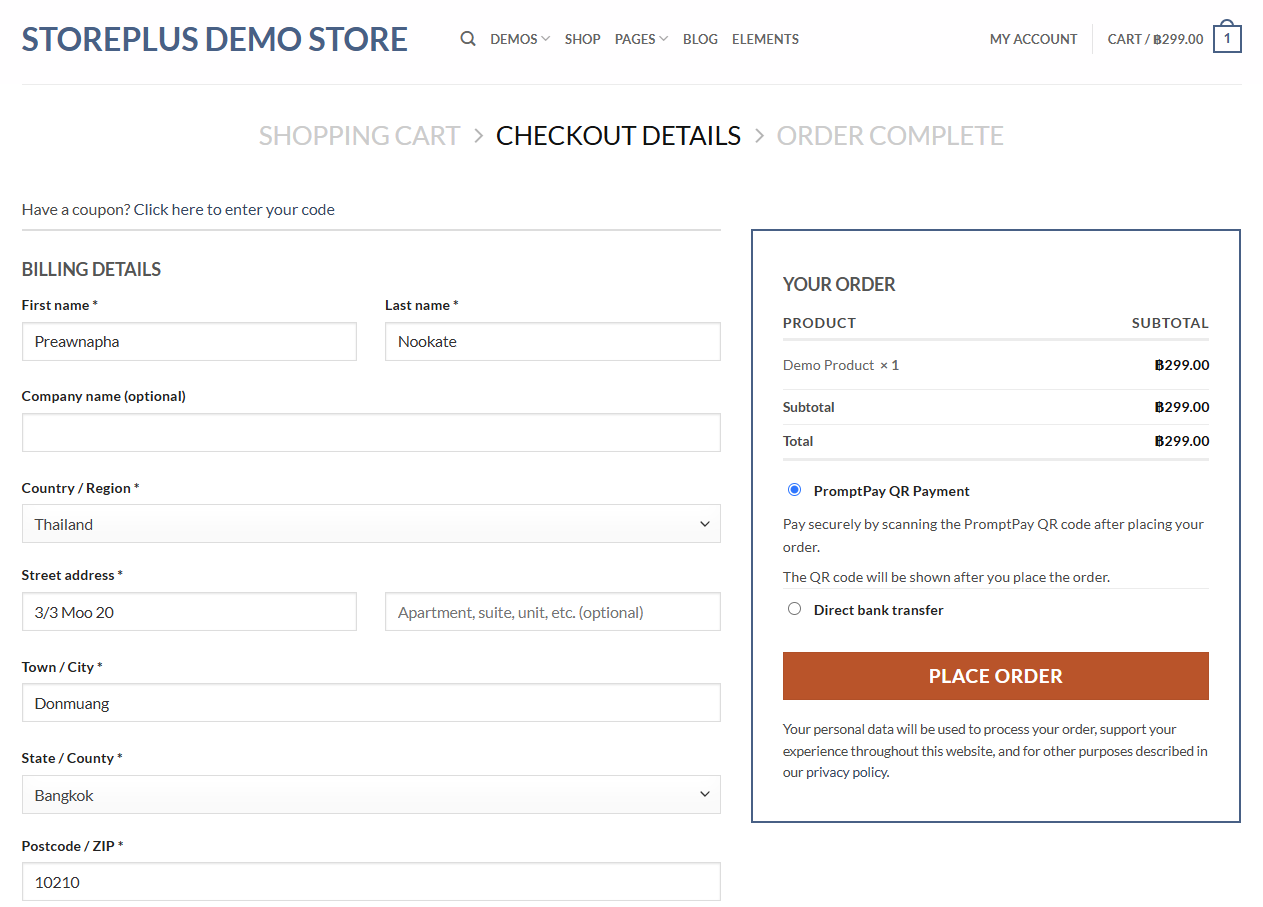
Customers can select PromptPay QR Payment at checkout.
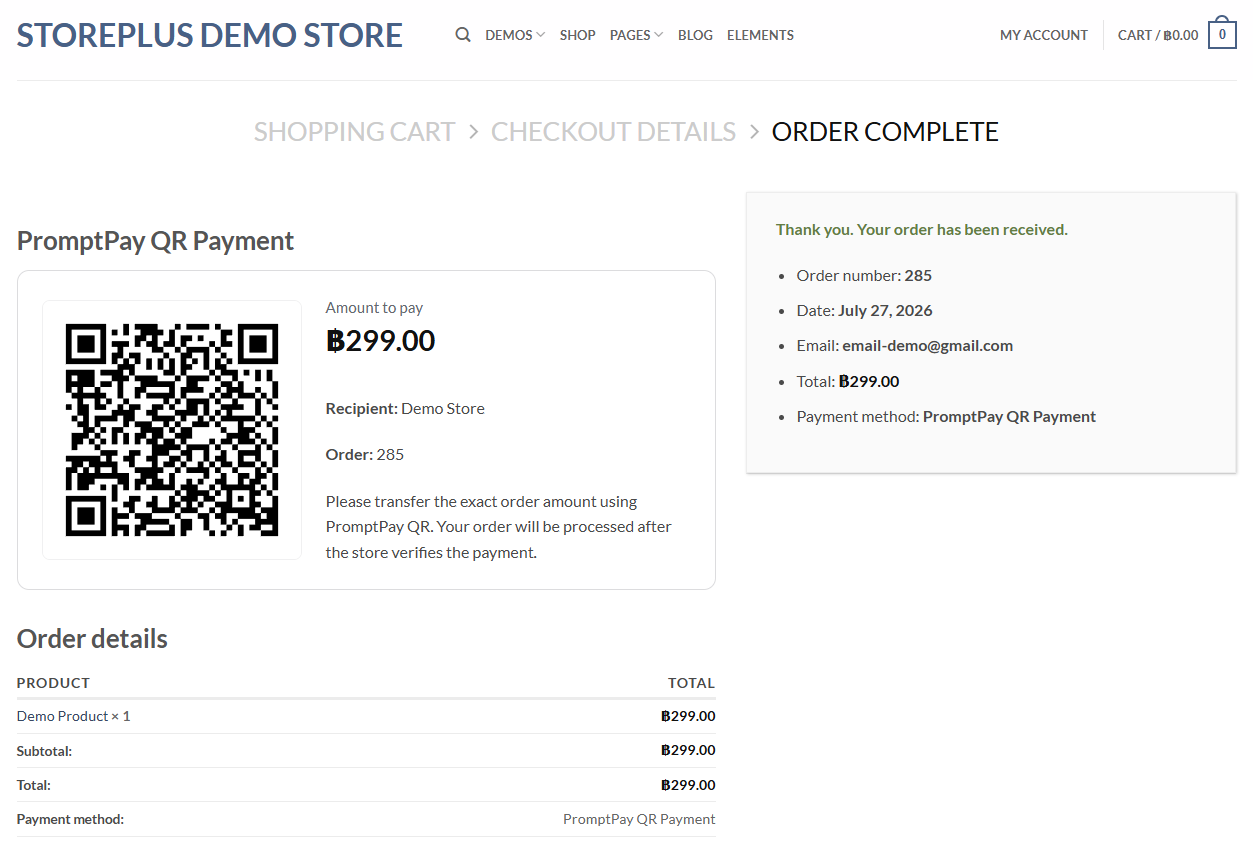
The order received page displays the QR code, amount, recipient name, order number, and payment instructions.
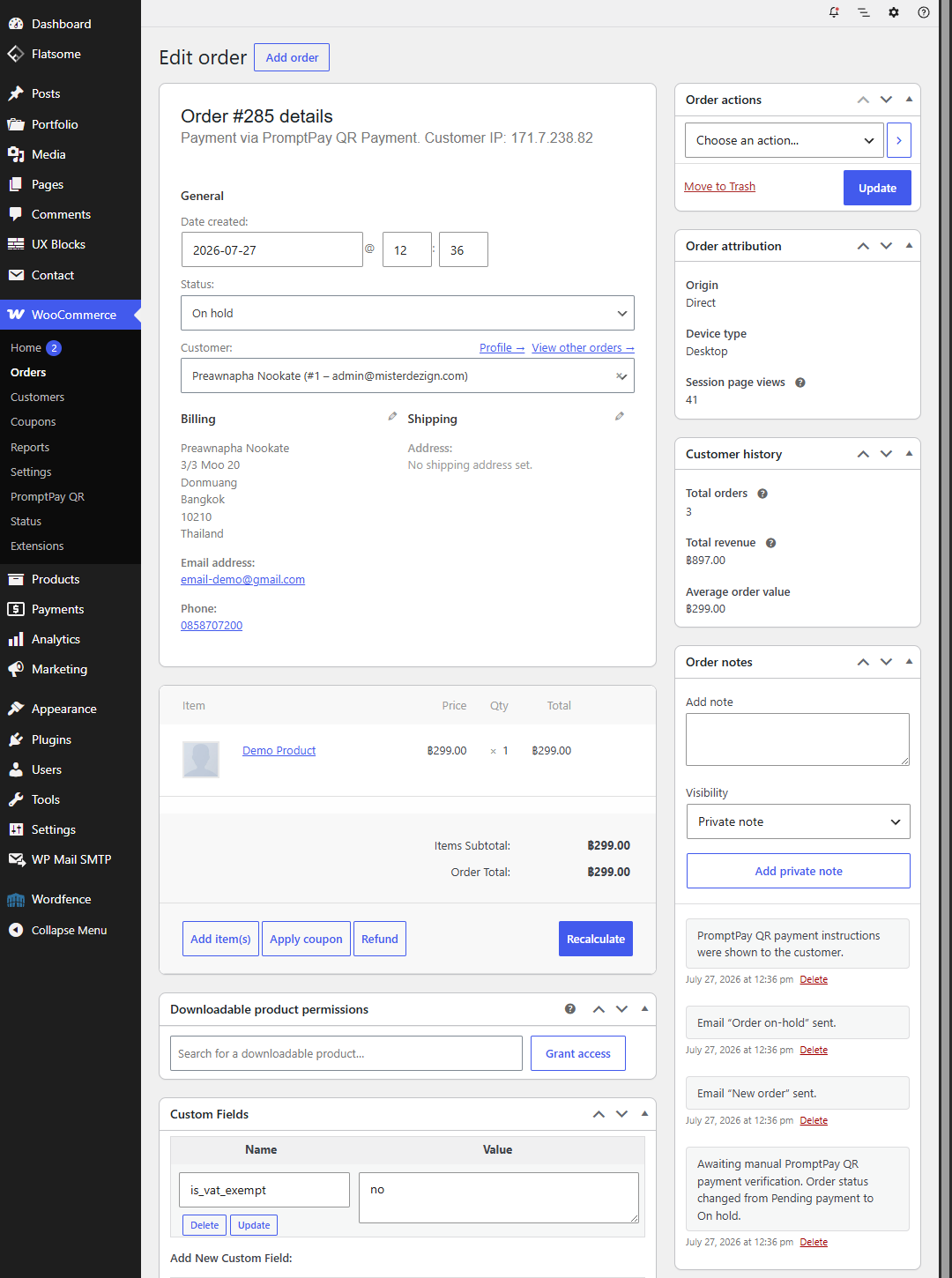
Customers can upload a payment slip after checkout.