
StoreStack Attribute Swatches for WooCommerce replaces default, plain WooCommerce variation dropdowns with visual, interactive swatches. Easily display product colors, pattern images, inline text buttons, and radio options to improve user experience and boost conversions on your online store.
Features
- Multiple Swatch Types: Convert default attribute dropdowns into Color, Image, Button, or Radio swatches.
- Color Swatches: Integrated HEX Color Picker allows precise color assignments for each attribute option.
- Image Swatches: Assign custom images or texture swatches directly from the WordPress Admin.
- Interactive Tooltips: Hovering over image swatches triggers a dynamic thumbnail preview.
- Button Swatches: Ideal for sizes (S, M, L, XL), dimensions, and specifications.
- Radio Swatches: Classic radio list options for clean, structured variation choices.
- Swatch Grouping: Group related terms into custom categories (e.g. “Primary Colors”, “Metallic Finishes”, “Standard Sizes”) with visual section headers.
- Fully Responsive & Lightweight: Pure CSS styling and minimal JavaScript overhead ensure fast load times and seamless mobile browsing.
- Developer Friendly: Built-in filter hooks and CSS selectors for seamless theme integration and customization.
Integrations
Works seamlessly with the following plugins:
Need Help or Have Feedback?
Before leaving a negative review, please consider reaching out to us first! If you encounter any bugs, unexpected behavior, or have ideas for new features and improvements, please open a support request or report an issue on our GitHub repository. We will gladly work with you to resolve any problems.
Contributing & GitHub Repository
We welcome and appreciate contributions from the community! Whether you want to fix a bug, improve documentation, or propose a new feature, feel free to fork our repository, submit pull requests, or open issues on GitHub:
Your feedback and code contributions help make this plugin better for everyone.
Screenshots
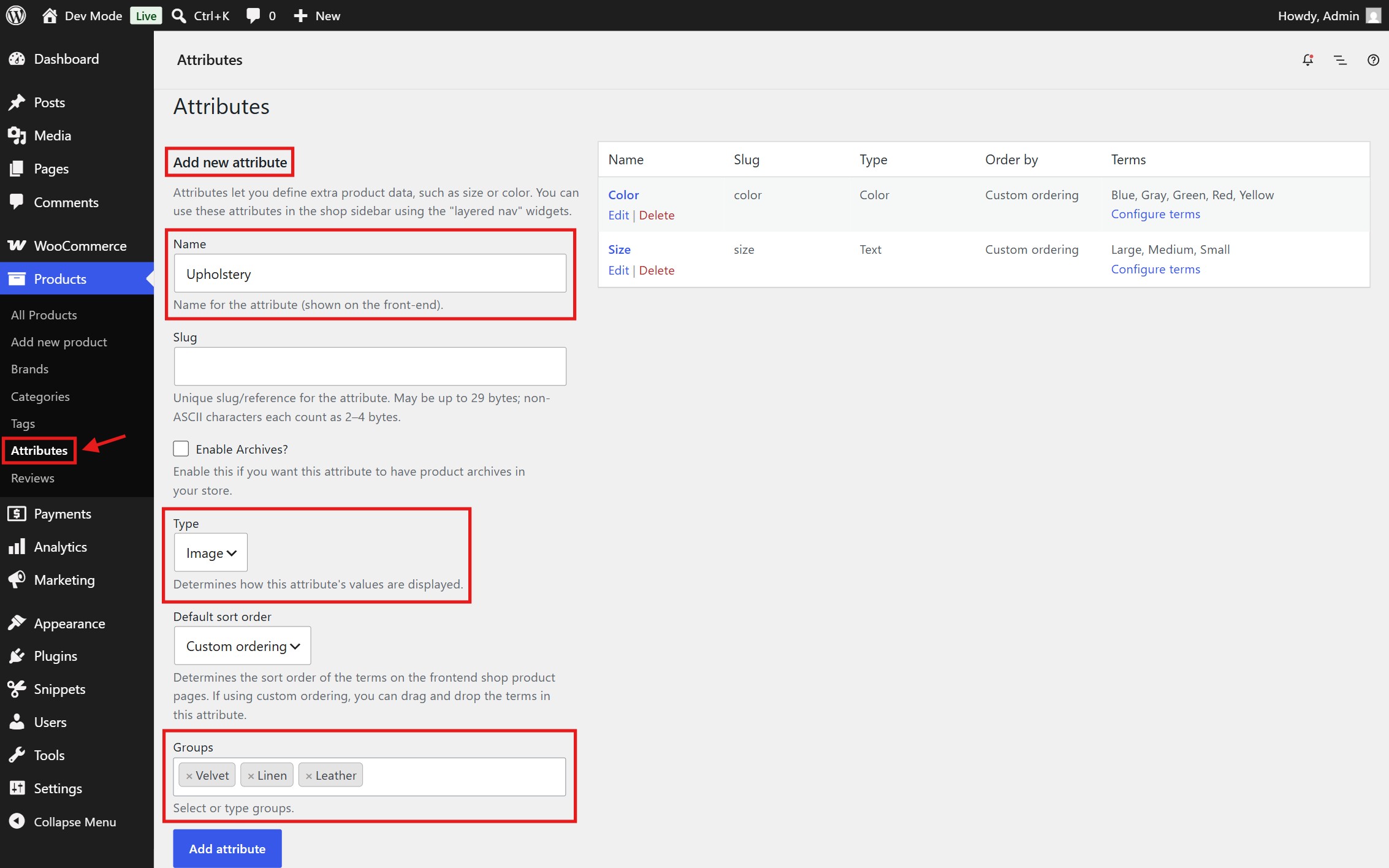
Add a new attribute or edit an existing one, choosing a desired swatch type and assigning groups if needed.
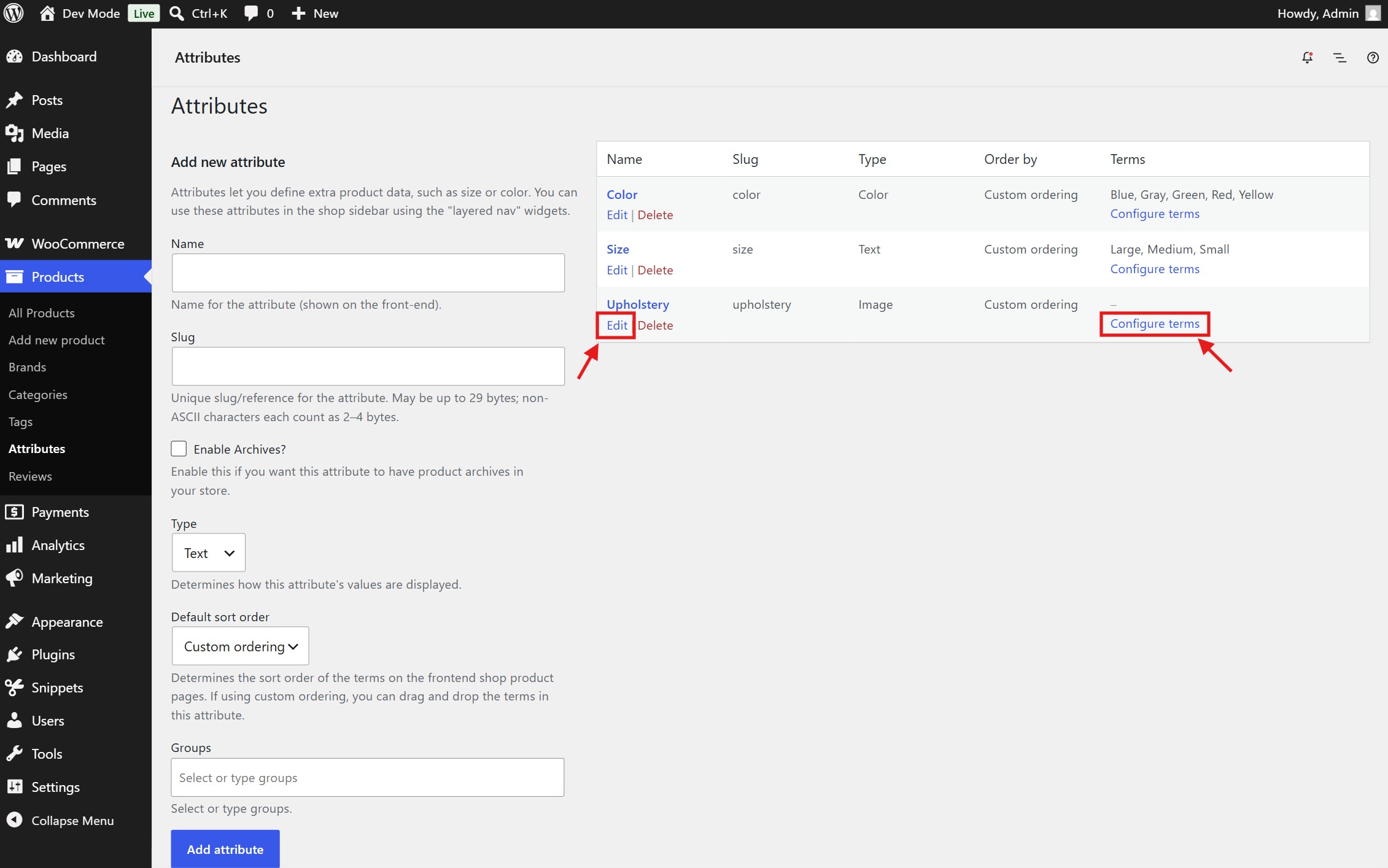
Click "configure terms" to create or edit attribute options.
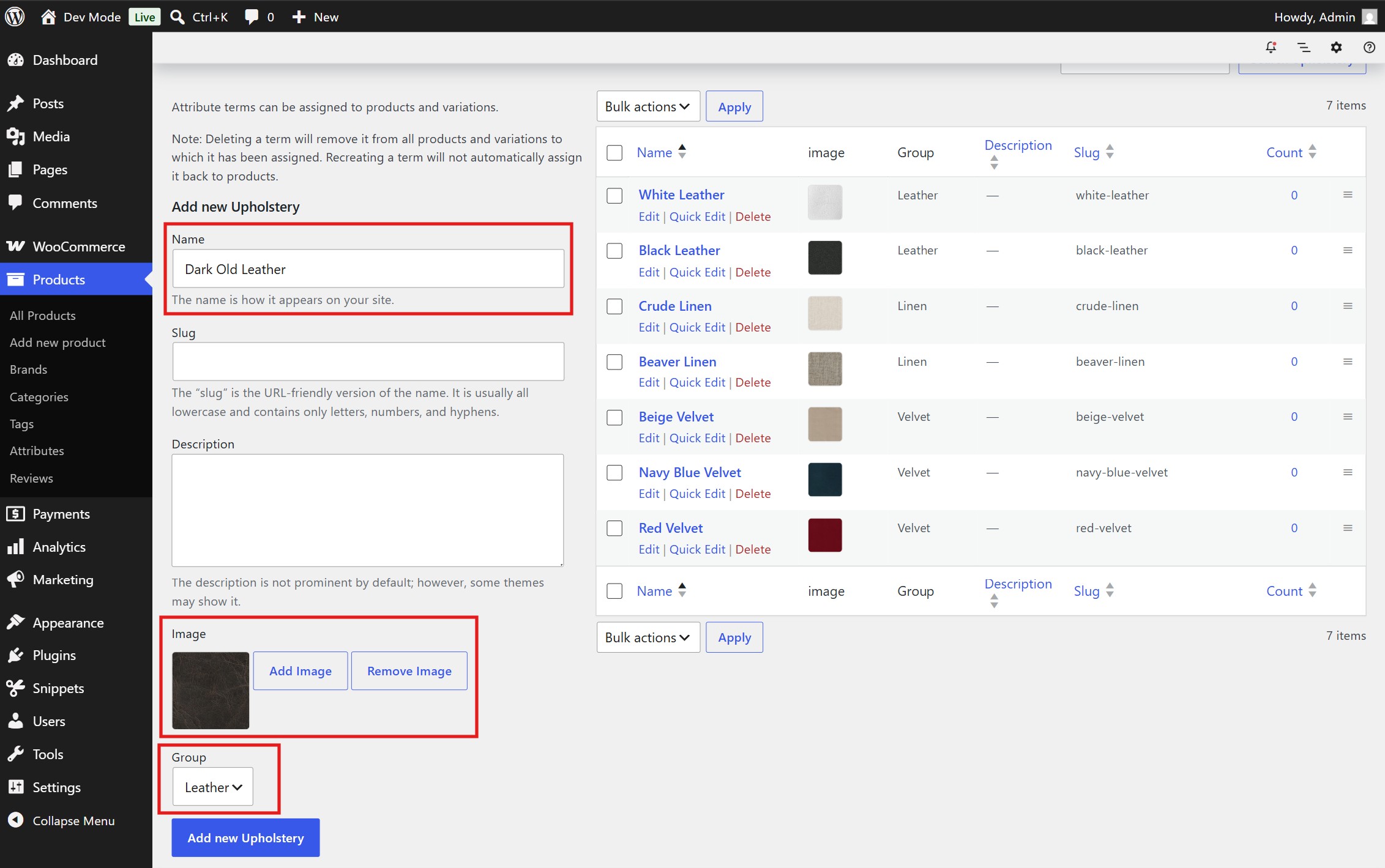
Add new attribute options or edit existing ones.
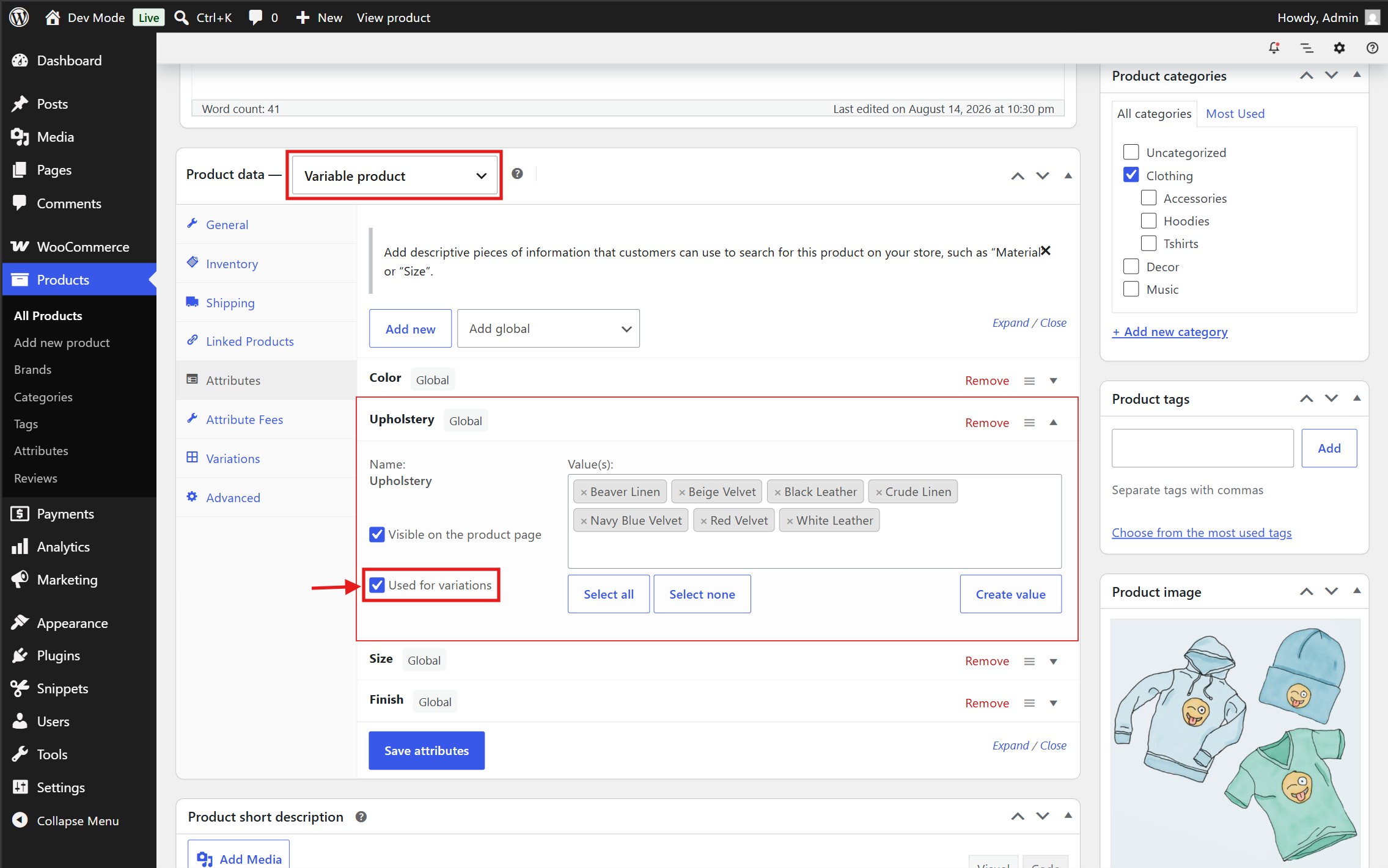
Assign the global attribute to a variable product, making sure "Used for variations" is checked.
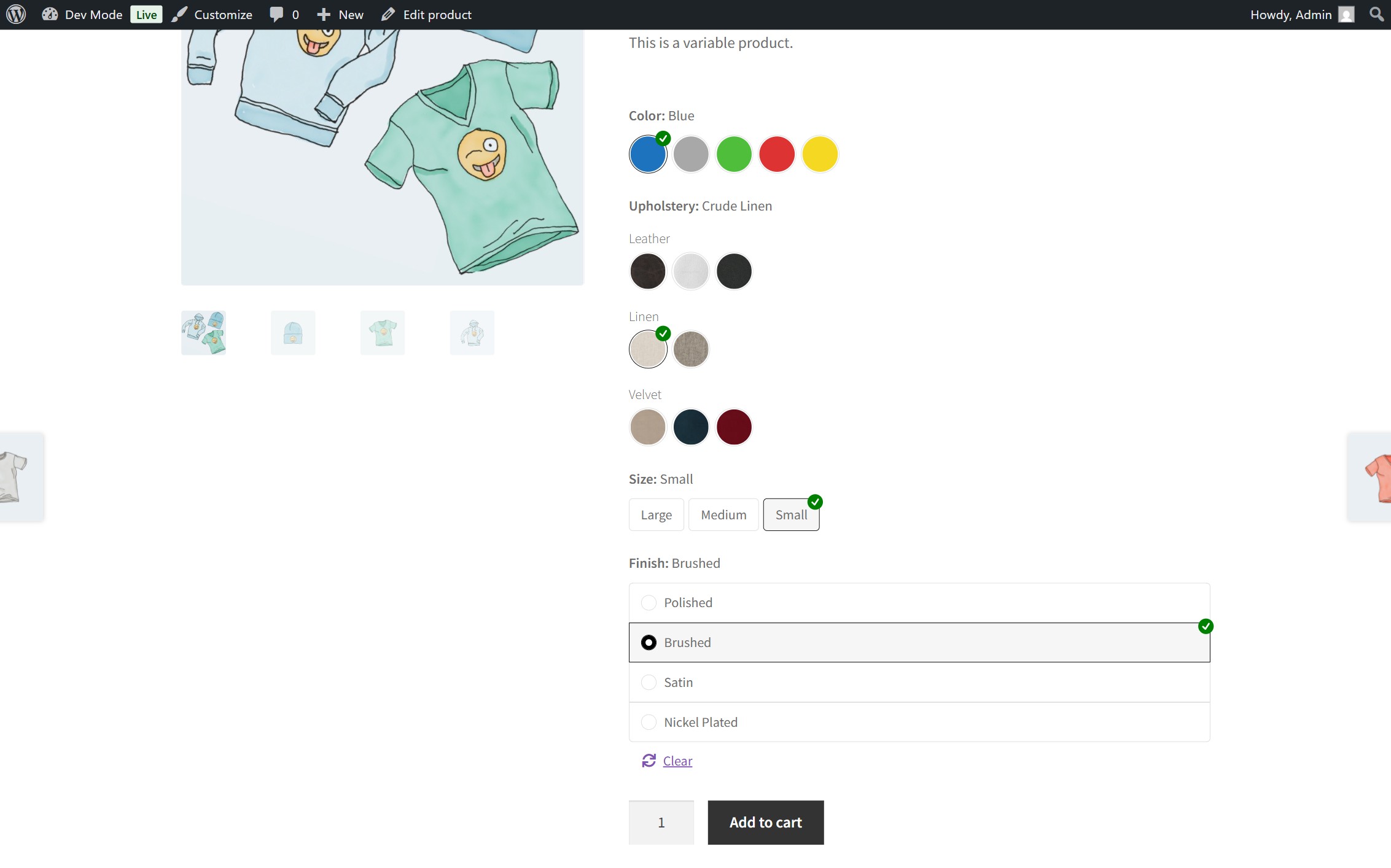
Frontend demo with the Storefront theme.
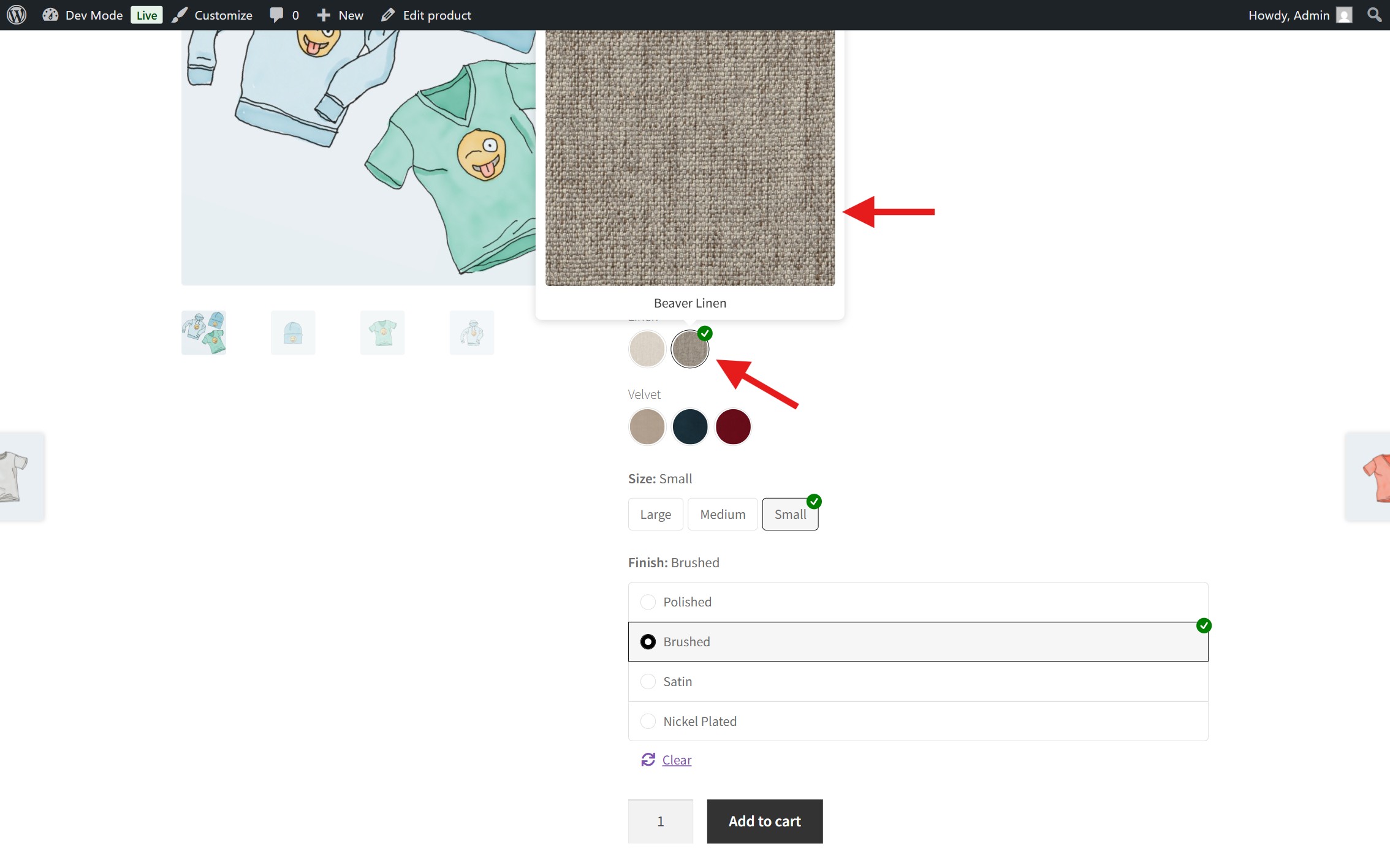
Hovering over or clicking on an image swatch will trigger a tooltip to showcase a larger version of the image.